Clodura.ai vs Mailead 2026: Which B2B Sales Tool Wins?
Clodura.ai bundles a B2B database with cold email; Mailead is a lean sending engine. We compare pricing, data, deliverability, and fit to help you pick in 2026.
Clodura.ai vs Mailead: Which Cold Outreach Tool Should You Run in 2026?
You are not really choosing between two versions of the same product. You are choosing between a B2B database with sending bolted on (Clodura.ai) and a focused cold email sending engine (Mailead). Picking wrong means either paying for data seats you never touch or buying a sender with no contacts to send to.
This breakdown compares the two on data, deliverability, pricing, and workflow — then shows where a dedicated data layer beats both at the one job that decides every cold campaign: reaching real inboxes.
TL;DR — Clodura.ai vs Mailead at a glance#
- Clodura.ai is an all-in-one sales intelligence platform: a B2B contact database, intent signals, a sales cadence tool, and email verification under one login. Best if you have no data source yet.
- Mailead is a cold email automation tool built for volume: unlimited email accounts, inbox rotation, and warmup. Best if you already own a clean list and just need to send.
- Neither is primarily an accuracy-first email finder. Clodura's database is broad but ages; Mailead has no native prospecting database at all.
- Pricing splits the decision: Clodura charges for data + sending together; Mailead charges only for sending, so you pay a third party for contacts.
- The smarter move for most teams is to pair a focused, high-accuracy data layer like Tomba Email Finder with whichever sender you prefer.
What is Clodura.ai and who is it for?#
Clodura.ai is a sales prospecting platform that markets itself as an "all-in-one" GTM engine. The pitch is simple: instead of stitching together a database, a verifier, and a cadence tool, you get them in one subscription.
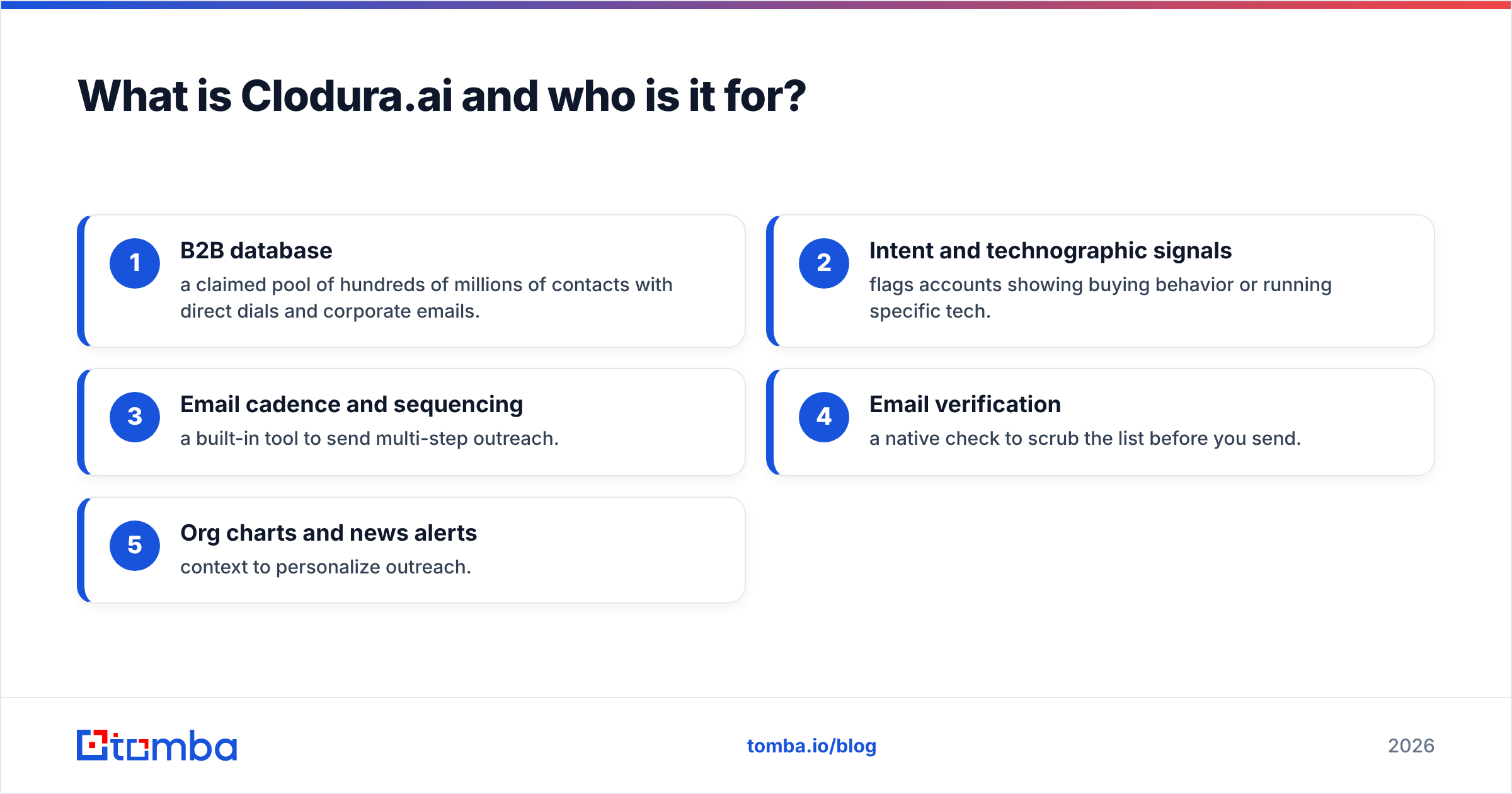
The core modules are:
- B2B database — a claimed pool of hundreds of millions of contacts with direct dials and corporate emails.
- Intent and technographic signals — flags accounts showing buying behavior or running specific tech.
- Email cadence and sequencing — a built-in tool to send multi-step outreach.
- Email verification — a native check to scrub the list before you send.
- Org charts and news alerts — context to personalize outreach.
Clodura fits a team starting from zero with no existing list and no separate data vendor. You sign up, search the database by title and industry, push contacts into a cadence, and start sending — all in one place. The trade-off is that bundled databases tend to prioritize coverage over freshness, so verification matters more, not less.

What is Mailead and who is it for?#
Mailead is a cold email sending tool, not a database. Its entire reason to exist is to push high volumes of cold email without torching your sender reputation.
The headline features are:
- Unlimited email accounts on most plans — connect dozens of sending inboxes under one seat.
- Inbox rotation — spread sends across all connected accounts so no single domain gets hammered.
- Built-in warmup — automatically warm new inboxes by simulating natural email activity.
- Sequence builder — schedule multi-step follow-ups with conditions.
- Unified inbox — manage replies across all accounts in one view.
Mailead is built for the agency and high-volume outbound playbook: many domains, many inboxes, thousands of sends a day. It assumes you arrive with a list already in hand. There is no native B2B database to search, no intent data, and no built-in finder that turns "I want CFOs at fintech companies" into verified contacts. You bring the data; Mailead moves it.

Clodura.ai vs Mailead: the feature comparison table#
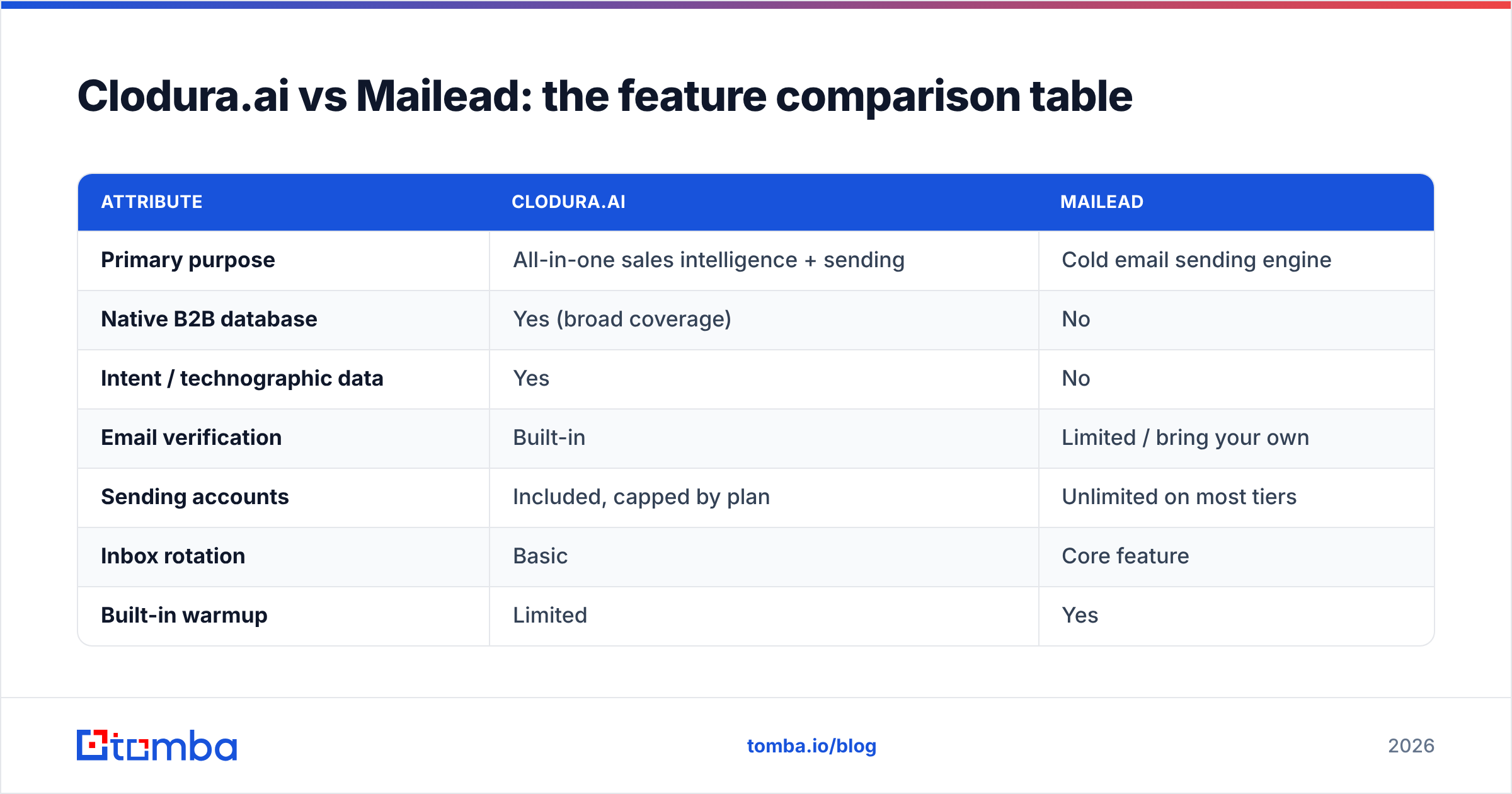
Here is the head-to-head on the attributes that actually change your results.
| Attribute | Clodura.ai | Mailead |
|---|---|---|
| Primary purpose | All-in-one sales intelligence + sending | Cold email sending engine |
| Native B2B database | Yes (broad coverage) | No |
| Intent / technographic data | Yes | No |
| Email verification | Built-in | Limited / bring your own |
| Sending accounts | Included, capped by plan | Unlimited on most tiers |
| Inbox rotation | Basic | Core feature |
| Built-in warmup | Limited | Yes |
| Best for | Teams with no data source | Teams with a clean list |
| Entry pricing | Free tier, then mid-tier paid | Lower monthly, sending-only |
| Biggest weakness | Data freshness vs accuracy | No prospecting data at all |
The pattern is clear: Clodura wins on breadth (one tool does everything), Mailead wins on sending depth (volume infrastructure done well). The gap that neither closes cleanly is accurate, fresh contact data on demand.
)
Is Clodura.ai better than Mailead for cold email?#
It depends entirely on what you already have. Use this rule:
- You have no list and no data vendor. Clodura.ai is the better single purchase. You can search, verify, and send without buying a second tool. The catch: budget for re-verifying contacts before each campaign, because a bundled database is optimized for size, not for the last-mile accuracy that protects your sender reputation.
- You already have clean data (a CRM full of verified contacts, an enrichment pipeline, or a dedicated finder). Mailead is the better purchase. You are paying only for the sending infrastructure you actually need, and Mailead's unlimited inboxes and rotation are genuinely strong for volume.
There is a third, increasingly common answer: run Mailead (or any sender) for delivery and a specialized data layer for contacts. That decouples the two jobs so you can swap either side without losing the other — and it usually beats a bundle on the metric that matters, the percentage of emails that land in a real inbox.
Why does data accuracy decide cold email outcomes?#
Because every bounce compounds. A cold campaign sent to a stale list does not just waste sends — it actively damages the domain you rely on.
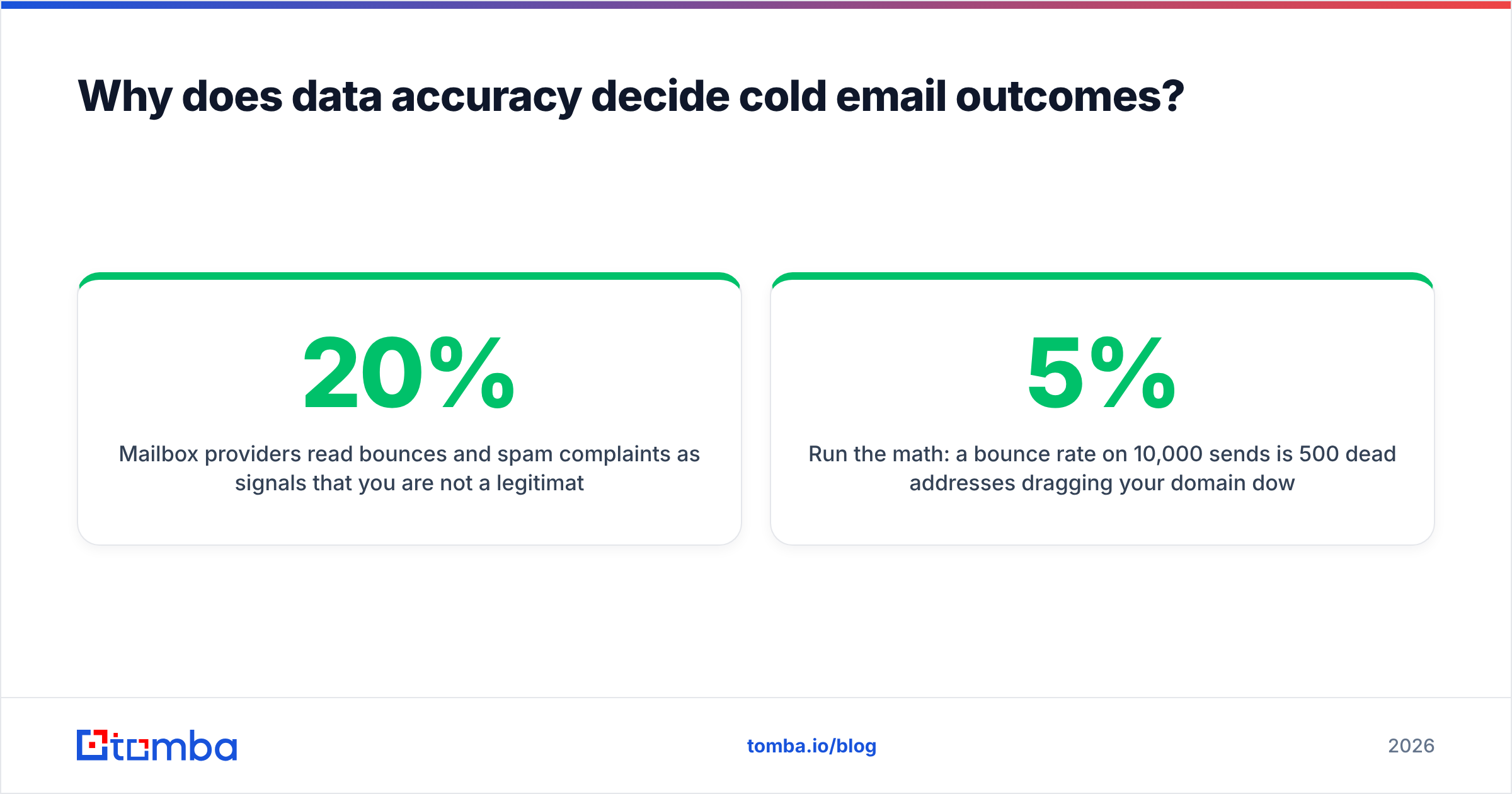
Mailbox providers read bounces and spam complaints as signals that you are not a legitimate sender. Cross a bounce-rate threshold and your email deliverability drops for every future email, including the ones to good addresses. Warmup and inbox rotation — Mailead's strengths — slow that damage, but they cannot repair a list that was 20% invalid on day one.
This is the structural weakness of any bundled database, Clodura included. When data and sending live in the same product, "good enough" data is the default, because the product's job is to keep you inside one tool, not to win an accuracy benchmark. A focused data layer is measured on exactly one thing: did the address resolve to a real person. That is why pairing a dedicated finder and email verifier with a sender consistently outperforms an all-in-one on bounce rate.
Run the math: a 5% bounce rate on 10,000 sends is 500 dead addresses dragging your domain down. Cutting that to under 1% with proper verification is often the single highest-ROI change you can make to an outbound program — bigger than any subject-line tweak.
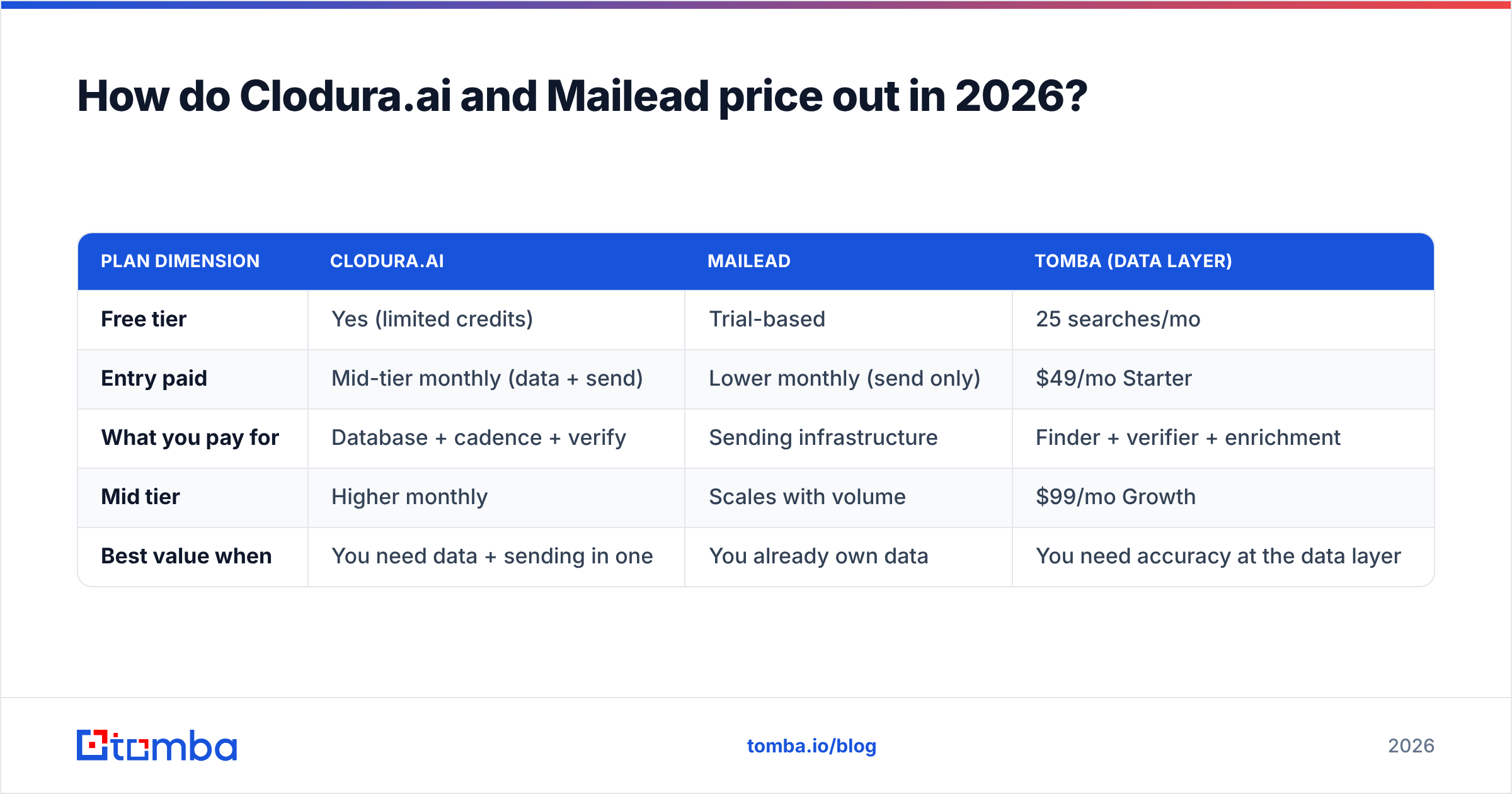
How do Clodura.ai and Mailead price out in 2026?#
Pricing is where the "bundle vs focused tool" decision becomes concrete. The two products charge for different things, so a flat monthly number is misleading.
| Plan dimension | Clodura.ai | Mailead | Tomba (data layer) |
|---|---|---|---|
| Free tier | Yes (limited credits) | Trial-based | 25 searches/mo |
| Entry paid | Mid-tier monthly (data + send) | Lower monthly (send only) | $49/mo Starter |
| What you pay for | Database + cadence + verify | Sending infrastructure | Finder + verifier + enrichment |
| Mid tier | Higher monthly | Scales with volume | $99/mo Growth |
| Best value when | You need data + sending in one | You already own data | You need accuracy at the data layer |
With Clodura, you pay for data and sending whether or not you use both equally. With Mailead, you pay only to send — but the cost of clean data shows up elsewhere, on a third-party invoice you still have to pay. The honest comparison is not "Clodura price vs Mailead price." It is "Clodura all-in vs Mailead plus your data cost."
For teams taking the unbundled route, a transparent data layer with its own pricing keeps the math clean: a Starter plan at $49/mo, Growth at $99/mo, and you scale credits independently of how many emails you send.
)
What does an unbundled outbound stack look like?#
The most resilient 2026 outbound stacks separate three layers so each can be best-in-class and swapped independently:
- Data layer (find + verify). A specialized finder pulls contacts by company or role and verifies them before they ever reach the sender. This is where accuracy is won or lost. Tools like domain search turn a target account list into verified, role-based emails.
- Sending layer (deliver). Mailead, or any tool with strong warmup and inbox rotation, handles the mechanics of getting volume out without burning domains.
- Orchestration layer (CRM + sequencing). Your CRM and sequencer track replies, score leads, and route the warm ones to reps.
Clodura.ai tries to be all three. That is convenient at the start and constraining at scale — when you outgrow its data, you cannot keep the parts that work and replace only the database. Mailead is honestly just the sending layer, which is why it pairs so naturally with a dedicated finder. For teams scaling outreach, running a bulk email finder into a clean list, then into Mailead, is faster and cleaner than fighting an aging bundled database.
Clodura.ai vs Mailead: pros and cons#
Clodura.ai pros
- One login for data, intent, verification, and sending
- Native B2B database means zero setup to start prospecting
- Intent and technographic signals add targeting context
Clodura.ai cons
- Bundled data prioritizes coverage over freshness
- You pay for modules you may not fully use
- Hard to replace just the data without leaving the platform
Mailead pros
- Strong, purpose-built sending infrastructure
- Unlimited inboxes and rotation are excellent for volume
- Built-in warmup protects new domains
- Sending-only pricing keeps the bill predictable
Mailead cons
- No native prospecting database — you must source data elsewhere
- Limited verification, so a bad list still bounces
- Not a fit for teams that want one tool to do everything
Which tool should you choose?#
Match the tool to your starting point:
- Choose Clodura.ai if you are starting from zero, want one subscription, and accept that you will re-verify lists before big sends.
- Choose Mailead if you already own clean, verified data and need serious sending volume across many inboxes.
- Choose the unbundled stack — a dedicated data layer plus your preferred sender — if accuracy and flexibility matter more than having one login. This is the right call for most teams that send at scale and cannot afford a damaged sender reputation.
For deeper comparisons across the outbound category, see vendor-neutral review sites like G2 and Capterra, and validate any database's freshness claims against your own test sends — never against marketing copy. HubSpot's own cold email research is a useful neutral baseline for what "good" engagement actually looks like.
The bottom line: data first, sending second#
Clodura.ai and Mailead solve different halves of the same problem, and neither is built primarily to win on email accuracy. Clodura gives you breadth in one tool; Mailead gives you a clean, powerful sending engine. The layer that decides whether your campaigns land — accurate, verified contact data — is exactly the layer both treat as secondary.
Get that layer right and everything downstream gets easier. The Tomba Email Finder is built for one job: returning real, verified professional emails by name, company, or domain, so the list you hand to Mailead or load into Clodura's cadence is clean before the first send. Start free with 25 searches a month, scale to Starter at $49/mo, and stop paying for bounces. Find the right contacts first — then let your sender do what it does best.
// get started
Find, verify and enrich your first contacts today
Start on the free plan with 25 searches a month, then scale when your team is ready.
Free plan · No credit card required · GDPR & CCPA
// about the author