Cufinder vs Ninjapear (2026): Which Email Finder Wins?
Cufinder and Ninjapear both promise fresh B2B emails, but they win on different fronts. Here's an honest, side-by-side breakdown of accuracy, pricing, and data coverage—plus a cheaper pick worth testing.
Choosing between Cufinder and Ninjapear comes down to one question: do you need a broad company-and-contact database, or a fast, no-frills email lookup? Both tools sell "accurate B2B emails," but they solve slightly different problems, and the wrong pick will quietly burn your sending reputation with bounces.
This is a neutral, side-by-side breakdown—accuracy, pricing, coverage, and the gaps neither vendor puts on its homepage. If you already know you want the most accurate finder at the lowest price, skip to the comparison table.
TL;DR: Cufinder vs Ninjapear at a glance#
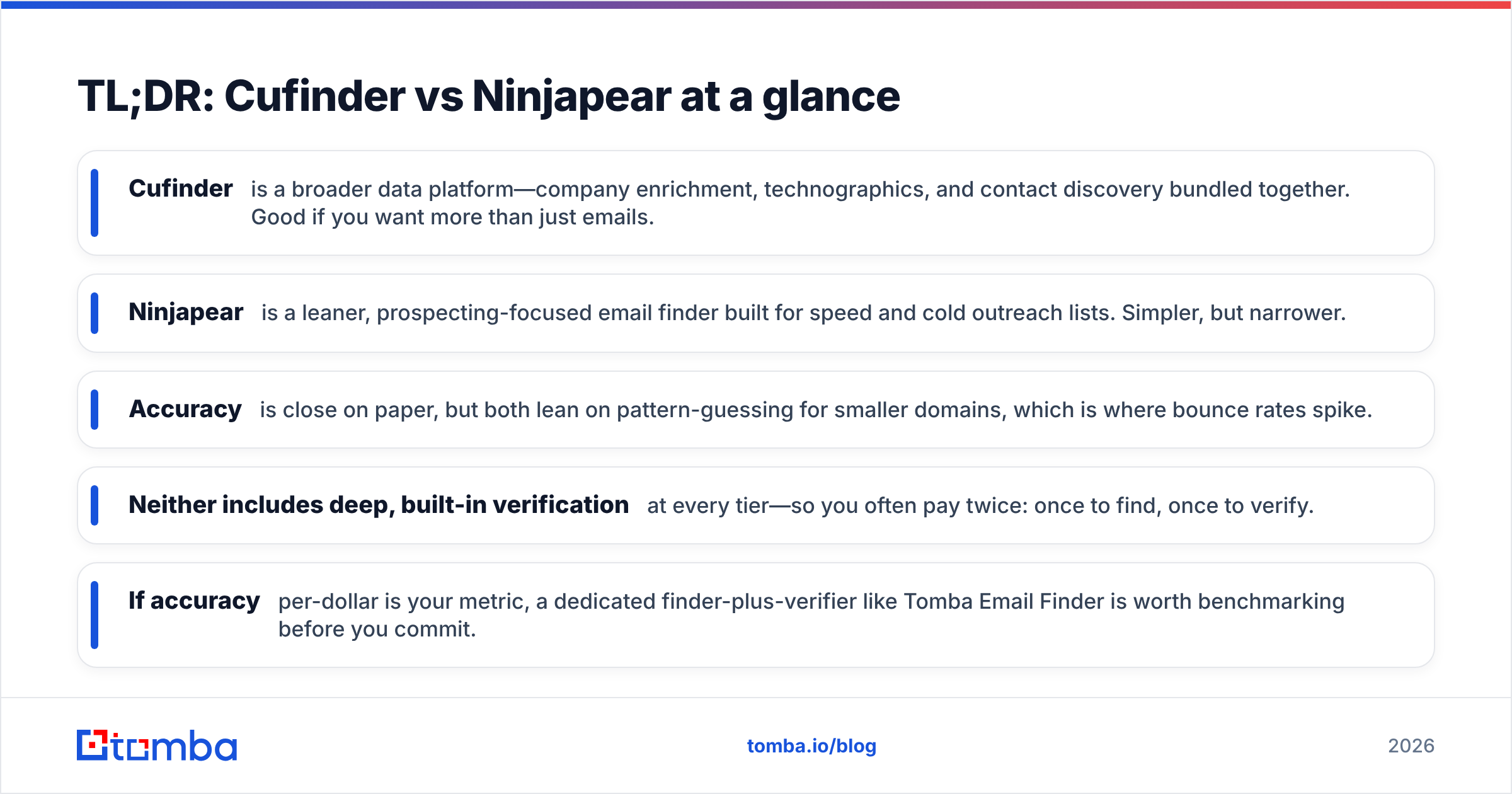
- Cufinder is a broader data platform—company enrichment, technographics, and contact discovery bundled together. Good if you want more than just emails.
- Ninjapear is a leaner, prospecting-focused email finder built for speed and cold outreach lists. Simpler, but narrower.
- Accuracy is close on paper, but both lean on pattern-guessing for smaller domains, which is where bounce rates spike.
- Neither includes deep, built-in verification at every tier—so you often pay twice: once to find, once to verify.
- If accuracy-per-dollar is your metric, a dedicated finder-plus-verifier like Tomba Email Finder is worth benchmarking before you commit.
What is Cufinder, and who is it for?#
Cufinder positions itself as an all-in-one B2B lead generation and enrichment engine. Beyond finding email addresses, it offers company search, contact enrichment, technographic data (what tools a company uses), and API access for teams that want to push data into their own systems.
That breadth is the selling point. If your workflow is "give me a company, now give me the decision-makers, their emails, their tech stack, and their headcount," Cufinder tries to be a single stop. It's aimed at sales and marketing teams doing account-based outreach, not just one-off email lookups.
The trade-off: platforms that do many things rarely do all of them at world-class accuracy. Enrichment fields like company size or industry are easy to get roughly right and hard to keep current. When you're evaluating Cufinder, weigh the email accuracy separately from the enrichment features—they're not the same quality bar.

What is Ninjapear, and who is it for?#
Ninjapear takes the opposite approach: stay focused. It's a prospecting-first email finder built to turn names, domains, and LinkedIn-style inputs into outreach-ready lists quickly. The interface is lighter, the learning curve is shorter, and the pitch is speed—get a list of emails and get sending.
That makes Ninjapear attractive to solo founders, agencies, and lean SDR teams who don't want to learn a sprawling data suite. You're not paying for technographics or deep firmographic enrichment you'll never use. You're paying to find emails.
The flip side is coverage. A narrower tool often has a narrower database, which means more "no results" on niche domains, smaller companies, or international contacts. For a high-volume outbound motion where you need to hit obscure targets, that gap matters. For mainstream SaaS and mid-market prospecting, it may not.

Cufinder vs Ninjapear: the head-to-head comparison#
Here's the core matchup on the attributes that actually change your results. Pricing tiers shift over time, so confirm current numbers on each vendor's page before you buy—but the shape of the trade-off is stable.
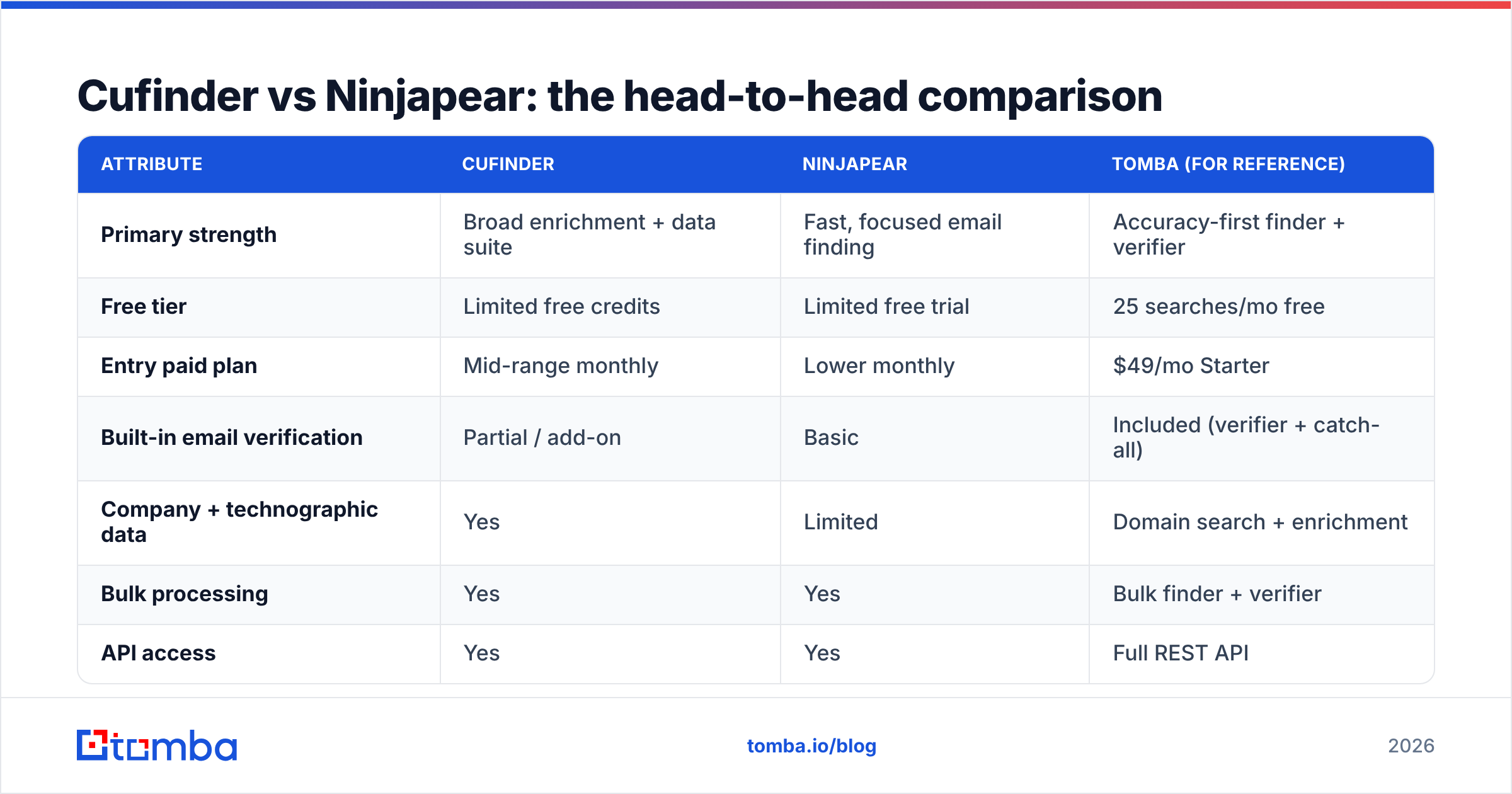
| Attribute | Cufinder | Ninjapear | Tomba (for reference) |
|---|---|---|---|
| Primary strength | Broad enrichment + data suite | Fast, focused email finding | Accuracy-first finder + verifier |
| Free tier | Limited free credits | Limited free trial | 25 searches/mo free |
| Entry paid plan | Mid-range monthly | Lower monthly | $49/mo Starter |
| Built-in email verification | Partial / add-on | Basic | Included (verifier + catch-all) |
| Company + technographic data | Yes | Limited | Domain search + enrichment |
| Bulk processing | Yes | Yes | Bulk finder + verifier |
| API access | Yes | Yes | Full REST API |
| Best fit | ABM teams wanting one platform | Lean cold-outreach teams | Teams optimizing accuracy-per-dollar |
The pattern is clear: Cufinder trades focus for breadth, Ninjapear trades breadth for simplicity, and the deciding factor is whether you value an all-in-one dashboard or a fast, single-purpose tool. Neither is "wrong"—they're built for different buyers.
Which tool is more accurate?#
Accuracy is where marketing copy and reality diverge. Both Cufinder and Ninjapear advertise high accuracy percentages, but those numbers usually describe verified emails on large, well-documented domains—the easy cases. The honest measure is what happens on the hard cases: small companies, catch-all domains, and international contacts.
Two mechanics drive real-world accuracy:
- Database freshness — how recently the underlying data was collected and re-checked. Stale data means people who changed jobs six months ago.
- Verification depth — whether the tool actually pings the mail server (SMTP check) or just guesses the pattern like
first.last@company.comand hands it over.
Pattern-guessing without verification is the silent killer. It produces plausible-looking emails that bounce, and bounces above roughly 2-3% start damaging your sender reputation and your email deliverability. This is why "found an email" and "found a deliverable email" are different claims.
Before you trust any vendor's headline accuracy stat, run the same 50 test contacts through each tool and check the bounce rate yourself. It's the only benchmark that reflects your actual audience. Pairing any finder with a dedicated email verifier closes most of the gap, regardless of which finder you choose.

How do Cufinder and Ninjapear price out?#
Price-per-result matters more than sticker price. A cheaper plan that returns fewer valid emails per credit can cost more per usable contact than a pricier plan with a denser database.
- Cufinder bundles enrichment into its pricing, so you're paying partly for data you may not use. If you need technographics and firmographics, that's fair value. If you only want emails, you're subsidizing features you'll ignore.
- Ninjapear tends to price lower at entry, matching its narrower scope. That's efficient if its database covers your targets—and wasteful in a different way if you burn credits on "no result" searches for niche domains.
The hidden cost in both cases is verification. If a finder hands you unverified emails, you'll either eat the bounces or pay a separate verification service. When you compare quotes, normalize on cost per verified, deliverable email, not cost per search. That single reframing often flips which tool is "cheaper."
For teams that want the finding-plus-verification math handled in one bill, it's worth comparing against transparent Tomba pricing: a free tier with 25 searches, then $49/mo Starter, $99/mo Growth, and $249/mo Pro—with verification included rather than bolted on.
What are the pros and cons of each?#
No tool wins every category. Here's the honest ledger.
Cufinder — pros
- Broad data suite (enrichment, technographics, company search) in one place
- Good fit for account-based marketing and multi-signal targeting
- Solid API for teams building their own pipelines
Cufinder — cons
- Breadth can dilute email accuracy versus specialist finders
- Enrichment fields drift out of date and need re-checking
- You pay for features you may not use if emails are all you want
Ninjapear — pros
- Fast, simple, low learning curve
- Lower entry price for pure email finding
- Good for lean outbound teams and agencies
Ninjapear — cons
- Narrower database means more misses on niche or international targets
- Lighter enrichment if you later need more context on accounts
- Verification depth may require a second tool
If your motion is high-volume sales prospecting across a wide range of company sizes, weigh coverage heavily—misses compound. If you're doing focused, mid-market outreach, Ninjapear's simplicity may be exactly enough.
Is there a better alternative to both?#
For a lot of teams, the real answer to "Cufinder or Ninjapear?" is "a finder that treats verification as a first-class feature." The recurring weakness in both tools is the same: finding is separated from verifying, so you get plausible emails that still need a second pass.
This is where a specialist finder earns its keep. A tool built around accuracy pairs domain-level discovery with SMTP verification and catch-all handling in the same workflow, so the email you export is one you can actually send to. If you're already shopping this category, it costs nothing to add a third option to your bake-off and let the bounce rate decide.
According to independent review platforms like G2, buyers consistently rank data accuracy and deliverability above feature count when they rate these tools—which lines up with the "verify or lose your domain" reality above. HubSpot's own research on email marketing reinforces the same point: list quality drives outcomes far more than volume.
Practical way to run the bake-off:
- Pick 50 real target contacts across different company sizes.
- Run them through Cufinder, Ninjapear, and one specialist finder.
- Send everything through a single email verifier so you're grading on the same scale.
- Compare valid, deliverable emails per dollar—not raw "found" counts.
Whichever tool wins that test on your data is the right answer, regardless of which brand has the flashier dashboard.
How to choose: a quick decision framework#
Match the tool to the job:
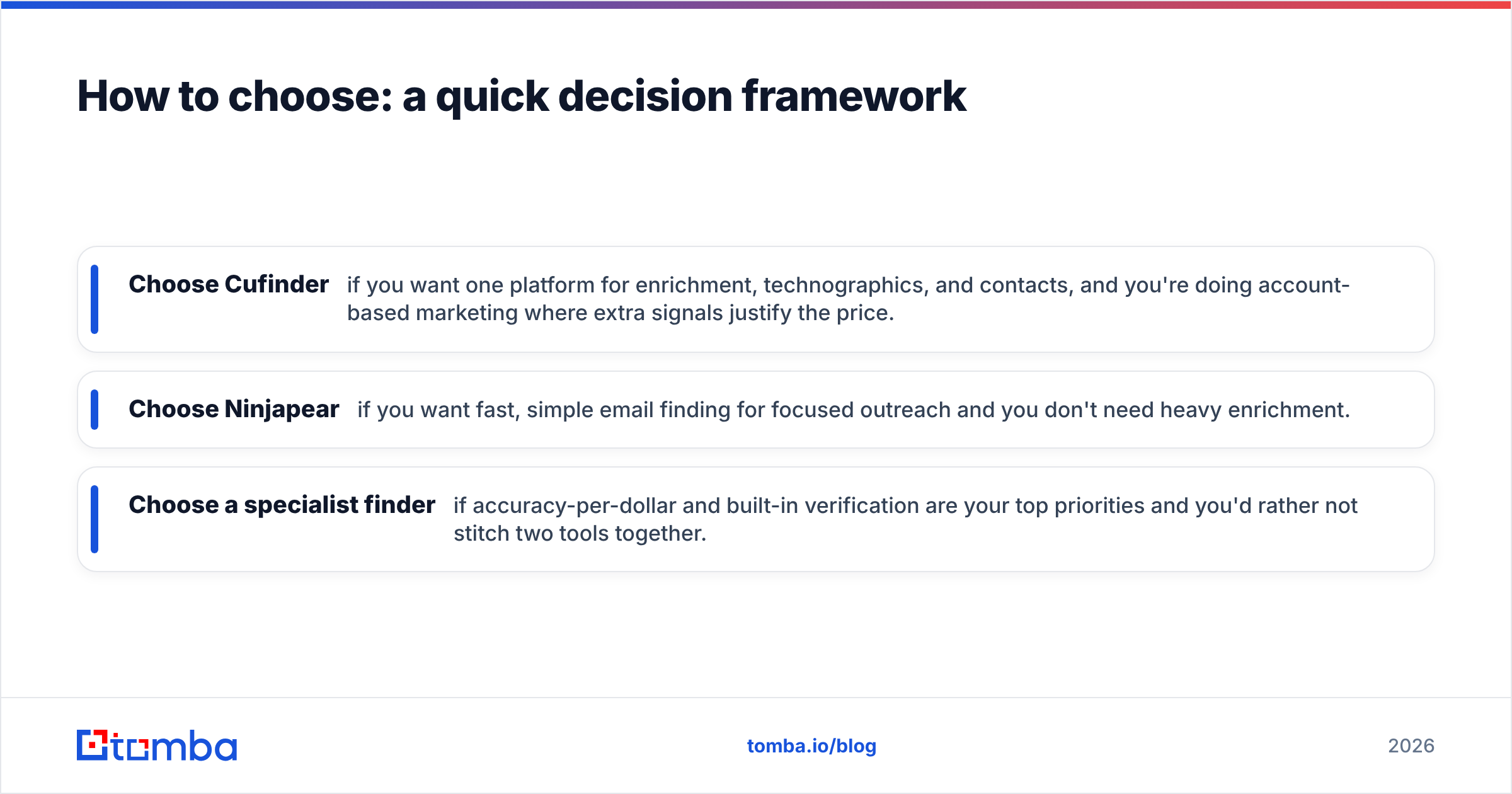
- Choose Cufinder if you want one platform for enrichment, technographics, and contacts, and you're doing account-based marketing where extra signals justify the price.
- Choose Ninjapear if you want fast, simple email finding for focused outreach and you don't need heavy enrichment.
- Choose a specialist finder if accuracy-per-dollar and built-in verification are your top priorities and you'd rather not stitch two tools together.
Whatever you pick, don't skip verification. The cheapest email finder in the world is expensive the moment it torches your domain reputation with a spike of hard bounces.
The bottom line#
Cufinder is the broader platform; Ninjapear is the leaner finder. Cufinder wins if you value an all-in-one data suite and will use the enrichment. Ninjapear wins if you value speed, simplicity, and a lower entry price for pure email finding. Both stumble in the same place—verification depth—so budget for a verifier no matter which you choose.
If your real goal is the most deliverable emails per dollar, add an accuracy-first option to your shortlist and let a 50-contact test settle it. Tomba Email Finder pairs domain search, finding, and verification in one workflow, with a free tier of 25 searches so you can benchmark it against Cufinder and Ninjapear on your own list before spending anything. Run the test, compare the bounce rates, and let your data—not the marketing copy—make the call.
Related guides#
Ready to find emails that actually work?
Join 150,000+ professionals who stopped guessing and started sending. Free credits on signup — no credit card required.
Get the Tomba newsletter
Practical outbound tactics and product updates — once every two weeks.
About the author