Brandnav vs Kipplo 2026: Which B2B Email Finder Wins?
Brandnav vs Kipplo, head to head: accuracy, pricing, verification, and data coverage compared so you can pick the right email finder in 2026 — plus a stronger third option.
Choosing between Brandnav and Kipplo usually comes down to one question: which tool finds more correct email addresses for less money without flooding your list with bounces? Both pitch themselves as fast, affordable lead-data tools, but they make different trade-offs on accuracy, verification depth, and how they price credits. This guide breaks the two down attribute by attribute, then shows where a more established option fits if neither quite covers you.
TL;DR#
- Brandnav leans toward all-in-one lead enrichment with a broad data dashboard, but its email accuracy is inconsistent on smaller domains and catch-all servers.
- Kipplo is the leaner, cheaper option focused on bulk email finding, yet thinner verification means you carry more bounce risk into your sequences.
- Neither tool publishes an independent accuracy benchmark, so treat their headline "98%" claims with caution and test on your own list first.
- For teams that need verified emails, a real domain search, and an API that scales, Tomba is the stronger third option at a transparent $49/mo starting price.
- Always pair any email finder with a separate email verifier step before you send — finding and verifying are two different jobs.
What are Brandnav and Kipplo?#
Both Brandnav and Kipplo are B2B contact-data tools. You give them a name and a company domain (or a list of domains), and they return business email addresses you can use for outreach, recruiting, or enrichment.
Brandnav positions itself as a broader lead-intelligence platform: email finding sits next to company data, enrichment fields, and a dashboard meant to be a light CRM-adjacent workspace. The appeal is consolidation — one login for finding and organizing leads.
Kipplo is narrower and cheaper. It concentrates on finding and exporting emails in bulk, with less emphasis on enrichment or workflow. The appeal is price-per-lead for people who just want a CSV of addresses.
The core mechanic behind both is the same one every email finder uses: combine known email patterns for a domain (like first.last@company.com) with public data signals, then guess-and-check the most likely address. The quality gap between tools comes almost entirely from how good their pattern data is and how rigorously they verify before handing you the result. If you want the deeper mechanics, Tomba's explainer on what domain search is covers the underlying approach.

How do Brandnav and Kipplo compare on accuracy?#
Accuracy is the whole ballgame, because a wrong email does double damage: you waste the send, and the bounce hurts your sender reputation, which then drags down the deliverability of every other email you send that day.
Here's the honest situation: neither Brandnav nor Kipplo publishes a third-party-audited accuracy number. Both market figures in the high-90s, but those are self-reported and usually measured under ideal conditions — large companies with obvious, well-documented email patterns. The real test is the messy middle: 20-person companies, regional domains, role-based addresses, and catch-all servers that accept every address you throw at them.
On those harder cases, user reports tend to show the same pattern. Brandnav's larger data footprint helps it on mid-market companies but it can return stale addresses for people who've changed jobs. Kipplo finds plausible-looking emails quickly but, because its verification is lighter, more of those "found" emails are actually unverified guesses that bounce.
The fix for both is the same: never trust a single tool's "found" status. Run every result through a dedicated verification pass and treat catch-all domains as a separate category that needs a catch-all verifier rather than a yes/no answer.
)
Brandnav vs Kipplo: side-by-side comparison#
The table below maps the attributes that actually change your results. Where a vendor doesn't publish a number, it's marked as undisclosed rather than filled with a guess.
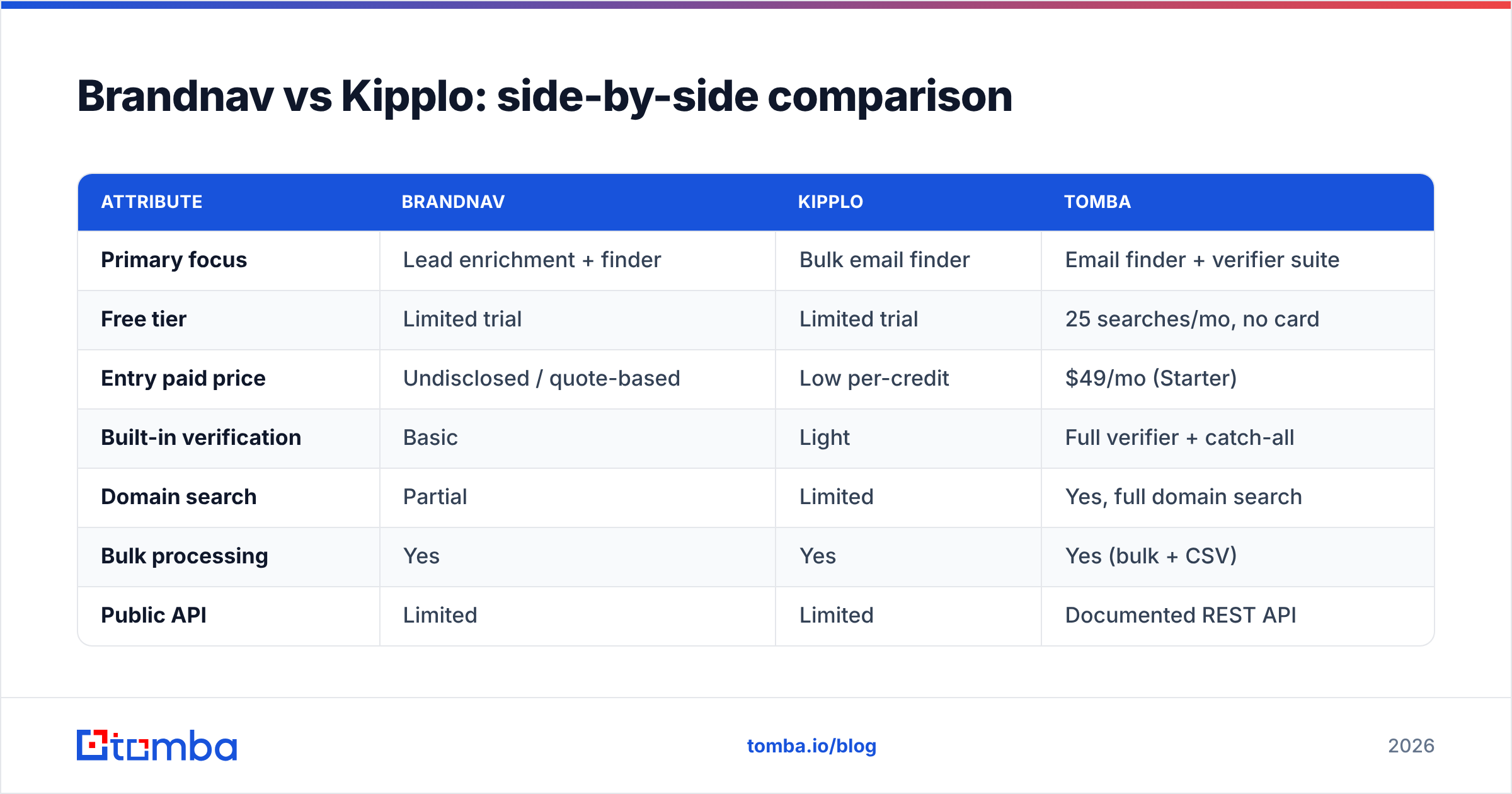
| Attribute | Brandnav | Kipplo | Tomba |
|---|---|---|---|
| Primary focus | Lead enrichment + finder | Bulk email finder | Email finder + verifier suite |
| Free tier | Limited trial | Limited trial | 25 searches/mo, no card |
| Entry paid price | Undisclosed / quote-based | Low per-credit | $49/mo (Starter) |
| Built-in verification | Basic | Light | Full verifier + catch-all |
| Domain search | Partial | Limited | Yes, full domain search |
| Bulk processing | Yes | Yes | Yes (bulk + CSV) |
| Public API | Limited | Limited | Documented REST API |
| Phone / enrichment data | Some | Minimal | Phone finder + enrichment |
| Independent accuracy audit | No | No | Sources documented |
A few takeaways. If you want the cheapest raw email-finding and you'll handle verification elsewhere, Kipplo's per-credit model is attractive. If you want finding plus some enrichment in one screen, Brandnav consolidates more. But if verification, a real domain search, and a stable email finder API matter, both tools leave gaps that a more complete platform closes.
How does pricing actually compare?#
Pricing is where these two diverge most, and where you have to read past the sticker.
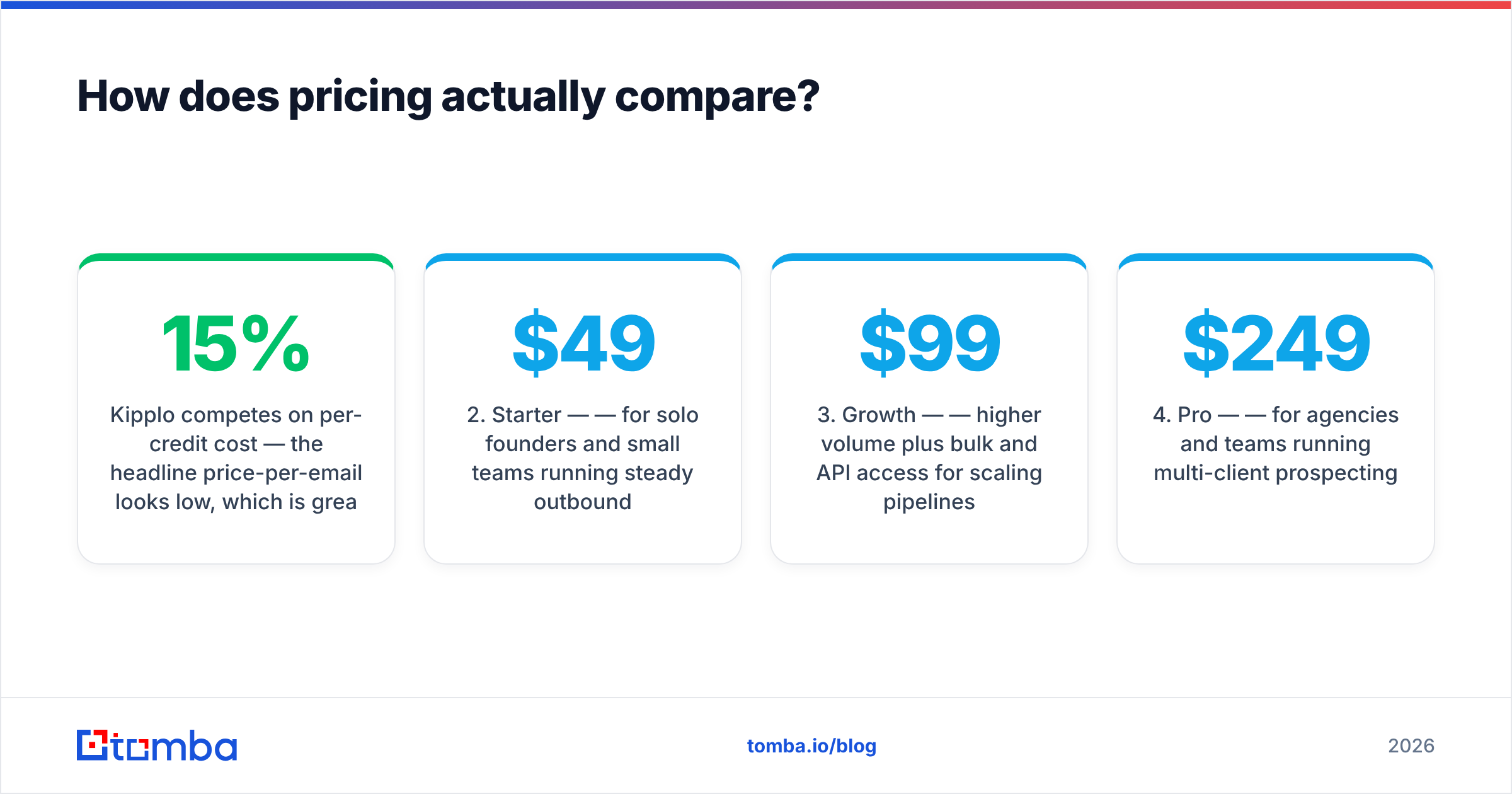
Kipplo competes on per-credit cost — the headline price-per-email looks low, which is great until you account for the unverified results you'll discard. If 15% of "found" emails bounce, your effective cost-per-usable-email is much higher than the credit price suggests.
Brandnav competes on bundled value — you're paying for enrichment and dashboard features alongside finding, so the per-email math is muddier. That's fine if you use the extra features and wasteful if you only wanted emails.
For comparison, here's how transparent, flat-tier pricing looks. Tomba publishes every tier publicly, which makes the per-search math easy to do before you commit:
- Free — 25 searches/month, no credit card, good for testing accuracy on your own list before paying anyone.
- Starter — $49/mo — for solo founders and small teams running steady outbound.
- Growth — $99/mo — higher volume plus bulk and API access for scaling pipelines.
- Pro — $249/mo — for agencies and teams running multi-client prospecting.
- Enterprise — custom — volume contracts, SSO, and dedicated support.
You can see the full breakdown on the Tomba pricing page. The point isn't that cheaper always wins — it's that you should compare cost per verified, deliverable email, not cost per raw lookup. A $0.02 email that bounces is more expensive than a $0.05 email that lands.
Which tool is better for cold outreach deliverability?#
Better deliverability goes to whichever workflow puts a real verification gate between "found" and "send" — and out of the box, neither Brandnav nor Kipplo does this as firmly as a dedicated verifier.
This is the most overlooked part of the Brandnav vs Kipplo decision. An email finder's job ends when it returns an address. Your inbox placement depends on what happens next. Mailbox providers track your bounce rate, and a few hundred hard bounces in a morning is enough to get throttled or junked. Google's own guidance for bulk senders is strict on this, and the entire discipline of email deliverability exists because of it.
So regardless of which finder you choose, your sending stack needs:
- A verification pass on every address before import, ideally one that flags risky, role-based, and catch-all addresses separately.
- List hygiene — dedupe and remove invalids before they ever reach a sequence. A free email checker handles spot checks; bulk verification handles the rest.
- Authentication — confirm your domain's SPF record, DKIM, and DMARC are correct so verified emails actually land.
Brandnav and Kipplo can find the addresses. They are weaker at guaranteeing those addresses are safe to send. That gap is exactly where bounce-driven reputation damage sneaks in.
)
Where does Tomba fit between Brandnav and Kipplo?#
Tomba sits where most teams actually want to be: finding and verifying in one place, with documented data sources and pricing you can see before you sign up.
The practical case for considering Tomba as the tiebreaker:
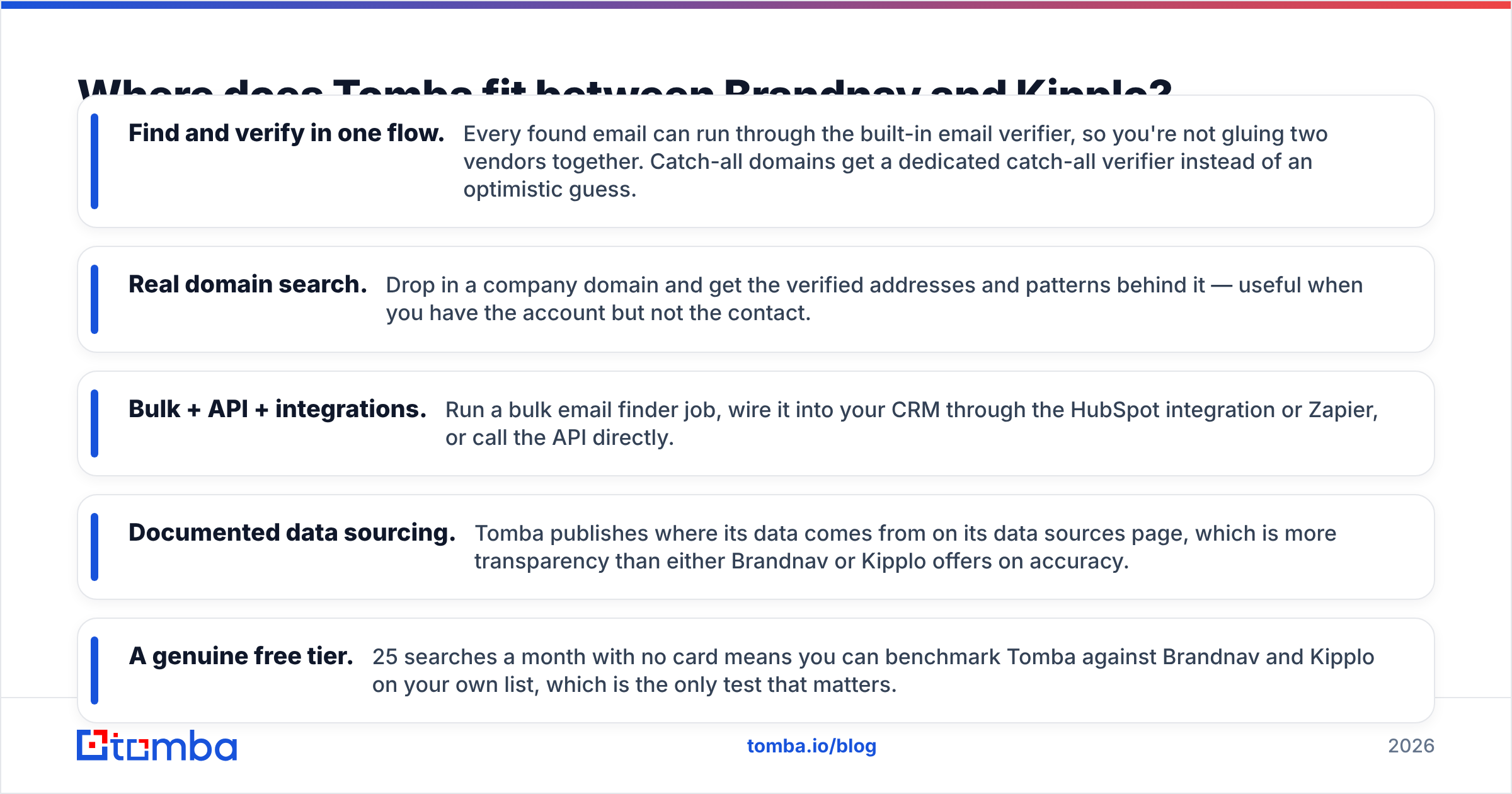
- Find and verify in one flow. Every found email can run through the built-in email verifier, so you're not gluing two vendors together. Catch-all domains get a dedicated catch-all verifier instead of an optimistic guess.
- Real domain search. Drop in a company domain and get the verified addresses and patterns behind it — useful when you have the account but not the contact.
- Bulk + API + integrations. Run a bulk email finder job, wire it into your CRM through the HubSpot integration or Zapier, or call the API directly.
- Documented data sourcing. Tomba publishes where its data comes from on its data sources page, which is more transparency than either Brandnav or Kipplo offers on accuracy.
- A genuine free tier. 25 searches a month with no card means you can benchmark Tomba against Brandnav and Kipplo on your own list, which is the only test that matters.
This isn't a knock on the other two for every use case. If you live inside Brandnav's enrichment dashboard daily, that consolidation has value. If your entire need is cheap bulk lookups and you already own a verifier, Kipplo's per-credit price is fair. Tomba is the pick when you want finding, verification, and scale without stitching tools together — and when you want to compare other options, the Apollo alternative and RocketReach alternative breakdowns use the same neutral, attribute-by-attribute method.
How should you decide between Brandnav and Kipplo?#
Decide with a 30-minute test, not a feature list. Marketing pages all look similar; your own domains don't lie.
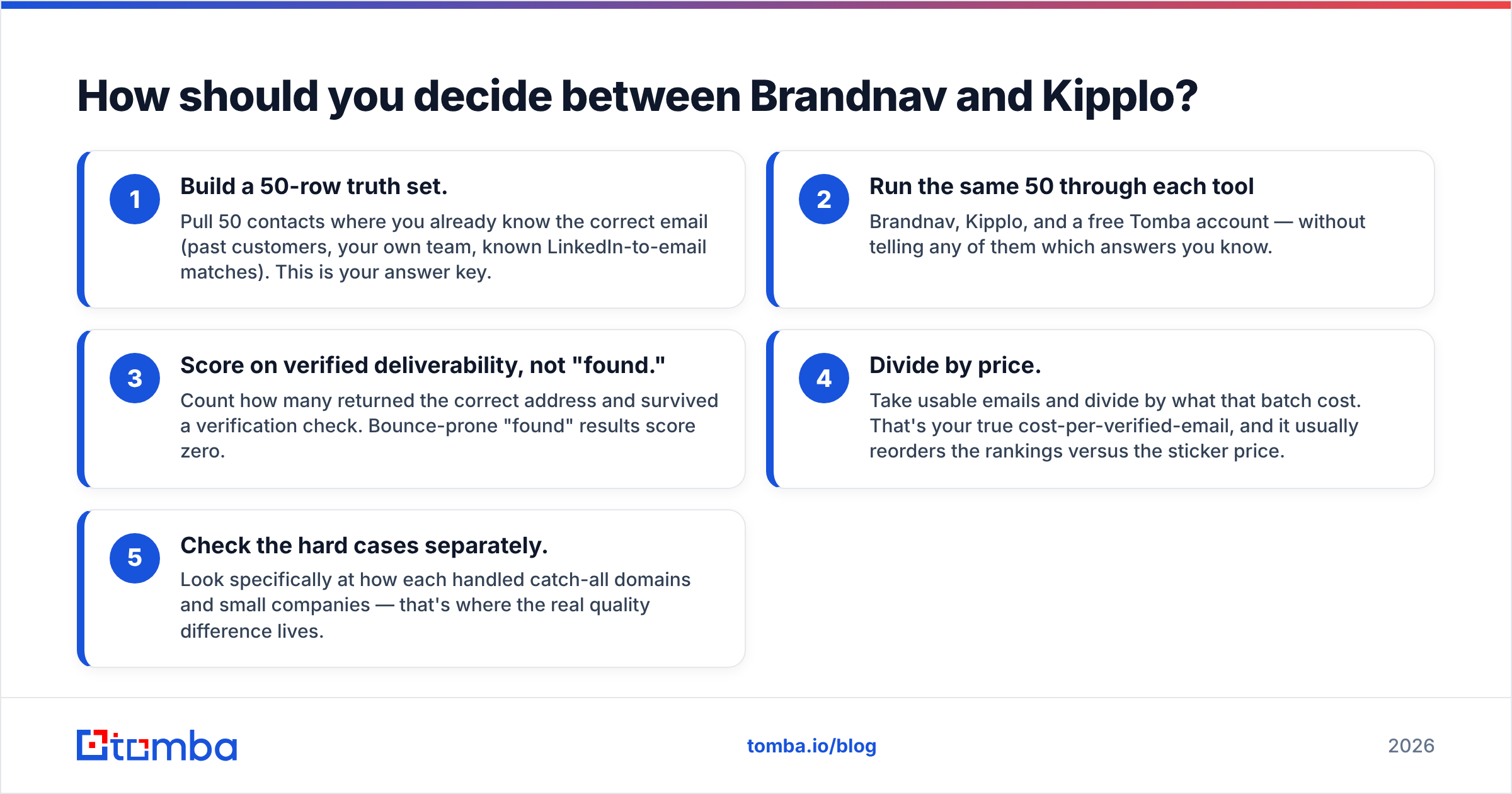
- Build a 50-row truth set. Pull 50 contacts where you already know the correct email (past customers, your own team, known LinkedIn-to-email matches). This is your answer key.
- Run the same 50 through each tool — Brandnav, Kipplo, and a free Tomba account — without telling any of them which answers you know.
- Score on verified deliverability, not "found." Count how many returned the correct address and survived a verification check. Bounce-prone "found" results score zero.
- Divide by price. Take usable emails and divide by what that batch cost. That's your true cost-per-verified-email, and it usually reorders the rankings versus the sticker price.
- Check the hard cases separately. Look specifically at how each handled catch-all domains and small companies — that's where the real quality difference lives.
Whatever you pick, treat the email finder as one stage in a pipeline, not the whole thing. Finding, verifying, enriching, and authenticating are separate jobs, and the teams with the best response rate are the ones who don't skip the middle steps.
The bottom line#
Brandnav vs Kipplo comes down to consolidation versus cost: Brandnav bundles enrichment and a dashboard, Kipplo wins on raw price-per-lookup, and both leave verification thinner than your deliverability can afford. Run the 50-row test before you commit to either.
If you'd rather not bolt a verifier onto a finder, start with the Tomba Email Finder. Find professional emails by name, domain, or company, verify them in the same flow, and keep your bounce rate low enough that your real emails actually reach the inbox. Spin up the free tier, run your own 50-contact benchmark, and let your list — not a marketing page — pick the winner.
// get started
Find, verify and enrich your first contacts today
Start on the free plan with 25 searches a month, then scale when your team is ready.
Free plan · No credit card required · GDPR & CCPA
// about the author