B2B Database in 2026: How to Build, Buy, and Maintain One
A B2B database is the engine behind every outbound play. Here's how to build, buy, verify, and maintain one in 2026 — without burning budget on stale records.
You can have the best reps, the sharpest messaging, and a polished sequence — and still miss quota because the contacts behind it all are wrong. The B2B database is the layer nobody demos in a sales kickoff, yet it quietly decides whether your pipeline is real or imaginary.
This guide breaks down what a B2B database actually is, how to decide between building and buying one, what the major providers cost, and how to keep your records from rotting. No fluff, no vendor cheerleading — just the decisions that matter in 2026.
TL;DR#
- A B2B database is a structured store of company and contact records (firmographics, emails, phones, technographics) that powers prospecting, enrichment, and routing.
- Build vs. buy is the wrong question — most teams need both: a bought core plus continuous enrichment and verification.
- Data decays at roughly 2.5–3% per month, so a database is a maintenance project, not a one-time purchase.
- Provider pricing ranges from free API tiers to $30k+/year seats; accuracy and coverage vary far more than the marketing implies.
- Pair an on-demand finder like the Tomba Email Finder with verification to keep an owned database fresh without locking into a six-figure contract.
What is a B2B database?#
A B2B database is a structured collection of business records you can query, filter, and act on. Think of it as the contact list in your phone, scaled to millions of companies and decision-makers, with far more fields than just a name and number.
Most B2B databases store three layers of data:
- Firmographics — company name, industry, size, revenue, location, domain.
- Contact data — names, job titles, professional emails, direct dials, LinkedIn URLs.
- Technographics and intent — the tools a company uses and signals that they may be in-market.
The difference between a spreadsheet and a real database is structure and freshness. A spreadsheet is a snapshot that starts dying the moment you export it. A maintained B2B database is a living system that updates, dedupes, and verifies on a schedule. If you want a deeper glossary-level breakdown of related terms, Tomba keeps a running B2B glossary you can reference.
Why does a B2B database matter so much?#
Conclusion first: bad data is the single most expensive thing in your go-to-market motion, and almost nobody measures it.
Here's the chain reaction. A rep works a list where 30% of emails bounce. Those bounces hurt your sender reputation, which drops deliverability on the good 70%, which means even valid prospects never see your message. One bad list doesn't just waste a campaign — it taxes every campaign after it.
The flip side is leverage. According to industry benchmarks compiled by Gartner and analyst coverage on G2, teams with high-quality, enriched data consistently book more meetings per rep-hour because they spend less time on dead records and routing errors. The database isn't a cost center — it's the multiplier on every other tool you've bought.
Should you build or buy a B2B database?#
Short answer: do both, but in the right order. The framing of "build vs. buy" makes it sound binary. In reality, buying gets you breadth fast, and building gives you depth and ownership over time.
Buy when you need coverage now — entering a new market, standing up an outbound team, or filling a CRM that's mostly empty. A purchased database gets you from zero to a workable total addressable market in days.
Build when you have a defined niche, a repeatable enrichment process, and a reason to own your data asset rather than rent it. Scraped-and-verified data you own doesn't disappear when a subscription lapses.
The smartest motion in 2026 is a hybrid: license a provider for the firmographic core, then continuously enrich and verify with on-demand tools so you're not paying full price to refresh records you already have. That's where a domain search or bulk email finder workflow earns its keep — you top up and correct the bought data instead of replacing it wholesale.
A simple decision framework#
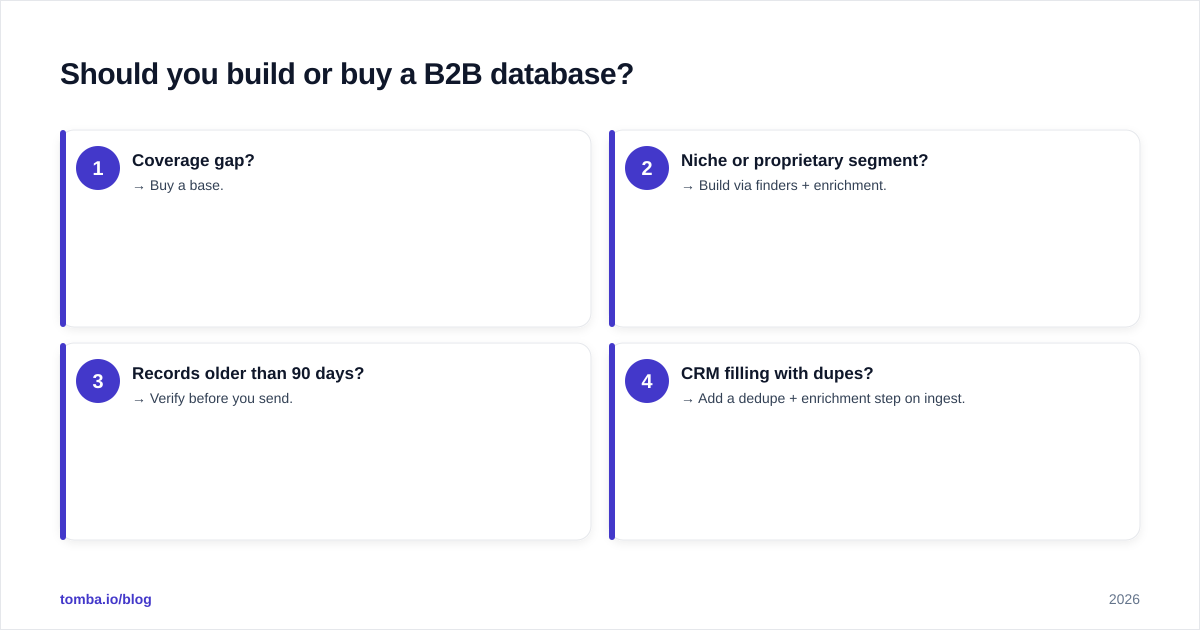
- Coverage gap? → Buy a base.
- Niche or proprietary segment? → Build via finders + enrichment.
- Records older than 90 days? → Verify before you send.
- CRM filling with dupes? → Add a dedupe + enrichment step on ingest.
How do the major B2B database providers compare?#
There's no universally "best" provider — there's a best fit for your region, segment, and budget. Coverage in North America rarely predicts coverage in EMEA or APAC, and accuracy claims on vendor homepages are best treated as aspirations until you run a sample.
Here's how the common options stack up at a high level:
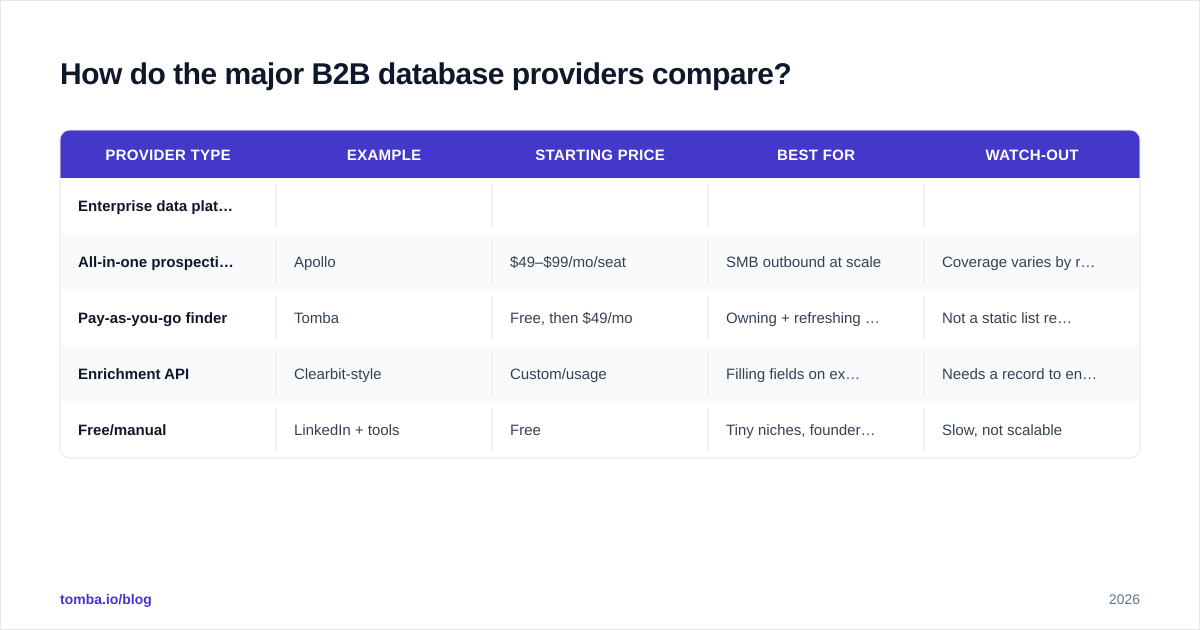
| Provider type | Example | Starting price | Best for | Watch-out |
|---|---|---|---|---|
| Enterprise data platform | ZoomInfo | ~$15k–$30k/yr | Large teams, deep firmographics | High cost, annual lock-in |
| All-in-one prospecting | Apollo | $49–$99/mo/seat | SMB outbound at scale | Coverage varies by region |
| Pay-as-you-go finder | Tomba | Free, then $49/mo | Owning + refreshing your own DB | Not a static list rental |
| Enrichment API | Clearbit-style | Custom/usage | Filling fields on existing records | Needs a record to enrich |
| Free/manual | LinkedIn + tools | Free | Tiny niches, founder-led sales | Slow, not scalable |
A few honest notes on reading that table:
- Enterprise platforms win on breadth but bleave you renting data you can never export cleanly. When you churn, the data leaves with the contract.
- Pay-as-you-go finders like Tomba flip the model: you pull the specific contacts you need and keep them. See full Tomba pricing for the credit math — the Free tier gives you 25 searches/mo to test accuracy before paying anything.
- Enrichment APIs are not databases; they're the layer that fills in a database. You still need a list of companies or domains to point them at.
For a vendor-neutral starting point, the official ZoomInfo and Apollo sites publish their own coverage claims — read them, then verify against a sample of your real ICP before signing anything.

How accurate is B2B data, really?#
Accuracy is where most database decisions go wrong, because buyers compare claimed accuracy instead of verified accuracy on their own segment.
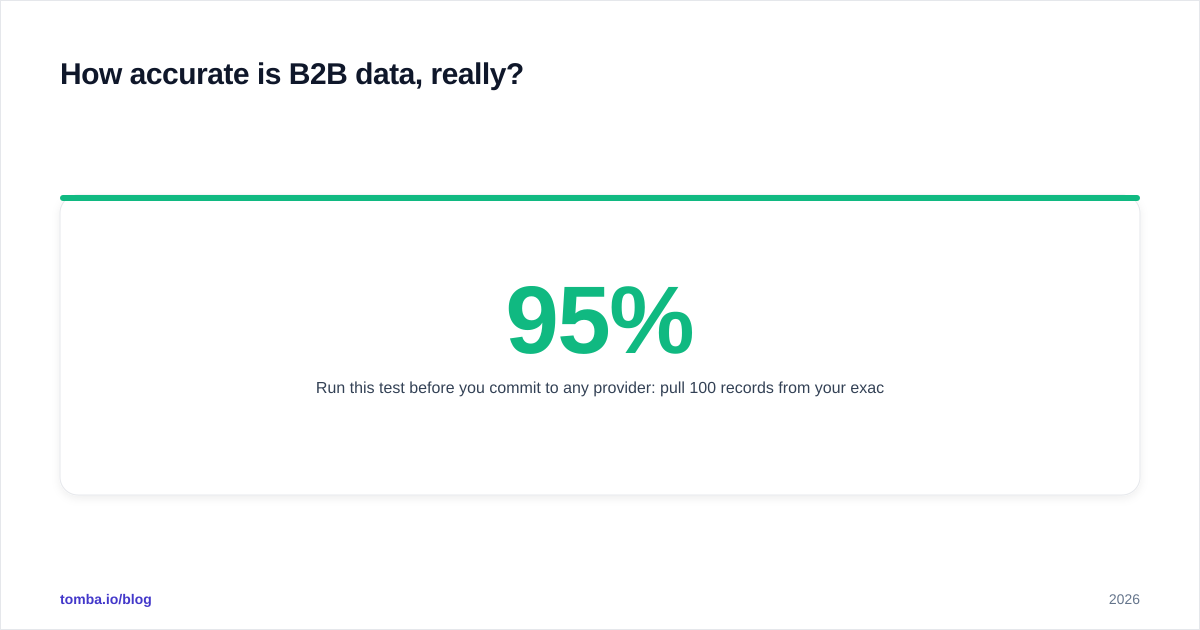
Run this test before you commit to any provider: pull 100 records from your exact ICP, then run them through an independent email verifier. The valid-rate you get back is your real accuracy number — not the 95% on the pricing page. Anything above 90% verified is strong; below 80% and you'll bleed deliverability.
Two failure modes hide inside accuracy claims:
- Catch-all domains accept every address, so a "valid" result can still bounce. A dedicated catch-all verifier separates genuinely reachable mailboxes from servers that just say yes to everything.
- Stale-but-syntactically-valid records — the email is formatted correctly and the domain resolves, but the person left 14 months ago. Only verification against live mail servers catches this.
Where the data comes from matters too. Providers that blend public web signals, contributed data, and live verification tend to age more gracefully than those reselling a single static dump. Tomba publishes how it sources records on its data sources page, which is the kind of transparency worth demanding from any vendor.
How do you maintain a B2B database over time?#
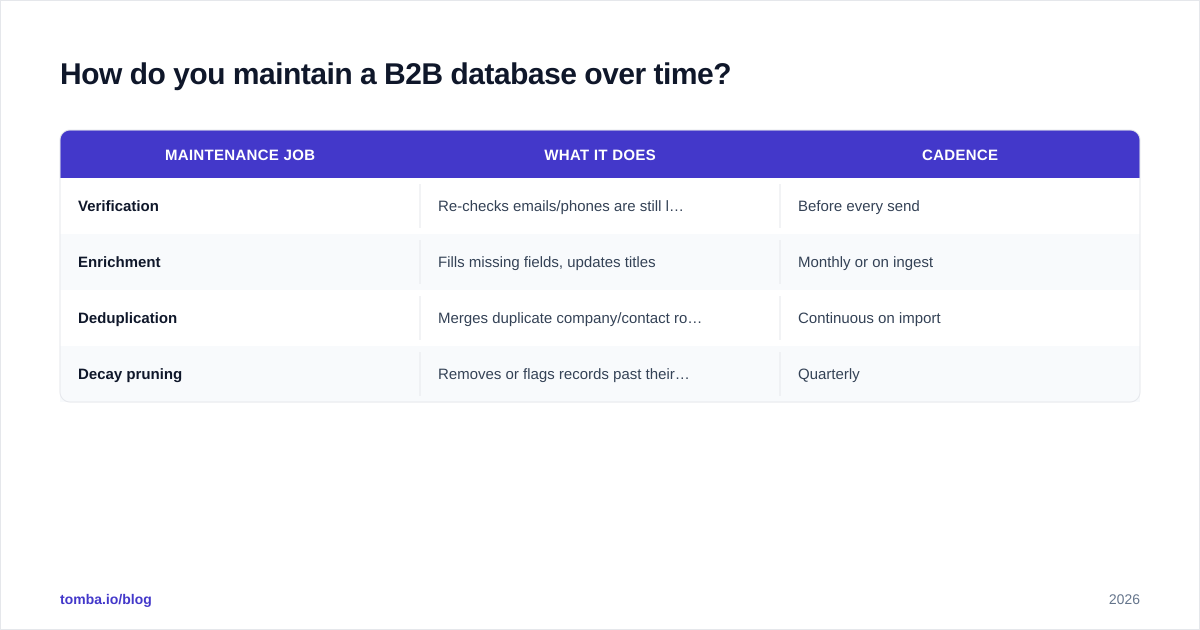
A database isn't a purchase, it's a garden. Plant it once and walk away, and it's weeds within a year. B2B data decays at roughly 2.5–3% per month as people change jobs, companies rebrand, and domains migrate — which compounds to losing a quarter to a third of your contacts annually if you do nothing.
A maintainable database runs four jobs on a schedule:
| Maintenance job | What it does | Cadence |
|---|---|---|
| Verification | Re-checks emails/phones are still live | Before every send |
| Enrichment | Fills missing fields, updates titles | Monthly or on ingest |
| Deduplication | Merges duplicate company/contact rows | Continuous on import |
| Decay pruning | Removes or flags records past their half-life | Quarterly |
Practical ways to operationalize this without hiring a data team:
- Verify at the point of send, not in a quarterly batch. A list verified 60 days ago is already ~5% wrong.
- Enrich on entry. When a new domain or lead hits your CRM, auto-run data enrichment so the record is complete from day one.
- Dedupe on import. Catching duplicates at ingest is ten times cheaper than untangling them later.
- Automate the boring parts. A scheduled job that pulls fresh contacts via the Tomba API and pushes them through verification keeps the whole B2B database current without manual exports.
If you own your data and maintain it on a cadence, you stop renting the same records over and over — and your cost per usable contact drops every quarter instead of resetting at renewal.
What does a healthy B2B database workflow look like?#
Putting it together, here's the loop high-performing teams run in 2026:
- Acquire a core — buy or build a base of companies matching your ICP.
- Find the people — resolve decision-makers and their professional emails by domain and name.
- Verify before contact — confirm deliverability so reputation stays intact.
- Enrich the record — add titles, phones, and firmographics for routing and personalization.
- Sync to systems — push clean records into your CRM and sequencer.
- Re-verify on a cadence — loop back to step 3 before every major campaign.
The teams that win aren't the ones who bought the biggest database. They're the ones who treat data as a living asset — acquired deliberately, verified relentlessly, and owned rather than rented.
The bottom line#
A B2B database is the foundation everything else stands on. Buy for breadth, build for depth, and verify for everything in between. The single highest-ROI habit you can build this year is checking that a contact is real before you spend a rep's time or your domain's reputation on it.
If you want to stop renting stale lists and start owning a database that stays fresh, start with the Tomba Email Finder. Pull the exact decision-makers you need by domain or name, verify them in the same workflow, and keep your data current on your terms — beginning with 25 free searches a month, no contract required. Build the database you own, not the one that walks out the door at renewal.
// get started
Find, verify and enrich your first contacts today
Start on the free plan with 25 searches a month, then scale when your team is ready.
Free plan · No credit card required · GDPR & CCPA
// about the author