Email Verification for B2B Sales: The 2026 Buyer's Guide
Bounced emails wreck sender reputation and burn pipeline. Here's how email verification works in 2026, what to look for in a tool, and how the top options compare.
TL;DR
- Email verification checks whether an address is real, deliverable, and safe to send to before you hit send — it's the cheapest insurance your sender reputation will ever buy.
- A bounce rate above 2-3% is the threshold most mailbox providers use to start throttling or blocking you. Verification keeps you under it.
- The features that actually matter in 2026 are SMTP-level checks, catch-all detection, role/disposable flagging, real-time API latency, and honest accuracy reporting.
- Free, instant verification tools are fine for spot-checks; bulk and API verification is where the real ROI sits for sales teams.
- Tomba bundles finding and verification in one workflow at $49/mo (Starter), which removes the "find here, verify there" tax most teams pay.
What is email verification?#
Email verification is the process of confirming that an email address exists, can receive mail, and won't damage your sending reputation when you contact it. Think of it like a bouncer checking IDs at the door: before a message gets into your send queue, verification decides whether the address is genuinely "on the list" or a fake that will get bounced back.
Under the hood, a verifier runs a series of checks in sequence. It validates the syntax, confirms the domain has valid MX (mail exchange) records, and then opens an SMTP conversation with the receiving mail server to ask — without actually delivering anything — whether the mailbox exists. It also flags addresses that are technically valid but risky: role accounts (info@, sales@), disposable domains, and catch-all servers that accept everything and tell you nothing.
The payoff is simple. Clean lists protect your sender reputation, keep your bounce rate low, and stop you from wasting send volume on addresses that were never going to convert.
Why does email verification matter for B2B sales?#
Conclusion first: because mailbox providers judge you on your bounce rate, and B2B data decays fast.
Roughly 22-30% of B2B contact data goes stale every year — people change jobs, companies rebrand domains, and inboxes get decommissioned. A list you scraped or bought six months ago is already partly dead. Send to it cold and you'll generate hard bounces, which Gmail, Outlook, and corporate filters read as a signal that you're a spammer who doesn't manage their list.
The industry rule of thumb, echoed by deliverability guidance at vendors like HubSpot, is to keep hard bounces under 2%. Cross that line repeatedly and providers start throttling, foldering, or outright blocking your domain. Recovering a burned sending domain takes weeks of warmup — far more expensive than the cents-per-check that verification costs.
There's a second, quieter cost. Every bounced email is a wasted research hour, a skewed open-rate metric, and a CRM record that pollutes your reporting. Verification isn't just about deliverability — it's about trusting your own pipeline numbers.
How does email verification actually work?#
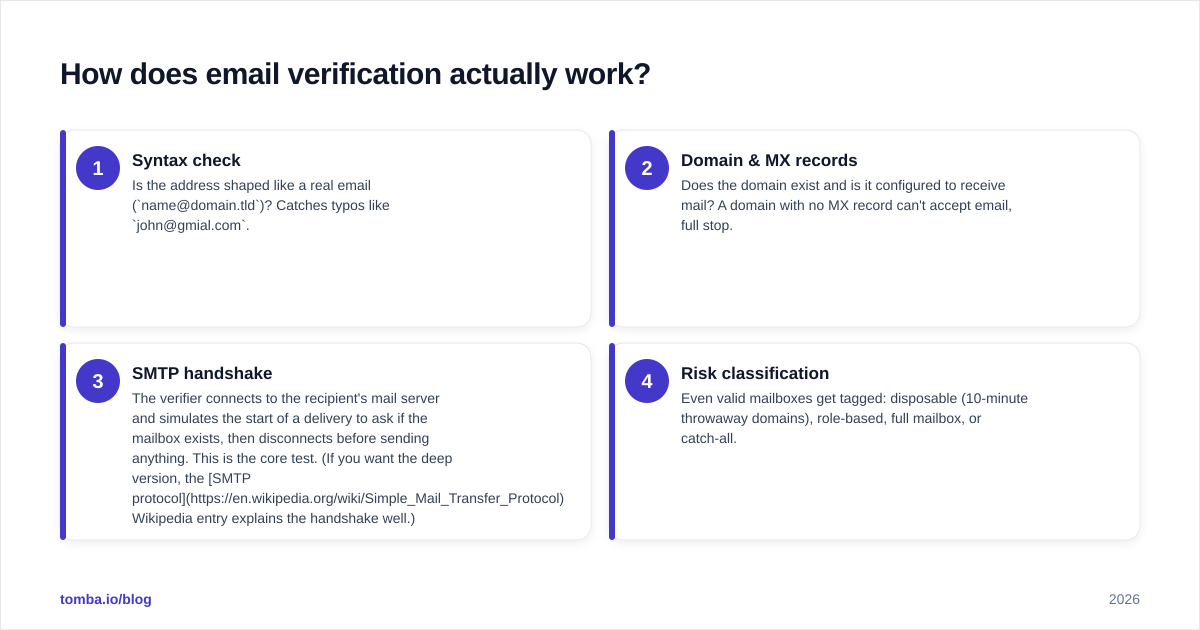
A modern verifier walks through layers, cheapest and fastest first, bailing out as soon as it has a verdict.
- Syntax check — Is the address shaped like a real email (
name@domain.tld)? Catches typos likejohn@gmial.com. - Domain & MX records — Does the domain exist and is it configured to receive mail? A domain with no MX record can't accept email, full stop.
- SMTP handshake — The verifier connects to the recipient's mail server and simulates the start of a delivery to ask if the mailbox exists, then disconnects before sending anything. This is the core test. (If you want the deep version, the SMTP protocol Wikipedia entry explains the handshake well.)
- Risk classification — Even valid mailboxes get tagged: disposable (10-minute throwaway domains), role-based, full mailbox, or catch-all.
The hard part is the catch-all. A catch-all domain accepts mail to any address — nonsense123@company.com and ceo@company.com both return "OK" at the SMTP layer. That means a naive verifier marks everything as valid even when most addresses are fake. Good tools score catch-all addresses separately so you can decide your own risk tolerance instead of being handed false confidence.
What should you look for in an email verification tool in 2026?#
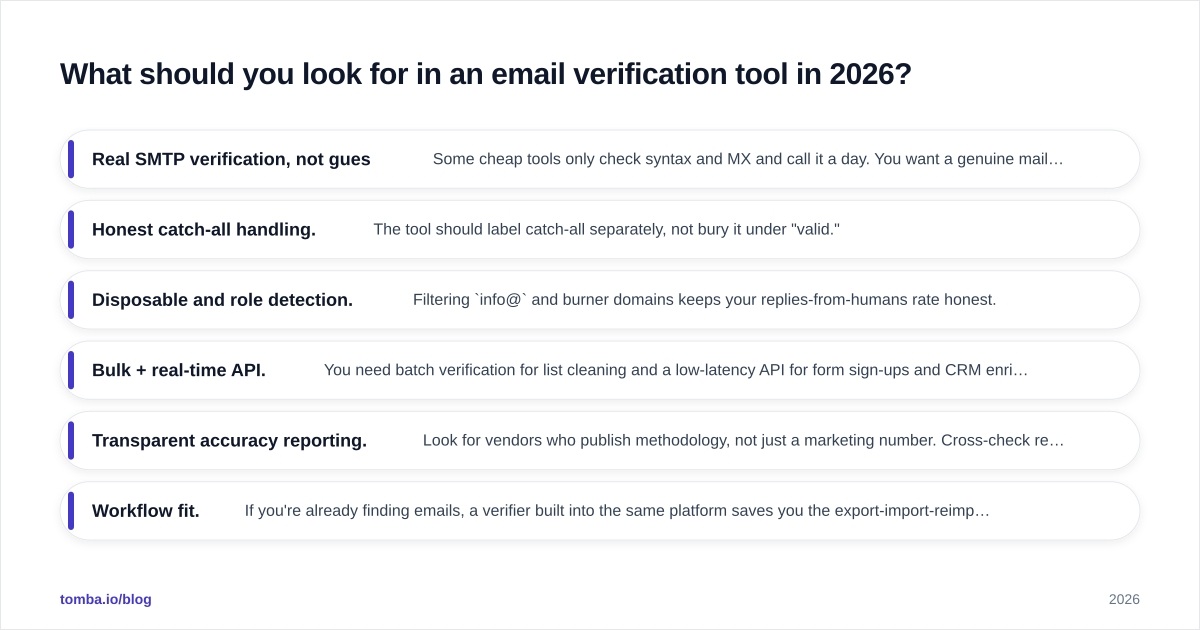
Not all "99% accurate" claims survive contact with real data. Here's the checklist that separates a serious verifier from a glorified syntax checker.
- Real SMTP verification, not guesses. Some cheap tools only check syntax and MX and call it a day. You want a genuine mailbox-level check.
- Honest catch-all handling. The tool should label catch-all separately, not bury it under "valid."
- Disposable and role detection. Filtering
info@and burner domains keeps your replies-from-humans rate honest. - Bulk + real-time API. You need batch verification for list cleaning and a low-latency API for form sign-ups and CRM enrichment at the point of capture.
- Transparent accuracy reporting. Look for vendors who publish methodology, not just a marketing number. Cross-check reviews on G2 before trusting any single claim.
- Workflow fit. If you're already finding emails, a verifier built into the same platform saves you the export-import-reimport shuffle.

How do the leading email verification tools compare?#
The market splits into pure-play verifiers (
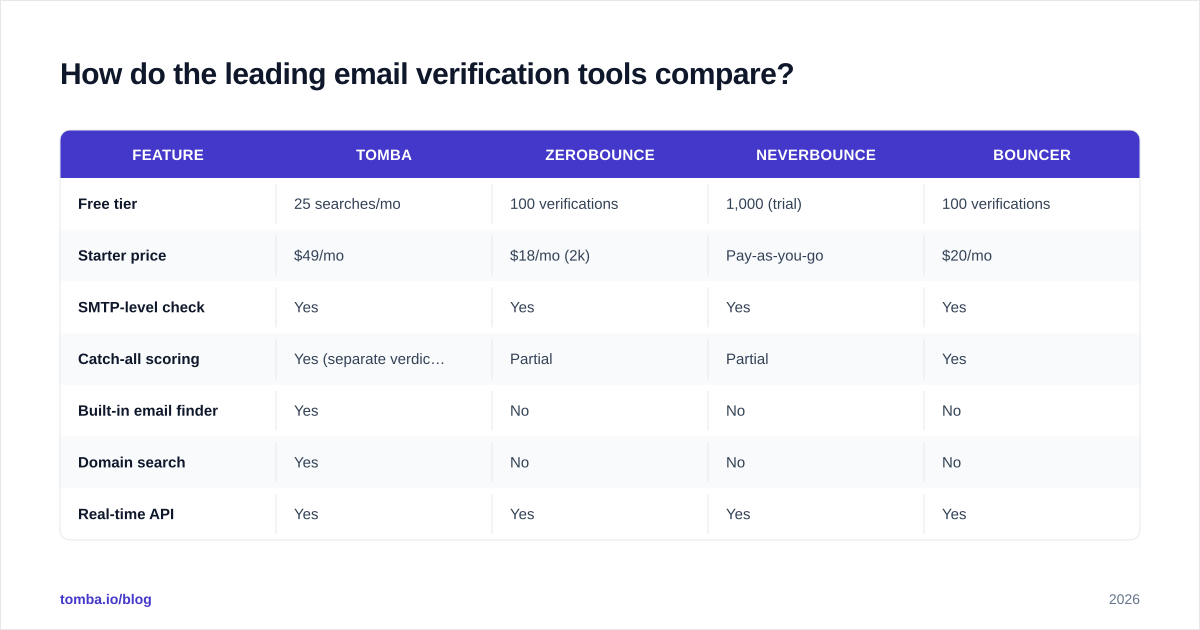
ZeroBounce, NeverBounce, Bouncer) and find-plus-verify platforms (Tomba, Hunter). The right pick depends on whether you only clean lists or also need to source the contacts in the first place.

| Feature | Tomba | ZeroBounce | NeverBounce | Bouncer |
|---|---|---|---|---|
| Free tier | 25 searches/mo | 100 verifications | 1,000 (trial) | 100 verifications |
| Starter price | $49/mo | $18/mo (2k) | Pay-as-you-go | $20/mo |
| SMTP-level check | Yes | Yes | Yes | Yes |
| Catch-all scoring | Yes (separate verdict) | Partial | Partial | Yes |
| Built-in email finder | Yes | No | No | No |
| Domain search | Yes | No | No | No |
| Real-time API | Yes | Yes | Yes | Yes |
| Bulk verification | Yes | Yes | Yes | Yes |
The honest read: if email verification is all you need and you already have your lists, a dedicated verifier with cheap pay-as-you-go pricing can be a fine choice. Where Tomba pulls ahead is when verification is one step in a larger motion — you find prospects with the email finder, confirm them with the email verifier, and resolve uncertain domains with the catch-all verifier, all without leaving one platform or paying two subscriptions.
Is free email verification good enough?#
For spot-checks, yes. For a sales motion, no.
A free email checker is perfect when you've got a single address and want a quick read before you reach out to a high-value prospect. It's instant and costs nothing. But free tools cap volume, rarely expose an API, and often skip the deeper catch-all and disposable logic that protects you at scale.

The moment you're cleaning a list of more than a few hundred contacts, or verifying addresses at the point of form capture, you need bulk verification and an API. That's the line where free stops being a strategy and starts being a bottleneck. The math is straightforward: a few dollars of verification credits is trivially cheaper than the deliverability damage from one bad send to a 5,000-row list.
How do you build email verification into your workflow?#
Verification works best when it's a gate, not an afterthought. Three places to install it:
1. At capture. Wire a real-time API call into your sign-up forms and lead-gen pages so junk addresses never enter your database. This is the highest-leverage spot — it stops bad data at the source.
2. Before every campaign. Run your target list through bulk verification within 24-48 hours of sending. Data decays, so verifying a list you cleaned three months ago isn't enough. Drop the invalids, and decide your own policy on catch-all and risky addresses based on how conservative your sending reputation needs to be.
3. On a maintenance cadence. Re-verify your active CRM segments quarterly. Job changes and domain migrations silently rot your database; periodic cleaning keeps reporting honest and prevents slow reputation drift.
If your team lives in spreadsheets, you can push verification into the tools you already use — for example, syncing results back through a HubSpot integration or working directly in Google Sheets so reps verify without context-switching.
What bounce rate should you actually target?#
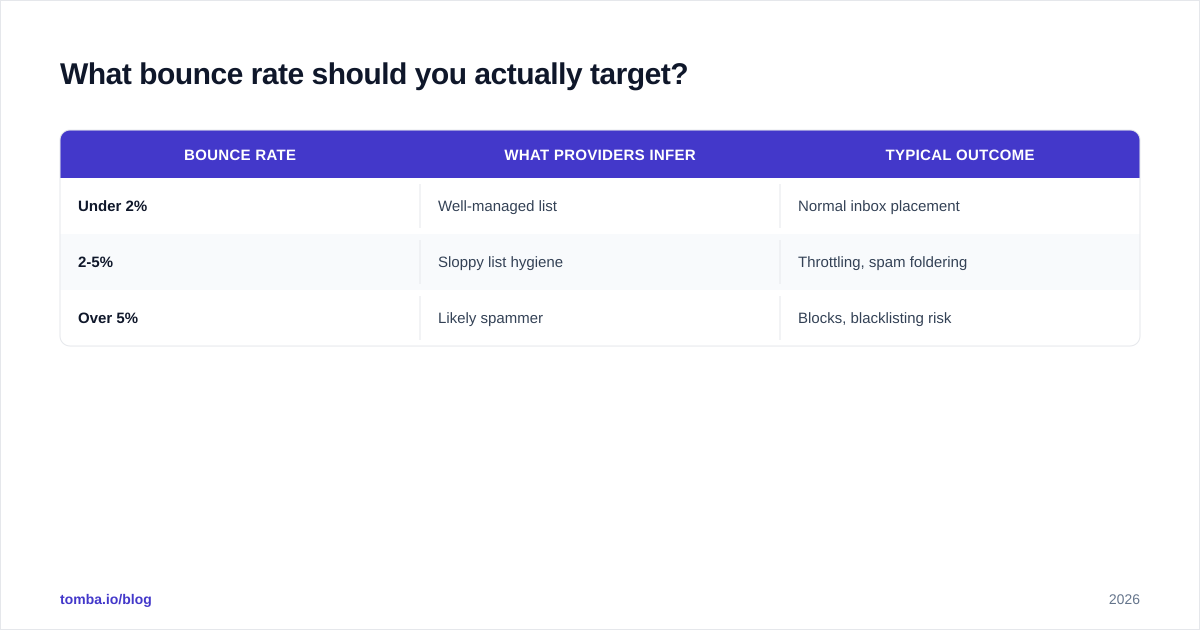
Aim for under 2% hard bounces, and treat 3% as a hard ceiling.
Here's why the number matters so much. Mailbox providers don't see your intentions; they see your behavior. A clean, verified sender who keeps bounces under 2% and gets steady engagement builds a positive reputation that lands more mail in the primary inbox over time. A sender who blasts unverified lists and racks up bounces gets quietly demoted — and the demotion compounds, because lower inbox placement means lower engagement, which providers read as further evidence you're unwanted.
| Bounce rate | What providers infer | Typical outcome |
|---|---|---|
| Under 2% | Well-managed list | Normal inbox placement |
| 2-5% | Sloppy list hygiene | Throttling, spam foldering |
| Over 5% | Likely spammer | Blocks, blacklisting risk |
Verification is the single most reliable lever for staying in the green row. It won't fix bad copy or a cold audience — but it guarantees your messages reach real, reachable humans, which is the precondition for everything else working.
Does verification replace good list-building?#
No — and this is the trap teams fall into. Verification is a filter, not a source. It tells you which addresses are deliverable; it can't tell you whether those people are the right buyers. A perfectly verified list of irrelevant contacts is still a bad list.
The durable approach pairs accurate sourcing with rigorous verification. Find the right contacts at the right companies using a domain search, then verify before you send. Sourcing answers who; verification answers will it land. You need both, in that order, and a platform that does both keeps the handoff clean instead of bleeding data between two vendors.
The bottom line#
Email verification is no longer optional for B2B sales — it's table stakes for protecting deliverability, keeping CRM data trustworthy, and not lighting your sending domain on fire. The best setup verifies at capture, before every campaign, and on a maintenance cadence, with honest catch-all handling and a real API.
If you want finding and verification in one workflow instead of stitching two tools together, start with the Tomba Email Finder and its built-in verifier. The free tier gives you 25 searches a month to test it, and paid plans start at $49/mo — see Tomba pricing for the full breakdown. Source the right contacts, verify them in the same place, and send to a list you can actually trust.
// get started
Find, verify and enrich your first contacts today
Start on the free plan with 25 searches a month, then scale when your team is ready.
Free plan · No credit card required · GDPR & CCPA
// about the author