Bulk Email List Hygiene in 2026: A Practical Cleanup Guide
A dirty email list quietly destroys deliverability long before you notice. Here's a repeatable system for bulk email list hygiene in 2026 — verify, segment, suppress, and monitor.
TL;DR
- Bulk email list hygiene is the routine of verifying, segmenting, and suppressing addresses across your entire list before you send — not after bounces pile up.
- A single send to a stale list can spike hard bounces, trip spam traps, and drag your domain reputation down for weeks.
- The core loop is five steps: collect, verify, segment, suppress, monitor. Automate it and run it on a schedule.
- Categorize every result (valid, invalid, catch-all, role-based, disposable, unknown) and route each to a different action instead of deleting blindly.
- Tools like a bulk email verifier make this a 10-minute job for tens of thousands of rows instead of a manual nightmare.
What is bulk email list hygiene?#
Bulk email list hygiene is the process of cleaning a large set of email addresses at once — validating that each one exists, removing the ones that will bounce or harm you, and organizing the rest so you only send to people who can actually receive your message.
Think of it like checking a guest list before a big event. You don't wait until 300 people are at the door to find out half the invitations went to wrong addresses. You confirm everyone is real and reachable first, so the night runs smoothly. Technically, hygiene combines SMTP-level verification, pattern checks, and suppression management applied across a full list rather than one address at a time.
The reason this matters in 2026 is simple: mailbox providers judge you by behavior. Gmail and Yahoo both tightened bulk-sender rules, and a high bounce rate or a hit on a spam trap now translates directly into lower email deliverability for every future send — even to your best contacts.
Why does a dirty list quietly wreck deliverability?#
Bad addresses don't just fail silently. They actively cost you.
- Hard bounces tell providers you're mailing addresses you shouldn't have. Keep your bounce rate under 2% — above that, filtering gets aggressive.
- Spam traps are addresses created (or recycled from abandoned accounts) specifically to catch senders who don't clean their lists. One trap hit can land you on a blocklist.
- Role-based and disposable addresses (info@, sales@, temp-mail throwaways) inflate your list size but rarely convert and often complain.
- Low engagement from dead addresses lowers your open and reply rates, and engagement is now a primary inbox-placement signal.
The damage compounds. A poor send hurts your sender reputation, which lowers placement on the next send, which lowers engagement further. Hygiene breaks that loop before it starts.

How do you read verification results correctly?#
The biggest mistake is treating verification as a yes/no switch. Real lists come back with shades of gray, and each shade deserves a different action. Deleting everything that isn't a clean "valid" throws away reachable contacts; sending to everything that isn't a clean "invalid" gets you flagged.
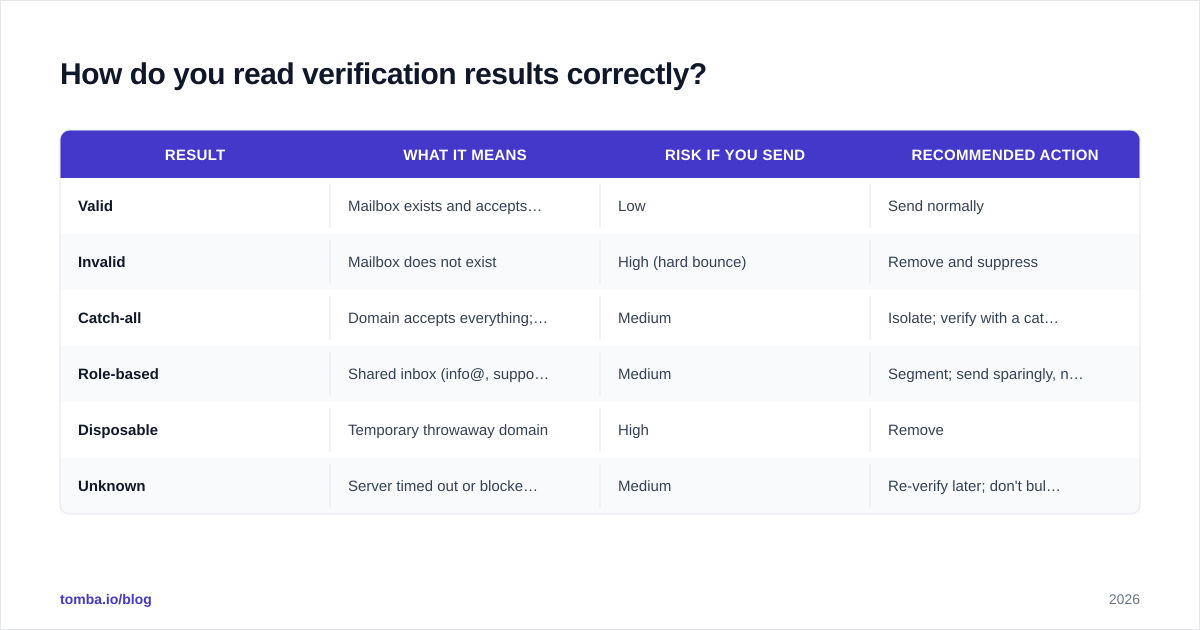
Here's how to route each result type:
| Result | What it means | Risk if you send | Recommended action |
|---|---|---|---|
| Valid | Mailbox exists and accepts mail | Low | Send normally |
| Invalid | Mailbox does not exist | High (hard bounce) | Remove and suppress |
| Catch-all | Domain accepts everything; can't confirm the inbox | Medium | Isolate; verify with a catch-all check before sending |
| Role-based | Shared inbox (info@, support@) | Medium | Segment; send sparingly, never cold |
| Disposable | Temporary throwaway domain | High | Remove |
| Unknown | Server timed out or blocked the check | Medium | Re-verify later; don't bulk-send yet |
Catch-all domains are the trickiest bucket because a standard SMTP check can't see past them. A dedicated catch-all verifier uses additional signals to estimate whether the specific mailbox is real, so you can rescue good contacts hiding behind a permissive server instead of writing them all off.
What does a repeatable hygiene workflow look like?#
A workflow you run once is a cleanup. A workflow you run on a schedule is hygiene. The five-stage loop below is the version most lean teams can actually maintain.
- Collect — Centralize every source (CRM exports, signup forms, event lists, scraped prospect lists) into one place with a consistent format. Run a dedupe pass first; duplicates skew every downstream metric.
- Verify — Push the full list through a bulk verifier. Tag each row with its result type rather than overwriting your source data.
- Segment — Split by result type and by engagement recency. A 14-month-dormant "valid" address is not the same risk as one that opened last week.
- Suppress — Move invalids, disposables, complainers, and unsubscribes into a permanent suppression list. Suppression is forever; never re-import a suppressed address.
- Monitor — Watch bounce rate, complaint rate, and domain reputation after each send. The numbers tell you when the next hygiene cycle is due.
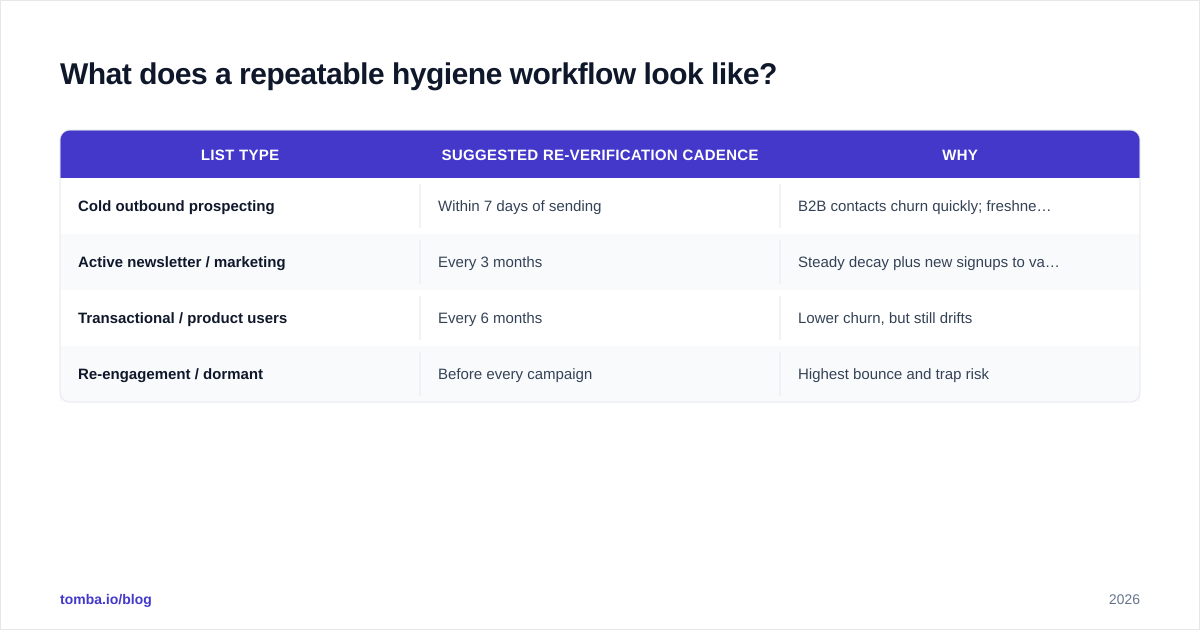
For most senders, a quarterly full re-verification plus continuous suppression is the right cadence. High-volume cold outreach should verify closer to send time, because B2B data decays fast — roughly 22–30% of business emails go stale every year as people change jobs.
| List type | Suggested re-verification cadence | Why |
|---|---|---|
| Cold outbound prospecting | Within 7 days of sending | B2B contacts churn quickly; freshness is everything |
| Active newsletter / marketing | Every 3 months | Steady decay plus new signups to validate |
| Transactional / product users | Every 6 months | Lower churn, but still drifts |
| Re-engagement / dormant | Before every campaign | Highest bounce and trap risk |
If you generate prospect lists yourself, you can collapse two steps into one. A quality email finder returns addresses that are already verified at discovery time, so the list arrives clean rather than needing a heavy scrub later.

Manual cleaning vs. a bulk verifier — which is worth it?#
You can clean a list by hand: eyeball obvious typos, remove role accounts, send a small test batch, and watch for bounces. It works for a few hundred rows. It collapses at scale, and the "send a test batch to find bounces" approach is exactly the behavior mailbox providers penalize — you're learning which addresses are dead by damaging your reputation on live ones.
A bulk verifier checks addresses without sending to them, so you find the dead ones safely.
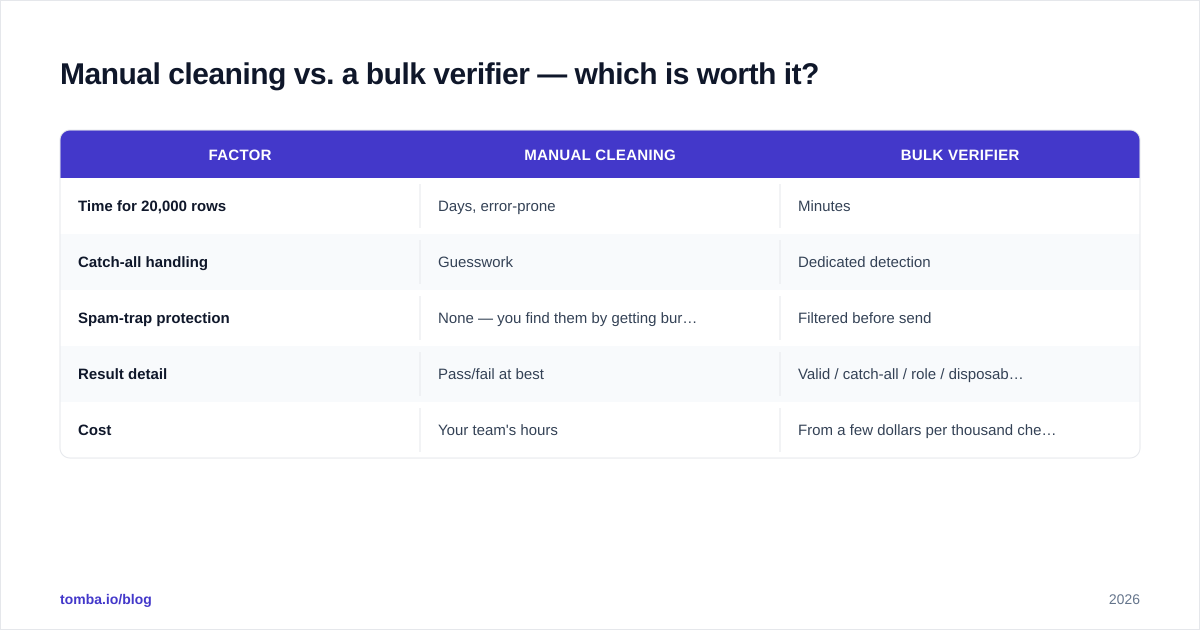
| Factor | Manual cleaning | Bulk verifier |
|---|---|---|
| Time for 20,000 rows | Days, error-prone | Minutes |
| Catch-all handling | Guesswork | Dedicated detection |
| Spam-trap protection | None — you find them by getting burned | Filtered before send |
| Result detail | Pass/fail at best | Valid / catch-all / role / disposable / unknown |
| Cost | Your team's hours | From a few dollars per thousand checks |
HubSpot's own guidance on list maintenance reaches the same conclusion: cleaning is non-negotiable, and automation is the only version that survives contact with a real-world list. You can read their take on email list hygiene and cross-check the deliverability impact in Google's Postmaster Tools once you start measuring your own domain reputation.
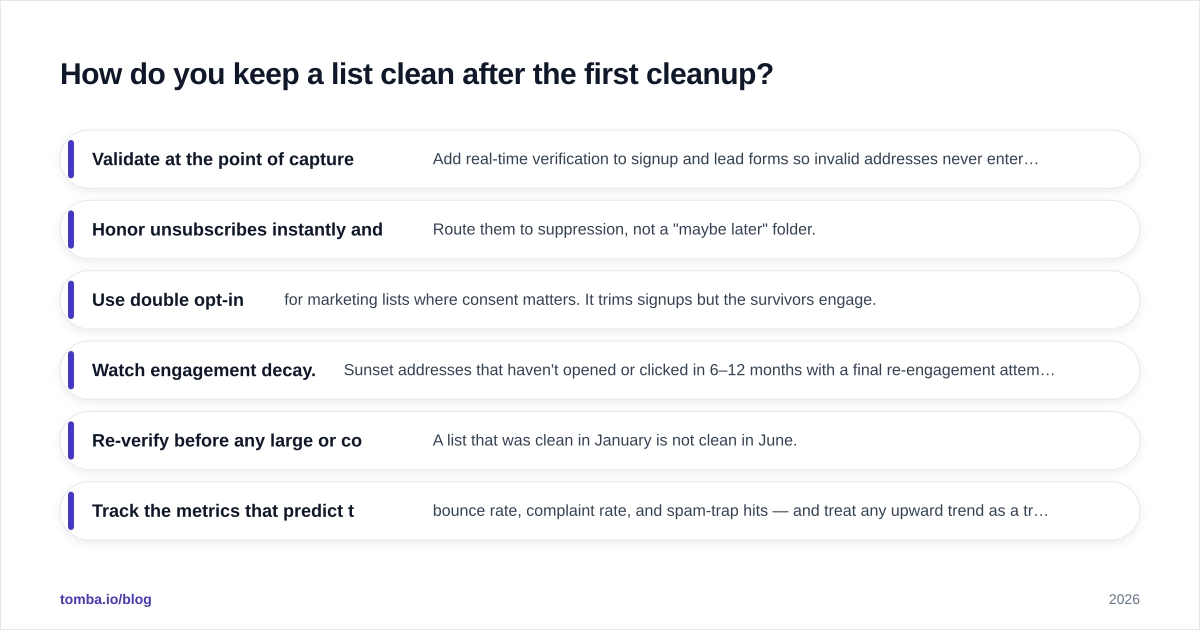
How do you keep a list clean after the first cleanup?#
The one-time scrub is the easy part. Staying clean is where lists quietly rot again. Build these habits in:
- Validate at the point of capture. Add real-time verification to signup and lead forms so invalid addresses never enter the list. This is the single highest-leverage fix — it stops the bleed at the source.
- Honor unsubscribes instantly and permanently. Route them to suppression, not a "maybe later" folder.
- Use double opt-in for marketing lists where consent matters. It trims signups but the survivors engage.
- Watch engagement decay. Sunset addresses that haven't opened or clicked in 6–12 months with a final re-engagement attempt, then suppress the non-responders.
- Re-verify before any large or cold send. A list that was clean in January is not clean in June.
- Track the metrics that predict trouble — bounce rate, complaint rate, and spam-trap hits — and treat any upward trend as a trigger for the next hygiene cycle, not a thing to investigate after the campaign tanks.
The throwaway and temporary-domain problem deserves special mention. Disposable addresses spike around gated content and free-trial signups. Filtering them at capture keeps your numbers honest and your list size meaningful — a smaller list of reachable people beats a bloated one full of dead weight every time.
For broader context on how bounce handling and sender behavior interact, the Wikipedia overview of bounce messages is a solid, vendor-neutral primer worth bookmarking for your team.
What does good hygiene actually get you?#
When hygiene runs on a schedule, the wins stack up:
- Bounce rates stay under 2%, which keeps mailbox providers comfortable and your domain out of the penalty box.
- Inbox placement improves because engagement signals climb when you only mail people who can and do open.
- Reporting gets honest. Open and click rates measured against a clean denominator finally reflect reality, so you can make real decisions.
- Costs drop. Most email platforms bill by contact or by send volume — every dead address is money spent reaching no one.
- Your reputation becomes an asset, not a liability you rebuild after every misfire.
None of this requires a heroic effort. It requires a system you run on a calendar.
Start cleaning before your next send#
The fastest way to protect your domain is to stop sending blind. Run your list through verification, route every result to the right action, and suppress what shouldn't be mailed — then keep new contacts clean at the point of capture.
If you're building prospect lists from scratch, start them clean rather than cleaning them later. Tomba's Email Finder returns professional addresses by name, company, or domain with verification built into discovery, so your list arrives send-ready instead of needing a rescue. Pair it with the email verifier for existing lists, check the Tomba pricing tiers — starting free at 25 searches a month, with paid plans from $49/mo — and make bulk email list hygiene a routine your sender reputation will thank you for.
// get started
Find, verify and enrich your first contacts today
Start on the free plan with 25 searches a month, then scale when your team is ready.
Free plan · No credit card required · GDPR & CCPA
// about the author