Event Emails in 2026: Templates, Examples & Best Practices
Event emails decide whether your webinar, conference, or product launch fills the room or echoes empty. Here are the templates, sequences, and benchmarks that fill seats in 2026.
TL;DR
- Event emails are a sequence, not a single blast: invite, confirm, remind, day-of, and follow up each do a distinct job.
- The invitation subject line and the first 90 characters carry most of your registration rate — lead with the value, not the logistics.
- A 5-touch cadence (invite → reminder → last call → day-of → recap) typically beats a single send by a wide margin on both signups and attendance.
- Reminders are where attendance is won or lost; "registered" and "attended" are two different funnels.
- Deliverability and a clean recipient list matter more than clever copy — a perfect invite in the spam folder converts zero people.
What are event emails?#
Event emails are the messages you send to drive awareness, registration, attendance, and follow-through for a specific event — a webinar, conference, product launch, workshop, dinner, or virtual summit. Think of them like the lifecycle of a party invitation: you send the save-the-date, the formal invite, a "don't forget" nudge the night before, a "we're starting now" text, and a thank-you note after. Each one has a job, and skipping any of them quietly costs you attendees.
Technically, an event email is any campaign or transactional message tied to a time-bound happening, usually carrying a clear call to action (register, add to calendar, join now) and a deadline that creates natural urgency. Unlike a generic newsletter, the value proposition and the timing are baked into the message itself.
The mistake most teams make is treating the invitation as the whole strategy. In reality, the invite is one email in a sequence of five to eight, and the later emails — reminders and day-of nudges — often do more for live attendance than the invite did for registration.
What types of event emails should you send?#
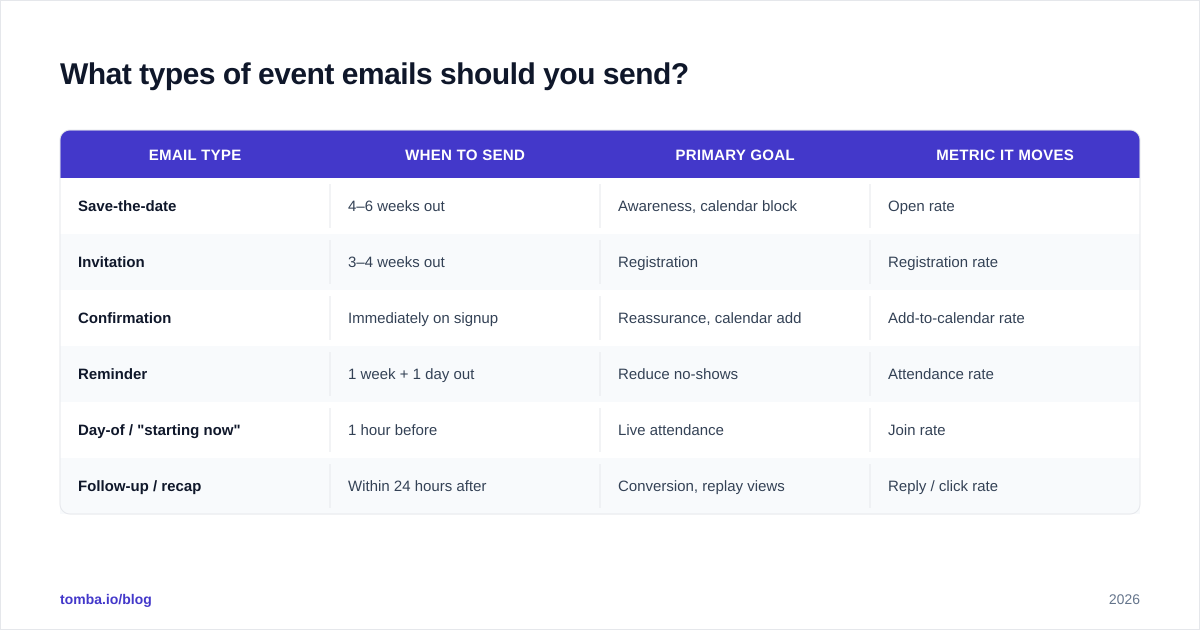
Different events need different emails, but the core categories stay consistent. Here's how the main types compare on purpose, timing, and the metric they move.
| Email type | When to send | Primary goal | Metric it moves |
|---|---|---|---|
| Save-the-date | 4–6 weeks out | Awareness, calendar block | Open rate |
| Invitation | 3–4 weeks out | Registration | Registration rate |
| Confirmation | Immediately on signup | Reassurance, calendar add | Add-to-calendar rate |
| Reminder | 1 week + 1 day out | Reduce no-shows | Attendance rate |
| Day-of / "starting now" | 1 hour before | Live attendance | Join rate |
| Follow-up / recap | Within 24 hours after | Conversion, replay views | Reply / click rate |
Notice that registration and attendance are separate funnels. Plenty of teams celebrate 800 signups and then watch 180 people show up. The reminder and day-of emails exist specifically to close that gap, and they are the most under-invested messages in most event programs.
For B2B events especially, the follow-up is where revenue actually happens. A recap with the replay link, the slides, and a soft next step (book a demo, reply with questions) often outperforms the live event itself for pipeline. If you need to expand your invite list beyond your existing contacts, a tool like the Tomba Email Finder helps you find email addresses for the exact decision-makers you want in the room.
How do you write an event invitation email that converts?#
Lead with the outcome, not the agenda. People don't register for a "60-minute session on Q3 pipeline strategy" — they register to "hit your number without hiring three more reps." The transformation goes in the subject line and the first sentence; the logistics go below.
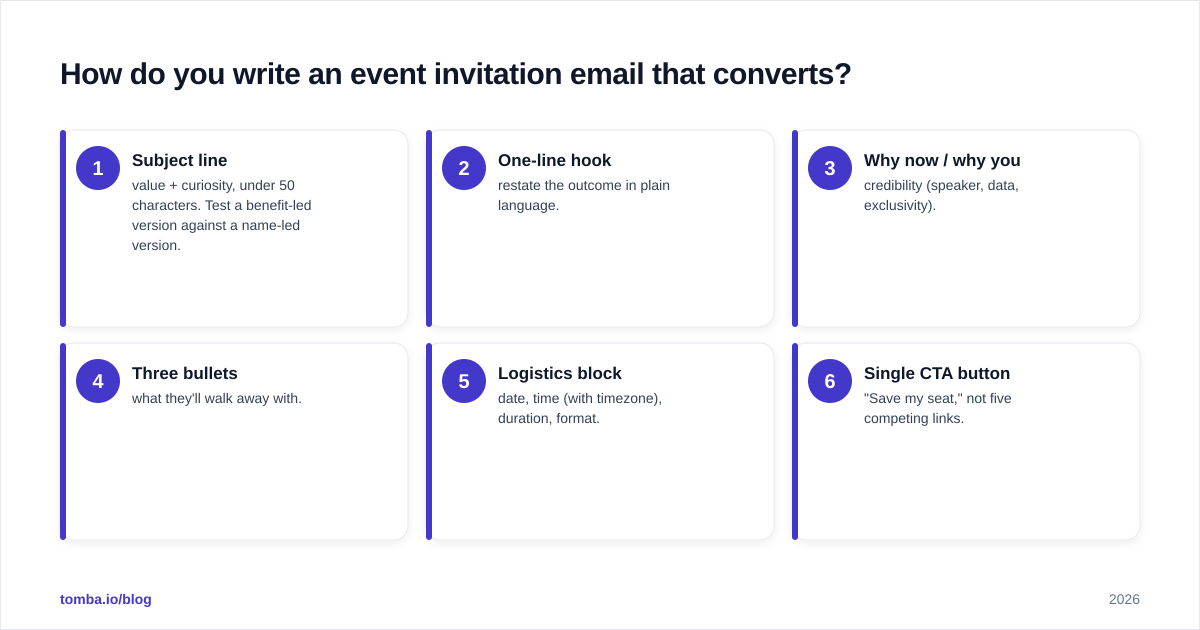
A reliable structure for the invitation:
- Subject line — value + curiosity, under 50 characters. Test a benefit-led version against a name-led version.
- One-line hook — restate the outcome in plain language.
- Why now / why you — credibility (speaker, data, exclusivity).
- Three bullets — what they'll walk away with.
- Logistics block — date, time (with timezone), duration, format.
- Single CTA button — "Save my seat," not five competing links.
Here's a template you can adapt:
Subject: How [Company] cut CAC by 31% (live teardown)
Hi [First name],
Most teams overspend on acquisition because they optimize the wrong stage of the funnel. On [date], [Speaker] is walking through the exact teardown they used to cut CAC by 31% in one quarter.
You'll leave with:
- The 3-metric audit they run every Monday
- A channel-reallocation template you can copy
- Live Q&A with your specific numbers
When: [Date], [Time + timezone] · 45 min + Q&A
[ Save my seat → ]
See you there,
[Name]
Keep one CTA. Every extra link you add lowers the odds someone clicks the one that matters. If you want help generating and testing the subject line itself, the subject line generator is a fast way to produce variants worth A/B testing, and a full library of email templates gives you starting points for each stage of the sequence.
One detail that quietly tanks event emails: sending from no-reply@. A no-reply address signals automation, hurts replies, and trains people to ignore you. Send from a real human name. It's the cheapest deliverability and engagement win available.
What does a high-performing event email sequence look like?#
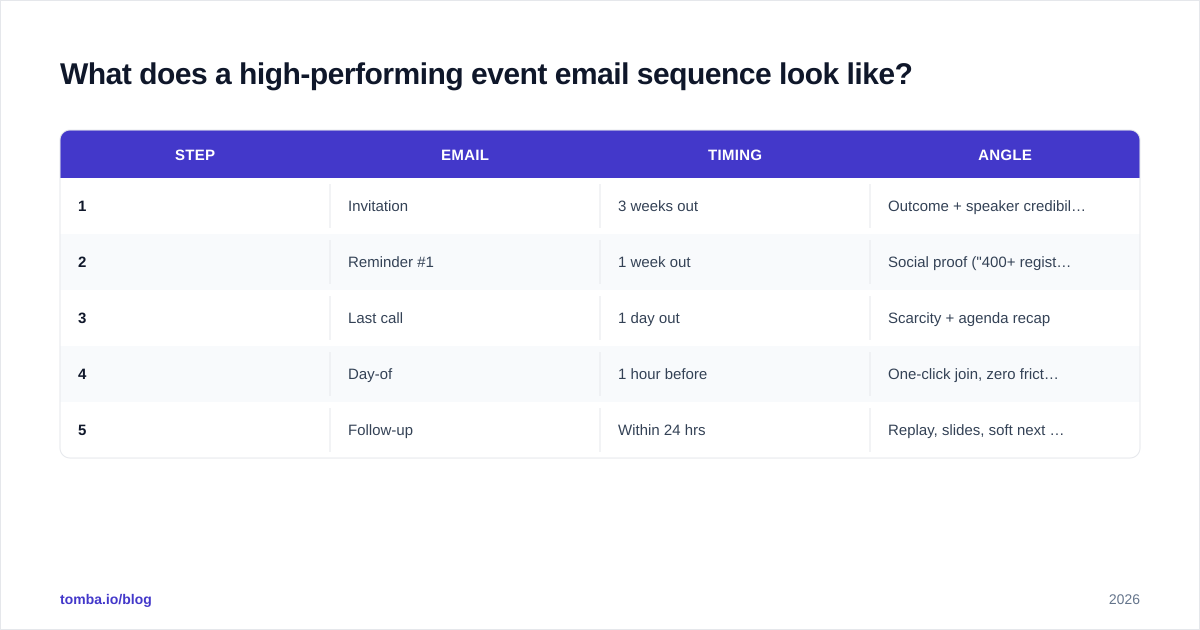
A single invitation is a coin flip. A sequence is a system. Below is a five-email cadence that works for most webinars and virtual events, with the timing and the angle for each touch.
| Step | Timing | Angle | |
|---|---|---|---|
| 1 | Invitation | 3 weeks out | Outcome + speaker credibility |
| 2 | Reminder #1 | 1 week out | Social proof ("400+ registered") |
| 3 | Last call | 1 day out | Scarcity + agenda recap |
| 4 | Day-of | 1 hour before | One-click join, zero friction |
| 5 | Follow-up | Within 24 hrs | Replay, slides, soft next step |
A few rules that make the cadence work:
- Re-send the invite to non-openers with a fresh subject line three days later. This single move can lift total registrations 15–30% with zero new audience.
- Segment registered vs. not registered. Once someone signs up, stop selling them the event and start reducing their no-show risk (calendar add, "what to prepare," speaker teaser).
- The day-of email is pure logistics. No pitch, no agenda re-hash — just a giant "Join now" button and the link. Friction at this moment costs you live attendees who fully intended to show.
- Follow up with everyone, including no-shows. No-shows are warm leads who raised their hand; the recap email with a replay link recovers a meaningful chunk of them.
For more on benchmarking the engagement side of these sends, the concept of response rate is worth internalizing — your follow-up email's reply rate is often a better predictor of pipeline than raw attendance.
How do reminder and follow-up emails reduce no-shows?#
Reminders fight the single biggest enemy of virtual events: forgetting. A free registration carries almost no commitment cost, so without nudges, a large share of registrants simply never return to the calendar. Industry data from event and webinar platforms consistently shows that multi-reminder sequences materially lift live attendance versus a single confirmation, and HubSpot's research on email engagement reinforces that timing and frequency drive results as much as copy does.
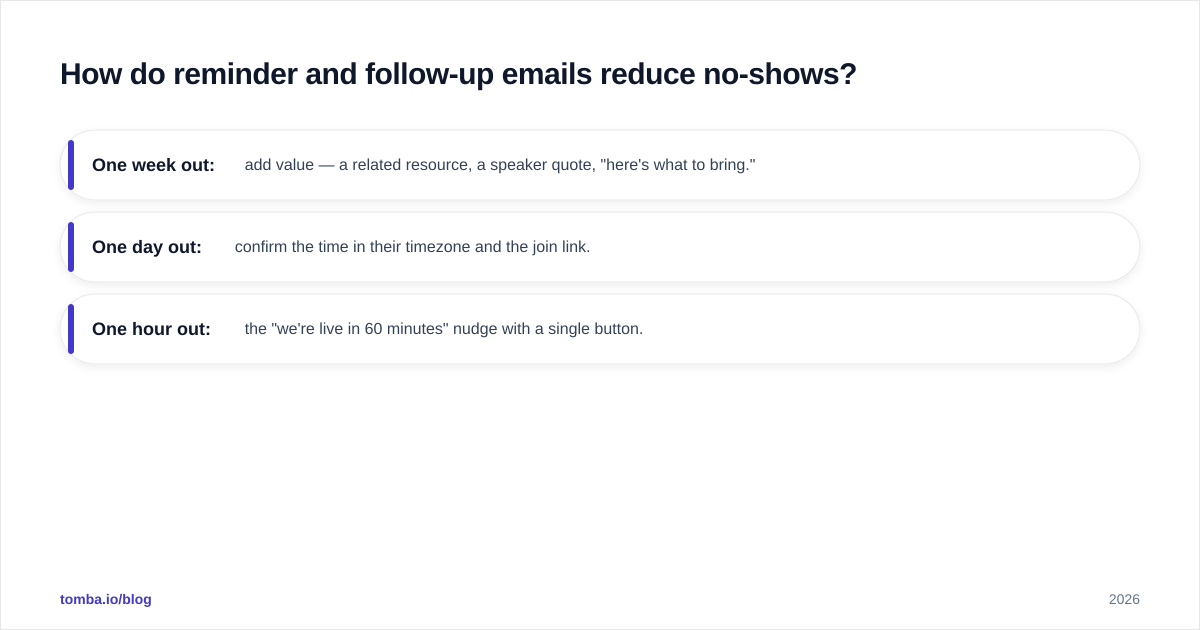
Treat reminders as a confidence-building drip, not repetition:
- One week out: add value — a related resource, a speaker quote, "here's what to bring."
- One day out: confirm the time in their timezone and the join link.
- One hour out: the "we're live in 60 minutes" nudge with a single button.
The follow-up email is the most under-rated send in the entire sequence. Within 24 hours, send:
Subject: The replay + the template we promised
Thanks for joining [Event] (or grab the replay if you missed it).
- 🎥 Replay: [link]
- 📊 Slides + template: [link]
- 📅 Want to apply this to your numbers? [Book 20 min →]
Reply with one question and I'll answer it personally.
That last line — "reply with one question" — turns a broadcast into a conversation and is a quiet pipeline driver. It also signals to inbox providers that your mail earns replies, which protects your sender reputation over time.
Resist the urge to over-design. A heavy, GIF-laden HTML template often lands in Promotions or trips spam filters, while a clean, mostly-text email from a real person lands in the primary inbox and gets opened. The flashy version feels more "eventy"; the simple version actually gets attended.
How do you make sure event emails actually reach the inbox?#
Great copy is worthless in the spam folder. Before you optimize a single word, optimize deliverability — it's the multiplier on everything else.
The non-negotiables:
- Authenticate your domain. Set up SPF, DKIM, and DMARC. As of 2024, Google and Yahoo require authentication for bulk senders, and that bar has only risen since. Their bulk sender guidelines are the source of truth.
- Clean your list before every campaign. Sending to dead, mistyped, or spam-trap addresses spikes your bounce rate and torches your reputation. Run your list through an email verifier before a big invite blast.
- Warm up gradually if you're sending from a newer domain — don't go from 50 sends to 5,000 overnight.
- Send from a real, monitored human address so replies build engagement signals.
- Watch your bounce rate. A spike mid-campaign is an early warning that your list quality or authentication slipped.
The order of operations matters: verify the list, confirm authentication, then write the copy. Teams routinely do this backwards — they polish the invitation for a week and send it to a list that's 18% invalid, then blame the copy when registrations disappoint.
If you're building an invite list from scratch — say, targeting everyone with a specific title at your top 200 target accounts — pair the Tomba Email Finder to source the addresses with the verifier to confirm them before the first send. You can compare plans and credit volumes on the Tomba pricing page; the free tier covers 25 searches a month if you just want to test the workflow.
What are common event email mistakes to avoid?#
- Burying the date and timezone. "Thursday at 2" means three different things across your audience. Always include the timezone, and ideally a calendar-add button.
- One email, one shot. Skipping the reminder sequence is the most expensive mistake in event marketing. The invite gets the signup; the reminders get the seat filled.
- A no-reply sender. It hurts deliverability, kills replies, and tells recipients you don't want to hear from them.
- Five CTAs in one email. Decision paralysis lowers clicks. One primary action per email.
- Selling the event to people who already registered. Switch them into the no-show-prevention track the moment they sign up.
- Ignoring no-shows. They're warm leads. The recap-and-replay email recovers a surprising share of them.
- Generic subject lines. "Join our webinar" loses to "How [Company] cut CAC 31%" every time. You can validate variants quickly against G2's catalog of email marketing tools if you want to benchmark features, but the test that matters is your own audience.
Avoiding these isn't about cleverness — it's about respecting the sequence and the inbox. Most underperforming event programs aren't badly written; they're incomplete.
Conclusion: build the sequence, then sweat the copy#
Event emails reward systems thinking. The invitation gets the credit, but reminders fill the seats and the follow-up books the pipeline. Map all five touches before you write a single subject line, segment registered from unregistered, lead every email with the outcome, and protect your deliverability with authentication and a verified list.
Get those fundamentals right and the copy compounds: better subject lines lift opens, better reminders lift attendance, and a sharper follow-up turns attendees into meetings.
Ready to fill the room with the right people? Start by building a clean, targeted invite list with the Tomba Email Finder — find verified, professional email addresses for the exact decision-makers you want at your next event, then run the five-email sequence above and watch both your registration and attendance numbers climb.
Ready to find emails that actually work?
Join 150,000+ professionals who stopped guessing and started sending. Free credits on signup — no credit card required.
Get the Tomba newsletter
Practical outbound tactics and product updates — once every two weeks.
About the author