Meeting Request Emails: Templates That Get Replies in 2026
Steal the structure, subject lines, and 8 copy-paste templates that turn cold meeting request emails into booked calls in 2026 — without sounding like a robot.
TL;DR
- A meeting request email has one job: make saying "yes" to a short call the easiest decision in the prospect's inbox. Everything else is noise.
- The highest-converting structure is five parts: a specific subject line, a relevant hook, one sentence of value, a single low-friction ask, and a frictionless way to book.
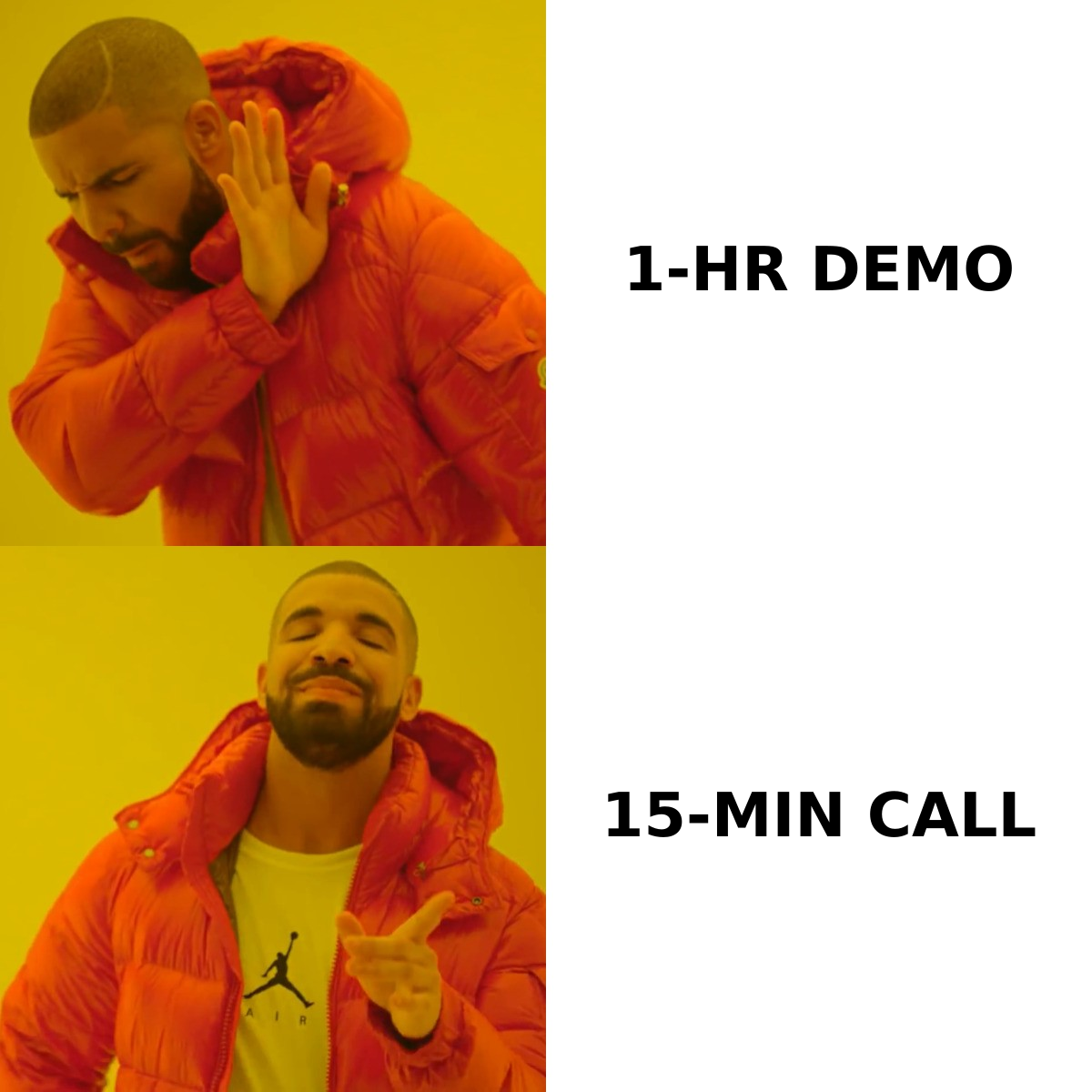
- Ask for 15 minutes, not "a quick chat" or "an hour of your time." Specificity lowers perceived risk.
- Personalization beats volume — but only if you reach a real, verified inbox. A perfect email to a bounced address books zero meetings.
- Use the 8 templates below as starting points, then test subject lines and CTAs against your own reply data.
What is a meeting request email?#
A meeting request email is a short message whose only goal is to get the recipient to agree to a call, demo, or in-person meeting. It is not a pitch, a newsletter, or a place to explain your entire product. Think of it like asking someone to coffee: you don't read them your résumé on the sidewalk — you suggest a time, a place, and a reason they'd care.
That distinction matters because most reps overload these emails. They cram in three value props, two case studies, and a calendar link, then wonder why the reply rate is 2%. The prospect skims, feels the weight of a "big ask," and moves on.
The best meeting request emails do the opposite. They shrink the ask until it's almost frictionless and shift the cognitive load away from the reader. Your job is to answer three silent questions in under 90 words: Who are you? Why does this matter to me? What exactly do you want?
Why do most meeting request emails get ignored?#
Most meeting request emails fail for reasons that have nothing to do with your product. According to HubSpot's sales research, the average professional gets dozens of cold emails a week and replies to a tiny fraction. You're not competing against other vendors — you're competing against the delete key.
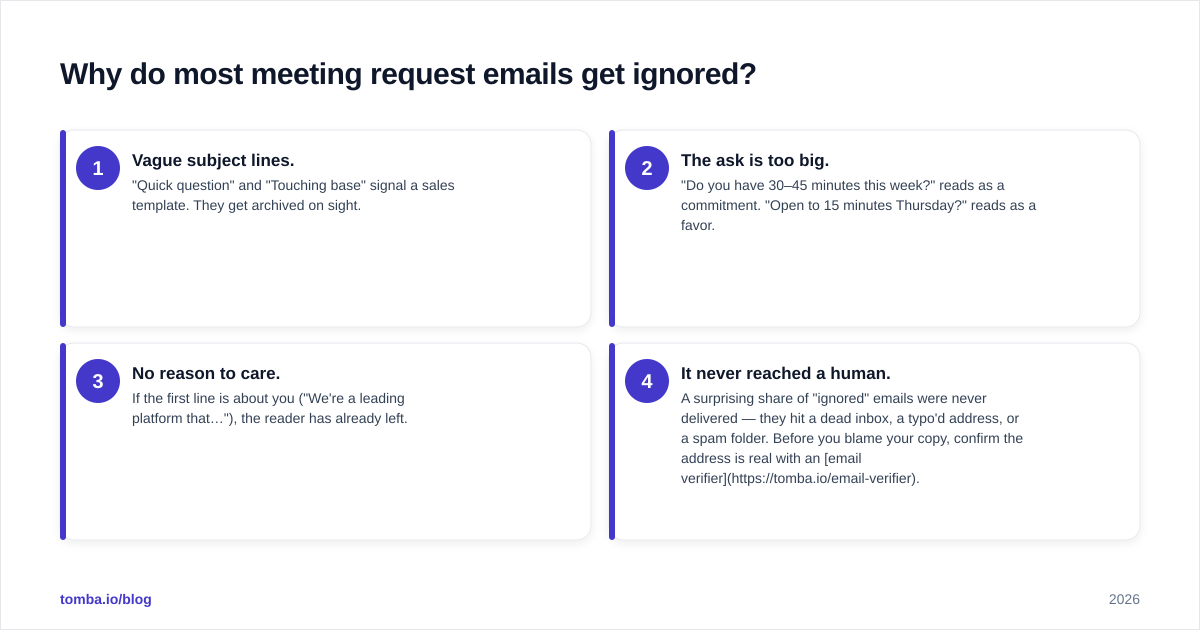
The four most common killers:
- Vague subject lines. "Quick question" and "Touching base" signal a sales template. They get archived on sight.
- The ask is too big. "Do you have 30–45 minutes this week?" reads as a commitment. "Open to 15 minutes Thursday?" reads as a favor.
- No reason to care. If the first line is about you ("We're a leading platform that…"), the reader has already left.
- It never reached a human. A surprising share of "ignored" emails were never delivered — they hit a dead inbox, a typo'd address, or a spam folder. Before you blame your copy, confirm the address is real with an email verifier.
That last point is the silent killer. You can write the perfect email and still book nothing if your list is full of stale or guessed addresses. Deliverability is the floor your copy stands on.
What is the structure of a high-converting meeting request email?#
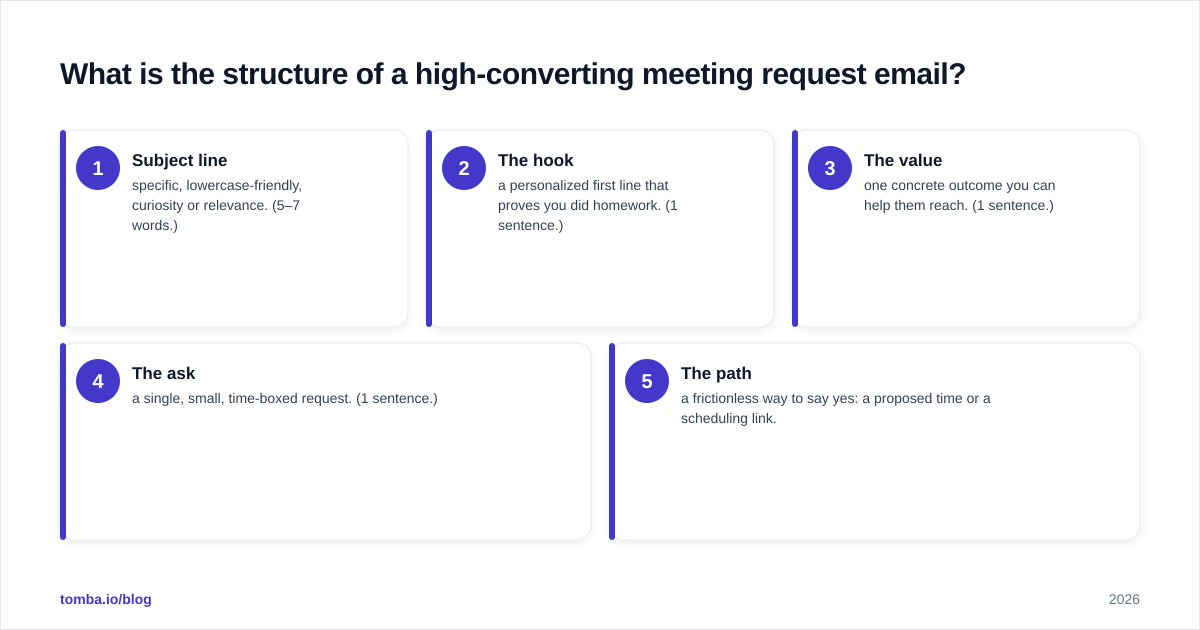
Every reliable meeting request email follows the same five-part skeleton. Memorize it and you can write one in two minutes.
- Subject line — specific, lowercase-friendly, curiosity or relevance. (5–7 words.)
- The hook — a personalized first line that proves you did homework. (1 sentence.)
- The value — one concrete outcome you can help them reach. (1 sentence.)
- The ask — a single, small, time-boxed request. (1 sentence.)
- The path — a frictionless way to say yes: a proposed time or a scheduling link.
Notice the word count. The entire body should fit on a phone screen without scrolling. If a prospect has to scroll, you've already lost the easy yes.
Here's the skeleton filled in:
Subject: cutting onboarding time at Acme
Hi Dana — saw Acme just doubled its CS team, congrats. Most teams that scale that fast see onboarding drag from days to weeks. We helped Northstar cut theirs by 40% without adding headcount. Open to a 15-minute call Thursday to see if the same fits Acme? Here's my calendar if easier: [link].
That's 58 words. One hook, one proof point, one ask, one path.
What are the best subject lines for meeting requests?#
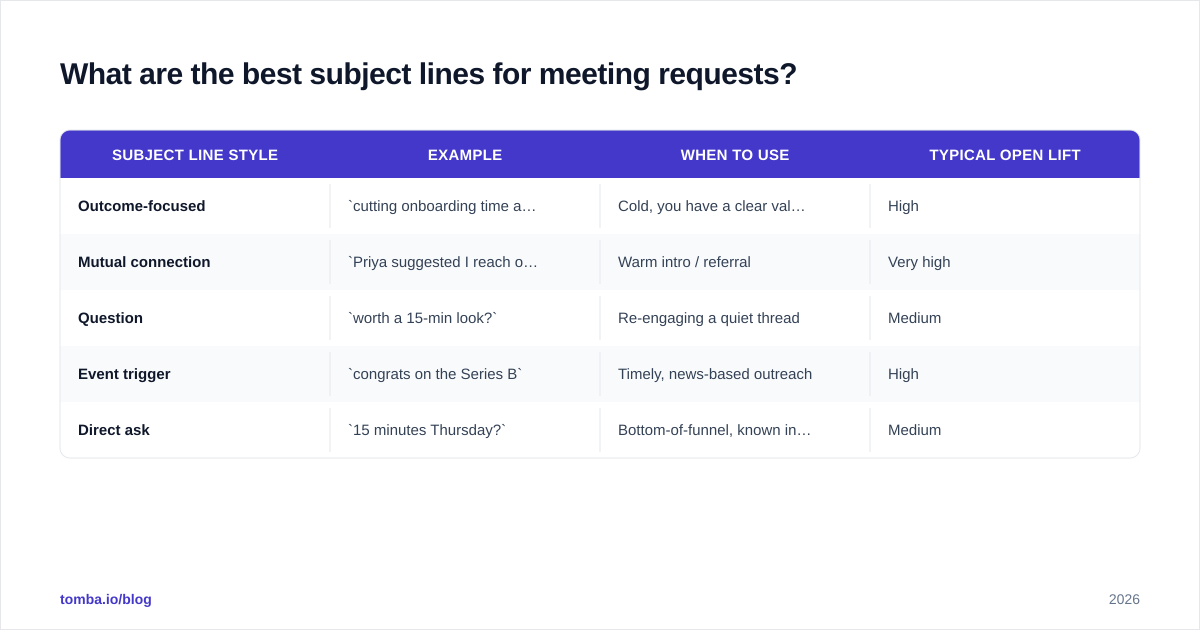
The subject line decides whether the rest of your email is ever read, so treat it as its own deliverable. The patterns that consistently outperform in 2026 are specific, lowercase, and reference the recipient's world — not yours.
| Subject line style | Example | When to use | Typical open lift |
|---|---|---|---|
| Outcome-focused | cutting onboarding time at Acme |
Cold, you have a clear value prop | High |
| Mutual connection | Priya suggested I reach out |
Warm intro / referral | Very high |
| Question | worth a 15-min look? |
Re-engaging a quiet thread | Medium |
| Event trigger | congrats on the Series B |
Timely, news-based outreach | High |
| Direct ask | 15 minutes Thursday? |
Bottom-of-funnel, known interest | Medium |
Two rules that hold across every style: keep it under 50 characters so it doesn't truncate on mobile, and never use the word "meeting" in the subject — it telegraphs the ask before you've earned it. If you want to pressure-test variants before you send, run them through a subject line generator and pick the two least salesy options to A/B.
How long should a meeting request email be?#
Short. Aim for 50–90 words in the body — roughly four sentences. Research compiled by tools like Gong on what actually converts in outbound consistently shows that brevity and a single clear CTA correlate with higher reply rates than long, feature-heavy emails.
The reason is psychological. A long email looks like work before it's even read. A short email signals respect for the reader's time, which is exactly the trait you want to advertise when you're asking for some of it. Conclusion first: when in doubt, cut a sentence.
8 meeting request email templates you can copy#
Use these as scaffolding, not scripture. Swap in real details — generic personalization is worse than none.
1. The cold value-first ask
Subject: cutting [metric] at [Company]
Hi [Name], noticed [specific trigger]. Teams in your spot usually struggle with [problem]. We helped [similar company] [result]. Worth 15 minutes [day] to see if it maps to [Company]?
2. The referral / warm intro
Subject: [Mutual] suggested we talk
Hi [Name], [Mutual] mentioned you're rethinking [area]. That's exactly what we helped them with last quarter. Free for a quick 15-minute call this week?
3. The trigger-event email
Subject: congrats on [news]
Hi [Name], saw [Company] just [event] — that usually means [implication]. We've helped similar teams handle the [challenge] that follows. Open to a short call [day]?
4. The "break-up" re-engage
Subject: should I close your file?
Hi [Name], I haven't heard back, so I'll assume the timing's off. If [problem] is still on your radar, I'm around for 15 minutes [day]. If not, no worries — I'll stop here.
5. The demo request (bottom of funnel)
Subject: 15 minutes to see [Product] live?
Hi [Name], thanks for checking out [resource]. Happy to walk you through how [Product] handles [their use case] — should take 15 minutes. Does [day/time] work, or grab a slot here: [link].
6. The post-call follow-up
Subject: next step after our chat
Hi [Name], great talking today. As discussed, the logical next step is a 30-minute working session with [stakeholder]. Here are two times that work on my end: [option A] / [option B].
7. The LinkedIn-to-email bridge
Subject: following up from LinkedIn
Hi [Name], enjoyed your post on [topic]. It lines up with something we're solving for teams like [Company]. Worth a 15-minute call to compare notes?
8. The executive (short and respectful)
Subject: [outcome] for [Company]
[Name] — one idea to [outcome]. Takes 15 minutes to explain. Worth your time? Reply "yes" and I'll send two slots.
If you build cold sequences at scale, a cold email AI assistant can spin variants of these so every prospect gets a tailored version instead of an obvious mail-merge.
How do you write a strong call to action?#
Make the CTA a single, small, specific action. The strongest meeting request CTAs share three traits: they name a duration ("15 minutes"), they propose a concrete next step, and they offer an out.
- Weak: "Let me know if you'd like to connect sometime."
- Better: "Open to a 15-minute call this week?"
- Best: "Open to 15 minutes Thursday at 10 or 2? If neither works, here's my calendar: [link]."
The double-CTA — propose a time and drop a scheduling link — works because it serves both reader types: the decisive one who replies "Thursday works" and the one who'd rather self-serve a slot. Pair it with a real scheduling tool like Calendly so booking never requires another round of email tag.
One caution: don't lead with the link. A bare calendar link in a cold email feels presumptuous, like handing someone your business card before saying hello. Earn the ask in the first three sentences, then offer the link as a convenience.
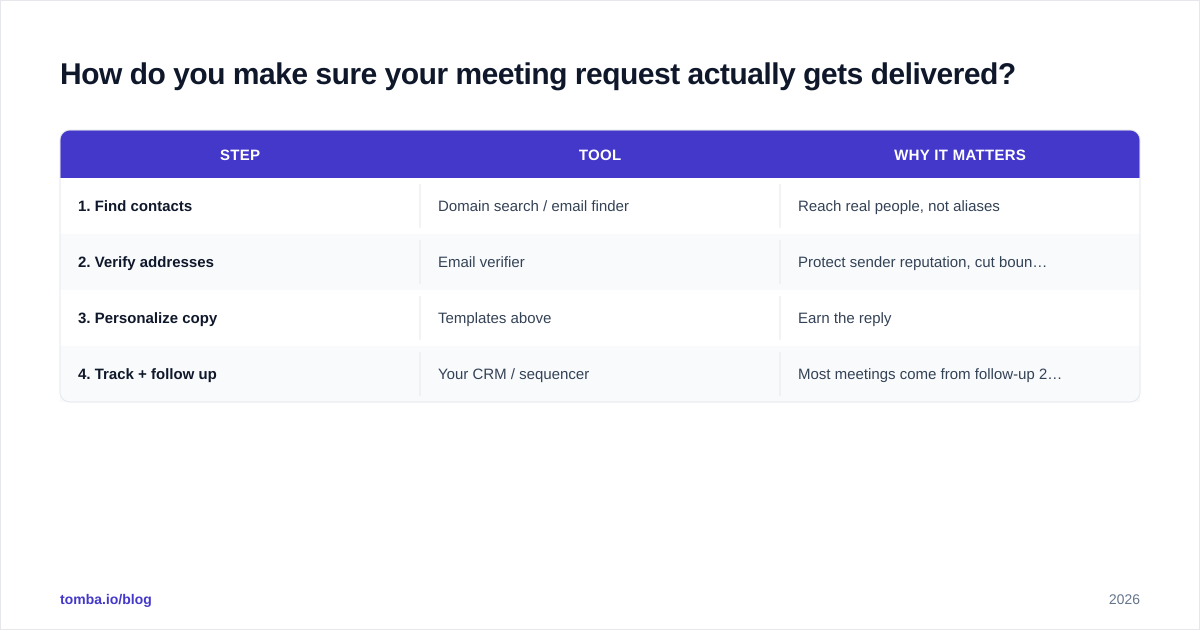
How do you make sure your meeting request actually gets delivered?#
Great copy is wasted on a wrong address. This is the step most reps skip, and it quietly caps their results. Two safeguards:
Find the right person, not a guess. Use a domain search to pull verified contacts at the target company, then confirm you're emailing the decision-maker — not a shared info@ alias that nobody reads.
Verify before you send. Run every address through verification so you're not torching your sender reputation on bounces. High bounce rates drag down email deliverability for your whole domain, which means even your good emails start landing in spam.
The workflow looks like this:
| Step | Tool | Why it matters |
|---|---|---|
| 1. Find contacts | Domain search / email finder | Reach real people, not aliases |
| 2. Verify addresses | Email verifier | Protect sender reputation, cut bounces |
| 3. Personalize copy | Templates above | Earn the reply |
| 4. Track + follow up | Your CRM / sequencer | Most meetings come from follow-up 2–4 |
Skip step two and your reply rate will look like a copy problem when it's really a deliverability problem. For pricing on bulk verification and finding, see the Tomba pricing tiers — the free plan covers 25 searches a month to test the workflow before you commit.
How many follow-ups should you send?#
Send two to four follow-ups, spaced two to four days apart. Most booked meetings come from a follow-up, not the first email — yet most reps quit after one send. That's leaving the majority of your pipeline on the table.
Keep follow-ups even shorter than the original. A good cadence:
- Day 1: Initial meeting request (template 1 or 3).
- Day 3: One-line bump — "Floating this back to the top of your inbox."
- Day 7: New angle or fresh proof point — don't just repeat yourself.
- Day 12: The break-up email (template 4).
Each touch should add something: a new data point, a relevant case study, a different time slot. Pure "just checking in" pings train people to ignore you.
Frequently asked questions#
What's the ideal length for a meeting request email? 50–90 words in the body — about four sentences. If it doesn't fit on a phone screen without scrolling, cut it down.
Should I include a calendar link in the first email? Yes, but as a secondary option after proposing a specific time — never as the only CTA. Lead with a human ask, then offer the link for convenience.
How do I personalize at scale without sounding robotic? Anchor every email to one real, specific detail (a recent hire, a product launch, a post they wrote). Tools that pull verified company data and find email addresses let you personalize the hook even when the rest is templated.
What time should I send a meeting request email? Mid-morning on Tuesday through Thursday tends to perform best, but your own reply data beats any benchmark. Test and let the numbers decide.
Start booking more meetings#
The math is simple: a tight five-part email, a 15-minute ask, and a verified address beat a clever pitch sent into the void every time. Nail the structure, then protect it with clean data.
That data layer is where Tomba's Email Finder earns its keep — find the right decision-maker by name or domain, verify the address before you hit send, and feed your sequences inboxes that actually exist. Start free with 25 searches a month, write the four sentences, and let the meetings come.
// get started
Find, verify and enrich your first contacts today
Start on the free plan with 25 searches a month, then scale when your team is ready.
Free plan · No credit card required · GDPR & CCPA
// about the author