Recruiting Emails That Get Replies: 2026 Templates & Tips
Recruiting emails that actually get replies aren't luck. Here's the 2026 framework, copy-paste templates, and the metrics that separate a 40% reply rate from a 3% one.
Recruiting is a sales job wearing an HR badge. You have a product (the role), a buyer (the candidate), and a market that ignores generic pitches. The difference between a recruiter who books five intro calls a week and one who books zero usually comes down to a few hundred words sent over email.
This guide breaks down how to write recruiting emails that get replies in 2026 — the structure, the templates, the subject lines, and the unglamorous deliverability work that decides whether your message lands in a primary inbox or a spam folder nobody opens.
TL;DR#
- Personalization beats volume. A researched, 90-word email to 30 candidates outperforms a templated blast to 300. Reply rates of 25–45% are realistic when relevance is high.
- Structure every email the same way: specific hook, why-them, the role's gravity, a low-friction ask. No corporate filler.
- Subject lines decide open rates. Short, specific, and curiosity-driven beats "Exciting Opportunity at [Company]" every time.
- Deliverability is half the battle. Verified candidate emails, a warmed domain, and proper authentication keep you out of spam.
- Follow up 2–3 times. Most replies come after the first email. A no-reply is rarely a no.
Why do most recruiting emails get ignored?#
Because they read like they were sent to a thousand other people — and they probably were. The average professional gets dozens of InMails and cold emails a week, most opening with the same hollow phrasing: "I came across your profile and was impressed by your background."
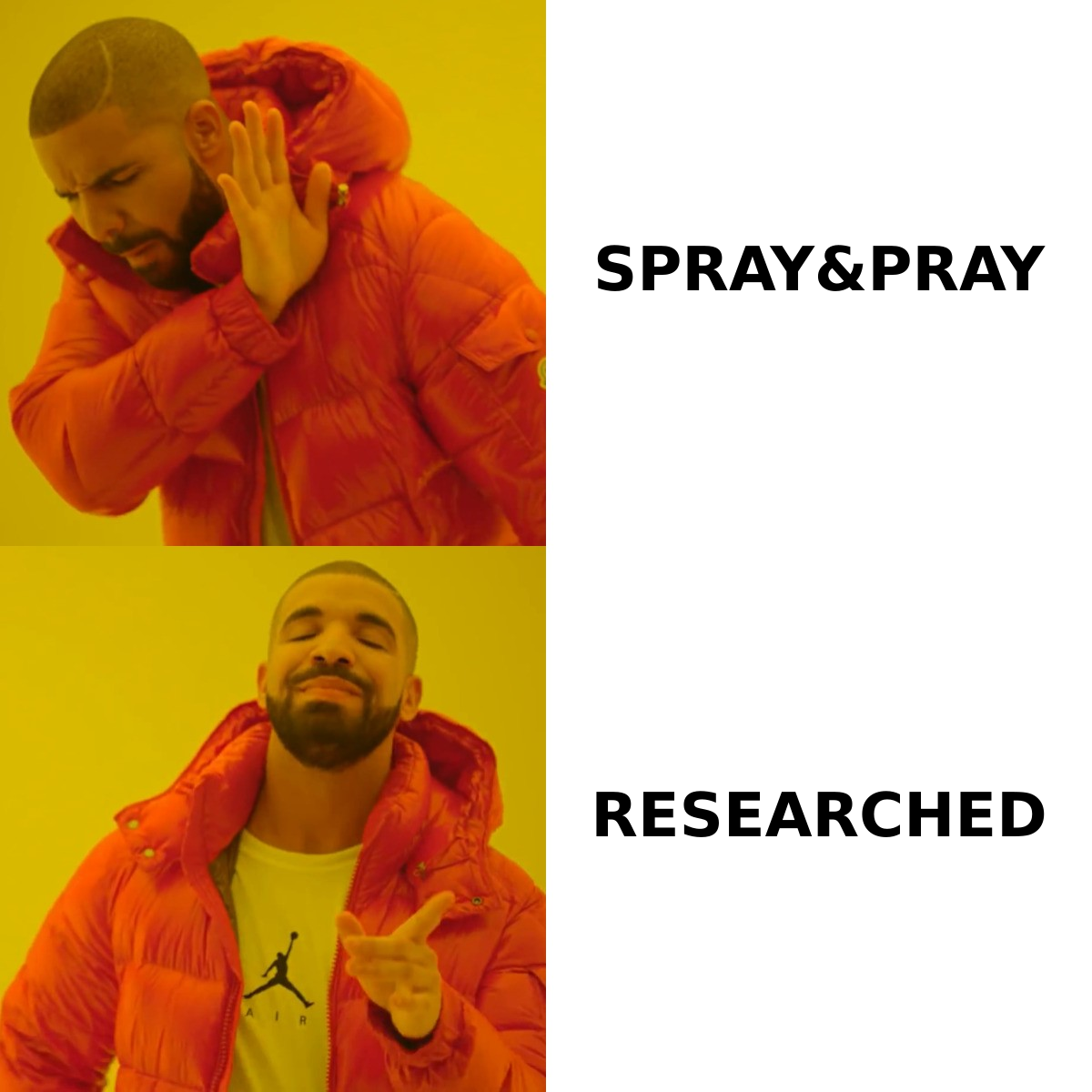
Candidates have pattern-matched that sentence to "delete." It signals zero research. It could be sent to anyone with a pulse and a LinkedIn account.
The fix is not better adjectives. It's relevance. A strong recruiting email proves, in the first line, that you are writing to this person about this role for a reason they'd care about. Everything else — the company pitch, the comp range, the ask — is secondary to clearing that first bar.
There's also a structural problem most recruiters never diagnose: their email never arrives. If you're sending from a cold domain, to unverified addresses, with no authentication records, a meaningful share of your outreach lands in spam or bounces silently. You can write the best recruiting email in the world and still get a 0% reply rate if the inbox never sees it.
What does a recruiting email that gets replies look like?#
Every high-performing recruiting email follows the same four-part skeleton. The words change; the structure doesn't.
1. The hook (1 sentence). A specific, true observation about the candidate. Not "I was impressed by your profile." Instead: "Your talk at RustConf on zero-copy parsing is exactly the kind of low-level thinking we're short on."
2. Why you, specifically (1–2 sentences). Connect the hook to the role. Make it clear this isn't a coincidence. "We're rebuilding our ingestion layer and need someone who actually enjoys the parts most engineers avoid."
3. The role's gravity (1–2 sentences). Give them a reason to care beyond a paycheck. Scope, team quality, comp band, growth stage, mission. Be concrete — "Series B, $40M raised, you'd be employee #4 on a brand-new team" lands harder than "fast-growing startup."
4. The ask (1 sentence). Make saying yes nearly effortless. "Open to a 15-minute call next week to hear if it's a fit?" beats "Let me know if you'd like to learn more," which puts the work on them.
Keep the whole thing under 120 words. Recruiters consistently underestimate how much shorter their emails should be. If a candidate has to scroll, you've lost.
Recruiting email templates you can copy#
Here are four templates mapped to the most common scenarios. Swap the brackets, keep the brevity.
1. The passive candidate (cold, not job hunting)#
Subject: Your work on [specific project]
Hi [First name],
Your [specific work — a repo, talk, shipped feature] caught my eye — [one concrete detail proving you actually looked].
I'm building out the [team] at [Company] ([one-line credibility: stage, backing, or a name they'd know]). We need someone who [specific strength they have], and your background fits unusually well.
Worth a 15-minute call next week to see if it's interesting? No pressure if the timing's wrong.
[Your name]
2. The referral angle#
Subject: [Mutual contact] suggested I reach out
Hi [First name],
[Mutual contact] mentioned you'd be a strong fit for a [role] we're hiring for on the [team] at [Company].
Quick version: [one sentence on scope and why it's interesting]. Comp is [range] depending on level.
Would you be open to a short call this week? Happy to send details first if you'd rather read.
[Your name]
3. The re-engagement (a past applicant or silver-medal candidate)#
Subject: That [role] role — round two
Hi [First name],
We spoke last [timeframe] about [role]. It wasn't the right moment then, but we've just opened a [new/senior] version of it that maps closely to what you wanted.
[One sentence on what's changed — bigger scope, remote now, comp bump.]
Interested in picking it back up? 15 minutes is all I'd need.
[Your name]
4. The executive / senior IC (short, high-respect)#
Subject: [Company] — [specific senior role]
Hi [First name],
I'll be brief. We're hiring a [role] to own [specific mandate], and your experience [specific thing they did] is the closest match I've seen.
[One line of company gravity.] Comp band is [range].
Open to a confidential conversation?
[Your name]
For more reusable starting points, the cold email templates library covers adjacent outbound scenarios you can adapt to recruiting.
What subject lines work for recruiting emails?#
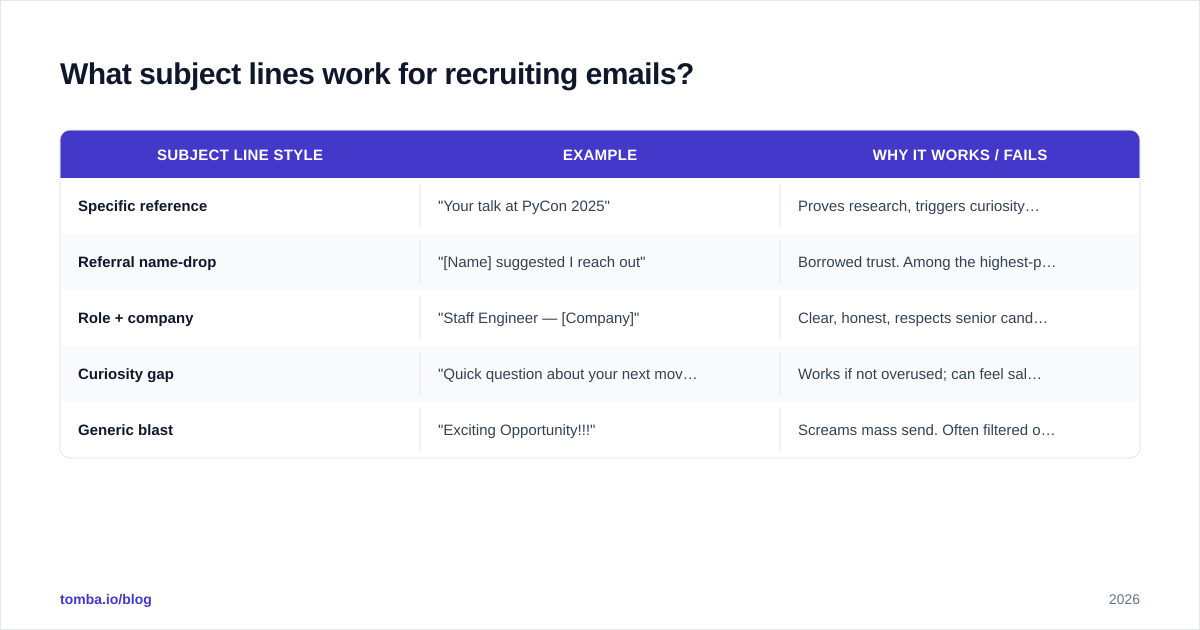
Your subject line has one job: earn the open. It is not the place to pitch. The best recruiting subject lines are short (under 50 characters), specific, and free of anything that smells like marketing.
| Subject line style | Example | Why it works / fails |
|---|---|---|
| Specific reference | "Your talk at PyCon 2025" | Proves research, triggers curiosity. High open rate. |
| Referral name-drop | "[Name] suggested I reach out" | Borrowed trust. Among the highest-performing openers. |
| Role + company | "Staff Engineer — [Company]" | Clear, honest, respects senior candidates' time. |
| Curiosity gap | "Quick question about your next move" | Works if not overused; can feel salesy at scale. |
| Generic blast | "Exciting Opportunity!!!" | Screams mass send. Often filtered or ignored. |
Avoid all-caps, exclamation marks, and the word "opportunity." They correlate with both lower opens and higher spam classification. If you want to test variants at scale, a subject line generator can help you brainstorm and A/B candidates before committing.
One more rule: never use a misleading subject line to boost opens. "Re: our conversation" when there was no conversation gets the open and burns the relationship in the same second. Senior candidates remember.
How do you make sure recruiting emails actually land?#
This is the part most recruiting-email advice skips, and it's the reason good copy still gets a 2% reply rate.
Three things determine whether your email reaches the inbox:
1. The address is real and verified. Guessing firstname@company.com and hoping is how you rack up bounces. Every hard bounce damages your sender reputation, which pushes future emails toward spam. Verify addresses before you send. A dedicated email verifier checks deliverability without sending a test message, so your bounce rate stays low and your domain stays trusted.
2. Your domain is authenticated and warmed. SPF, DKIM, and DMARC records tell receiving servers you're legitimate. If you're sending from a new domain, warm it gradually — a brand-new domain blasting 200 emails on day one looks exactly like spam. Google and Microsoft both tightened bulk-sender requirements through 2024–2025, and proper authentication is now table stakes. Google's sender guidelines spell out the current bar.
3. You're finding the right address in the first place. When you've sourced a candidate on LinkedIn but only have a profile, you still need a reliable way to reach them. A LinkedIn finder resolves a profile to a verified professional email, and data enrichment fills in the rest of the context — current company, role, location — so your personalization is accurate.
Get these three right and your copy finally gets a fair test. Skip them and you're optimizing words nobody reads.
How many follow-ups should a recruiting email have?#
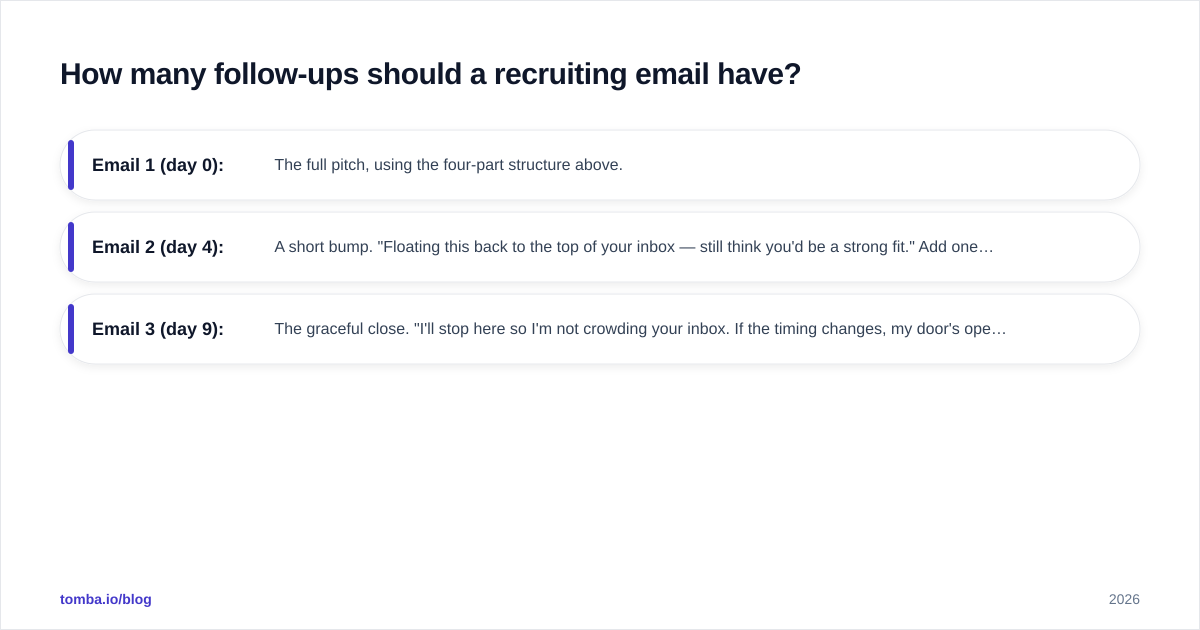
Two to three, spaced 3–5 business days apart. The data is consistent across outbound: a large share of replies — often the majority — arrive after the first email. A single send leaves most of your pipeline on the table.
A simple, respectful cadence:
- Email 1 (day 0): The full pitch, using the four-part structure above.
- Email 2 (day 4): A short bump. "Floating this back to the top of your inbox — still think you'd be a strong fit." Add one new piece of value: a detail about the team, a recent funding note, a flexible-work point.
- Email 3 (day 9): The graceful close. "I'll stop here so I'm not crowding your inbox. If the timing changes, my door's open." This breakup email often produces replies precisely because it removes pressure.
Keep follow-ups in the same thread. Don't start fresh subject lines each time — it fragments the conversation and looks careless. And always stop when asked. A "no thanks" you respect today is a candidate who picks up your call in eighteen months.
Recruiting emails vs. LinkedIn InMail: which is better?#
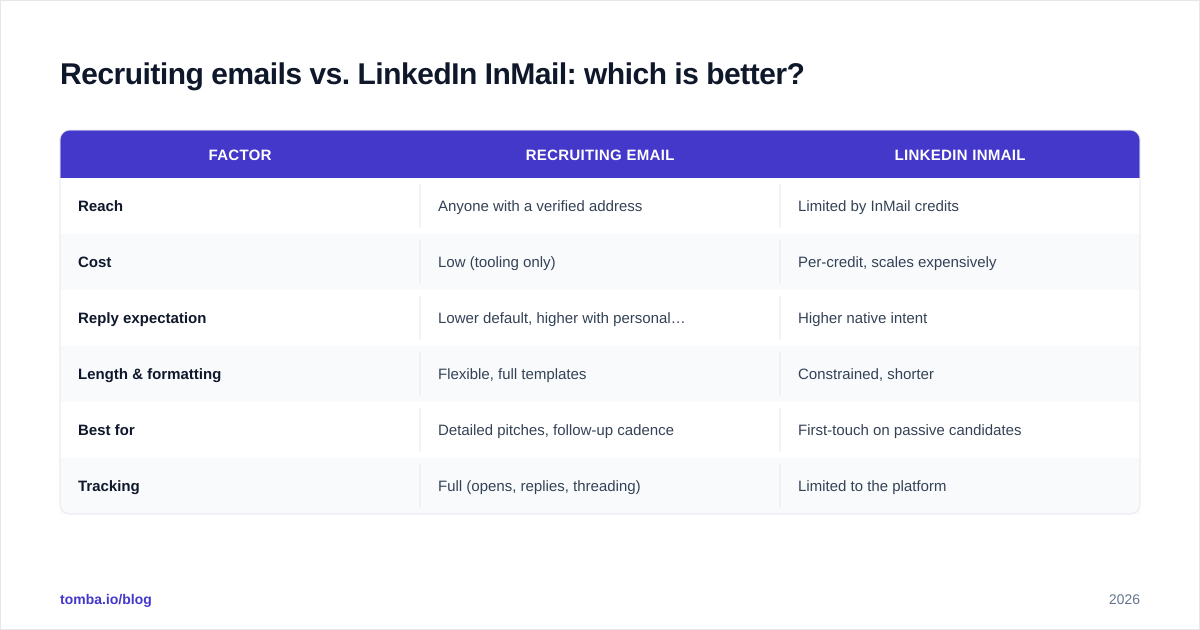
Neither wins outright — they're complementary. Email gives you length, formatting, and a paper trail; InMail gives you a native, trusted surface where candidates already expect recruiter contact. Most strong recruiting workflows use both.
| Factor | Recruiting email | LinkedIn InMail |
|---|---|---|
| Reach | Anyone with a verified address | Limited by InMail credits |
| Cost | Low (tooling only) | Per-credit, scales expensively |
| Reply expectation | Lower default, higher with personalization | Higher native intent |
| Length & formatting | Flexible, full templates | Constrained, shorter |
| Best for | Detailed pitches, follow-up cadence | First-touch on passive candidates |
| Tracking | Full (opens, replies, threading) | Limited to the platform |
The pragmatic play: use InMail or a connection request for the first soft touch, then move qualified, interested candidates to email where you control the cadence and the conversation. To do that, you need their actual email — which is exactly where a verified email finder closes the gap between a profile and a real reply. Platforms like LinkedIn are the sourcing layer; email is the closing layer.
What metrics tell you a recruiting email is working?#
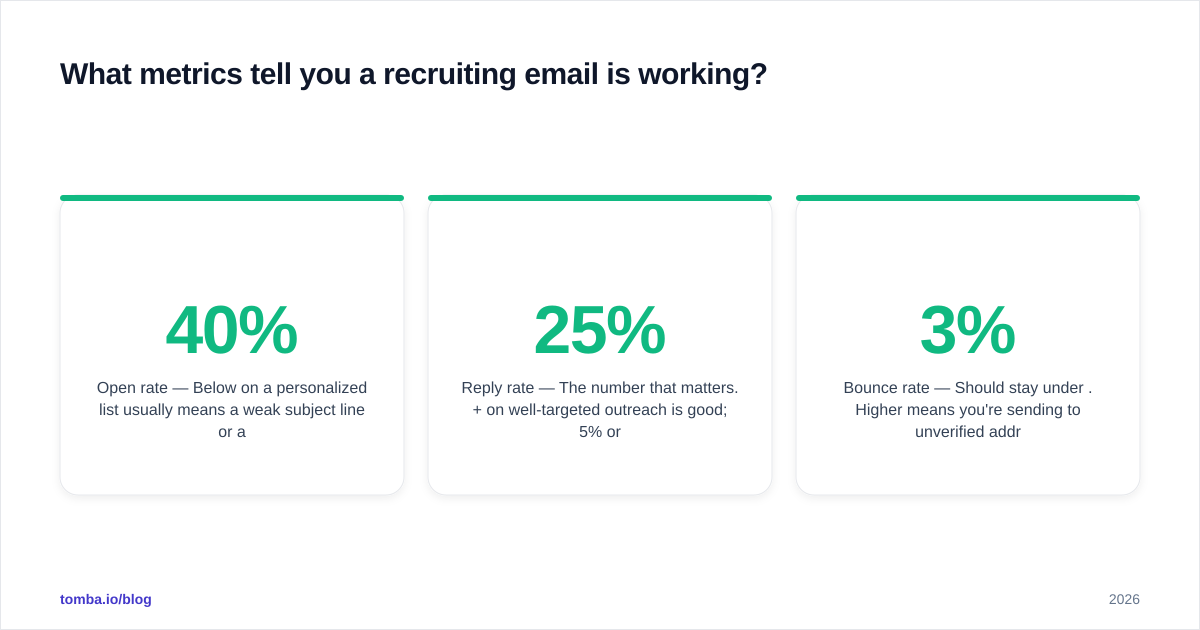
Track four numbers and you'll know within a week whether your copy or your deliverability needs work:
- Open rate — Below 40% on a personalized list usually means a weak subject line or a deliverability problem. Above 60% is strong.
- Reply rate — The number that matters. 25%+ on well-targeted outreach is good; 5% or under signals generic copy or bad targeting.
- Bounce rate — Should stay under 3%. Higher means you're sending to unverified addresses and damaging your domain.
- Positive reply rate — Of those who replied, how many were interested? This separates "my list is wrong" from "my pitch is wrong."
If opens are high but replies are low, fix the body. If opens are low, fix the subject line or deliverability. If bounces are high, fix your verification step before anything else — it's poisoning every other metric. Industry review sites like G2 are useful for benchmarking the tools recruiters actually rate for this.
Common recruiting email mistakes to avoid#
- Writing a novel. If it doesn't fit on a phone screen without scrolling, cut it.
- Leading with the company, not the candidate. Nobody cares about your "rocketship" until they care about themselves in it.
- Vague asks. "Let me know if interested" makes the candidate do the work. Propose a specific, tiny next step.
- No personalization beyond the first name. Mail-merge fields don't count as research.
- Ignoring deliverability. The best copy in spam is worth nothing.
- One-and-done sending. You're leaving most of your replies unsent.
- Misleading subject lines. Short-term opens, long-term reputation damage.
Put it together#
Strong recruiting emails are simple: prove you did your homework, respect the candidate's time, make the role feel real, and ask for something small. Then make sure the email actually arrives — verified addresses, an authenticated domain, and a follow-up cadence that doesn't quit after one try.
The copywriting is learnable in an afternoon. The deliverability and sourcing is where most recruiters quietly lose half their pipeline. Fix both and your reply rate stops being a mystery.
Ready to stop guessing at candidate addresses? Tomba's Email Finder turns a name and company — or a LinkedIn profile — into a verified, deliverable email, so your researched outreach lands in the inbox instead of bouncing. Start on the free tier (25 searches a month), and when your sourcing volume grows, paid plans start at $49/month. Check the full Tomba pricing to match a plan to your hiring pace.
// get started
Find, verify and enrich your first contacts today
Start on the free plan with 25 searches a month, then scale when your team is ready.
Free plan · No credit card required · GDPR & CCPA
// about the author