How to Write Reminder Emails That Get Replies (2026 Guide)
Reminder emails recover the replies you already earned. Here's the timing, tone, and templates that turn silence into responses in 2026.
Most replies you "lose" were never lost. They were buried, forgotten, or deprioritized in a busy inbox — and a well-timed reminder email is what brings them back. The first send starts the conversation; the reminders are what actually close it.
This guide breaks down how to write reminder emails that recover replies without sounding pushy: when to send them, how many to send, what to say, and the exact templates you can paste today.
TL;DR#
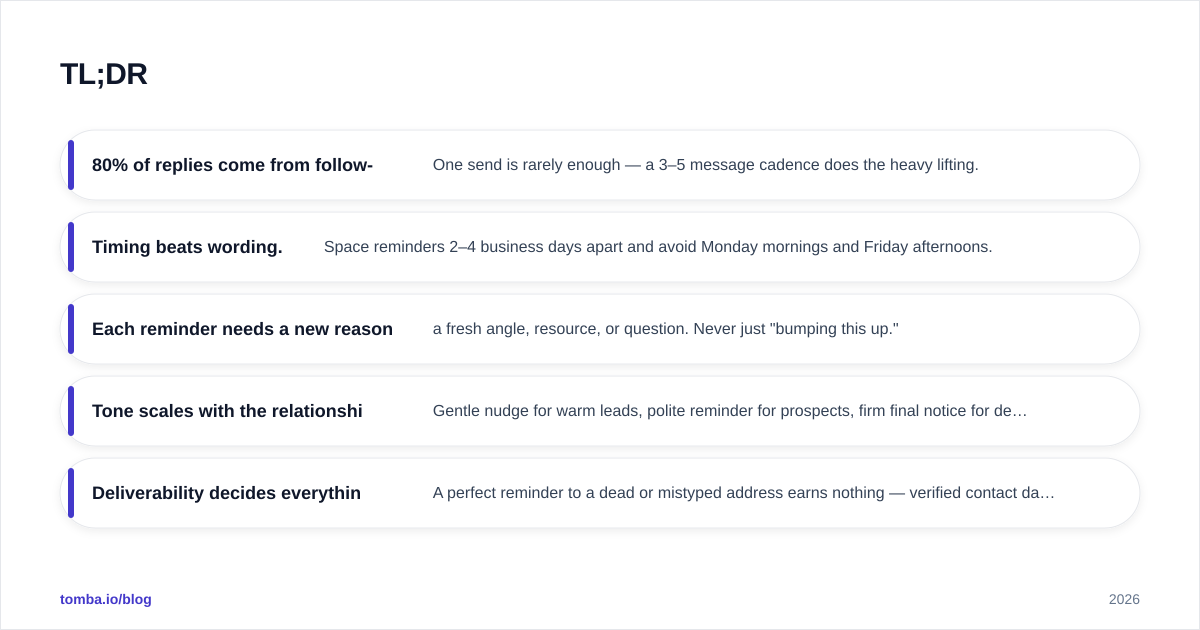
- 80% of replies come from follow-ups, not the first email. One send is rarely enough — a 3–5 message cadence does the heavy lifting.
- Timing beats wording. Space reminders 2–4 business days apart and avoid Monday mornings and Friday afternoons.
- Each reminder needs a new reason to reply — a fresh angle, resource, or question. Never just "bumping this up."
- Tone scales with the relationship. Gentle nudge for warm leads, polite reminder for prospects, firm final notice for deadlines.
- Deliverability decides everything. A perfect reminder to a dead or mistyped address earns nothing — verified contact data is the prerequisite.
What is a reminder email (and how is it different from a follow-up)?#
A reminder email is a short, purpose-built message that nudges a recipient to take an action they've already been asked to take — reply, book a call, pay an invoice, confirm attendance, or review a document.
Think of it like a waiter checking back on your table. The first visit (your original email) drops off the menu. The check-back isn't a new pitch — it's a light touch that says "ready when you are." Done well, it feels helpful. Done badly, it feels like hovering.
Technically, "reminder email" and "follow-up email" overlap, but there's a useful distinction:
- A follow-up continues a thread and often adds new information or value.
- A reminder specifically prompts an action tied to a deadline, event, or pending request.
In practice, your best sequences blend both: every reminder should carry a little new value so it earns its place in the inbox.
Why do reminder emails work so well?#
Because attention is the scarce resource, not interest. People who ignore your first email aren't all rejecting you — many simply never finished reading it, meant to reply later, or needed one more reason to act.
Research from HubSpot and others consistently shows that a large share of positive replies arrive on the second, third, or fourth touch. Sending once and stopping means leaving most of your potential response rate on the table.
There's also a psychological lever: a reminder creates a gentle sense of an open loop. Humans dislike unfinished business. A short, specific nudge gives the recipient an easy way to close that loop — which is exactly what you want.
The mistake most people make isn't sending too many reminders — it's sending the same reminder repeatedly. "Just following up" five times trains the reader to ignore you. Each touch has to feel like it moves the conversation forward.
How many reminder emails should you send, and when?#
For cold or semi-warm outreach, 3 to 5 total touches (the original plus 2–4 reminders) is the sweet spot for most B2B contexts. Beyond that, returns drop sharply and annoyance climbs.
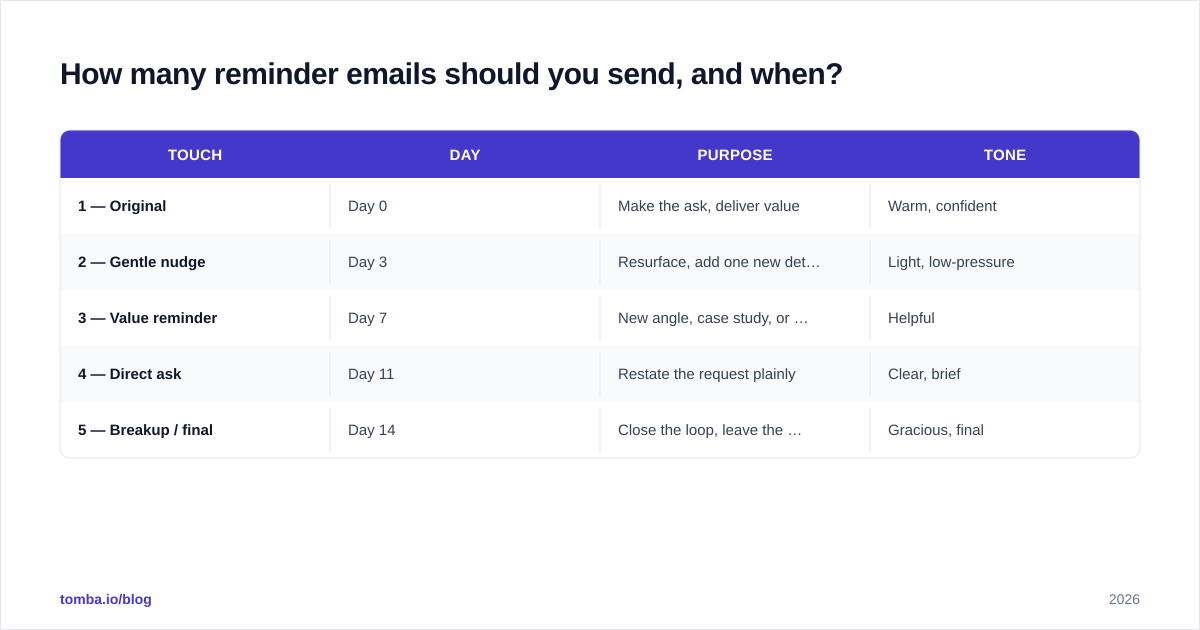
Spacing matters as much as count. Too soon reads as desperate; too late and the context is cold. A reliable default cadence:
| Touch | Day | Purpose | Tone |
|---|---|---|---|
| 1 — Original | Day 0 | Make the ask, deliver value | Warm, confident |
| 2 — Gentle nudge | Day 3 | Resurface, add one new detail | Light, low-pressure |
| 3 — Value reminder | Day 7 | New angle, case study, or resource | Helpful |
| 4 — Direct ask | Day 11 | Restate the request plainly | Clear, brief |
| 5 — Breakup / final | Day 14 | Close the loop, leave the door open | Gracious, final |
Adjust the spacing to context: a meeting reminder might go out 24 hours and then 1 hour before; an overdue invoice escalates faster than a partnership pitch. The shape of the cadence stays the same — the intervals compress or stretch.
Send during the recipient's mid-morning or early-afternoon working window in their timezone. Avoid Monday 9 a.m. (inbox triage) and Friday afternoon (checked out). If you run sequences at scale, a tool that schedules by local time — or an AI cold email writer to draft the variants — saves hours.
What are the different types of reminder emails?#
Different situations call for different tones. Matching the two is most of the skill.
The gentle reminder#
For warm leads and existing relationships. Soft, no pressure, easy to ignore without guilt — which paradoxically makes people more likely to reply.
Subject: Quick one, {{First Name}}
Hi {{First Name}},
No rush at all — just floating this back to the top of your inbox in case it slipped past. Still happy to send over the {{resource}} whenever the timing works.
Worth a quick look?
{{Your Name}}
The polite professional reminder#
For prospects and B2B outreach where you want to stay courteous but clear.
Subject: Following up on {{topic}}
Hi {{First Name}},
I wanted to check back on my note about {{specific value}}. Teams like {{similar company}} used it to {{concrete outcome}}, so I thought it'd be relevant for {{their company}}.
Would a 15-minute call next week make sense? Happy to work around your calendar.
Best,
{{Your Name}}
The deadline / final reminder#
For invoices, event RSVPs, expiring offers, or contract renewals. Firm, specific, and time-bound — without threats.
Subject: Reminder: {{action}} due {{date}}
Hi {{First Name}},
A quick reminder that {{action}} is due on {{date}}. To keep things on track, {{clear next step}}.
If anything's blocking this on your side, reply here and I'll help sort it.
Thanks,
{{Your Name}}
The breakup email#
The last touch. Counterintuitively, "I'll close this out" emails often pull the highest reply rate in a sequence because they trigger loss aversion.
Subject: Should I close the loop?
Hi {{First Name}},
I haven't heard back, so I'll assume the timing isn't right and stop reaching out. If that changes, my door's open — just reply and we'll pick it up.
All the best,
{{Your Name}}
You can store and reuse variants like these with a cold email templates library so your team isn't rewriting the same nudge from scratch.
What makes a reminder email actually get a reply?#
Five things separate reminders that work from reminders that get muted.
1. A subject line that signals brevity. "Quick question," "2-min favor," or a simple re-reply on the existing thread outperforms anything clever. If subject lines are your bottleneck, a subject line generator gives you fast A/B options.
2. A new reason every time. Rotate the angle: a relevant stat, a customer result, a different decision-maker's perspective, a deadline. "Bumping this" gives the reader nothing to react to.
3. Ruthless brevity. Reminders should be shorter than the original. Three sentences is plenty. The reader already has context — don't re-pitch the whole thing.
4. One clear ask. A single, low-friction call to action — "Worth a quick chat?" beats a paragraph listing five options. Every extra choice is an excuse to defer.
5. Reply-friendly framing. Make "no" easy ("If this isn't a fit, a one-line reply and I'll stop"). Lowering the cost of any response raises the odds of a useful one.
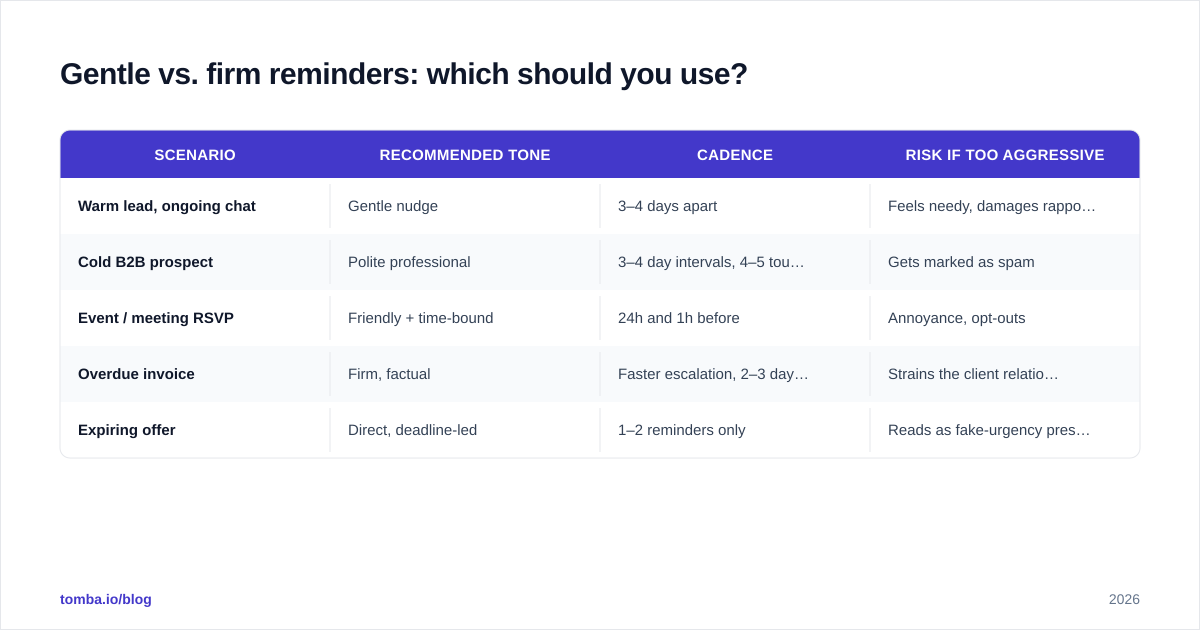
Gentle vs. firm reminders: which should you use?#
It depends entirely on stakes and relationship. Here's a quick decision matrix.
| Scenario | Recommended tone | Cadence | Risk if too aggressive |
|---|---|---|---|
| Warm lead, ongoing chat | Gentle nudge | 3–4 days apart | Feels needy, damages rapport |
| Cold B2B prospect | Polite professional | 3–4 day intervals, 4–5 touches | Gets marked as spam |
| Event / meeting RSVP | Friendly + time-bound | 24h and 1h before | Annoyance, opt-outs |
| Overdue invoice | Firm, factual | Faster escalation, 2–3 day gaps | Strains the client relationship |
| Expiring offer | Direct, deadline-led | 1–2 reminders only | Reads as fake-urgency pressure |
The rule of thumb: the more the recipient benefits from acting, the gentler you can be. The more you need the action by a date, the firmer and more specific you get — but firmness means clarity and deadlines, never guilt-tripping.
How do reminder emails fit into your wider outreach stack?#
A reminder is only as good as the address it lands on and the system that triggers it. Three layers make or break performance.
Deliverability. If your reminders hit spam, none of the copy matters. Authenticate your domain, warm new sending addresses, and keep bounce rates low. Bounces spike when your list is full of stale or guessed addresses — which is why list hygiene is a prerequisite, not an afterthought.
Data accuracy. Reminders sent to a typo'd or long-dead inbox are pure waste. Cleaning your list with an email verifier before a sequence protects your sender reputation and your reply rate at the same time.
Automation with a human floor. Sequencing tools (HubSpot, Salesforce, and dedicated outreach platforms reviewed on G2) handle the timing so you don't manually chase every thread. But automation amplifies whatever you feed it — bad data and lazy copy just fail faster and at scale. Keep personalization tokens accurate and pause the sequence the moment someone replies.
The unglamorous truth: most "my reminders don't work" problems are actually data or deliverability problems wearing a copywriting costume.
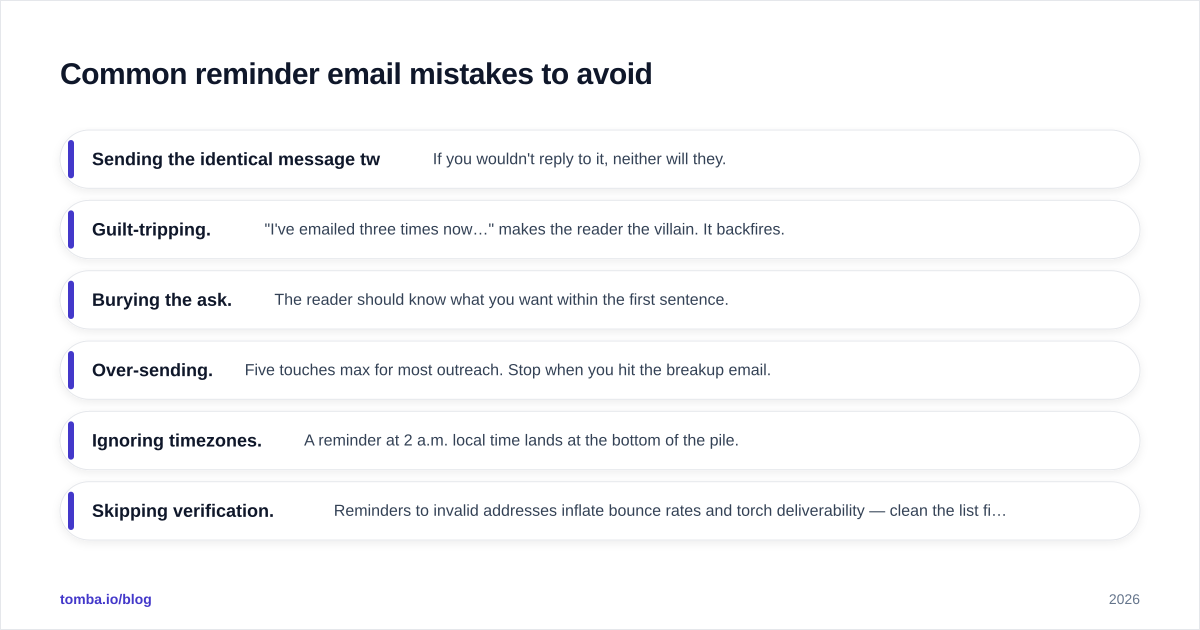
Common reminder email mistakes to avoid#
- Sending the identical message twice. If you wouldn't reply to it, neither will they.
- Guilt-tripping. "I've emailed three times now…" makes the reader the villain. It backfires.
- Burying the ask. The reader should know what you want within the first sentence.
- Over-sending. Five touches max for most outreach. Stop when you hit the breakup email.
- Ignoring timezones. A reminder at 2 a.m. local time lands at the bottom of the pile.
- Skipping verification. Reminders to invalid addresses inflate bounce rates and torch deliverability — clean the list first.
Reminder email FAQ#
How long should a reminder email be? Shorter than the original — ideally two to four sentences. The reader already has the context; your job is to make replying frictionless.
Is it rude to send multiple reminders? Not if each adds value and you cap the sequence. Two to four reminders spaced a few days apart is standard professional practice, not pestering.
What's the best time to send a reminder email? Mid-morning or early afternoon in the recipient's timezone, midweek. Avoid Monday mornings and Friday afternoons.
Should I reply to the original thread or start fresh? Reply to the existing thread for continuity and context. Start a fresh thread only when the original subject line clearly failed to land.
How do I keep reminders out of spam? Authenticate your domain, warm your sending address, verify your list, and keep volume steady. Copy can't rescue a reputation problem.
Send your reminders to addresses that actually exist#
Great reminder copy is wasted on a bad address. Before you build the perfect 5-touch cadence, make sure every contact in it is real and reachable. The Tomba Email Finder helps you find and confirm professional email addresses by name, company, or domain search — so your reminders reach inboxes instead of bouncing.
Start free with 25 searches a month, and scale up through Tomba's plans (Starter at $49/mo) as your outreach grows. Verify your list, fix your data, then let your reminders do what they do best: recover the replies you already earned.
// get started
Find, verify and enrich your first contacts today
Start on the free plan with 25 searches a month, then scale when your team is ready.
Free plan · No credit card required · GDPR & CCPA
// about the author