Sales Automation Connectors in 2026: Build a Synced Stack
Connectors decide whether your sales automation stack runs itself or leaks data between tabs. Here's how to choose native, iPaaS, or API-first integrations in 2026.
Connectors are the plumbing of your sales stack. Most teams obsess over which CRM, sequencer, or enrichment tool to buy — then lose hours every week to CSV exports, duplicate records, and stale data because nothing talks to anything else. The tools were never the bottleneck. The connectors between them were.
This guide breaks down how sales automation connectors actually work in 2026, the three integration models you'll choose between, and a practical order for wiring your stack so data flows on its own.
TL;DR#
- A connector is the data bridge between two tools — it decides whether a new lead, reply, or deal update moves automatically or waits for someone to copy-paste it.
- Three models dominate: native integrations (built by the vendor), iPaaS platforms (Zapier, Make), and direct API automation. Each trades setup effort for flexibility.
- Sync your system of record first. CRM is the hub; everything else connects to it, not to each other.
- Enrichment and email-finding belong at the top of the funnel — connect them so contacts arrive complete, not as half-empty rows you fix later.
- Bad connectors create silent data debt. Duplicate contacts, overwritten fields, and broken triggers cost more than the integration ever saved.
What is a sales automation connector?#
A sales automation connector is a piece of software that moves data between two systems automatically, so a change in one tool shows up in the other without manual work. Think of it like a translator at a negotiation: each side speaks its own language (its own data format), and the connector sits in the middle making sure "new contact" in one app becomes "new lead" in the next — instantly and accurately.
In practice, a connector listens for an event (a form submission, a new reply, a stage change), maps the fields, and writes the result somewhere else. A good one handles edge cases: it dedupes, respects field-level permissions, retries on failure, and logs what it did. A bad one fires once, overwrites a field it shouldn't, and silently stops working a month later.
The reason this matters: every disconnected tool is a place where data goes to die. A rep finds a prospect, but the email never makes it into the sequencer. Marketing captures a lead, but sales doesn't see it for two days. Each gap is a manual handoff, and manual handoffs are where pipelines leak.
What are the three types of sales automation connectors?#
You'll build your stack out of three connector types. Most real-world setups mix all three.
Native integrations are built and maintained by the vendor. You authenticate once, pick a few settings, and it works. HubSpot's Salesforce sync or a CRM's built-in Gmail connector are examples. They're the most reliable and the least flexible — you get what the vendor decided to expose.
iPaaS (integration platform as a service) tools like [
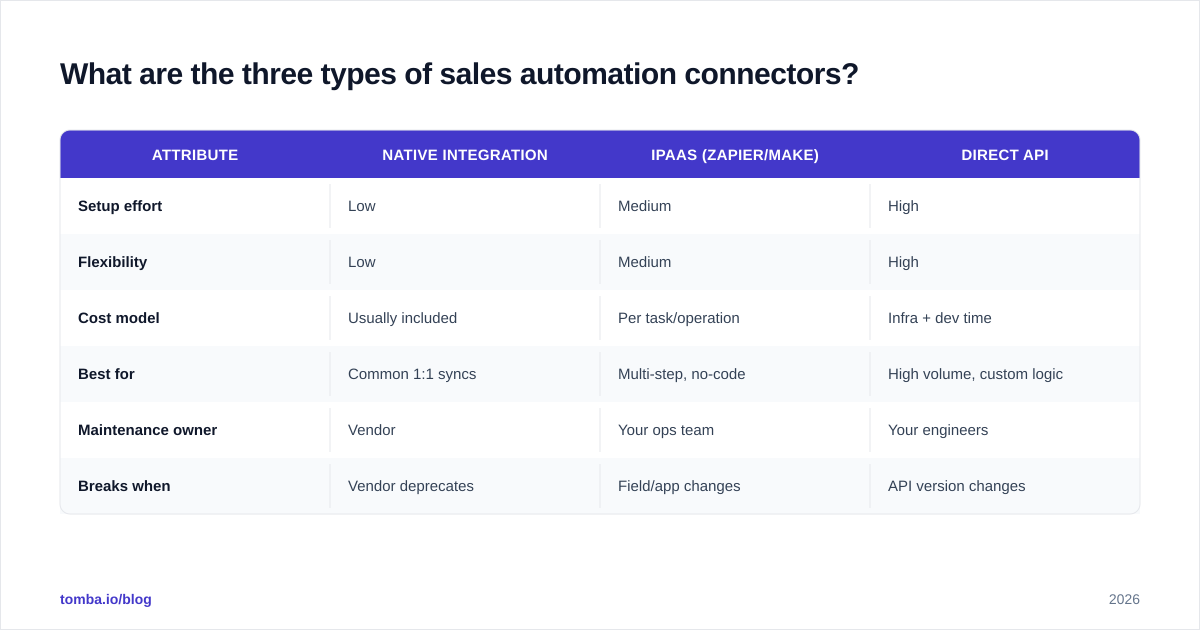
Zapier](https://zapier.com) and Make sit between apps and let you build workflows visually. They cover thousands of apps and require no code, but you pay per task/operation and complex logic gets expensive and fragile fast.
Direct API automation means your team (or a developer) calls each tool's API directly. Maximum control, lowest per-record cost at scale, highest setup and maintenance burden. This is where you end up when volume is high or your logic is too specific for an off-the-shelf Zap.
| Attribute | Native integration | iPaaS (Zapier/Make) | Direct API |
|---|---|---|---|
| Setup effort | Low | Medium | High |
| Flexibility | Low | Medium | High |
| Cost model | Usually included | Per task/operation | Infra + dev time |
| Best for | Common 1:1 syncs | Multi-step, no-code | High volume, custom logic |
| Maintenance owner | Vendor | Your ops team | Your engineers |
| Breaks when | Vendor deprecates | Field/app changes | API version changes |
The honest rule: start native, reach for iPaaS when native can't do it, and move to direct API only when volume or specificity forces the issue. Don't build a custom integration for something a checkbox already solves.
How do you decide what to connect first?#
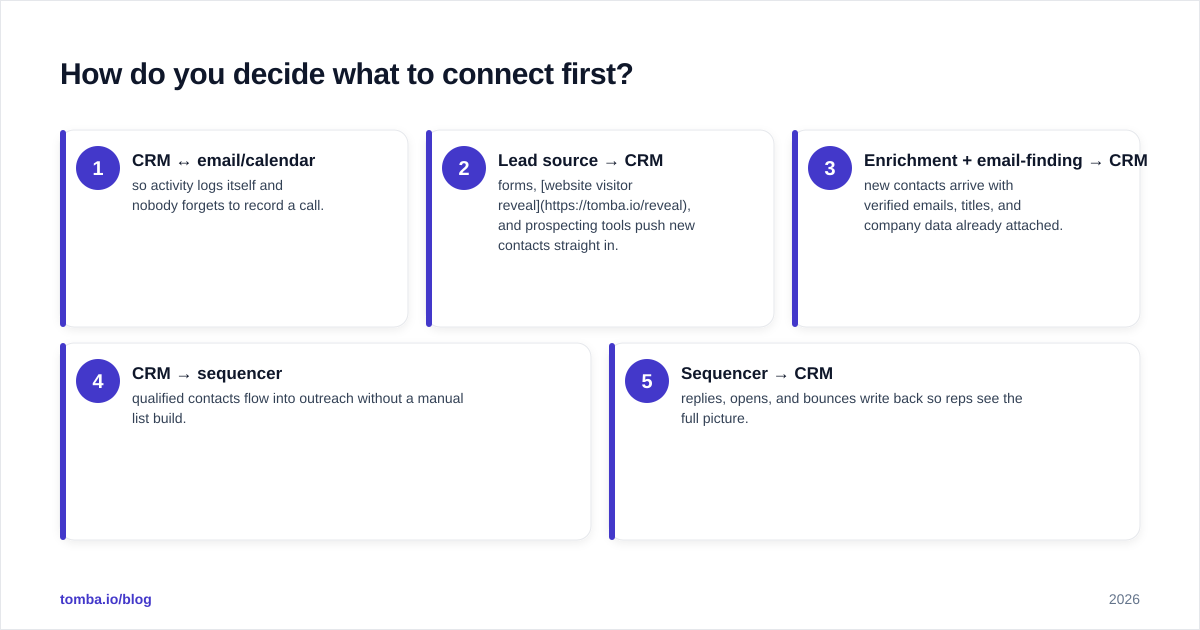
Sync your system of record first — almost always your CRM. It's the hub; every other tool is a spoke. If you wire spoke-to-spoke instead, you end up with a tangle where the same contact lives in five places with five different "truths."
Here's a sane sequencing for a modern outbound stack:
- CRM ↔ email/calendar — so activity logs itself and nobody forgets to record a call.
- Lead source → CRM — forms, website visitor reveal, and prospecting tools push new contacts straight in.
- Enrichment + email-finding → CRM — new contacts arrive with verified emails, titles, and company data already attached.
- CRM → sequencer — qualified contacts flow into outreach without a manual list build.
- Sequencer → CRM — replies, opens, and bounces write back so reps see the full picture.
Notice where enrichment sits — step three, before outreach. That ordering is deliberate. If you connect your email finder and data enrichment at the point contacts enter the system, every downstream tool inherits clean, complete records. Connect enrichment after outreach and you're paying to fix data you already sent broken messages to.
Why does enrichment belong inside your connector flow?#
Because the cheapest place to fix a contact record is before anyone touches it. A connector that enriches on entry turns a name-and-company stub into a full, verified, sequence-ready record automatically.
A typical enrichment connector flow looks like this:
- A new contact hits the CRM with just a name and domain.
- The connector calls an email-finding and verification step — the Tomba API returns a verified address, role, and company metadata.
- Verified records continue to the sequencer; unverifiable ones get flagged for review instead of burning sender reputation.
That last point is where deliverability and connectors quietly overlap. Sending to unverified addresses tanks your sender reputation, and a connector that pushes every raw row straight into outreach is actively harmful. Put verification in the path and the connector protects your domain instead of damaging it.
You can wire this with native integrations (HubSpot, Pipedrive, Salesforce), through Zapier/Make for no-code teams, or directly against the API for volume. The pattern is the same; only the plumbing changes.
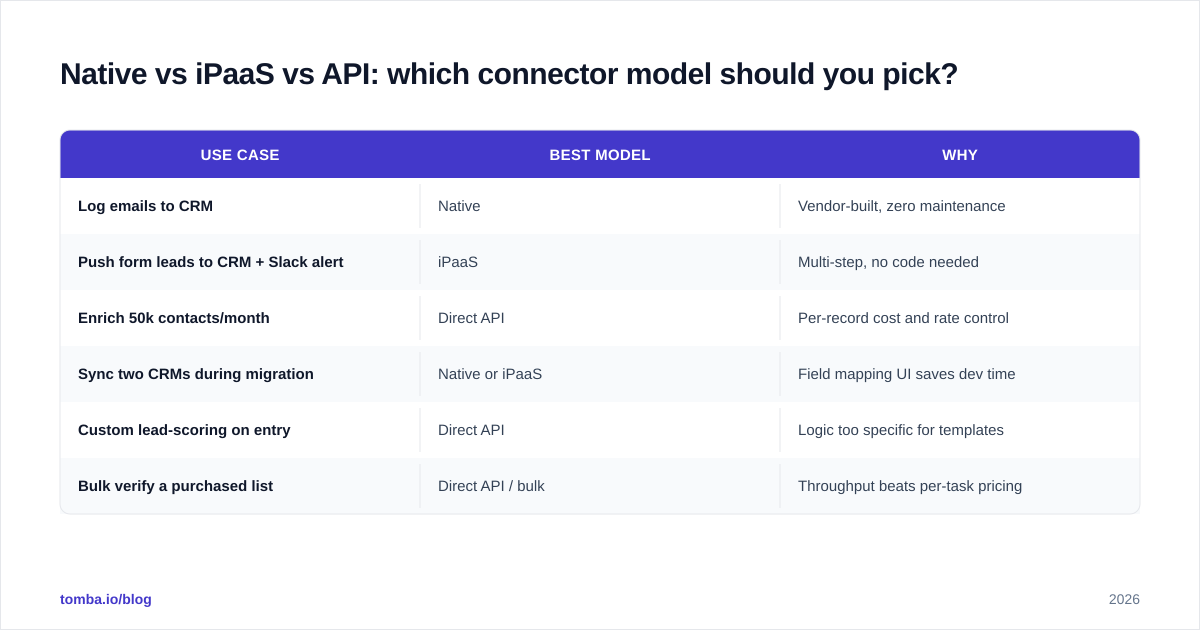
Native vs iPaaS vs API: which connector model should you pick?#
Match the model to the job, not to a preference. Here's how the same three options score across the decisions that actually come up.
| Use case | Best model | Why |
|---|---|---|
| Log emails to CRM | Native | Vendor-built, zero maintenance |
| Push form leads to CRM + Slack alert | iPaaS | Multi-step, no code needed |
| Enrich 50k contacts/month | Direct API | Per-record cost and rate control |
| Sync two CRMs during migration | Native or iPaaS | Field mapping UI saves dev time |
| Custom lead-scoring on entry | Direct API | Logic too specific for templates |
| Bulk verify a purchased list | Direct API / bulk | Throughput beats per-task pricing |
For most teams under a few thousand new contacts a month, native plus iPaaS covers 90% of needs. The moment you're paying iPaaS by the tens of thousands of tasks, or your workflow has branching logic a visual builder can't express cleanly, that's your signal to move that specific flow to a direct email finder API or batch process. Tools like Tomba's bulk email finder exist precisely for the high-volume case where per-record economics matter.
If you're comparing platforms, check independent reviews on G2 rather than vendor marketing — connector reliability is the kind of thing real users complain about loudly and specifically.
What are the most common connector mistakes?#
Connectors fail quietly, which is what makes them dangerous. The most expensive mistakes don't throw errors — they just corrupt data slowly until someone notices the pipeline numbers don't add up.
- No dedupe rule. The same prospect enters from a form, a list import, and an enrichment tool, and now you have three records and three reps emailing them.
- Overwriting on sync. A two-way sync without field-level rules lets a stale tool clobber good CRM data. Decide which system wins each field, explicitly.
- No verification step. Pushing unverified emails into outreach is the fastest way to wreck email deliverability and land on a blocklist.
- Silent failures. A
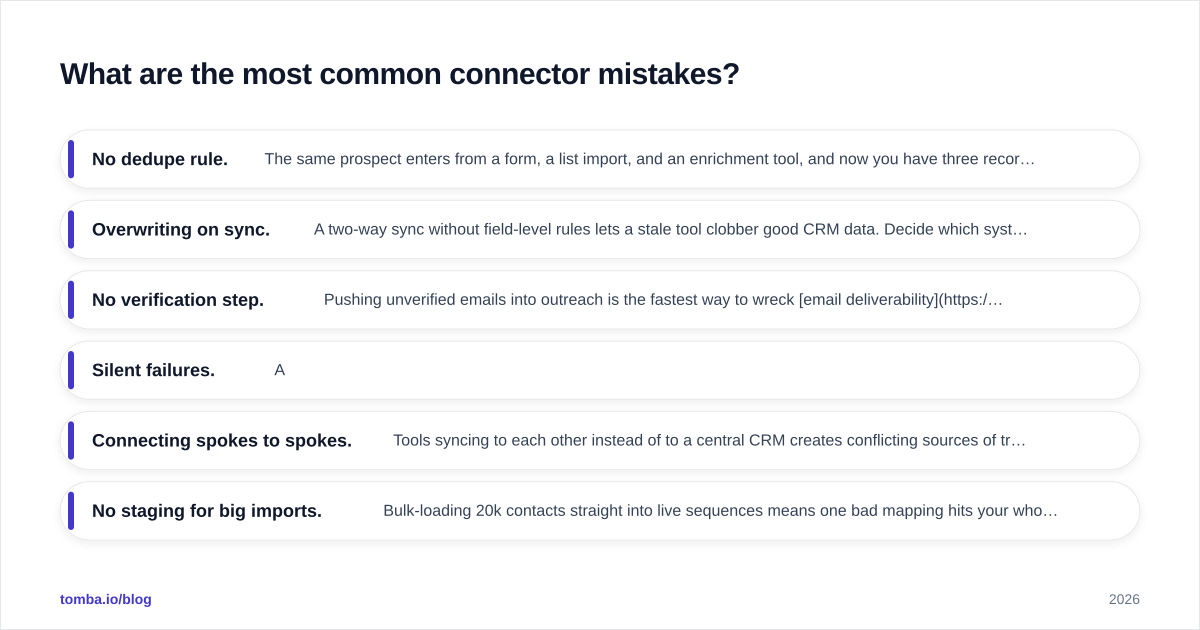
Zap turns off after an auth expiry and nobody notices for three weeks. Monitor your connectors like you monitor uptime.
- Connecting spokes to spokes. Tools syncing to each other instead of to a central CRM creates conflicting sources of truth.
- No staging for big imports. Bulk-loading 20k contacts straight into live sequences means one bad mapping hits your whole list at once.
The fix for nearly all of these is the same discipline: one system of record, verification before send, and a dedupe rule on every inbound connector. Boring, but it's the difference between automation that compounds and automation that quietly poisons your data.
How do connectors change as you scale?#
Early on, native integrations and a handful of Zaps are perfect — fast to set up, nothing to maintain. As volume climbs, three things shift.
First, cost crosses over. iPaaS pricing is linear with operations, so at scale a direct API call that costs a fraction of a cent per record beats paying per task. Second, logic outgrows templates — your routing, scoring, and enrichment rules get too specific for a visual builder. Third, reliability stakes rise — a broken connector that mattered to 50 leads now matters to 5,000, so you need monitoring, retries, and alerting that consumer-grade tools don't offer.
That's the natural migration path: native → iPaaS → API, flow by flow, only when each flow earns the move. You don't rip out Zapier on day one. You move the high-volume, high-stakes flows to the API and leave the long tail of one-off automations where they are. A healthy stack in 2026 runs all three models at once, each doing what it's best at.
Frequently asked questions#
Do I need a developer to set up sales automation connectors? Not for native or iPaaS — those are point-and-click. You only need engineering help for direct API automation, and even then, well-documented APIs and a CLI lower the bar considerably.
Will connecting tools create duplicate contacts? Only without a dedupe rule. Every inbound connector should match on a unique key (usually email or a CRM ID) and update rather than create when it finds a match.
Where should email verification happen in the flow? At the point of entry, before any contact reaches an active sequence. That protects your sender reputation and keeps bounces off your domain.
Is iPaaS or a native integration more reliable? Native is generally more stable because the vendor maintains it, but it's also less flexible. iPaaS gives you flexibility at the cost of more moving parts to monitor.
Wire enrichment into your stack from day one#
Connectors only pay off when the data flowing through them is clean — and that starts at the top of the funnel. The Tomba Email Finder plugs into your CRM, sequencer, or iPaaS workflow so every new contact arrives with a verified, sequence-ready email instead of a half-empty row you fix later. Native integrations, a no-code Zapier path, a bulk endpoint, and a direct API all hit the same verified data, so you can start native today and graduate to the API when volume demands it. Start on the free tier (25 searches a month), confirm it fits your flow, and scale to a paid plan when the connectors are doing the work for you.
// get started
Find, verify and enrich your first contacts today
Start on the free plan with 25 searches a month, then scale when your team is ready.
Free plan · No credit card required · GDPR & CCPA
// about the author