Sales Engagement Workflows in 2026: A Practical Build Guide
Sales engagement workflows turn scattered outreach into repeatable revenue. Here's how to design, build, and measure multi-channel cadences that actually book meetings in 2026.
TL;DR
- A sales engagement workflow is a defined, repeatable sequence of touches — email, phone, LinkedIn, and tasks — that moves a prospect from cold to booked without your reps improvising every step.
- The five core pieces are: a clean contact list, a trigger, a multi-channel cadence, branching logic, and a measurement loop. Skip any one and the workflow leaks.
- Tooling matters less than inputs. The fastest workflow on bad data still bounces, burns your domain, and misses quota.
- In 2026, the winning teams pair AI-assisted personalization with verified contact data and tight CRM sync — not more volume.
- Below: a build framework, a step-by-step cadence, a tool comparison, and the data layer that keeps it all out of spam.
What is a sales engagement workflow?#
A sales engagement workflow is the choreography behind your outbound. Think of it like a restaurant kitchen during a dinner rush: every dish follows the same station-to-station path, timed and plated the same way, so quality doesn't depend on which cook is on shift. A sales engagement workflow does that for outreach — it defines who gets contacted, on which channels, in what order, with what timing, and what happens when they reply or go silent.
Technically, it's a configured sequence (often called a cadence or a "play") inside a sales engagement platform or your CRM. Each step is a touch: a cold email on day 1, a LinkedIn connection on day 2, a call on day 4, a follow-up email on day 7, and so on. Branches handle the real world — a reply pulls the lead out of the sequence and routes it to a rep; a bounce flags the contact for re-verification.
The point is repeatability. When the workflow is documented and automated, a new SDR books meetings in week one instead of month three, and your best sequence becomes the floor, not the ceiling.
Why do sales engagement workflows matter in 2026?#
Because volume stopped working. Inboxes are saturated, Google and Microsoft tightened bulk-sender rules, and buyers ignore anything that smells templated. The teams hitting quota aren't sending more — they're sending better-sequenced, better-targeted touches and measuring every step.
Three forces make workflows non-optional this year:
- Deliverability is a gate, not a nice-to-have. Sending limits and spam thresholds mean a sloppy cadence to unverified addresses tanks your domain reputation for everyone on it. A workflow lets you throttle, warm, and verify before you scale.
- AI raised the floor on personalization. Generative tooling can draft a relevant opener at scale, but only if it's fed accurate firmographic and contact data. The workflow is where that data and that copy meet.
- RevOps wants attribution. Leadership expects to know which step, channel, and message drove the meeting. Ad-hoc outreach gives you nothing to optimize; a workflow gives you a funnel you can read.
If you want the textbook definition of the broader category these workflows live in, see sales automation — engagement workflows are the human-facing slice of it.
What are the core components of a sales engagement workflow?#
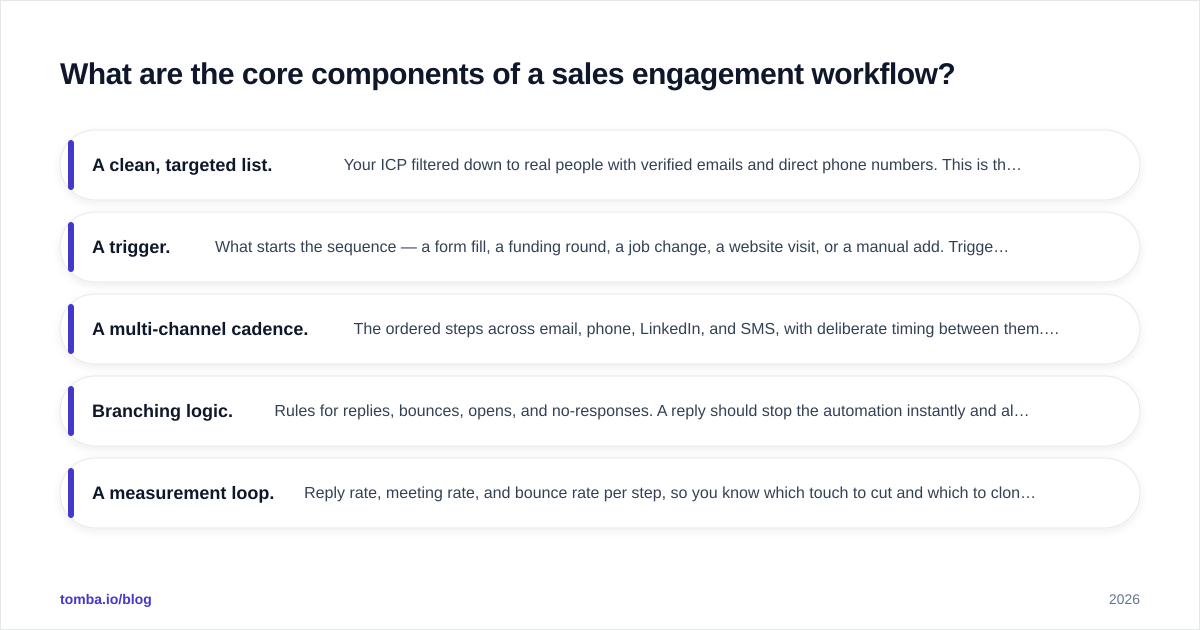
Every durable workflow has the same five parts. Miss one and you get activity without results.
- A clean, targeted list. Your ICP filtered down to real people with verified emails and direct phone numbers. This is the input that decides everything downstream.
- A trigger. What starts the sequence — a form fill, a funding round, a job change, a website visit, or a manual add. Triggers tie outreach to intent.
- A multi-channel cadence. The ordered steps across email, phone, LinkedIn, and SMS, with deliberate timing between them. Single-channel cadences underperform multi-channel ones almost every time.
- Branching logic. Rules for replies, bounces, opens, and no-responses. A reply should stop the automation instantly and alert the owner; a bounce should trigger re-verification, not another send.
- A measurement loop. Reply rate, meeting rate, and bounce rate per step, so you know which touch to cut and which to clone.
Get these five right on paper before you touch a tool. The platform is just where you implement them.
How do you build a sales engagement workflow step by step?#
Here's a concrete 14-day, multi-channel sequence you can adapt. It assumes a verified list and a warmed sending domain.
- Day 1 — Email #1 (value-first opener). Short, one specific observation about their company, one soft ask. No pitch deck.
- Day 2 — LinkedIn view + connection request. No note, or a one-line note referencing the email's theme.
- Day 4 — Call #1 + voicemail. Reference the email so the touch feels connected, not random.
- Day 6 — Email #2 (new angle). A different pain point or a relevant proof point. Reply to the original thread.
- Day 9 — LinkedIn message. Only if the connection was accepted. Conversational, not salesy.
- Day 11 — Call #2. Different time of day than Day 4.
- Day 14 — Break-up email. "Should I close your file?" — these convert surprisingly well because they create urgency without pressure.
Wrap the whole thing in three rules:
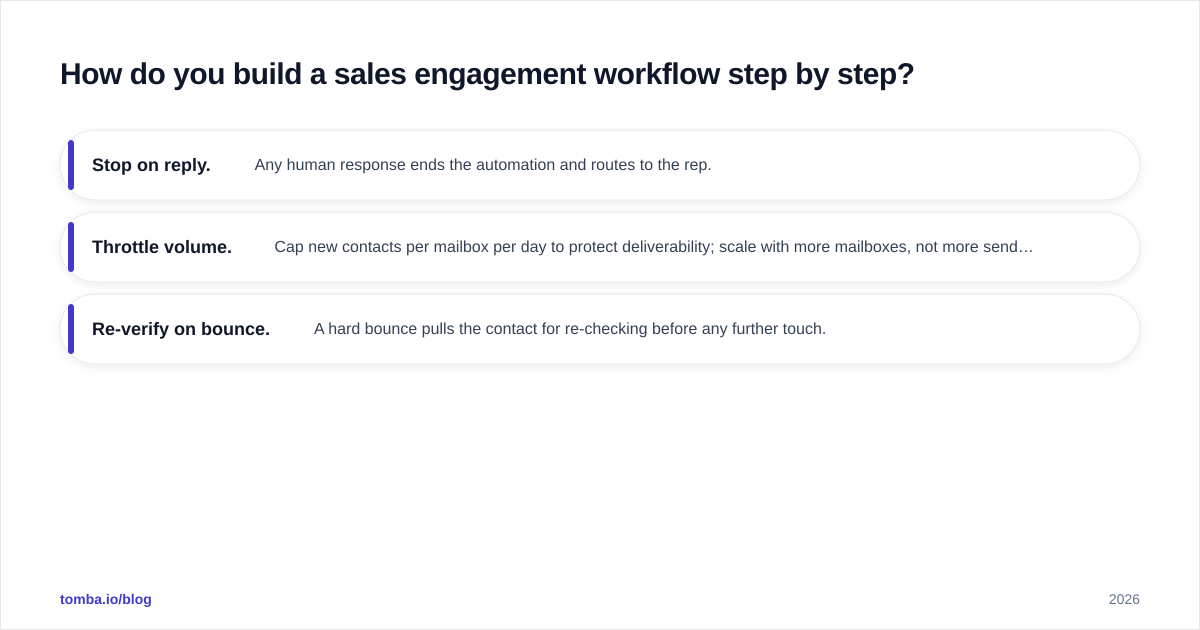
- Stop on reply. Any human response ends the automation and routes to the rep.
- Throttle volume. Cap new contacts per mailbox per day to protect deliverability; scale with more mailboxes, not more sends per box.
- Re-verify on bounce. A hard bounce pulls the contact for re-checking before any further touch.
That last rule is where most workflows quietly fail. Feed an email verifier into the pre-send and post-bounce steps so you never keep hammering a dead address — bounces above 2-3% are the fastest way to land in spam.
What's the difference between sales engagement and sales automation?#
They overlap, but they're not the same — and conflating them leads to buying the wrong tool.
Sales engagement is about the human touchpoints: the emails, calls, and social messages a rep (or a sequence on their behalf) sends to a prospect. It's relationship-facing.
Sales automation is the broader machinery: lead routing, data enrichment, CRM updates, task creation, and reporting that happen with or without a human in the loop. Engagement workflows sit inside sales automation and lean on it — automation enriches and routes the lead, engagement does the talking.
A practical way to remember it: automation gets the right person to the right rep with the right data; engagement is the conversation that follows. You need both, and the handoff between them is where clean data either saves you or sinks you.
Which sales engagement tools fit which team?#
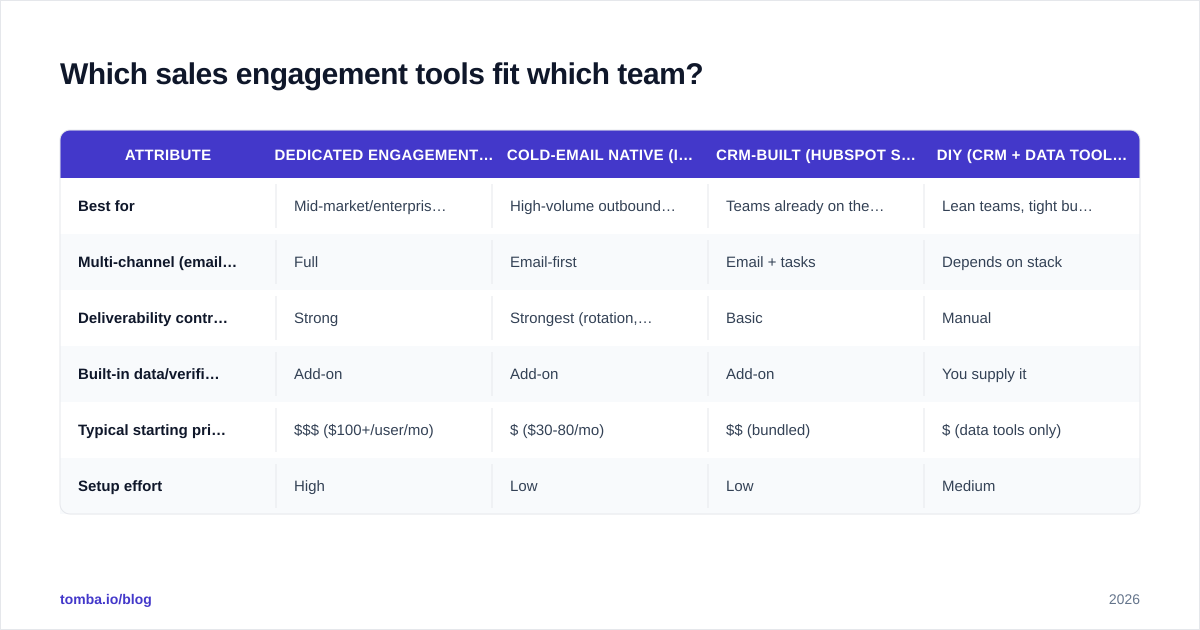
There's no single best platform — there's a best fit for your motion, volume, and budget. Here's how the common categories compare on the attributes that actually change outcomes.
| Attribute | Dedicated engagement (Outreach, Salesloft) | Cold-email native (Instantly, Saleshandy) | CRM-built (HubSpot Sequences) | DIY (CRM + data tools) |
|---|---|---|---|---|
| Best for | Mid-market/enterprise AE teams | High-volume outbound SDR teams | Teams already on the CRM | Lean teams, tight budget |
| Multi-channel (email/call/LinkedIn) | Full | Email-first | Email + tasks | Depends on stack |
| Deliverability controls | Strong | Strongest (rotation, warmup) | Basic | Manual |
| Built-in data/verification | Add-on | Add-on | Add-on | You supply it |
| Typical starting price | $$$ ($100+/user/mo) | $ ($30-80/mo) | $$ (bundled) | $ (data tools only) |
| Setup effort | High | Low | Low | Medium |
The pattern: dedicated platforms give you depth and reporting at enterprise cost; cold-email-native tools win on deliverability and price for pure outbound; CRM-built sequences are the path of least resistance if you're already paying for the CRM. For most teams, the deciding factor isn't the engagement layer at all — it's whether the contact data feeding it is accurate. You can compare platform feature sets on independent review sites like G2 before committing.
If you live in HubSpot, the native HubSpot integration lets you enrich and verify contacts before they ever enter a sequence — closing the data gap that off-the-shelf sequences leave open.
How does data quality decide whether the workflow works?#
Conclusion first: a perfect cadence on bad data loses to a mediocre cadence on clean data, every time. The workflow can only be as good as the list it runs on.
Here's the chain reaction when data is wrong:
- Invalid addresses → hard bounces → domain reputation drops → deliverable emails start landing in spam → your whole team's open rate craters.
- Wrong job titles or stale companies → irrelevant messaging → replies that say "I left that company two years ago."
- Missing phone numbers → broken multi-channel steps → the cadence collapses into email-only.
This is why the most underrated step in any sales engagement workflow is the one before step one: building and verifying the list. Use a domain search to map the real decision-makers at a target account, an email finder to get their professional addresses, and a verifier to confirm deliverability before the first send. For high-volume teams, push that through the Tomba API so enrichment and verification run automatically as leads enter the workflow — no manual cleanup, no surprise bounces.
The major email providers publish their sender requirements openly; Google's bulk sender guidelines and Microsoft's sender guidance are worth reading before you scale any cadence, because they define the bounce and complaint thresholds your workflow has to stay under.
What metrics tell you the workflow is working?#
Track these per sequence and per step — not just at the funnel top:
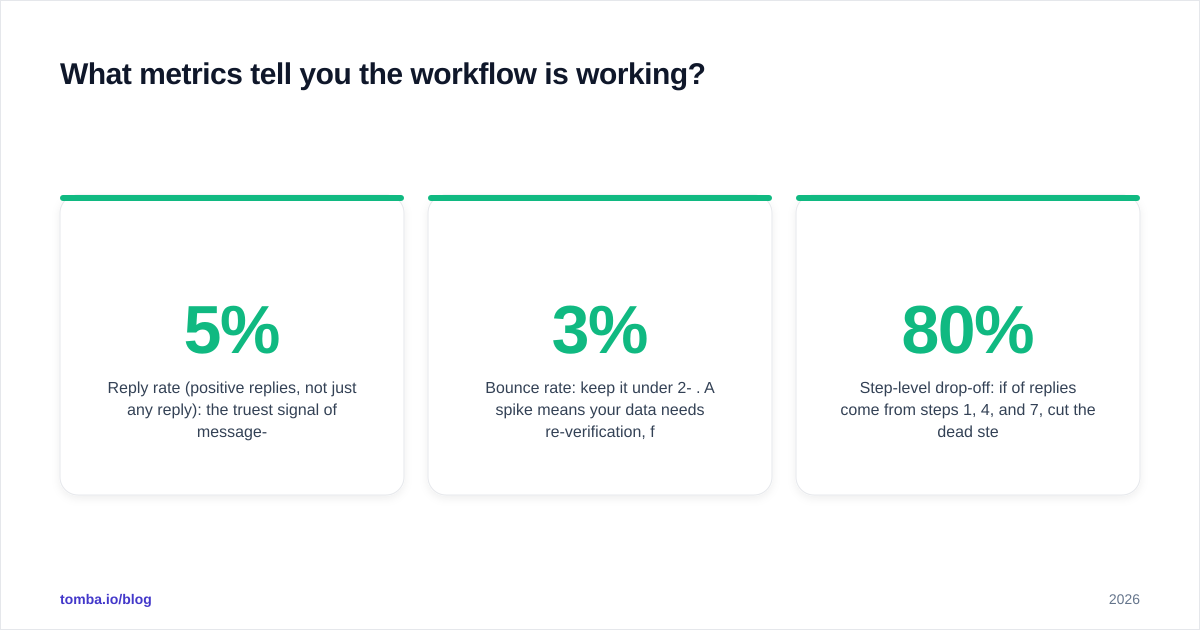
- Reply rate (positive replies, not just any reply): the truest signal of message-market fit. Aim higher than 5% on a tight list.
- Meeting-booked rate: the only metric leadership cares about. Tie it back to the step and channel that produced it.
- Bounce rate: keep it under 2-3%. A spike means your data needs re-verification, full stop.
- Step-level drop-off: if 80% of replies come from steps 1, 4, and 7, cut the dead steps and tighten the cadence.
- Channel contribution: which channel is actually booking meetings? Reallocate effort accordingly.
Review weekly. A workflow is a living thing — the version that worked last quarter degrades as inboxes and buyers shift. The measurement loop is what keeps it alive.
What are the most common sales engagement workflow mistakes?#
- Sending to unverified lists. The single biggest cause of dead workflows. Verify first, always.
- One channel only. Email-only cadences leave 40%+ of replies on the table. Layer in calls and LinkedIn.
- No stop-on-reply. Nothing kills trust faster than an automated follow-up after the prospect already responded.
- Cloning a competitor's cadence wholesale. Their list, offer, and reputation aren't yours. Borrow the structure, not the copy.
- Scaling before warming. Blasting 500 emails from a cold domain on day one is how you get blocklisted. Ramp volume gradually.
- Ignoring the data decay. B2B contact data goes stale at roughly 2-3% per month. A workflow without periodic re-enrichment is shooting at last year's org chart.
Fix the data and the stop-on-reply logic first — those two changes alone rescue most underperforming workflows.
Build the workflow on data you can trust#
The cadence, the tool, the copy — they all sit on top of one thing: an accurate, verified list of the right people. Get that wrong and every downstream step amplifies the error. Get it right and even a simple sequence outperforms a sophisticated one running on guesswork.
Start the workflow where it actually starts. Use the Tomba Email Finder to pull verified professional emails for your exact ICP, confirm every address before the first send, and feed clean, enriched contacts straight into your sequences. Check the Tomba pricing — a free tier with 25 searches/month to test it, then Starter at $49/mo when you're ready to scale — and build your next sales engagement workflow on data that books meetings instead of bounces.
// get started
Find, verify and enrich your first contacts today
Start on the free plan with 25 searches a month, then scale when your team is ready.
Free plan · No credit card required · GDPR & CCPA
// about the author