Sales Process Pipeline: From Discovery to Demo in Sales Hub 2026
A practical guide to building a sales process pipeline in HubSpot Sales Hub — with discovery and demo stages that actually move deals forward instead of stalling them.
TL;DR
- A sales process pipeline is the fixed sequence of stages a deal moves through — and the two stages that decide most B2B outcomes are discovery and demo.
- Stages should be defined by buyer actions and exit criteria, not by how a rep "feels" about the deal. Vague stages are why forecasts miss.
- In HubSpot Sales Hub, each stage gets a probability, required fields, and automation. Use them to enforce discovery before any demo ever gets booked.
- A demo that skips discovery is a product tour. A demo built on discovery is a tailored proof — and it converts roughly 2x better.
- Feed the top of this pipeline with verified contact data so reps spend discovery time selling, not chasing bounced emails.
What is a sales process pipeline?#
A sales process pipeline is the standardized set of stages every deal passes through from first contact to closed-won or closed-lost. Think of it like an airport: a passenger moves through check-in, security, gate, and boarding in a fixed order, and you can glance at the board and know exactly where everyone is. A pipeline does the same for revenue — at any moment you can see which deals sit in discovery, which are in demo, and which are stuck.
The pipeline is the visible artifact. The sales process is the methodology underneath it — the questions reps ask, the criteria a deal must meet to advance, and the actions that trigger each move. When people say their pipeline is "messy," what they usually mean is the process is undefined: deals jump from "interested" straight to "sending a contract" with nothing in between.
Two stages carry the most weight in nearly every B2B motion: discovery and demo. Get those two right and the rest of the pipeline mostly takes care of itself. Get them wrong — rush discovery, demo on autopilot — and no amount of CRM hygiene will save the forecast.
Why do discovery and demo stages decide the deal?#
Because the demo is where buyers decide, and discovery is what makes the demo land. According to HubSpot's sales research, the biggest predictor of a won deal isn't price or product — it's whether the rep understood the buyer's actual problem before pitching a solution.
Here's the failure pattern almost every team falls into:
- A lead books a meeting.
- The rep, eager to show value, jumps straight into a full product walkthrough.
- The buyer nods politely, says "looks great, send me pricing," and ghosts.
That deal was lost in the first five minutes. Without discovery, the demo is generic — every feature gets equal airtime, and none of it maps to a problem the buyer cares about. With discovery, the rep already knows the two pain points that matter, so the demo becomes a tailored proof: "You said approvals take three days — here's how that becomes three minutes."
Discovery isn't an interrogation. It's diagnosis. A good doctor doesn't prescribe before examining — and a good rep doesn't demo before understanding budget, authority, timeline, and the cost of doing nothing.
What stages should a B2B sales pipeline have?#
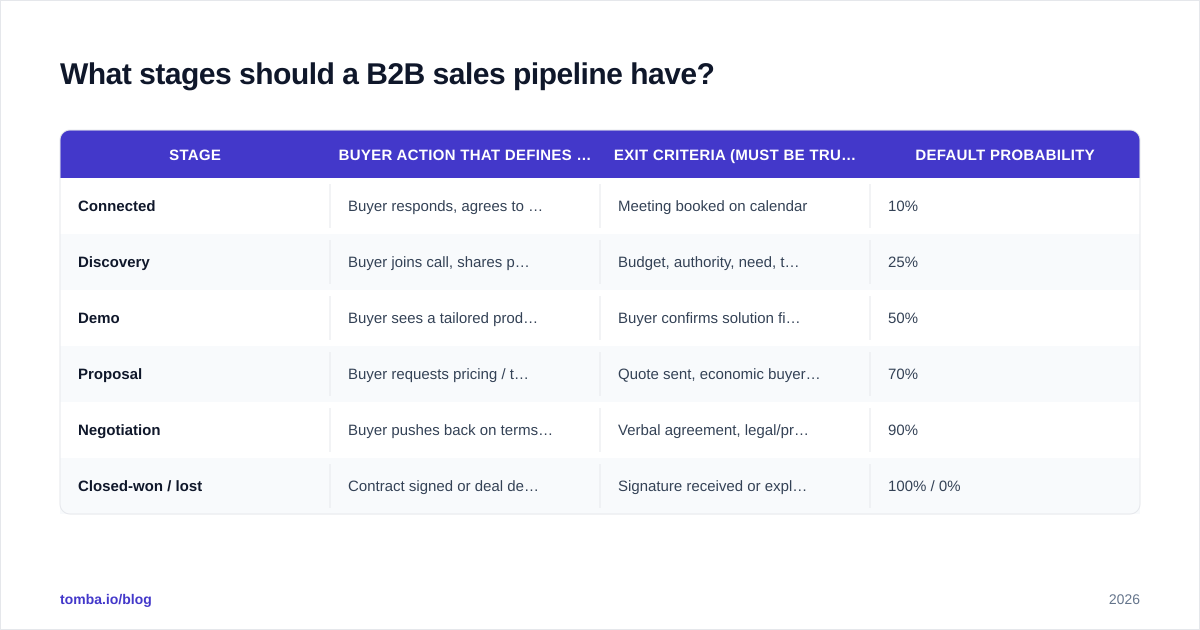
Most effective B2B pipelines run five to seven stages. Fewer than five and you lose visibility; more than seven and reps spend more time updating the CRM than selling. Here's a clean default built around discovery and demo:
| Stage | Buyer action that defines it | Exit criteria (must be true to advance) | Default probability |
|---|---|---|---|
| Connected | Buyer responds, agrees to a first call | Meeting booked on calendar | 10% |
| Discovery | Buyer joins call, shares pain + context | Budget, authority, need, timeline confirmed | 25% |
| Demo | Buyer sees a tailored product walkthrough | Buyer confirms solution fits their use case | 50% |
| Proposal | Buyer requests pricing / terms | Quote sent, economic buyer engaged | 70% |
| Negotiation | Buyer pushes back on terms or scope | Verbal agreement, legal/procurement looped in | 90% |
| Closed-won / lost | Contract signed or deal dead | Signature received or explicit "no" | 100% / 0% |
The non-negotiable rule: every stage needs an exit criterion tied to a buyer action, not a rep feeling. "I think they're interested" is not an exit criterion. "Buyer confirmed the head of finance approved a budget line" is. This single discipline is what separates a forecast you can trust from one that's fiction.
Notice that discovery sits before demo and gates it. In a well-run Sales Hub pipeline, a deal cannot move into the demo stage until the discovery exit criteria are filled in. That's not bureaucracy — it's the guardrail that stops reps from burning demos on unqualified deals.
How do you build this pipeline in HubSpot Sales Hub?#
Sales Hub gives you the machinery to enforce the process, not just visualize it. The setup matters more than most teams realize. You configure pipelines under Settings → Objects → Deals → Pipelines, and each stage can carry its own required properties, win probability, and automation.
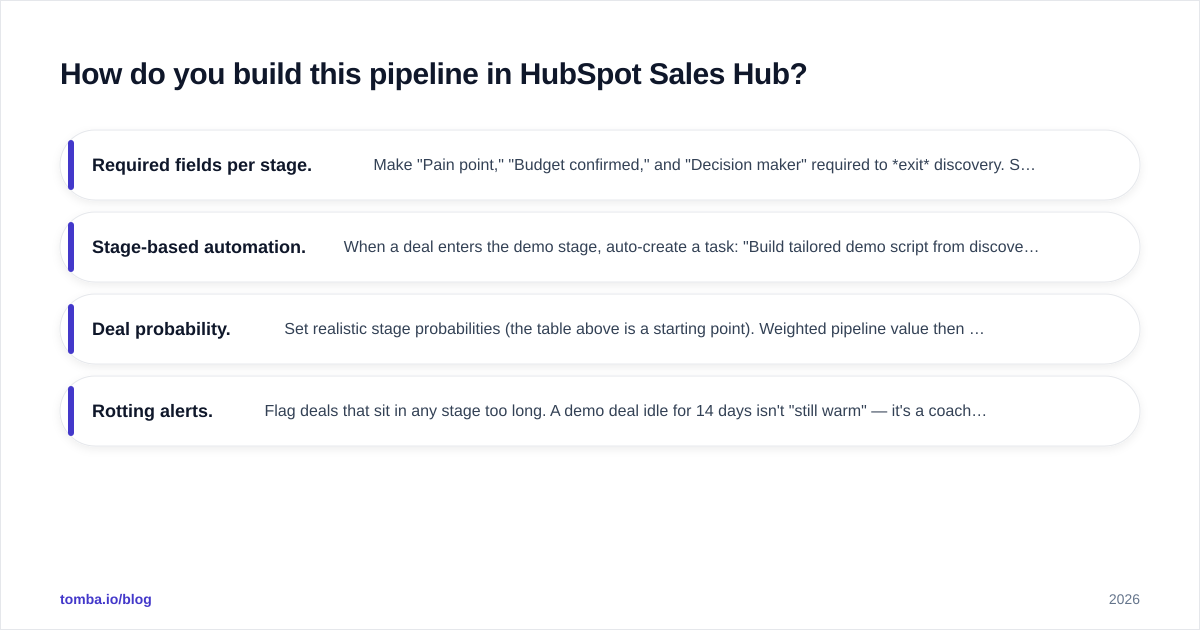
Here's how to wire the discovery and demo stages so the process can't be skipped:
- Required fields per stage. Make "Pain point," "Budget confirmed," and "Decision maker" required to exit discovery. Sales Hub will block the deal from advancing until they're filled — your exit criteria become structural, not aspirational.
- Stage-based automation. When a deal enters the demo stage, auto-create a task: "Build tailored demo script from discovery notes." When it enters proposal, trigger the quote workflow.
- Deal probability. Set realistic stage probabilities (the table above is a starting point). Weighted pipeline value then reflects reality instead of optimism.
- Rotting alerts. Flag deals that sit in any stage too long. A demo deal idle for 14 days isn't "still warm" — it's a coaching conversation.
If your team lives in HubSpot, connecting your data tooling directly to it removes a whole category of manual work. The Tomba HubSpot integration pushes verified contact and company data straight onto the deal record, so reps walk into discovery already knowing who they're talking to. Pair that with a clear view of CRM hygiene and your pipeline stays clean without nagging.
What does great discovery actually look like?#
Great discovery is structured curiosity that produces written, reusable answers. A repeatable framework beats raw talent here — even strong closers lose deals when discovery is improvised. Most high-performing teams anchor on a qualification model (BANT, MEDDIC, or a lightweight hybrid) and capture answers as deal properties.
A minimum viable discovery checklist:
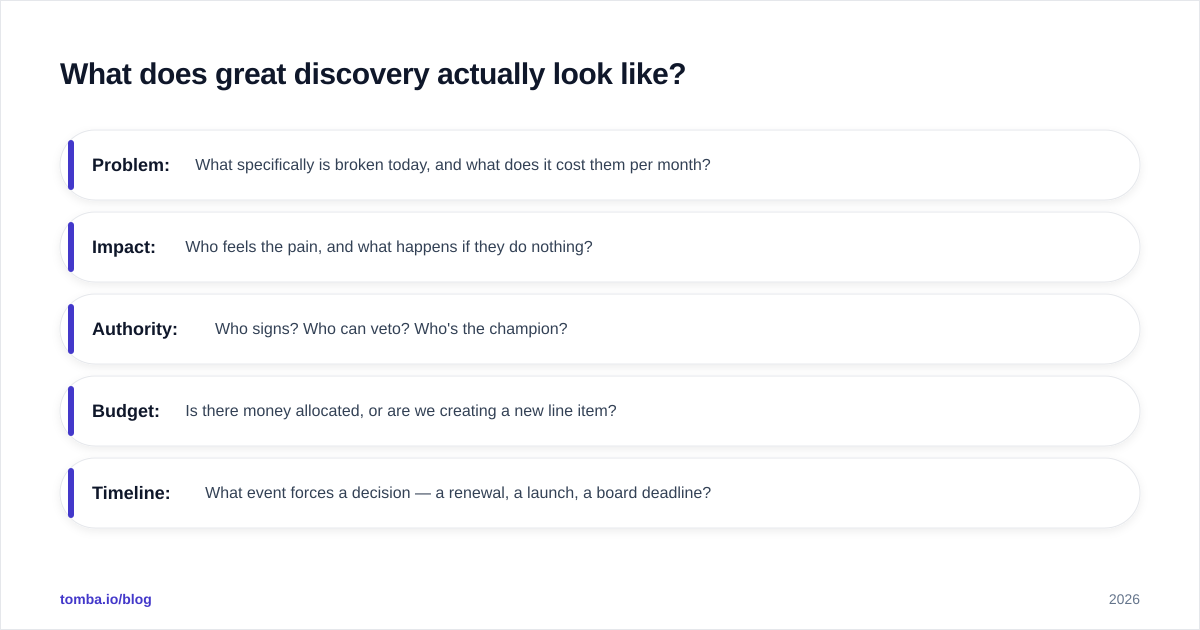
- Problem: What specifically is broken today, and what does it cost them per month?
- Impact: Who feels the pain, and what happens if they do nothing?
- Authority: Who signs? Who can veto? Who's the champion?
- Budget: Is there money allocated, or are we creating a new line item?
- Timeline: What event forces a decision — a renewal, a launch, a board deadline?
Write the answers down on the deal. This is the raw material for the demo. When the demo stage opens, the rep isn't starting cold — they're assembling a proof from facts the buyer already gave them. That continuity is exactly why discovery-led demos lift your win rate so noticeably.
A useful gut check from Gartner's B2B buying research: buyers spend only about 17% of their time meeting with potential suppliers, split across every vendor they evaluate. You get a sliver of attention. Discovery decides whether you spend that sliver on a generic tour or a sharp, relevant proof.
Discovery-led demo vs. generic demo: what's the difference?#
The gap is stark enough that it shows up directly in conversion rates. Here's the side-by-side:
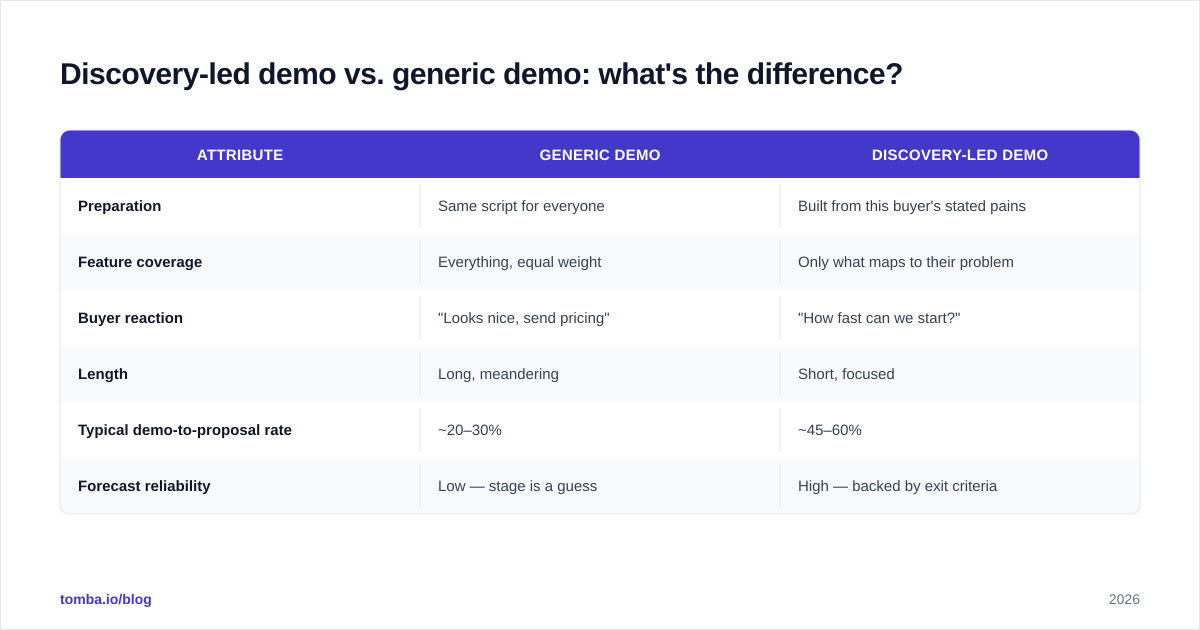
| Attribute | Generic demo | Discovery-led demo |
|---|---|---|
| Preparation | Same script for everyone | Built from this buyer's stated pains |
| Feature coverage | Everything, equal weight | Only what maps to their problem |
| Buyer reaction | "Looks nice, send pricing" | "How fast can we start?" |
| Length | Long, meandering | Short, focused |
| Typical demo-to-proposal rate | ~20–30% | ~45–60% |
| Forecast reliability | Low — stage is a guess | High — backed by exit criteria |
The generic demo treats the product as the hero. The discovery-led demo treats the buyer's problem as the hero and the product as the resolution. Same software, completely different outcome.
This is also where reps get tempted. The flashy feature is fun to show. The disciplined move is to cut anything that doesn't tie back to a discovery answer. If the buyer never mentioned reporting, don't spend eight minutes on dashboards — no matter how proud you are of them.
How do you keep the pipeline clean and forecastable?#
Clean pipelines come from a single source of truth and ruthless stage discipline. Three habits do most of the work:
- Exit criteria are law. A deal only advances when its criteria are met. No exceptions, no "I'm sure it'll close." This is the difference between a pipeline and a wishlist. Salesforce's research on high-performing teams consistently ties forecast accuracy to enforced stage definitions.
- One weekly scrub. Every Monday, every deal gets a reality check: does it still meet the criteria for its current stage? If not, move it back or mark it lost. A pipeline full of stale deals is worse than a small honest one.
- Feed it with quality data. Garbage at the top produces garbage forecasts at the bottom. If reps spend discovery time confirming whether an email even works, your process is leaking before it starts.
That last point is where data quality meets process. Verified contacts mean reps reach the right person on the first try and spend the meeting on diagnosis, not data cleanup. Running prospects through an email verifier before they hit the pipeline keeps your connected-to-discovery conversion honest, and data enrichment fills in the firmographic context that makes discovery sharper.
What metrics should you track per stage?#
Track conversion rate and time-in-stage for every stage, but watch the discovery-to-demo and demo-to-proposal handoffs most closely — they're your leading indicators.
- Discovery → Demo conversion. Low here means you're booking demos with unqualified deals, or discovery isn't surfacing real pain. Fix qualification.
- Demo → Proposal conversion. Low here means the demos aren't landing. Usually the cause is weak discovery feeding generic demos.
- Time-in-stage. Deals that linger in demo are stalled, not slow. Set a threshold and act on it.
- Stage slippage. How often deals move backward. Some is healthy honesty; a lot signals reps advancing deals prematurely.
When discovery-to-demo is strong but demo-to-proposal is weak, the problem is demo quality. When discovery-to-demo itself is weak, the problem is upstream — either your lead quality or your discovery rigor. The metrics tell you exactly where to coach.
Putting it together#
A sales process pipeline isn't a CRM screenshot — it's a system of forced decisions. Define your stages by buyer actions. Gate the demo behind real discovery. Make exit criteria non-negotiable. Configure Sales Hub to enforce all of it so the process survives your busiest, most rushed week. Do that, and the demo stops being a hopeful product tour and becomes a tailored proof that closes.
Everything above assumes one thing: your reps are actually reaching the right people. A flawless pipeline built on bad contact data still stalls at the connected stage. Tomba's Email Finder gives your team verified, deliverable contacts so discovery starts with the right buyer on the line — not a bounce. Start free with 25 searches a month, scale on the Starter plan at $49/mo, and let your reps spend their time where it counts: diagnosing problems and proving the fix. Feed a clean pipeline, and discovery and demos do the rest.
// get started
Find, verify and enrich your first contacts today
Start on the free plan with 25 searches a month, then scale when your team is ready.
Free plan · No credit card required · GDPR & CCPA
// about the author