Sales Hub Sales Prospecting Foundations: 2026 Playbook
The foundations of prospecting inside HubSpot Sales Hub: how to build an ICP, source clean contact data, sequence outreach, and measure what actually moves pipeline in 2026.
TL;DR
- Sales Hub gives you the workspace — sequences, tasks, and reporting — but prospecting success is built on three foundations underneath it: a sharp ICP, clean contact data, and a repeatable cadence.
- Most teams skip straight to sequences and wonder why reply rates sit at 1%. The fix is upstream: better targeting and verified data, not more sends.
- Garbage data poisons every downstream Sales Hub metric. Enrich and verify contacts before they enter a sequence.
- A workable foundation: 50–150 accounts per rep, 3–5 contacts per account, multi-channel cadence over 14–21 days, reviewed weekly.
- Tools like a dedicated email finder and email verifier feed Sales Hub the clean inputs it can't generate on its own.
What are the foundations of sales prospecting in Sales Hub?#
The conclusion first: Sales Hub is the engine, but prospecting foundations are the fuel and the map. The platform automates outreach, logs activity, and reports on pipeline — it does not decide who to target, nor does it guarantee the email addresses you load are real.
Think of HubSpot Sales Hub like a high-end kitchen. It has every appliance you need to cook at scale. But a great kitchen doesn't fix bad ingredients or a missing recipe. Prospecting foundations are the recipe (your ICP), the ingredients (clean contact data), and the cooking process (your cadence). Get those three right and the kitchen makes you fast. Get them wrong and you just produce bad meals faster.
Three foundations carry everything else:
- Targeting — a defined Ideal Customer Profile and buyer personas.
- Data — accurate, enriched, verified contact records.
- Cadence — a repeatable multi-channel outreach sequence with clear exit rules.
Everything Sales Hub reports on — reply rate, meetings booked, pipeline created — is downstream of these three. If your numbers are bad, the root cause is almost always one of the foundations, not the sequence copy.
Why does Sales Hub fail without clean data?#
Bad data is the silent killer of every Sales Hub dashboard. Here's the mechanism: when you load unverified emails into a sequence, a chunk bounce immediately. Bounces hammer your sender reputation, which lowers inbox placement for the good addresses too. So you don't just lose the bad contacts — you quietly suppress the entire send.
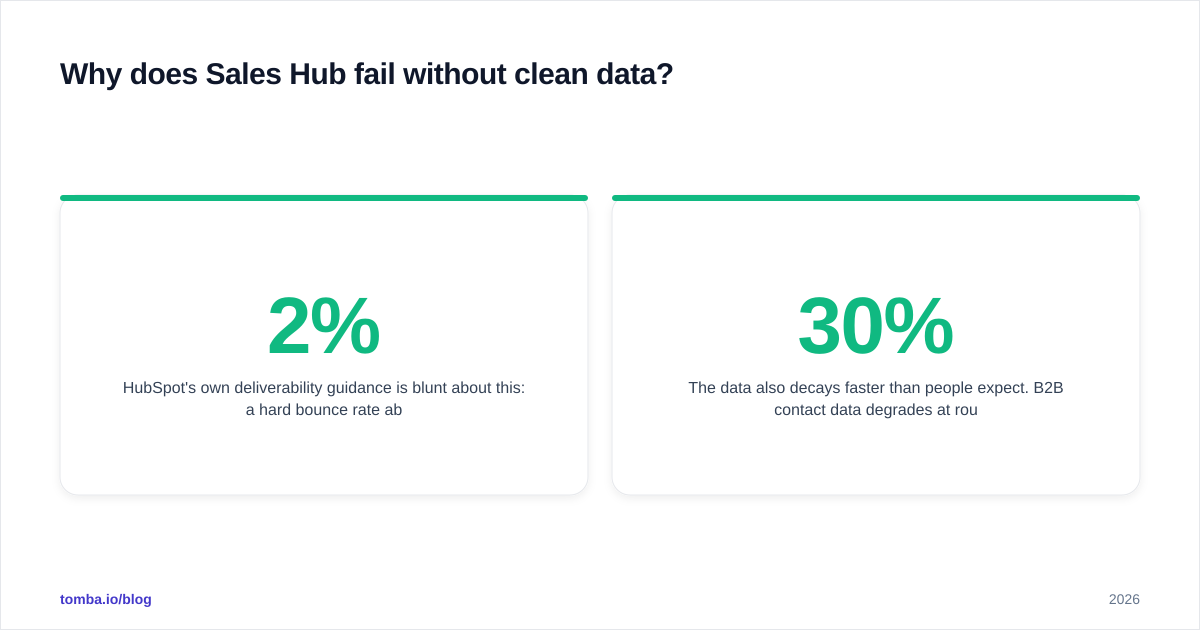
HubSpot's own deliverability guidance is blunt about this: a hard bounce rate above ~2% is a red flag that mailbox providers use to throttle you. Sales Hub will happily send to a list that's 30% junk and then show you a "low reply rate" — but the real story is that half your messages never arrived.
The data also decays faster than people expect. B2B contact data degrades at roughly 22–30% per year as people change jobs, companies rebrand, and domains migrate. A list you exported six months ago is already meaningfully stale.
This is why enrichment and verification sit before the sequence, not after:
- Find the right contact with an email finder or domain search when you only have a company.
- Verify each address with an email verifier so bounces never reach Sales Hub.
- Enrich the record with title, company size, and location via data enrichment so your segmentation and personalization tokens actually work.
The rule of thumb: nothing enters a Sales Hub sequence until it has been verified and enriched. That single gate protects every metric downstream of it.
How do you build the targeting foundation (ICP and personas)?#
Start with the account, then the person. An Ideal Customer Profile describes the company worth pursuing; the persona describes the human you email inside it.
A practical ICP for B2B prospecting has four to six firmographic filters — enough to be specific, few enough to leave a workable universe:
- Industry / vertical
- Company size (headcount or revenue)
- Geography
- Tech stack or tooling signals
- Funding stage or growth signal
- Trigger events (new hire, expansion, product launch)
Then layer personas on top. For each target account, decide whether you're reaching the economic buyer, the champion, or the end user — because the message and the channel change for each. A VP responds to business outcomes; an individual contributor responds to workflow pain.
If you want a refresher on the vocabulary, Tomba's sales prospecting glossary entry maps the terms cleanly. The point of the foundation isn't theory — it's that a tight ICP lets Sales Hub sequences run narrow and personal instead of broad and ignored.
A useful sizing constraint: if your ICP leaves you with more than ~2,000 accounts as a single rep, it's probably too loose. If it leaves you fewer than 50, it's too tight (or you've found a real TAM problem worth escalating).
What does the data foundation look like in practice?#
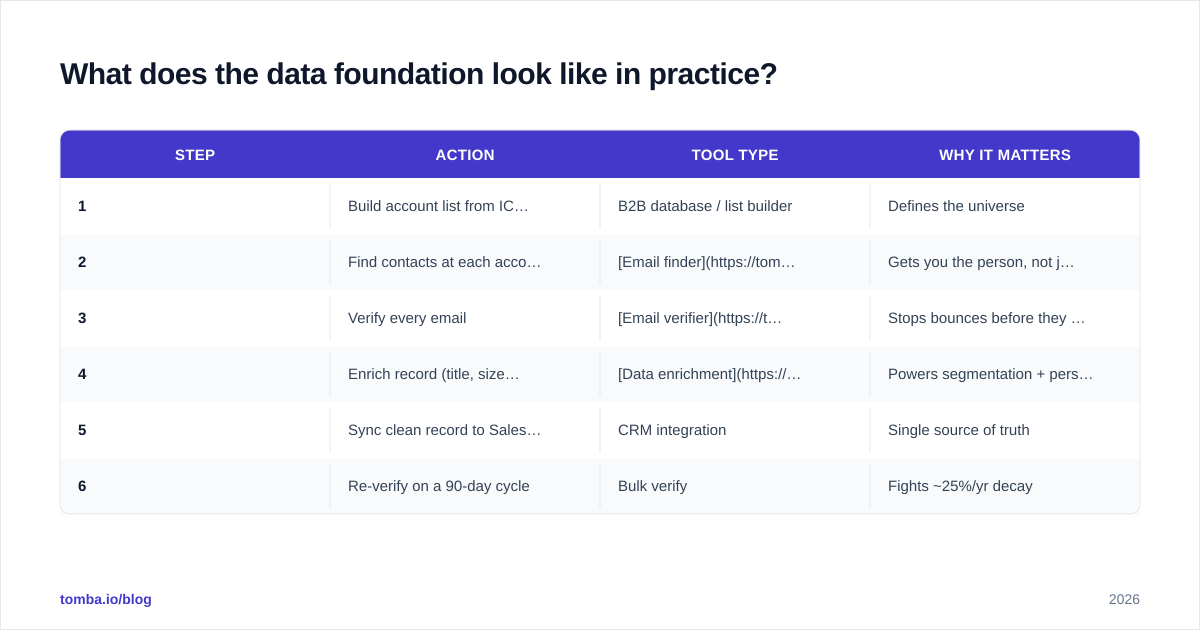
The data foundation is a pipeline, not a one-time export. Here's the sequence that keeps Sales Hub clean:
| Step | Action | Tool type | Why it matters |
|---|---|---|---|
| 1 | Build account list from ICP filters | B2B database / list builder | Defines the universe |
| 2 | Find contacts at each account | Email finder / domain search | Gets you the person, not just the company |
| 3 | Verify every email | Email verifier | Stops bounces before they reach HubSpot |
| 4 | Enrich record (title, size, location) | Data enrichment | Powers segmentation + personalization |
| 5 | Sync clean record to Sales Hub | CRM integration | Single source of truth |
| 6 | Re-verify on a 90-day cycle | Bulk verify | Fights ~25%/yr decay |
The under-appreciated step is #6. Most teams treat data hygiene as a one-time event before launch. Treat it as recurring maintenance — a quarterly bulk re-verify of active contacts keeps your bounce rate low without you ever thinking about it.
For teams running this at volume, a HubSpot integration that pushes verified, enriched contacts directly into Sales Hub removes the CSV shuffle entirely. The contact arrives clean, mapped, and ready to sequence.
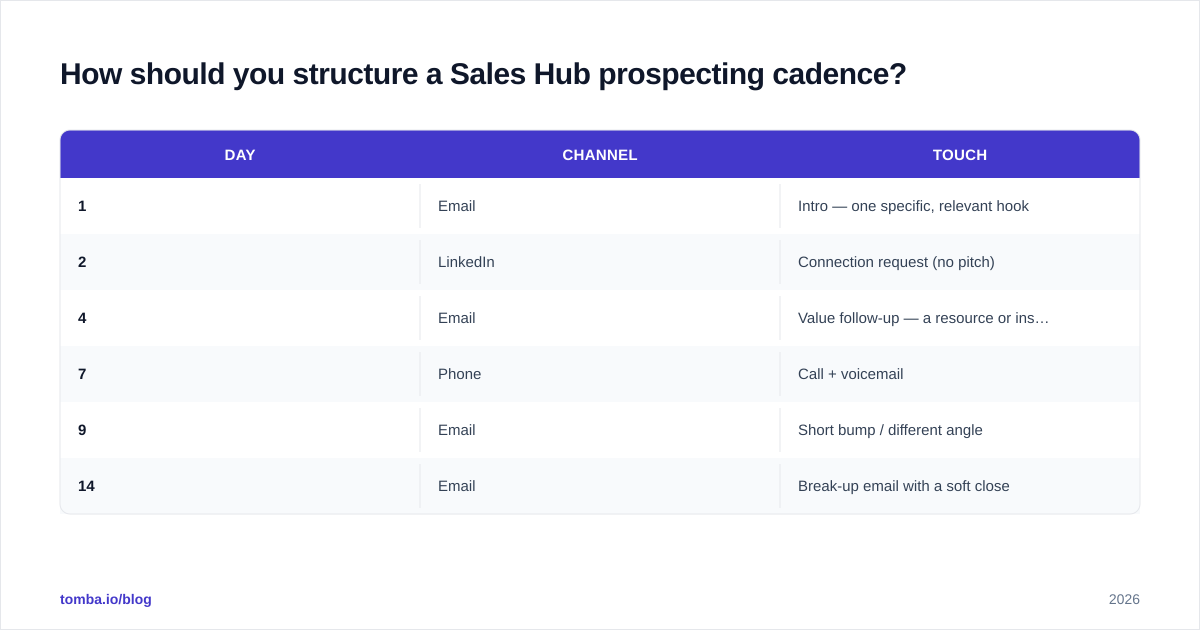
How should you structure a Sales Hub prospecting cadence?#
A cadence is a defined series of touches across channels over a fixed window, with clear rules for what happens on reply, on bounce, and on no-response. Sales Hub's sequences tool automates the email and task steps; you supply the structure.
A reliable starting cadence for cold B2B outreach:
| Day | Channel | Touch |
|---|---|---|
| 1 | Intro — one specific, relevant hook | |
| 2 | Connection request (no pitch) | |
| 4 | Value follow-up — a resource or insight | |
| 7 | Phone | Call + voicemail |
| 9 | Short bump / different angle | |
| 14 | Break-up email with a soft close |
Notes that separate working cadences from spammy ones:
- Multi-channel beats email-only. A LinkedIn touch plus a call lifts response materially over a pure email sequence. Use the channels your persona actually checks.
- Each touch needs its own reason to exist. "Just following up" is not a touch. A new insight, a relevant trigger, or a different angle is.
- Set hard exit rules. Reply → exit to manual. Bounce → suppress and flag the record for re-verification. Meeting booked → exit. Without exit rules, Sales Hub will keep emailing people who already replied, which looks careless.
- Cap volume per rep. 50–150 active accounts at 3–5 contacts each is enough to stay personal. Beyond that, personalization collapses into mail-merge and reply rates fall.
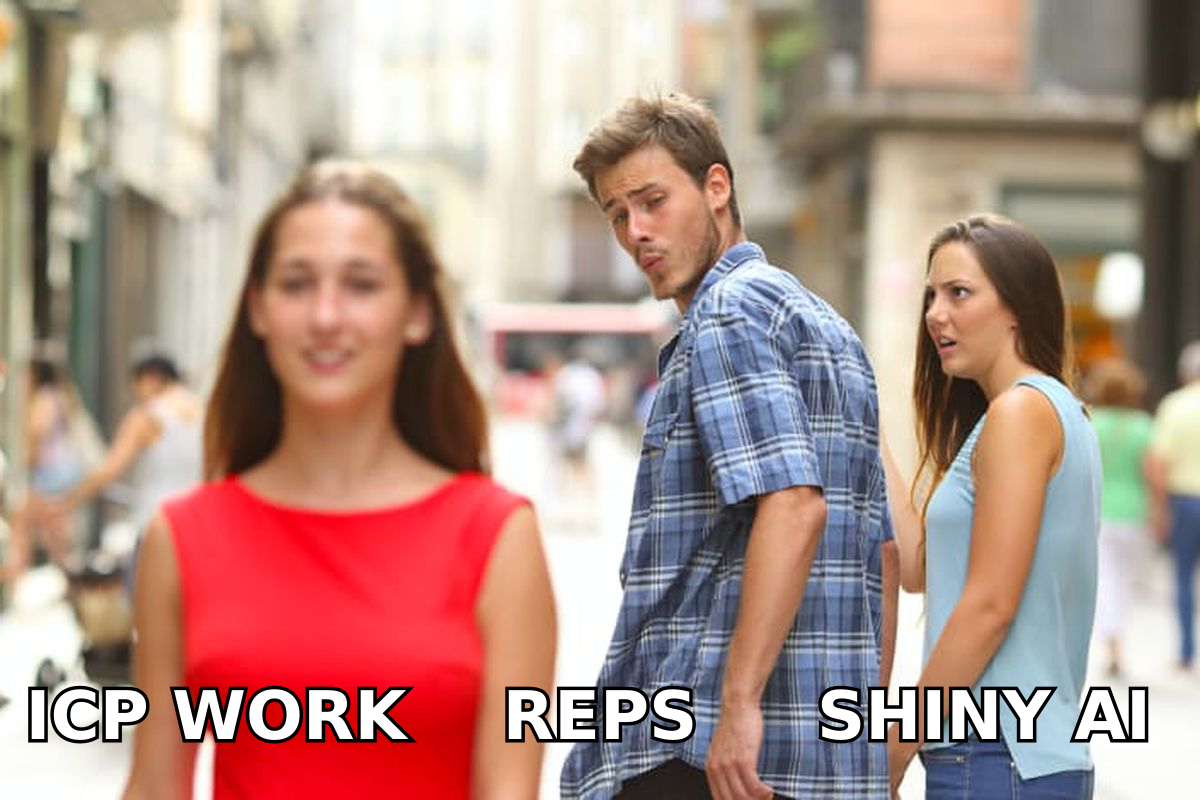
The temptation in 2026 is to bolt every new AI prospecting tool onto the workflow. Resist it until the three foundations are solid. A shiny AI personalization layer on top of a bad ICP and unverified data just writes confident emails to the wrong people who never receive them.
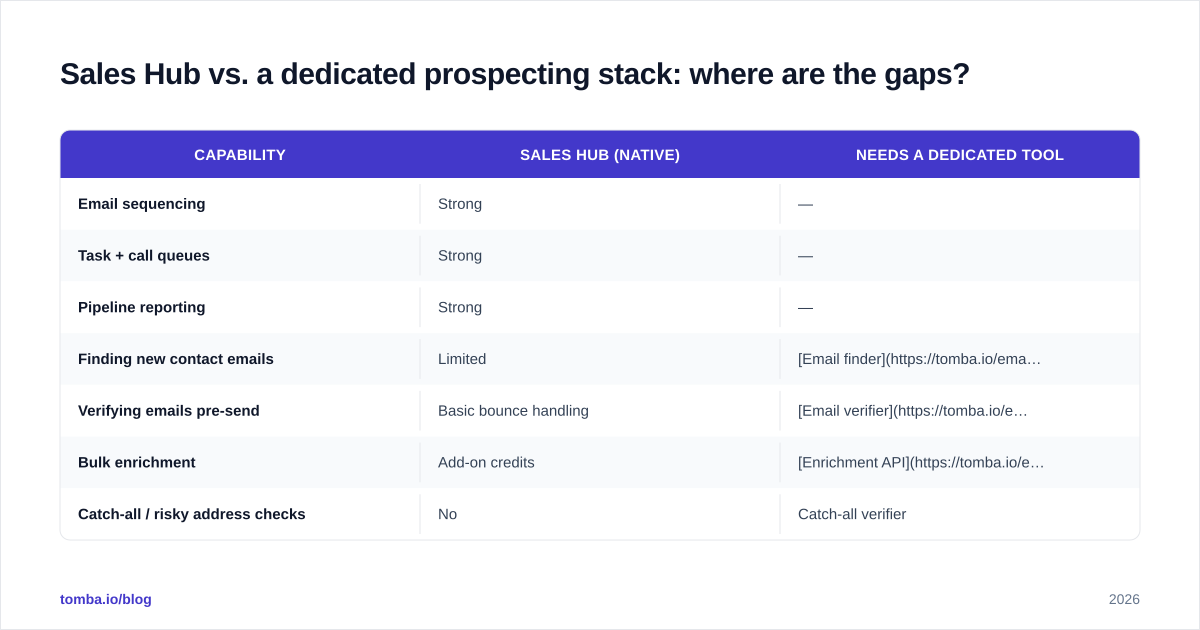
Sales Hub vs. a dedicated prospecting stack: where are the gaps?#
Sales Hub is excellent at the middle of the funnel — sequencing, task management, deal tracking, reporting. It is deliberately not a contact-sourcing or verification engine. Knowing the boundary tells you what to add.
| Capability | Sales Hub (native) | Needs a dedicated tool |
|---|---|---|
| Email sequencing | Strong | — |
| Task + call queues | Strong | — |
| Pipeline reporting | Strong | — |
| Finding new contact emails | Limited | Email finder |
| Verifying emails pre-send | Basic bounce handling | Email verifier |
| Bulk enrichment | Add-on credits | Enrichment API |
| Catch-all / risky address checks | No | Catch-all verifier |
You can compare how buyers rate these categories on G2 — the consistent theme in reviews is that CRM-native data tools cover the basics but specialist finders and verifiers win on accuracy and coverage. The smart architecture is Sales Hub at the center, fed by a dedicated find-and-verify layer at the edge.
What metrics prove the foundations are working?#
Measure the foundations, not just the activity. Sales Hub will show you sends and opens by default — but those don't tell you whether your foundations are healthy. Track these instead:
- Bounce rate — keep under 2%. If it climbs, your data foundation is leaking. This is the single fastest signal of a verification gap.
- Reply rate — 5–10% on cold, well-targeted outreach is realistic; 1–2% signals a targeting or data problem, not a copy problem.
- Meetings per 100 contacts — the real efficiency metric. It exposes whether your ICP is actually buying.
- Data freshness — % of active contacts verified in the last 90 days. Aim for 90%+.
- Sequence completion rate — how many prospects move through the full cadence without a forced exit.
Industry analysts like Gartner consistently find that sales productivity tracks data quality more tightly than tooling spend. The teams that win aren't the ones with the most tools — they're the ones whose foundations let every tool work.
Read the metrics as a diagnostic. High bounce → fix verification. Low reply, low bounce → fix targeting or copy. High reply, low meetings → fix qualification or the offer. Each symptom points at a specific foundation.
How do you put the foundations together this quarter?#
Sequence the work so each layer supports the next:
- Week 1 — Targeting. Write the ICP down to four to six filters. Define two or three personas. Pressure-test the account count.
- Week 1–2 — Data. Build the account list, find and verify contacts, enrich records, and sync clean data into Sales Hub. Set a 90-day re-verify reminder.
- Week 2 — Cadence. Build one multi-channel sequence with explicit exit rules. Keep it to 5–6 touches over ~14 days.
- Week 3+ — Measure and iterate. Watch bounce and reply rates weekly. Fix the foundation the metrics point to, not the one that's easiest to change.
The discipline is resisting the urge to scale before the foundation holds. One clean, well-targeted sequence of 100 verified contacts will out-perform 1,000 unverified ones every time — and it won't quietly torch your sender reputation in the process.
Start with the data foundation#
If you only fix one thing this quarter, fix the data layer — it's the foundation every other metric stands on. Use the Tomba Email Finder to source the right contacts at your ICP accounts, verify them before they ever touch a Sales Hub sequence, and enrich each record so your personalization tokens and segmentation actually fire. The free tier gives you 25 searches a month to test the workflow, and plans start at $49/mo when you're ready to scale. Feed Sales Hub clean inputs, and the engine you already pay for finally runs at full speed.
// get started
Find, verify and enrich your first contacts today
Start on the free plan with 25 searches a month, then scale when your team is ready.
Free plan · No credit card required · GDPR & CCPA
// about the author