Sales Hub & Sales Prospecting Tools: Vendor Workflows 2026
How to wire your sales hub and prospecting tools into one clean vendor workflow in 2026 — without ten tabs, duplicate data, or reps quitting the process.
TL;DR
- A "sales hub" is your system of record (HubSpot, Salesforce, Pipedrive). Prospecting tools are the system of discovery that feed it. The workflow is how data moves between them — and that's where most teams lose money.
- The biggest tax on prospecting isn't tool cost. It's reps manually copying contacts between tabs, re-entering data, and chasing stale records.
- A good vendor workflow has four stages: source → enrich → verify → sync. Skip verification and your deliverability and CRM both rot.
- Pick tools that talk to your hub natively (API, native integration, or Zapier/Make), not screenshots-and-paste tools.
- Below: a stage-by-stage workflow, a vendor comparison table, and where a focused email-finder like Tomba fits without forcing a full platform migration.
What is a sales hub vs a sales prospecting tool?#
Here's the one-line version: your sales hub is the filing cabinet, and your prospecting tools are the people walking new folders into the building. They are not the same job, and treating them as one is why so many stacks feel bloated.
A sales hub — HubSpot, Salesforce, Pipedrive — owns the deal record, pipeline stages, activity history, and reporting. It is the single source of truth your forecast comes from. It is excellent at managing relationships and weak at finding new ones.
A prospecting tool does the opposite. It finds companies that fit your ICP, surfaces the right contacts, returns a verified email or phone number, and hands that off. Email finders, domain search, data enrichment, and intent platforms all live here. They are excellent at discovery and were never meant to be your reporting layer.
The confusion is profitable for big platforms, because "all-in-one" sounds efficient. In practice, an all-in-one that does discovery adequately and CRM adequately often loses to a clean hub plus a sharp, specialized email finder. The question isn't "one vendor or many" — it's "does data flow between them without a human babysitting it."
Why do vendor workflows break down?#
Workflows break for one boring reason: the handoff between tools is manual. Everything else is downstream of that.
Picture a rep prospecting on a Tuesday. They find a target account on LinkedIn, open a tab to guess the email format, open another to verify it, paste it into a spreadsheet, then paste it again into the CRM, then again into the sequencing tool. That's five context switches for one contact. Multiply by 40 contacts a day and you've burned the morning on data entry instead of conversations.
Three failure patterns show up again and again:
- Copy-paste decay. Every manual transfer introduces typos and drops fields. Job title goes missing, the company gets misspelled, and now your segmentation is wrong.
- No verification step. Reps source an email and fire immediately. Bounces spike, your domain reputation drops, and inboxes that would have converted never see your message. Verification isn't optional housekeeping — it protects email deliverability for the whole team.
- Duplicate records. Two reps prospect the same account through different tools, neither dedupes, and your hub now has two half-complete contacts. Your reporting lies.
The fix is not "try harder." It's designing the workflow so the boring parts are automated and the rep only does the parts that need a human brain.
What does a clean prospecting workflow look like?#
A clean workflow has exactly four stages, and each one has an owner — a tool, not a person, wherever possible.
Stage 1 — Source. Identify accounts and contacts that match your ICP. Inputs: a target company domain, a name, a LinkedIn profile, or a list. This is where domain search earns its keep: feed it a company domain and get back the people and email patterns at that company in one pass.
Stage 2 — Enrich. Add the context that makes a message relevant — title, seniority, location, company size, tech stack. Data enrichment turns a bare email into a record you can personalize and route.
Stage 3 — Verify. Confirm the email is real and deliverable before it enters a sequence. A good email verifier checks syntax, MX records, and SMTP response, and flags catch-all domains so you can handle them deliberately instead of guessing.
Stage 4 — Sync. Push the clean, verified, enriched record into your hub and trigger the next step. Native integration or a Zapier/Make automation does this with zero copy-paste.
The order matters. Verify before sync, not after — you never want unverified junk landing in your system of record. And enrich before you write, not while you write, so reps see a complete card the moment they open a contact.
How do the main vendor categories compare?#
There's no single "best" — there's best-for-your-stage. Here's how the categories stack up on the attributes that actually change your day.
| Attribute | All-in-one platform (e.g. Apollo, HubSpot Sales Hub) | Focused email finder (e.g. Tomba) | DIY (spreadsheet + manual lookup) |
|---|---|---|---|
| Setup time | Days to weeks (migration, config) | Minutes (API key or extension) | None, but no leverage |
| Starting price | $49–$99+/seat/mo | Free tier (25 searches), then $49/mo | "Free" but high labor cost |
| Email accuracy focus | Medium — broad feature set | High — core product | Low — pattern guessing |
| CRM sync | Native (own hub) | Via API,Zapier, Make, HubSpot/Salesforce | Manual paste |
| Verification built in | Sometimes, often extra | Yes — verifier, catch-all, phone validator | No |
| Best for | Teams wanting one login | Teams keeping their existing hub | Solo, very low volume |
| Lock-in risk | High (data + workflow) | Low (it feeds any hub) | None |
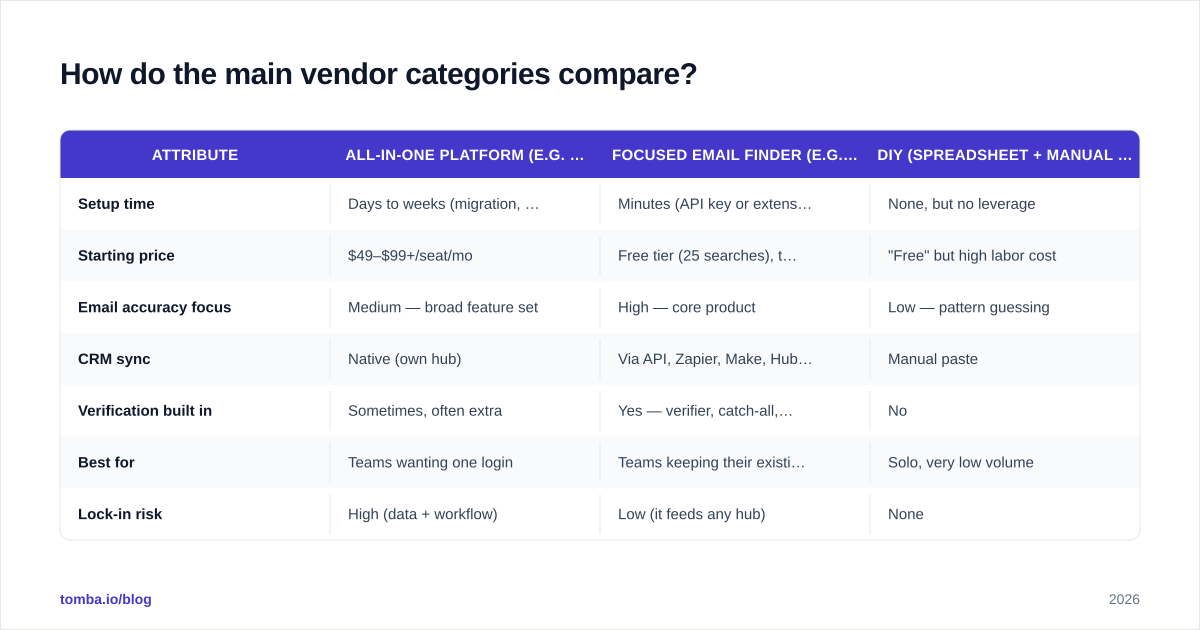
The pattern: all-in-one platforms win on convenience if you're greenfield and want a single bill. Focused tools win when you already have a hub you like and just need the discovery layer to be accurate and to plug in. Compare a few vendors on G2 against your real use case rather than the feature matrix on their homepage — feature counts don't close deals, deliverable contacts do.
A note on price honesty: list price per seat rarely reflects total cost. A cheap tool that produces bounces costs you sender reputation, which costs you every future campaign. Factor verification quality into the price, not just the sticker. You can see how a focused vendor structures this on the Tomba pricing page — free tier to test, then flat monthly tiers rather than per-seat creep.
Should you buy all-in-one or assemble a stack?#
Buy all-in-one if you're starting from zero, have no CRM you're attached to, and value one vendor relationship over best-in-class accuracy. The convenience is real and the switching cost later is the price you pay for it.
Assemble a stack if any of these are true:
- You already run a hub (Salesforce, HubSpot, Pipedrive) and your reps live in it.
- Your bounce rate or response rate tells you your data quality is the bottleneck.
- You want to swap any one component without re-platforming the whole motion.
The assembled-stack worry is always "integration hell." It used to be justified. In 2026 it mostly isn't, because the connective tissue is mature: most serious prospecting vendors ship a documented API, a native HubSpot integration or Salesforce integration, and a Zapier integration for everything else. If a vendor can't sync to your hub without manual export, that's a red flag about the product, not just the integration.
The realistic middle path most teams land on: keep your hub, keep your sequencer, and replace the weakest link — usually contact discovery and verification — with a specialist. That's the lowest-risk upgrade because it doesn't touch your pipeline data.
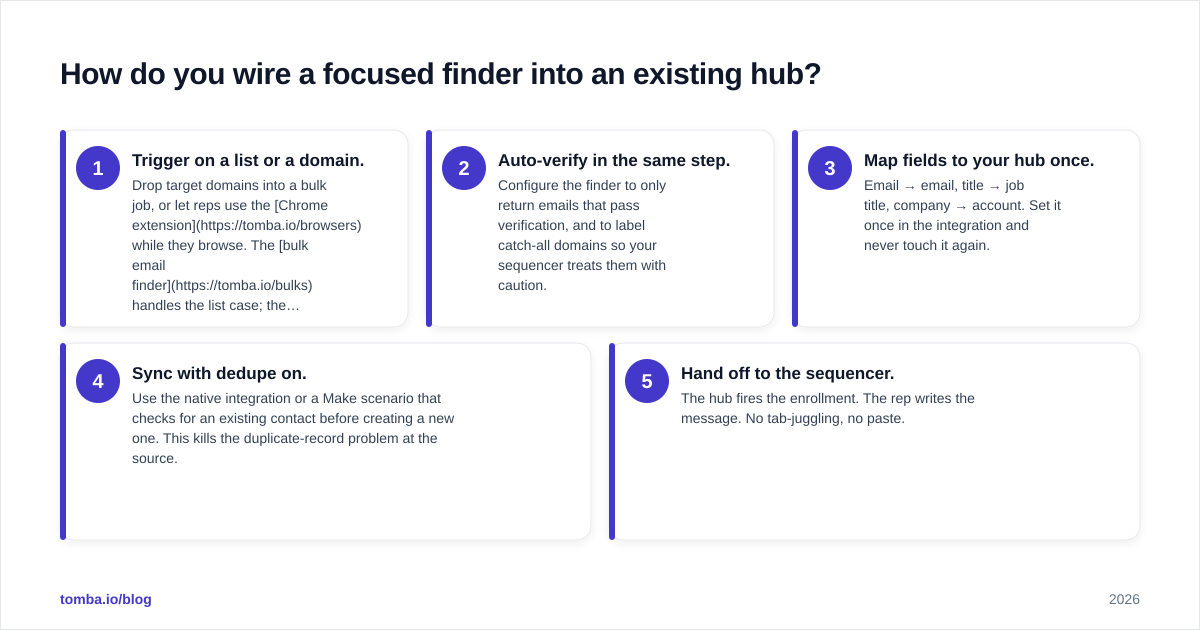
How do you wire a focused finder into an existing hub?#
Concretely, here's the simplest version that works for most teams, using an email finder as the discovery layer.
- Trigger on a list or a domain. Drop target domains into a bulk job, or let reps use the Chrome extension while they browse. The bulk email finder handles the list case; the extension handles the one-off-while-researching case.
- Auto-verify in the same step. Configure the finder to only return emails that pass verification, and to label catch-all domains so your sequencer treats them with caution.
- Map fields to your hub once. Email → email, title → job title, company → account. Set it once in the integration and never touch it again.
- Sync with dedupe on. Use the native integration or a Make scenario that checks for an existing contact before creating a new one. This kills the duplicate-record problem at the source.
- Hand off to the sequencer. The hub fires the enrollment. The rep writes the message. No tab-juggling, no paste.
If your team works in spreadsheets first, the Google Sheets add-on and Excel add-in let you find and verify in place, then export clean rows. Developers can skip the UI entirely and call the email finder API directly from whatever orchestration already runs your data pipeline.
The whole point of this design: a rep's job becomes deciding who to contact and what to say, not assembling and cleaning a contact record by hand. That's the leverage. For more on building the surrounding motion, our breakdown of sales automation covers how these stages chain into a repeatable engine.
What metrics tell you the workflow is working?#
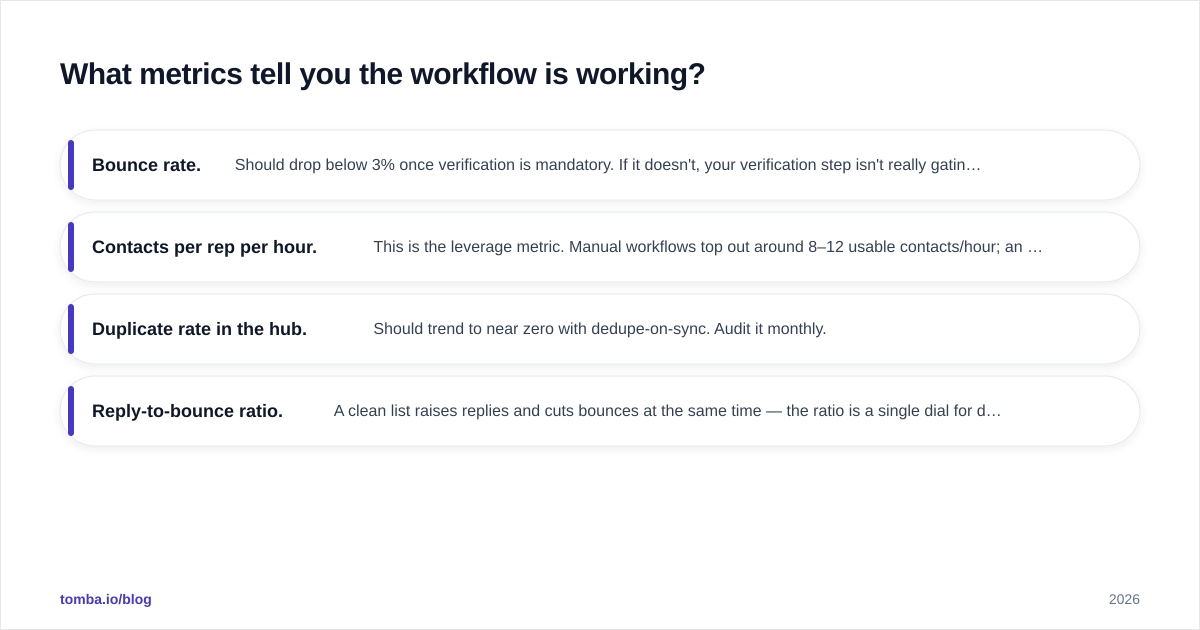
Watch four numbers before and after you tighten the workflow:
- Bounce rate. Should drop below 3% once verification is mandatory. If it doesn't, your verification step isn't really gating the sync.
- Contacts per rep per hour. This is the leverage metric. Manual workflows top out around 8–12 usable contacts/hour; an automated source→verify→sync flow routinely hits 30–50.
- Duplicate rate in the hub. Should trend to near zero with dedupe-on-sync. Audit it monthly.
- Reply-to-bounce ratio. A clean list raises replies and cuts bounces at the same time — the ratio is a single dial for data quality.
If those numbers don't move, the problem is process adherence, not tooling. The best stack in the world loses to a team that quietly reverts to copy-paste because the workflow was never made the path of least resistance.
The bottom line#
Don't buy a platform to solve a workflow problem. Map your four stages — source, enrich, verify, sync — decide which stage is actually broken, and fix that stage with a tool that plugs into the hub you already trust. For most teams in 2026, the broken stage is discovery and verification, not CRM.
If that's you, start at the discovery layer. The Tomba Email Finder finds verified professional emails by name, domain, or company, runs verification and catch-all checks in the same pass, and syncs straight into HubSpot, Salesforce, Pipedrive, Sheets, or your own pipeline via the API. Begin on the free tier — 25 searches a month, no card — to test it against your real list before you wire it into the full workflow. Keep your hub, sharpen the part that's actually costing you deals.
// get started
Find, verify and enrich your first contacts today
Start on the free plan with 25 searches a month, then scale when your team is ready.
Free plan · No credit card required · GDPR & CCPA
// about the author