Sales Hub Sales Prospecting Trigger Events: 2026 Playbook
Trigger events turn cold outreach into timely, relevant conversations. Here's how to wire Sales Hub sales prospecting trigger events into a repeatable 2026 workflow.
Trigger events are the difference between an email that gets ignored and one that gets a reply within the hour. If you run prospecting inside HubSpot Sales Hub, you already have most of the machinery to detect those moments — you just have to wire it up. This guide shows you exactly how.
TL;DR#
- Trigger events are timed signals (a funding round, a new VP, a tech change, a website visit) that tell you when a prospect is most likely to buy.
- Sales Hub can capture, score, and route most of these signals using lists, workflows, lead scoring, and the activity timeline — no extra platform required for the basics.
- The highest-ROI triggers in 2026 are job changes, hiring signals, funding, product launches, and intent/website activity.
- A trigger is only useful if you act within 24–48 hours and pair it with an accurate contact — stale data kills the play.
- Build a repeatable loop: detect → enrich → personalize → route → measure. Skip any step and response rates collapse.
What are sales prospecting trigger events?#
A trigger event is a change in a prospect's world that creates a reason to reach out now. Think of it like surfing: the ocean is always there, but you only catch the wave when it actually swells. Cold outreach to a static list is paddling on flat water. Trigger-based outreach is catching the swell.
Technically, a trigger event is any observable signal — internal or external — that correlates with increased buying intent or a fresh business need. Classic examples:
- A prospect changes jobs and lands in a buying role
- A company raises a funding round
- A target account starts hiring for roles your product supports
- A company adopts (or drops) a piece of technology in your category
- A contact visits your pricing page three times in a week
- A competitor's contract is up for renewal
The value is timing and relevance. Outreach tied to a real event consistently outperforms generic sequences, and it gives your rep a natural, non-spammy opening line.
Why do trigger events matter for Sales Hub users specifically?#
Because Sales Hub is already the system of record for your contacts, deals, and activity — which means it can also be the system of signal. You don't need a separate intent platform to start. Every email open, page view, form fill, and property change is a potential trigger, and HubSpot lets you turn those into automated alerts and tasks.
The mistake most teams make is treating Sales Hub as a passive database — a place where data goes to sit. The teams that win treat it as an event engine: data comes in, a rule fires, a rep gets a prioritized task. That shift from static CRM to live signal routing is the whole game.
It also matters for focus. A rep working a 2,000-row cold list spends most of their day guessing who to call. A rep working a queue of accounts that just triggered spends their day on warm conversations. Same headcount, very different pipeline. If you want the underlying definitions, HubSpot's own knowledge base documents how lists, workflows, and lead scoring interact.
Which trigger events are worth tracking in 2026?#
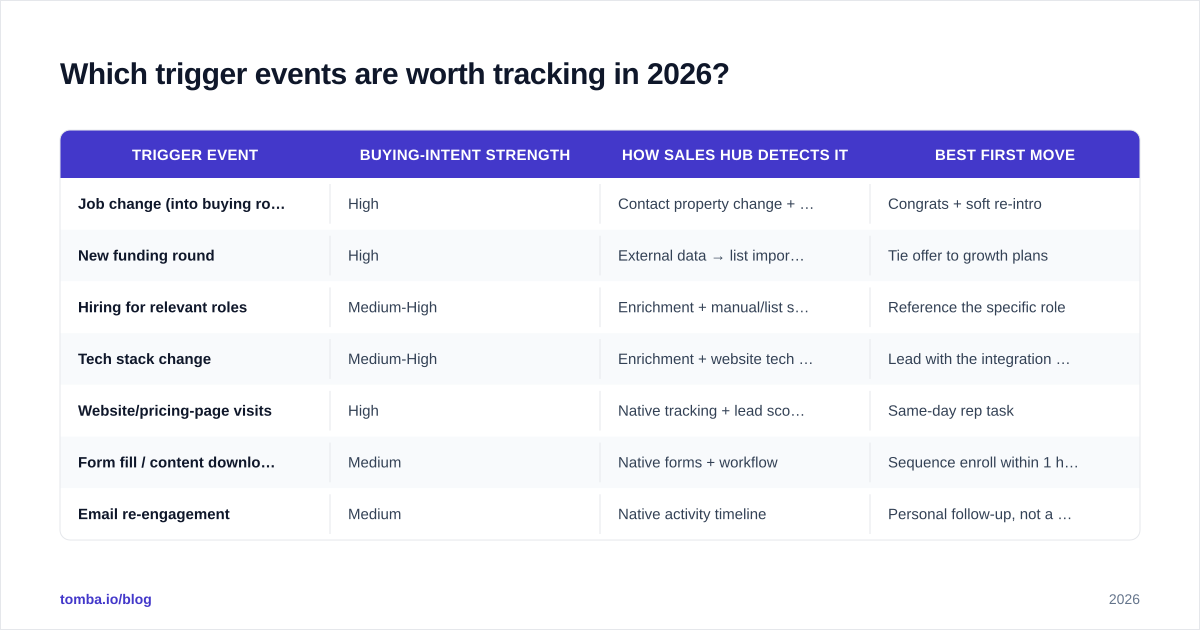
Not every signal deserves a sequence. Track the ones with a clear line to a buying need. Here's how the common triggers stack up.
| Trigger event | Buying-intent strength | How Sales Hub detects it | Best first move |
|---|---|---|---|
| Job change (into buying role) | High | Contact property change + enrichment | Congrats + soft re-intro |
| New funding round | High | External data → list import/enrichment | Tie offer to growth plans |
| Hiring for relevant roles | Medium-High | Enrichment + manual/list signal | Reference the specific role |
| Tech stack change | Medium-High | Enrichment + website tech check | Lead with the integration angle |
| Website/pricing-page visits | High | Native tracking + lead scoring | Same-day rep task |
| Form fill / content download | Medium | Native forms + workflow | Sequence enroll within 1 hour |
| Email re-engagement | Medium | Native activity timeline | Personal follow-up, not a blast |
| Competitor renewal window | Medium | CRM property + manual research | Timed displacement pitch |
A few notes on reading this table. Website and pricing-page activity is the highest-confidence native signal you already own — someone looking at pricing is rarely browsing for fun. Job changes are the highest-value external signal because a champion who moves companies is a warm intro waiting to happen, but they require enrichment to catch reliably. And email re-engagement (a contact who went dark suddenly opening three times) is criminally underused.
For a refresher on the metric that ties all of this together, see how trigger timing affects your email response rate — relevance and timing are the two biggest levers.
How do you set up trigger events in Sales Hub?#
You assemble four native building blocks into a loop. None of them is exotic; the skill is in connecting them.
1. Capture the signal#
Decide what counts as a trigger and make Sales Hub watch for it:
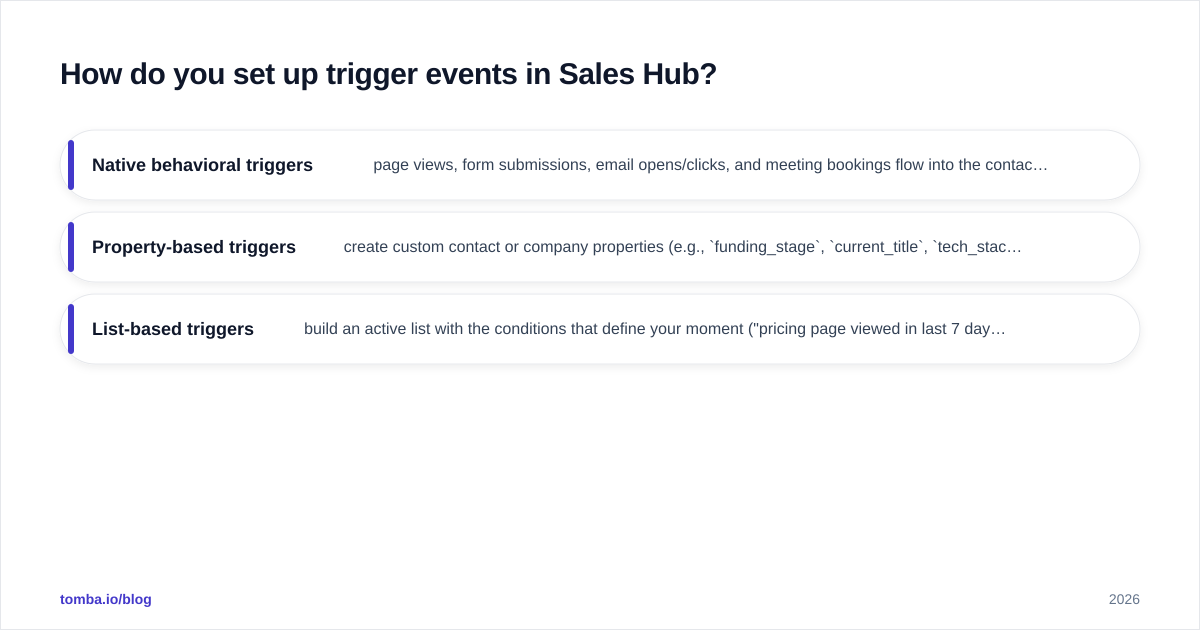
- Native behavioral triggers — page views, form submissions, email opens/clicks, and meeting bookings flow into the contact timeline automatically once tracking is installed.
- Property-based triggers — create custom contact or company properties (e.g.,
funding_stage,current_title,tech_stack) and let changes to those fields fire a workflow. - List-based triggers — build an active list with the conditions that define your moment ("pricing page viewed in last 7 days AND company size > 50").
2. Score and prioritize#
Use lead scoring so a rep isn't manually judging every signal. Assign points per event — pricing visit +15, job change +25, generic blog read +2 — and route only accounts above a threshold. This stops your team from chasing low-intent noise. HubSpot's predictive and manual scoring both work here; start manual so you understand the weights.
3. Enrich before you reach out#
This is the step teams skip, and it's the one that breaks the play. A trigger tells you which account and when — it rarely hands you a current, verified email for the right person. If your champion just changed jobs, the email in your CRM is now dead.
Close that gap with data enrichment and a quick email verifier pass before any send. When the trigger is a new decision-maker at a known company, a domain search surfaces the right contacts fast, and the Tomba Email Finder resolves the specific person by name and company. Sending a triggered message to a bounced address wastes the timing you worked to catch.
4. Route and act#
Fire a workflow that creates a task, assigns the owner, and (optionally) enrolls the contact in a sequence. Set the SLA in the task itself — "act within 24 hours" — so the signal doesn't rot in a queue. The whole point of a trigger is decay: a funding announcement is hot for a week, not a quarter.
How fast do you need to act on a trigger?#
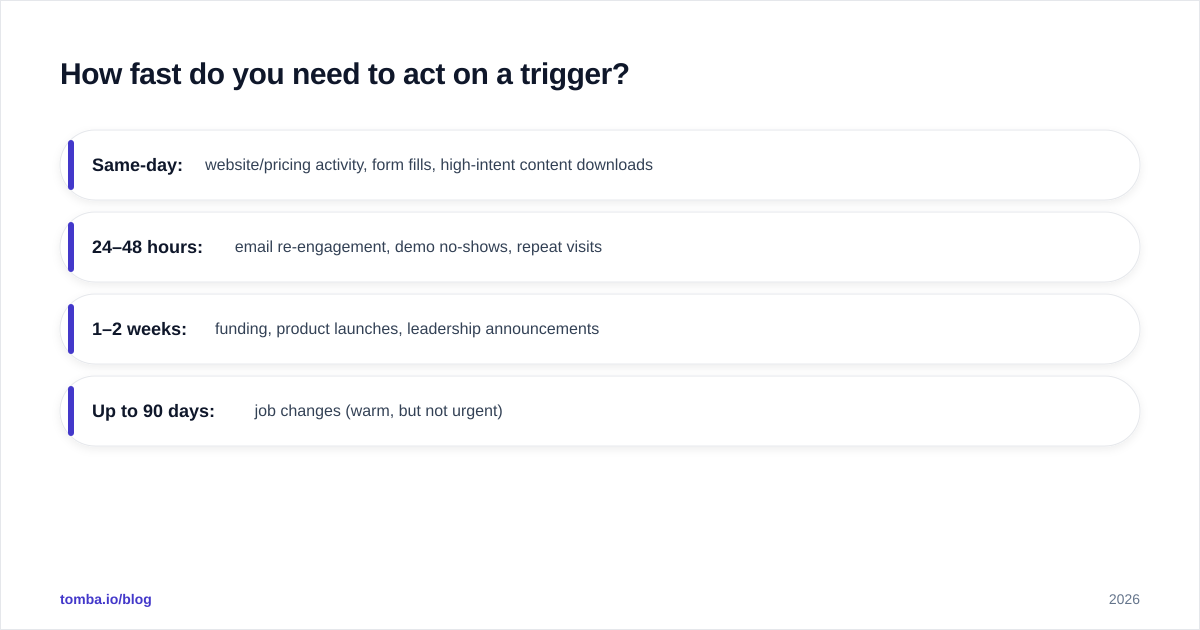
Fast. The half-life of most trigger events is measured in days, not weeks. A pricing-page visit is hottest the same day. A funding round is a strong hook for two to three weeks, then it's old news everyone else already mentioned. A job change gives you a roughly 90-day window while the new hire is still building their stack and open to ideas.
Build your SLAs around the decay curve:
- Same-day: website/pricing activity, form fills, high-intent content downloads
- 24–48 hours: email re-engagement, demo no-shows, repeat visits
- 1–2 weeks: funding, product launches, leadership announcements
- Up to 90 days: job changes (warm, but not urgent)
If your team can't hit same-day on the hot signals, fix routing before you add more triggers. More signal into a slow pipe just creates a bigger backlog of cold opportunities.
How do you personalize outreach around a trigger?#
The trigger is your first line, not your whole pitch. Reference the event specifically, connect it to a need, then make a small ask. A weak triggered email says "Congrats on the funding!" and pivots into a generic demo request. A strong one says "Saw the Series B — most teams at that stage hit a wall on outbound data accuracy around the 20-rep mark. Worth a quick look at how you're sourcing contacts?"
Three rules keep triggered outreach from sounding automated:
- Name the event in the first sentence so relevance is obvious.
- Bridge to a consequence the buyer actually feels ("scaling the SDR team usually means your CRM data goes stale faster").
- Keep the ask proportional to the signal — a pricing visit earns a direct call ask; a blog read earns a soft resource share.
If you want a head start on structure, Tomba's cold email templates give you trigger-ready frames you can adapt per signal. And remember that personalization at scale still depends on clean inputs — the right name, title, and a deliverable address.
What's the difference between native signals and external triggers?#
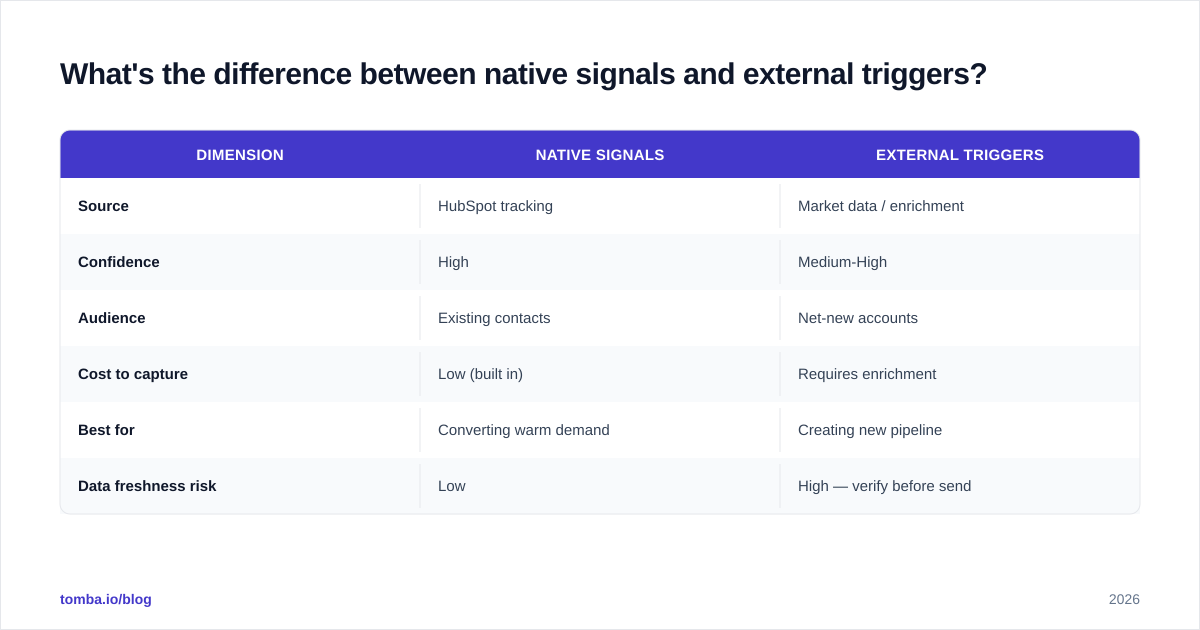
Native signals are events Sales Hub observes directly: clicks, visits, form fills, property changes. They're high-confidence and free, but they only fire for contacts already in your system who are already engaging. They tell you about demand you've partly captured.
External triggers — funding, hiring, job changes, tech adoption — happen out in the market, often at accounts that have never heard of you. They're how you find new demand. The catch is they need to be brought into Sales Hub through enrichment or imports, and they need a verified contact attached before they're actionable.
| Dimension | Native signals | External triggers |
|---|---|---|
| Source | HubSpot tracking | Market data / enrichment |
| Confidence | High | Medium-High |
| Audience | Existing contacts | Net-new accounts |
| Cost to capture | Low (built in) | Requires enrichment |
| Best for | Converting warm demand | Creating new pipeline |
| Data freshness risk | Low | High — verify before send |
The best programs run both. Native signals keep your existing pipeline moving; external triggers feed the top of the funnel. Tie them together with consistent scoring and a single routing workflow so reps work one prioritized queue, not two.
What does a complete trigger-based prospecting loop look like?#
Put the pieces in order and it becomes a system you can audit and improve:
- Define the 4–6 triggers that map to real buying needs for your product.
- Detect them — native tracking for behavioral, enrichment for external.
- Enrich the triggered account: find the right decision-maker, verify the email, append firmographics.
- Score the signal and filter out noise below threshold.
- Route a task to the owner with an SLA matched to the trigger's decay.
- Personalize the first touch around the specific event.
- Measure reply rate, meeting rate, and pipeline per trigger type, then cut the triggers that don't convert.
That last step is where most teams leave money on the table. Treat your trigger list like a portfolio: some signals will reliably produce meetings and some will look clever but go nowhere. Kill the dead ones and double down on the winners every quarter. For scaling the enrichment step across many triggered accounts at once, a bulk email finder keeps the contact data step from becoming your bottleneck.
Common mistakes that kill trigger-based prospecting#
- Tracking too many triggers. Five well-routed signals beat twenty that nobody acts on.
- No SLA. A trigger sitting in a queue for a week is just a cold lead with extra steps.
- Skipping verification. Triggered emails to bounced addresses hurt your sender reputation and waste the timing.
- Generic first lines. If you don't name the event, you've thrown away the entire advantage.
- No measurement by trigger type. Without per-signal metrics you can't tell which triggers actually drive revenue.
Avoid those five and you're ahead of most teams running Sales Hub today. For broader context on intent data and signal quality, G2's buyer intent research is a useful external benchmark.
Get the contact data your triggers depend on#
Trigger events tell you when and which account. They can't tell you the verified email of the new VP who just appeared on your radar — and that gap is exactly where most triggered plays stall. Pair your Sales Hub workflows with the Tomba Email Finder to resolve the right decision-maker by name and company, run every address through verification before you send, and keep your triggered outreach landing in inboxes instead of bouncing. Start on the free tier (25 searches a month), and when your signal volume grows, the Starter plan at $49/mo scales the contact data alongside it. Catch the wave — and make sure you've got the right person's address before you paddle.
// get started
Find, verify and enrich your first contacts today
Start on the free plan with 25 searches a month, then scale when your team is ready.
Free plan · No credit card required · GDPR & CCPA
// about the author