Abstract API vs ContactOut 2026: Which Tool Actually Wins?
Abstract API and ContactOut solve different problems under the same 'contact data' umbrella. Here's the honest 2026 breakdown on accuracy, pricing, and which one fits your stack.
Abstract API vs ContactOut 2026: Which Tool Actually Wins?
TL;DR
- Abstract API is a developer-first suite of validation endpoints (email, phone, IP, VAT). ContactOut is a LinkedIn-focused prospecting tool with a Chrome extension and recruiter database.
- They are not direct competitors. Abstract validates data you already have. ContactOut helps you find data you don't.
- ContactOut wins on B2B contact discovery and recruiter workflows. Abstract API wins on raw validation throughput and engineering integration.
- Pricing diverges hard: Abstract starts at $9/mo for a single API; ContactOut starts at $39/mo per seat for the sales plan.
- If you need both discovery and validation in one bill, neither is the cheapest answer — a unified platform usually wins on TCO.
What does Abstract API actually do?#
Abstract API is a collection of single-purpose REST endpoints aimed at developers. You pick the API you need — email verification, phone validation, IP geolocation, company enrichment, VAT validation, screenshot, exchange rates — and pay per call or per monthly volume.
Their flagship for sales teams is the Email Verification API. It runs SMTP checks, MX record lookups, disposable-domain detection, and quality scoring. The output is JSON suitable for piping into a signup form or a CRM cleanse job.
Abstract's positioning: small, composable, easy to drop into a Node, Python, or Go service. There is no UI for browsing leads. There is no LinkedIn extension. There is no campaign builder. It is plumbing, not prospecting.
What does ContactOut actually do?#
ContactOut is a B2B prospecting platform built around LinkedIn. Its core surface is a Chrome extension that overlays personal and work emails plus phone numbers on LinkedIn profiles. Recruiters and SDRs use it to pull contact data directly from search results, Sales Navigator, or a Recruiter Lite session.
Beyond the extension, ContactOut offers a search portal (similar to Apollo's filters), a Chrome-based dashboard, ATS/CRM integrations (Greenhouse, Lever, HubSpot, Salesforce), and a triggers system that fires when target accounts hire. Coverage skews toward English-speaking markets and tech roles, given LinkedIn's user concentration.
ContactOut does not validate arbitrary email lists. It does not expose IP, VAT, or screenshot APIs. It is a sales surface, not a data-quality utility.
Is Abstract API better than ContactOut for sales teams?#
Not for most sales teams. The mismatch is structural: Abstract API assumes you already have a list to clean; ContactOut assumes you need a list in the first place.
A typical SDR workflow looks like:
- Identify target accounts.
- Find decision-maker contacts on LinkedIn.
- Pull email and phone.
- Push into a sequencer.
- Validate before send.
ContactOut covers steps 2–3 well. Abstract API only covers step 5, and only for emails. If you put Abstract API in front of a team with no prospecting tool, they'll still need an email finder, an enrichment layer, and a sourcing motion. Abstract is a piece, not a system.
The inverse is also true. ContactOut returns emails that are usually pre-verified by their internal pipeline, but power users still run a separate verification pass on bulk exports to catch role-based addresses and stale accounts. ContactOut alone won't satisfy a compliance-driven verification audit; Abstract API alone won't satisfy a quota-carrying SDR.

How do Abstract API and ContactOut compare side by side?#
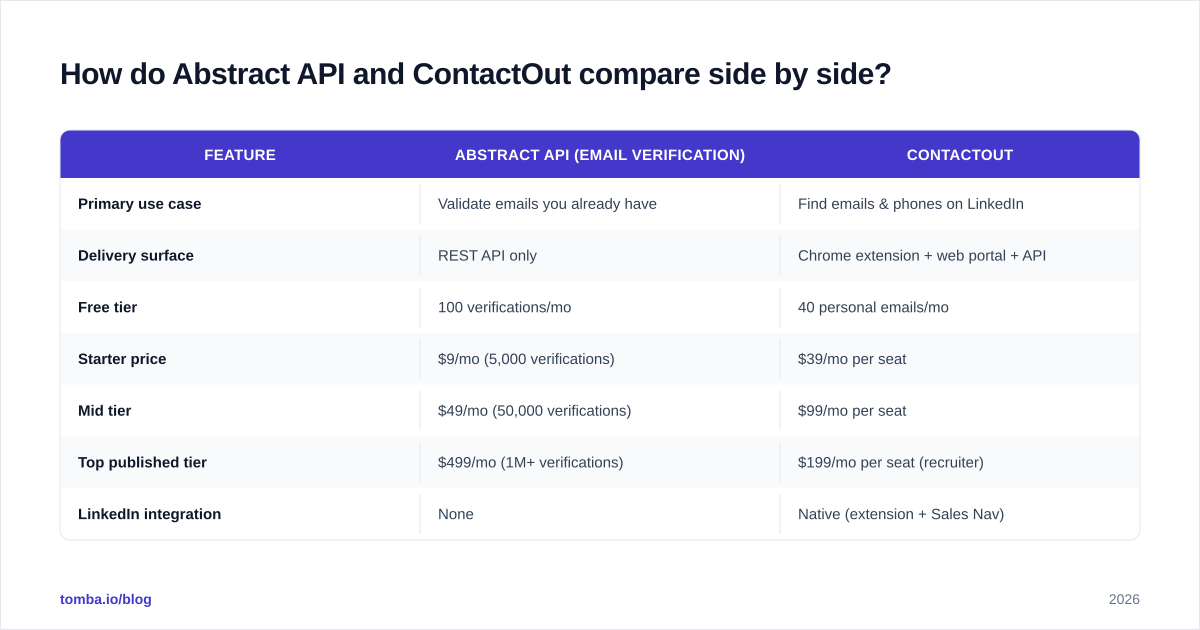
Both products publish public pricing and feature pages, so the comparison is more honest than usual. The table below uses 2026 list prices and documented features.
| Feature | Abstract API (Email Verification) | ContactOut |
|---|---|---|
| Primary use case | Validate emails you already have | Find emails & phones on LinkedIn |
| Delivery surface | REST API only | Chrome extension + web portal + API |
| Free tier | 100 verifications/mo | 40 personal emails/mo |
| Starter price | $9/mo (5,000 verifications) | $39/mo per seat |
| Mid tier | $49/mo (50,000 verifications) | $99/mo per seat |
| Top published tier | $499/mo (1M+ verifications) | $199/mo per seat (recruiter) |
| LinkedIn integration | None | Native (extension + Sales Nav) |
| Phone numbers | Validation only (no lookup) | Direct dial discovery |
| CRM integrations | DIY via API | HubSpot, Salesforce, native ATS list |
| Data freshness | Real-time SMTP | Continuous LinkedIn re-crawl |
| GDPR/CCPA posture | Validation only, no PII storage | Compliance varies by market |
| Best for | Engineers, signup forms, list hygiene | SDRs, recruiters, founders sourcing |
The pricing axis is not apples to apples. Abstract bills by API call; ContactOut bills by seat. A 5-person SDR team on ContactOut Sales costs $195/mo minimum. The same team could verify ~25,000 emails/mo on Abstract for $19. Different problem, different bill.
How accurate is each tool in 2026?#
Accuracy is the dimension that decides whether a tool is worth paying for, and the two products approach it differently.
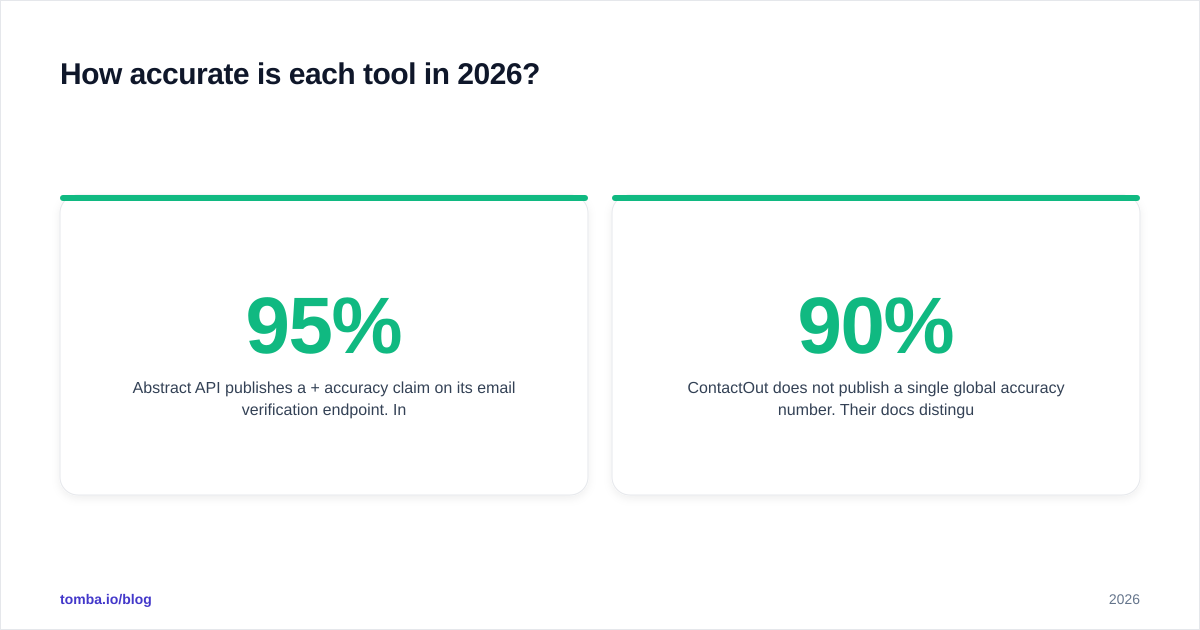
Abstract API publishes a 95%+ accuracy claim on its email verification endpoint. Independent tests by third-party reviewers put bounce rates in the 3–6% range on cold lists, which is broadly consistent with the published claim. Its weak points are catch-all domains (which it flags as "unknown" rather than guessing) and Microsoft 365 tenants that throttle SMTP probes.
ContactOut does not publish a single global accuracy number. Their docs distinguish between "verified" emails (where the platform has run additional checks) and "regular" results. Recruiter feedback on G2 and product hunt threads puts work-email accuracy in the 80–90% band, lower than Abstract's verification API because ContactOut is finding addresses, not just confirming them. The gap is expected — discovery is harder than verification.
If your goal is a clean list at the end, you usually run a discovery tool first and a verification tool second. That two-step pattern is why verify emails is a separate product even when the discovery vendor claims pre-verification.
What does the buying decision actually look like?#
Three honest scenarios.
Scenario 1: You're a founder doing your first 100 cold emails. You don't need either of these in isolation. You need a tool that finds the email and verifies it in one motion. A combined platform — Tomba, Hunter, or Apollo — covers both steps at a single price. Abstract alone is overkill on validation; ContactOut alone is fine but you'll still want a verifier before send.
Scenario 2: You're an engineering team adding email validation to a signup form. Abstract API is a reasonable pick. It is cheap at low volume, the SDKs are clean, and there's no sales surface to maintain. The alternative is a verification-only API like Tomba's email verification API, which usually wins on catch-all detection and bills on the same pay-as-you-go logic.
Scenario 3: You're a 5-person SDR team prospecting via LinkedIn. ContactOut earns its seat price here, but compare it against Apollo, ZoomInfo, and dedicated email finders before you sign. ContactOut's LinkedIn-native UX is the strongest argument; its biggest weakness is geographic coverage outside English-speaking markets.
The wrong move is buying both tools and stitching them. By the time you've paid ContactOut seats plus Abstract API volume plus a third sequencer, you've spent more than a unified platform that handles find emails, verify emails, and enrichment under one bill.
What are the realistic alternatives to Abstract API and ContactOut?#
Neither product is the only viable answer. Both occupy contested categories.
Alternatives to Abstract API (email validation):
- Tomba's email verifier — pay-as-you-go, includes catch-all verification
- ZeroBounce — popular among ESP-heavy users
- NeverBounce — solid bulk processor
- Kickbox — strong API ergonomics
- Mailfloss — verification baked into ESP workflows
Alternatives to ContactOut (LinkedIn prospecting):
- Apollo — broader DB, weaker LinkedIn overlay
- Tomba Email Finder with the LinkedIn finder — finds emails directly from LinkedIn profiles
- Lusha — strong on direct dials, smaller DB
- RocketReach — recruiter-friendly UI
- Wiza — Sales Nav-first scraper
The category leader for raw LinkedIn email accuracy in 2026 reviews tends to be whichever tool refreshes its data weekly rather than monthly. ContactOut and Tomba both do continuous refresh; older databases lag visibly.
How do you actually integrate Abstract API or ContactOut into a stack?#
The integration paths look different because the products live at different layers.
Abstract API integration shape:
- Pull an API key from the dashboard
- Hit
https://emailvalidation.abstractapi.com/v1/?api_key=...&email=... - Parse the JSON:
deliverability,quality_score,is_role_email,is_catchall_email - Decide your routing logic (block fail, warn risky, accept valid)
- Cache results to avoid re-billing the same address
Total time to integrate: usually under an hour for a junior engineer.
ContactOut integration shape:
- Install the Chrome extension (per seat)
- Authenticate the workspace and connect CRM (HubSpot, Salesforce, etc.)
- Train SDRs on the search portal vs. the LinkedIn overlay
- Optionally enable the API for programmatic pulls
- Define a sync cadence to your CRM (real-time push vs. nightly batch)
Total time to roll out: usually 1–2 weeks including training and CRM mapping.
The asymmetry matters: Abstract is a code change; ContactOut is a process change. Budget your time accordingly.
What about pricing and ROI math?#
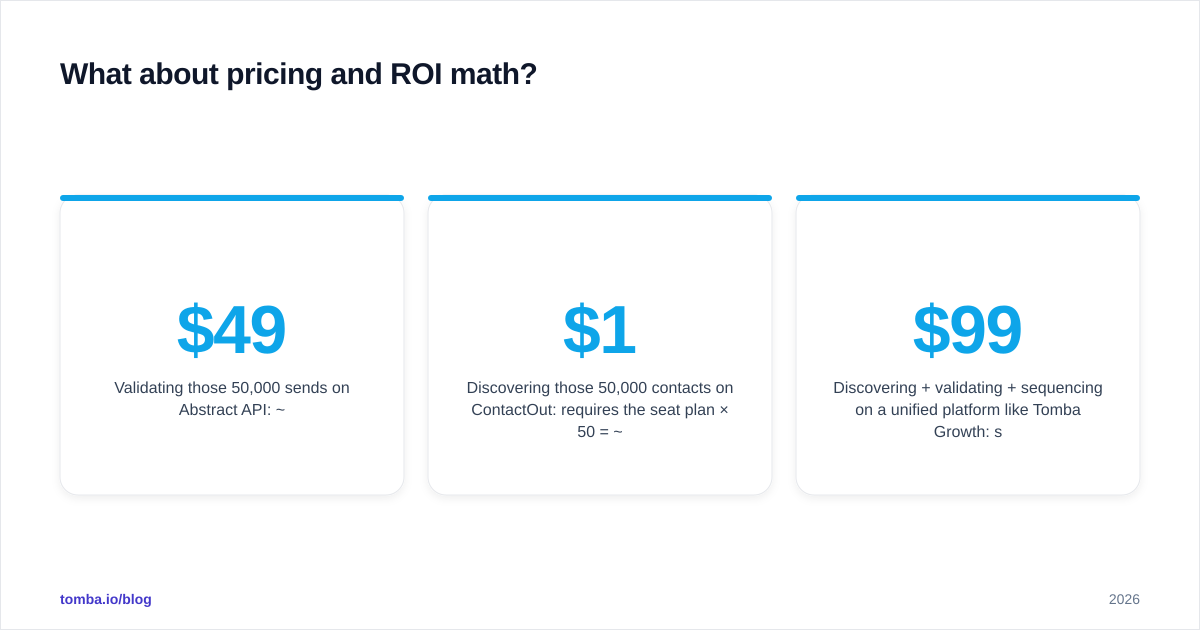
A 50-rep org doing 1,000 outbound emails per rep per month produces 50,000 sends. Roughly:
- Validating those 50,000 sends on Abstract API: ~$49/mo
- Discovering those 50,000 contacts on ContactOut: requires the seat plan × 50 = ~$1,950/mo at Sales tier
- Discovering + validating + sequencing on a unified platform like Tomba Growth: see Tomba pricing — $99/mo for Growth, scaled with credit add-ons
For pure validation at scale, Abstract is competitive. For prospecting at scale, ContactOut gets expensive fast because of the per-seat model. Most teams that grow past 10 seats either move to a credit-based platform or negotiate annual contracts hard.
Closing recommendation#
Pick Abstract API if your job is to write code that validates email addresses inside a product or signup flow, and you don't need LinkedIn discovery at all.
Pick ContactOut if your job is to source LinkedIn contacts every day, you have Chrome on every machine, and you accept the per-seat bill.
Pick neither if you need both discovery and validation in one workflow — that's where a unified platform pays off.
For most B2B teams in 2026, that unified path is the cheapest. Tomba's Email Finder combines discovery, verification, and enrichment under one credit pool, with a Tomba API when you need the Abstract-style developer surface and a Chrome extension when you need the ContactOut-style overlay. Start on the free tier (25 searches/month), and only upgrade when your workflow proves the volume.
Sources used while writing this comparison: Abstract API official docs, ContactOut features page, and recent reviews on G2.
Ready to find emails that actually work?
Join 150,000+ professionals who stopped guessing and started sending. Free credits on signup — no credit card required.
Get the Tomba newsletter
Practical outbound tactics and product updates — once every two weeks.
About the author