The B2B Account Management Process: A 2026 Playbook
A step-by-step account management process for B2B teams—stages, KPIs, QBR cadence, and the tools that turn one-time deals into expanding revenue.
The deal closing is not the finish line. For most B2B companies, 70-80% of lifetime revenue from a customer arrives after the first contract is signed — through renewals, upsells, and cross-sells. The thing that captures that revenue is not luck or charm. It is a repeatable account management process.
This guide gives you a stage-by-stage process you can drop into your own org, the cadence that keeps it alive, the metrics that prove it works, and the tooling that removes the busywork.
TL;DR#
- An account management process is the repeatable system for retaining and growing existing customers — distinct from sales, which wins new ones.
- The core loop has six stages: onboarding, relationship mapping, success planning, regular reviews (QBRs), expansion, and renewal.
- Track three numbers above all: gross revenue retention (GRR), net revenue retention (NRR), and product adoption. NRR above 100% means you grow even with zero new logos.
- Cadence beats heroics. A scheduled QBR rhythm and health-score triggers prevent churn you'd otherwise discover too late.
- Clean contact and org data is the hidden dependency — stale stakeholder records quietly break every stage downstream.
What is an account management process?#
An account management process is the documented, repeatable set of stages a team follows to retain, serve, and grow revenue from customers you already have. Think of it like tending an orchard rather than hunting. Sales is the hunt — find the prospect, make the kill, move on. Account management is the orchard — you planted the tree, and now your job is to water it, prune it, and harvest fruit every season for years.
The distinction matters because the skills, metrics, and motions are genuinely different. A salesperson is measured on bookings. An account manager (AM) is measured on retention and expansion. Confusing the two is the most common reason account management fails: companies bolt "grow the account" onto a quota-carrying rep who is structurally incentivized to chase the next new logo instead.
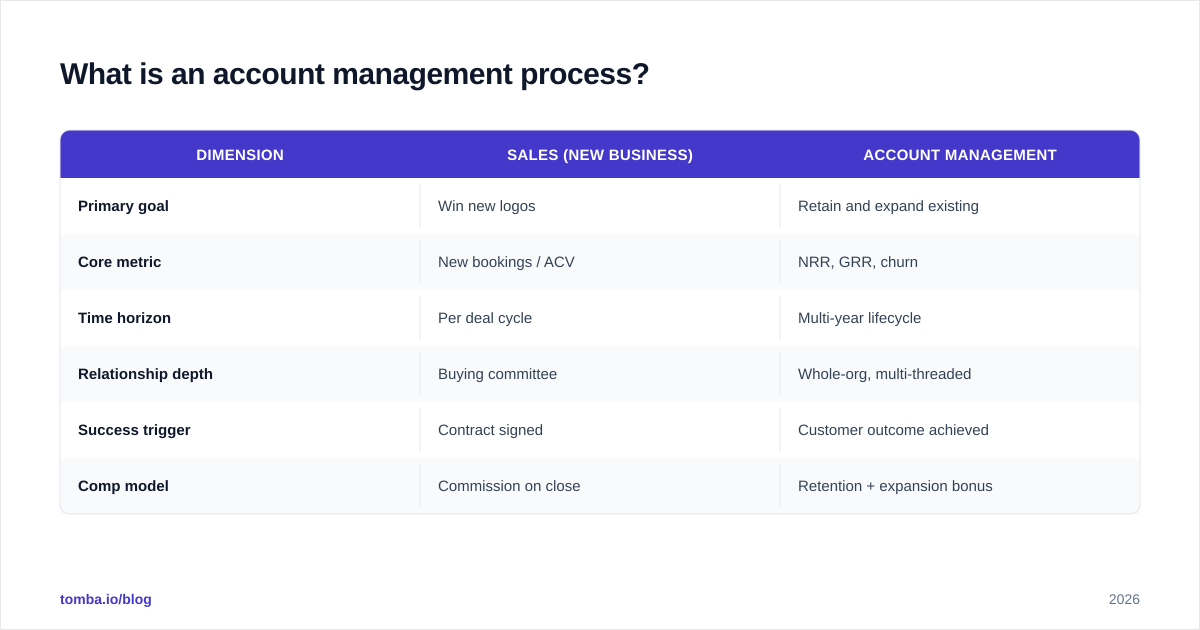
Here's how the two functions diverge in practice:
| Dimension | Sales (New Business) | Account Management |
|---|---|---|
| Primary goal | Win new logos | Retain and expand existing |
| Core metric | New bookings / ACV | NRR, GRR, churn |
| Time horizon | Per deal cycle | Multi-year lifecycle |
| Relationship depth | Buying committee | Whole-org, multi-threaded |
| Success trigger | Contract signed | Customer outcome achieved |
| Comp model | Commission on close | Retention + expansion bonus |
If your team treats post-sale as an afterthought, you're leaking the majority of your potential revenue. For a refresher on where this sits in the broader funnel, see Tomba's breakdown of sales process and pipeline fundamentals.
What are the stages of the account management process?#
The process is a loop, not a line — you cycle through it for the life of every account. Six stages cover the full lifecycle.
Stage 1 — Onboarding and handoff#
The clock on churn starts the day the deal closes. A clean handoff from sales to account management is non-negotiable: the AM needs the full context of why the customer bought, what success looks like to them, and who the real decision-makers are. Skip this and your AM spends the first 90 days re-discovering things sales already knew.
Run a kickoff within five business days. Confirm the success criteria in writing. Set the first value milestone — the moment the customer first feels the product working — and put a date on it.
Stage 2 — Relationship and org mapping#
Single-threaded accounts churn. If your only contact leaves the company, your renewal walks out with them. Map the org: identify the economic buyer, the champion, the day-to-day users, and the blockers. You want at least three active relationships in any account worth keeping.
This is where contact data quality bites hardest. People change roles constantly, and a champion who got promoted is now your best expansion path — if you can still reach them. Keeping verified emails and direct lines current across the buying group is foundational; teams often lean on a data enrichment layer to keep org maps from going stale.
Stage 3 — Success planning#
A success plan is a shared document — owned jointly with the customer — that states their goals, the metrics they'll judge you on, and the milestones to get there. It turns a vague relationship into an accountable one. When renewal time comes, you're not arguing about feelings; you're pointing at a plan you both signed and the results against it.
Stage 4 — Regular reviews (the QBR engine)#
The Quarterly Business Review is the heartbeat of account management. It's where you report on outcomes delivered, surface risks early, and tee up expansion. A good QBR is not a feature demo — it's a business conversation about the customer's goals and the ROI they're getting.
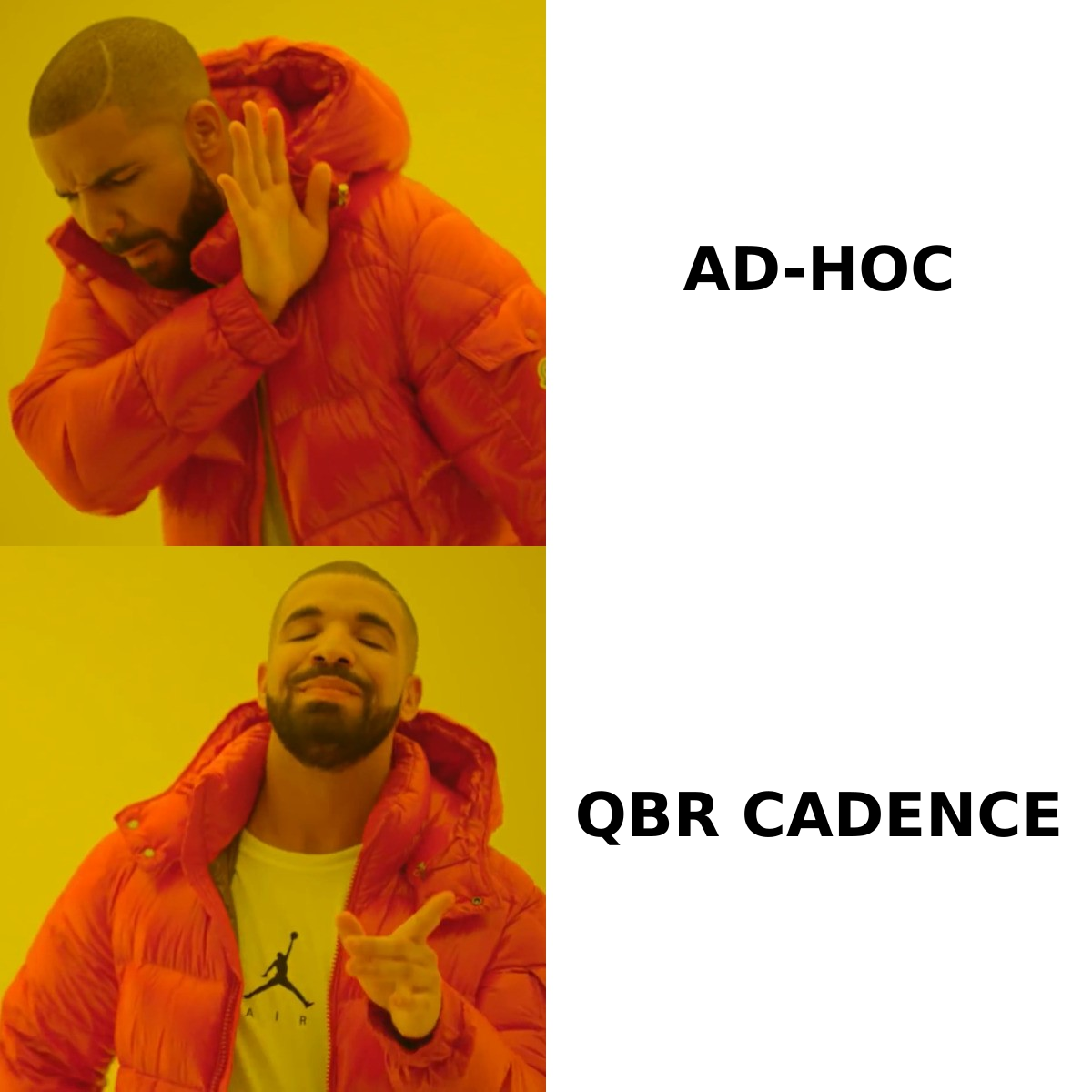
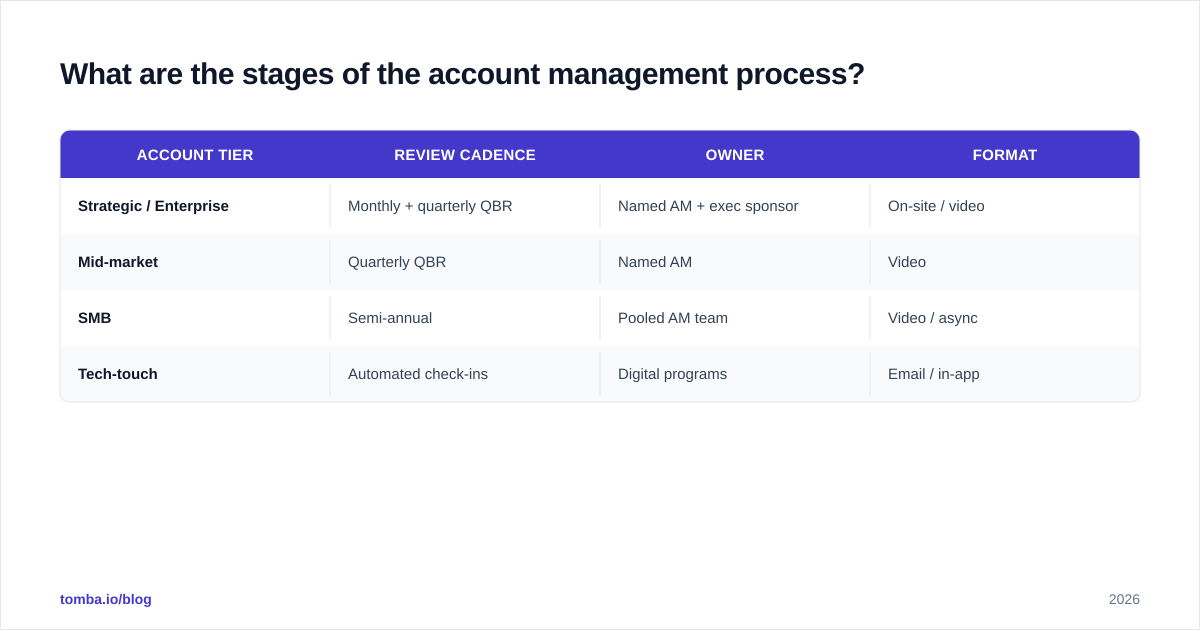
Cadence should scale with account tier:
| Account tier | Review cadence | Owner | Format |
|---|---|---|---|
| Strategic / Enterprise | Monthly + quarterly QBR | Named AM + exec sponsor | On-site / video |
| Mid-market | Quarterly QBR | Named AM | Video |
| SMB | Semi-annual | Pooled AM team | Video / async |
| Tech-touch | Automated check-ins | Digital programs | Email / in-app |
Stage 5 — Expansion#
Expansion is where account management pays for itself. Once the customer is getting value, you look for the next outcome you can drive — more seats, a new module, an adjacent team. The signal to act is data: rising usage, new hires in the account, or a stated goal in the success plan that your product can now serve.
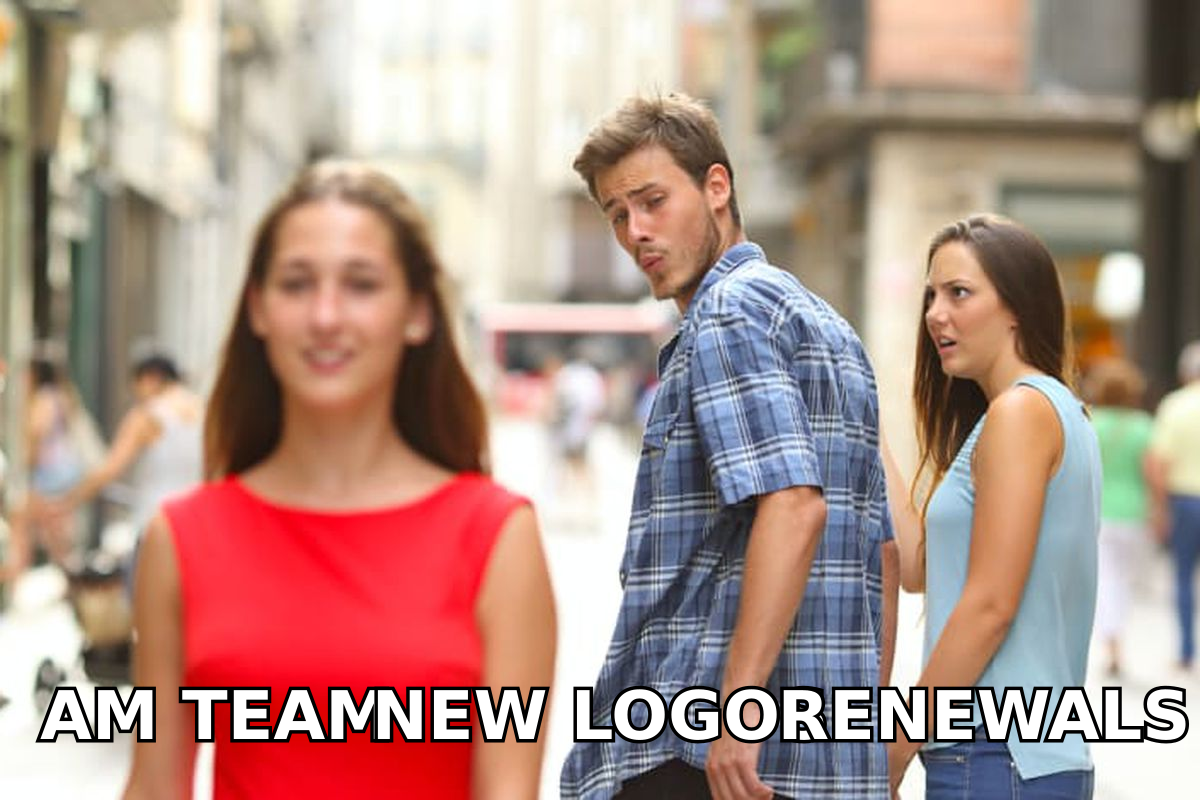
The meme is funny because it's true. The structural temptation is always to chase the shiny new logo while the renewable, expandable revenue you already have goes under-served. A real process forces attention back to the accounts that are quietly ready to grow.
Stage 6 — Renewal#
Renewal should be a formality if stages 1-5 went well — a confirmation of value already proven, not a last-minute scramble. Start the renewal conversation 90-120 days out for enterprise deals. If you're surprised by a renewal, your process broke somewhere upstream.
How do you measure account management success?#
You can't manage what you don't measure, and account management has its own metric stack distinct from new-business KPIs. Lead with these.
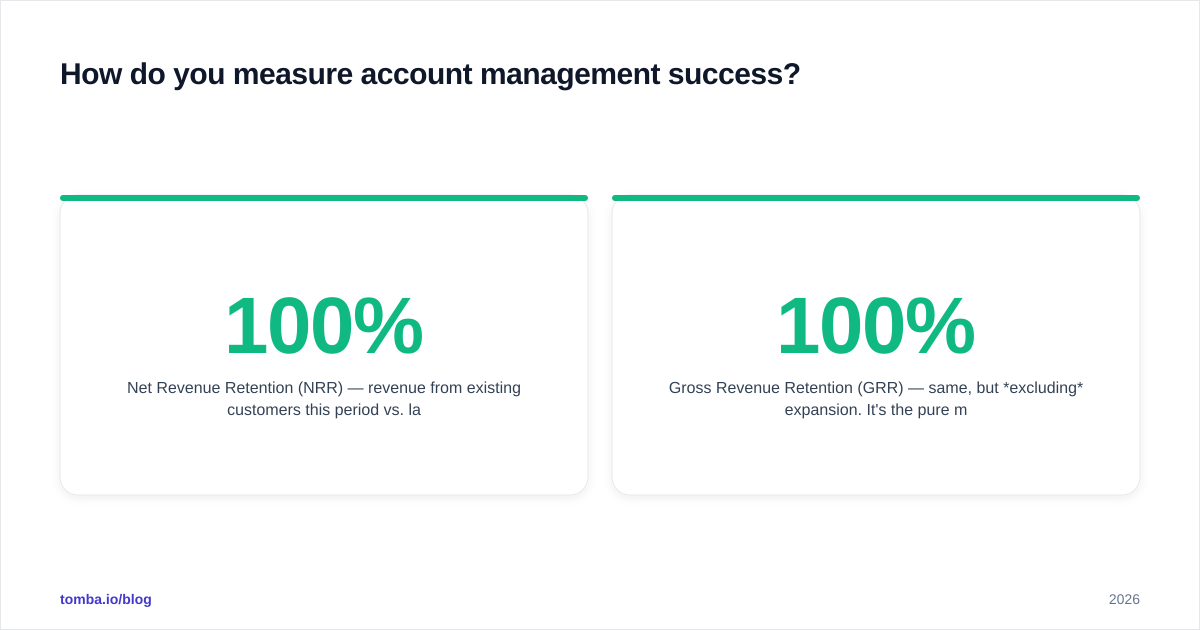
- Net Revenue Retention (NRR) — revenue from existing customers this period vs. last, including expansion and minus churn/contraction. Above 100% means your existing base grows on its own. Best-in-class SaaS sits at 120%+. This is the single most-watched account management number; SaaS benchmark data from OpenView and SaaS Capital surveys consistently ties high NRR to premium valuations.
- Gross Revenue Retention (GRR) — same, but excluding expansion. It's the pure measure of how much you keep. GRR caps at 100% and exposes churn that NRR can mask.
- Logo / customer churn rate — the percentage of accounts lost in a period. Watch alongside revenue churn; losing many small accounts is a different problem than losing one whale.
- Product adoption / active usage — the leading indicator. Usage drops before churn shows up in revenue, so adoption is your early-warning system.
- Account health score — a composite (usage + engagement + support tickets + sentiment) that triggers intervention before a renewal is at risk.
A practical rule: GRR and adoption tell you if you're keeping customers; NRR tells you if you're growing them. You need both green.
What's the difference between account management and customer success?#
They overlap heavily, and many orgs merge them — but the emphasis differs. Customer success is outcome-obsessed: its job is to make sure the customer achieves the result they bought the product for. Account management is relationship- and revenue-obsessed: its job is to retain and grow the commercial relationship.
In small companies one person does both. As you scale, you often split them: CSM owns adoption and outcomes, AM owns renewal and expansion commercials. The risk in splitting is hand-off friction — so define ownership at each stage explicitly. The framework above works whether one person or two run it; just assign each stage an owner.
What tools does the account management process need?#
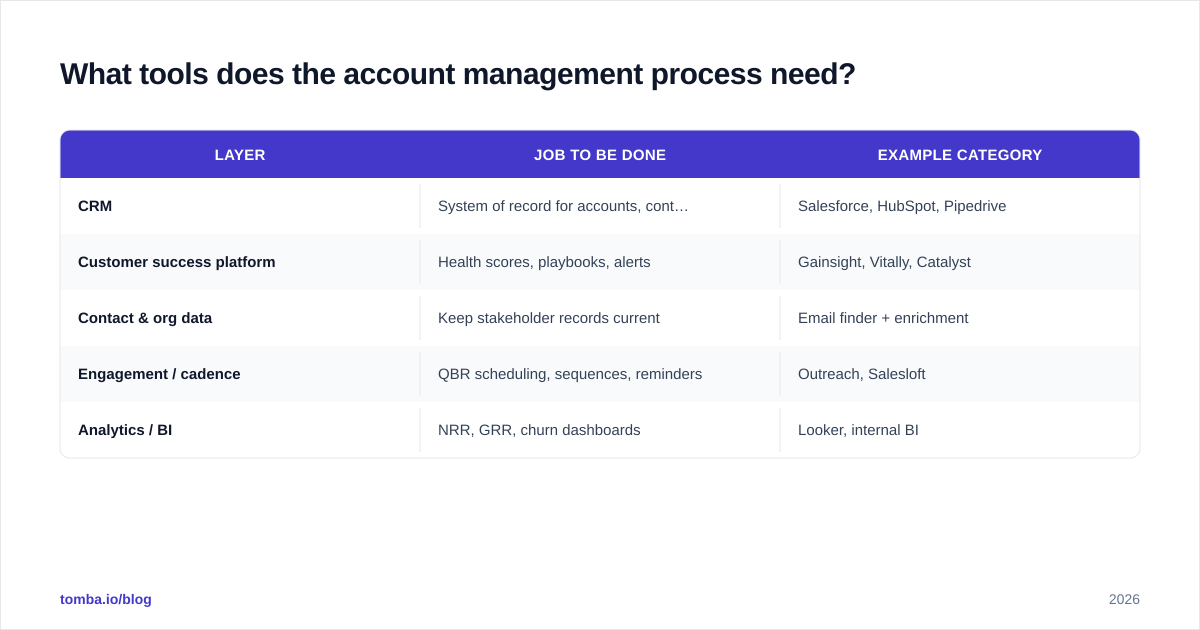
Tooling won't fix a broken process, but the right stack removes the manual drag that makes a good process collapse under load. Here's the functional stack, in priority order.
| Layer | Job to be done | Example category |
|---|---|---|
| CRM | System of record for accounts, contacts, deals | Salesforce, HubSpot, Pipedrive |
| Customer success platform | Health scores, playbooks, alerts | Gainsight, Vitally, Catalyst |
| Contact & org data | Keep stakeholder records current | Email finder + enrichment |
| Engagement / cadence | QBR scheduling, sequences, reminders | Outreach, Salesloft |
| Analytics / BI | NRR, GRR, churn dashboards | Looker, internal BI |
Your CRM is the foundation — it's the single source of truth your whole process reads from. Industry guidance from HubSpot's account management resources and Salesforce both stress that a clean CRM is the precondition for everything downstream.
But here's the gap most teams hit: the CRM is only as good as the contact data inside it, and B2B contact data decays fast — roughly 25-30% of it goes stale every year as people change jobs. When a champion leaves or your buyer gets promoted, your carefully built org map silently breaks. That's where the data layer earns its place. Keeping verified contact details fresh is exactly the problem Tomba's email verifier and domain search are built to solve — re-finding the new email for a moved contact, or mapping the rest of a buying committee you only know one name in.
A 30-60-90 day rollout plan#
If you're standing this up from scratch, don't try to launch all six stages at once. Sequence it.
Days 1-30 — Foundation. Audit your CRM. Clean and verify contact records on your top 20 accounts. Define your health-score inputs. Write the handoff checklist between sales and AM.
Days 31-60 — Cadence. Set QBR schedules by tier. Build the success-plan template. Run your first three QBRs and capture what worked. Stand up a basic NRR/GRR dashboard.
Days 61-90 — Expansion engine. Identify expansion signals in your usage data. Run the first expansion plays on accounts showing readiness. Review health scores weekly and intervene on anything trending red.
By day 90 you have a living loop, not a binder no one opens. The point of writing the process down isn't the document — it's that a new AM can be productive in weeks instead of quarters, and that nothing falls through the cracks when someone is out.
Common ways the account management process fails#
A few failure patterns show up again and again:
- Single-threading. One contact, no backup. Fix it in Stage 2 and never let an account run on one relationship.
- QBRs that are demos. If your review is a feature tour, you've missed the point. Lead with the customer's business outcomes.
- Reactive renewals. Discovering a renewal 14 days out means the process already failed. Trigger from the calendar, not from panic.
- Stale data. Org maps and contact records that nobody maintains. This one is invisible until the day it costs you a renewal — and by then it's too late.
- No owner per stage. "Everyone owns it" means no one does. Name an owner for each of the six stages.
Bringing it together#
The account management process is how you turn a one-time sale into a multi-year, expanding relationship. The stages — onboarding, relationship mapping, success planning, reviews, expansion, renewal — are simple. The discipline of running them on a cadence, measuring NRR and GRR, and keeping your data clean is what separates teams that retain 95%+ of revenue from teams that re-sell the same customers every year just to stay flat.
Start with the foundation: a CRM you trust and contact data you can rely on. Everything else builds on that base.
Ready to keep your account org maps current? When a champion moves, a buyer gets promoted, or you need to multi-thread into a stalling account, you need the right email fast. Tomba's Email Finder finds verified professional emails by name, company, or domain — so your account managers spend time growing relationships, not hunting for the address of a contact who changed jobs last quarter. Pair it with verification to keep your CRM clean, and check Tomba pricing to find the plan that fits your team — starting free with 25 searches a month, then $49/mo for the Starter tier.
// get started
Find, verify and enrich your first contacts today
Start on the free plan with 25 searches a month, then scale when your team is ready.
Free plan · No credit card required · GDPR & CCPA
// about the author