Accutrend vs FinalScout 2026: Which Email Finder Wins?
Accutrend and FinalScout both promise accurate B2B emails from LinkedIn and domains. We compare accuracy, pricing, verification, and workflow fit to show which one earns a spot in your 2026 outreach stack.

Choosing between Accutrend and FinalScout usually comes down to one practical question: which tool puts more deliverable emails into your sequencer per dollar, without dragging your sender reputation down with guessed addresses? Both position themselves as B2B email finders that pull contacts from LinkedIn profiles and company domains. They diverge sharply on verification depth, pricing structure, and how much manual cleanup you inherit afterward.
This comparison breaks down where each tool is strong, where it leaks budget, and when a third option makes more sense than either.
TL;DR — Accutrend vs FinalScout at a glance#
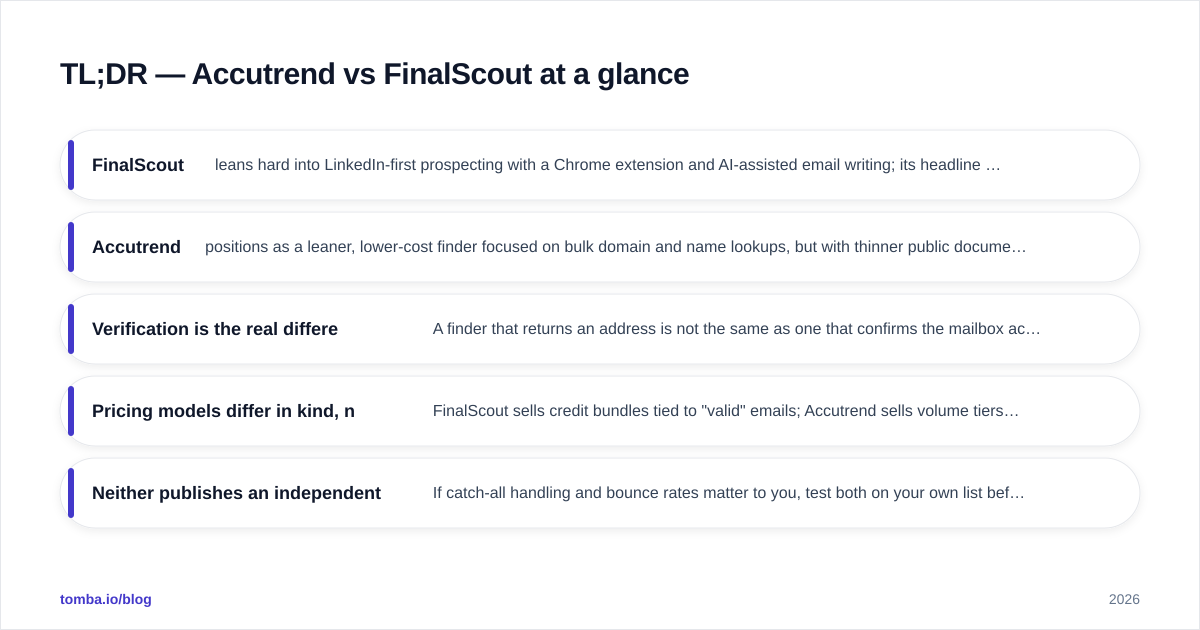
- FinalScout leans hard into LinkedIn-first prospecting with a Chrome extension and AI-assisted email writing; its headline pitch is "98% deliverability" sourced from profile scraping plus pattern inference.
- Accutrend positions as a leaner, lower-cost finder focused on bulk domain and name lookups, but with thinner public documentation on its verification pipeline and data sourcing.
- Verification is the real differentiator. A finder that returns an address is not the same as one that confirms the mailbox accepts mail. Both tools blur this line in their marketing.
- Pricing models differ in kind, not just price. FinalScout sells credit bundles tied to "valid" emails; Accutrend sells volume tiers. Cost-per-verified-email is the only fair yardstick.
- Neither publishes an independent accuracy audit. If catch-all handling and bounce rates matter to you, test both on your own list before committing — and benchmark against a tool that documents its data sources, like Tomba.
What are Accutrend and FinalScout?#
Both are lead-data tools that convert a name, a company domain, or a LinkedIn profile into a business email address. The category itself is crowded — Hunter, Apollo, RocketReach, and dozens of others compete here — so the meaningful comparison is not "do they find emails" (they all claim to) but how they find them and whether the result survives an SMTP check.
FinalScout markets itself as a LinkedIn-native finder. You install a browser extension, browse profiles or run a Sales Navigator search, and it extracts emails in bulk while offering AI-generated outreach copy on top. Its public claim of high deliverability rests on combining scraped profile signals with email-pattern inference. You can review its positioning on the official FinalScout site.
Accutrend presents as a more utilitarian, price-competitive finder oriented around bulk uploads — drop in a list of names and domains, get emails back. Its public footprint is smaller, which matters: thinner documentation makes it harder to verify claims about data freshness and verification method before you pay.
The framework above is the lens worth using for any finder. Every tool in this space does three things — discover a candidate address, infer the pattern when it has no direct record, and verify that the mailbox is real. Marketing tends to collapse all three into one "accuracy" number. The tools that win long-term keep those stages separate and transparent.
How do Accutrend and FinalScout actually find emails?#
There are two underlying methods, and most tools blend them:
- Sourced records — emails the provider has actually observed (from public web pages, signatures, opt-in data). These are the highest-confidence results.
- Pattern inference — the tool knows the company uses
first.last@domain.com, so it constructsjane.doe@domain.comand guesses. This scales infinitely but is only as good as the verification that follows.
FinalScout's LinkedIn-first approach generates a large candidate pool quickly because it ties to profiles you're already viewing. The risk is that profile-derived emails skew toward inference, and inference without a hard SMTP check produces plausible-looking addresses that bounce.
Accutrend's bulk-upload model is convenient for working from an existing list, but the same caveat applies: a returned email is a hypothesis until something validates it. This is exactly why a standalone email verifier belongs in any serious stack — you treat finder output as input to verification, not as a finished result.

Accutrend vs FinalScout: feature and pricing comparison#
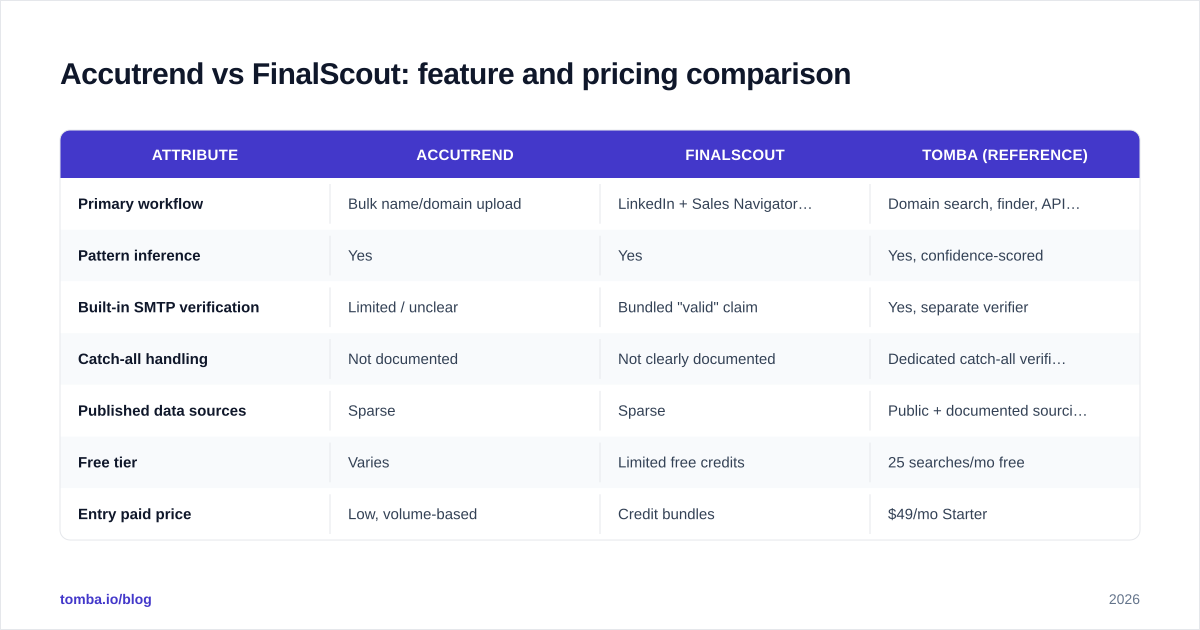
Here is the head-to-head on the attributes that decide real outcomes. Where a vendor doesn't publish a figure, that gap is itself a data point.
| Attribute | Accutrend | FinalScout | Tomba (reference) |
|---|---|---|---|
| Primary workflow | Bulk name/domain upload | LinkedIn + Sales Navigator extension | Domain search, finder, API, extension |
| Pattern inference | Yes | Yes | Yes, confidence-scored |
| Built-in SMTP verification | Limited / unclear | Bundled "valid" claim | Yes, separate verifier |
| Catch-all handling | Not documented | Not clearly documented | Dedicated catch-all verifier |
| Published data sources | Sparse | Sparse | Public + documented sourcing |
| Free tier | Varies | Limited free credits | 25 searches/mo free |
| Entry paid price | Low, volume-based | Credit bundles | $49/mo Starter |
| Bulk + API | Yes | Yes | Yes (bulk + REST API) |
| Outreach copy/AI | No | Yes (AI email writer) | No (finder-focused) |
A few honest takeaways from this table:
- FinalScout bundles outreach copywriting, which Accutrend doesn't. If you want find-and-write in one window, that's a genuine FinalScout advantage — though AI copy quality is a separate debate, and you can get better-tuned subject lines from a dedicated subject line generator.
- Accutrend competes on price, but "cheaper per email found" is a trap if a chunk of those emails bounce. Cost-per-verified-email is the number that protects your domain reputation.
- Neither documents catch-all handling clearly, and catch-all domains are where most finders quietly inflate their accuracy. A domain that accepts all mail will "validate" anything — including addresses that route nowhere.
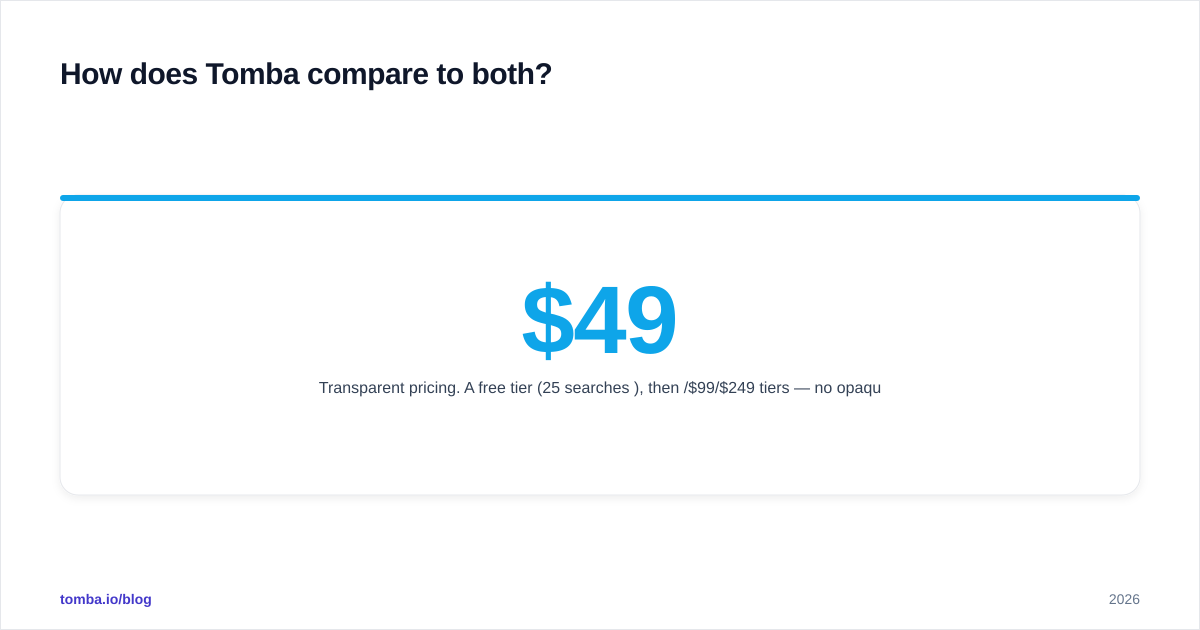
For full transparency on how a documented pricing ladder looks, compare both against Tomba pricing: a free tier of 25 searches, Starter at $49/mo, Growth at $99/mo, and Pro at $249/mo.
Which tool is more accurate?#
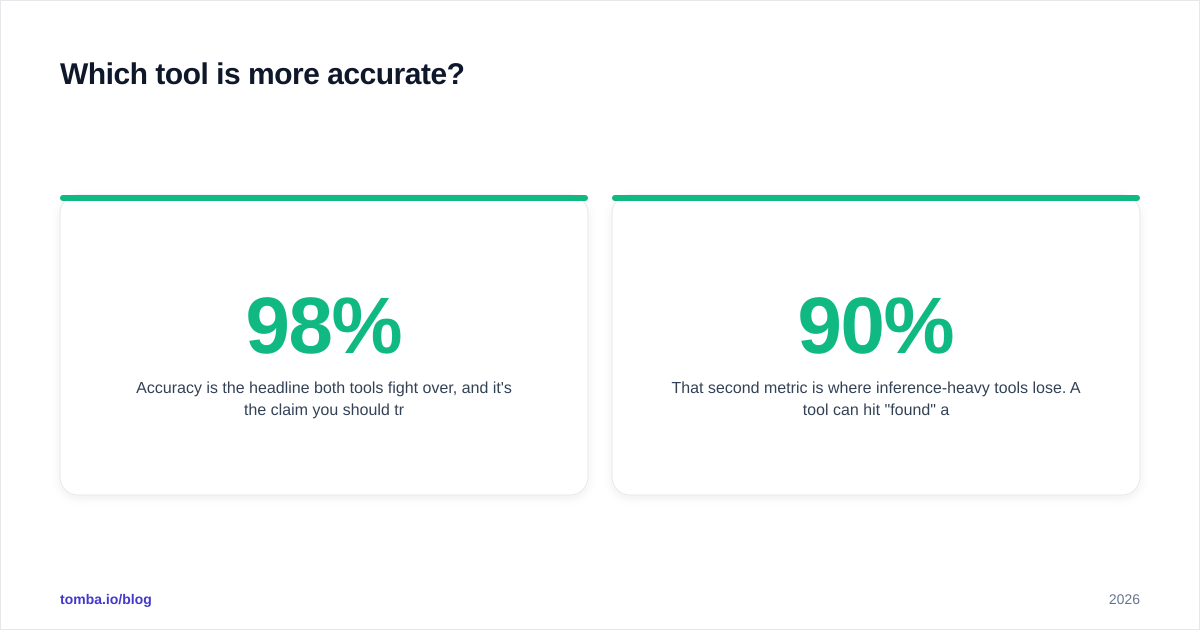
Accuracy is the headline both tools fight over, and it's the claim you should trust least without your own test. "98% deliverability" and similar figures are almost always measured under favorable conditions — clean domains, well-known companies, no catch-alls — that don't match your actual prospect list.

The accuracy chart above illustrates a pattern that holds across the category: the gap between vendors narrows on easy targets (large companies with obvious patterns) and widens dramatically on hard ones (SMBs, generic mailbox providers, catch-all domains). Accutrend and FinalScout will both look excellent on a list of Fortune 500 contacts. The test that matters is a list of 200 mid-market prospects in your actual ICP.
How to run a fair accuracy test in under an hour:
- Take 100 contacts you already have verified, deliverable emails for.
- Strip the emails, keep names + domains (or LinkedIn URLs for FinalScout).
- Run the list through each tool.
- Compare returned emails to your known-good set, and route everything through an independent email verification pass.
- Score each tool on match rate and verified-deliverable rate — not just "did it return something."
That second metric is where inference-heavy tools lose. A tool can hit 90% "found" and 60% "actually deliverable," and the 30% gap is bounces charged to your sender reputation. If you want to understand why sourcing transparency matters here, Tomba documents where its data comes from — a baseline of disclosure neither Accutrend nor FinalScout matches in public.
Which is better for bulk lead generation?#
For high-volume list building, the deciding factors are throughput, API access, and how clean the output is before it hits your CRM.
- FinalScout shines when your prospecting starts on LinkedIn — you're already filtering by title, industry, and geography in Sales Navigator, and the extension harvests as you go. The friction is that LinkedIn-driven workflows are rate-limited by LinkedIn itself, and aggressive scraping risks your LinkedIn account.
- Accutrend is built for the opposite flow: you already have a spreadsheet of companies and names, and you want emails back in bulk. That's a cleaner fit for outbound teams working from purchased or scraped firmographic lists.
If bulk is your core use case, the real win is combining a bulk email finder with a verification step in the same pipeline so you never export an unverified list. Exporting raw finder output straight into a sequencer is the single most common cause of deliverability collapse on cold domains.

What about deliverability and sender reputation?#
This is where the "found an email" mindset becomes expensive. Mailbox providers track your bounce rate, spam complaints, and engagement. A 5%+ bounce rate on a fresh domain can tank your inbox placement for weeks.
Neither Accutrend nor FinalScout removes your responsibility here. Even a genuinely accurate finder returns risky addresses — role accounts (info@, sales@), catch-alls, and stale contacts who left the company. Your protection is a verification layer that flags:
- Hard invalid mailboxes (don't send, ever)
- Catch-all domains (send with caution, expect noise)
- Role-based addresses (low reply, high complaint risk)
- Accept-all-but-risky results
A standalone check like Tomba's catch-all verifier exists precisely because the catch-all problem is the blind spot in most finders' accuracy claims. If a tool can't tell you a domain is catch-all, its "verified" stamp means very little.
Accutrend vs FinalScout: which should you choose?#
Here's the honest decision framework.
Choose FinalScout if:
- LinkedIn and Sales Navigator are the center of your prospecting.
- You want email discovery and AI outreach copy in one tool.
- You're comfortable managing LinkedIn rate limits and account risk.
Choose Accutrend if:
- You work primarily from existing name/domain lists.
- Budget is the dominant constraint and you'll add your own verification step.
- You don't need built-in copywriting.
Look beyond both if:
- You need documented data sourcing and transparent verification.
- You want one platform that handles finder, verifier, catch-all, domain search, and API without stitching three vendors together.
- Cost-per-verified-email — not cost-per-found — is your real KPI.
That last category is where a documented, verification-first platform earns its place. You can cross-shop the broader market through neutral review sites like G2 and Capterra before committing budget — read the reviews that mention bounce rates specifically, not just star ratings.
How does Tomba compare to both?#
Tomba sits in the same category but optimizes for the metric that actually protects your outbound: deliverable, verified emails with disclosed sourcing.

The practical differences:
- Separation of concerns. Finding, verifying, catch-all detection, and domain search are distinct, documented capabilities rather than one bundled "accuracy" claim.
- Transparent pricing. A free tier (25 searches/mo), then $49/$99/$249 tiers — no opaque credit math where you can't tell what a "valid email" costs.
- API-first. If you're embedding lookups into your own RevOps stack, the Tomba API handles finder and verification programmatically.
- Documented data. You can read where the data originates instead of taking a deliverability percentage on faith.
None of this means Accutrend or FinalScout are bad tools — they each fit specific workflows well. It means you should benchmark all three on your list before trusting any single vendor's headline number.
Frequently asked questions#
Is FinalScout better than Accutrend for LinkedIn prospecting? For LinkedIn-centric workflows, FinalScout's extension and Sales Navigator integration give it a structural edge. Accutrend is the stronger fit when you're working from existing domain/name lists rather than browsing profiles.
Do I still need a separate email verifier? Yes. Treat any finder's output as a hypothesis. Running results through an independent email verifier before sending is the difference between a 2% and a 9% bounce rate.
Which is cheaper, Accutrend or FinalScout? Accutrend generally competes on raw price, but compare cost-per-verified-email, not cost-per-found. A cheaper tool that returns more bounces costs more in lost deliverability.
What's the safest way to compare them? Run the same 100-contact known-good list through each tool, then verify all outputs with a neutral third-party checker. Score on verified-deliverable rate.
The bottom line#
Accutrend and FinalScout solve different halves of the prospecting problem — Accutrend for list-based bulk lookups, FinalScout for LinkedIn-native discovery with AI copy. Both share the same weakness: thin public documentation on verification and data sourcing, and accuracy claims you can't independently audit.
If your priority is putting verified, deliverable emails into your sequencer while protecting your sender reputation, start with a finder that keeps discovery and verification transparent and separate. Try the Tomba Email Finder free — 25 searches a month, documented data sources, and a verification layer built in — then benchmark it head-to-head against Accutrend and FinalScout on your own list. The tool that wins your test, not the one with the boldest percentage, is the one worth paying for.
Ready to find emails that actually work?
Join 150,000+ professionals who stopped guessing and started sending. Free credits on signup — no credit card required.
Get the Tomba newsletter
Practical outbound tactics and product updates — once every two weeks.
About the author