Accutrend vs Tomba: Email Finder Accuracy & Pricing (2026)
Accutrend vs Tomba compared on accuracy, verification, pricing, and API depth — a neutral 2026 breakdown to help you pick the right email finder.
Choosing between Accutrend and Tomba comes down to a single question: which tool puts more deliverable emails in your pipeline per dollar? Both promise B2B contact data. Both have an API. But the way they source, verify, and price that data is different enough to matter for your bounce rate and your budget.
This is a neutral, side-by-side breakdown — accuracy, verification, pricing, integrations, and the use cases where each one wins.
TL;DR#
- Tomba leads on verification depth: a built-in email verifier, a dedicated catch-all verifier, and a transparent free tier (25 searches/mo) make it the safer pick for deliverability-sensitive outbound.
- Accutrend is a lighter contact-finder aimed at quick lookups; it works for low-volume prospecting but exposes fewer data-quality controls.
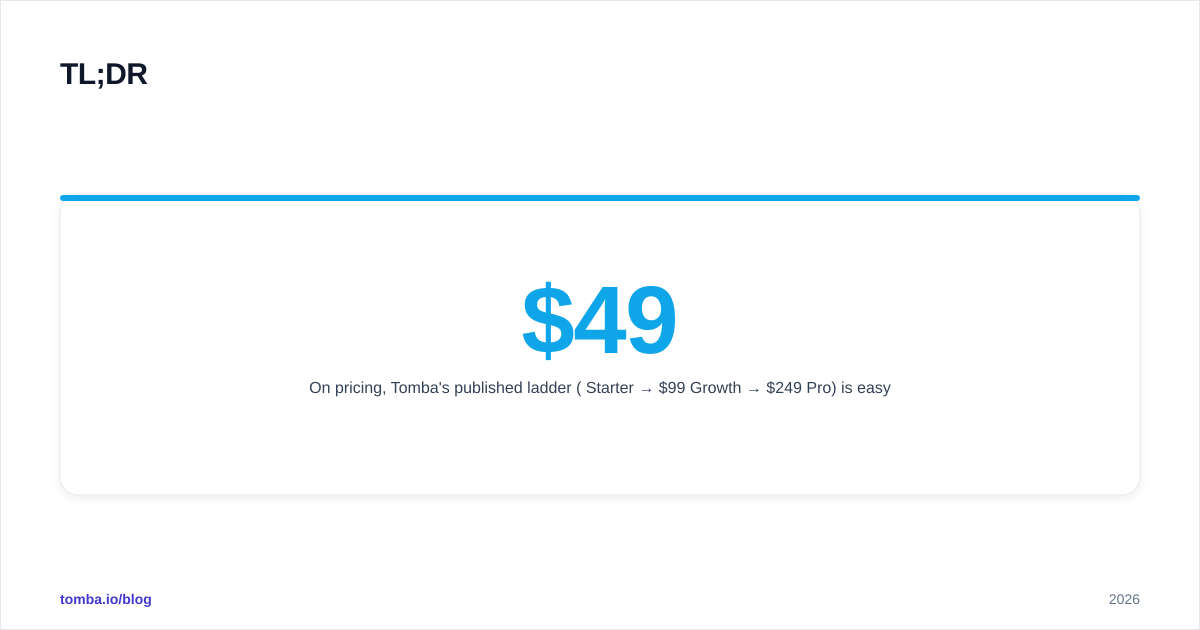
- On pricing, Tomba's published ladder ($49 Starter → $99 Growth → $249 Pro) is easy to model. Accutrend's plans are less standardized and often quoted per seat.
- For developers, Tomba ships a documented email finder API, a CLI, and an MCP server. Accutrend's API surface is narrower.
- Pick Tomba if accuracy, catch-all handling, and bulk workflows matter. Pick Accutrend if you only need occasional, manual lookups and already live inside its niche.
What are Accutrend and Tomba?#
Think of an email finder like a phone book that rebuilds itself every week. The value isn't just having a number — it's whether that number still rings the right desk.
Tomba is a B2B email-finding and lead-enrichment platform. Its core is the email finder, surrounded by a domain search, email and catch-all verification, a phone finder, and data enrichment. The pitch is one stack from discovery to verification, with the verifier wired directly into the finder so results arrive scored.
Accutrend positions itself as a contact-discovery tool for sales reps who need emails and basic firmographics on demand. It covers the fundamentals — name-to-email, company lookups — but keeps the surface area smaller, which can be a feature if you want simplicity or a limitation if you need verification and scale.
The honest framing: these aren't identical products fighting over the same inch. Tomba is built as a data-quality engine with verification baked in; Accutrend is built as a fast lookup utility. Your decision depends on which problem actually hurts more — finding an email, or trusting the one you found.
How accurate is each email finder?#
Accuracy is the whole game. A finder that returns a plausible-but-dead address costs you a bounce, and bounces compound into sender reputation damage that suppresses every future send.

Two things drive real-world accuracy:
- Source breadth — how many places the tool pulls patterns and confirmations from. Tomba documents its data sources and combines public web signals with pattern inference and SMTP-level checks. Accutrend relies on a narrower set of signals, which tends to do well on common corporate domains and worse on long-tail or international ones.
- Verification at the point of return — whether the email is checked before you spend it. This is where the gap widens. Tomba returns a confidence score and runs the address through its verifier; you can also batch-clean any list with the bulk email finder. Accutrend surfaces results faster but leaves more verification to you.
The practical test: take 100 contacts you can independently confirm, run them through both, and measure deliverable hits — not raw "found" counts. A tool that "finds" 90 emails but only 70 deliver is worse than one that finds 80 of which 78 deliver.
)
The catch-all problem#
Roughly 20-30% of B2B domains are catch-all — they accept mail to any address, so a standard SMTP check can't tell a real inbox from a void. This is where most finders quietly inflate their numbers. Tomba ships a catch-all finder and a separate catch-all verifier precisely to handle this ambiguity. If a meaningful share of your targets sit on catch-all domains, this single capability can swing your real deliverability more than any headline accuracy stat.
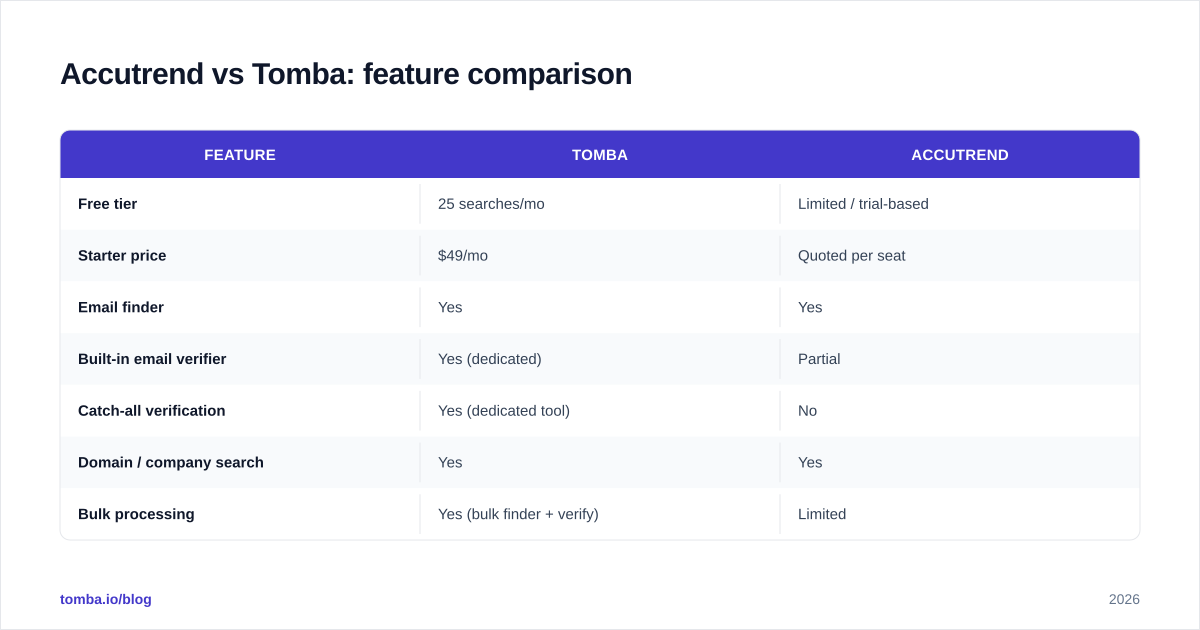
Accutrend vs Tomba: feature comparison#
| Feature | Tomba | Accutrend |
|---|---|---|
| Free tier | 25 searches/mo | Limited / trial-based |
| Starter price | $49/mo | Quoted per seat |
| Email finder | Yes | Yes |
| Built-in email verifier | Yes (dedicated) | Partial |
| Catch-all verification | Yes (dedicated tool) | No |
| Domain / company search | Yes | Yes |
| Bulk processing | Yes (bulk finder + verify) | Limited |
| Phone finder | Yes | Varies |
| Data enrichment | Yes | Basic |
| Documented public API | Yes (REST + CLI + MCP) | Narrow |
| Chrome extension | Yes | Yes |
| Native integrations | HubSpot, Salesforce, Pipedrive, |
Zapier, Sheets, more | Fewer |
The pattern is clear: Tomba spreads across the full discovery-to-verification workflow, while Accutrend concentrates on the find step. Whether that breadth is worth it depends on how much of the workflow you're currently stitching together with other tools.
How do they price?#
Pricing predictability is underrated. You can't forecast pipeline cost on a tool that quotes you differently every renewal.
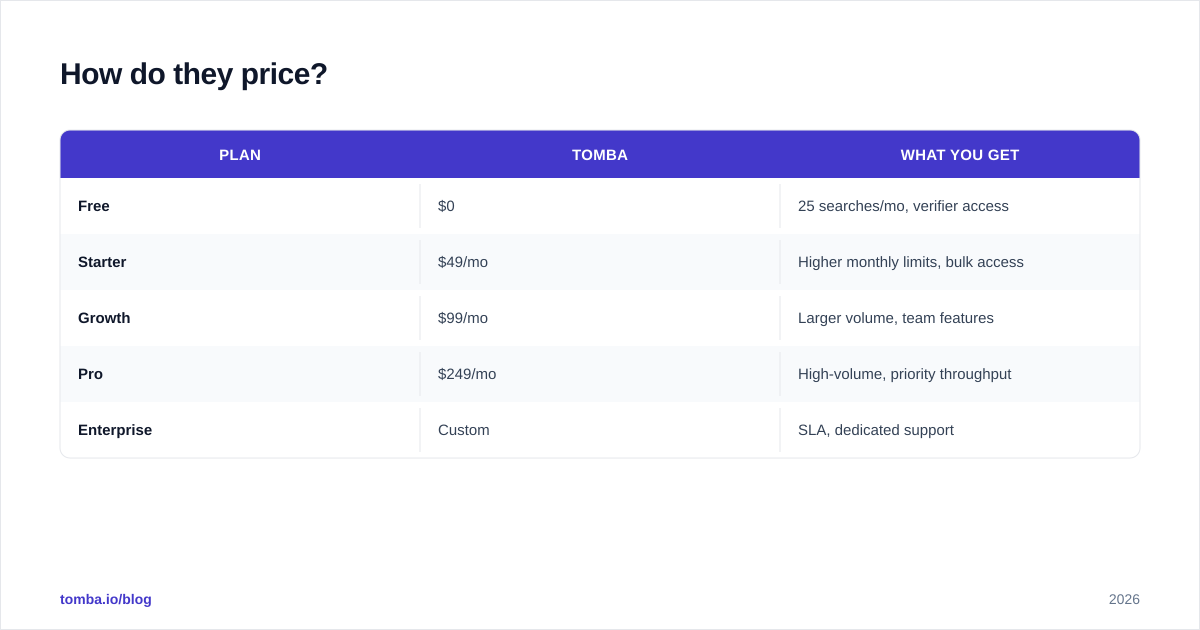
| Plan | Tomba | What you get |
|---|---|---|
| Free | $0 | 25 searches/mo, verifier access |
| Starter | $49/mo | Higher monthly limits, bulk access |
| Growth | $99/mo | Larger volume, team features |
| Pro | $249/mo | High-volume, priority throughput |
| Enterprise | Custom | SLA, dedicated support |
Tomba publishes the full ladder on its pricing page, so you can map credits to spend before you commit. Accutrend's pricing is more often packaged per seat and surfaced through a sales conversation, which suits enterprises that want negotiation but frustrates a solo founder who just wants a card-on-file number.
A note on the number that trips people up: Tomba's entry paid plan is $49/mo, not the $39 figure that floats around in outdated roundups. Always check the live page.
)
Cost per deliverable email#
Sticker price is the wrong unit. The right one is cost per email that actually lands. If Tool A is cheaper per credit but burns 25% of those credits on undeliverable addresses, Tool B at a higher list price can be cheaper in practice. Run your 100-contact sample through both, divide spend by deliverable hits, and compare that. Verification-first tools usually win this math even when their headline price is higher — which is the core argument for Tomba's bundled verifier.
Which integrates better with your stack?#
A finder lives or dies by where the data goes next. Manual CSV shuffling kills the time savings you bought the tool for.
Tomba connects natively to the systems most B2B teams already run: a HubSpot integration, a Salesforce integration, Pipedrive, Zapier, and a Google Sheets add-on. It also ships developer-facing surfaces — the Tomba API, a CLI, and an MCP server for AI agent workflows. For a RevOps team automating enrichment on inbound leads, that breadth removes glue code.
Accutrend offers a Chrome extension and a smaller set of connectors. For a rep doing manual prospecting in-browser, that's often enough. For a team building an automated sales automation pipeline, the narrower API and integration list mean more custom work.
You can cross-check both vendors' integration claims on G2 and Capterra before trusting a marketing page.
What are the pros and cons?#
Tomba — pros and cons#
Pros
- Verification built into the finder, plus dedicated email and catch-all verifiers
- Transparent, published pricing with a real free tier
- Broad workflow: domain search, phone finder, enrichment, bulk processing
- Strong developer story (REST API, CLI, MCP, Chrome extension)
- Many native CRM and automation integrations
Cons
- The breadth can feel like more than a single-rep, low-volume user needs
- High-volume catch-all verification consumes credits faster than naive "find only" tools
Accutrend — pros and cons#
Pros
- Simple, fast for manual one-off lookups
- Lower learning curve for reps who just want an email
- Fine on common corporate domains
Cons
- Limited catch-all and verification controls
- Less predictable, often seat-based pricing
- Narrower API and integration surface
- Weaker fit for bulk or automated workflows
Which should you choose?#
Lead with the conclusion: if deliverability, catch-all handling, bulk workflows, or API automation matter, Tomba is the stronger fit. If you only need occasional manual lookups and value minimalism, Accutrend can be enough.
Map it to your situation:
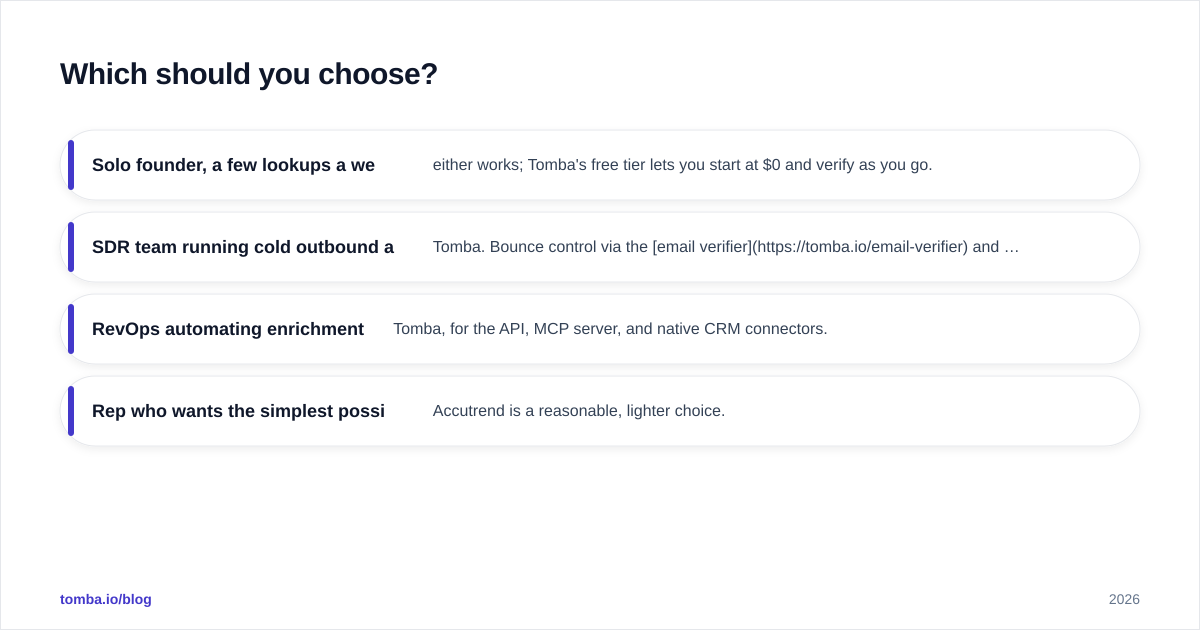
- Solo founder, a few lookups a week — either works; Tomba's free tier lets you start at $0 and verify as you go.
- SDR team running cold outbound at volume — Tomba. Bounce control via the email verifier and catch-all tooling directly protects your domain reputation and response rate.
- RevOps automating enrichment — Tomba, for the API, MCP server, and native CRM connectors.
- Rep who wants the simplest possible in-browser tool and nothing more — Accutrend is a reasonable, lighter choice.
The deeper point: the cost of a wrong email isn't the wasted credit, it's the bounce that drags your email deliverability down for every future campaign. That asymmetry is why verification-first tooling tends to pay for itself, and why a "cheaper per find" tool can quietly be the more expensive one.
If you're still deciding, run the 100-contact test on both, measure deliverable hits and cost-per-deliverable, and let your own data settle it. Vendor benchmarks are a starting point, not a verdict.
Frequently asked questions#
Is Tomba more accurate than Accutrend? In verification-heavy scenarios — catch-all domains, bulk lists, international targets — Tomba's built-in verification and dedicated catch-all tools generally produce more deliverable addresses. Run your own sample to confirm for your specific market.
Does Tomba have a free plan? Yes — 25 searches per month at no cost, with verifier access, so you can test accuracy before paying. Accutrend typically offers a trial rather than an ongoing free tier.
What's the real entry price for Tomba? $49/mo for Starter. Ignore older articles citing $39; check the pricing page for current limits.
Can I use either via API? Both expose an API, but Tomba's is more thoroughly documented and paired with a CLI and MCP server, making it the better choice for automated pipelines.
The bottom line#
Accutrend is a fine lightweight lookup tool for occasional, manual prospecting. But if your outbound depends on emails that actually land — and on a price you can forecast — the verification depth, transparent pricing, and integration breadth tilt this comparison toward Tomba.
Start free with the Tomba Email Finder: find professional emails by name, domain, or company, get a confidence score on every result, and clean your lists with the built-in verifier before you ever hit send. Twenty-five searches a month, no card required — enough to run the deliverability test on your own data and decide for yourself.
// get started
Find, verify and enrich your first contacts today
Start on the free plan with 25 searches a month, then scale when your team is ready.
Free plan · No credit card required · GDPR & CCPA
// about the author