ActiveCampaign vs Pipedrive (2026): Full CRM Comparison
ActiveCampaign vs Pipedrive in 2026: one is a marketing-automation powerhouse, the other a sales-first pipeline CRM. Here is which one fits your team, by use case, price, and data quality.
TL;DR
- Pipedrive is a sales-first CRM built around a visual pipeline. If your team lives in deals, stages, and activity tracking, it is the faster, simpler tool to adopt.
- ActiveCampaign is a marketing-automation platform with a CRM bolted on. If email sequences, segmentation, and lifecycle nurturing drive your revenue, it wins on depth.
- Pricing: Pipedrive starts at $14/seat/mo (Essential); ActiveCampaign's marketing plans start around $15/mo but scale by contact count, not seats.
- The real decision is org shape, not feature lists: outbound sales teams lean Pipedrive, content/inbound and ecommerce teams lean ActiveCampaign.
- Neither tool finds or verifies contact data well — pair whichever you pick with a dedicated email finder to keep records clean.
What is the core difference between ActiveCampaign and Pipedrive?#
The one-line answer: Pipedrive is a CRM that does some marketing; ActiveCampaign is a marketing platform that does some CRM.
Think of it like two restaurants. Pipedrive is the grill house — it does one thing, steak (your sales pipeline), and does it exceptionally well. ActiveCampaign is the buffet — email, automation, segmentation, landing pages, and a sales CRM all under one roof, with the steak station being competent but not the headline act.
That framing matters because most teams pick the wrong tool by comparing feature checklists instead of asking what actually moves their revenue. A 6-rep outbound team that books meetings by phone and email has very different needs than a 2-person ecommerce shop running abandoned-cart flows.
Pipedrive launched in 2010 explicitly as a "CRM for salespeople, by salespeople." Its DNA is the Kanban-style deal board. ActiveCampaign started as an email marketing tool and grew into "customer experience automation," adding a sales CRM in 2016. Those origins still shape both products today.
How do ActiveCampaign and Pipedrive compare on features?#
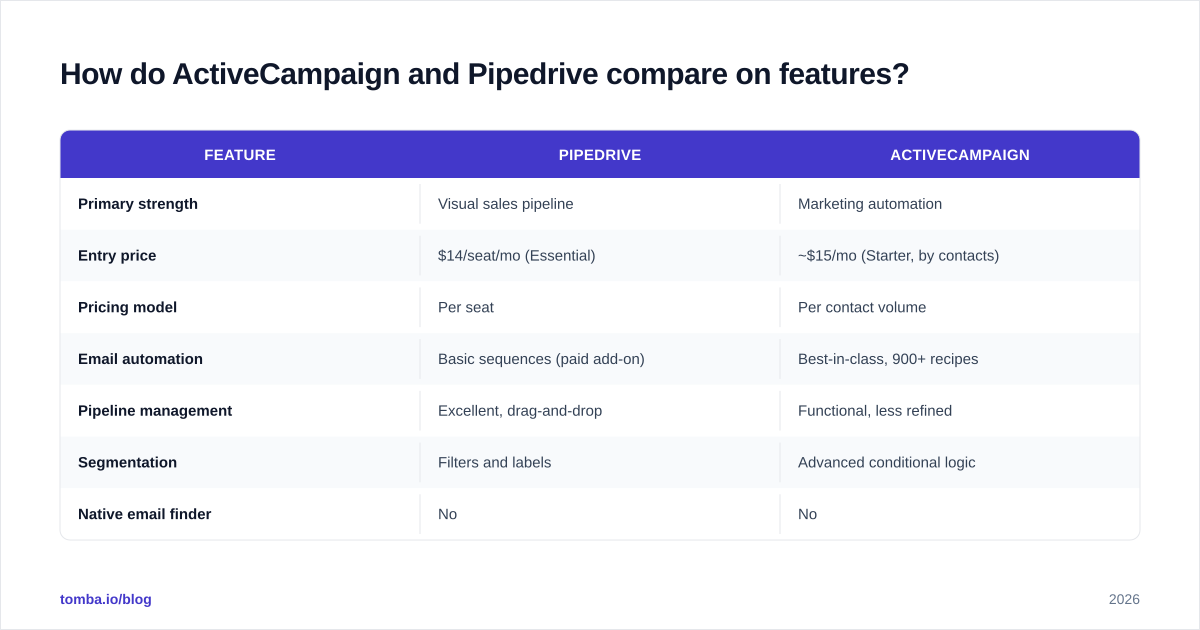
Here is the head-to-head on the attributes that actually drive a buying decision.
| Feature | Pipedrive | ActiveCampaign |
|---|---|---|
| Primary strength | Visual sales pipeline | Marketing automation |
| Entry price | $14/seat/mo (Essential) | ~$15/mo (Starter, by contacts) |
| Pricing model | Per seat | Per contact volume |
| Email automation | Basic sequences (paid add-on) | Best-in-class, 900+ recipes |
| Pipeline management | Excellent, drag-and-drop | Functional, less refined |
| Segmentation | Filters and labels | Advanced conditional logic |
| Native email finder | No | No |
| Landing pages / forms | Limited (add-on) | Built-in |
| Reporting | Strong sales dashboards | Strong campaign analytics |
| Learning curve | Low | Moderate to steep |
| Best for | Outbound sales teams | Inbound / lifecycle marketing |
The pattern is consistent: Pipedrive wins anything with the word "pipeline" or "deal" in it; ActiveCampaign wins anything with "automation," "segment," or "campaign."
One thing they share: neither tool sources contact data. Both expect you to bring verified emails and phone numbers in. That gap is why data-enrichment and email verification tools sit next to both in most real stacks — we will come back to this.
Is Pipedrive better than ActiveCampaign for sales teams?#
Yes, for most pure-sales motions — Pipedrive is the better daily driver.
If your reps measure their day in calls made, deals advanced, and activities logged, Pipedrive's interface removes friction. The deal board is the home screen. You drag a card from "Demo Booked" to "Proposal Sent," and the activity reminders nag you to follow up. Nothing gets buried.
Where Pipedrive earns its keep:
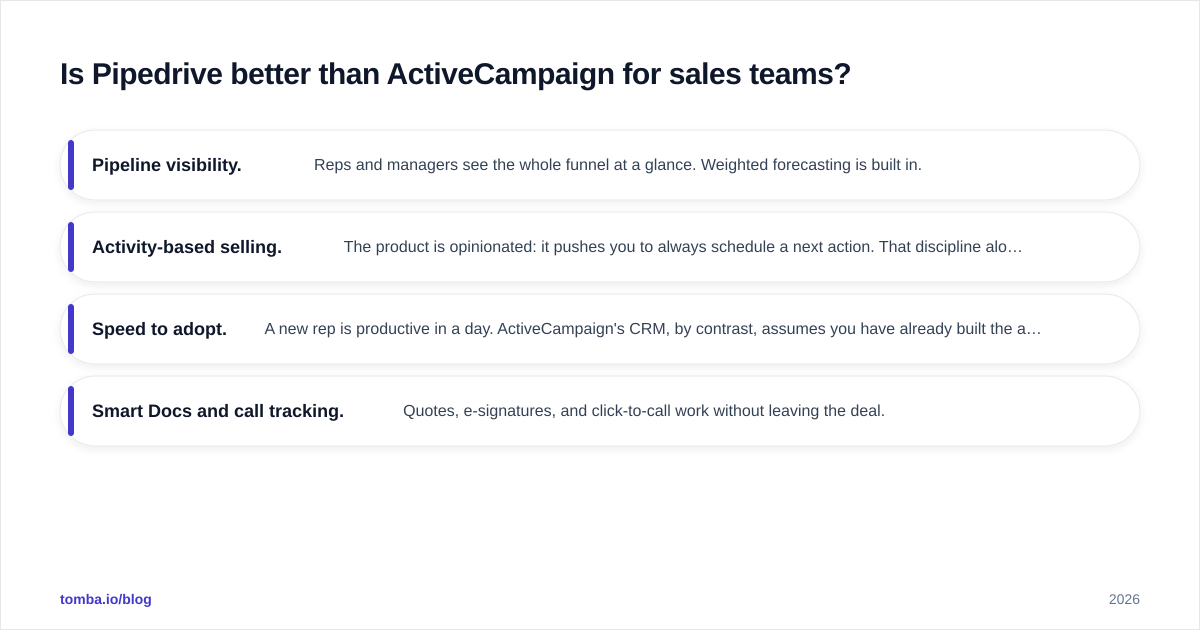
- Pipeline visibility. Reps and managers see the whole funnel at a glance. Weighted forecasting is built in.
- Activity-based selling. The product is opinionated: it pushes you to always schedule a next action. That discipline alone lifts win rate for teams that struggle with follow-up.
- Speed to adopt. A new rep is productive in a day. ActiveCampaign's CRM, by contrast, assumes you have already built the automations feeding it.
- Smart Docs and call tracking. Quotes, e-signatures, and click-to-call work without leaving the deal.
ActiveCampaign's CRM (called "Deals") is genuinely capable — it has pipelines, lead scoring, and automation triggers that fire when a contact opens an email or visits a pricing page. But the experience is busier, and sales reps often feel like guests in a marketer's house.
)
If your sales process is outbound-heavy — cold email, cold calling, multi-touch sequences to named accounts — you will also need clean contact data going in. Pipedrive does not find emails; export your target list, run it through a bulk email finder, and import verified records so your reps aren't burning hours on bounced addresses.
Is ActiveCampaign better than Pipedrive for marketing automation?#
Unequivocally yes. This is not close.
ActiveCampaign is one of the most powerful marketing-automation engines available at SMB pricing. Its visual automation builder lets you chain triggers, conditions, waits, and actions into flows that would take a developer to replicate elsewhere. Common examples:
- Welcome series that branch based on which link a subscriber clicked
- Lead scoring that escalates a contact to a sales rep once they cross a threshold
- Abandoned-cart and post-purchase flows for ecommerce
- Re-engagement campaigns that automatically sunset dead contacts to protect sender reputation
The platform ships with 900+ pre-built automation recipes, native landing pages, forms, and (on higher tiers) SMS. Its segmentation engine handles conditional logic that Pipedrive simply cannot express — "contacts in the US who opened 3+ emails but haven't purchased in 60 days," for instance.
Pipedrive added a marketing product (Campaigns) and email sequences, but they are clearly secondary. You can send a newsletter and build a basic drip, but you will hit ceilings fast on branching logic and deliverability controls.
The catch with ActiveCampaign is the per-contact pricing model. Your bill scales with list size, not headcount. A team of 3 with 50,000 contacts pays far more than a team of 20 with 2,000 contacts. Audit your list — and verify it — before you commit, because you pay for dead addresses too.
How does pricing compare for ActiveCampaign vs Pipedrive?#
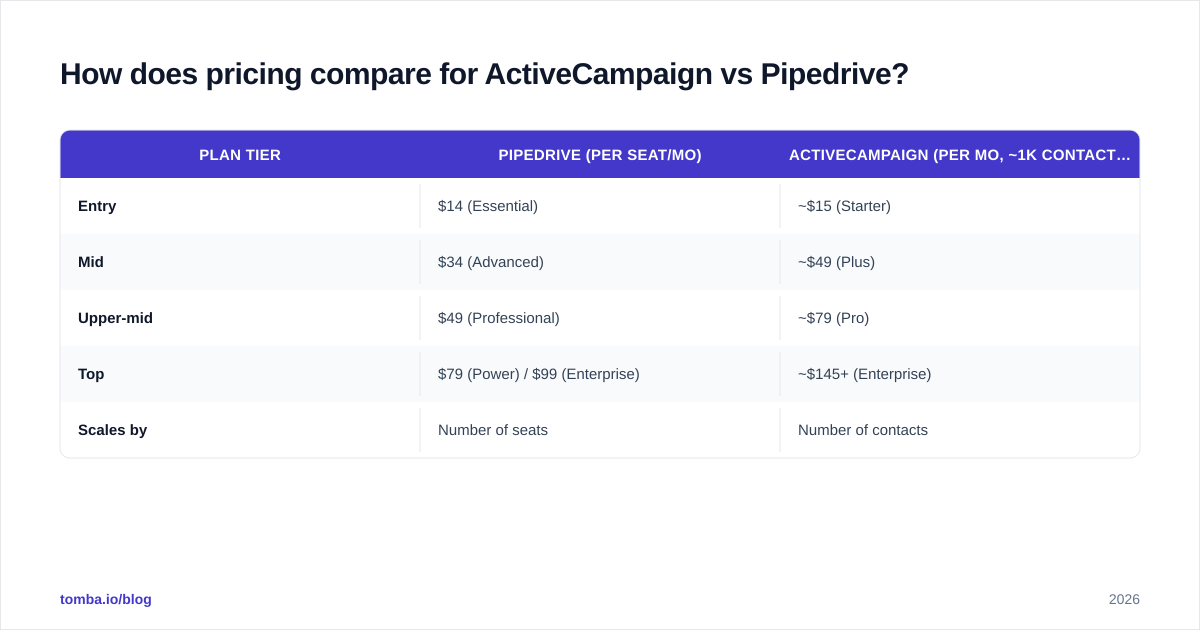
The pricing models are structurally different, which makes naive comparison misleading.
| Plan tier | Pipedrive (per seat/mo) | ActiveCampaign (per mo, ~1k contacts) |
|---|---|---|
| Entry | $14 (Essential) | ~$15 (Starter) |
| Mid | $34 (Advanced) | ~$49 (Plus) |
| Upper-mid | $49 (Professional) | ~$79 (Pro) |
| Top | $79 (Power) / $99 (Enterprise) | ~$145+ (Enterprise) |
| Scales by | Number of seats | Number of contacts |
Prices are annual-billing approximations as of 2026; check each vendor's current page, since both change tiers often.
Pipedrive is cheaper and more predictable for growing teams — you add a seat, you pay for a seat. ActiveCampaign gets expensive as your list grows, even if your team stays small. A bootstrapped content business with a 100k newsletter could pay ActiveCampaign more than a 15-rep sales floor pays Pipedrive.
A frequently missed cost in both: dirty data. Every invalid contact in ActiveCampaign inflates your bill and tanks deliverability; every bad record in Pipedrive wastes rep time. Cleaning your list with a data enrichment and verification pass before import is one of the highest-ROI things you can do regardless of which platform you choose.
Which integrates better with the rest of your stack?#
Both have mature marketplaces, but they bias toward their strengths.
- Pipedrive integrates deeply with sales tooling — dialers, e-sign, proposal software, and lead-gen sources. It connects to HubSpot-style workflows and major automation hubs.
- ActiveCampaign integrates with everything ecommerce and content — Shopify, WordPress, WooCommerce, payment processors, and webinar tools.
Both connect to thousands of apps through Zapier and Make, so raw integration count is rarely the deciding factor. What matters is the direction of the catalog: Pipedrive's best integrations help you close; ActiveCampaign's best integrations help you nurture.
For data hygiene, both play nicely with dedicated tooling. You can push verified contacts into either via API or no-code connectors. If you run outbound at scale, wiring an email finder API into your enrichment step keeps both CRMs fed with accurate records automatically instead of relying on manual CSV imports. See the full integrations options to map this to your workflow.
When should you choose Pipedrive over ActiveCampaign?#
Choose Pipedrive if most of these are true:
- Your revenue comes from a sales team working deals, not from marketing campaigns.
- You run outbound: cold email, cold calls, named-account selling.
- You want reps productive this week, not after a 6-week automation build.
- You bill by headcount and want predictable per-seat costs.
- Pipeline visibility and forecasting are your top priorities.
Choose ActiveCampaign if most of these are true:
- Marketing drives your pipeline — content, ads, lead magnets, ecommerce.
- You need sophisticated, branching email automation and segmentation.
- Lifecycle nurturing (onboarding, re-engagement, upsell) is core to your model.
- You sell mostly self-serve or low-touch, with sales as a secondary motion.
- You can manage list size to keep contact-based pricing under control.
A useful gut check: if you spend more time talking about "campaigns," pick ActiveCampaign; if you spend more time talking about "deals," pick Pipedrive. Many scale-ups eventually run both — ActiveCampaign for top-of-funnel nurture, Pipedrive for the sales floor — and sync them through an automation layer.
What about a third option: pairing either with better data?#
Here is the uncomfortable truth that the ActiveCampaign-vs-Pipedrive debate hides: the CRM is only as good as the data inside it. Both tools assume you already have accurate, verified contacts. Neither finds new prospects, neither verifies that an email is deliverable before you send, and neither tells you when a record has gone stale.
That is the gap a focused data layer fills. Before a contact ever lands in Pipedrive's pipeline or ActiveCampaign's automation, it should be:
- Found — sourced by name + company or via domain search to pull every email at a target account.
- Verified — checked against the mail server so you do not bounce and damage email deliverability.
- Enriched — supplemented with role, company, and phone data so reps and automations can personalize.
Teams that skip this step end up with the same problem in either CRM: bloated databases, bounced sends, and reps chasing ghosts.
The verdict: ActiveCampaign vs Pipedrive in 2026#
There is no universal winner — there is only a winner for your motion.
- Outbound and sales-led? Pipedrive. It is faster, cheaper per seat, and built for reps.
- Inbound, content, or ecommerce-led? ActiveCampaign. Its automation depth is unmatched at the price.
- Both motions at scale? Run both, and connect them.
What stays constant across every scenario is the need for clean, verified contact data feeding the system. The best CRM in the world cannot fix a list full of bounces and guessed addresses.
Don't compare these tools in isolation — read independent reviews on G2 to pressure-test your shortlist against teams that look like yours, then trial both. Most importantly, audit the data you plan to load in before you pick.
Start with clean data, whichever CRM you choose#
Before you migrate a single contact into ActiveCampaign or Pipedrive, make sure those records are real. Tomba's Email Finder finds and verifies professional email addresses by name, company, or domain — so your pipeline and your automations run on accurate data instead of bounces. The free tier covers 25 searches a month, and paid plans start at $49/mo. See full Tomba pricing to match a plan to your list size, then feed both your CRM and your campaigns from one verified source of truth.
// get started
Find, verify and enrich your first contacts today
Start on the free plan with 25 searches a month, then scale when your team is ready.
Free plan · No credit card required · GDPR & CCPA
// about the author