Adaptio vs Findemails.com (Toofr): Best Finder in 2026
A neutral, data-backed breakdown of Adaptio vs Findemails.com (formerly Toofr) — accuracy, pricing, verification, and which email finder actually fits your outbound stack in 2026.
TL;DR
- Adaptio is the newer, AI-leaning entrant pitched at outbound teams who want enrichment baked into prospecting; Findemails.com (the rebrand of Toofr) is the long-running, simple email finder with a per-credit pricing heritage.
- On raw email-finding, both clear the "good enough to email" bar, but neither publishes an independently audited accuracy figure — you should verify every list before you send.
- Pricing model is the real differentiator: Findemails.com leans on straightforward monthly credit tiers; Adaptio bundles finding with enrichment and AI features, which is pricier per seat but does more per click.
- If your priority is accuracy plus a verification layer at a flat price, a dedicated finder like Tomba Email Finder at $49/mo is worth putting in the same test.
- Run all three against your own domain list before committing. Vendor benchmarks are marketing; your bounce rate is truth.
Who are Adaptio and Findemails.com (Toofr)?#
Short version: both are B2B email finders, but they come from opposite ends of the market. Findemails.com is the rebranded version of Toofr, one of the older email-lookup services that built its name on dead-simple, pay-for-what-you-find pricing. Adaptio is a newer platform that wraps email finding inside a broader "AI prospecting and enrichment" pitch.
Think of it like buying a drill versus buying a power-tool kit. Findemails.com sells you the drill — it finds emails, it does it without ceremony. Adaptio sells you the kit — finding, enrichment, scoring, and workflow glue — and charges accordingly. Neither approach is automatically right; it depends on whether you already own the rest of the kit.
If you're comparing these two, you're usually one of two buyers: a solo founder or small SDR team who wants a cheap, reliable lookup tool, or a revenue team trying to consolidate prospecting and enrichment into one bill. Hold that distinction in your head — it decides the winner more than any feature checklist.
How accurate are Adaptio and Findemails.com?#
Accuracy is where every email-finder comparison should start, because a cheap tool that returns wrong addresses is the most expensive option you can buy — bounces wreck your sender reputation and can land your domain on a blocklist.
Here's the honest state of play: neither Adaptio nor Findemails.com publishes a third-party-audited accuracy rate the way some larger vendors attempt to. Both rely on a mix of pattern matching, public-web crawling, and SMTP-style checks. In practice that means you'll see strong results on common corporate domains and weaker results on catch-all domains, small businesses, and freemail-heavy industries.

The reason accuracy varies so much across tools is the underlying data source and how aggressively each one verifies before returning a result. A finder that returns a "guess" without an SMTP check inflates its hit rate on paper while quietly inflating your bounce rate in production. This is why a separate email verifier step matters regardless of which finder you pick — finding and verifying are two different jobs, and the best workflows keep them distinct.
A practical accuracy test you can run in 20 minutes:
- Pull 50 contacts you already have confirmed emails for (your CRM is full of them).
- Strip the emails, keep name + company domain.
- Run that list through each tool.
- Compare returned addresses to the known-good ones and count exact matches, near-misses, and blanks.
That single test tells you more than any vendor's homepage claim, including this article's.

Adaptio vs Findemails.com (Toofr): full comparison table#
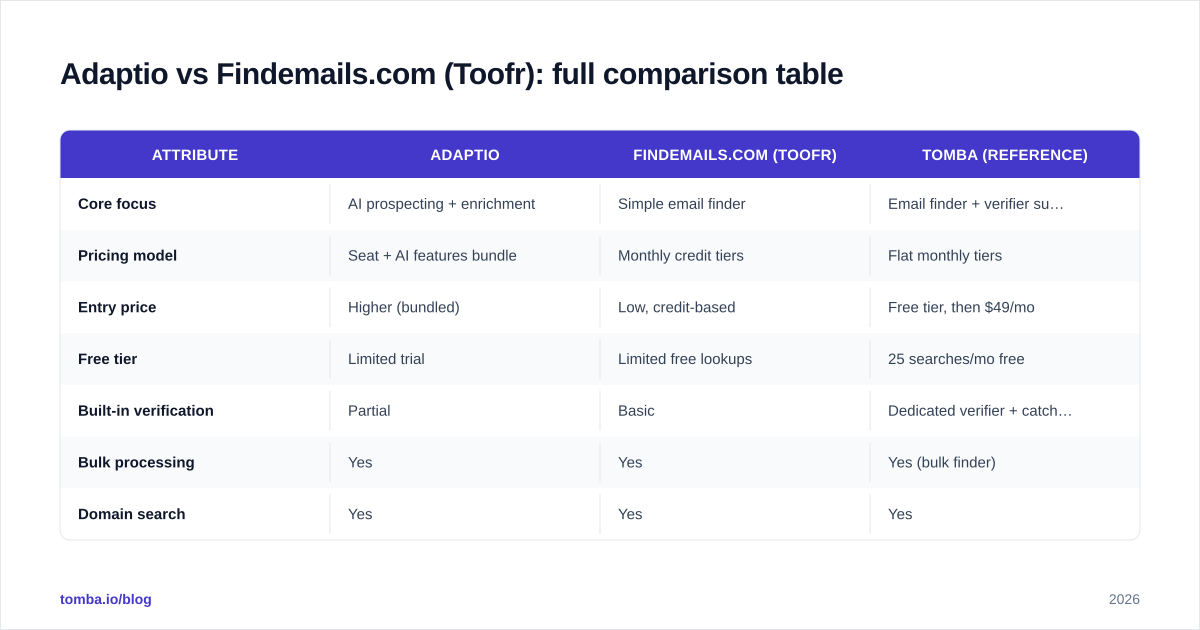
| Attribute | Adaptio | Findemails.com (Toofr) | Tomba (reference) |
|---|---|---|---|
| Core focus | AI prospecting + enrichment | Simple email finder | Email finder + verifier suite |
| Pricing model | Seat + AI features bundle | Monthly credit tiers | Flat monthly tiers |
| Entry price | Higher (bundled) | Low, credit-based | Free tier, then $49/mo |
| Free tier | Limited trial | Limited free lookups | 25 searches/mo free |
| Built-in verification | Partial | Basic | Dedicated verifier + catch-all |
| Bulk processing | Yes | Yes | Yes (bulk finder) |
| Domain search | Yes | Yes | Yes |
| API access | Yes | Yes | Yes (documented) |
| Best for | Teams consolidating tools | Cost-conscious solo/SMB | Accuracy + verification at flat price |

Read the table as a starting hypothesis, not a verdict. The rows that should drive your decision are pricing model, built-in verification, and best for — the rest are table stakes that every modern finder ticks.
Which is cheaper, Adaptio or Findemails.com?#
Findemails.com is cheaper at the entry point, and it's not close. Its credit-based heritage means a solo user or a small team can spend very little and only pay for volume they actually use. That's the classic Toofr appeal, carried into the rebrand.
Adaptio costs more because you're not just buying lookups — you're buying enrichment, AI assists, and workflow features. If you'd otherwise pay for a separate enrichment tool, the bundled price can be a net saving. If you only want emails, you're paying for seats in a kit you won't fully use.
The trap in both models is the same one every credit-based tool hides: you pay for results that you then have to verify separately. A returned email isn't a billable success if it bounces. When you compare cost, compare cost per verified, deliverable email, not cost per returned string. On that adjusted basis, a flat-rate finder with verification included — like Tomba pricing at $49/mo for Starter, $99/mo for Growth — often beats a cheap credit pack once you factor in the verification you'd otherwise buy elsewhere.
To compare fairly, normalize everything to the same unit:
- Take each tool's monthly cost at your expected volume.
- Divide by the number of verified deliverable emails it produces in your own test.
- That number — not the sticker price — is your real cost.
How do they handle verification and catch-all domains?#
This is the quiet dealbreaker. Catch-all domains accept mail to any address, so a naive finder marks every guess as "valid" and you never know which inbox is real until you send. Both Adaptio and Findemails.com do some verification, but neither is built primarily as a verification engine, and catch-all handling is exactly where lightweight verification falls down.
If a meaningful slice of your target market sits on catch-all domains — common in enterprise and certain regulated industries — you need a dedicated catch-all verifier rather than relying on a finder's built-in check. Treating "valid" from a finder as gospel on catch-all domains is how clean-looking lists still bounce at 8-10%.
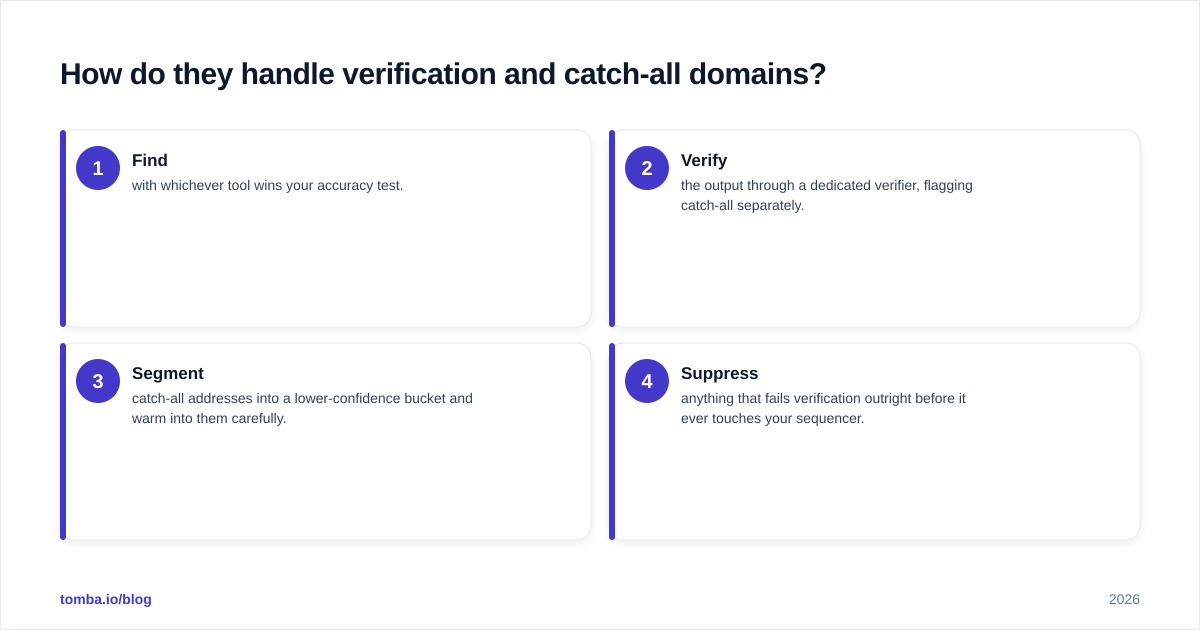
A defensible workflow looks like this:
- Find with whichever tool wins your accuracy test.
- Verify the output through a dedicated verifier, flagging catch-all separately.
- Segment catch-all addresses into a lower-confidence bucket and warm into them carefully.
- Suppress anything that fails verification outright before it ever touches your sequencer.
Skipping step 2 is the single most common reason "accurate" finders produce ugly bounce rates. For more on why deliverability hinges on this, see industry guidance from senders like HubSpot and the email community's documentation on email deliverability.
Which tool fits which team?#
Choose Findemails.com (Toofr) if you're a solo founder, a bootstrapped SMB, or an SDR who wants a no-nonsense finder at the lowest possible entry cost, and you're willing to bolt on your own verification step. Its simplicity is a genuine feature — there's almost nothing to learn, and the credit model rewards light, occasional use.
Choose Adaptio if you're a revenue team trying to consolidate prospecting and enrichment into one platform and one invoice, and you'll actually use the AI and enrichment features. If those features replace another line item in your stack, the higher price can pencil out. If they don't, you're overpaying for a glorified lookup.
Look beyond both if your top priority is accuracy plus verification at a predictable flat price. That's the lane where a dedicated finder-plus-verifier suite shines — and it's worth running Tomba's domain search and verifier in the same head-to-head test you give the other two. You can cross-check any vendor's reputation on independent review sites like G2 before you trust a homepage claim.
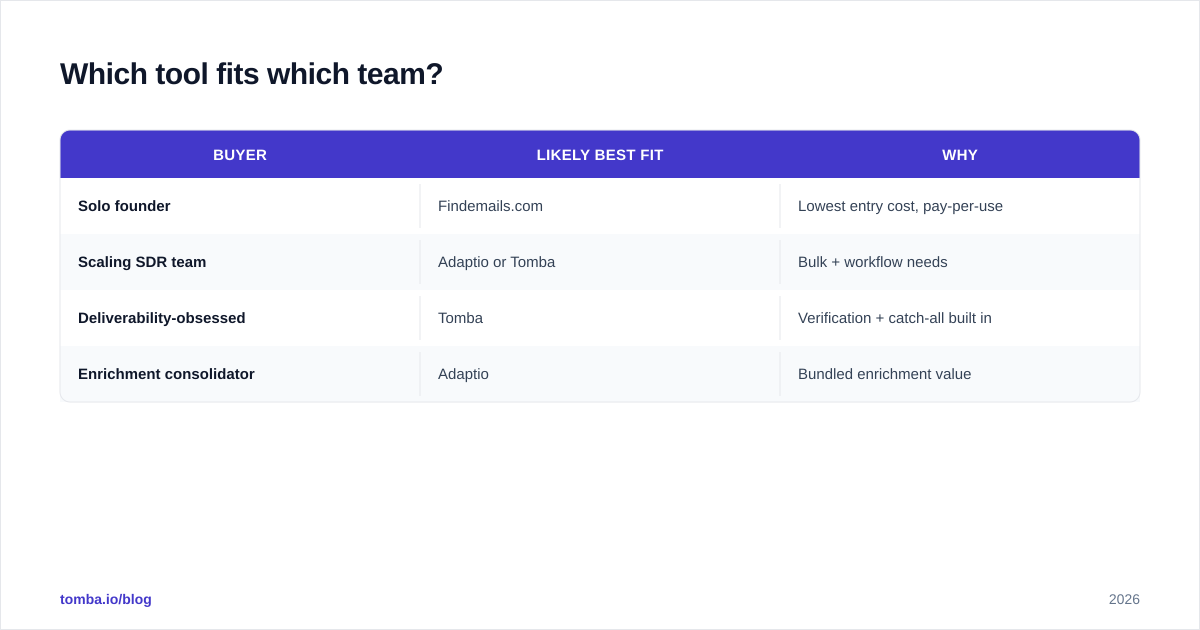
A quick gut check by buyer type:
| Buyer | Likely best fit | Why |
|---|---|---|
| Solo founder | Findemails.com | Lowest entry cost, pay-per-use |
| Scaling SDR team | Adaptio or Tomba | Bulk + workflow needs |
| Deliverability-obsessed | Tomba | Verification + catch-all built in |
| Enrichment consolidator | Adaptio | Bundled enrichment value |
What do Adaptio and Findemails.com get wrong?#
Both share the structural weakness of single-source-ish finders: coverage gaps you can't see until you test. Adaptio's bundle can become shelfware if your team only adopts the finder and ignores the enrichment and AI layers you're paying for — a common failure mode when a tool does more than the team actually needs. Findemails.com's simplicity cuts the other way: when you outgrow basic lookups and need verification depth, bulk reliability, or richer firmographics, you end up stitching together extra tools, which erases the cost advantage.
Neither is "bad." They're optimized for different buyers, and the mistake is buying the one optimized for someone else. The second mistake — bigger than tool choice — is skipping verification entirely. Any finder, including the best one, should feed a verifier before it feeds your outreach. If you remember one thing from this comparison, make it that.
How should you actually decide?#
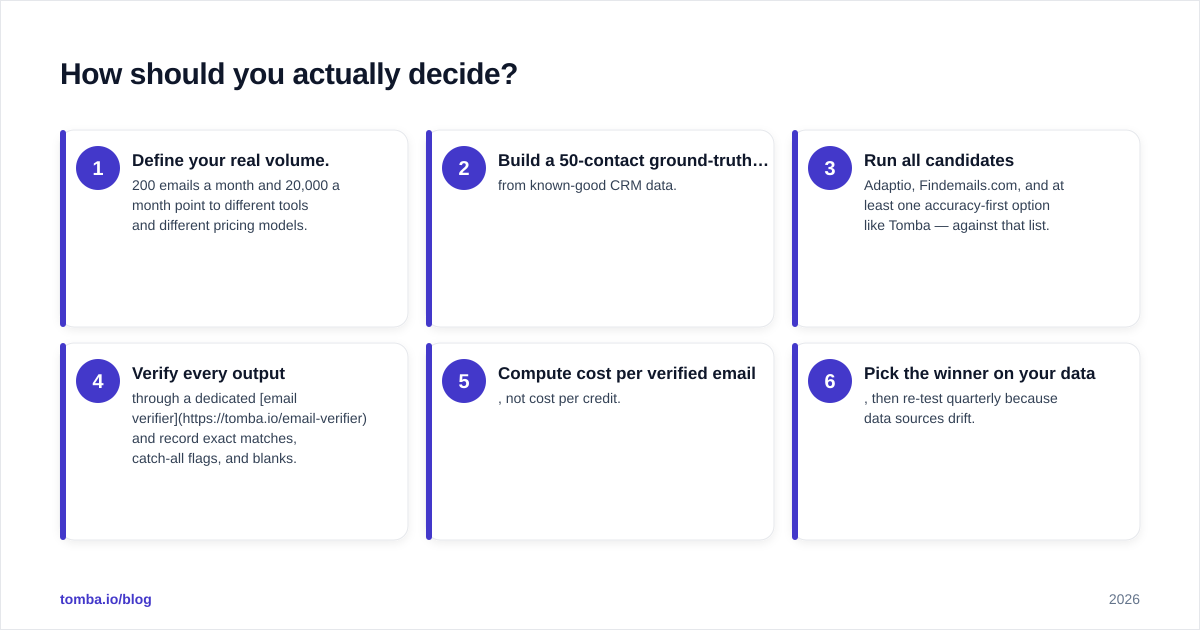
Decide with a test, not a table. Here's the full playbook:
- Define your real volume. 200 emails a month and 20,000 a month point to different tools and different pricing models.
- Build a 50-contact ground-truth list from known-good CRM data.
- Run all candidates — Adaptio, Findemails.com, and at least one accuracy-first option like Tomba — against that list.
- Verify every output through a dedicated email verifier and record exact matches, catch-all flags, and blanks.
- Compute cost per verified email, not cost per credit.
- Pick the winner on your data, then re-test quarterly because data sources drift.
This costs you an afternoon and saves you a quarter of bad outreach. It also immunizes you against marketing claims — including the cautious ones in this article.
The bottom line#
Findemails.com (Toofr) is the cheaper, simpler choice for light users who'll handle their own verification. Adaptio is the consolidation play for teams that will genuinely use enrichment and AI alongside finding. Both work; both also push the verification burden back onto you, which is where deliverability gets won or lost.
If accuracy and built-in verification at a flat, predictable price matter most, run Tomba Email Finder in the same bake-off. Start on the free tier (25 searches a month, no card), test it against your own ground-truth list, and judge it on verified, deliverable emails — the only metric that survives contact with your send button. Then keep whichever tool wins on your numbers, not anyone's homepage.
// get started
Find, verify and enrich your first contacts today
Start on the free plan with 25 searches a month, then scale when your team is ready.
Free plan · No credit card required · GDPR & CCPA
// about the author