Add to CRM: Pricing, Reviews, Pros and Cons (2026 Guide)
One-click "Add to CRM" tools promise to kill manual data entry — but the pricing, reviews, and trade-offs vary wildly. Here's how to choose in 2026.
TL;DR
- "Add to CRM" tools turn a LinkedIn profile, website visitor, or email into a fully enriched CRM record in one click — saving reps 5–10 hours a week of manual entry.
- Pricing splits into three buckets: native CRM add-ons, browser extensions billed per credit, and full enrichment platforms billed per record. Costs range from free to $249/mo and beyond.
- The biggest pro is clean, deduplicated data flowing straight into HubSpot, Salesforce, or Pipedrive. The biggest con is hidden credit math and enrichment accuracy that drops on smaller companies.
- Reviews on G2 and Capterra reward tools that nail two things: match rate and native field mapping. They punish tools with surprise overages and stale data.
- Use the scoring framework below to weigh price against accuracy before you commit annually.
What does "Add to CRM" actually mean in 2026?#
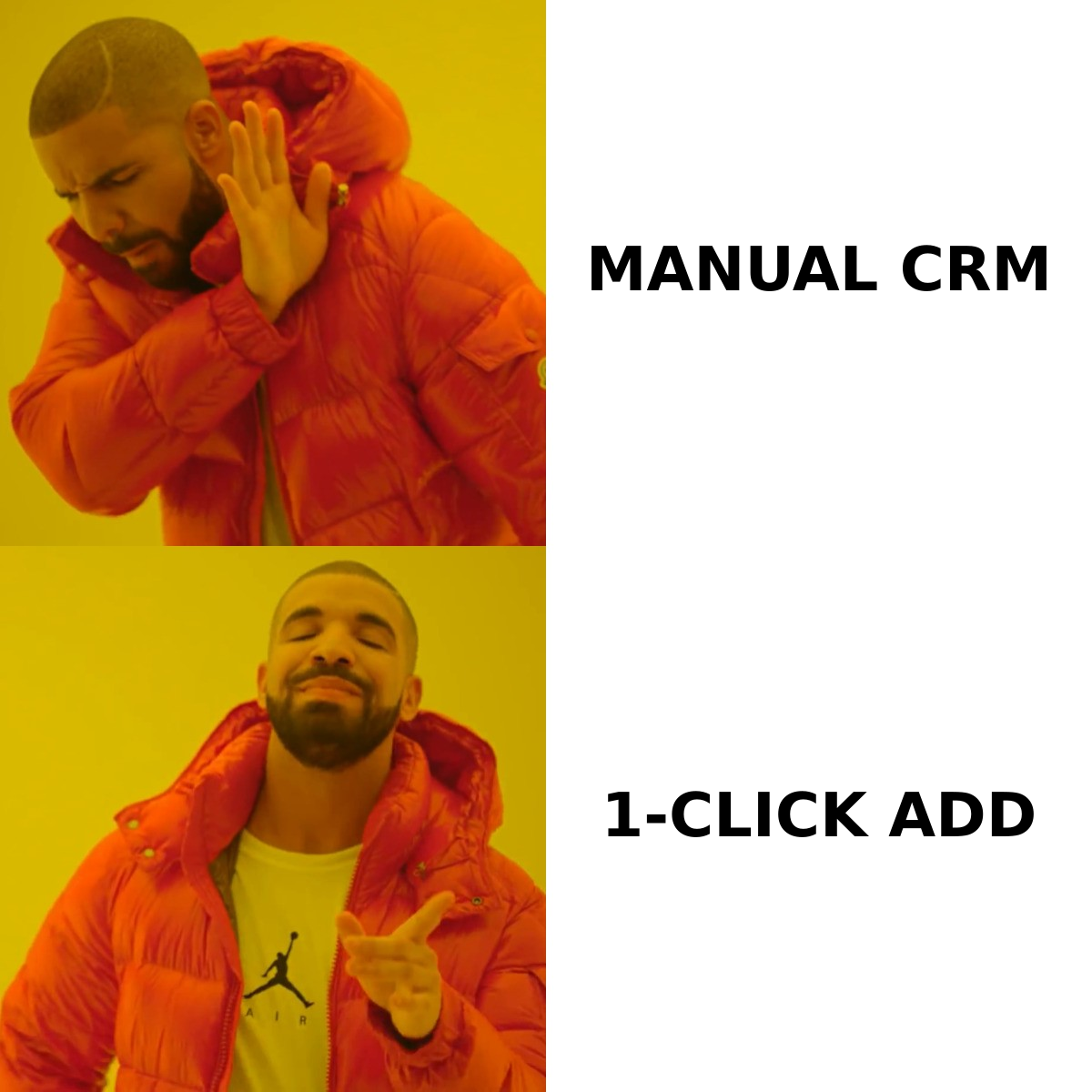
"Add to CRM" is the one-click action that takes a person or company you found somewhere — LinkedIn, a website, an email inbox, a list — and creates a complete, enriched contact or company record inside your CRM without you typing anything.
Think of it like a grocery self-checkout that also fills your fridge. You scan one item (a name or a domain), and the system pulls the verified email, phone number, job title, company size, and social profiles, then files everything in the right shelves of your CRM. The rep does one action; the tool does fifteen.
That convenience is why this category exploded. But "Add to CRM" is not a single product — it's a feature that lives in three different kinds of tools, each with its own pricing logic, review profile, and set of pros and cons. Getting the add to crm pricing reviews pros and cons comparison right means first knowing which type you're actually buying.
What are the three types of "Add to CRM" tools?#
Before comparing prices, sort the market into its three real shapes:
1. Native CRM add-ons. Built by the CRM vendor (HubSpot's data enrichment, Salesforce Data Cloud). Tightest field mapping, zero integration risk, but enrichment depth is often shallow and priced as a premium tier.
2. Browser extensions. Tools like email finders and prospecting extensions that sit on LinkedIn or any company website and push a contact to your CRM with a button. Billed per credit or per search. This is where most reps actually live.
3. Full enrichment platforms. API-first data providers that bulk-enrich entire lists and sync via integration. Priced per record or per enrichment, scaling into four figures monthly.
A Tomba-style workflow spans types 2 and 3: you can use the email finder extension for one-off adds, then run bulk lead generation and push enriched records through the HubSpot integration or Salesforce integration. Same data engine, two delivery modes.
How much do "Add to CRM" tools cost?#
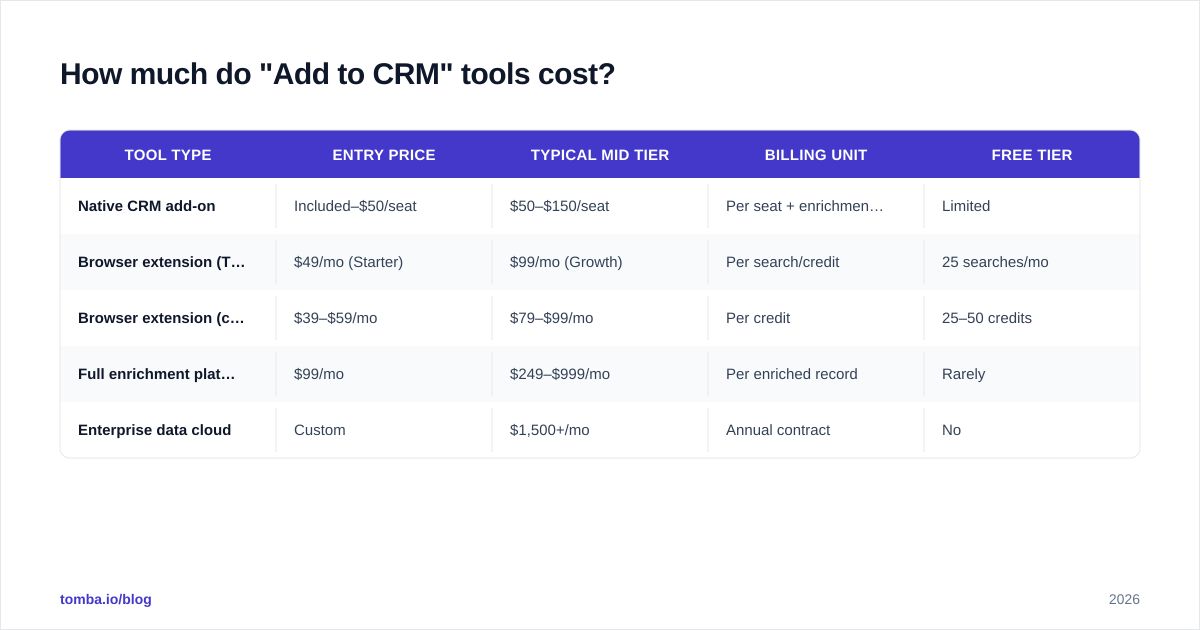
Here's the honest version of the pricing picture. The number on the homepage is rarely the number you pay, because credit consumption depends on how much data each "add" pulls.
| Tool type | Entry price | Typical mid tier | Billing unit | Free tier |
|---|---|---|---|---|
| Native CRM add-on | Included–$50/seat | $50–$150/seat | Per seat + enrichment credits | Limited |
| Browser extension (Tomba) | $49/mo (Starter) | $99/mo (Growth) | Per search/credit | 25 searches/mo |
| Browser extension (competitor avg) | $39–$59/mo | $79–$99/mo | Per credit | 25–50 credits |
| Full enrichment platform | $99/mo | $249–$999/mo | Per enriched record | Rarely |
| Enterprise data cloud | Custom | $1,500+/mo | Annual contract | No |
A few pricing truths the marketing pages bury:
- Credits are not contacts. One "add to CRM" can burn multiple credits if it pulls an email and a phone and enrichment. Read the credit-cost-per-action footnote.
- Annual lock-in is the norm above $99/mo. Monthly flexibility usually costs 20–30% more.
- Overages are where budgets die. Tools that auto-charge for credits beyond your plan get the worst reviews — not for the base price, but for the surprise invoice.
For reference, Tomba pricing runs a free tier at 25 searches/month, Starter at $49/mo, Growth at $99/mo, and Pro at $249/mo, with credits covering email finding, verification, and enrichment from one balance. That single-balance model matters: tools that split email credits and enrichment credits into separate meters are the ones that surprise you at renewal.
What do the reviews actually say?#
Reviews on G2 and Capterra cluster around four themes, and they're remarkably consistent across vendors. Strip away the star ratings and you find the same praise and the same complaints repeating.
What reviewers praise:
- Time saved. The number one phrase in positive reviews is some version of "no more copy-paste." Reps report 5–10 hours back per week.
- Clean CRM hygiene. Tools that dedupe before inserting — checking whether the contact already exists — get loved by RevOps teams.
- Native field mapping. When "Job Title" lands in the Job Title field automatically instead of a notes blob, reviewers notice.
What reviewers complain about:
- Accuracy on long-tail companies. Match rates look great on Fortune 500 logos and crater on a 12-person startup in a non-English market.
- Credit math. "I ran out faster than expected" is the most common one-star theme.
- Stale data. A title from three jobs ago that overwrites a correct CRM field is worse than no enrichment at all.
The lesson: a 4.6-star average tells you less than the distribution of complaints. A tool with great reviews on match rate but bad reviews on overages is a fine product with bad pricing — fixable by choosing the right plan. A tool with bad reviews on accuracy is a data problem you can't plan your way around.

What are the pros and cons of one-click "Add to CRM"?#
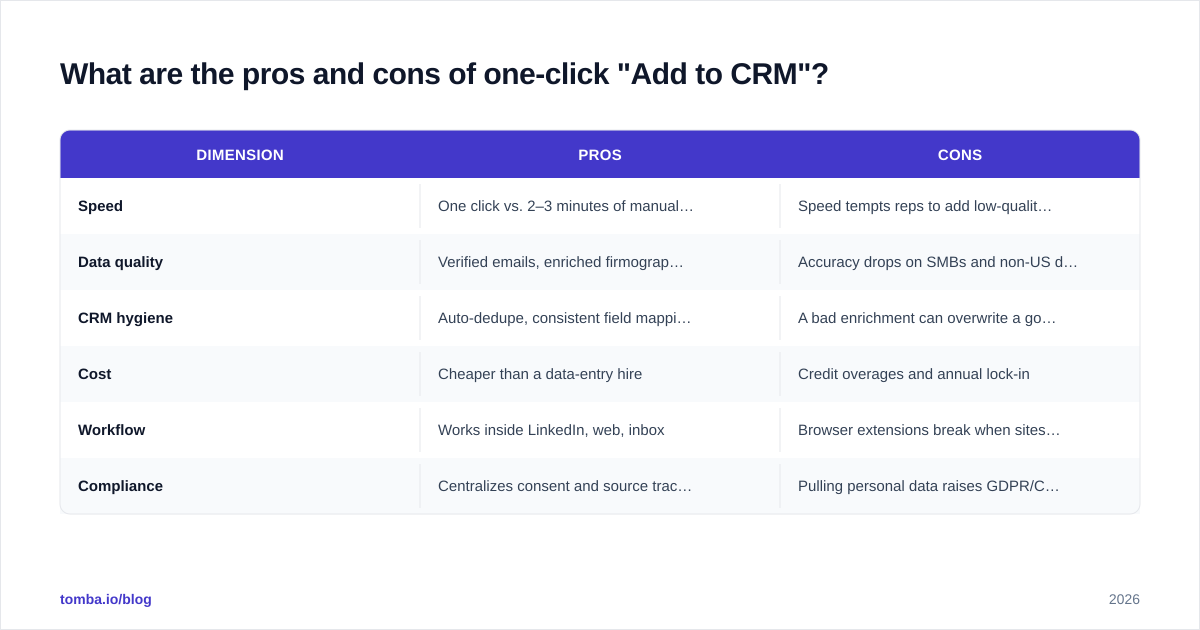
Let's get concrete. Here is the balanced pros-and-cons breakdown that the add to crm pricing reviews pros and cons search is really after.
| Dimension | Pros | Cons |
|---|---|---|
| Speed | One click vs. 2–3 minutes of manual entry | Speed tempts reps to add low-quality leads in bulk |
| Data quality | Verified emails, enriched firmographics | Accuracy drops on SMBs and non-US data |
| CRM hygiene | Auto-dedupe, consistent field mapping | A bad enrichment can overwrite a good manual field |
| Cost | Cheaper than a data-entry hire | Credit overages and annual lock-in |
| Workflow | Works inside LinkedIn, web, inbox | Browser extensions break when sites change layout |
| Compliance | Centralizes consent and source tracking | Pulling personal data raises GDPR/CCPA questions |
The pros, summarized: you eliminate the single most hated task in sales, your data stays consistent, and your pipeline reporting finally reflects reality because every record is complete.
The cons, summarized: you're trusting a third party's data accuracy, you're exposed to credit-based pricing surprises, and you inherit compliance responsibility for the data you pull. None of these are dealbreakers — they're trade-offs you manage with the right tool and the right plan.
One under-discussed con worth flagging: over-adding. When adding a lead costs one click, reps add everyone, and your CRM fills with unqualified contacts. The fix isn't a worse tool; it's a qualification step before the click. Pair your add-to-CRM motion with a scoring rule so only marketing qualified leads — see what a marketing qualified lead actually requires — get auto-added.
How do native CRM add-ons compare to standalone tools?#
This is the buy-versus-build-versus-bolt-on question.
Native add-ons (HubSpot, Salesforce) win on integration. There is zero sync risk, mapping is perfect, and your admin already trusts the vendor. They lose on data depth and price — enrichment is often a premium SKU, and coverage outside large companies is thin. If you're already deep in HubSpot or Salesforce and only enrich enterprise accounts, native may be enough.
Standalone extensions and platforms win on data breadth, match rate, and price-per-record. They lose a little on integration polish — you depend on a connector staying healthy. But the better ones, like Tomba via its data enrichment and pre-built integrations, close that gap with native field mapping and webhook reliability.
A practical rule: if enrichment is core to your prospecting (you add dozens of fresh contacts daily), buy a specialized tool. If enrichment is occasional cleanup on records you already have, the native add-on may cover it without a second vendor.
What should you check before you buy?#
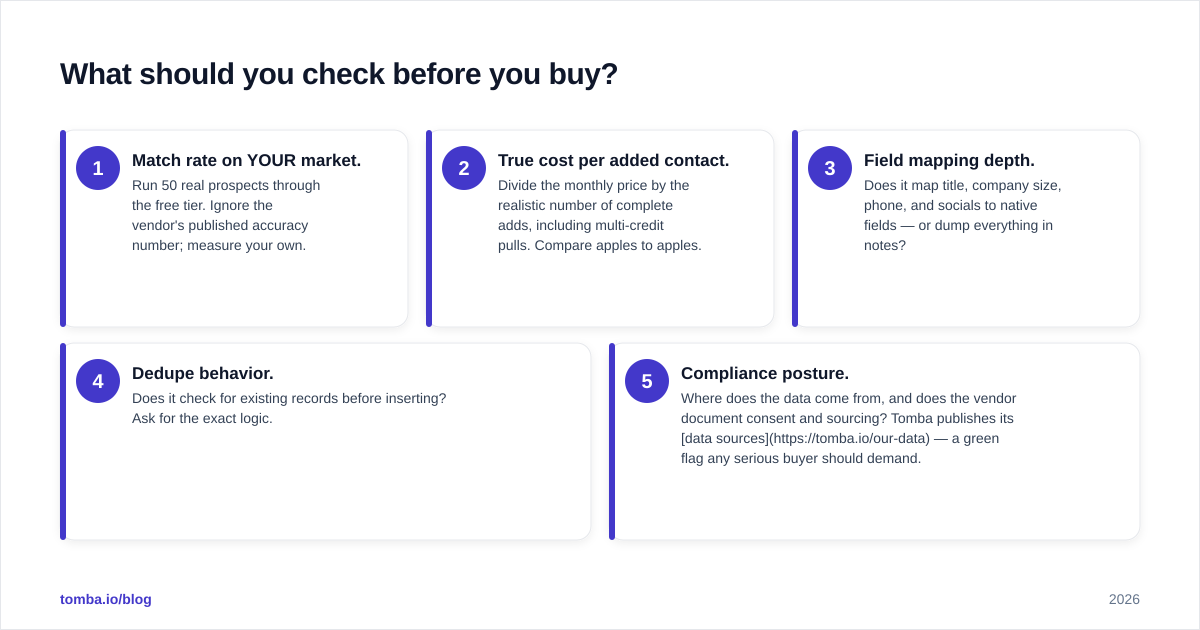
Run any "Add to CRM" tool through this five-point checklist before committing to an annual plan:
- Match rate on YOUR market. Run 50 real prospects through the free tier. Ignore the vendor's published accuracy number; measure your own.
- True cost per added contact. Divide the monthly price by the realistic number of complete adds, including multi-credit pulls. Compare apples to apples.
- Field mapping depth. Does it map title, company size, phone, and socials to native fields — or dump everything in notes?
- Dedupe behavior. Does it check for existing records before inserting? Ask for the exact logic.
- Compliance posture. Where does the data come from, and does the vendor document consent and sourcing? Tomba publishes its data sources — a green flag any serious buyer should demand.
If a vendor won't let you test match rate on your own list during a trial, treat that as a review in itself.
Which "Add to CRM" approach fits your team?#
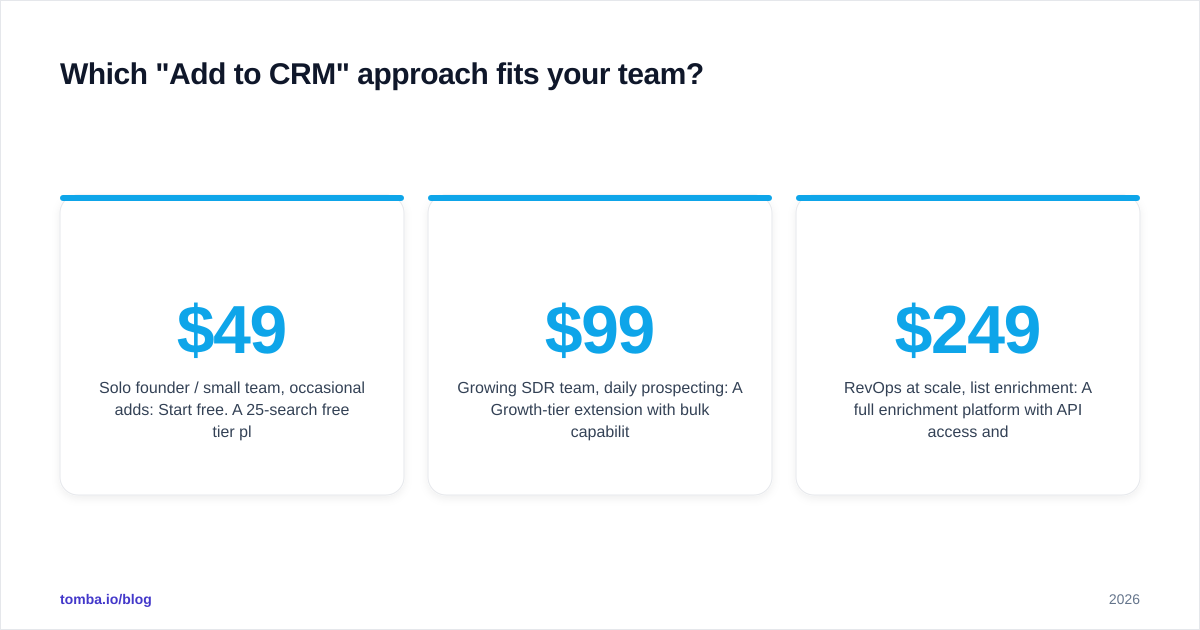
Match the tool type to your motion:
- Solo founder / small team, occasional adds: Start free. A 25-search free tier plus a Chrome extension covers low volume with no commitment. Upgrade to a $49/mo Starter plan only when you hit the ceiling.
- Growing SDR team, daily prospecting: A $99/mo Growth-tier extension with bulk capability and CRM sync is the sweet spot. You want one credit balance, native mapping, and predictable overage rules.
- RevOps at scale, list enrichment: A full enrichment platform with API access and bulk processing. Budget $249/mo and up, and negotiate overage terms in writing.
- Enterprise, governed data: Pair a native CRM data cloud with a specialized provider for coverage gaps. Expect custom pricing and an annual contract.
Across all four, the winning pattern is the same: verified contact data, deduplicated, mapped to native fields, with transparent credit pricing. The category's best reviews go to tools that do the boring parts — mapping and dedupe — exactly right.
The bottom line#
"Add to CRM" tools are no longer a luxury; they're how modern teams keep a pipeline clean without hiring data-entry staff. But the add to crm pricing reviews pros and cons trade-offs are real: cheap tools with weak data cost more in bad meetings than they save in dollars, and powerful platforms with opaque credit math blow up budgets. Test match rate on your own market, do the true-cost-per-contact math, and demand transparent sourcing before you sign anything annual.
If your "Add to CRM" workflow starts with finding the right contact in the first place, that's exactly what the Tomba Email Finder is built for. Find verified professional emails by name, domain, or company, enrich them in one balance, and push clean records straight into HubSpot, Salesforce, or Pipedrive — starting free with 25 searches a month, no credit card. Run 50 of your real prospects through it, measure the match rate yourself, and let the data make the buying decision for you.
// get started
Find, verify and enrich your first contacts today
Start on the free plan with 25 searches a month, then scale when your team is ready.
Free plan · No credit card required · GDPR & CCPA
// about the author