AdvizorPro vs Lusha 2026: Which B2B Data Tool Wins?
AdvizorPro targets wealth and insurance data; Lusha covers broad B2B contacts. Here's an honest 2026 breakdown of coverage, accuracy, pricing, and the best fit for your team.
TL;DR
- AdvizorPro is a niche data platform built for financial services — RIAs, broker-dealers, insurance, and wealth management. It wins when your ICP is advisors and you need licensing, AUM, and firm-level detail.
- Lusha is a broad B2B contact provider with a Chrome extension and CRM integrations. It wins on breadth, ease of use, and speed for general sales teams across industries.
- They are not really competitors so much as two different shapes of data: vertical depth vs horizontal reach.
- On price, Lusha has a free tier and transparent self-serve plans; AdvizorPro is quote-based and skews enterprise.
- If you mostly need verified emails at scale across any industry, a dedicated email finder like Tomba is often cheaper and more accurate than either for that one job.
When people search "advizorpro vs lusha," they usually have the wrong question. The two tools rarely solve the same problem. This guide breaks down what each actually does, where the data comes from, what it costs, and how to pick — without pretending one is universally better.
What is AdvizorPro?#
AdvizorPro is a financial-services data platform. Think of it as a specialist surgeon rather than a general practitioner: it goes deep on one body of data — the people and firms inside wealth management, insurance, and retirement plans.
Its core datasets cover registered investment advisors (RIAs), broker-dealers, insurance agents, and the executives around them. Records typically include firm AUM, advisor licensing and registrations, custodian relationships, ADV filing data, and contact details. That regulatory layer (pulled from sources like the SEC's IAPD/ADV filings) is the moat. A generic contact tool simply does not carry "this advisor manages $X and custodies with Y."
You'd reach for AdvizorPro if you sell to financial advisors — fintech vendors, asset managers, TAMPs, insurance wholesalers, recruiters in wealth management. For that audience the firmographic depth is hard to replicate.
What is Lusha?#
Lusha is a horizontal B2B contact-data tool. It's the general practitioner: broad coverage across nearly every industry, optimized for speed and ease.
Its bread and butter is direct dials and business emails surfaced through a Chrome extension that overlays LinkedIn and company sites. Sales reps install it, browse a prospect, and click to reveal contact info that pushes into HubSpot, Salesforce, or an outreach tool. Lusha leans on a self-serve model with a free tier, published pricing, and a focus on GDPR/CCPA compliance posture — you can read their public claims on lusha.com.
You'd reach for Lusha if your ICP spans many verticals and you want reps pulling contacts in the flow of work without a procurement cycle.
How do AdvizorPro and Lusha compare head-to-head?#
Here's the honest side-by-side. Treat "best" as "best for a use case," not in the abstract.
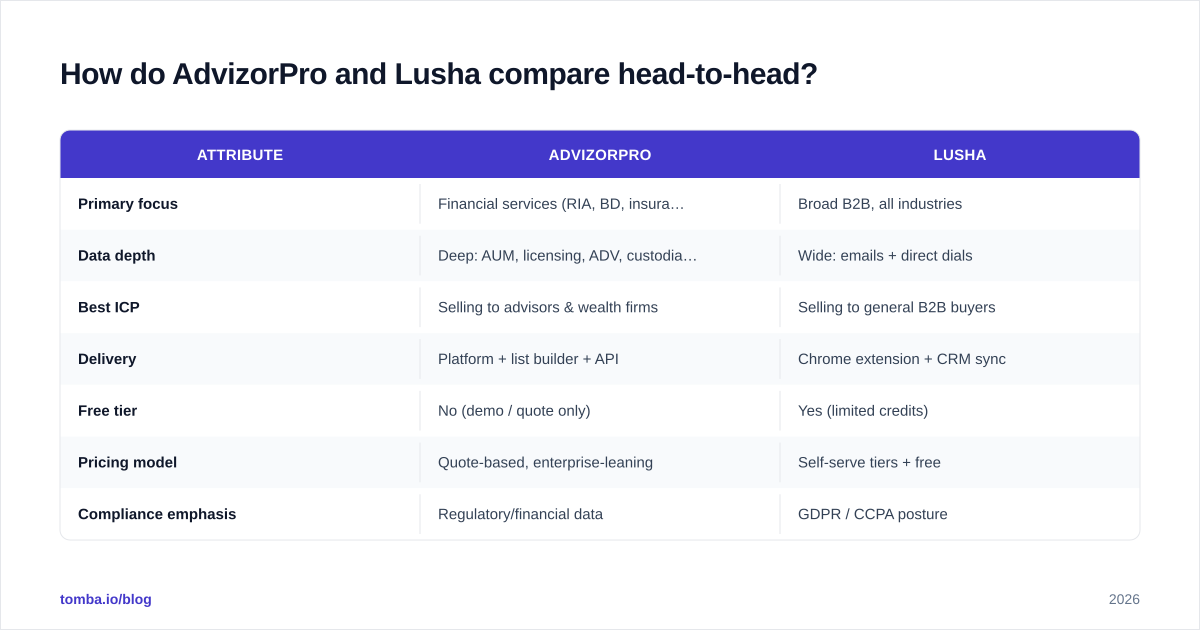
| Attribute | AdvizorPro | Lusha |
|---|---|---|
| Primary focus | Financial services (RIA, BD, insurance) | Broad B2B, all industries |
| Data depth | Deep: AUM, licensing, ADV, custodians | Wide: emails + direct dials |
| Best ICP | Selling to advisors & wealth firms | Selling to general B2B buyers |
| Delivery | Platform + list builder + API | Chrome extension + CRM sync |
| Free tier | No (demo / quote only) | Yes (limited credits) |
| Pricing model | Quote-based, enterprise-leaning | Self-serve tiers + free |
| Compliance emphasis | Regulatory/financial data | GDPR / CCPA posture |
| Phone numbers | Yes (advisor-focused) | Yes (broad direct dials) |
| Learning curve | Moderate (niche schema) | Low (install and go) |
The pattern is clear. AdvizorPro trades breadth for regulatory depth. Lusha trades depth for reach and convenience. If you forced both onto the same general SaaS prospecting task, Lusha would feel faster; if you forced both onto a wealth-management campaign, AdvizorPro would feel far richer.

Which has better data accuracy?#
Accuracy depends entirely on your target, not on a single vendor scorecard. Within financial services, AdvizorPro's edge is that its records are anchored to regulatory filings, which update on a known cadence and are hard to fake. For an advisor's registrations or a firm's AUM band, that beats a crowd-sourced guess.
Lusha's accuracy is strongest where it has volume — common B2B roles at mid-market and enterprise companies. Its weakness is the usual one for broad providers: stale direct dials and personal-vs-work email ambiguity, especially for smaller companies or non-US regions. Independent reviews on G2 reflect this split — reviewers praise convenience while flagging variable hit rates.
A practical rule: any contact you plan to email should be verified before send, regardless of source. Bounce rates wreck sender reputation faster than bad data wastes a rep's time. Running your exported list through an email verifier catches dead addresses both platforms inevitably carry. The same goes for catch-all domains, where a catch-all verifier tells you whether an address is plausibly deliverable instead of guessing.
What about pricing — AdvizorPro vs Lusha?#
Conclusion first: Lusha is cheaper to start and easier to budget; AdvizorPro is an investment you justify with a financial-services ICP.
Lusha publishes self-serve tiers, including a free plan with limited monthly credits, and paid tiers that scale credits and seats. You can sign up and be pulling contacts the same afternoon. AdvizorPro is quote-based — you book a demo, scope your data needs, and get enterprise pricing. That's normal for niche regulatory datasets, but it means slower procurement and a higher floor.
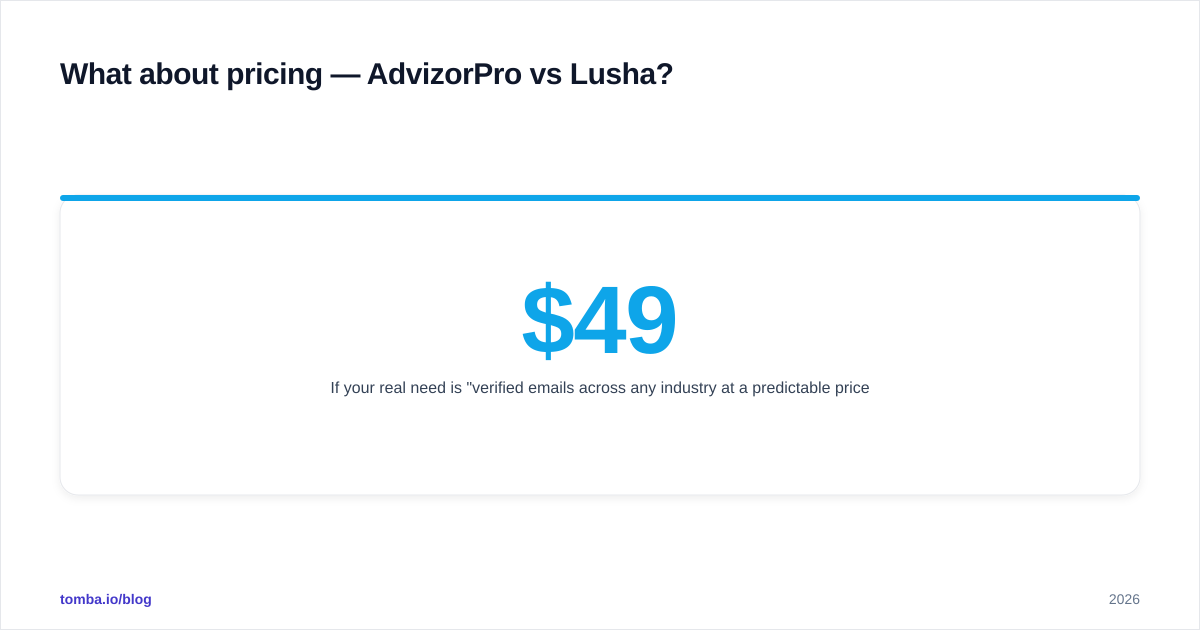
If your real need is "verified emails across any industry at a predictable price," neither model is ideal, and a focused tool can undercut both. For reference, transparent Tomba pricing runs a Free tier at 25 searches/month, Starter at $49/month, Growth at $99/month, and Pro at $249/month — credits you spend specifically on finding and verifying email addresses rather than a broad data subscription.

When should you pick a dedicated email finder instead?#
Pick a dedicated email finder when your bottleneck is "I have names and companies, I need deliverable emails" — not "I need a full firmographic database."
This is the most common real situation, and it's where both AdvizorPro and Lusha are overkill or off-target. A purpose-built email finder takes a name plus a domain and returns a verified work email, with confidence scoring and source attribution. If you only have a company, domain search pulls the known addresses and patterns for that organization, which is faster than browsing profiles one by one.
The workflow that beats either platform for pure email acquisition:
- Build your target list from LinkedIn, an event roster, or an industry directory.
- Resolve and verify emails with an email finder + verifier in one pass.
- Push clean contacts straight into your CRM or sequencer.
This is cheaper than an enterprise data contract and more accurate than scraping a Chrome extension, because the single job — email — gets the single best tool. For high volume, a bulk email finder processes thousands of rows at once.
How do they fit into your tech stack?#
Stack fit is where Lusha's design shows. Its Chrome extension and native CRM integrations mean it lives inside the rep's existing browser and pipeline with almost no setup. For a velocity-driven SDR team, that frictionlessness is the whole pitch.
AdvizorPro fits differently — it's a source-of-truth database and list builder, often consumed by marketing ops or a data team that segments and exports, rather than a rep clicking in real time. It also exposes an API for teams that want to pipe advisor data into their own systems.
If you're assembling a modern outbound stack, the smart move is layered: a system of record for accounts, a contact source for your ICP, and a verification layer before anything hits the inbox. Many teams pair a broad source with a focused finder via something like the Tomba API so every record is enriched and validated programmatically. For RevOps leaders thinking about this end to end, see how revenue operations treats data quality as a pipeline input, not an afterthought.
Is AdvizorPro better than Lusha?#
No — and yes. It's better for selling to financial advisors. It is not better for a general B2B team, where it would feel narrow and expensive.
Use this decision shortcut:
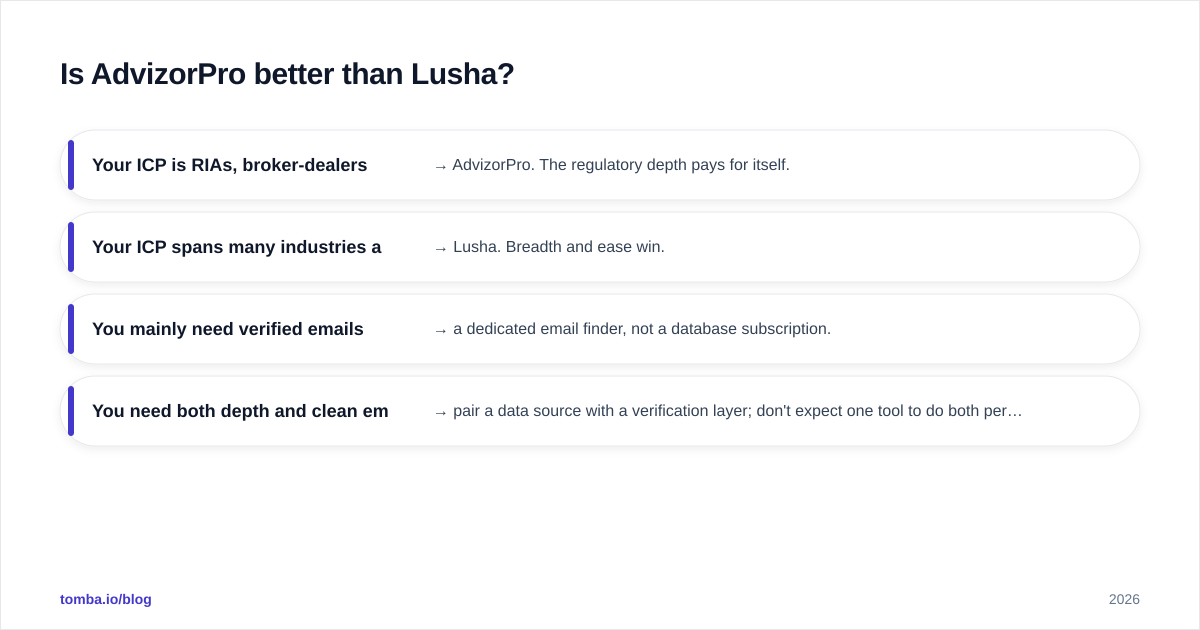
- Your ICP is RIAs, broker-dealers, or insurance → AdvizorPro. The regulatory depth pays for itself.
- Your ICP spans many industries and you want reps self-serving → Lusha. Breadth and ease win.
- You mainly need verified emails (any industry) at a clear price → a dedicated email finder, not a database subscription.
- You need both depth and clean emails → pair a data source with a verification layer; don't expect one tool to do both perfectly.
The mistake is forcing one platform to be everything. Match the tool to the shape of your data problem.
The bottom line#
AdvizorPro and Lusha aren't really rivals; they're answers to different questions. AdvizorPro is vertical depth for financial services. Lusha is horizontal reach for general B2B. Pick based on who you sell to and how your team works — then add a verification step no matter which you choose.
If your actual job is turning names and domains into verified, deliverable emails — without an enterprise contract or a noisy browser extension — start with the Tomba Email Finder. You get accurate work emails with confidence scores, a free tier to test on your own list, and built-in verification so your sender reputation stays intact. Run a sample of your target accounts through it before you commit budget to any broad data subscription, and let the hit rate make the decision for you.
// get started
Find, verify and enrich your first contacts today
Start on the free plan with 25 searches a month, then scale when your team is ready.
Free plan · No credit card required · GDPR & CCPA
// about the author