AI CRM Data Entry Automation: The 2026 Playbook for Clean Pipelines
Manual CRM updates quietly burn 5+ hours per rep each week. Here's how AI CRM data entry automation captures, enriches, and syncs records without the busywork in 2026.
Sales reps were hired to talk to buyers, not to babysit a database. Yet the average rep still loses a full day every week to logging calls, fixing typos, and copy-pasting LinkedIn profiles into account fields. AI CRM data entry automation is the fix that finally works — and in 2026 it's no longer a "nice to have."
TL;DR#
- AI CRM data entry automation captures activity (calls, emails, meetings), enriches it with firmographic and contact data, and writes clean records into your CRM with little or no human typing.
- Reps spend roughly 5–6 hours a week on manual CRM admin; automation reclaims most of it for selling.
- The biggest ROI driver isn't speed — it's data quality. Clean, enriched records make forecasting, routing, and scoring actually work.
- The strongest stacks pair a capture/enrichment layer (data sources + AI parsing) with your CRM's native automation, plus a tool to find and verify contact data before it ever lands.
- Start with one high-pain workflow (lead enrichment or activity logging), prove the lift, then expand.
What is AI CRM data entry automation?#
AI CRM data entry automation is the use of machine learning, natural-language processing, and data-enrichment APIs to capture, structure, and write CRM records without a human keying them in by hand.
Think of it like a great executive assistant who sits in on every call, reads every email, and quietly updates the file afterward — except it does this for thousands of interactions at once and never forgets a field. Where a traditional CRM waits for a rep to type, an AI-driven layer listens to the signals already flowing through your tools and turns them into structured data.
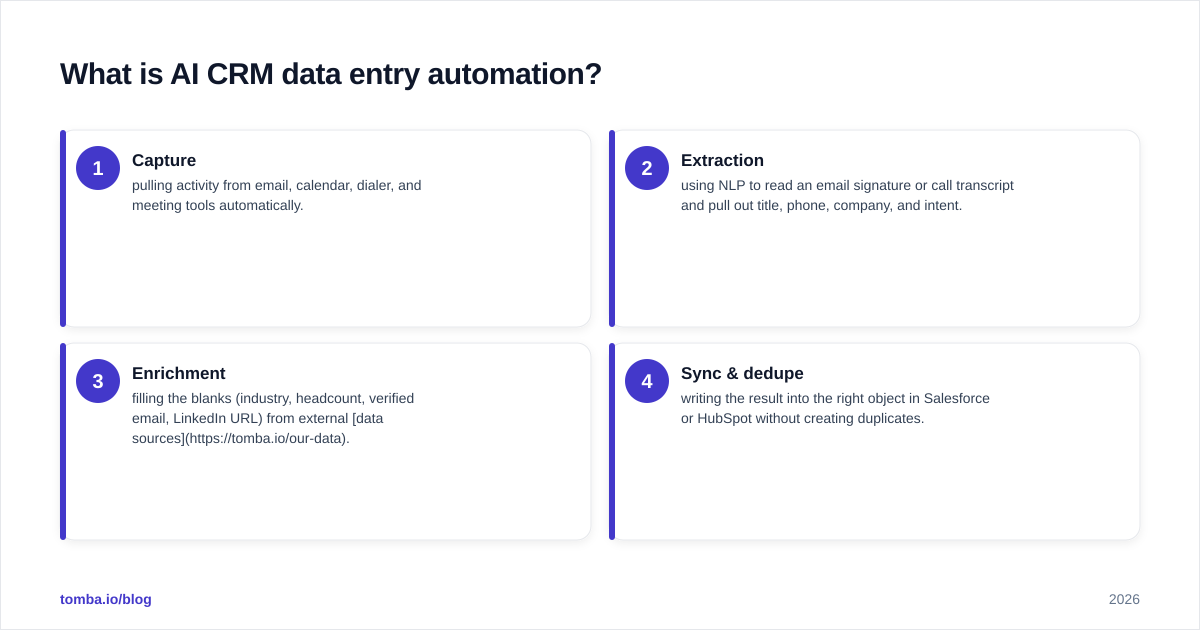
In practice it covers four jobs:
- Capture — pulling activity from email, calendar, dialer, and meeting tools automatically.
- Extraction — using NLP to read an email signature or call transcript and pull out title, phone, company, and intent.
- Enrichment — filling the blanks (industry, headcount, verified email, LinkedIn URL) from external data sources.
- Sync & dedupe — writing the result into the right object in Salesforce or HubSpot without creating duplicates.
Why does manual CRM data entry cost so much?#
Because the cost is hidden in a hundred small moments, not one big line item.
Industry research has long pegged rep selling time at around a third of the workday, with administrative work — much of it CRM updates — eating a large slice of the rest. Salesforce's State of Sales reporting and analyst commentary from Gartner consistently describe data entry and admin as one of the top drains on seller productivity.
The damage compounds in three ways:
- Lost selling hours. Five hours a week per rep, across a 20-person team, is roughly 5,000 hours a year that never touch a prospect.
- Dirty data. When logging is manual, reps skip fields, guess at industries, and let records rot. Bad data quietly poisons forecasting, lead routing, and territory planning.
- Decision lag. A pipeline review built on half-updated records produces confident answers to the wrong questions.
The irony: the CRM was supposed to save time. Without automation, it often becomes the single biggest tax on the people it's meant to help.
How does AI automate CRM data entry, step by step?#
The modern flow is a pipeline, not a single button. Each stage hands clean data to the next.
1. Trigger / capture. A new lead fills a form, a rep sends an email, or a meeting ends. Connectors watch these events in real time instead of waiting for someone to remember.
2. Parse and extract. AI reads the raw input — an email body, a signature block, a transcript — and identifies entities: name, role, company, phone, sentiment, next step.
3. Enrich. The system queries external data to complete the record. This is where a dedicated data enrichment layer matters: it turns "John from Acme" into a full contact with verified email, title, company size, and LinkedIn profile.
4. Verify. Before anything writes, emails and phones are validated so you don't pollute the CRM with bounces. Running addresses through an email verifier at this stage protects sender reputation downstream.
5. Map and dedupe. The enriched record is matched against existing accounts and contacts. Fuzzy matching prevents "Acme Inc." and "Acme, Inc" from becoming two accounts.
6. Write back. Clean data lands in the right CRM object via native automation — HubSpot workflows, Salesforce Flow, or an integration platform.
The point of the pipeline view: automation isn't one product. It's a chain, and the chain is only as clean as its weakest link — usually enrichment and verification.
What types of CRM data entry can you actually automate?#
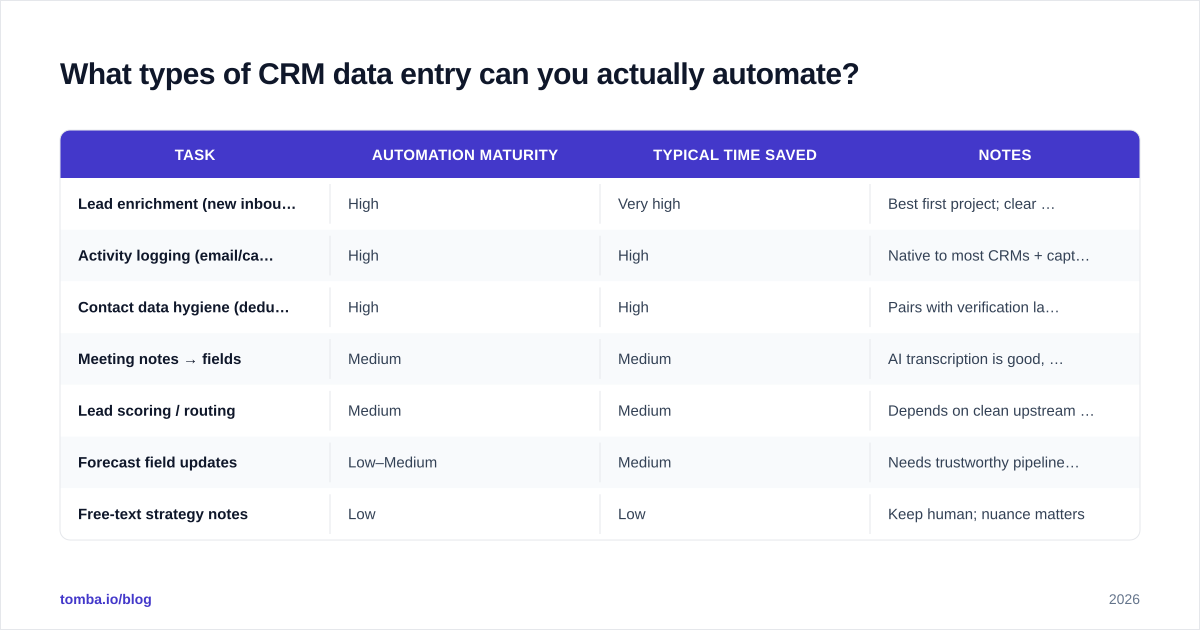
Not everything is worth automating on day one. Map effort against payoff.
| Task | Automation maturity | Typical time saved | Notes |
|---|---|---|---|
| Lead enrichment (new inbound) | High | Very high | Best first project; clear before/after |
| Activity logging (email/calls) | High | High | Native to most CRMs + capture tools |
| Contact data hygiene (dedupe, verify) | High | High | Pairs with verification layer |
| Meeting notes → fields | Medium | Medium | AI transcription is good, mapping needs rules |
| Lead scoring / routing | Medium | Medium | Depends on clean upstream data |
| Forecast field updates | Low–Medium | Medium | Needs trustworthy pipeline data first |
| Free-text strategy notes | Low | Low | Keep human; nuance matters |
The pattern: structured, repetitive, high-volume tasks automate cleanly. Judgment-heavy, low-volume tasks don't — and shouldn't.
Which tools and approaches should you compare in 2026?#
There are three broad approaches, and most teams end up combining two of them.
| Approach | What it does | Best for | Watch-outs |
|---|---|---|---|
| Native CRM AI (HubSpot AI, Salesforce Einstein) | Capture + suggestions inside the CRM you own | Teams standardized on one CRM | Enrichment depth varies; can get pricey at scale |
| Data enrichment + finder APIs (e.g. Tomba) | Find, verify, and enrich contact/company data feeding the CRM | Filling and cleaning records accurately | Needs an integration to write back |
| Integration / automation platforms ( |
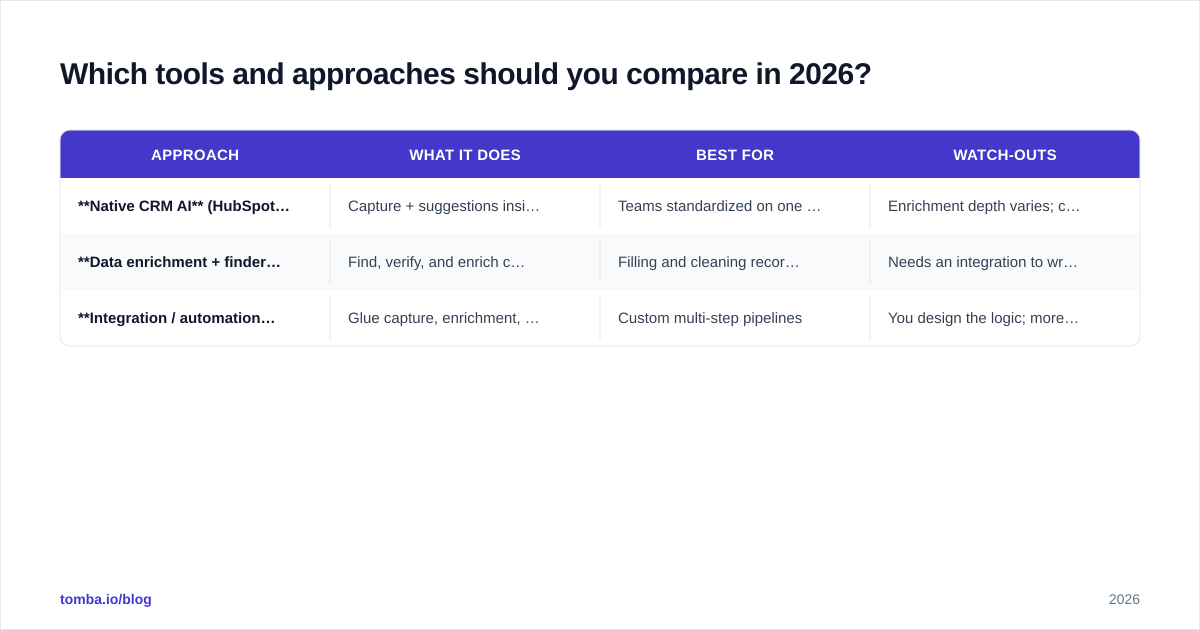
Zapier, Make) | Glue capture, enrichment, and CRM together | Custom multi-step pipelines | You design the logic; more upkeep |
A common, durable stack looks like this: a bulk email finder and verification layer to source clean contact data, wired through a HubSpot integration or Salesforce integration, with native CRM workflows doing the routing and scoring on top. You get accurate inputs (the hard part) and let the CRM do what it's already good at.
For broader context on the category, review listings on G2 to see how buyers rate enrichment and CRM-automation vendors before you commit.
How do you measure ROI on CRM automation?#
Lead with data quality, not just hours saved — because quality is what makes every downstream system work.
Track these four metrics before and after:
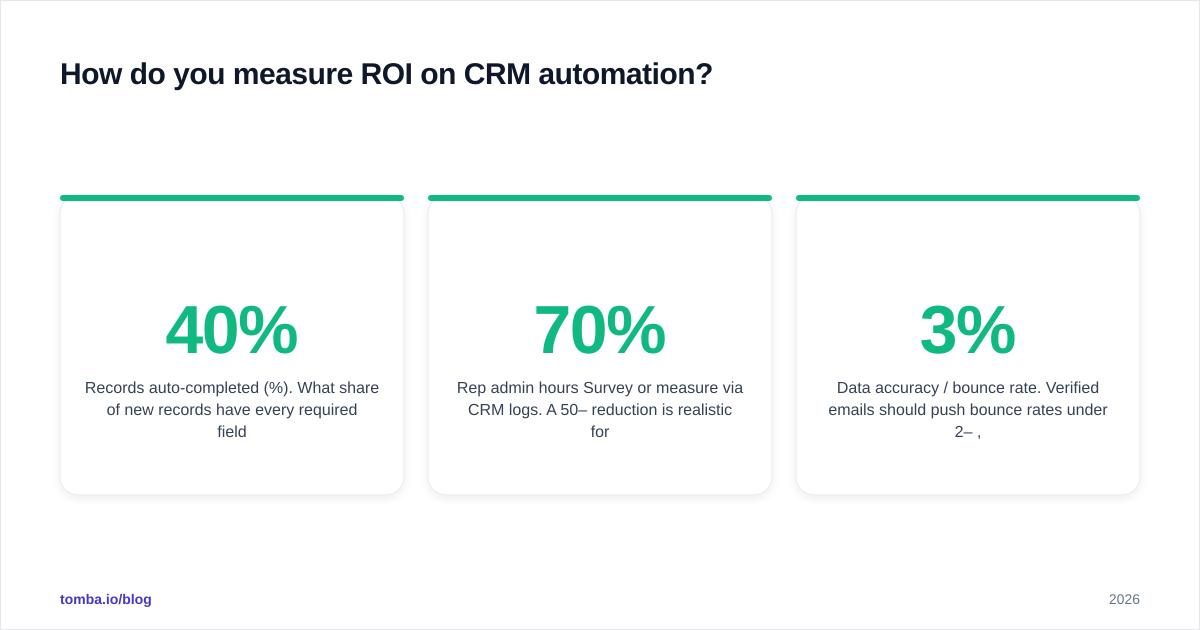
- Records auto-completed (%). What share of new records have every required field filled without a human? Aim to move from <40% to >90%.
- Rep admin hours/week. Survey or measure via CRM logs. A 50–70% reduction is realistic for logging and enrichment tasks.
- Data accuracy / bounce rate. Verified emails should push bounce rates under 2–3%, protecting deliverability.
- Time-to-first-touch. Auto-enriched, auto-routed leads get worked faster. Faster first touch correlates strongly with conversion.
If you can show "reps got X hours back and our data accuracy hit Y%," the business case writes itself. The hours fund the tool; the accuracy funds the forecast.
What are the risks, and how do you avoid them?#
Automation amplifies whatever you feed it — including mistakes. Three guardrails matter most.
1. Garbage in, garbage out. Automating entry of bad data just creates wrong records faster. This is exactly why verification belongs inside the pipeline, not as a quarterly cleanup. Validate emails and phones at capture time.
2. Over-automation of judgment fields. Don't let AI overwrite a rep's hand-written deal notes or set close dates unsupervised. Automate the structured layer; keep humans on nuance.
3. Privacy and consent. Enrichment must respect regional data rules. Use vendors that are transparent about where their data comes from and how it's sourced, and keep your processing lawful basis documented.
How do you roll it out without disrupting the team?#
Start narrow, prove it, then widen. A 30/60/90 shape works well.
- Days 0–30: one workflow. Pick inbound lead enrichment. Wire a finder/verifier into your CRM, auto-complete new records, and measure the field-completion lift. One win builds trust.
- Days 30–60: activity capture. Turn on automatic email/meeting logging so reps stop typing recaps. Watch admin hours drop.
- Days 60–90: hygiene + scoring. Add dedupe and verification on the existing database, then layer scoring/routing on the now-clean data.
Two adoption tips that decide success: involve reps early (they know which fields are useless), and never make automation a black box — show them the before/after record so they trust it. For deeper sourcing workflows, an email finder that works by name, company, or domain slots neatly into each of these phases.
Where does Tomba fit?#
Tomba is the accuracy layer most CRM-automation stacks are missing. AI inside your CRM can capture and structure activity, but it can't reliably tell you the verified email, the correct company, or fill the gaps on a half-empty lead — that's a data problem, and it's the one that quietly breaks everything downstream.
The Tomba Email Finder finds professional email addresses by name, company, or domain and verifies them before they ever hit your CRM, so your automated pipeline writes clean, deliverable records instead of bounces. Pair it with Tomba's enrichment and bulk tools, connect it through your existing CRM integration, and let the native workflows handle routing on top of data you can actually trust. Plans start free with 25 searches a month and scale through Tomba pricing at $49/mo (Starter) and $99/mo (Growth) — start free, automate one workflow, and measure the field-completion lift this week.
Ready to find emails that actually work?
Join 150,000+ professionals who stopped guessing and started sending. Free credits on signup — no credit card required.
Get the Tomba newsletter
Practical outbound tactics and product updates — once every two weeks.
About the author