AI Email Address Finder: Best Tools & Accuracy in 2026
How AI email address finders work, what accuracy to expect, and which tool fits your prospecting stack in 2026 — with a side-by-side comparison.
TL;DR
- An AI email address finder uses pattern models, public data, and live SMTP checks to return a verified work email from a name and company — far faster and more accurate than manual guessing.
- Expect 90-97% deliverable accuracy from the best tools when they return a "verified" result; the gap between vendors is mostly catch-all handling and database freshness.
- Accuracy, pricing, and verification depth matter more than raw database size. A big database full of stale records still bounces.
- Tomba leads on verified accuracy and bundles verification, domain search, and enrichment in one credit pool starting at $49/mo.
- Always pair finding with verification before you send — unverified scrapes are the fastest way to wreck your sender reputation.
What is an AI email address finder?#
An AI email address finder is a tool that takes a person's name and their company (or domain) and returns their professional email address, then confirms it's real before you ever hit send. Think of it like a bloodhound for inboxes: you give it a scent — "Jane Doe at Acme" — and it works through every plausible trail until it locks onto the one address that actually delivers.
The "AI" part is not marketing fluff. Under the hood these tools combine three things: a machine-learning model trained on millions of known email patterns (so it can predict that Acme uses first.last@acme.com instead of jdoe@acme.com), a constantly-refreshed index of public web and corporate data, and a real-time validation layer that pings the mail server to confirm the mailbox exists. The model ranks candidate addresses by confidence; the verification layer kills the guesses that don't resolve.
That combination is why a modern email finder can return a result in under a second with a confidence score attached, instead of the old workflow of permutating addresses by hand and blasting them to see what bounces.
How does an AI email finder actually work?#
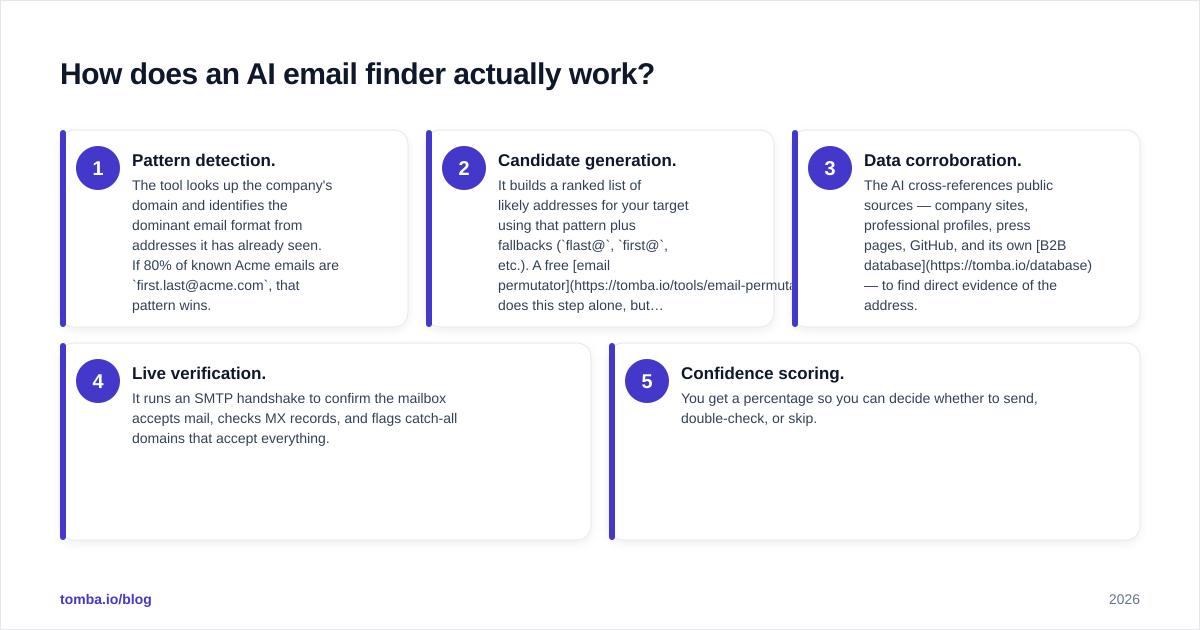
The pipeline is more mechanical than mysterious. Here is what happens between your search and the result:
- Pattern detection. The tool looks up the company's domain and identifies the dominant email format from addresses it has already seen. If 80% of known Acme emails are
first.last@acme.com, that pattern wins. - Candidate generation. It builds a ranked list of likely addresses for your target using that pattern plus fallbacks (
flast@,first@, etc.). A free email permutator does this step alone, but without scoring. - Data corroboration. The AI cross-references public sources — company sites, professional profiles, press pages, GitHub, and its own B2B database — to find direct evidence of the address.
- Live verification. It runs an SMTP handshake to confirm the mailbox accepts mail, checks MX records, and flags catch-all domains that accept everything.
- Confidence scoring. You get a percentage so you can decide whether to send, double-check, or skip.
The verification step is where most "free" tools quietly cut corners. Returning a syntactically valid guess is easy; proving it delivers is the hard, expensive part — and the part that protects your email deliverability.
How accurate are AI email address finders in 2026?#
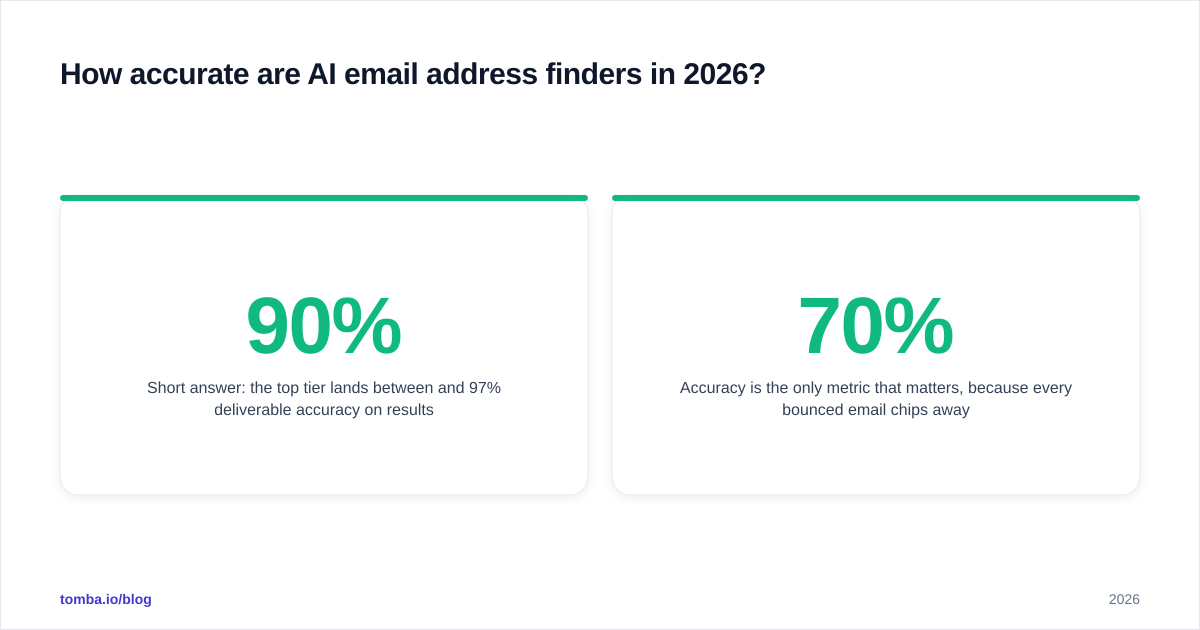
Short answer: the top tier lands between 90% and 97% deliverable accuracy on results they label "verified," and the differences come down to data freshness and catch-all handling — not database size.
Accuracy is the only metric that matters, because every bounced email chips away at your sender reputation and pushes you closer to the spam folder. A tool that returns 100 addresses at 70% accuracy is worse than one that returns 60 at 96%, because those 30 bad sends can get your domain throttled. Independent reviews on G2 consistently show this gap between vendors who verify in real time and those who serve cached guesses.

Two factors quietly destroy accuracy claims:
- Stale data. People change jobs every 2-3 years. A database last refreshed 18 months ago is wrong for a meaningful slice of your list before you even start.
- Catch-all domains. These accept any address at the domain, so naive tools mark every guess as "valid." A proper catch-all verifier uses deeper signals to tell a real mailbox from an accept-all wildcard.
This is why finding and verifying should never be separate purchases. If your finder doesn't run a real-time check — or you don't follow it with a dedicated email verifier — your "accuracy" is a guess wearing a percentage sign.
Which AI email address finder is best? (Comparison)#
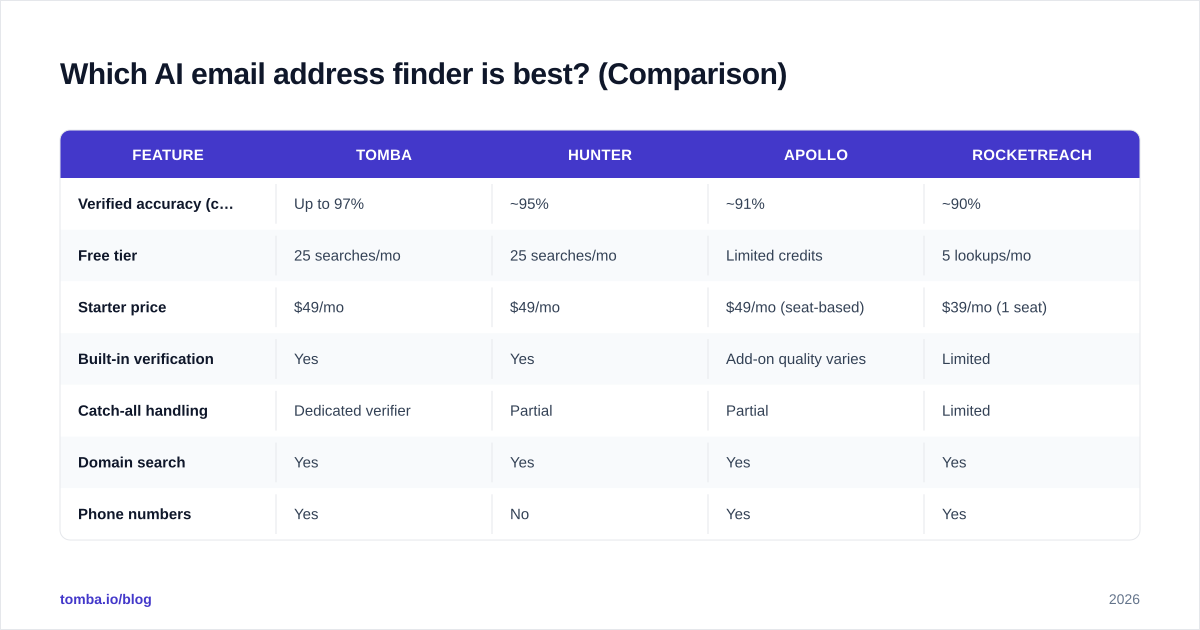
The table below compares the leading AI email address finders on the attributes that actually predict ROI: verified accuracy, free tier, entry price, and whether verification is built in.
| Feature | Tomba | Hunter | Apollo | RocketReach |
|---|---|---|---|---|
| Verified accuracy (claimed) | Up to 97% | ~95% | ~91% | ~90% |
| Free tier | 25 searches/mo | 25 searches/mo | Limited credits | 5 lookups/mo |
| Starter price | $49/mo | $49/mo | $49/mo (seat-based) | $39/mo (1 seat) |
| Built-in verification | Yes | Yes | Add-on quality varies | Limited |
| Catch-all handling | Dedicated verifier | Partial | Partial | Limited |
| Domain search | Yes | Yes | Yes | Yes |
| Phone numbers | Yes | No | Yes | Yes |
| API + integrations | Full REST API | Yes | Yes | Yes |
A few honest takeaways. Apollo bundles a sales-engagement suite, so it's attractive if you want sequencing in the same tool — but its finder accuracy trails the pure-play finders, and seat-based pricing scales fast. RocketReach has a lower headline price but a thinner free tier and weaker verification. Hunter is a strong, reliable choice with a clean UI. Tomba matches Hunter on price while adding deeper catch-all handling, phone data, and a single shared credit pool across finding, verifying, and enrichment — which is what keeps per-result cost down at volume.

If you're evaluating against a specific incumbent, the head-to-head breakdowns are worth a look: see the Apollo alternative and RocketReach alternative pages for feature-by-feature detail.
What should you look for when choosing one?#
Don't shop on database size — vendors love quoting "700M+ contacts," but a stale record is a liability, not an asset. Score candidates on these instead:
- Real-time verification, included. The finder should validate at search time, not sell verification as a separate upsell.
- Catch-all intelligence. Ask specifically how it handles accept-all domains. Vague answers mean it doesn't.
- Transparent data sourcing. Reputable vendors publish where their data comes from. Opaque sourcing is a compliance risk.
- Bulk + API. Manual lookups don't scale. You'll want a bulk email finder for lists and a clean email finder API for product workflows.
- Workflow fit. Native HubSpot and Salesforce integrations, a Chrome extension, and Sheets support save hours a week.
- Shared credit economics. One credit pool across find/verify/enrich beats juggling three subscriptions.

How does AI email finding fit into your outbound workflow?#
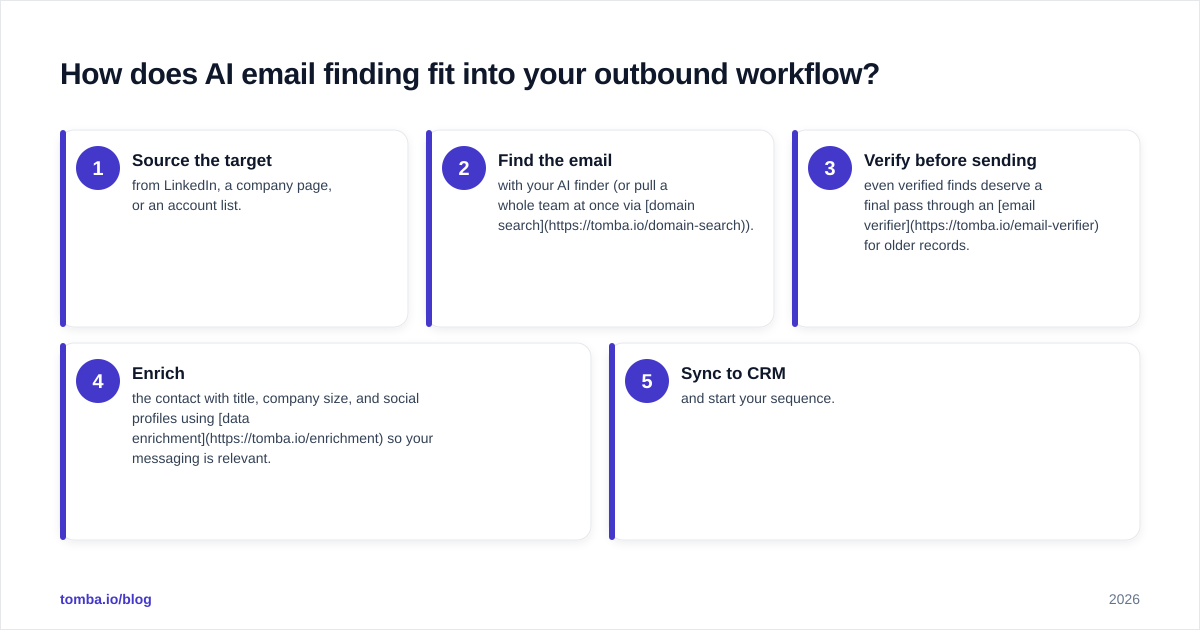
Finding the address is step one of a chain — and skipping the later steps wastes the first. A sane sequence looks like this:
- Source the target from LinkedIn, a company page, or an account list.
- Find the email with your AI finder (or pull a whole team at once via domain search).
- Verify before sending — even verified finds deserve a final pass through an email verifier for older records.
- Enrich the contact with title, company size, and social profiles using data enrichment so your messaging is relevant.
- Sync to CRM and start your sequence.
The teams that win at outbound treat list hygiene as non-negotiable. According to HubSpot's research on email marketing, clean, targeted lists drive materially higher engagement and protect your domain — which directly improves your response rate. An AI finder accelerates the front of this funnel, but verification is what keeps the whole machine deliverable.
Are AI email finders compliant and safe to use?#
Used correctly, yes — they surface business contact data that's already publicly available, which is the same basis legitimate B2B prospecting has always relied on. The risk isn't the tool; it's how you use the output.
Stay on the right side by sending relevant, consent-respecting outreach, honoring opt-outs immediately, and including the disclosures regulations like GDPR and CAN-SPAM require. Choose a vendor that documents its sourcing and lets you handle deletion requests. The reputational and deliverability damage from spraying unverified, irrelevant emails will always outweigh whatever short-term volume you gained — verify, target, and personalize instead.
The bottom line#
An AI email address finder turns a slow, error-prone guessing game into a one-second, verified lookup — but only if it verifies in real time and keeps its data fresh. Prioritize accuracy and catch-all handling over headline database counts, and never decouple finding from verifying.
Ready to find verified work emails without burning your sender reputation? Start with the Tomba Email Finder — search by name, domain, or company, get a confidence score on every result, and verify in the same credit pool. The free tier gives you 25 searches a month to test accuracy on your own list before you commit, and paid Tomba pricing starts at $49/mo with finding, verification, and enrichment included. Try it on ten of your hardest-to-find prospects and compare the bounce rate yourself.
// get started
Find, verify and enrich your first contacts today
Start on the free plan with 25 searches a month, then scale when your team is ready.
Free plan · No credit card required · GDPR & CCPA
// about the author