AI Email Copywriter in 2026: Write Cold Emails That Convert
An AI email copywriter can draft a cold email in seconds — but most output reads like spam. Here is how to use one in 2026 without sounding like a robot.
You can write a cold email in eight seconds with an AI email copywriter. The hard part is writing one that gets a reply. This guide covers what these tools actually do well in 2026, where they fail, and how to combine AI speed with human judgment so your outreach lands in the inbox instead of the trash.
TL;DR#
- An AI email copywriter is a tool that drafts cold emails, follow-ups, and subject lines from a short prompt — saving hours, not replacing strategy.
- Raw AI output averages lower reply rates than human-edited copy. The winners use AI for the first draft, then edit for specificity.
- Personalization beats polish: a 70-word email with one real, researched detail outperforms a flawless generic template.
- Most tools price between free and $99/mo. Pick based on personalization depth and CRM/data integration, not word count.
- AI copy is worthless if the email never arrives — deliverability and accurate contact data matter more than the prose.
What is an AI email copywriter?#
An AI email copywriter is a software tool that uses a large language model to generate outreach copy — cold emails, follow-up sequences, subject lines, and reply drafts — from a short brief you provide. Think of it as a junior copywriter who works instantly and never gets tired, but who has never met your prospect and doesn't know your product unless you tell it.
You feed it inputs: who you're emailing, what you sell, the goal of the message, and a tone. It returns a draft in seconds. The good ones let you paste in a prospect's LinkedIn bio or company description so the output is grounded in something real. The weak ones spit out the same "I hope this email finds you well" filler that recipients have learned to delete on sight.
The category exploded after 2023 because the underlying models got good enough to mimic decent business writing. By 2026, the differentiator is no longer "can it write a sentence" — they all can. It's whether the tool can pull in accurate data, match your voice, and avoid the tells that make recipients smell automation.
How does an AI email copywriter actually work?#
Under the hood, three things happen. First, the tool collects context — your inputs plus any enrichment data it can attach (job title, company, recent news). Second, it sends a structured prompt to a language model. Third, it formats the response into a usable email, sometimes with variants for A/B testing.
The quality of step one determines everything. Garbage in, garbage out is brutally true here. If your prompt is "write a sales email for my software," you get a generic template. If your prompt includes the prospect's role, a specific pain point, and a concrete result your product delivers, you get something worth sending.
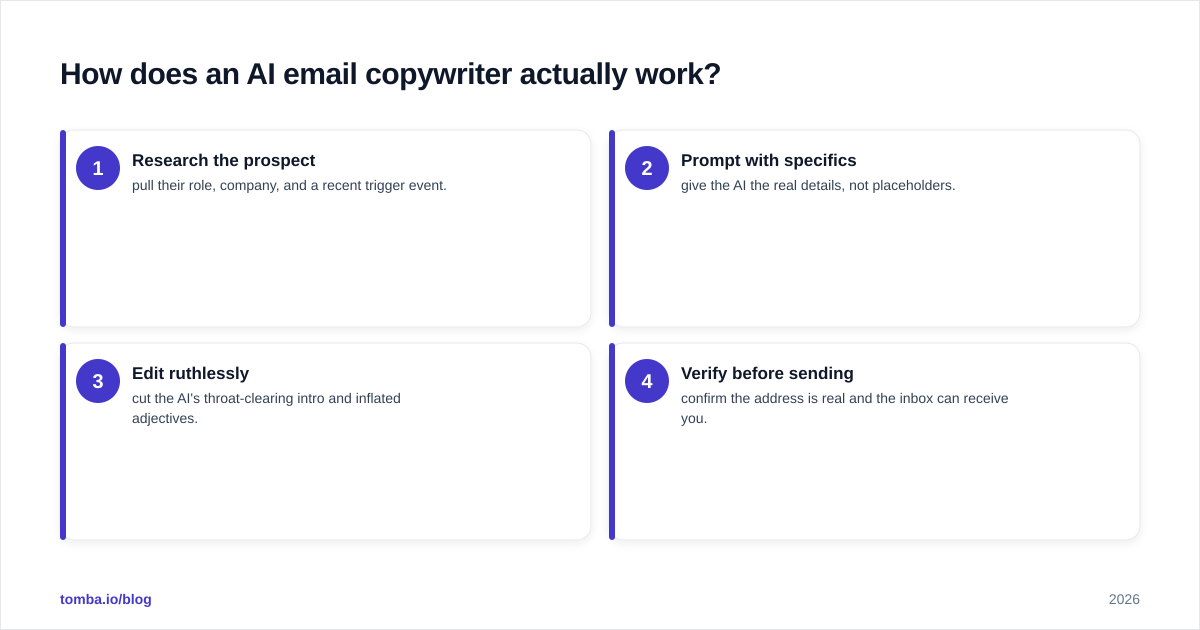
Here's the workflow that separates good operators from spammers:
- Research the prospect — pull their role, company, and a recent trigger event.
- Prompt with specifics — give the AI the real details, not placeholders.
- Edit ruthlessly — cut the AI's throat-clearing intro and inflated adjectives.
- Verify before sending — confirm the address is real and the inbox can receive you.
That fourth step is where most teams lose money. A perfect email sent to a guessed address that bounces hurts your sender reputation. Run your list through an email verifier before any send, and use a real email finder instead of guessing the format.
Is AI cold email copy actually any good?#
Honestly? The first draft is rarely good enough to send. But it's a great starting point, and that's the right way to think about it.
Independent benchmarks and practitioner data converge on the same finding: unedited AI cold emails underperform human-written ones on reply rate, mostly because they default to generic, over-formal phrasing. The fix isn't to abandon AI — it's to treat the output as a draft, not a final. According to HubSpot's research on email marketing, personalization and relevance are the strongest levers on engagement, and that's exactly what a generic AI draft lacks until you add it.
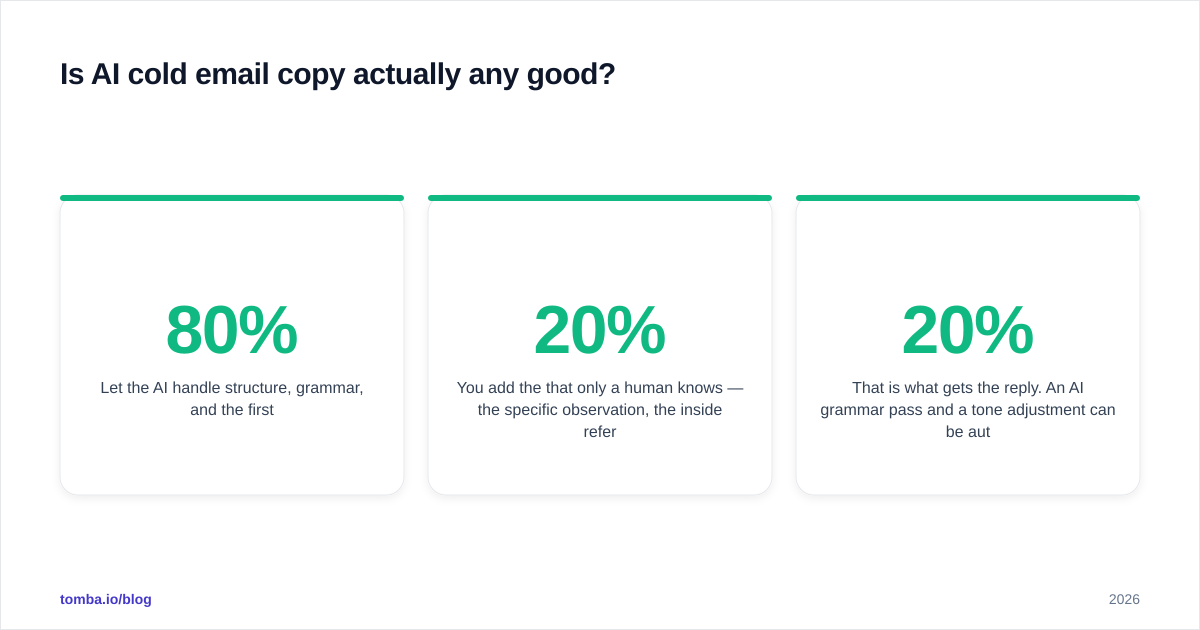
The pattern that works:
- Let the AI handle structure, grammar, and the first 80%.
- You add the 20% that only a human knows — the specific observation, the inside reference, the reason this person specifically should care.
That 20% is what gets the reply. An AI grammar pass and a tone adjustment can be automated; genuine relevance cannot be faked at scale, no matter what a vendor's landing page claims. If you want to clean up mechanics fast, an AI grammar checker handles that layer so you can spend your time on substance.
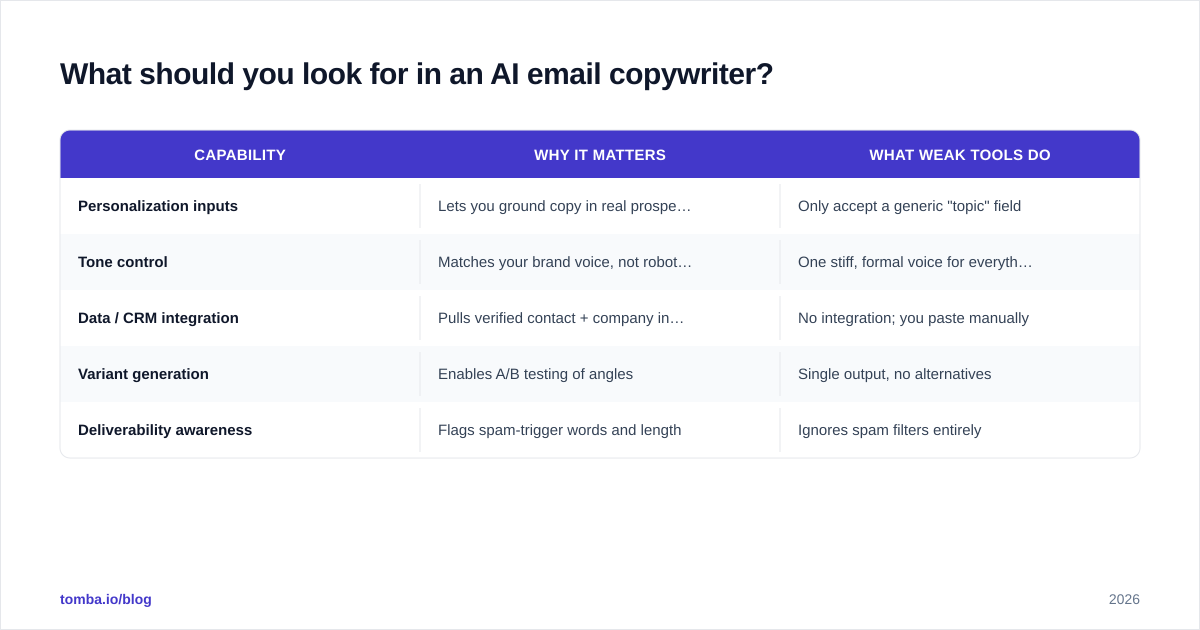
What should you look for in an AI email copywriter?#
Not all tools are equal. Word-count limits and template libraries are vanity metrics. These five attributes predict whether a tool will actually improve your reply rate:
| Capability | Why it matters | What weak tools do |
|---|---|---|
| Personalization inputs | Lets you ground copy in real prospect data | Only accept a generic "topic" field |
| Tone control | Matches your brand voice, not robotic default | One stiff, formal voice for everything |
| Data / CRM integration | Pulls verified contact + company info | No integration; you paste manually |
| Variant generation | Enables A/B testing of angles | Single output, no alternatives |
| Deliverability awareness | Flags spam-trigger words and length | Ignores spam filters entirely |
The integration column is the one most people overlook. An AI email copywriter that connects to your data source can auto-fill the personalization that drives replies. One that doesn't forces you to copy-paste, which kills the time savings that justified the tool in the first place.
How do free and paid AI email copywriters compare?#
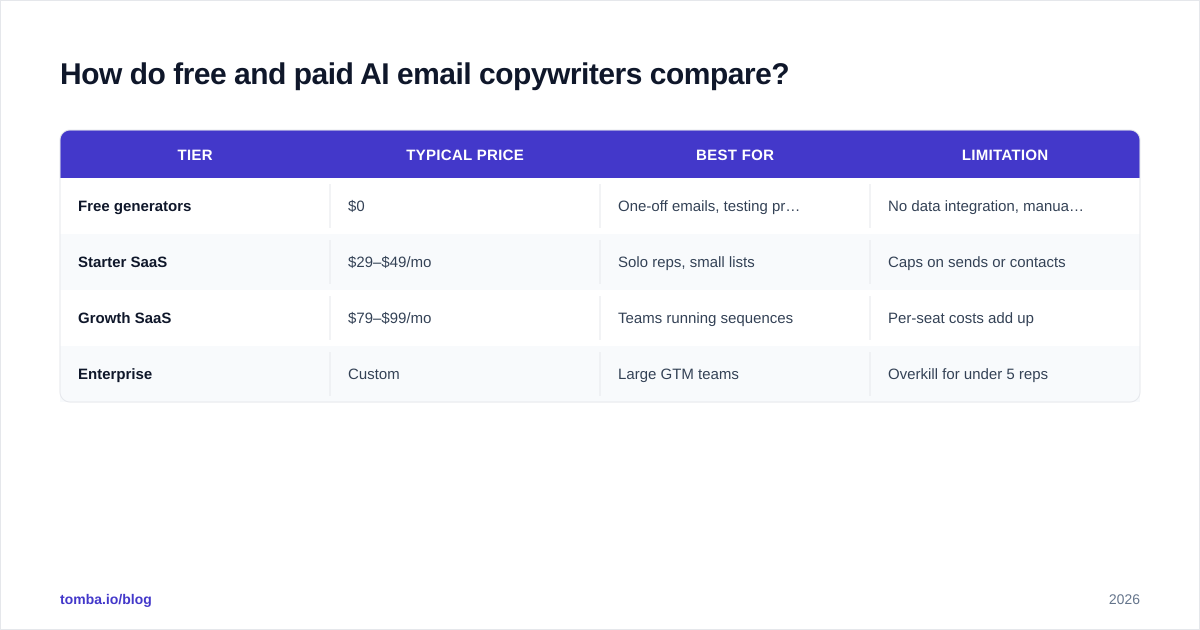
You don't need to spend much to start. Free tools are genuinely useful for one-off emails and learning what good prompts look like. Paid tiers earn their cost when you're sending at volume and need integration, variants, and consistency across a team.
| Tier | Typical price | Best for | Limitation |
|---|---|---|---|
| Free generators | $0 | One-off emails, testing prompts | No data integration, manual workflow |
| Starter SaaS | $29–$49/mo | Solo reps, small lists | Caps on sends or contacts |
| Growth SaaS | $79–$99/mo | Teams running sequences | Per-seat costs add up |
| Enterprise | Custom | Large GTM teams | Overkill for under 5 reps |
For reference, Tomba's own pricing runs from a free tier (25 searches/mo) through Starter at $49/mo, Growth at $99/mo, and Pro at $249/mo — built around finding and verifying the contacts you then write to. If you only need the copy itself, start with a free generator like the cold email AI writer and a subject line generator before committing to a monthly seat.
When comparing vendors, cross-check ratings on a neutral source like G2 rather than trusting vendor self-reports. Review volume and recency tell you more than a star average.
How do you prompt an AI email copywriter for replies?#
The prompt is the product. A vague prompt produces vague copy; a specific prompt produces copy you can almost send as-is. Use this structure every time:
- Recipient context: "VP of Sales at a 200-person B2B SaaS company."
- Trigger: "They just posted about scaling their SDR team."
- Your offer in one line: "We cut data research time per rep by 40%."
- Goal: "Get a 15-minute call."
- Constraints: "Under 80 words, casual tone, no buzzwords, one question at the end."
That last constraint matters. Left unconstrained, AI writes long. Cold emails over roughly 120 words see sharp reply-rate drops. Force brevity in the prompt and you'll edit less afterward.
A few rules that consistently improve output:
- Ban the clichés explicitly. Add "do not use 'I hope this finds you well,' 'circling back,' or 'leverage.'" The model will comply.
- Ask for the angle, not just the email. Have it generate three different opening hooks, then you pick.
- Give it a real example. Paste a cold email that got you a reply and say "match this voice."
- Iterate in the same thread. "Make it shorter and lead with the question" gets you there faster than restarting.
Once your copy is ready, the bottleneck shifts to the list. Use domain search to find the right people at a target company, and the broader email templates library if you want proven frameworks to adapt rather than starting from a blank prompt.
What mistakes kill AI-written cold emails?#
Five errors show up again and again. Avoid these and you're ahead of most senders.
Sending the raw first draft. The single biggest mistake. The AI's instinct toward formal, padded language is the exact opposite of what converts in cold outreach. Always edit.
Fake personalization. "I loved your work at {{Company}}" fools no one when the merge field is the only "personal" touch. If you can't add a real detail, the personalization is theater.
Ignoring deliverability. The best copy in the world fails if it lands in spam. AI tools love long, link-heavy, adjective-stuffed sentences — all spam-filter triggers. Keep emails short, plain, and link-light. Understanding email deliverability is non-negotiable before scaling sends.
Writing to bad data. AI copy assumes the address is correct. If you're guessing email formats, a chunk of your sends bounce, and bounces wreck your sender reputation. Verify first.
No follow-up plan. Most replies come from follow-ups two through four, not the first email. Use AI to draft the whole sequence, each message adding new value rather than just "bumping this up."
Will AI replace email copywriters entirely?#
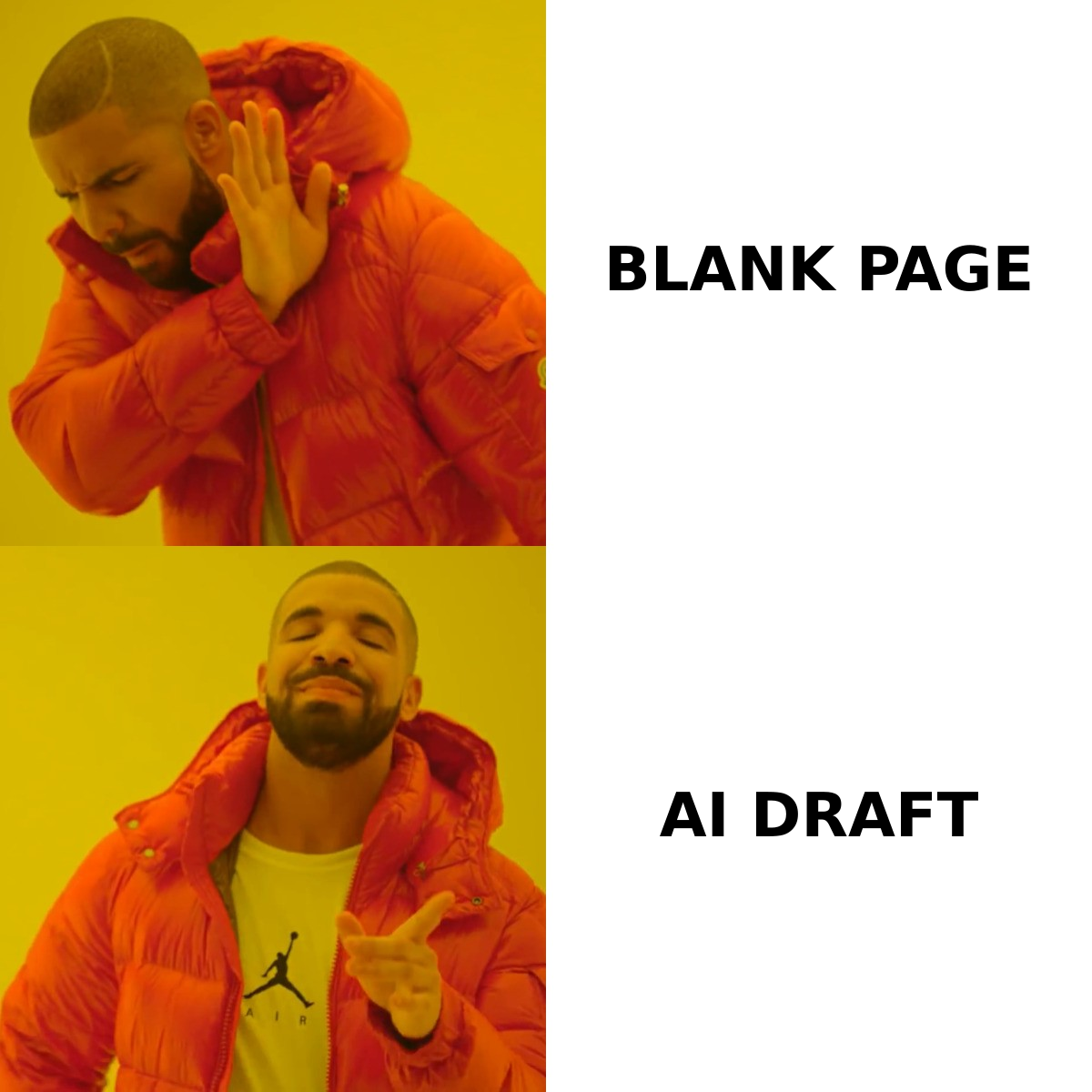
No — and the framing is wrong. AI replaces the blank page, not the strategist. The model can produce competent prose, but it can't decide who to target, what offer resonates, or which trigger event makes this the right week to reach out. Those decisions drive results, and they remain human.
What changes is the time allocation. Before AI, reps spent the bulk of their effort on drafting and wording. Now that's near-instant, which frees time for the work that actually moves reply rates: research, list quality, and personalization. The reps who win in 2026 aren't the ones who write fastest — they're the ones who feed the AI the best inputs and edit with the sharpest judgment.
In practice, the highest-performing outreach is a partnership: AI for speed and structure, human for relevance and decisions. Teams that treat AI as a full replacement send more email and get fewer replies. Teams that treat it as an accelerator send better email, faster.
The bottom line#
An AI email copywriter is one of the best productivity tools to land in sales and marketing this decade — as long as you remember it writes drafts, not finished emails. Prompt it with real specifics, edit out the robotic tells, keep it short for deliverability, and never send to an address you haven't verified.
But copy is only half the equation. The most persuasive email on earth does nothing if it goes to the wrong person or a dead inbox. That's the part teams underinvest in. Before you scale any AI-drafted campaign, build your list on accurate, verified contacts: use the Tomba Email Finder to find real professional addresses by name, company, or domain, then verify them so your beautifully written emails actually reach a human who can reply. Start free with 25 searches and pair great data with great copy — that combination is what fills your pipeline.
// get started
Find, verify and enrich your first contacts today
Start on the free plan with 25 searches a month, then scale when your team is ready.
Free plan · No credit card required · GDPR & CCPA
// about the author