AI Email Generator ChatGPT: Write Better Cold Emails in 2026
ChatGPT drafts a cold email in seconds, but raw output rarely converts. Here is how an AI email generator ChatGPT workflow turns drafts into a pipeline machine in 2026.
TL;DR
- An AI email generator ChatGPT setup writes a passable draft in seconds. But raw output is generic, unverified, and easy for prospects to spot.
- The reps who win in 2026 treat ChatGPT as a drafting layer on top of real data — not a replacement for research, personalization, or sending discipline.
- The biggest failure point is not the copy. It is sending to addresses that bounce. Pair any generator with a real email finder and email verifier.
- A repeatable prompt framework (context → angle → constraint → CTA) beats one-off "write me a cold email" requests every time.
- Use the comparison table below to choose between plain ChatGPT, a purpose-built cold email AI, and a full sales-engagement stack.
What is an AI email generator ChatGPT workflow?#
An AI email generator turns a short brief into a finished email draft. When that tool runs on ChatGPT — or any GPT-class model — it predicts the most likely next words. It bases that guess on your prompt and the patterns it learned in training. Think of it like a fast junior copywriter who has read millions of emails but never met your prospect.
That distinction matters. An AI email generator ChatGPT tool is fluent, but it does not know who you are emailing, whether their address is valid, or what happened on their last call with your team. It fills gaps with plausible-sounding filler. So the honest framing for 2026 is simple: ChatGPT is great at structure and phrasing, and weak at facts and targeting. Your job is to supply the facts and let it handle the phrasing.
Most people use one of three setups:
- Raw ChatGPT — you paste a prompt into the chat window and copy the result.
- A purpose-built generator — a tool like Tomba's cold email AI that wraps the model in sales-specific prompts and guardrails.
- An embedded generator — AI baked into a sequencer or CRM that drafts inside your sending workflow.
Each one trades control for convenience. The rest of this guide shows where each fits.
How accurate is ChatGPT for writing cold emails?#
The copy quality is high; the business accuracy is not. Two different problems get blurred when people say an AI email is "bad."
Problem one: the writing is generic. Ask ChatGPT for "a cold email to a marketing director about our SEO tool" and you get a template thousands of other reps also generated. It opens with a flattering line, pivots to a vague value claim, and closes with "Are you free for a quick 15-minute call?" Prospects spot this in under two seconds.
Problem two: the AI invents details. Models hallucinate. Ask it to reference a prospect's recent funding round, and it may confidently make one up. A personalized line built on a fake fact is worse than no personalization — it signals you did not check.
Neither problem is a reason to drop AI. They are reasons to feed it verified inputs. The reliable pattern is simple. Gather real signals yourself — job title, company, a genuine trigger event, a verified email. Then ask ChatGPT to assemble and phrase an email around those signals. You stay the source of truth; the model is the drafting engine.
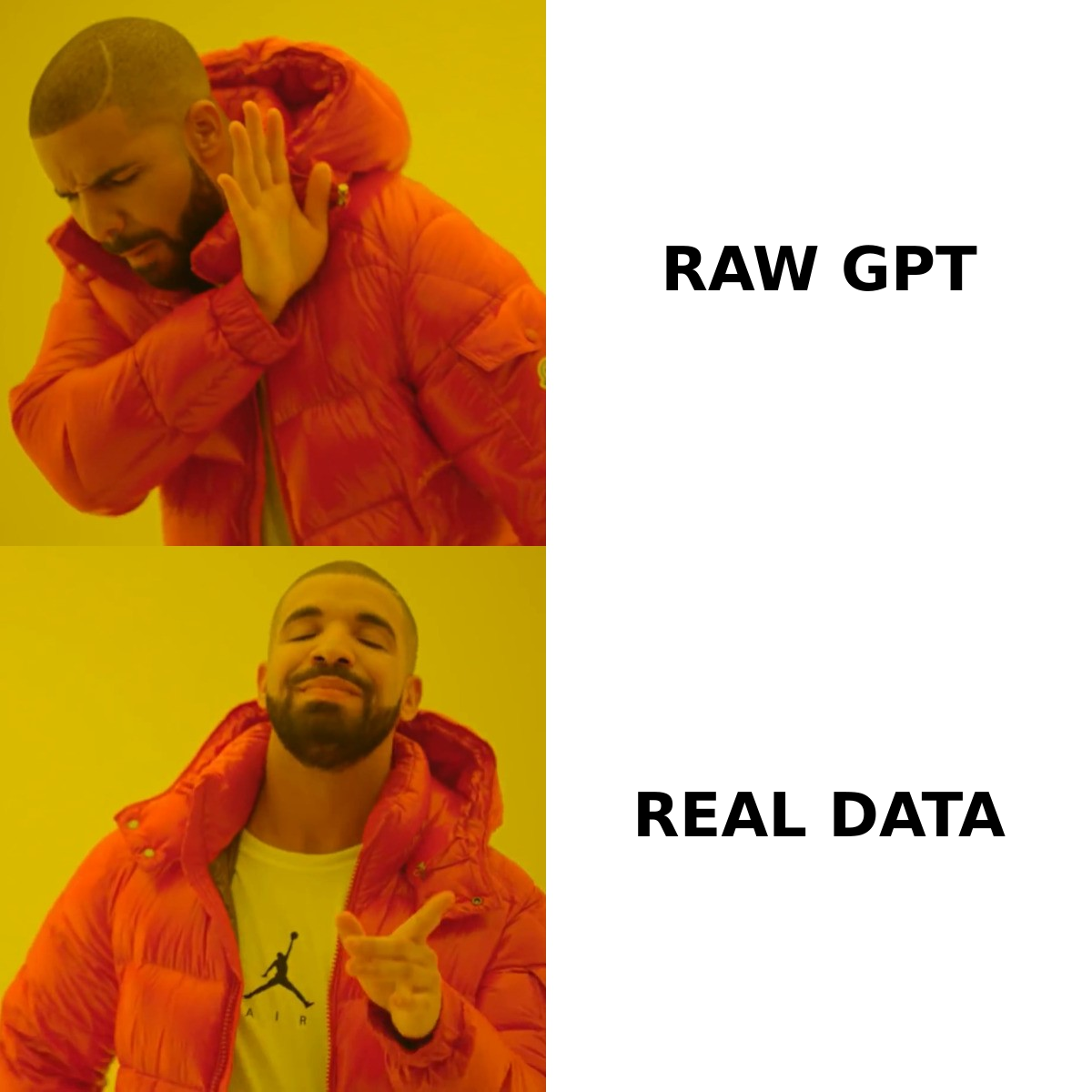
This is also why deliverability lives upstream of copy. The best email on earth earns zero replies if it bounces or lands in a catch-all trap. Before you tune a single sentence, confirm the address is real with an email verifier. Check that your sending domain is healthy too. Copy is the last 20% of the problem, not the first.
What does a good ChatGPT email prompt look like?#
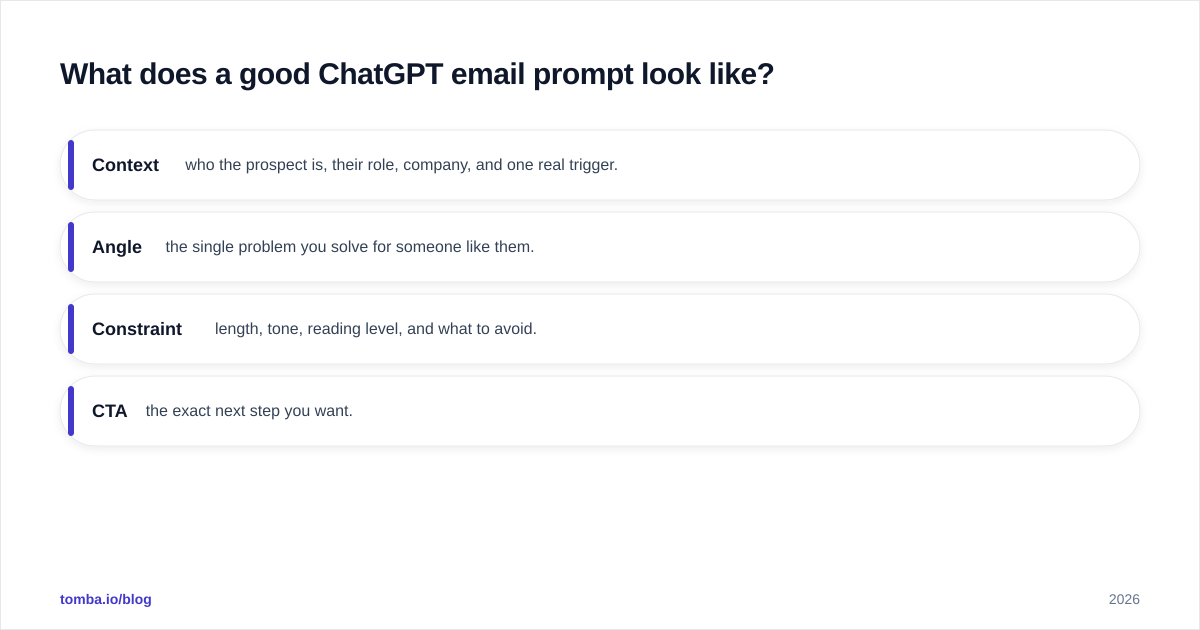
A good prompt removes the model's freedom to guess. The framework that beats "write me a cold email" is Context → Angle → Constraint → CTA:
- Context — who the prospect is, their role, company, and one real trigger.
- Angle — the single problem you solve for someone like them.
- Constraint — length, tone, reading level, and what to avoid.
- CTA — the exact next step you want.
Here is a weak prompt and a strong one side by side.
Weak: "Write a cold email selling our analytics platform to a CMO."
Strong: "Write a 70-word cold email to Dana Liu, VP of Growth at a 200-person B2B SaaS company that just posted three demand-gen roles. Problem we solve: their team manually stitches together campaign data across five tools. Tone: peer-to-peer, no hype, 6th-grade reading level. Do not use the words 'revolutionary' or 'cutting-edge.' Do not invent statistics. CTA: ask if they want a 2-minute Loom showing how we'd connect their stack."
The strong prompt works on the first try because it constrains every variable the model would otherwise invent. Save your three or four best prompts as templates and swap the variables per prospect. If subject lines are your weak point, pair this with a dedicated subject line generator instead of asking one model to do everything at once.
A second diagram helps when you onboard a team to this process:
Is ChatGPT better than a dedicated AI email tool?#
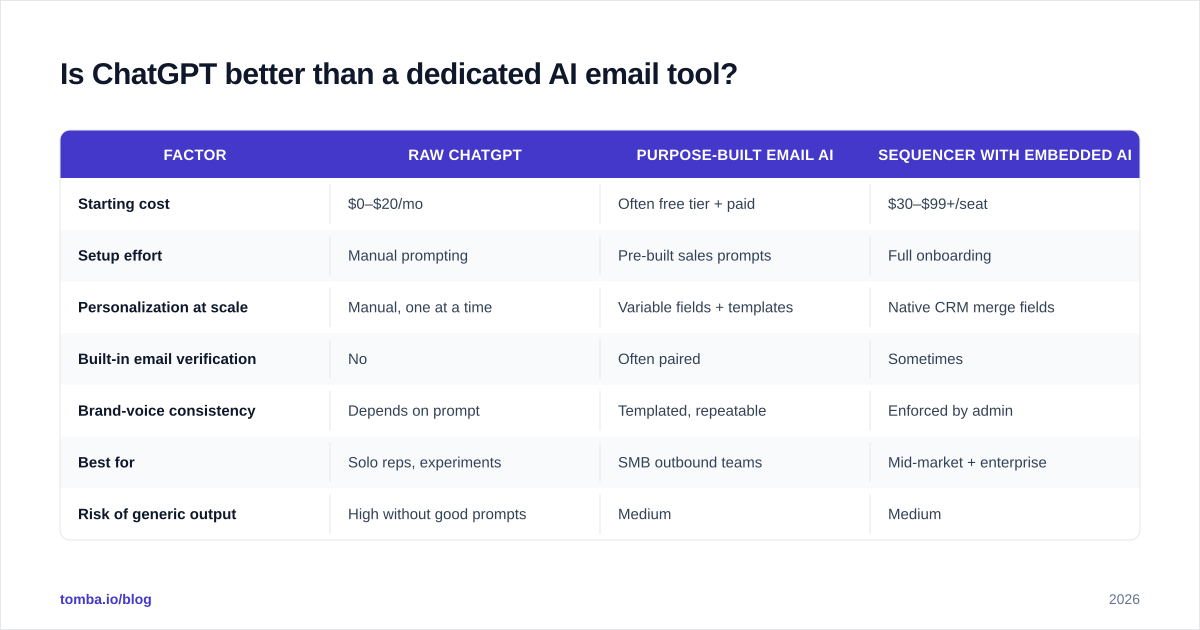
It depends on volume and how much control you want. ChatGPT is the most flexible option and the cheapest to start. Dedicated tools win when you need consistency across a team, built-in personalization fields, and a clean path from draft to verified send.
| Factor | Raw ChatGPT | Purpose-built email AI | Sequencer with embedded AI |
|---|---|---|---|
| Starting cost | $0–$20/mo | Often free tier + paid | $30–$99+/seat |
| Setup effort | Manual prompting | Pre-built sales prompts | Full onboarding |
| Personalization at scale | Manual, one at a time | Variable fields + templates | Native CRM merge fields |
| Built-in email verification | No | Often paired | Sometimes |
| Brand-voice consistency | Depends on prompt | Templated, repeatable | Enforced by admin |
| Best for | Solo reps, experiments | SMB outbound teams | Mid-market + enterprise |
| Risk of generic output | High without good prompts | Medium | Medium |
The practical answer for most small teams in 2026: start with ChatGPT to learn what good prompts look like. Then move to a purpose-built generator once you send more than a handful of emails a day. Manually prompting for 200 prospects is not a strategy; it is a bottleneck.
If you want to compare full outbound platforms rather than standalone writers, vendor-neutral directories like G2 and HubSpot's sales blog track features and verified reviews across the category.

How do you turn AI drafts into actual replies?#
You connect three layers the generator cannot do on its own: find the person, verify the address, and personalize with real signals. ChatGPT writes the words; this handles everything around them.
Step 1 — Find the contact. You cannot email someone you cannot reach. Use an email finder to get a professional address from a name and domain. Or run a company-wide domain search to pull the right department contacts. This is the input ChatGPT will never produce — it has no live access to who works where.
Step 2 — Verify before sending. Even a found address can be stale. A single bounce on a fresh domain hurts your sender reputation and pulls future emails toward spam. Run every address through verification so your AI email actually arrives. Deliverability is a data problem before it is a copy problem.
Step 3 — Personalize with verified signals. Now feed ChatGPT the real details — the prospect's role, a genuine trigger, the format you found their address in. Let it draft. Because the inputs are true, the output is specific. Then have the model self-check: ask it to flag any sentence that assumes a fact you did not provide.
Step 4 — Edit like a human. Cut one sentence. Replace one AI-sounding phrase. Read it aloud. The goal is not to remove all AI involvement. It is to remove all evidence of lazy AI involvement. A 30-second human pass separates a reply from the trash folder.
This is why "AI replaces SDRs" oversells reality. The model cuts the writing step from ten minutes to one. It does not find prospects, validate data, or judge whether a trigger is worth referencing. Those still need you — or tools built for them.
What are the limits and risks you should plan for?#
Three risks trip up teams that lean too hard on an AI email generator ChatGPT workflow.
Sameness at scale. When everyone uses the same model with similar prompts, inboxes fill with near-identical emails. The defense is genuine personalization inputs and a distinct brand voice locked into your prompt template — not more clever adjectives.
Compliance and accuracy. AI does not know your legal footer rules, regional consent laws, or whether a claim is approved. Keep a human in the loop for anything that asserts a metric, a guarantee, or a customer name. Never let a generated statistic ship unverified.
Over-automation of deliverability. Volume without verification is the fastest way to torch a domain. AI makes it trivial to generate 1,000 emails. It does nothing to make 1,000 addresses valid. Match your generation capacity to your verification and warmup capacity, not the other way around.
A simple rule keeps you safe: automate the drafting, never the judgment. The model proposes; a person — or a verification step — disposes.
Frequently asked questions#
Can ChatGPT write cold emails that don't sound like AI? Yes, if you constrain tone, reading level, and banned phrases in the prompt, then do a short human edit. The default voice is the giveaway; specific constraints remove it.
Is a free AI email generator good enough? For learning and low volume, yes. Once you send daily, a tool that combines drafting with finding and verification saves more time than the subscription costs.
Will AI emails hurt my deliverability? Only if you skip verification and warmup. The copy does not bounce; bad addresses do. Verify first, then optimize words.
Do I still need to personalize manually? You need to supply real personalization data manually. The model can phrase it, but it cannot discover it.
Putting it together#
The reps winning with AI in 2026 are not the ones with the cleverest prompts. They are the ones who treat ChatGPT as one layer in a stack: real contact data underneath, verification in the middle, and a fast human edit on top. The generator removes the blank-page tax. Everything that earns the reply — accurate targeting, a valid address, a genuine trigger — still depends on the data you feed it.
Start by fixing the data layer, because no email converts if it never arrives. Use the Tomba Email Finder to pull verified professional addresses by name, company, or domain, then let your AI generator do what it is genuinely good at: turning those verified contacts into emails worth reading. Pair the two and you stop guessing — at who to reach, whether they exist, and what to say.
Ready to find emails that actually work?
Join 150,000+ professionals who stopped guessing and started sending. Free credits on signup — no credit card required.
Get the Tomba newsletter
Practical outbound tactics and product updates — once every two weeks.
About the author