AI Email Sender in 2026: How It Works, Top Tools & Setup
An AI email sender writes, personalizes, and sends outreach at scale. Here's how the tech works in 2026, what to look for, and how to keep deliverability intact.
An AI email sender promises the same thing every quarter: write less, send more, book more meetings. The tools have gotten genuinely good — but the gap between "drafts a clever subject line" and "lands in the primary inbox of a verified prospect" is where most teams lose money. This guide breaks down what an AI email sender actually does in 2026, where the real leverage is, and how to wire one up without torching your domain.
TL;DR#
- An AI email sender combines generation (LLM-written copy), personalization (data merged per recipient), and delivery (scheduling, rotation, throttling) into one workflow.
- The AI handles the writing and timing. It does not fix bad data — sending personalized copy to wrong or unverified addresses just gets you bounced faster.
- Deliverability is the hidden tax: warmup, sending limits, and clean lists matter more than how clever the copy is.
- Best results come from pairing an AI sender with a verified contact source like a dedicated email finder and email verifier.
- Budget realistically: standalone AI senders run $30–$100+/mo, and you still need a data layer underneath.
What is an AI email sender?#
An AI email sender is software that uses a large language model to draft outreach emails, personalizes each message against recipient data, and then sends them on an automated schedule — with deliverability controls baked in.
Think of it like a restaurant that took over both the kitchen and the delivery fleet. The old way, you wrote every dish (email) by hand and drove each one to the customer yourself. An AI email sender staffs the kitchen with a writer that drafts to your recipe, and runs a dispatch system that decides when and how fast to send so nothing arrives cold — or gets flagged as spam.
Technically, three layers stack together:
- Generation — an LLM writes subject lines, opening hooks, and body copy from a prompt, a template, or a past-winning example.
- Personalization — variables (name, company, role, recent funding, tech stack) get merged into each message, ideally with AI rewriting the sentence around the variable, not just slotting it in.
- Delivery — scheduling, inbox rotation, throttling, and reply detection so volume scales without tanking your sender reputation.
The mistake teams make is treating it as a writing tool. The writing is the easy 20%. The other 80% is data quality and delivery mechanics.
How does an AI email sender actually work?#
Walk through a single send and you'll see where each layer earns its keep.
You start with a list of prospects. For each one, the platform pulls enrichment data — title, company size, recent news. The AI takes your prompt ("write a 90-word cold email referencing their recent Series B, casual tone, one CTA") and generates a draft per recipient. A personalization engine swaps in the verified email address and merge fields. Then the delivery engine queues the message, picks a sending inbox, respects your daily cap, and spaces sends out so you look human, not robotic.
Reply handling closes the loop: when a prospect responds, the AI can draft a context-aware reply or hand off to a human. Some tools route hot replies straight to your CRM.
The quality of that whole chain depends on one input you control before the AI ever runs: the contact data. Garbage in, perfectly-worded garbage out.
Does an AI email sender improve deliverability or hurt it?#
Both — it depends entirely on how you configure it. The AI itself is neutral; your list hygiene and sending discipline decide the outcome.
Here's the uncomfortable math. A great AI email sender firing into an unverified list will accelerate damage, because you're sending more volume to dead and spam-trap addresses. Every hard bounce dings your email deliverability. Mailbox providers watch bounce rates and engagement; cross their thresholds and even your good emails start landing in spam.
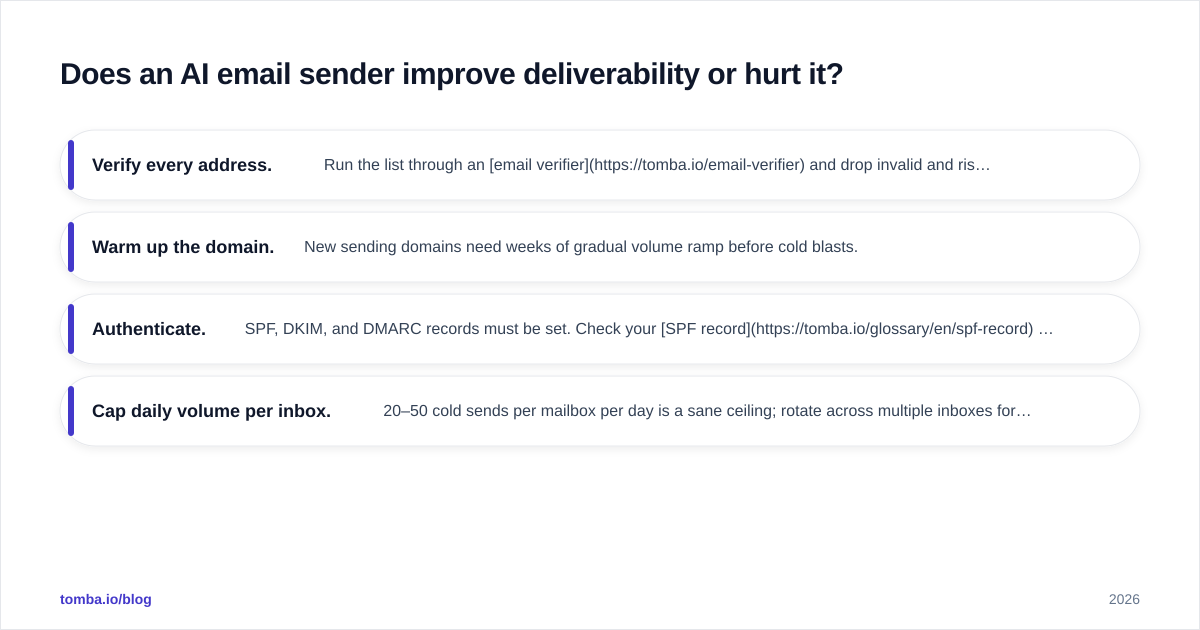
So the non-negotiable pre-flight checklist before you let any AI sender loose:
- Verify every address. Run the list through an email verifier and drop invalid and risky ones. Use a catch-all verifier for domains that accept everything.
- Warm up the domain. New sending domains need weeks of gradual volume ramp before cold blasts.
- Authenticate. SPF, DKIM, and DMARC records must be set. Check your SPF record with a free tool before you scale.
- Cap daily volume per inbox. 20–50 cold sends per mailbox per day is a sane ceiling; rotate across multiple inboxes for more.
Do this and the AI sender multiplies a healthy system. Skip it and the AI just helps you fail faster.
What should you look for in an AI email sender?#
Not all "AI" senders are equal. Some bolt a thin GPT wrapper onto a basic sequencer; others genuinely improve reply rates. Evaluate against these:
- Personalization depth — does it rewrite per recipient, or just merge
{{first_name}}? - Native data or integrations — can it find and verify contacts, or do you bring your own list?
- Deliverability tooling — built-in warmup, inbox rotation, spam-score checks.
- Reply intelligence — sentiment detection, auto-categorization, suggested replies.
- Sending limits and pricing model — per-seat, per-email, or per-contact.
A quick note on copy: even with AI, your subject line carries the open rate. Tools like a free subject line tester and a spam checker catch problems the AI won't flag on its own.
AI email sender vs. manual sending vs. basic automation#
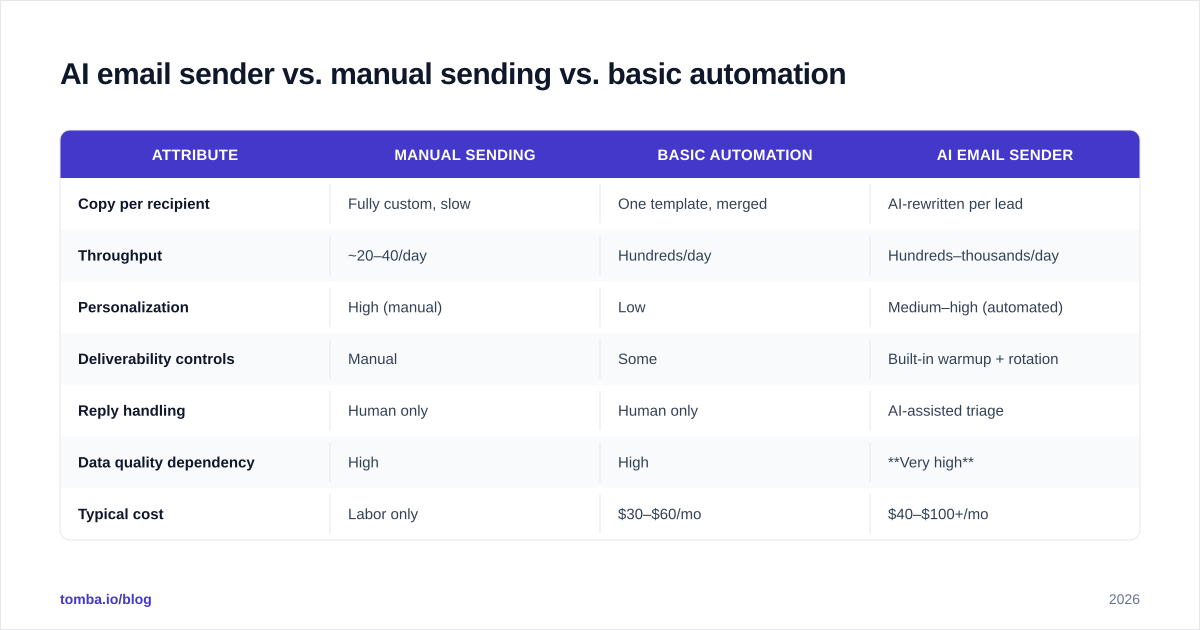
Where does an AI sender actually pull ahead? Here's the honest comparison across the three ways teams run outreach.
| Attribute | Manual sending | Basic automation | AI email sender |
|---|---|---|---|
| Copy per recipient | Fully custom, slow | One template, merged | AI-rewritten per lead |
| Throughput | ~20–40/day | Hundreds/day | Hundreds–thousands/day |
| Personalization | High (manual) | Low | Medium–high (automated) |
| Deliverability controls | Manual | Some | Built-in warmup + rotation |
| Reply handling | Human only | Human only | AI-assisted triage |
| Data quality dependency | High | High | Very high |
| Typical cost | Labor only | $30–$60/mo | $40–$100+/mo |
| Best for | < 50 high-value accounts | Mid-volume lists | Scaled, personalized outreach |
The pattern: AI senders win on throughput-with-personalization, but they raise the stakes on data quality. A manual sender with a bad address wastes one email. An AI sender with a bad list wastes thousands and burns the domain.
How much does an AI email sender cost in 2026?#
Standalone AI email senders typically run $30 to $100+ per month per seat, and that price almost never includes a reliable contact database. You're paying for generation and delivery; you bring the data.
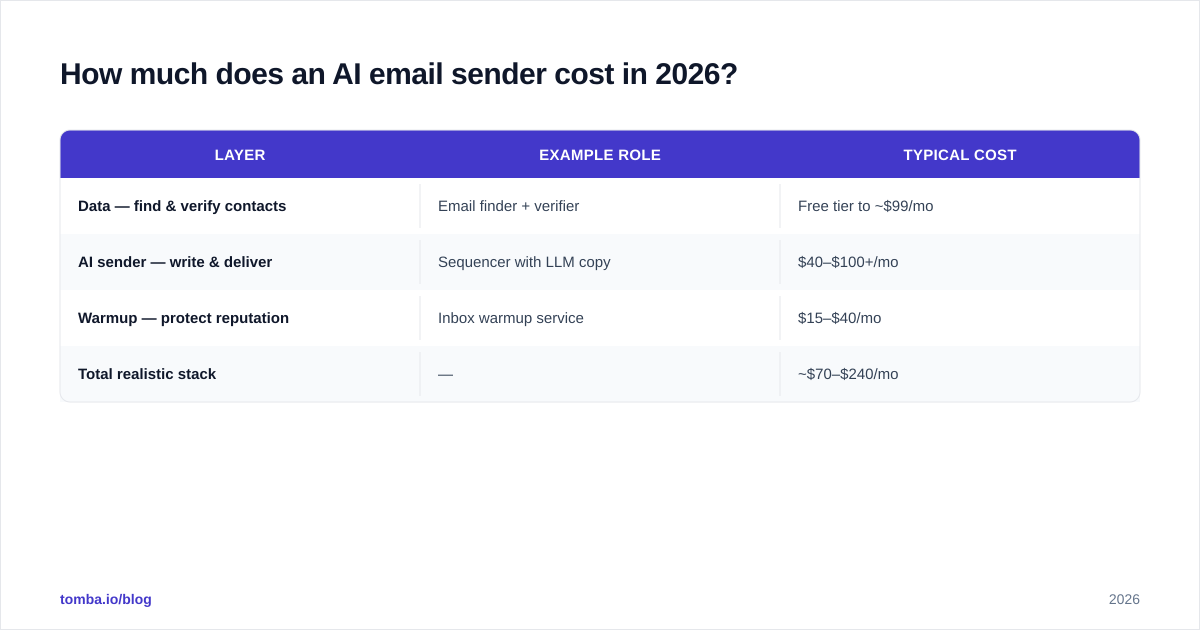
That's the line item teams forget. The sending tool is half the stack. The other half is finding and verifying who to send to. Here's how a realistic 2026 setup compares:
| Layer | Example role | Typical cost |
|---|---|---|
| Data — find & verify contacts | Email finder + verifier | Free tier to ~$99/mo |
| AI sender — write & deliver | Sequencer with LLM copy | $40–$100+/mo |
| Warmup — protect reputation | Inbox warmup service | $15–$40/mo |
| Total realistic stack | — | ~$70–$240/mo |
On the data layer, Tomba pricing starts with a Free tier at 25 searches/mo, Starter at $49/mo, Growth at $99/mo, and Pro at $249/mo — so you can verify and source contacts before they ever hit your AI sender. If you're enriching at volume, the bulk email finder handles lists in one pass.
For the sending and copy side, compare a few named options on G2 and check vendor docs like HubSpot's sales email tools before committing — feature sets shift fast.
How do you set up an AI email sender the right way?#
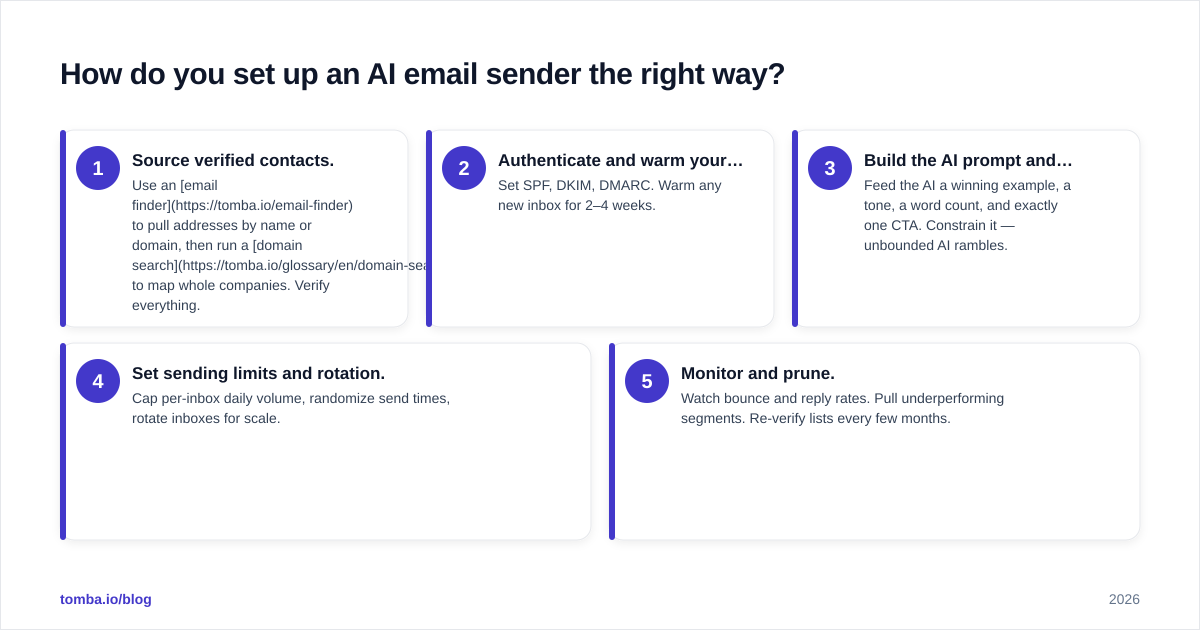
Five steps, in order. Skipping the early ones is how good tools produce bad results.
- Source verified contacts. Use an email finder to pull addresses by name or domain, then run a domain search to map whole companies. Verify everything.
- Authenticate and warm your domain. Set SPF, DKIM, DMARC. Warm any new inbox for 2–4 weeks.
- Build the AI prompt and template. Feed the AI a winning example, a tone, a word count, and exactly one CTA. Constrain it — unbounded AI rambles.
- Set sending limits and rotation. Cap per-inbox daily volume, randomize send times, rotate inboxes for scale.
- Monitor and prune. Watch bounce and reply rates. Pull underperforming segments. Re-verify lists every few months.
Notice steps 1 and 2 happen before the AI writes a word. That ordering is the whole game.
Can AI email senders replace SDRs?#
No — they replace the grunt work SDRs hate, not the judgment SDRs provide. The AI drafts and sends; humans still set strategy, handle nuanced replies, and decide which accounts deserve real effort.
The realistic 2026 model is augmentation. An SDR who used to send 40 manual emails a day now oversees an AI sender working 400, and spends their freed hours on the 20 replies that matter. The constraint shifts from "how many can I write" to "how good is my list and my offer." That's why teams that win with AI senders invest heavily upstream in data enrichment and verification — the AI amplifies whatever you feed it.
If you want to go deeper on reply rates, our breakdown of response rate benchmarks shows where AI personalization actually moves the needle versus where it's noise.
The bottom line#
An AI email sender is a force multiplier, not a magic wand. It writes faster than you, sends smarter than a basic sequencer, and triages replies you'd otherwise miss. But it multiplies your inputs — and the input that matters most is verified, accurate contact data. Get that wrong and the best AI in the world just helps you bounce at scale.
Start with the data layer. Use the Tomba Email Finder to source professional email addresses by name, domain, or company, verify them in the same workflow, and feed your AI sender a list that actually lands. Clean data first, clever copy second — that's the order that books meetings. Spin up the free tier and build your first verified list before your next campaign goes out.
Ready to find emails that actually work?
Join 150,000+ professionals who stopped guessing and started sending. Free credits on signup — no credit card required.
Get the Tomba newsletter
Practical outbound tactics and product updates — once every two weeks.
About the author