AI for Sales Operations in 2026: The Complete RevOps Guide
AI for sales operations is moving from hype to your daily workflow. Here's how to automate forecasting, data hygiene, and lead routing without breaking your stack.
TL;DR
- AI for sales operations means using machine learning and large language models to run the unglamorous engine of revenue: forecasting, data hygiene, lead routing, quota planning, and pipeline inspection.
- The biggest wins in 2026 are not "AI that closes deals." They are AI that removes the 30% of a rep's week lost to admin and the manual cleanup RevOps teams drown in.
- Start with one bounded use case — usually CRM data enrichment or forecast scoring — prove ROI, then expand.
- Tooling splits into three layers: data/enrichment, workflow automation, and analytics/forecasting. You need clean inputs before any AI layer is trustworthy.
- Garbage in, garbage out still rules. A model trained on a CRM full of stale contacts and duplicate accounts will confidently produce wrong forecasts.
What is AI for sales operations?#
AI for sales operations is the application of machine learning, predictive scoring, and language models to the back-office machinery that keeps a revenue team running — not the selling itself, but everything around it.
Think of sales operations as the pit crew in a Formula 1 race. The reps are the drivers everyone watches, but the pit crew decides whether the car has fuel, fresh tires, and a clean track ahead. AI is the new pit crew: it tightens the bolts faster, spots the slow leak before it becomes a blowout, and frees humans to make the judgment calls that actually need a brain.
Concretely, "AI for sales operations" covers tasks like predicting which deals will close this quarter, automatically routing inbound leads to the right rep, scrubbing duplicate accounts, enriching thin contact records, summarizing call notes into CRM fields, and flagging pipeline that has gone quiet. According to Gartner, a large share of sales operations time is still consumed by manual data work — exactly the surface area AI is best at.
This is distinct from AI that writes cold emails or runs conversations. That is sales engagement. Operations is the plumbing: revenue operations processes, data quality, and the analytics that tell leadership where the number is really going.
Why does sales operations need AI now?#
The short answer: the data volume outgrew the humans years ago, and the tooling finally caught up.
A modern B2B team touches dozens of systems — CRM, sequencer, conversation intelligence, billing, product analytics. Every one of them spits out signals. No RevOps analyst can reconcile that by hand at the speed deals move. So three things happen without AI:
- Forecasts drift. Reps sandbag or over-commit, and leadership finds out at quarter-end.
- Data rots. People change jobs roughly every two to three years, so a CRM loses a meaningful chunk of contact accuracy annually if nobody maintains it.
- Reps sell less. Studies repeatedly show sellers spend under a third of their time actually selling; the rest is admin, research, and data entry.
AI attacks all three. Predictive models smooth out human bias in forecasts. Enrichment APIs keep records fresh automatically. And language models turn a 40-minute call into three structured CRM fields in seconds.
What can AI actually automate in sales operations?#
Here is where the rubber meets the road. Not every task is a good fit — AI shines on high-volume, pattern-heavy, low-ambiguity work and struggles where context and politics dominate.
Strong fits today:
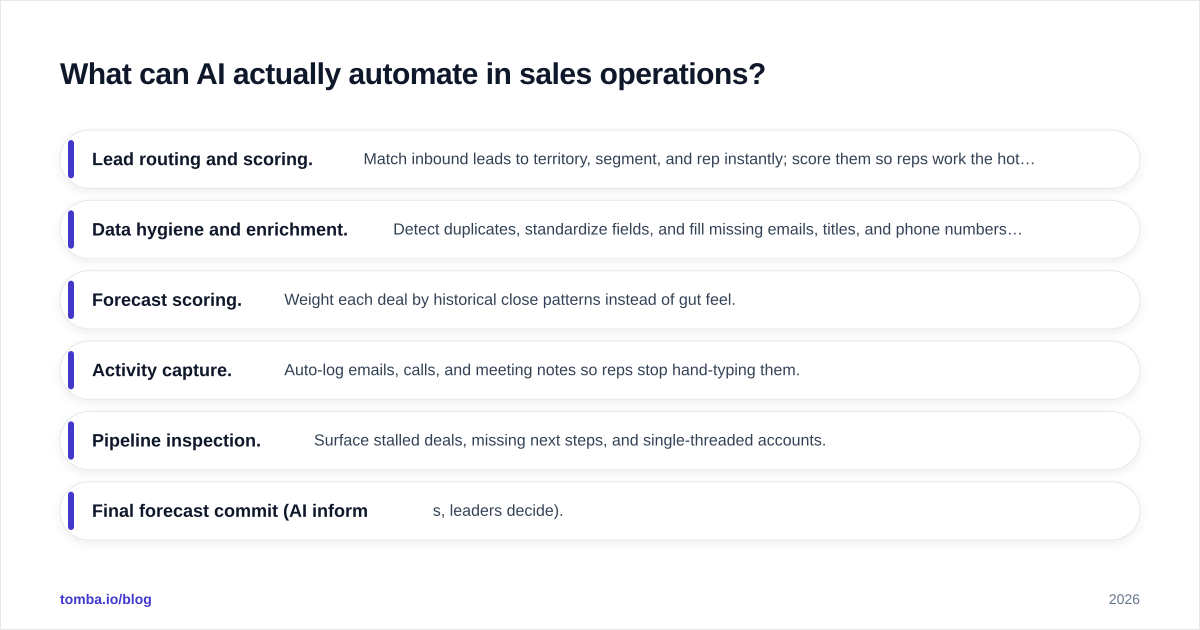
- Lead routing and scoring. Match inbound leads to territory, segment, and rep instantly; score them so reps work the hottest first. This connects directly to lead management and scoring workflows.
- Data hygiene and enrichment. Detect duplicates, standardize fields, and fill missing emails, titles, and phone numbers using a data enrichment layer.
- Forecast scoring. Weight each deal by historical close patterns instead of gut feel.
- Activity capture. Auto-log emails, calls, and meeting notes so reps stop hand-typing them.
- Pipeline inspection. Surface stalled deals, missing next steps, and single-threaded accounts.
Weak fits (keep humans in charge):
- Final forecast commit (AI informs, leaders decide).
- Comp plan design and territory politics.
- Anything where the training data is thin, biased, or stale.
The pattern: AI handles the volume and pattern recognition, humans handle the judgment and accountability. Treat it like spell-check — it catches the obvious, you still read the sentence.
Which tools cover AI for sales operations?#
The market splits into three layers, and most teams assemble a stack rather than buy one box. You need clean data before workflow automation, and both before analytics can be trusted.
| Layer | What it does | Example categories | Why it matters |
|---|---|---|---|
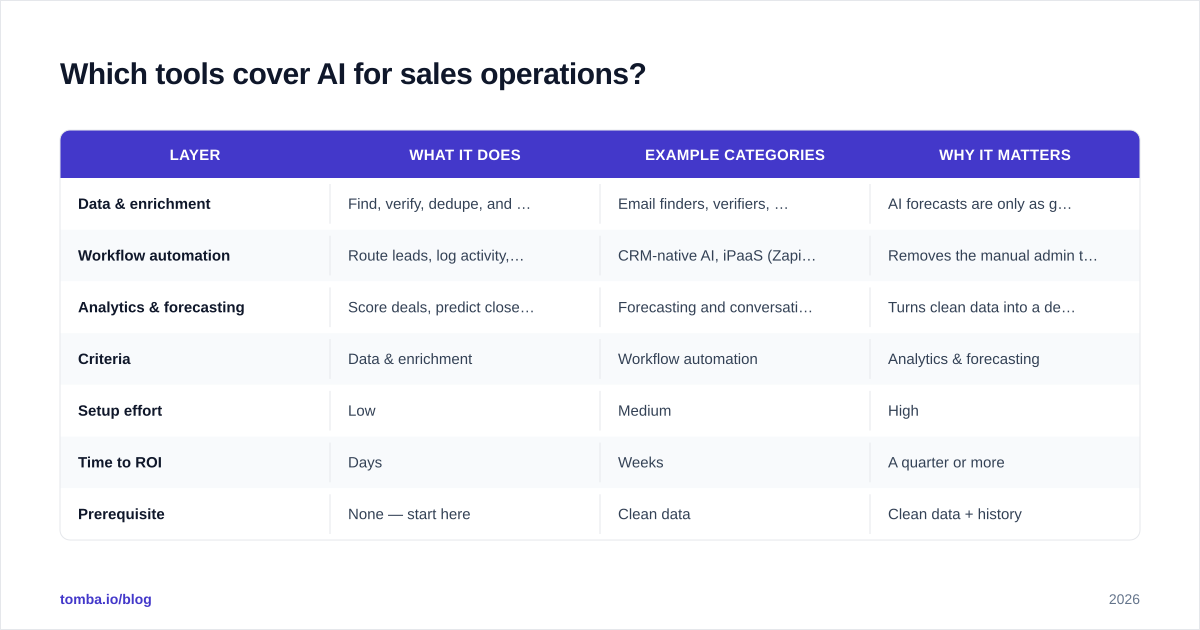
| Data & enrichment | Find, verify, dedupe, and enrich contact/account records | Email finders, verifiers, data enrichment APIs | AI forecasts are only as good as the CRM under them |
| Workflow automation | Route leads, log activity, trigger tasks | CRM-native AI, iPaaS (Zapier, Make) | Removes the manual admin tax on reps |
| Analytics & forecasting | Score deals, predict close, inspect pipeline | Forecasting and conversation-intelligence tools | Turns clean data into a defensible number |
Here is how the layers compare on the decision that matters — where to start and what to budget:
| Criteria | Data & enrichment | Workflow automation | Analytics & forecasting |
|---|---|---|---|
| Setup effort | Low | Medium | High |
| Time to ROI | Days | Weeks | A quarter or more |
| Prerequisite | None — start here | Clean data | Clean data + history |
| Typical entry cost | From $49/mo | Often CRM-bundled | Premium tier |
| Risk if skipped | Everything downstream breaks | Reps stay buried in admin | You forecast blind |
The honest sequencing advice: fix data first. A forecasting model layered on a dirty CRM produces confident garbage, which is more dangerous than obvious garbage because leadership trusts it. Platforms like HubSpot and Salesforce now bundle AI into the workflow and analytics layers, but neither cleans your data sources for you — that is an upstream job.
For the data layer specifically, an email finder and email verifier keep contact records valid before they ever reach your scoring models, and the Tomba API lets RevOps wire enrichment directly into the pipeline so records are clean on entry rather than cleaned in a painful quarterly sweep.

How do you implement AI for sales operations without breaking your stack?#
Run it like a pilot, not a platform migration. The teams that fail try to "AI-transform sales ops" in one swing. The teams that win pick one painful, measurable task and prove it.
A five-step rollout:
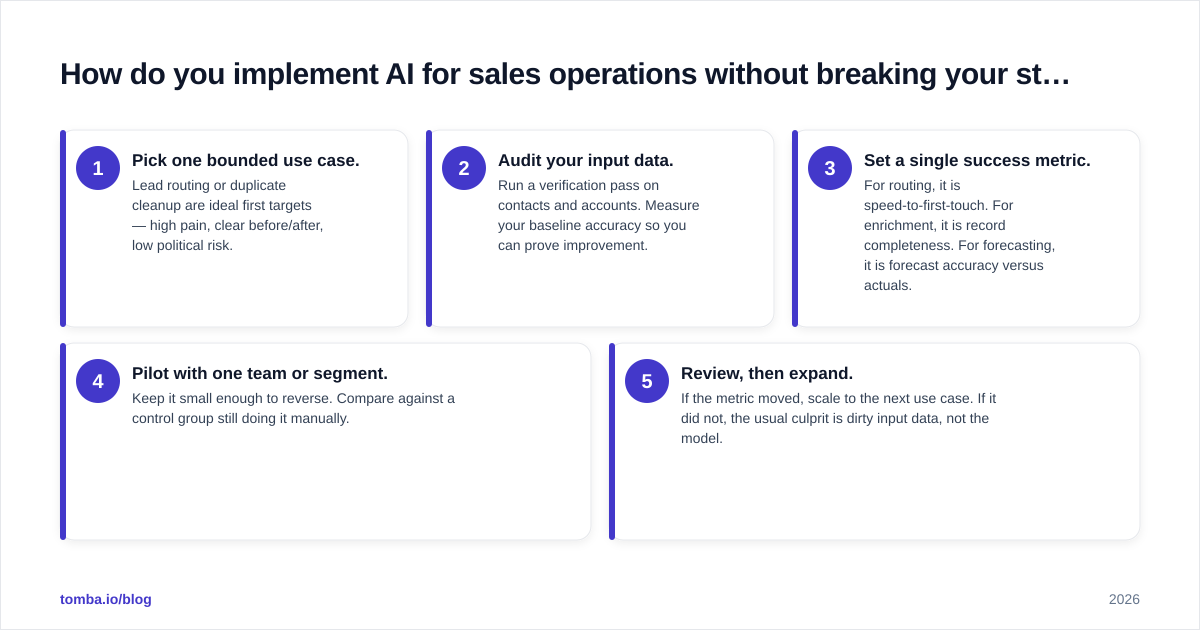
- Pick one bounded use case. Lead routing or duplicate cleanup are ideal first targets — high pain, clear before/after, low political risk.
- Audit your input data. Run a verification pass on contacts and accounts. Measure your baseline accuracy so you can prove improvement.
- Set a single success metric. For routing, it is speed-to-first-touch. For enrichment, it is record completeness. For forecasting, it is forecast accuracy versus actuals.
- Pilot with one team or segment. Keep it small enough to reverse. Compare against a control group still doing it manually.
- Review, then expand. If the metric moved, scale to the next use case. If it did not, the usual culprit is dirty input data, not the model.
The most common failure mode is skipping step two. People expect sales automation to fix a data problem it cannot see. Verify and enrich first — then automate.
A practical detail: keep a human approval gate on anything customer-facing or irreversible during the pilot. AI suggests the route, the lead score, the forecast weighting; a person confirms until trust is earned. You loosen the gate as the track record builds.
How do you measure ROI on AI sales operations?#
Tie every AI initiative to a metric leadership already cares about, then measure the delta against a manual baseline. Vague claims like "more efficiency" get budgets cut. Hard deltas get them renewed.
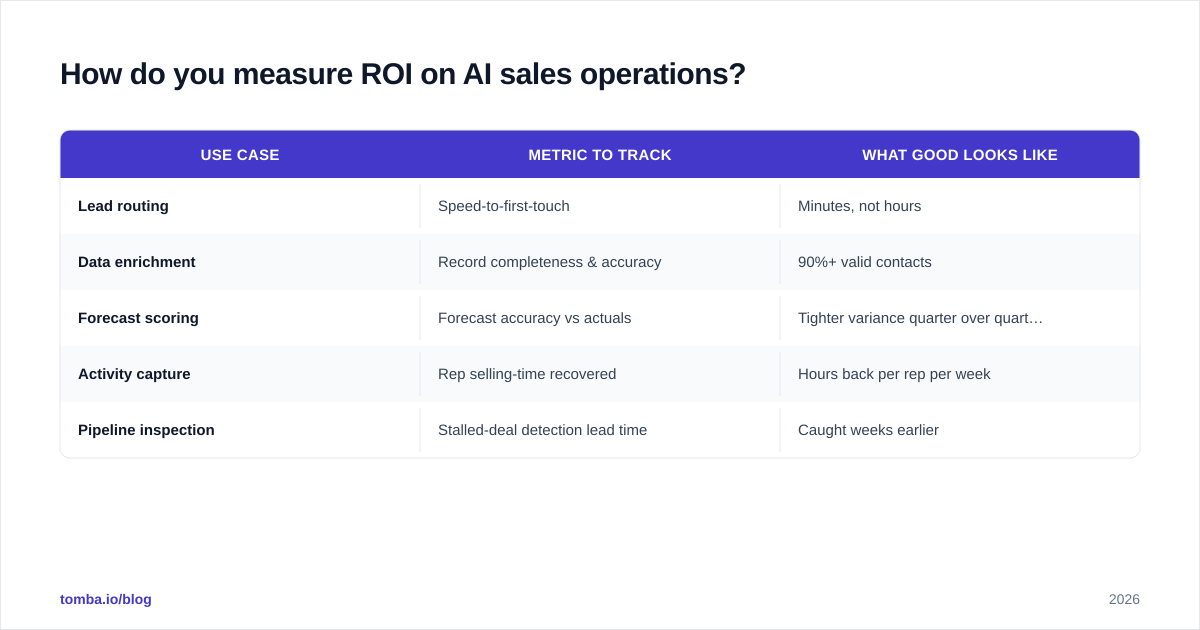
| Use case | Metric to track | What good looks like |
|---|---|---|
| Lead routing | Speed-to-first-touch | Minutes, not hours |
| Data enrichment | Record completeness & accuracy | 90%+ valid contacts |
| Forecast scoring | Forecast accuracy vs actuals | Tighter variance quarter over quarter |
| Activity capture | Rep selling-time recovered | Hours back per rep per week |
| Pipeline inspection | Stalled-deal detection lead time | Caught weeks earlier |
The compounding win is rep time. If AI activity capture and enrichment return even a few hours per rep per week, that time flows back into selling — the one activity you cannot automate. Track response rate and win rate as downstream indicators; if the back office gets cleaner and faster, those numbers should follow within a quarter or two.
One caution on ROI math: do not let the model's confidence stand in for evidence. A forecast tool will give you a precise number whether or not the underlying data deserves precision. Always sanity-check AI output against a manual sample before you present it upward. Independent reviews on G2 are useful for separating tools that move metrics from tools that just look impressive in a demo.
What are the risks and limits of AI in sales operations?#
AI for sales operations has three failure modes worth naming plainly.
Dirty data in, confident errors out. This is the headline risk. Models do not know a contact left the company eight months ago. They will score the dead lead, route it, and forecast against it. The fix is upstream — continuous verification and enrichment, not a smarter model.
Over-automation of judgment. Routing and scoring are safe to automate. Comp decisions, account strategy, and the final forecast commit are not. Keep humans accountable for anything political or irreversible.
Black-box trust. If your team cannot explain why a deal scored low, they will ignore the score or, worse, blindly obey it. Favor tools that show their reasoning, and audit a sample regularly.
The mature stance is unglamorous: AI is a force multiplier on a clean, well-run operation, not a substitute for one. Bolt it onto a messy stack and it multiplies the mess.
Frequently asked questions#
Is AI going to replace sales operations roles? No — it shifts them. The manual data-entry and report-building parts shrink; the strategy, data-governance, and AI-supervision parts grow. RevOps becomes more analytical, less clerical.
What is the cheapest way to start? The data layer. A verification and email finder pass on your existing CRM is low cost, fast, and makes every downstream AI tool more accurate. See Tomba pricing — the free tier covers a small audit, and paid plans start at $49/mo for ongoing enrichment.
Do I need a data scientist? For off-the-shelf tools, no. Most AI sales-ops features are now embedded in CRMs and enrichment APIs. You need a data scientist only when you build custom forecasting models on proprietary data.
How long until I see results? Data cleanup shows results in days. Workflow automation in weeks. Forecasting improvements take at least a quarter because the model needs your closed-won and closed-lost history to learn from.
Start with clean data#
AI for sales operations rewards teams that fix their foundation first. Before you buy a forecasting engine or a routing brain, make sure the contacts feeding them are real, current, and complete — because every AI layer above the data inherits the data's quality, good or bad.
That is where Tomba Email Finder fits. Use it to find and verify professional email addresses by name, domain, or company, enrich thin CRM records in bulk, and keep your contact data accurate enough that the AI layer on top can actually be trusted. Run a free audit of your existing list, see how much of your CRM is stale, and give your sales operations the clean inputs every model depends on. Start free, then scale enrichment as your stack matures.
Ready to find emails that actually work?
Join 150,000+ professionals who stopped guessing and started sending. Free credits on signup — no credit card required.
Get the Tomba newsletter
Practical outbound tactics and product updates — once every two weeks.
About the author