AI Lead Automation in 2026: The Complete B2B Playbook
AI lead automation now handles sourcing, enrichment, scoring, and routing while your reps sell. Here's how the 2026 stack actually works — and where it breaks.
TL;DR
- AI lead automation is the chain of systems that source, enrich, score, route, and re-engage leads with minimal human input — not a single tool, but a pipeline.
- The 2026 stack splits into five layers: capture, enrichment, scoring, routing, and engagement. Most teams over-invest in engagement and under-invest in clean data, which is why their automation underperforms.
- Garbage data breaks every downstream model. Verified contact data is the cheapest, highest-leverage place to start.
- AI scoring beats static rules only when it's trained on your real win/loss data — otherwise it's just a slower spreadsheet.
- Start narrow: automate one repeatable bottleneck (usually enrichment or routing), prove ROI, then expand.
What is AI lead automation?#
AI lead automation is the use of machine learning and rule-based systems to move a lead from "anonymous interest" to "sales-ready opportunity" without a human touching every step. Think of it like an assembly line in a car factory: raw materials enter one end, each station adds something specific, and a finished unit rolls out the other side. The human's job shifts from building each part to designing the line and fixing what jams.
In practice, that means software that captures a lead, finds the missing contact details, predicts how likely they are to buy, assigns them to the right rep, and triggers the first outreach — all before a salesperson opens their laptop.
The phrase covers a lot of ground, so it helps to be precise. AI lead automation is not just "an autoresponder" or "a chatbot." It's the orchestration of several specialized systems, each handling one stage of the lead lifecycle. When people say their automation "doesn't work," they usually mean one link in that chain is weak — most often the data layer.
What are the five layers of an AI lead automation stack?#
Every working setup, regardless of vendor, maps to the same five layers. Treat this as a checklist when you audit your own pipeline.
- Capture — Forms, website visitor identification, intent signals, list imports, and inbound replies. This is where a contact enters your world.
- Enrichment — Filling in the blanks: verified email, phone, job title, company size, tech stack. A name and a company aren't a lead; a reachable, qualified contact is.
- Scoring — Ranking leads by fit and intent so reps spend time on the 20% that close. This is where modern AI earns its keep.
- Routing — Assigning each scored lead to the right owner, territory, or sequence instantly, with no Monday-morning round-robin meeting.
- Engagement — Triggering the first email, call task, or LinkedIn touch — and adapting follow-ups based on behavior.
Most teams buy engagement tools first because they're the most visible. That's backwards. If layers 1–3 feed bad data into layer 5, you've just automated sending the wrong message to the wrong person faster. Fix the foundation first.
Why does data quality decide whether AI lead automation works?#
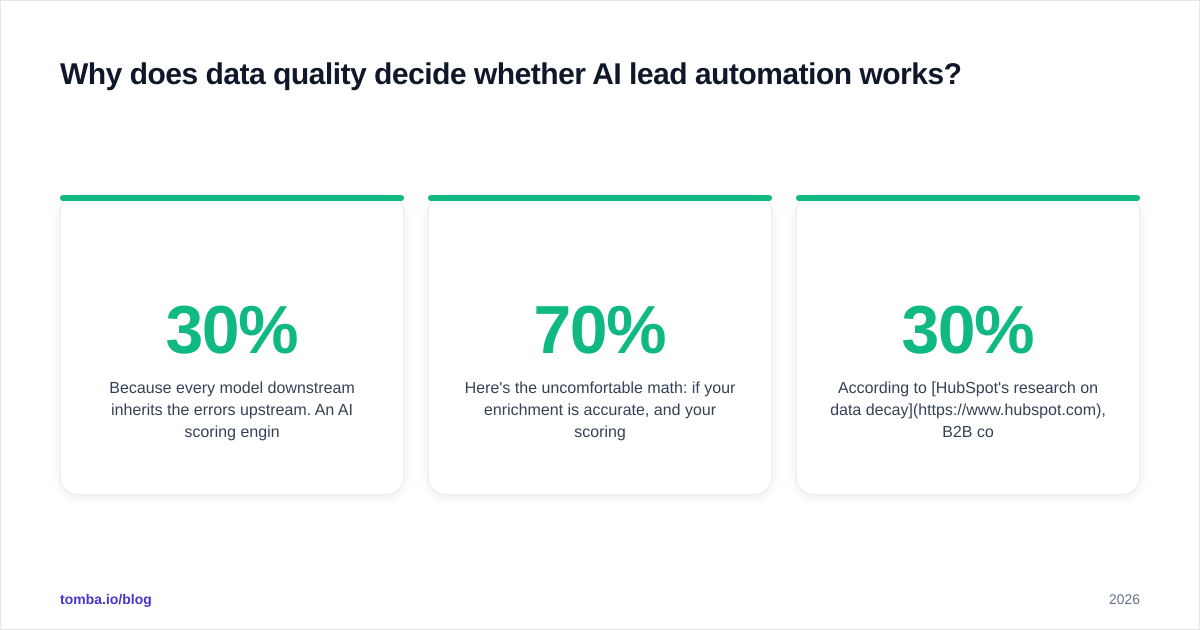
Because every model downstream inherits the errors upstream. An AI scoring engine trained on records where 30% of emails bounce will confidently rank phantom contacts. A routing rule that keys off "company size" fails silently when that field is blank for half your leads.
Here's the uncomfortable math: if your enrichment is 70% accurate, and your scoring adds another layer of probability on top, your effective "right person, right message" rate collapses fast. Data quality compounds — in both directions.
This is the part vendors gloss over in demos. The flashy AI is the scoring and copy generation. The unglamorous part — verifying that an email address actually receives mail — is what makes the flashy part trustworthy. Before you automate outreach, run contacts through an email verifier and confirm your data sources are real and recent. Catch-all domains deserve special handling; a catch-all verifier tells you whether a "valid" address is actually deliverable or just a server that accepts everything.
According to HubSpot's research on data decay, B2B contact data degrades roughly 22–30% per year as people change jobs. Automation doesn't pause for that. If you're not continuously re-enriching, your pipeline is quietly rotting.
How is AI scoring different from old lead-scoring rules?#
Old scoring was a points spreadsheet: +10 for a demo request, +5 for opening an email, −20 for a free email domain. Someone in marketing invented those numbers in a meeting, and they were never validated against who actually bought.
AI scoring flips the logic. Instead of you guessing the weights, the model looks at your closed-won and closed-lost history and learns which signals actually predicted revenue. It's the difference between a chef following a printed recipe and a chef who's cooked the dish 10,000 times and adjusts by taste.
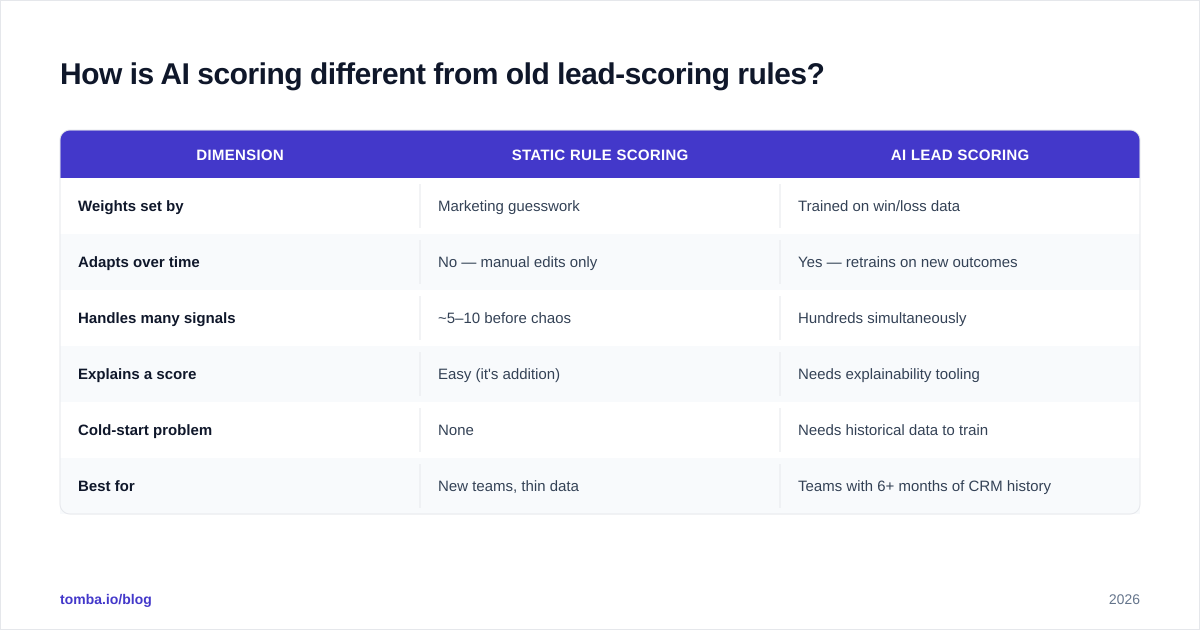
| Dimension | Static rule scoring | AI lead scoring |
|---|---|---|
| Weights set by | Marketing guesswork | Trained on win/loss data |
| Adapts over time | No — manual edits only | Yes — retrains on new outcomes |
| Handles many signals | ~5–10 before chaos | Hundreds simultaneously |
| Explains a score | Easy (it's addition) | Needs explainability tooling |
| Cold-start problem | None | Needs historical data to train |
| Best for | New teams, thin data | Teams with 6+ months of CRM history |
The catch: AI scoring has a cold-start problem. If you have 40 closed deals total, there's nothing meaningful to train on, and a clean rule-based model will outperform a black box. Don't buy AI scoring because it's AI — buy it when you have enough outcome data to make it smarter than your own rules.
What does a real AI lead automation workflow look like?#
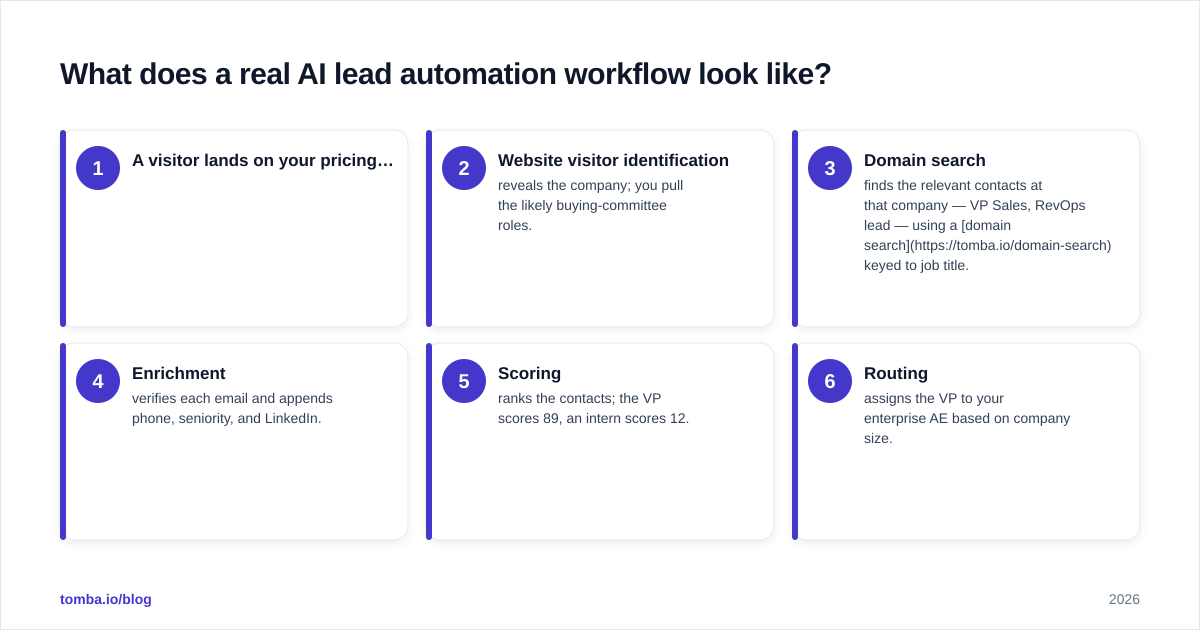
Here's a concrete, sales-floor-tested flow you can copy. Each arrow is a trigger, not a manual handoff.
- A visitor lands on your pricing page but doesn't fill out a form.
- Website visitor identification reveals the company; you pull the likely buying-committee roles.
- Domain search finds the relevant contacts at that company — VP Sales, RevOps lead — using a domain search keyed to job title.
- Enrichment verifies each email and appends phone, seniority, and LinkedIn.
- Scoring ranks the contacts; the VP scores 89, an intern scores 12.
- Routing assigns the VP to your enterprise AE based on company size.
- Engagement drafts a first-touch email referencing the pricing-page visit, queued for the AE to approve.
Notice that a human enters at exactly one point — approving the message — instead of at all seven. That's the whole game: collapse seven manual steps into one judgment call.
The bottleneck most teams hit is step 3–4. You can identify the company easily, but turning "Acme Corp" into "Jane Doe, VP Sales, jane@acme.com (verified)" is where automation either delivers or stalls. This is exactly the gap a programmatic email finder API closes — it slots between your visitor-ID tool and your CRM so the handoff never touches a spreadsheet.
Which tools fit which layer?#
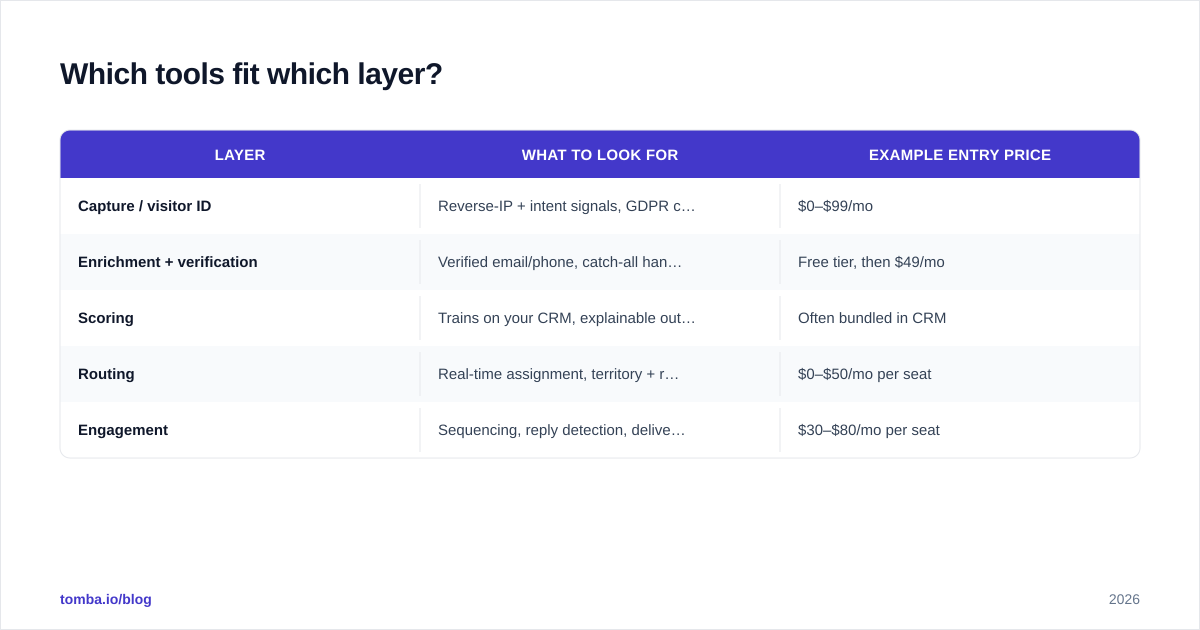
You don't need one platform that claims to do everything — those tend to be mediocre at every layer. A focused stack usually wins. Here's how the categories break down, with rough 2026 entry pricing.
| Layer | What to look for | Example entry price |
|---|---|---|
| Capture / visitor ID | Reverse-IP + intent signals, GDPR controls | $0–$99/mo |
| Enrichment + verification | Verified email/phone, catch-all handling, API + bulk | Free tier, then $49/mo |
| Scoring | Trains on your CRM, explainable outputs | Often bundled in CRM |
| Routing | Real-time assignment, territory + round-robin logic | $0–$50/mo per seat |
| Engagement | Sequencing, reply detection, deliverability guardrails | $30–$80/mo per seat |
For the enrichment layer specifically — the one that feeds everything else — Tomba pricing starts with a free tier of 25 searches/month, then Starter at $49/mo, Growth at $99/mo, and Pro at $249/mo, with API, bulk processing, and a Chrome extension across the paid tiers. Because it exposes a clean email finder API and integrations with HubSpot, Salesforce, and [
Zapier](https://tomba.io/integrations/zapier), it drops into an existing automation chain instead of forcing you to rebuild around it.
If you want to vet platforms independently, G2's lead intelligence category lists verified user reviews by company size, which is a more honest signal than any vendor landing page.
What are the biggest mistakes teams make with AI lead automation?#
These are the failure patterns that show up again and again in pipeline audits.
- Automating outreach before verifying data. You scale your bounce rate and torch your sender reputation. Verify first, automate second.
- Treating AI scoring as plug-and-play. Without training on your own outcomes, the model just adds latency to a guess.
- No human checkpoint on messaging. Fully autonomous send loops produce robotic, off-brand email at volume. Keep a one-click human approval on first touches.
- Ignoring deliverability. Even perfect targeting fails if your domain isn't warmed and authenticated. Sort out email deliverability — SPF, DKIM, sending volume ramp — before you scale send volume.
- Over-buying tools. Five overlapping platforms create integration debt. Start with the one layer that's your actual bottleneck.
The meta-mistake is sequencing. Teams light up the exciting layer (AI copy, autonomous sending) and neglect the boring foundation (verified data, deliverability). The boring layers are where the leverage actually lives.
How do you start without boiling the ocean?#
Pick the single most painful, most repeatable step in your current process and automate only that. For most B2B teams in 2026, that's enrichment: reps burning hours hunting for verified emails and phone numbers instead of selling.
A sane 30-day rollout looks like this:
- Week 1 — Audit your existing lead data. Run a sample through verification and measure your real bounce/invalid rate. This number justifies the whole project.
- Week 2 — Wire one automated enrichment step: new lead in CRM → verified contact details appended automatically via API or a Google Sheets add-on.
- Week 3 — Add routing so enriched leads auto-assign to the right owner.
- Week 4 — Layer in a first-touch sequence with a human approval gate, and measure reply rate against your old baseline.
Resist adding scoring until you've got clean, enriched data flowing reliably. Scoring on dirty data is the fastest way to lose trust in the whole system — once reps stop believing the scores, they stop using the tool.
Will AI lead automation replace SDRs?#
Short answer: no, but it changes the job. The work that disappears is the mechanical part — list building, copy-paste enrichment, manual routing. The work that grows is judgment: choosing which segments to target, refining the message, handling the nuanced conversations that close deals. It's the same shift that happened when spreadsheets replaced ledger books — fewer hours on arithmetic, more on analysis.
Teams that win treat automation as a force multiplier for good reps, not a replacement for them. The pipeline handles volume and consistency; the human handles relevance and relationships. As Salesforce's State of Sales research has noted across recent editions, reps consistently report spending the majority of their week on non-selling tasks. AI lead automation is, at its core, a campaign to win that time back.
The bottom line#
AI lead automation in 2026 is a pipeline, not a product. Five layers — capture, enrichment, scoring, routing, engagement — each depending on clean data underneath. Build it in that order, automate your single biggest bottleneck first, and keep a human on the judgment calls. Skip the data-quality foundation and the rest of the stack inherits its flaws.
If your bottleneck is the enrichment layer — turning company names and partial records into verified, reachable contacts — start there. The Tomba Email Finder finds professional email addresses by domain, name, or company and verifies them before they ever reach your sequence, with a free tier to test it against your own list and an API to slot it into the automation chain you already run. Clean inputs are the cheapest upgrade your pipeline will ever get.
// get started
Find, verify and enrich your first contacts today
Start on the free plan with 25 searches a month, then scale when your team is ready.
Free plan · No credit card required · GDPR & CCPA
// about the author