AI Lead Responder in 2026: Speed-to-Lead Automation Guide
Inbound leads go cold in minutes. See how an AI lead responder cuts reply time to seconds, which tools lead in 2026, and how to wire one into your stack.
TL;DR
- An ai lead responder is software that detects a new inbound lead and sends a relevant, personalized first reply automatically — usually within seconds.
- Speed is the whole game: responding in under five minutes can lift qualification rates dramatically versus waiting an hour, and most teams still wait far longer.
- The best tools in 2026 blend intent detection, CRM data, and LLM-written replies that route hot leads to a human and nurture the rest.
- An AI responder is only as good as the contact data behind it — bad emails and missing context produce confident, wrong answers.
- Below: a comparison table of leading tools, a deployment framework, and the guardrails that keep automation from torching your reputation.
What is an AI lead responder?#
An AI lead responder is the digital equivalent of a host who greets every guest the moment they walk in — instead of leaving them standing at the door while the staff finishes other tables. Technically, it's a layer that listens for inbound signals (a form fill, a demo request, a reply to a cold email, a chat message), enriches that lead with context, and generates a tailored first response without a human in the loop.
That's the part that separates it from a plain autoresponder. A classic autoresponder fires the same "Thanks, we'll be in touch" template at everyone. An AI responder reads who the lead is, what they asked for, and what stage they're in, then writes a reply that actually moves the conversation forward — answering the question, proposing a time, or qualifying with a follow-up.
The category sits at the intersection of sales automation and large language models. It's grown fast because the math is brutal and well-documented: leads decay. The longer you wait, the colder they get, and the harder your reps work for the same number of meetings.
Why does response speed matter so much?#
Because the first responder usually wins. Research popularized by HubSpot and the original Lead Response Management study found that contacting a web lead within five minutes makes them far more likely to qualify than waiting even 30 minutes — and that the odds collapse after the first hour. Salesforce and most modern revenue teams echo the same pattern: speed-to-lead is one of the few levers that reliably moves pipeline without adding headcount.
Here's the uncomfortable reality most teams live with:
- Inbound leads arrive around the clock, but reps work business hours in one or two time zones.
- The "hot" window — when the prospect is still on your site, still thinking about you — lasts minutes, not days.
- Manual triage means leads sit in a queue while someone decides who's worth a reply.
An ai lead responder closes that gap by never sleeping and never sitting in a queue. The lead fills out a form at 2:14 a.m., and at 2:14 a.m. they get a real, specific answer. That's not a marginal improvement in response rate — it's the difference between catching intent at its peak and emailing a stranger who has already moved on.

How does an AI lead responder actually work?#
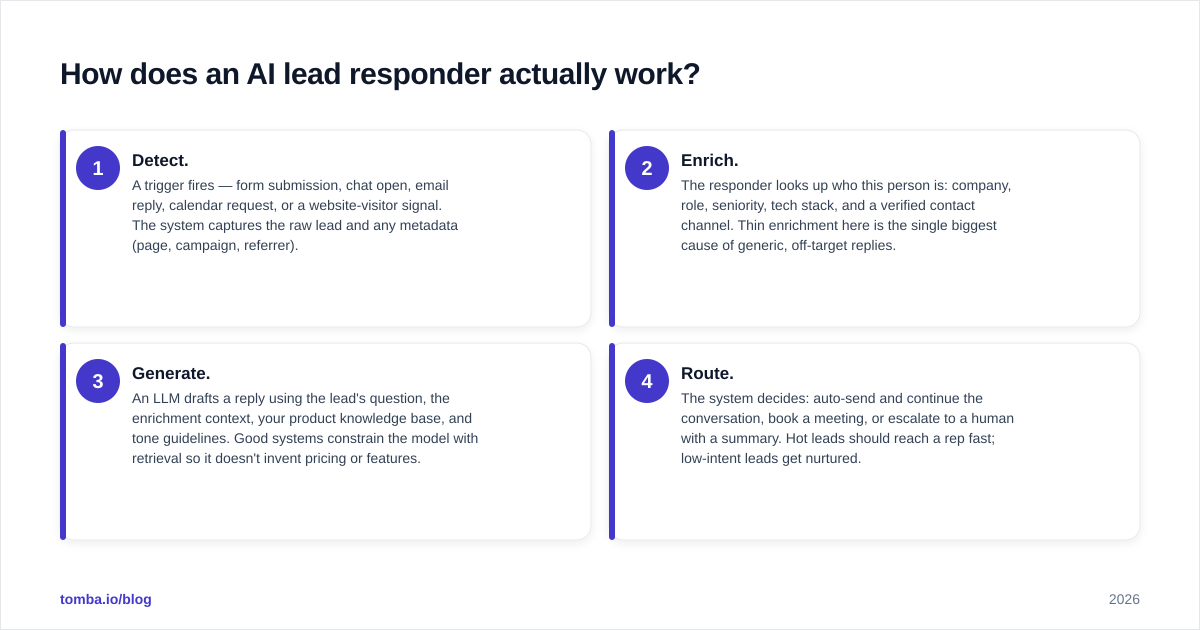
Most production systems follow the same four-stage loop. Understanding it helps you spot where a given tool is strong and where it quietly cuts corners.
- Detect. A trigger fires — form submission, chat open, email reply, calendar request, or a website-visitor signal. The system captures the raw lead and any metadata (page, campaign, referrer).
- Enrich. The responder looks up who this person is: company, role, seniority, tech stack, and a verified contact channel. Thin enrichment here is the single biggest cause of generic, off-target replies.
- Generate. An LLM drafts a reply using the lead's question, the enrichment context, your product knowledge base, and tone guidelines. Good systems constrain the model with retrieval so it doesn't invent pricing or features.
- Route. The system decides: auto-send and continue the conversation, book a meeting, or escalate to a human with a summary. Hot leads should reach a rep fast; low-intent leads get nurtured.
The enrich step is where a lot of "AI" tools fall down. If the responder doesn't know the lead's verified email, real company, or role, it either guesses or stays vague — and prospects can smell a hollow auto-reply instantly. This is why teams pair their responder with a dependable data layer: a data enrichment source that turns a bare email or domain into a full profile, and an email finder to recover a reliable contact when a form only captures a name and company.
Which AI lead responder tools lead in 2026?#
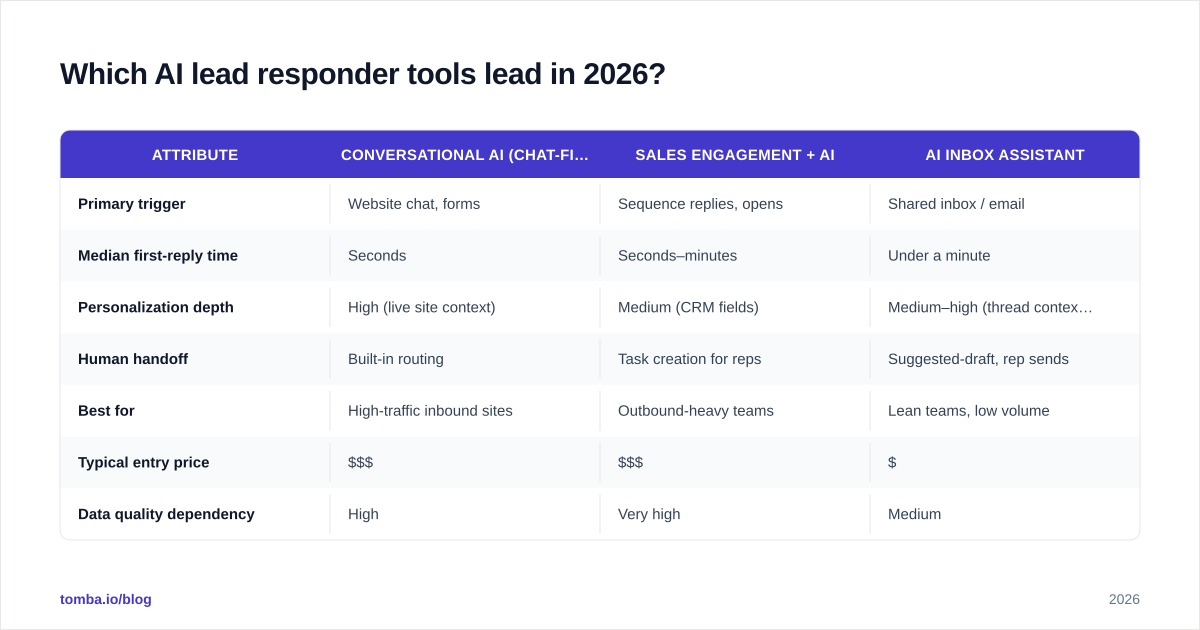
The market splits into three rough buckets: conversational/chat-first responders, sales-engagement platforms that bolt AI replies onto sequences, and lightweight AI inbox assistants. Here's how representative options compare on the attributes that matter when you're actually buying.
| Attribute | Conversational AI (chat-first) | Sales engagement + AI | AI inbox assistant |
|---|---|---|---|
| Primary trigger | Website chat, forms | Sequence replies, opens | Shared inbox / email |
| Median first-reply time | Seconds | Seconds–minutes | Under a minute |
| Personalization depth | High (live site context) | Medium (CRM fields) | Medium–high (thread context) |
| Human handoff | Built-in routing | Task creation for reps | Suggested-draft, rep sends |
| Best for | High-traffic inbound sites | Outbound-heavy teams | Lean teams, low volume |
| Typical entry price | $$$ | $$$ | $ |
| Data quality dependency | High | Very high | Medium |
A few honest caveats. Chat-first tools shine when you have real inbound traffic to respond to; they're overkill if your volume is ten leads a week. Sales-engagement suites give you the deepest workflow control but carry the steepest learning curve and price. Inbox assistants are the easiest on-ramp — they draft, you approve — which is also the safest way to start if you're nervous about auto-sending. Check independent reviews on G2 before committing, and weight recent reviews over the vendor's own case studies.
Whatever bucket you pick, the responder rides on top of your CRM. If you run HubSpot, for example, your enrichment and verified contacts should sync straight in through a HubSpot integration so the AI is writing with clean, current fields rather than stale ones.

Is an AI lead responder better than a human SDR?#
No — and that framing is the trap. The right question is "better at what?" An AI responder beats a human at the one thing humans are worst at: being instantly available, at 3 a.m., on a Sunday, for the 200th identical "what's your pricing?" question. A human beats the AI at everything that requires judgment, rapport, and reading a room.
Think of it like a restaurant. The AI is the host who greets you the second you arrive, seats you, and hands you a menu. The human SDR is the server who reads your mood, makes the recommendation, and closes the check. You don't replace the server with the host — you stop making guests wait at the door.
The strongest setups in 2026 use AI for the first touch and triage, then hand qualified, context-rich conversations to reps. The AI does the speed and the volume; the human does the nuance and the close. When you measure it, you're not looking at "did AI replace a rep" — you're looking at meetings booked, win rate, and how many leads never went cold waiting.
What are the risks, and how do you avoid them?#
Automating your first impression is high-leverage in both directions. Done well, it wins deals before competitors wake up. Done badly, it sends confident nonsense to your best prospects at scale. The failure modes are predictable, which means they're preventable.
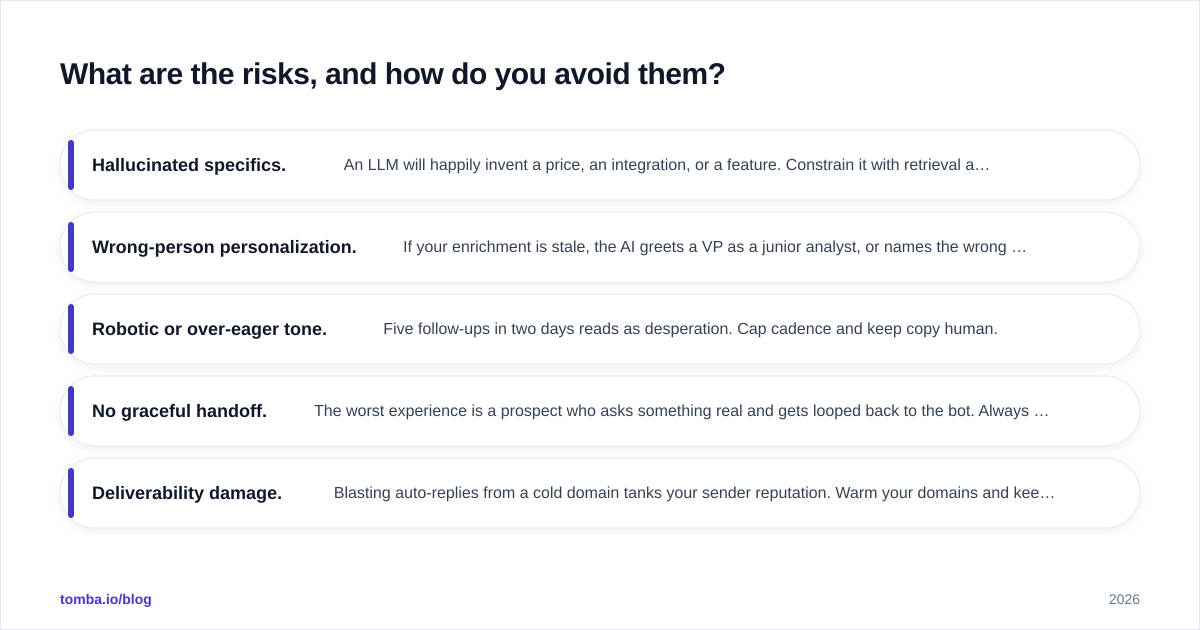
- Hallucinated specifics. An LLM will happily invent a price, an integration, or a feature. Constrain it with retrieval against your real docs, and never let it free-form on numbers.
- Wrong-person personalization. If your enrichment is stale, the AI greets a VP as a junior analyst, or names the wrong company. Verify contact data before the AI ever uses it — a quick pass through an email verifier keeps you from personalizing around garbage.
- Robotic or over-eager tone. Five follow-ups in two days reads as desperation. Cap cadence and keep copy human.
- No graceful handoff. The worst experience is a prospect who asks something real and gets looped back to the bot. Always offer a fast path to a human.
- Deliverability damage. Blasting auto-replies from a cold domain tanks your sender reputation. Warm your domains and keep volume sane.
The throughline: an AI lead responder amplifies whatever you feed it. Clean data, tight guardrails, and a human escape hatch turn it into an advantage. Skip those, and you've just automated your mistakes.
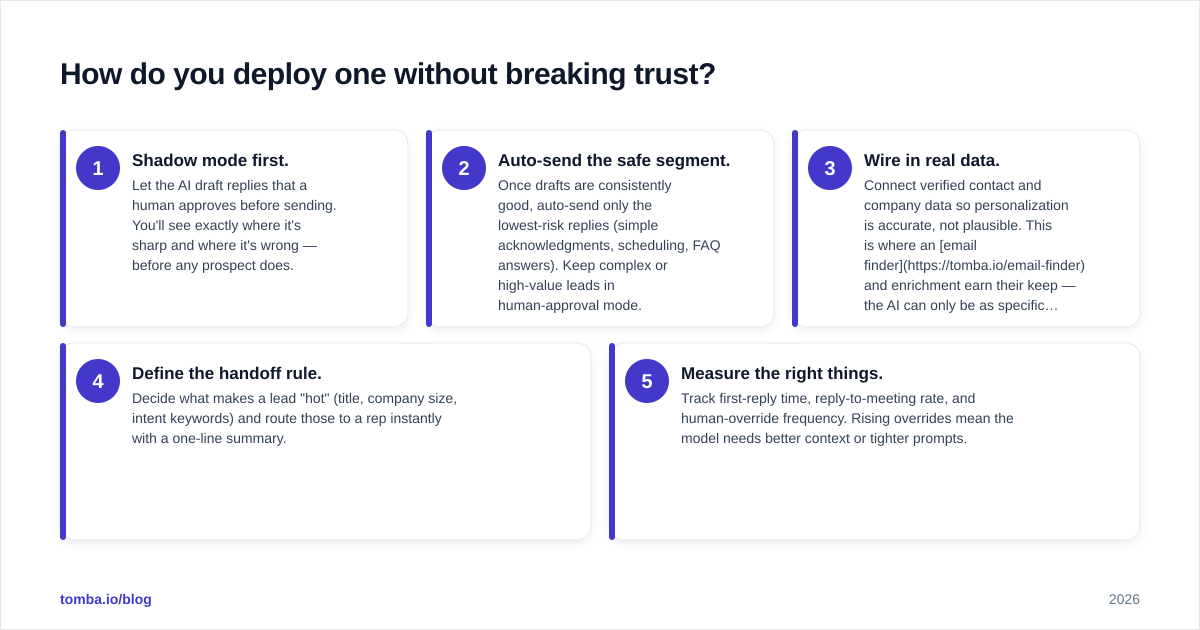
How do you deploy one without breaking trust?#
Start small and instrument everything. A sane rollout looks like this:
- Shadow mode first. Let the AI draft replies that a human approves before sending. You'll see exactly where it's sharp and where it's wrong — before any prospect does.
- Auto-send the safe segment. Once drafts are consistently good, auto-send only the lowest-risk replies (simple acknowledgments, scheduling, FAQ answers). Keep complex or high-value leads in human-approval mode.
- Wire in real data. Connect verified contact and company data so personalization is accurate, not plausible. This is where an email finder and enrichment earn their keep — the AI can only be as specific as the data lets it be.
- Define the handoff rule. Decide what makes a lead "hot" (title, company size, intent keywords) and route those to a rep instantly with a one-line summary.
- Measure the right things. Track first-reply time, reply-to-meeting rate, and human-override frequency. Rising overrides mean the model needs better context or tighter prompts.
Notice what isn't on the list: "turn it all on and walk away." The teams that win with AI responders treat it like hiring a fast, tireless junior rep — they coach it, watch its first weeks closely, and expand its responsibilities as it earns trust.
The bottom line#
An ai lead responder is the cheapest way to stop losing inbound leads to slow replies. The technology to detect, enrich, write, and route a first response in seconds is mature in 2026 — but it lives or dies on the data underneath it. Feed it verified, enriched contacts and it personalizes accurately; feed it guesses and it personalizes confidently and wrongly.
That data layer is where Tomba fits. Before your AI ever drafts a reply, Tomba's Email Finder turns a bare name or domain into a verified, deliverable contact — and pairs with enrichment so your responder writes to the right person, at the right company, with the right context. Start on the free tier (25 searches a month) and scale up through the Starter plan at $49/mo as your inbound volume grows; see Tomba pricing for the full breakdown. Get the contact data right, and your AI responder finally has something true to say.
// get started
Find, verify and enrich your first contacts today
Start on the free plan with 25 searches a month, then scale when your team is ready.
Free plan · No credit card required · GDPR & CCPA
// about the author