AI Leads Generator: Build a B2B Lead Engine in 2026
An AI leads generator can fill your pipeline faster than any SDR team — if you wire it correctly. Here's how the stack works, what to buy, and where it breaks.
An AI leads generator is no longer a novelty bolted onto your CRM — it is becoming the default way mid-market and enterprise teams fill the top of the funnel. But "AI leads generator" gets used to mean three very different things, and buying the wrong one wastes months. This guide untangles the category, shows you a reference architecture you can actually build, and compares the realistic options for 2026.
TL;DR#
- An AI leads generator is a system that finds, enriches, scores, and routes prospects automatically — it is a pipeline, not a single button.
- The three layers that matter are discovery (who to target), contact data (how to reach them), and scoring/routing (who to work first).
- AI is genuinely good at intent signals, enrichment, and copy drafting; it is still weak at verifying that an email actually deliverable — that needs a deterministic data layer.
- You can assemble a credible engine from a data provider, an enrichment API, and a sequencer for well under $300/month.
- The biggest failure mode is feeding sequences unverified addresses; bounce rates above 3% wreck sender reputation and quietly kill the whole system.
What is an AI leads generator?#
An AI leads generator is software that automates the steps a sales development rep does by hand: identifying companies that look like good fits, finding the right person inside them, locating a valid contact method, and prioritizing who to reach first. The "AI" part usually shows up in three places — pattern-matching your best customers to find lookalikes, parsing unstructured web data into clean records, and drafting outreach copy.
Think of it like a modern assembly line. The raw material is the open web and your CRM history; each station adds value (a company match, a job title, a verified email, a priority score); and a finished, contactable lead rolls off the end. The AI is the set of robots on the line — fast and tireless — but the line still needs a quality-control station, and that station is data verification.
The category is broad. A LinkedIn scraper with a "smart filter" calls itself an AI leads generator. So does a six-figure intent platform like the ones reviewed on G2's lead intelligence category. Knowing which layer you actually need keeps you from overpaying.
How does an AI lead generation pipeline actually work?#
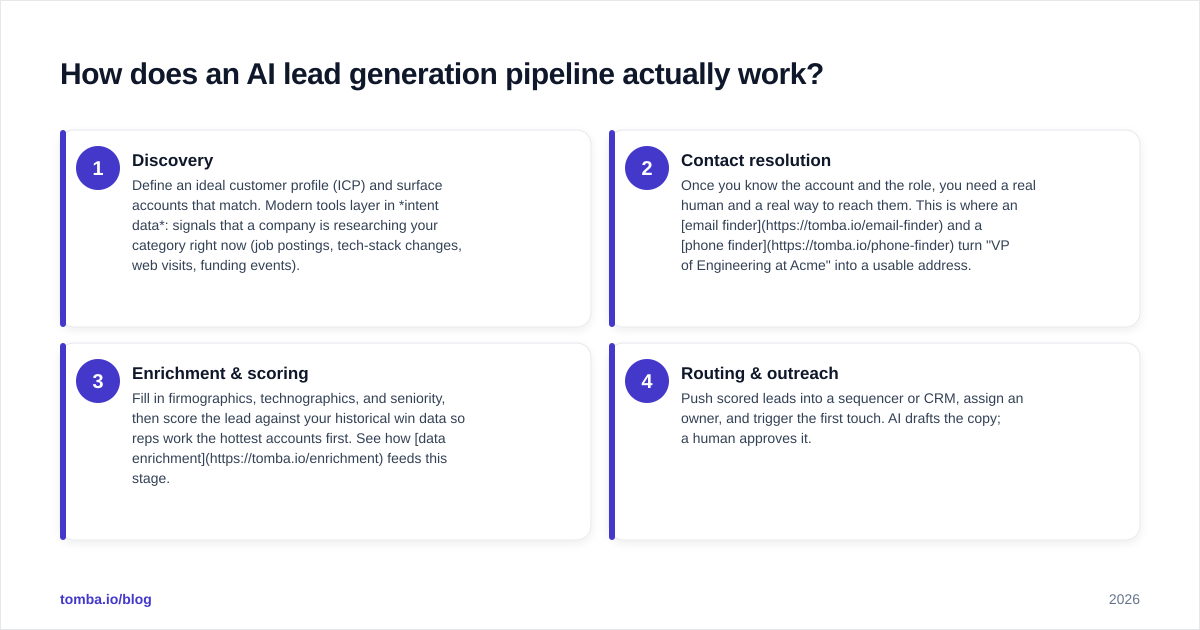
Every working system, regardless of vendor, runs the same four stages. Map your tools to these and the gaps become obvious.
- Discovery — Define an ideal customer profile (ICP) and surface accounts that match. Modern tools layer in intent data: signals that a company is researching your category right now (job postings, tech-stack changes, web visits, funding events).
- Contact resolution — Once you know the account and the role, you need a real human and a real way to reach them. This is where an email finder and a phone finder turn "VP of Engineering at Acme" into a usable address.
- Enrichment & scoring — Fill in firmographics, technographics, and seniority, then score the lead against your historical win data so reps work the hottest accounts first. See how data enrichment feeds this stage.
- Routing & outreach — Push scored leads into a sequencer or CRM, assign an owner, and trigger the first touch. AI drafts the copy; a human approves it.
The mistake most teams make is buying a tool that nails stage 1 and assuming stages 2–4 are solved. They are not. A beautiful intent dashboard is useless if the email it hands your rep bounces.
Which AI leads generator should you use in 2026?#
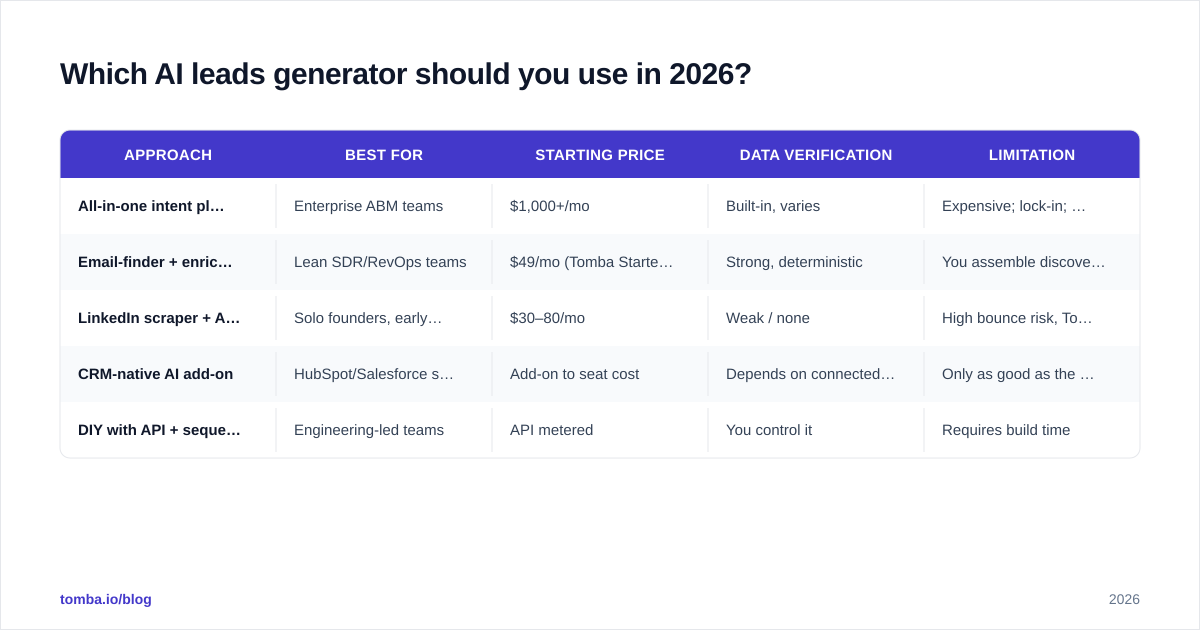
There is no single winner — it depends on which layer is your bottleneck. Here is an honest comparison of the common approaches.
| Approach | Best for | Starting price | Data verification | Limitation |
|---|---|---|---|---|
| All-in-one intent platform | Enterprise ABM teams | $1,000+/mo | Built-in, varies | Expensive; lock-in; data can be stale |
| Email-finder + enrichment API | Lean SDR/RevOps teams | $49/mo (Tomba Starter) | Strong, deterministic | You assemble discovery yourself |
| LinkedIn scraper + AI copy | Solo founders, early GTM | $30–80/mo | Weak / none | High bounce risk, ToS gray area |
| CRM-native AI add-on | HubSpot/Salesforce shops | Add-on to seat cost | Depends on connected source | Only as good as the data you pipe in |
| DIY with API + sequencer | Engineering-led teams | API metered | You control it | Requires build time |
If your bottleneck is knowing who to target, an intent platform earns its price. If your bottleneck is reaching the people you already know about — which is the more common reality — a verification-first data layer like the Tomba API plus a sequencer is dramatically cheaper and more reliable.
For the do-it-yourself route, HubSpot's free CRM handles routing and the sequencer, while a dedicated finder handles contact resolution. You are not locked into one mega-vendor, and each layer is best-in-class.
What can AI realistically do — and where does it fail?#
Be skeptical of "fully autonomous" claims. Here is the honest split based on how these systems behave in production.
AI does well:
- Lookalike discovery. Feeding closed-won accounts to a model and getting back ranked lookalikes works and saves real hours.
- Enrichment from messy data. Parsing a job title, normalizing a company name, inferring seniority — language models are strong here.
- First-draft copy. AI writes a serviceable opening line. A human still edits it, but the blank-page problem is gone.
- Lead scoring. When trained on your own outcomes, scoring models meaningfully reorder a rep's day.
AI fails or struggles:
- Verifying deliverability. A model can guess an email pattern (
first.last@company.com), but guessing is not verifying. You need an SMTP-level check and a catch-all verifier for domains that accept everything. This is deterministic work, not probabilistic. - Knowing what is current. Models trained months ago do not know someone changed jobs last week. Fresh data sources matter more than model size.
- Compliance judgment. GDPR and CAN-SPAM decisions are yours, not the model's.
Gartner's analysts have repeatedly noted that data quality, not algorithm sophistication, is the dominant driver of go-to-market AI ROI — a point worth remembering when a vendor sells you on model magic. The expensive part is clean, current, verified data.

How do you build your own AI leads generator?#
You do not need a data-science team. A capable engine is mostly plumbing between three APIs. Here is a concrete build.
Step 1 — Define the ICP in data, not adjectives. "Mid-market SaaS" is useless to a machine. Translate it: 50–500 employees, uses a specific tech stack, raised funding in the last 18 months, in North America. Each clause becomes a filter.
Step 2 — Resolve contacts at the domain level. Once you have target companies, run a domain search to pull every public role-based and personal email pattern for each domain, then narrow to the titles you want.
Step 3 — Verify before you store. Pipe every address through an email verifier and drop anything that fails. This single step is what separates a 0.5% bounce rate from a 6% one. Treat it as non-negotiable.
Step 4 — Run it in bulk. For lists beyond a few hundred, the bulk email finder processes everything at once instead of one lookup at a time.
Step 5 — Score and route. Push verified, enriched leads into your CRM via an integration, apply your scoring rules, and assign owners.
Step 6 — Sequence with a human in the loop. AI drafts; a rep approves the first send. Never fully automate the send on cold, unverified data.
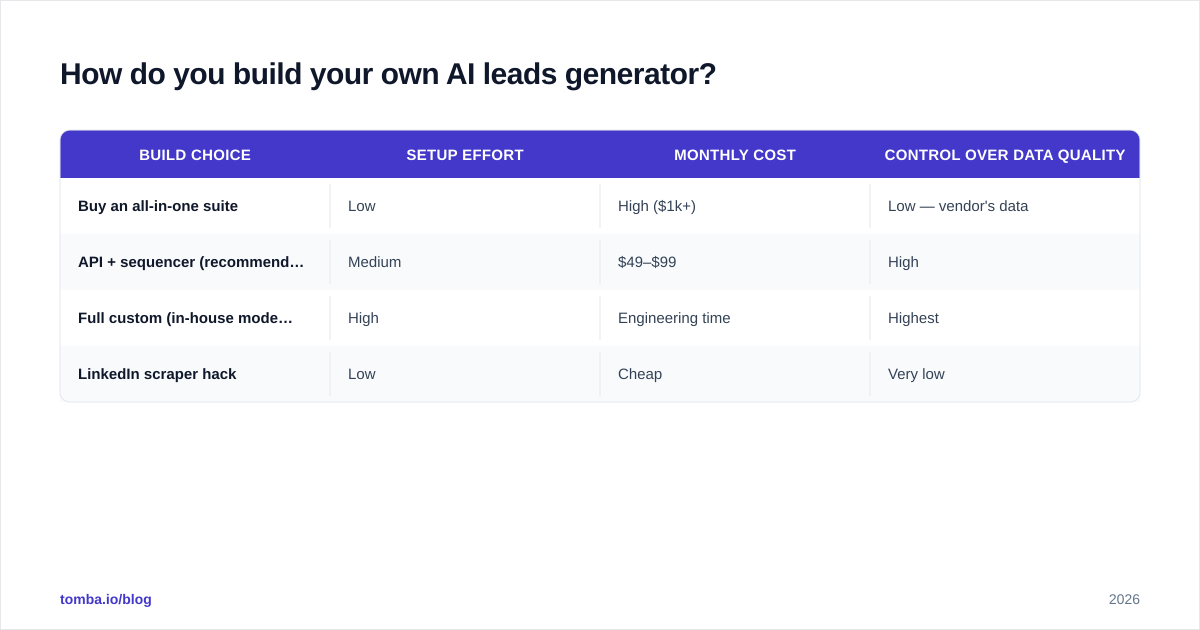
Here is how the build choices compare on effort versus control.
| Build choice | Setup effort | Monthly cost | Control over data quality |
|---|---|---|---|
| Buy an all-in-one suite | Low | High ($1k+) | Low — vendor's data |
| API + sequencer (recommended) | Medium | $49–$99 | High |
| Full custom (in-house models) | High | Engineering time | Highest |
| LinkedIn scraper hack | Low | Cheap | Very low |
For most teams the middle row wins. With Tomba's Growth plan at $99/month you get enough finder and verifier volume to feed a two-to-four-rep team, and you keep full control of which records ever touch a sequence.
How do you measure whether the engine works?#
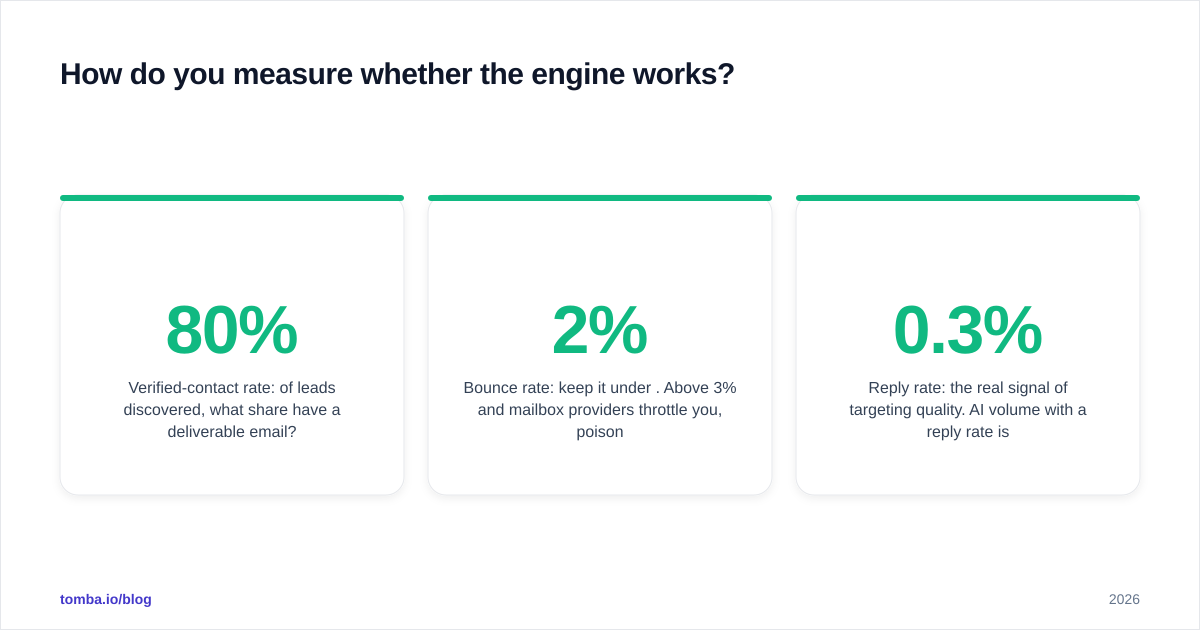
Vanity metrics — leads "generated," accounts "surfaced" — hide failure. Track outcomes instead.
- Verified-contact rate: of leads discovered, what share have a deliverable email? Below 80% means your data layer is weak.
- Bounce rate: keep it under 2%. Above 3% and mailbox providers throttle you, poisoning every future send.
- Reply rate: the real signal of targeting quality. AI volume with a 0.3% reply rate is worse than 20 hand-picked accounts at 8%.
- Cost per qualified meeting: the number your CFO cares about. Divide total tool spend by meetings booked.
If verified-contact rate and bounce rate are healthy but replies are flat, your discovery layer is the problem, not your data. If contacts bounce, the data layer is. Diagnosing which is which is most of the job, and it is why a verification-first stack is easier to debug — you can trust that bad replies mean bad targeting, not bad addresses.
Common mistakes that quietly kill AI lead engines#
- Skipping verification to save credits. The false economy of the category. One bad campaign on a flagged domain costs more than a year of verification.
- Over-automating the send. Cold outreach on machine-generated copy and unchecked data is how domains get blacklisted. Keep a human gate.
- Buying discovery when you needed data. Teams spend five figures on intent platforms while their reps still hand-guess emails. Fix contact resolution first.
- Ignoring catch-all domains. Many corporate domains accept every address, so a standard verifier returns "unknown." Use a dedicated catch-all finder instead of treating those as valid.
- No feedback loop. If closed-won data never flows back into scoring, the AI never improves. Close the loop monthly.
The bottom line#
An AI leads generator is an assembly line, and the line is only as good as its weakest station. AI handles discovery, enrichment, and copy well — but deliverability is deterministic work that demands a verification-first data layer. Build the pipeline in the right order: ICP, contact resolution, verification, scoring, sequencing. Buy the layer that is actually your bottleneck, and resist the urge to fully automate the send.
If your engine keeps stalling because the addresses it produces bounce, start at the data layer. The Tomba Email Finder resolves contacts by name, company, or domain and verifies them before they ever reach a sequence — and the free tier (25 searches/month) is enough to test it against your own ICP this week. Wire that into your discovery and routing tools, and you have an AI leads generator you can actually trust.
// get started
Find, verify and enrich your first contacts today
Start on the free plan with 25 searches a month, then scale when your team is ready.
Free plan · No credit card required · GDPR & CCPA
// about the author