AI Professional Email Generator: Best Tools & Tips for 2026
An AI professional email generator turns a rough prompt into a polished, on-brand message in seconds. Here's how the tools work, which to pick, and how to keep your emails sounding human in 2026.
AI Professional Email Generator: Best Tools & Tips for 2026
An AI professional email generator takes a short prompt — "follow up with a prospect who went quiet after the demo" — and returns a clean, ready-to-send draft in seconds. The good ones match your tone, respect context, and cut writing time by 80%. The bad ones spit out robotic filler that prospects delete on sight. This guide shows you the difference.
TL;DR#
- An AI professional email generator drafts business emails (cold outreach, follow-ups, replies, intros) from a short prompt, so you edit instead of staring at a blank screen.
- The best tools in 2026 do more than autocomplete: they pull in context, adapt tone, and personalize at scale.
- Generation is only half the job — a polished email still bounces if the address is wrong, so pair any generator with verified contact data.
- Below: a side-by-side comparison of seven tools, a workflow framework, and concrete prompts that produce human-sounding output.
- Free option included: Tomba's cold email AI writes a first draft at no cost.
What is an AI professional email generator?#
Think of it like a sous-chef in a busy kitchen. You decide the dish — the goal, the recipient, the tone — and the sous-chef does the chopping and prep so you plate the final result faster. The AI handles the boilerplate (greeting, structure, transitions, sign-off); you keep judgment over strategy and voice.
Technically, an AI professional email generator is a large-language-model application wrapped in a business-email interface. You feed it a prompt and optional context (the recipient's role, the previous thread, your product), and it returns a structured draft. Modern generators layer on tone controls, length sliders, multi-variant output, and personalization tokens that pull from a CRM or contact record.
These tools split into three rough buckets:
- Standalone writers — paste a prompt, get a draft (ChatGPT, Jasper, Tomba's cold email AI).
- Inbox-native assistants — generate and reply directly inside Gmail or Outlook (Gmail's Help me write, Outlook Copilot).
- Outbound platforms — generate personalized variants across hundreds of prospects inside a sequence (Apollo, Instantly, Smartlead).
Which bucket you need depends on volume. One thoughtful email a day? An inbox assistant is plenty. Three hundred personalized cold emails a week? You want an outbound platform feeding off clean data.
Why use AI to write professional emails?#
The honest answer: speed and consistency, not magic prose. A study-backed reality is that reps spend a large share of their week writing and rewriting outreach. An AI generator collapses the first-draft stage from minutes to seconds, which compounds across a pipeline.
Concrete wins:
- Beat the blank page. Generating a starting draft is faster than writing from zero, even when you rewrite half of it.
- Consistency at scale. Tone, structure, and CTA stay uniform across a team of reps.
- Personalization without burnout. Tokens and context injection let you reference each prospect's company without hand-writing 200 intros.
- Better second drafts. Use the AI to critique and tighten your own writing, not just generate it.
The catch: AI output trends generic unless you steer it. Reviewers and prospects can smell a default draft. That's why the prompt and the editing pass matter more than the tool brand. We'll cover both below.
How does an AI email generator actually work?#
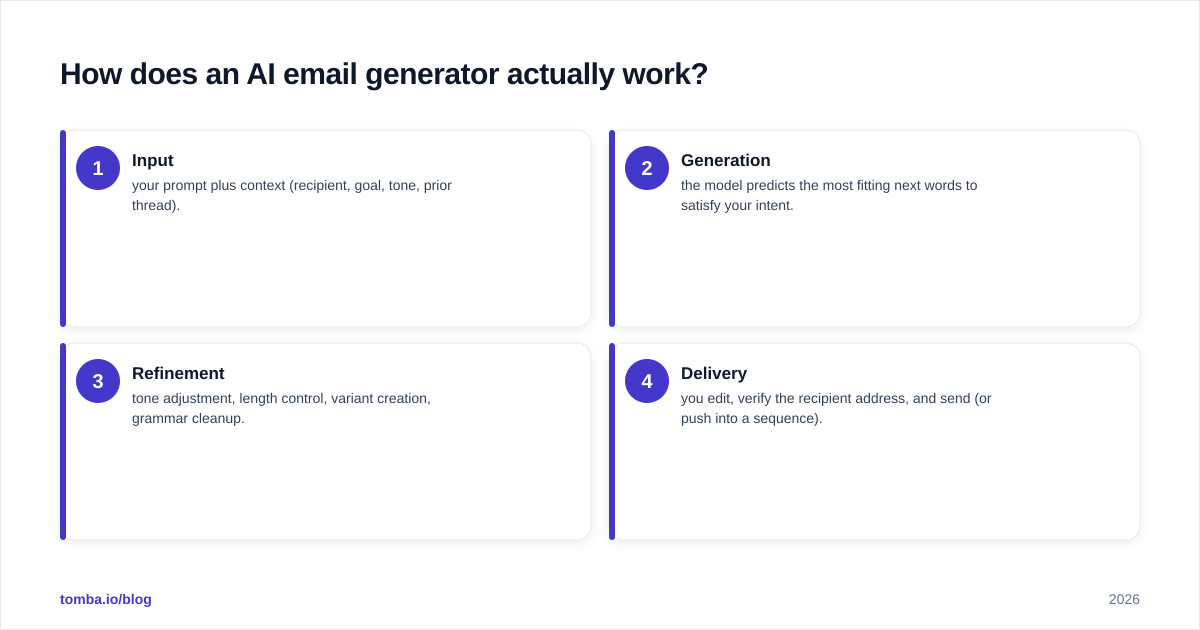
Four stages, every time:
- Input — your prompt plus context (recipient, goal, tone, prior thread).
- Generation — the model predicts the most fitting next words to satisfy your intent.
- Refinement — tone adjustment, length control, variant creation, grammar cleanup.
- Delivery — you edit, verify the recipient address, and send (or push into a sequence).
Most teams obsess over stage 2 and ignore stages 1 and 4. That's backwards. A precise prompt in stage 1 determines 70% of output quality. And stage 4 is where deliverability lives — the cleanest email in the world fails if it lands on a dead inbox or trips a spam filter. Run a spam checker on your draft and verify the address before you hit send.
Which AI professional email generator is best in 2026?#
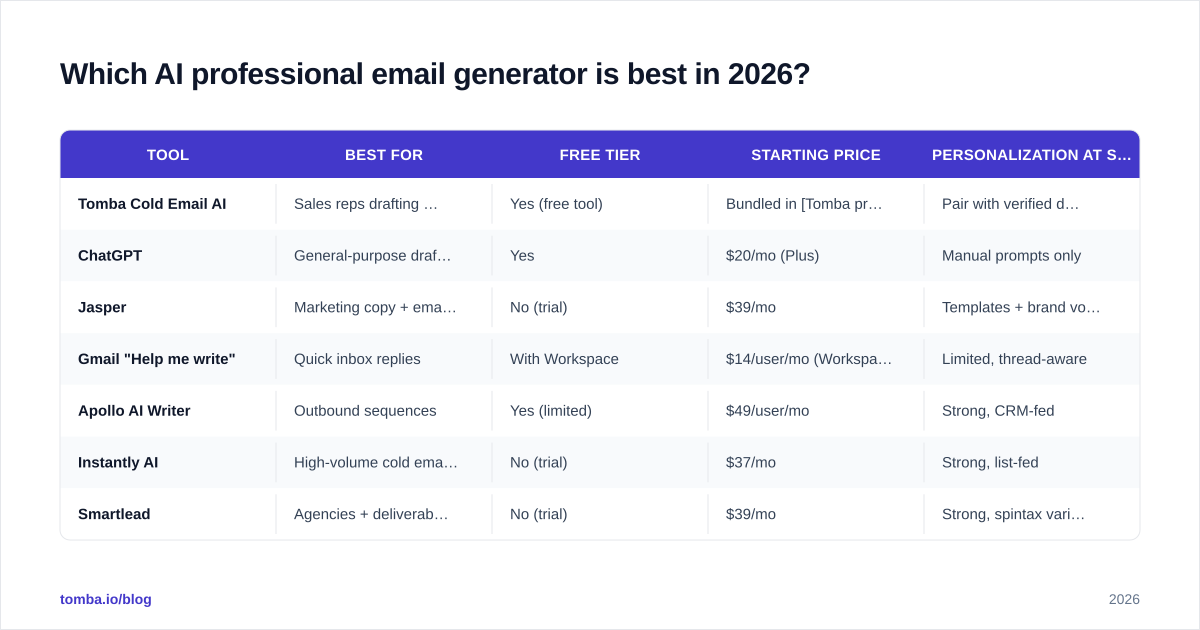
There's no single winner — it depends on whether you write one email or one thousand. Here's a concrete comparison across the categories that matter.
| Tool | Best for | Free tier | Starting price | Personalization at scale |
|---|---|---|---|---|
| Tomba Cold Email AI | Sales reps drafting cold outreach | Yes (free tool) | Bundled in Tomba pricing from $49/mo | Pair with verified data |
| ChatGPT | General-purpose drafting | Yes | $20/mo (Plus) | Manual prompts only |
| Jasper | Marketing copy + email campaigns | No (trial) | $39/mo | Templates + brand voice |
| Gmail "Help me write" | Quick inbox replies | With Workspace | $14/user/mo (Workspace) | Limited, thread-aware |
| Apollo AI Writer | Outbound sequences | Yes (limited) | $49/user/mo | Strong, CRM-fed |
| Instantly AI | High-volume cold email | No (trial) | $37/mo | Strong, list-fed |
| Smartlead | Agencies + deliverability | No (trial) | $39/mo | Strong, spintax variants |
A few honest notes. ChatGPT is the most flexible but needs the best prompting — it knows nothing about your prospect unless you tell it. Jasper shines for marketing teams that need brand-voice consistency across campaigns; see G2's category reviews for current user sentiment. Apollo, Instantly, and Smartlead generate inside sequences, so they're built for volume — but their output is only as good as the contact list behind it. If you want a deeper look at outbound-platform tradeoffs, our Apollo alternative breakdown covers data quality versus features.
What separates a good AI email from a generic one?#
The difference is specificity. A generic generator produces "I hope this email finds you well" and a vague value prop. A good one — well prompted — references a real trigger, names a concrete outcome, and asks for one clear next step.
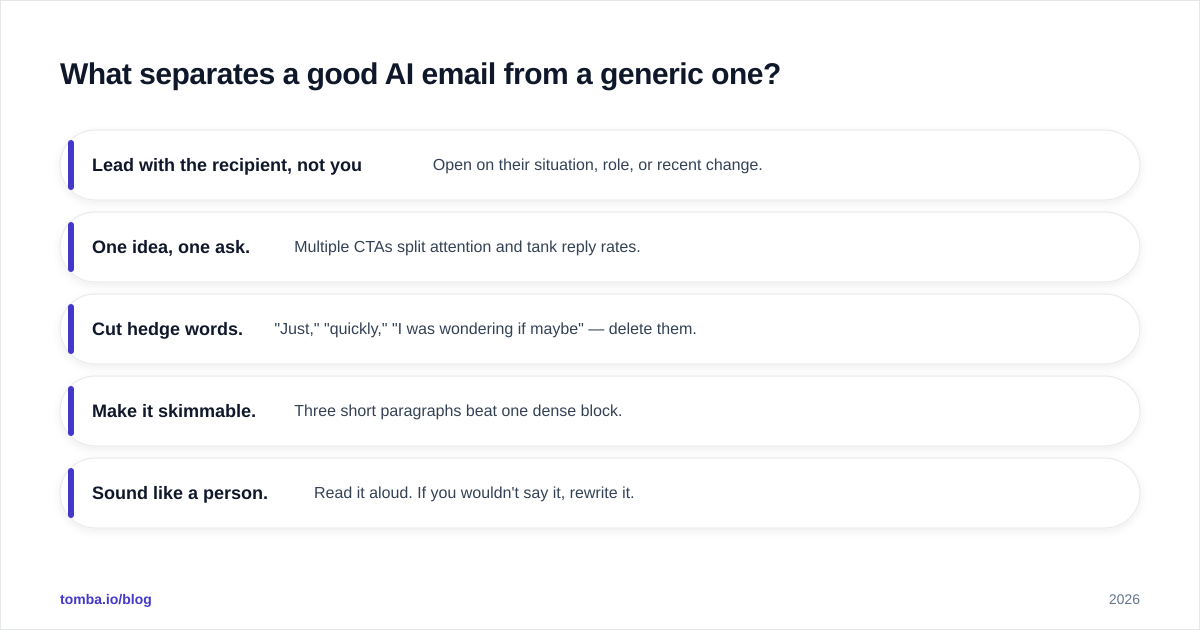
Five rules that hold across every tool:
- Lead with the recipient, not yourself. Open on their situation, role, or recent change.
- One idea, one ask. Multiple CTAs split attention and tank reply rates.
- Cut hedge words. "Just," "quickly," "I was wondering if maybe" — delete them.
- Make it skimmable. Three short paragraphs beat one dense block.
- Sound like a person. Read it aloud. If you wouldn't say it, rewrite it.
If your drafts still read like a press release, run them through a humanizing pass or an AI grammar checker tuned for natural phrasing. And test your opener line with a subject line generator — the best body copy never gets read if the subject doesn't earn the open.
How do you write prompts that produce human-sounding emails?#
The prompt is the steering wheel. Vague in, vague out. Here's a reusable structure:
Role: You are an SDR at [your company], which sells [one-line value prop].
Recipient: [Name], [title] at [company]. Recent trigger: [funding, hire, launch, post].
Goal: Book a 15-minute call.
Tone: Direct, warm, no buzzwords. Under 90 words.
Constraints: One CTA. No "I hope this finds you well." Reference the trigger in the first line.
Feed that to any capable generator and the output jumps in quality. The model now has a role, a target, a trigger, and guardrails. Compare it to "write a cold email to a marketing director" — which produces exactly the forgettable draft you'd expect.
A second technique: generate three variants and merge. Ask for an aggressive version, a curious version, and a casual version, then stitch the best line from each. You end up with copy no single pass would produce. If you'd rather start from proven structures, browse a library of cold email templates and let the AI adapt one to your prospect.
Does the email generator matter more than the data behind it?#
No — and this is the trap teams fall into. The generator gets the attention; the data decides the outcome. You can write the most compelling email in your industry, and it still earns zero replies if:
- the address is a guess and hard-bounces,
- it's a catch-all that silently swallows the message, or
- the inbox belongs to someone who left the company a year ago.
Deliverability and accuracy sit upstream of copy. Before a single AI-generated email goes out, the recipient list should pass through verification. Tomba's email verifier checks syntax, MX records, and mailbox status, and the catch-all verifier flags the domains that accept everything so you don't waste good copy on dead ends.
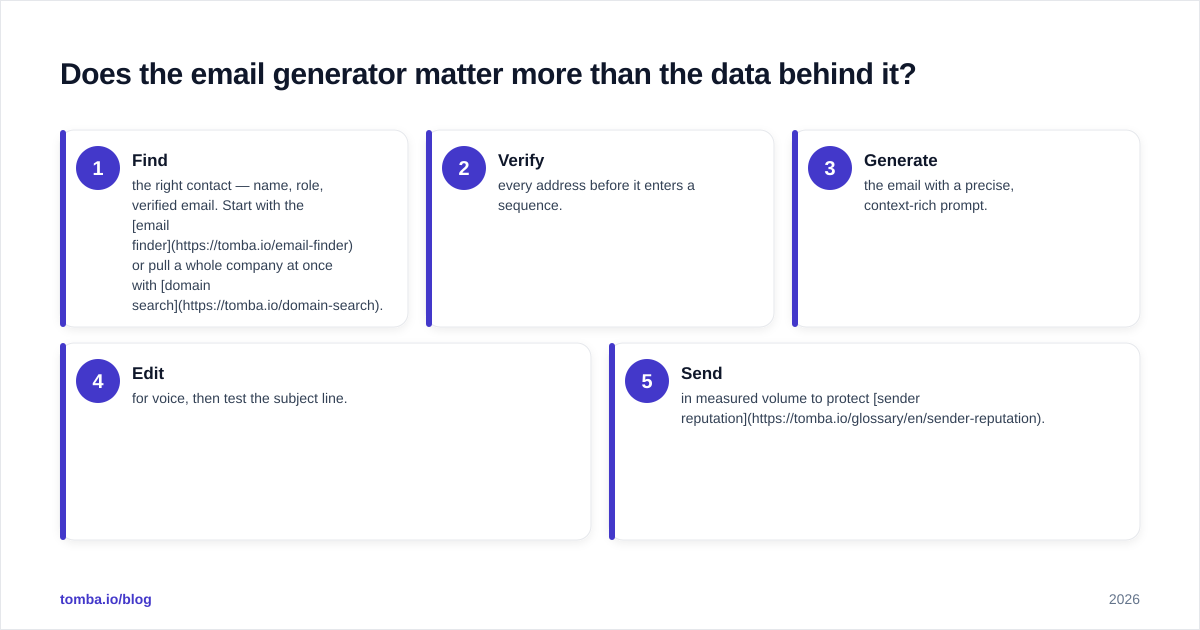
Here's the order of operations that actually protects your reply rate:
- Find the right contact — name, role, verified email. Start with the email finder or pull a whole company at once with domain search.
- Verify every address before it enters a sequence.
- Generate the email with a precise, context-rich prompt.
- Edit for voice, then test the subject line.
- Send in measured volume to protect sender reputation.
Skip steps 1 and 2 and your beautifully generated emails inflate your bounce rate, which drags down email deliverability for every future send. The generator is the easy part. The data is the moat.
What about compliance and brand voice?#
Two quiet risks with AI-generated email.
Compliance. AI doesn't know your legal footer requirements, opt-out rules, or regional regulations (GDPR, CAN-SPAM). It will happily generate a cold email that's missing an unsubscribe path. You own that review. Keep a compliant signature and footer template that gets appended to every generated draft, never left to the model.
Brand voice. Out of the box, most generators default to a flat, corporate register that sounds like every other tool's output. Feed the AI two or three of your best-performing past emails as voice samples. Tools like Jasper formalize this with a "brand voice" feature; with ChatGPT you paste samples into the prompt. The model mirrors what you show it — so show it your voice, not the internet's average.
How should a sales team roll this out?#
Start small and measure. Don't flip your entire outbound motion to AI overnight.
- Week 1: Pick one use case — say, post-demo follow-ups. Generate, edit, send. Track reply rate against your manual baseline.
- Week 2: Add a verification step to the workflow. Compare bounce rates before and after.
- Week 3: Build a prompt library for your top five email types so reps aren't reinventing prompts daily.
- Week 4: Layer in personalization tokens from your CRM and scale to a sequence.
The teams that win with AI email aren't the ones with the fanciest tool. They're the ones who pair decent generation with clean data and a tight editing standard. The tool is a multiplier — it amplifies whatever process you already have, good or bad.
The bottom line#
An AI professional email generator is the fastest way to kill the blank page and keep your outreach consistent — but it's a drafting aid, not a strategist. Steer it with precise prompts, edit for a human voice, and never let it skip the two steps that actually decide replies: finding the right person and verifying the address.
Ready to put clean data behind your AI-written emails? Start with the Tomba Email Finder to source verified, accurate professional emails by name, company, or domain — then let your generator do what it does best. The free plan includes 25 searches a month, and paid plans start at $49/mo. Write faster, bounce less, and reply rates take care of themselves.
// get started
Find, verify and enrich your first contacts today
Start on the free plan with 25 searches a month, then scale when your team is ready.
Free plan · No credit card required · GDPR & CCPA
// about the author