AI Reply Automation in 2026: How to Automate Email Replies
Manual inbox triage is dead weight. Here's how AI reply automation drafts, personalizes, and sends responses in seconds—and how to deploy it without sounding like a robot.
AI reply automation uses large language models to read an incoming email, understand intent, and draft or send a contextual response—often before a human ever opens the thread. For sales and support teams drowning in inbound volume, it turns a 20-minute triage chore into a 20-second review. This guide explains how it works, where it breaks, which tools lead in 2026, and how to deploy it without torching your reply quality or your sender reputation.
TL;DR#
- AI reply automation drafts, personalizes, and (optionally) sends email responses by combining LLMs with your inbox, CRM, and knowledge base.
- It shines on repetitive, high-volume threads: meeting scheduling, pricing questions, lead qualification, and tier-1 support.
- The biggest risk is not bad grammar—it's sending confident, wrong answers at scale. Keep a human-in-the-loop for anything that touches money, legal, or churn.
- Tooling splits into three camps: inbox copilots (Gmail/Outlook), sales-engagement platforms, and standalone AI reply APIs.
- Automation is only as good as your data. Clean contact records and verified addresses decide whether replies land or bounce.
What is AI reply automation?#
Think of AI reply automation as a junior teammate who reads every email the second it arrives, checks your CRM and help docs, and leaves a polished draft in your outbox. You either approve it with one click or let it send on its own for low-risk categories.
Technically, it's a pipeline. An incoming message is classified by intent (question, objection, scheduling request, unsubscribe), enriched with context from your CRM and prior thread history, then passed to an LLM with a prompt that encodes your tone, rules, and approved facts. The model returns a draft. A confidence score or rules engine decides whether it auto-sends, queues for review, or escalates to a human.
This is different from the canned "autoresponder" of 2015. An out-of-office reply is a static template. AI reply automation generates a new response tailored to the specific question, the specific person, and the specific deal stage—every time.
The practical payoff is speed. Response rate and speed-to-lead are tightly correlated: leads contacted within five minutes convert far more often than those answered an hour later. AI closes that gap automatically, even at 2 a.m.
How does AI reply automation actually work?#
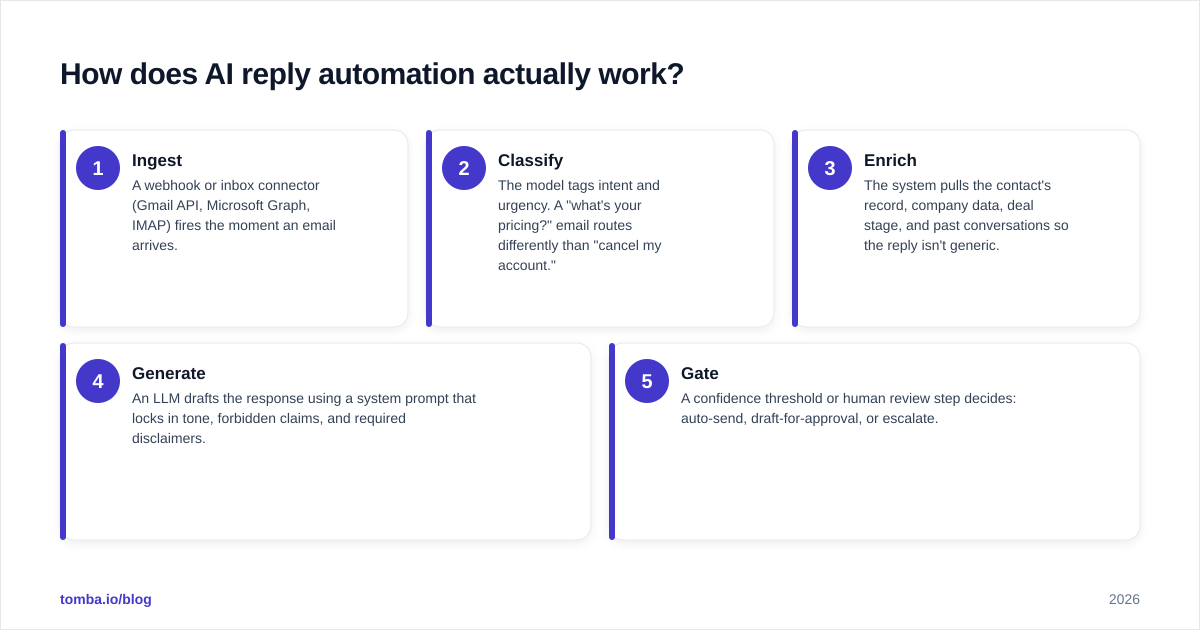
Most production systems follow five steps:
- Ingest — A webhook or inbox connector (Gmail API, Microsoft Graph, IMAP) fires the moment an email arrives.
- Classify — The model tags intent and urgency. A "what's your pricing?" email routes differently than "cancel my account."
- Enrich — The system pulls the contact's record, company data, deal stage, and past conversations so the reply isn't generic.
- Generate — An LLM drafts the response using a system prompt that locks in tone, forbidden claims, and required disclaimers.
- Gate — A confidence threshold or human review step decides: auto-send, draft-for-approval, or escalate.
The enrichment step is where teams cut corners and pay for it later. A reply that says "Hi there" instead of "Hi Sarah, following up on the Acme renewal" reads as spam. Good automation leans on solid data enrichment so the model has names, roles, and company context to work with. Garbage in, garbage replies out.
Where should you automate replies—and where shouldn't you?#
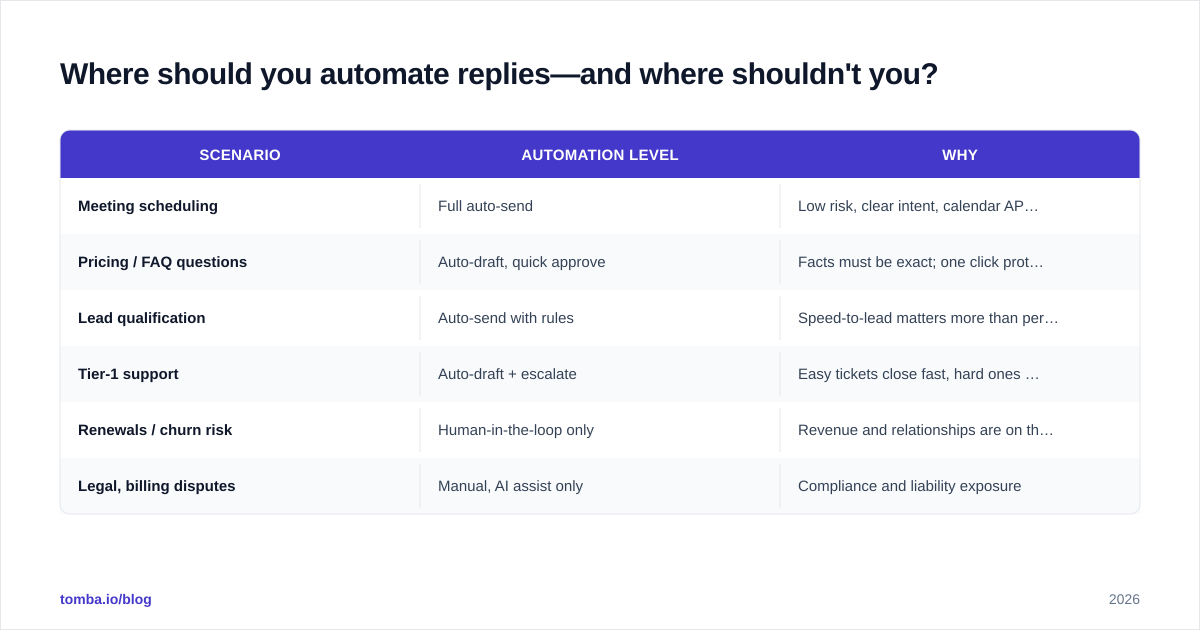
The honest answer: automate the boring 80%, supervise the risky 20%.
| Scenario | Automation level | Why |
|---|---|---|
| Meeting scheduling | Full auto-send | Low risk, clear intent, calendar API handles the rest |
| Pricing / FAQ questions | Auto-draft, quick approve | Facts must be exact; one click protects you |
| Lead qualification | Auto-send with rules | Speed-to-lead matters more than perfect prose |
| Tier-1 support | Auto-draft + escalate | Easy tickets close fast, hard ones reach a human |
| Renewals / churn risk | Human-in-the-loop only | Revenue and relationships are on the line |
| Legal, billing disputes | Manual, AI assist only | Compliance and liability exposure |
A useful rule: if a wrong answer costs you a customer or a lawsuit, the AI drafts but a human sends. If a wrong answer costs you nothing but a follow-up email, let it fly.
What are the best AI reply automation tools in 2026?#
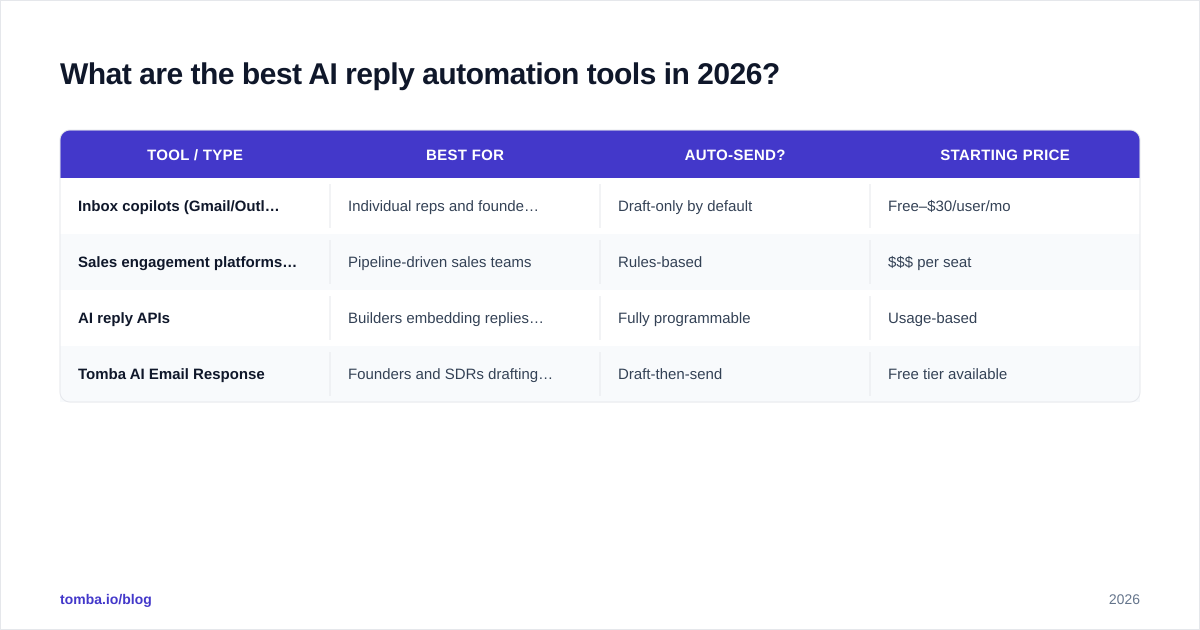
Tools cluster into three categories, and the right pick depends on whether your priority is your personal inbox, your sales pipeline, or your developer stack.
| Tool / type | Best for | Auto-send? | Starting price |
|---|---|---|---|
| Inbox copilots (Gmail/Outlook add-ons) | Individual reps and founders | Draft-only by default | Free–$30/user/mo |
| Sales engagement platforms (e.g. HubSpot, Outreach) | Pipeline-driven sales teams | Rules-based | $$$ per seat |
| AI reply APIs | Builders embedding replies into their own app | Fully programmable | Usage-based |
| Tomba AI Email Response | Founders and SDRs drafting fast replies | Draft-then-send | Free tier available |
For most go-to-market teams, HubSpot's documentation on AI email tools is worth reading to understand how inbox AI plugs into a CRM workflow. If you're comparing standalone platforms, G2's category pages give you real-user reviews instead of vendor marketing.
If you want a fast, no-setup way to generate a strong first draft, Tomba's AI email response tool turns an incoming message into a context-aware reply you can edit and send. Pair it with the cold email AI writer for outbound and you've covered both halves of the conversation.

Does AI reply automation hurt deliverability or sender reputation?#
It can—if you automate volume without automating hygiene. Two failure modes matter.
First, sending to dead addresses. If your AI fires replies and follow-ups at addresses that bounce, your bounce rate climbs and mailbox providers throttle you. Before any automated sequence touches a list, run it through an email verifier so you're only mailing real, deliverable inboxes. This single step protects the sender reputation you spent months building.
Second, robotic patterns. Identical phrasing across thousands of replies trips spam filters and annoys recipients. Good automation varies sentence structure, respects send-time spacing, and never blasts the same template verbatim. Treat AI like a writer, not a printing press.
The teams that win at scale treat verification and reputation as part of the reply pipeline, not an afterthought. Clean data and varied, relevant copy keep you in the primary inbox.
What does AI reply automation cost?#
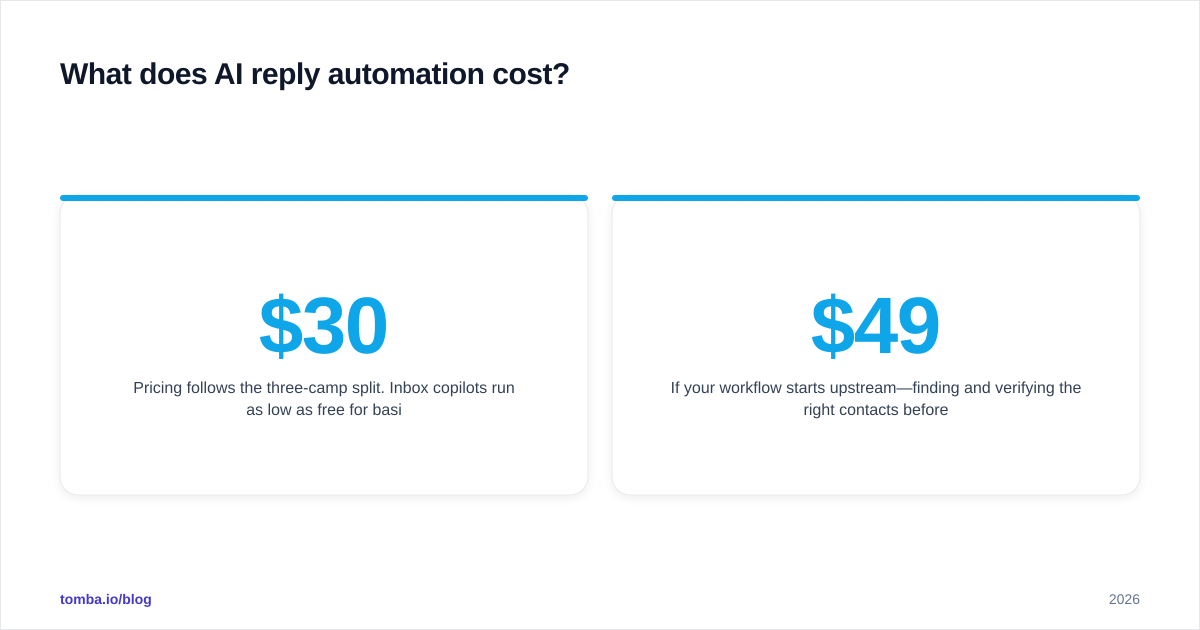
Pricing follows the three-camp split. Inbox copilots run as low as free for basic drafting and climb to roughly $30 per user per month for team features. Full sales-engagement platforms charge per seat and add up fast for large teams. API-based reply generation is usage-metered, so you pay for tokens or per-call.
If your workflow starts upstream—finding and verifying the right contacts before you ever reply—Tomba bundles finding, verifying, and enrichment under one roof. Plans start with a free tier (25 searches/month), then Starter at $49/mo, Growth at $99/mo, and Pro at $249/mo. You can see the full breakdown on the Tomba pricing page. The point isn't that one tool does everything; it's that reply automation and contact data should share a single source of truth so your AI always replies to the right person at the right address.
How do you set up AI reply automation without sounding like a robot?#
Five practical moves separate automation that feels human from automation that gets blocked:
- Write a tight system prompt. Encode your tone, your three most common offers, and an explicit list of claims the AI may never make (no fake discounts, no invented features, no legal promises).
- Feed it real context. Connect your CRM and knowledge base. A reply that references the prospect's company, role, and last touchpoint reads as human; a generic one reads as spam.
- Set confidence gates. Auto-send only when the model's classification confidence clears a threshold you control. Everything below it queues for a human.
- Keep a kill switch. One toggle that pauses all auto-sends. You will need it the first time the model says something off-brand.
- Review the edge cases weekly. Read the threads the AI escalated. Those are your next round of prompt improvements and new automation rules.
The teams that get this right think of the LLM as the engine and their data as the fuel. If you're enriching contacts before you reply, the same records that power your email finder workflow can feed your reply automation—so the AI knows who it's talking to before it writes a word. For broader context on where this fits in the GTM stack, analyst coverage from firms like Gartner tracks how AI is reshaping sales workflows year over year.
What are the most common mistakes?#
The mistakes are predictable, which means they're avoidable:
- Auto-sending high-stakes replies. Never let AI close a complaint, a refund, or a contract dispute on its own.
- Skipping verification. Automated volume into unverified lists is the fastest way to wreck deliverability.
- One template for everyone. If every reply opens the same way, filters and humans both notice.
- No measurement. If you don't track reply rate, response time, and resolution rate before and after, you can't prove the automation works—or catch it when it drifts.
- Forgetting the handoff. AI should make escalation seamless, attaching its draft and context so the human picks up instantly instead of starting cold.
Avoid these and AI reply automation becomes a quiet force multiplier instead of a reputation risk.
Is AI reply automation worth it?#
Yes—if you have volume and you respect the guardrails. For a team handling dozens of inbound threads a day, the time savings are real and the speed-to-lead improvement is measurable. For a solo founder, even draft-only automation reclaims hours a week. The technology is mature enough in 2026 that the question is no longer "does it work?" but "where do I let it run free, and where do I keep my hand on the wheel?"
Start small. Automate scheduling and FAQ replies first, measure the lift, then expand into qualification once you trust the output. Keep the human-in-the-loop where money and relationships live.
Get the contact data your AI replies depend on#
AI reply automation is only as good as the data behind it—if your AI replies to the wrong person, or to an address that bounces, speed doesn't matter. Start at the source: use the Tomba Email Finder to find and verify the right professional contacts, enrich them with role and company context, then let your reply automation work from clean, accurate records. Spin up a free account, find your first 25 contacts this month, and give your AI something worth replying to.
// get started
Find, verify and enrich your first contacts today
Start on the free plan with 25 searches a month, then scale when your team is ready.
Free plan · No credit card required · GDPR & CCPA
// about the author