Aidentified vs Wiza 2026: Which B2B Data Tool Wins?
Aidentified sells relationship and wealth intelligence; Wiza scrapes LinkedIn for verified emails. Here's which one actually fits your 2026 prospecting motion.
TL;DR
- Aidentified is a relationship-intelligence and wealth-data platform. It maps who-knows-who across your team's networks and overlays demographic, wealth, and propensity signals. Best for wealth management, financial advisors, and warm-intro-driven sales.
- Wiza is a LinkedIn-first prospecting tool. It extracts verified work emails and phone numbers from Sales Navigator searches and individual profiles. Best for SDR teams running volume outbound.
- They barely compete. One finds paths to people; the other finds contact details for people you already targeted.
- On raw contact data, neither is a pure email-finder. If verified email accuracy and pay-as-you-go pricing are your priority, a dedicated finder like Tomba usually beats both on cost-per-valid-email.
- Pick Aidentified if relationships and wealth signals drive your deals. Pick Wiza if LinkedIn-to-CRM speed is the bottleneck.
What are Aidentified and Wiza, exactly?#
Conclusion first: these tools solve two different problems that people lump together because both touch "B2B data."
Aidentified is a relationship and identity-intelligence platform. Think of it as a social graph with a wealth overlay. You upload your contacts (or connect your team's networks), and Aidentified tells you which prospects are reachable through a warm introduction, plus attributes like estimated net worth, liquidity events, life triggers, and professional moves. It was built with wealth management and financial advisory firms in mind, where a warm intro to a high-net-worth individual is worth more than a thousand cold emails.
Wiza is a LinkedIn prospecting tool. It plugs into LinkedIn and Sales Navigator, lets you run a search, and exports the results as a clean list with verified work emails and direct-dial phone numbers. It's the kind of tool an SDR opens at 9am to turn a Sales Nav list of 500 VPs of Engineering into a CSV their sequencer can ingest by 9:15.
The analogy: Aidentified is a matchmaker who tells you which strangers your friends can introduce you to. Wiza is a phone book that gives you everyone's number so you can dial. You can run a sales org on either, but they answer different questions.
How do Aidentified and Wiza compare head-to-head?#
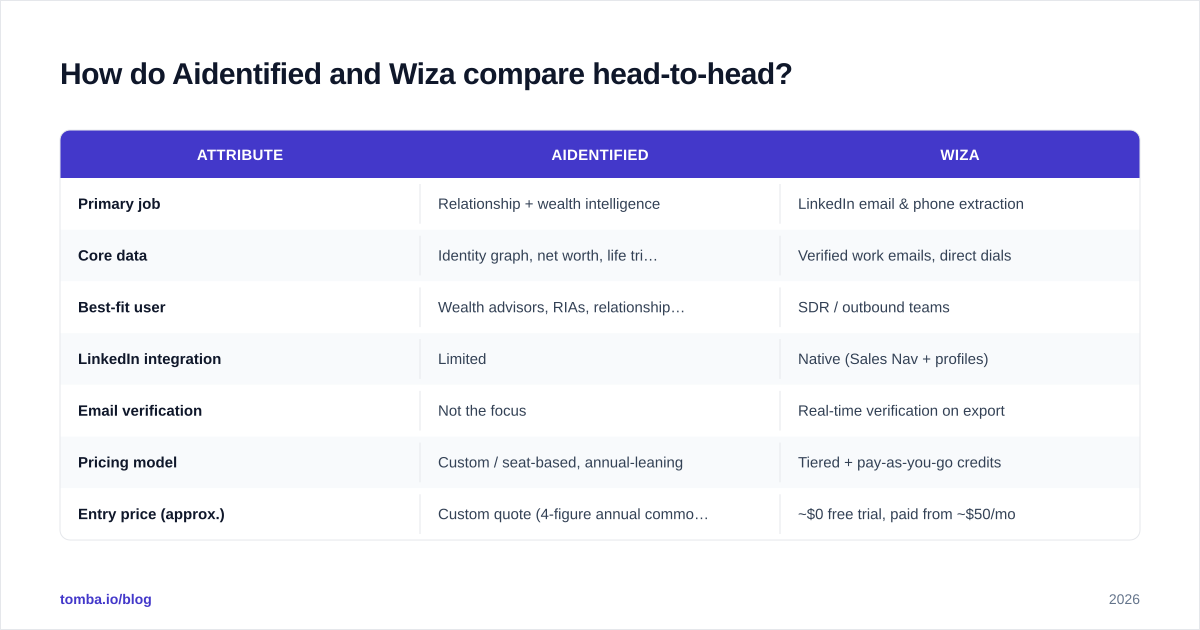
Here's the side-by-side. Pricing for both skews toward annual contracts and custom quotes, so treat dollar figures as directional rather than published rate cards.
| Attribute | Aidentified | Wiza |
|---|---|---|
| Primary job | Relationship + wealth intelligence | LinkedIn email & phone extraction |
| Core data | Identity graph, net worth, life triggers | Verified work emails, direct dials |
| Best-fit user | Wealth advisors, RIAs, relationship sellers | SDR / outbound teams |
| LinkedIn integration | Limited | Native (Sales Nav + profiles) |
| Email verification | Not the focus | Real-time verification on export |
| Pricing model | Custom / seat-based, annual-leaning | Tiered + pay-as-you-go credits |
| Entry price (approx.) | Custom quote (4-figure annual common) | ~$0 free trial, paid from ~$50/mo |
| Free option | Demo only | 20 free credits to start |
| Bulk export | Yes (list-based) | Yes (CSV / CRM push) |
| API access | Yes (enterprise) | Yes |
The takeaway from the table: Wiza is transactional and self-serve; Aidentified is strategic and sales-assisted. If you can swipe a credit card and want emails today, Wiza is reachable. If you're standing up a referral-driven motion across a team of advisors, Aidentified is the heavier, stickier platform.

Which tool has better data accuracy?#
Different data, so "accuracy" means different things.
Wiza's accuracy claim is about email validity — does the address bounce or not. Wiza verifies emails at export time and only charges for valid ones on most plans, which is the right model for outbound. In practice, LinkedIn-sourced finders land in the 80–95% valid range depending on the seniority and region of the list. Senior US-based titles verify well; long-tail EMEA and APAC contacts are softer.
Aidentified's accuracy claim is about identity resolution and wealth signals — is this the right person, and is the net-worth estimate defensible. That's a modeled output, not a binary. It's genuinely useful for triage (which 50 of these 5,000 contacts had a recent liquidity event?), but you should treat wealth estimates as probabilistic, not as a bank statement.
If your KPI is connected rate and bounce rate on cold sends, Wiza's data shape fits better. If your KPI is "did we prioritize the right relationships," Aidentified's modeling is the point.
One honest caveat for both: neither is purpose-built as a standalone email verifier. Teams running high-volume cold email often layer a dedicated verification pass before sending, regardless of where the list came from, to protect sender reputation and stay out of spam folders.
Is Aidentified better than Wiza for outbound sales?#
Short answer: usually no, unless your outbound is relationship-led.
For classic SDR outbound — build a list of titles at target accounts, find emails, sequence them — Wiza is the more natural fit. The workflow is tight: search in Sales Navigator, export with Wiza, push to your CRM or sequencer. There's no learning curve about identity graphs or wealth tiers. You're optimizing for speed and cost-per-contact.
Aidentified shines in a different outbound style: you have a book of business, a team with collective relationships, and you want to find warm paths into accounts. A financial advisor who learns that a current client is a former colleague of a $5M prospect just got a referral path that no cold email can match. That's a real edge, but it's a niche edge.
So the question isn't "which is better" — it's "what is your outbound actually made of?" Volume motion → Wiza. Referral motion → Aidentified.

What does the typical workflow look like for each?#
Mapping the day-to-day clarifies the fit more than any feature list.
Wiza workflow
- Build a Sales Navigator search (e.g., "VP Marketing, SaaS, 51–200 employees, US").
- Run Wiza on the result set.
- Wiza returns verified emails + direct dials, dropping invalids.
- Export to CSV or push straight to HubSpot / Salesforce / your sequencer.
- Launch the sequence.
Aidentified workflow
- Upload your CRM contacts or connect team networks.
- Aidentified resolves identities and overlays wealth + trigger data.
- Filter for high-propensity segments (recent move, liquidity event, role change).
- Surface warm-intro paths through your team's connections.
- Route prioritized accounts to advisors for a personal, relationship-first reach-out.
Notice the difference in tempo. Wiza is a 15-minute task that feeds a machine. Aidentified is an always-on intelligence layer that reshapes how a team prioritizes its book. Both are valid; they just live in different parts of the funnel.
How much do Aidentified and Wiza cost?#
Pricing transparency favors Wiza. Wiza publishes self-serve tiers and offers pay-as-you-go credits, so a solo seller or small team can start small and scale. Email credits are typically only consumed on valid results, which keeps effective cost-per-valid-email reasonable.
Aidentified does not publish a simple rate card. Pricing is seat-based and quote-driven, generally landing in four-figure-plus annual commitments for teams, reflecting its platform positioning. That's appropriate for a wealth-management firm treating it as core infrastructure, but it's a heavier lift for someone who just needs contact data this quarter.
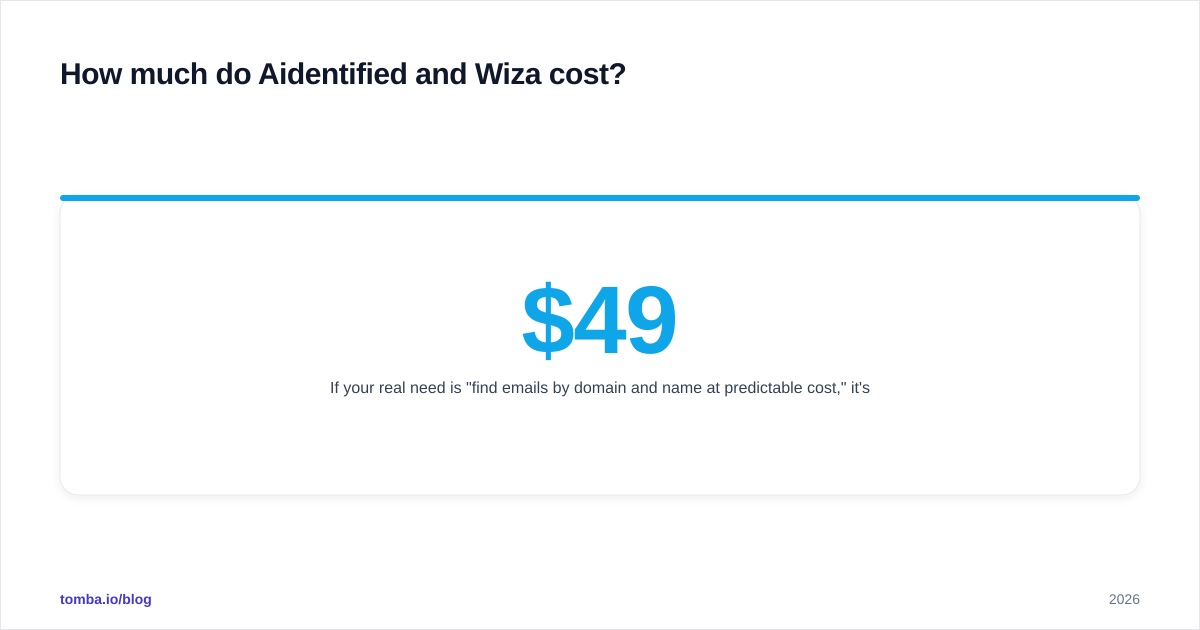
If your real need is "find emails by domain and name at predictable cost," it's worth comparing both against a dedicated finder. For reference, Tomba pricing runs a free tier (25 searches/mo), Starter at $49/mo, Growth at $99/mo, and Pro at $249/mo — a model built around cost-per-verified-contact rather than seats or relationship graphs. If you're specifically evaluating LinkedIn extraction, the Wiza alternative breakdown covers where a finder-plus-verifier stack lands versus Wiza's per-credit math.
When should you use a dedicated email finder instead?#
Reach for a focused finder when contact data — not relationships or wealth signals — is the actual gap.
Common signals you've outgrown a single-purpose comparison like this:
- You need emails by domain or company, not just from LinkedIn profiles. A domain search returns every public address pattern at a company in one call — useful when your ICP isn't fully indexed on LinkedIn.
- You want verification and enrichment in the same pipeline, so lists arrive scored and deduped. That's where data enrichment and an email finder working together beat a scrape-then-clean two-step.
- You're running at scale and need an API or bulk uploader rather than a browser extension babysat by a human.
- You care about bounce protection above all and want catch-all detection baked in before a single email goes out.
Neither Aidentified nor Wiza is wrong here — they're just optimized for adjacent problems. Wiza assumes LinkedIn is your universe; Aidentified assumes relationships are your edge. A finder assumes you have a target list and need clean, verified, low-bounce contact data fast.
Independent reviews on G2 echo this split: Wiza scores well for ease of LinkedIn export, Aidentified scores well for wealth and relationship insight, and buyers frequently run a separate verification layer regardless of source.
So which should you choose?#
Decide on the shape of your motion, not the feature checklist:
- Choose Wiza if LinkedIn is your prospecting universe, you run volume outbound, and you want self-serve pricing with emails you can export and sequence today.
- Choose Aidentified if you sell through relationships and wealth signals — wealth management, RIAs, private banking, high-ticket advisory — and a warm intro is worth more than a hundred cold touches.
- Choose a dedicated finder + verifier if your real bottleneck is clean, verified contact data at predictable cost, sourced beyond LinkedIn, and pushed through an API into your stack.
Most teams end up with two of the three: an intelligence or sourcing layer plus a verification-grade finder feeding the CRM.
Ready to fix the contact-data layer? If your prospecting keeps stalling on bad emails and bounce rates — not on relationships — start with the Tomba Email Finder. Find professional email addresses by domain, name, or company, verify them before you send, and push clean lists straight into your sequencer. Spin up the free tier (25 searches/mo), see your real cost-per-verified-email, and scale to Starter at $49/mo only when the data proves itself. Pair it with Wiza's LinkedIn reach or Aidentified's relationship signals, and let a purpose-built finder handle the part both of them treat as a side feature.
// get started
Find, verify and enrich your first contacts today
Start on the free plan with 25 searches a month, then scale when your team is ready.
Free plan · No credit card required · GDPR & CCPA
// about the author