Airscale Pros and Cons: An Honest 2026 Review & Verdict
A neutral 2026 breakdown of Airscale's pros and cons — what the LinkedIn enrichment platform does well, where it falls short, pricing realities, and who should pick something else.
TL;DR
- Airscale is a LinkedIn-first lead generation and enrichment platform that pulls prospects from Sales Navigator, runs waterfall email enrichment, and pushes clean lists into your CRM or sequencer.
- Its biggest strengths are speed (list-to-outreach in minutes), multi-provider waterfall enrichment, and AI personalization baked into the same workspace.
- Its biggest weaknesses are credit-based pricing that climbs fast at scale, heavy reliance on LinkedIn (with the account-risk that implies), and thinner standalone email-verification than dedicated tools.
- It fits founders and small outbound teams who live inside LinkedIn. It fits poorly if you need API-first email finding, large-scale verification, or non-LinkedIn data sources.
- If accuracy and cost-per-verified-email are your priority, pair or replace it with a dedicated email finder and email verifier.
What is Airscale?#
This review of the Airscale pros and cons starts with the basics. Airscale is a B2B prospecting tool built around one core loop. It finds people on LinkedIn, enriches them with verified contact data, personalizes the outreach, and exports the list. Think of it like an assembly line bolted onto Sales Navigator. Raw profiles go in one end. A ready-to-send list with emails, company data, and AI-written first lines comes out the other.
The platform leans on "waterfall enrichment." Instead of asking a single data vendor for an email, it queries several providers in sequence until one returns a hit. That approach lifts match rates compared to any single source. It is the main reason tools like Airscale, Clay, and BetterContact exist.
You can read Airscale's own positioning on their official site, and browse verified user sentiment on G2 before committing. This review of the Airscale pros and cons stays neutral: real pros, real cons, and where it loses to focused alternatives.
How does Airscale actually work?#
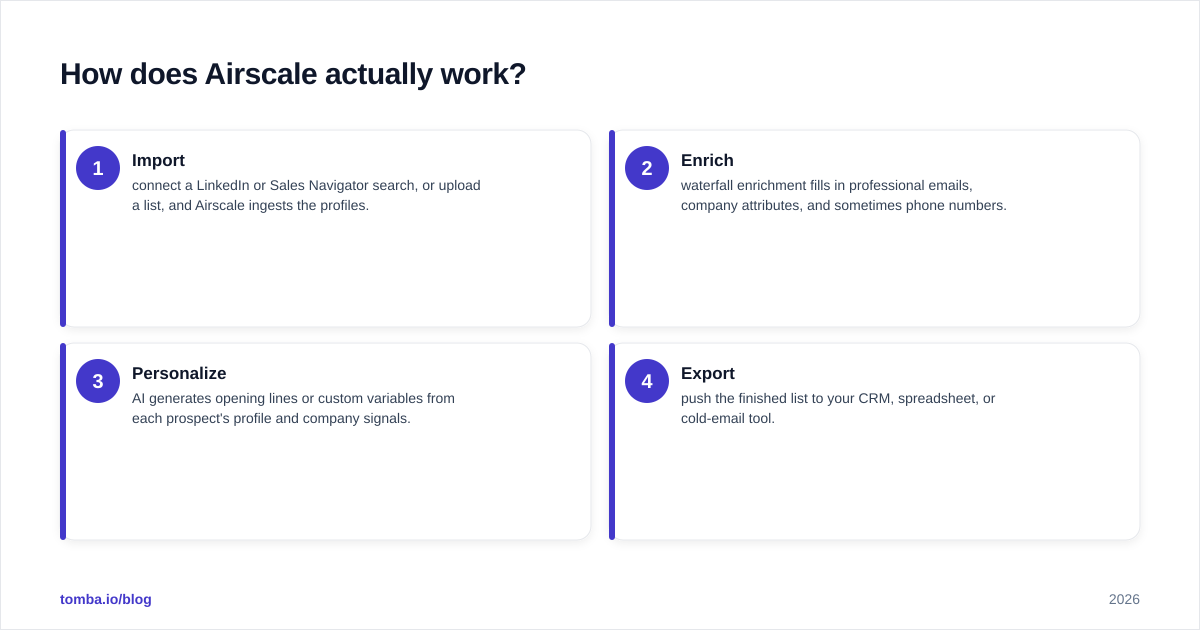
The workflow is the product. Most teams run it in four stages:
- Import — connect a LinkedIn or Sales Navigator search, or upload a list, and Airscale ingests the profiles.
- Enrich — waterfall enrichment fills in professional emails, company attributes, and sometimes phone numbers.
- Personalize — AI generates opening lines or custom variables from each prospect's profile and company signals.
- Export — push the finished list to your CRM, spreadsheet, or cold-email tool.
That tight loop is the appeal. You are not stitching together a scraper, an enrichment API, a verifier, and a copy tool — it is one tab. For a solo founder or a two-person SDR team, that consolidation is worth real money in saved hours.
The trade-off is that the loop is also a cage. Every stage assumes LinkedIn is your source of truth. Say your ICP lives in places LinkedIn indexes poorly — local service businesses, certain regions, or technical roles that avoid the platform. Then the funnel starts dry, and no amount of enrichment fixes an empty top.
What are the main pros of Airscale?#
Here is where Airscale genuinely earns its place.
1. Speed from search to send. The single biggest pro is time-to-outreach. A LinkedIn search becomes an enriched, personalized list in minutes. For teams whose bottleneck is "we never have a clean list ready," that is the whole ballgame.
2. Waterfall enrichment lifts match rates. Because Airscale cascades across multiple data providers, you typically get a higher email-find rate than any single database delivers on its own. On hard-to-find prospects, this is meaningful.
3. AI personalization in the same workspace. Generating first lines and custom variables next to your data — instead of copy-pasting into a separate writing tool — keeps the workflow intact. The quality is "good enough to scale," not award-winning, but it removes a real chore.
4. Native CRM and sequencer exports. Clean handoff to HubSpot, Pipedrive, and popular cold-email tools means fewer broken CSV imports. If you already run a HubSpot integration-style stack, this matters.
5. Approachable for non-technical users. No API keys, no scripts. A founder who has never touched enrichment can be productive on day one.
What are the main cons of Airscale?#
No tool is free of trade-offs, and pretending otherwise would make this an ad, not a review.
1. Credit math gets expensive at scale. Waterfall enrichment means you may pay for multiple provider lookups per contact. Credit-based pricing is friendly at low volume and punishing at high volume. Teams pushing tens of thousands of contacts per month often find the per-verified-email cost creeps above dedicated providers.
2. LinkedIn dependency is a structural risk. The platform's power and its fragility share one root: LinkedIn. Aggressive scraping connected to your personal account carries account-flagging risk, and any change to LinkedIn's terms or rate limits ripples straight into your workflow.
3. Verification is bundled, not best-in-class. Airscale enriches and does basic validation, but it is not a specialized verification engine. For catch-all domains and risky sends, a dedicated catch-all verifier and standalone verifier will protect your sender reputation better.
4. Less useful outside the LinkedIn funnel. If your sourcing is domain-based, list-based, or API-driven, you are paying for a LinkedIn engine you barely use.
5. API and automation depth is limited. For engineering teams that want to embed email finding directly into a product or a data pipeline, an API-first provider with a documented email finder API is a cleaner fit.
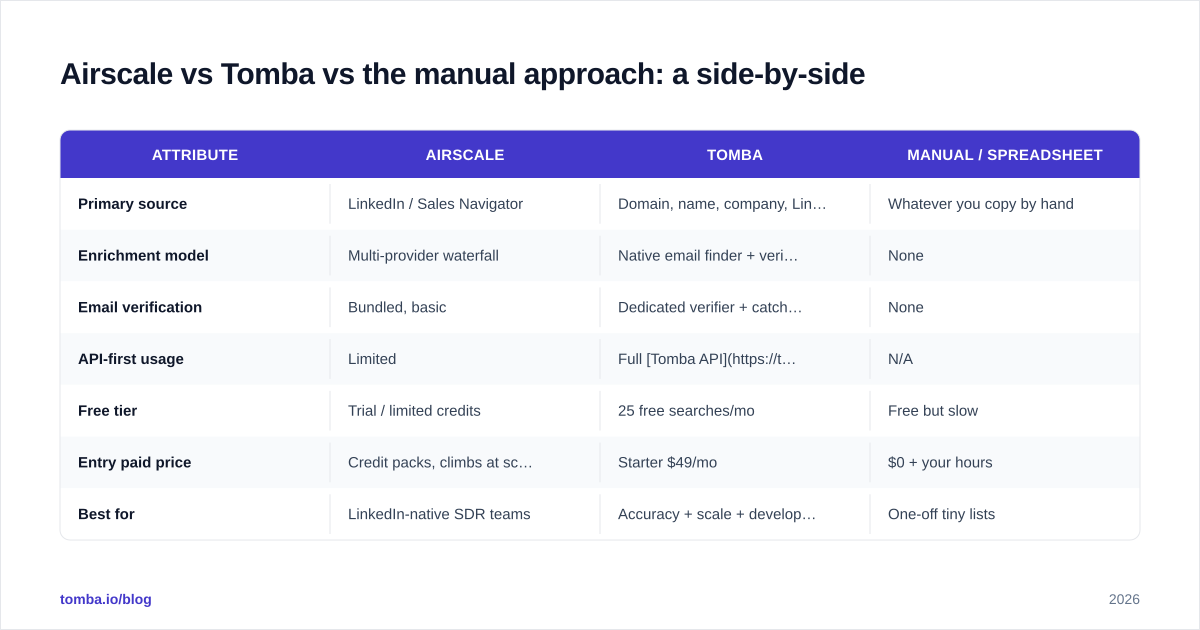
Airscale vs Tomba vs the manual approach: a side-by-side#
The honest way to evaluate Airscale is against the two things it actually replaces: a dedicated email-finding stack, and the manual CSV grind.
| Attribute | Airscale | Tomba | Manual / spreadsheet |
|---|---|---|---|
| Primary source | LinkedIn / Sales Navigator | Domain, name, company, LinkedIn | Whatever you copy by hand |
| Enrichment model | Multi-provider waterfall | Native email finder + verifier + enrichment | None |
| Email verification | Bundled, basic | Dedicated verifier + catch-all checks | None |
| API-first usage | Limited | Full Tomba API, CLI, MCP | N/A |
| Free tier | Trial / limited credits | 25 free searches/mo | Free but slow |
| Entry paid price | Credit packs, climbs at scale | Starter $49/mo | $0 + your hours |
| Best for | LinkedIn-native SDR teams | Accuracy + scale + developers | One-off tiny lists |
| Weakness | Cost at volume, platform risk | Less LinkedIn-workflow UI | Does not scale |
The pattern is clear. Airscale wins on workflow convenience inside LinkedIn. Tomba wins on accuracy, verification depth, and programmatic scale. The manual approach wins only when your list is tiny and one-time.
For full numbers, compare Airscale's published credit packs against transparent Tomba pricing before you decide — the right answer depends entirely on your monthly volume.
Is Airscale worth it in 2026?#
Yes, for a specific buyer — and that buyer is narrower than the marketing implies.
Airscale is worth it if you are a founder or a small outbound team whose entire motion runs through LinkedIn, you value one-tab convenience over squeezing the lowest cost-per-email, and your monthly volume is moderate. In that profile, the saved hours easily justify the credits.
Airscale is not worth it if any of these are true:
- You enrich at high volume and care about cost-per-verified-email.
- You source prospects from domains, conferences, or databases rather than LinkedIn.
- You need rock-solid verification to protect email deliverability on cold sends.
- You are an engineer who wants email finding inside your own pipeline via API.
Think of Airscale like a meal-kit subscription. It is wildly convenient when you want dinner solved with zero planning. But if you are cooking for a hundred people every night, you go back to buying ingredients wholesale. Scale changes the math.
How does Airscale handle email accuracy and deliverability?#
This is where buyers should slow down. Waterfall enrichment improves find rate — the odds that some email comes back. It does not guarantee deliverability — the odds that the email is valid, active, and safe to send to.
Those are different problems. A waterfall can confidently return an address that is a catch-all, a role inbox (info@, sales@), or long abandoned. Send to enough of those and your domain reputation drops, which quietly tanks every campaign after it.
A safer pattern, regardless of which finder you use:
- Find or enrich the email (Airscale, or a dedicated finder).
- Run every address through a real verifier, including a catch-all check.
- Segment risky and unknown results out of your first send.
- Warm the domain and ramp volume gradually.
Airscale covers step one well and step two partially. If cold-email volume is core to your revenue, route the list through a specialized verification layer — Tomba's data enrichment and verification stack, or a comparable provider — before the first send. The few minutes of verification cost far less than a burned domain. You can sanity-check sender health anytime with a free email reputation checker.
What are the best Airscale alternatives?#
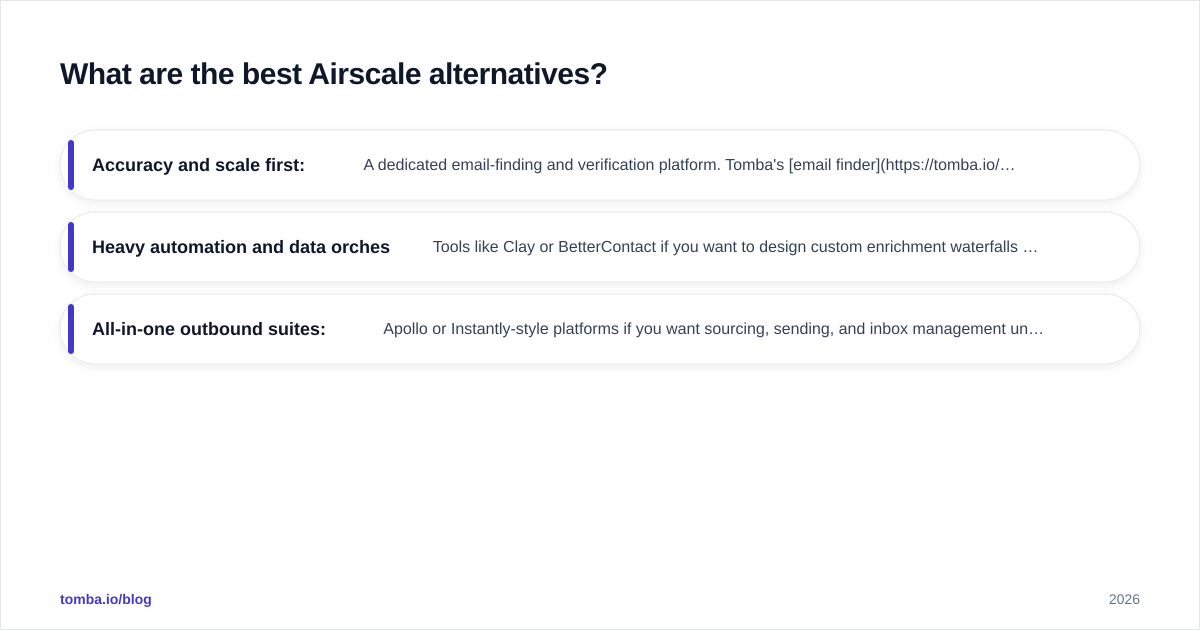
If the cons above describe your situation, three directions make sense:
- Accuracy and scale first: A dedicated email-finding and verification platform. Tomba's email finder, LinkedIn finder, and domain search cover the same sourcing surface while adding real verification and a documented API. Start free with 25 searches a month and scale on the Starter plan at $49/mo.
- Heavy automation and data orchestration: Tools like Clay or BetterContact if you want to design custom enrichment waterfalls yourself. More power, steeper learning curve.
- All-in-one outbound suites: Apollo or Instantly-style platforms if you want sourcing, sending, and inbox management under one roof — at the cost of best-in-class depth in any single layer.
The decision rarely comes down to "which tool is best." It comes down to "which weakness can I least afford." If that weakness is cost-at-scale or deliverability, you lean toward dedicated finders and verifiers. If it is "I just need a LinkedIn list, fast," Airscale holds up.
The verdict on the Airscale pros and cons#
Airscale is a sharp, convenient tool with a real and defensible niche: LinkedIn-native teams that want speed over everything. Its pros — fast workflow, waterfall match rates, in-app personalization — are genuine. Its cons — scaling cost, platform dependency, bundled-not-specialized verification, limited API depth — are equally genuine and matter more the bigger you get.
Buy it for what it is: a LinkedIn prospecting accelerator. Don't buy it expecting an accuracy-obsessed, API-first, high-volume verification engine, because that is not what it was built to be.
If your priority is finding the right address and knowing it is safe to send — at a transparent price, with an API you can build on — start with the Tomba Email Finder. Search by domain, name, or company, verify every result, and keep your sender reputation intact. The free tier gives you 25 searches a month to test accuracy on your own list before you spend a cent, and plans start at $49/mo when you are ready to scale. Run your hardest-to-find prospects through both and let the match rate decide.
// get started
Find, verify and enrich your first contacts today
Start on the free plan with 25 searches a month, then scale when your team is ready.
Free plan · No credit card required · GDPR & CCPA
// about the author