Allegrow vs Wiza 2026: Deliverability vs Lead Data Compared
Allegrow protects inbox placement; Wiza finds B2B contacts. They solve different problems. Here's how the two stack up and which one your pipeline actually needs in 2026.
TL;DR
- Allegrow and Wiza are not real competitors. Allegrow is a deliverability and inbox-placement platform; Wiza is a LinkedIn-based lead finder and contact-data tool. They sit at opposite ends of the outbound workflow.
- Pick Allegrow if your emails are landing in spam, your reply rate is collapsing, or you need to protect sender reputation at scale.
- Pick Wiza if you need to turn LinkedIn and Sales Navigator searches into verified emails and phone numbers fast.
- Most teams need both functions — find good contacts, then make sure your messages reach them — which is why a single accurate data source matters more than either tool alone.
- A focused email finder with built-in verification often replaces the data half of this stack at a lower price.
Why are people comparing Allegrow vs Wiza?#
Short answer: because both names show up when you Google "fix my cold email," and most buyers don't realize they solve different problems.
Allegrow vs Wiza is a comparison between two tools that touch outbound email but almost never overlap in function. Allegrow works on the delivery side — getting your message into the primary inbox instead of spam, monitoring sender reputation, and keeping your domain healthy. Wiza works on the data side — pulling names, emails, and phone numbers out of LinkedIn and Sales Navigator so you have someone to email in the first place.
Think of outbound like running a restaurant. Wiza is your supplier delivering ingredients (contacts). Allegrow is the health inspector and the delivery driver making sure the finished plate actually reaches the customer (the inbox). You can have the best ingredients in the world and still fail if the food never arrives — and vice versa.
So the real question isn't "which one wins." It's "which gap in my pipeline am I trying to close?"

What is Allegrow and what does it actually do?#
Allegrow is a deliverability optimization platform. Its job is to maximize how many of your emails land in the primary inbox rather than spam or the promotions tab.
Core capabilities:
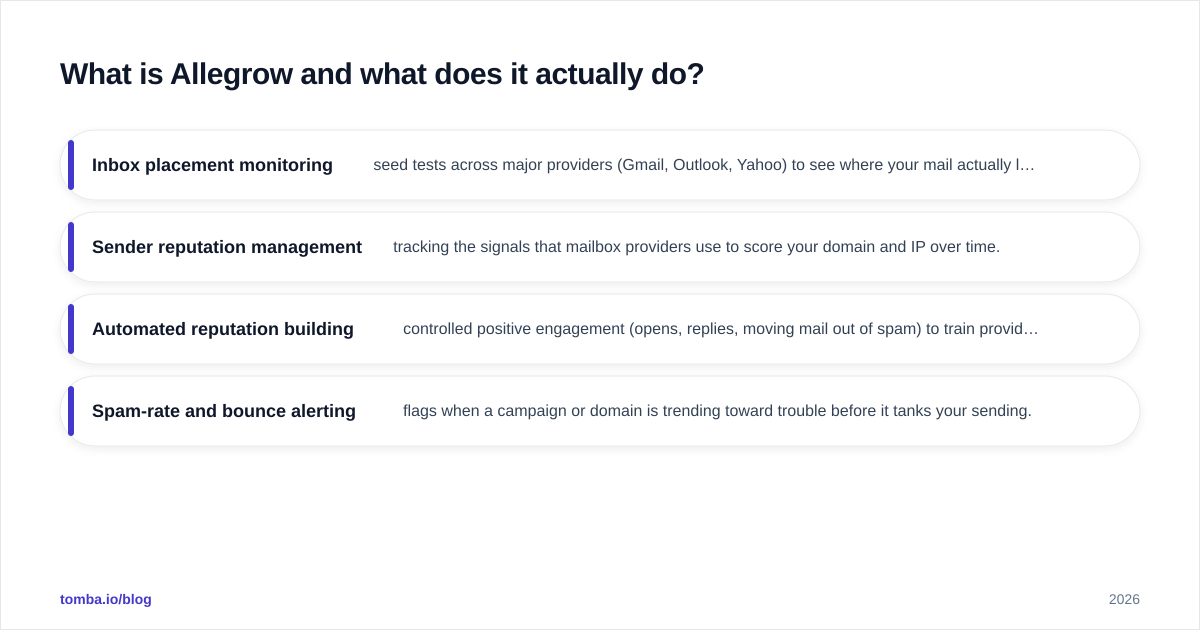
- Inbox placement monitoring — seed tests across major providers (Gmail, Outlook, Yahoo) to see where your mail actually lands, not just whether it was "sent."
- Sender reputation management — tracking the signals that mailbox providers use to score your domain and IP over time.
- Automated reputation building — controlled positive engagement (opens, replies, moving mail out of spam) to train provider filters that your domain is trustworthy.
- Spam-rate and bounce alerting — flags when a campaign or domain is trending toward trouble before it tanks your sending.
Allegrow is aimed at teams that already send meaningful volume and have started seeing reply rates fall for no obvious reason. That decline is almost always a sender reputation problem, and reputation is invisible until it's already costing you deals.
What Allegrow does not do: it won't find you a single new contact. It assumes you already have a list. If your problem is "I don't know who to email," Allegrow is the wrong tool.
What is Wiza and what does it actually do?#
Wiza is a lead-generation and contact-data tool built around LinkedIn. You run a search in LinkedIn or Sales Navigator, and Wiza exports the results as a clean list of contacts with emails and, on higher tiers, phone numbers.
Core capabilities:
- LinkedIn / Sales Navigator export — turn a saved search or list into a structured CSV or CRM-ready export.
- Email finding and verification — Wiza attempts to find and validate a work email for each profile, charging mainly for valid results.
- Phone numbers — direct dials and mobiles on paid plans.
- CRM push — send enriched contacts straight into HubSpot, Salesforce, Outreach, and similar.
Wiza is built for SDRs and founders who live inside LinkedIn and want to skip the copy-paste grind. Its value is speed: profile to verified contact in seconds, in bulk.
What Wiza does not do: it has no opinion about whether your email lands in the inbox. Once it hands you the data, deliverability is entirely your problem. If you blast a fresh Wiza export from a cold domain, you'll land in spam no matter how accurate the addresses are.
Allegrow vs Wiza: how do they compare side by side?#
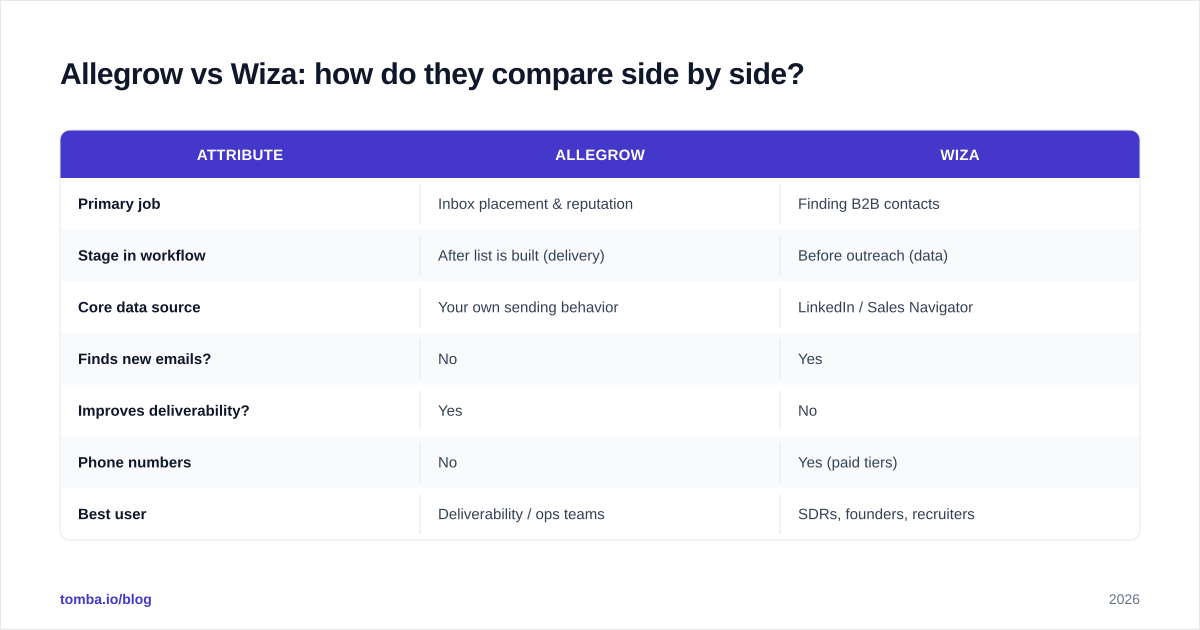
Here's the honest split. These tools occupy different columns, and the table makes that obvious.
| Attribute | Allegrow | Wiza |
|---|---|---|
| Primary job | Inbox placement & reputation | Finding B2B contacts |
| Stage in workflow | After list is built (delivery) | Before outreach (data) |
| Core data source | Your own sending behavior | LinkedIn / Sales Navigator |
| Finds new emails? | No | Yes |
| Improves deliverability? | Yes | No |
| Phone numbers | No | Yes (paid tiers) |
| Best user | Deliverability / ops teams | SDRs, founders, recruiters |
| Pricing model | Per sending mailbox/seat | Per valid credit / seat |
| Replaces a CRM? | No | No |
The takeaway: comparing them on a single "winner" axis is a category error. A deliverability score and a contact-accuracy score aren't the same measurement. Choosing between them means deciding which problem is currently bleeding your pipeline.
When should you choose Allegrow over Wiza?#
Choose Allegrow when your contacts are fine but your results aren't.
Signals you have a delivery problem, not a data problem:
- Open and reply rates dropped sharply without a change in copy or targeting.
- Test emails to your own Gmail/Outlook accounts land in spam or promotions.
- You're sending from multiple mailboxes and need to keep all of them healthy.
- You've been warned by a tool (or a prospect) that your mail is hitting spam folders.
In these cases, finding more contacts with a tool like Wiza just pours more water into a leaking bucket. You need to fix email deliverability first. Allegrow — or any dedicated inbox-placement and warmup system — is the right layer.
One caveat: deliverability tools that simulate engagement live in a gray area with mailbox providers. They help, but they don't excuse bad list hygiene. The single biggest deliverability lever is still not emailing addresses that bounce. That's a verification problem, and it starts upstream of Allegrow.
When should you choose Wiza over Allegrow?#
Choose Wiza when you simply don't have enough good contacts to work with.
Signals you have a data problem, not a delivery problem:
- You're manually copying names off LinkedIn into a spreadsheet.
- Your existing list is stale, and titles or companies have changed.
- You need direct phone numbers for a calling motion, not just email.
- You're a recruiter or founder doing high-volume sourcing from Sales Navigator.
Wiza shines here because it compresses hours of manual sourcing into a few clicks. If your deliverability is already solid — warmed domains, clean lists, reasonable volume — then more accurate contacts is exactly the lever that grows pipeline.
The risk with any LinkedIn-based finder is paying for volume you can't actually reach. A 10,000-row export is worthless if a third of the emails bounce. That's why pairing any finder with a strong email verifier isn't optional — it's the difference between a campaign that sends and a domain that gets blacklisted.

Allegrow vs Wiza vs a dedicated email finder: which is the real bottleneck?#
Here's the uncomfortable truth most "vs" posts skip: for many teams, neither Allegrow nor Wiza is the actual constraint. The constraint is data accuracy at the source.
Walk the workflow backward:
- You send an email (deliverability — Allegrow's job).
- You needed an address to send to (data — Wiza's job).
- That address had to be correct and reachable (verification — the foundation both depend on).
If step 3 is weak, both tools above underperform. Allegrow can't save you from bouncing into spam traps. Wiza's accuracy is only as good as its match on a given profile, and LinkedIn-only sourcing misses anyone whose work email never touched a social profile.
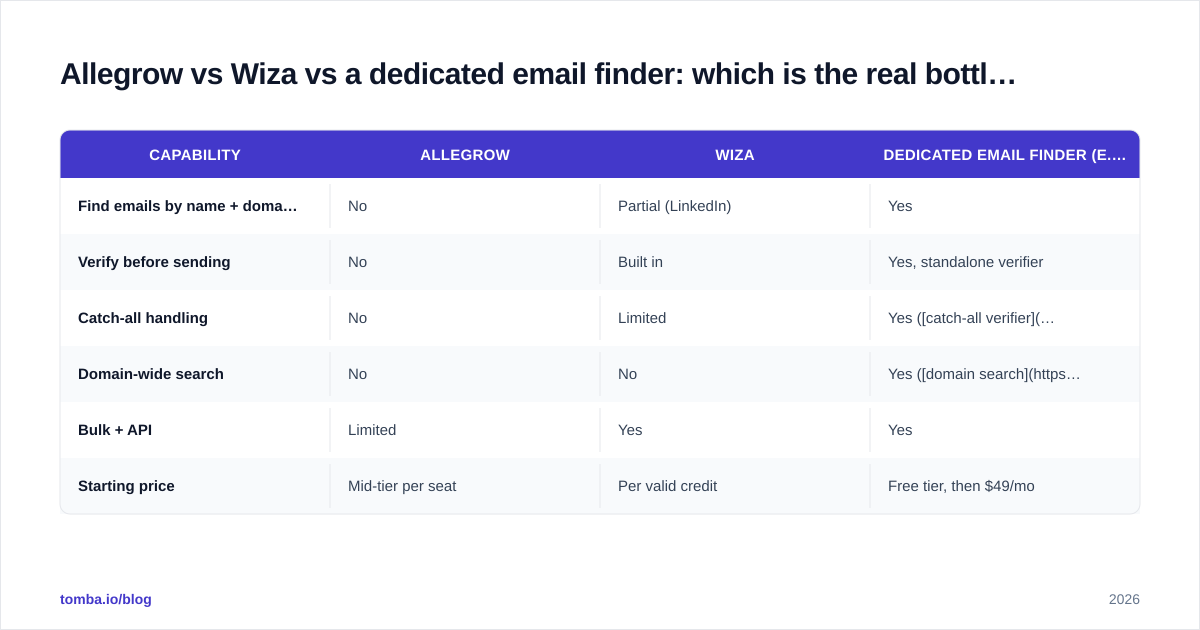
| Capability | Allegrow | Wiza | Dedicated email finder (e.g. Tomba) |
|---|---|---|---|
| Find emails by name + domain | No | Partial (LinkedIn) | Yes |
| Verify before sending | No | Built in | Yes, standalone verifier |
| Catch-all handling | No | Limited | Yes (catch-all verifier) |
| Domain-wide search | No | No | Yes (domain search) |
| Bulk + API | Limited | Yes | Yes |
| Starting price | Mid-tier per seat | Per valid credit | Free tier, then $49/mo |
A focused finder-plus-verifier covers the data and accuracy layers in one place, often cheaper than a LinkedIn-export seat. You still may want a deliverability layer on top for high-volume sending — but you fix the foundation first.
What does each tool cost, and is it worth it?#
Pricing for both Allegrow and Wiza moves around and depends heavily on seats and volume, so always confirm on their own sites — allegrow.com and wiza.co. As a directional guide:
- Allegrow is priced per sending mailbox or seat and targets teams sending at scale. It's a recurring operational cost justified by protecting revenue you'd otherwise lose to spam folders.
- Wiza charges primarily on valid contact credits plus seats, so cost scales with how aggressively you source. Heavy LinkedIn users can run up real bills quickly.
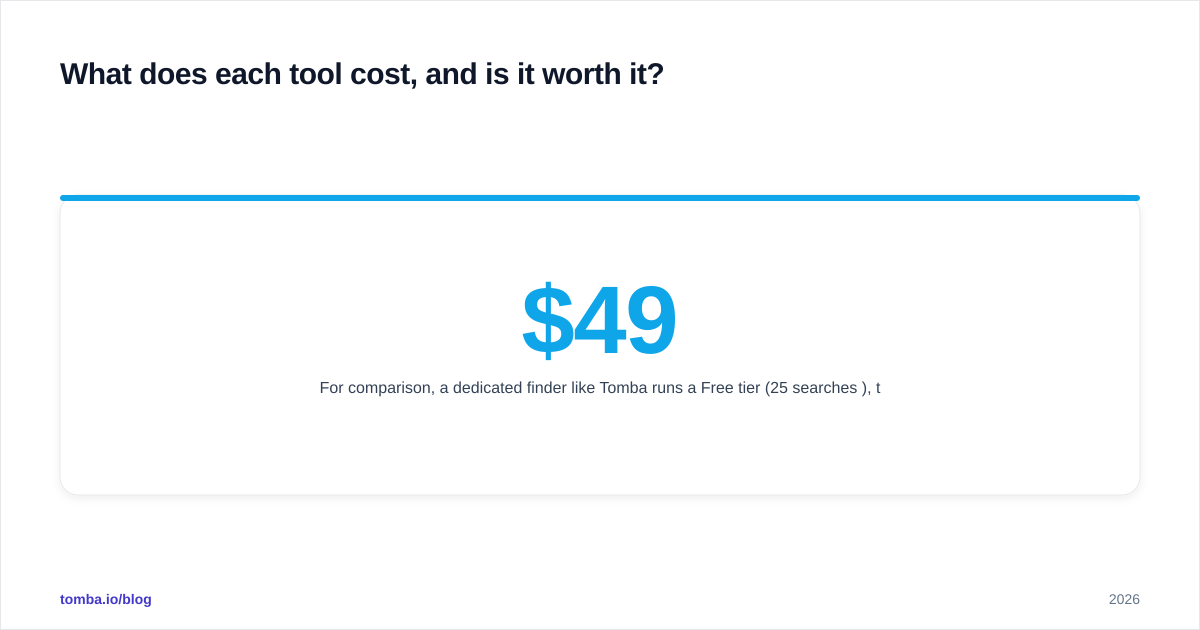
For comparison, a dedicated finder like Tomba runs a Free tier (25 searches/mo), then Starter $49/mo, Growth $99/mo, Pro $249/mo, and Enterprise custom — covering finding, verifying, and enriching in one subscription. Full Tomba pricing is public. The point isn't that cheaper is automatically better; it's that you should map spend to the bottleneck you're actually fixing.
Read independent reviews on G2 before committing — both tools have public ratings, and the patterns in negative reviews (deliverability gray-area concerns for Allegrow, credit/accuracy disputes for Wiza) tell you more than any vendor page.
Can you use Allegrow and Wiza together?#
Yes, and for a mature outbound team that's the intended setup: Wiza (or another finder) builds the list, Allegrow protects how that list gets delivered. They don't conflict — they cover different stages.
But "use both" carries a hidden cost: two subscriptions, two integrations, and a verification gap in the middle that neither fully owns. Before stacking tools, audit whether a single accurate data layer plus light warmup would do the job for a fraction of the price. Many teams over-tool the problem because each vendor's marketing frames its slice as the whole pipeline.
A practical sequence that works:
- Source and verify contacts at the point of capture, not after.
- Warm new domains before volume sending (a warmup calculator helps you plan ramp speed).
- Monitor placement and reputation only once volume justifies it.
Do those three in order and you'll spend less on the flashy layers because the foundation isn't leaking.
So which should you pick: Allegrow or Wiza?#
Conclusion first: pick based on your symptom, not the brand.
- Emails not landing? That's Allegrow's lane — deliverability and reputation.
- No one to email? That's Wiza's lane — LinkedIn-sourced contacts and phones.
- Bouncing, stale, or unreachable data? That's neither — it's a finding-and-verification problem, and it's where most "my cold email isn't working" stories actually begin.
Neither tool is a scam, and neither is a silver bullet. They're specialists. The mistake is buying a delivery tool to fix a data problem, or a data tool to fix a delivery problem, and then wondering why the metric didn't move.
If you've traced your bottleneck to the foundation — getting accurate, verified, reachable contacts before anything else — start there. Tomba's Email Finder finds professional emails by name, company, or domain, verifies them in the same flow, and exports clean lists your deliverability stack can actually deliver. Try it free with 25 searches a month, and fix the data layer before you pay for tools that assume it's already solved.
// get started
Find, verify and enrich your first contacts today
Start on the free plan with 25 searches a month, then scale when your team is ready.
Free plan · No credit card required · GDPR & CCPA
// about the author