Allo Alternatives: 9 Better Messaging Apps to Try in 2026
Google killed Allo in 2019, but the need for fast, reliable messaging never went away. Here are nine Allo alternatives that fit modern sales and team communication in 2026.
If you searched "Allo alternatives," you already know the punchline: Google Allo is gone. Google announced its shutdown in December 2018 and pulled the plug in March 2019. The smart-reply, Google Assistant integration, and incognito chats were neat — but the app never reached the user base of WhatsApp or Messenger, and Google folded its features into Messages and Google Chat instead.
So the real question in 2026 isn't "how do I get Allo back?" It's "what should I use instead, and which option fits how my team actually communicates and sells?" This guide answers both.
TL;DR#
- Google Allo was discontinued in March 2019. There is no revival; pick a modern replacement.
- For team and sales communication, the strongest Allo alternatives are Google Chat, Slack, WhatsApp Business, Telegram, and Signal.
- For consumer/personal messaging, WhatsApp, Signal, and Telegram cover encryption, group chats, and cross-platform sync.
- Choose by use case, not hype — security, integrations, business features, and cost matter more than smart replies.
- Messaging is the last mile, not the first. Before you can message a prospect, you need accurate contact data. A tool like Tomba Email Finder handles that step.
What was Google Allo and why do you need an alternative?#
Google Allo was a smart messaging app launched in 2016. Its selling points were Google Assistant baked into chats, Smart Reply suggestions, and "Incognito mode" for end-to-end encrypted conversations. On paper it competed with WhatsApp and Facebook Messenger.
In practice, Allo struggled. It launched without a desktop client, lacked SMS fallback, and required a phone number tied to a single device. Google split its energy across Allo, Duo, Hangouts, and Messages — and eventually consolidated. Allo's best features migrated into Google Messages (RCS, Smart Reply) and Google Chat (for Workspace teams).
The result: anyone still typing "Allo alternatives" needs a replacement that does what Allo promised — fast, smart, cross-platform messaging — but with the staying power Allo never had.
What should you look for in an Allo alternative?#
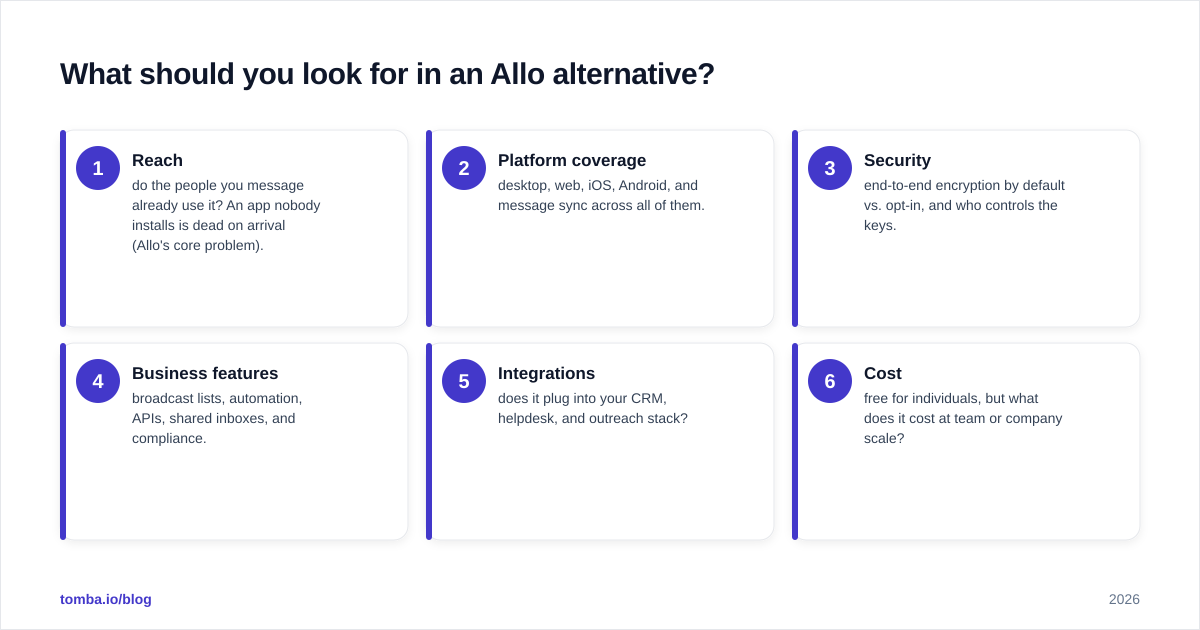
Don't pick a messaging app by brand recognition. Score candidates against the criteria that actually affect daily use. Here's a simple framework to run each option through before you commit.
- Reach — do the people you message already use it? An app nobody installs is dead on arrival (Allo's core problem).
- Platform coverage — desktop, web, iOS, Android, and message sync across all of them.
- Security — end-to-end encryption by default vs. opt-in, and who controls the keys.
- Business features — broadcast lists, automation, APIs, shared inboxes, and compliance.
- Integrations — does it plug into your CRM, helpdesk, and outreach stack?
- Cost — free for individuals, but what does it cost at team or company scale?
Run every candidate below through those six gates and the right pick becomes obvious for your situation.
What are the best Allo alternatives in 2026?#
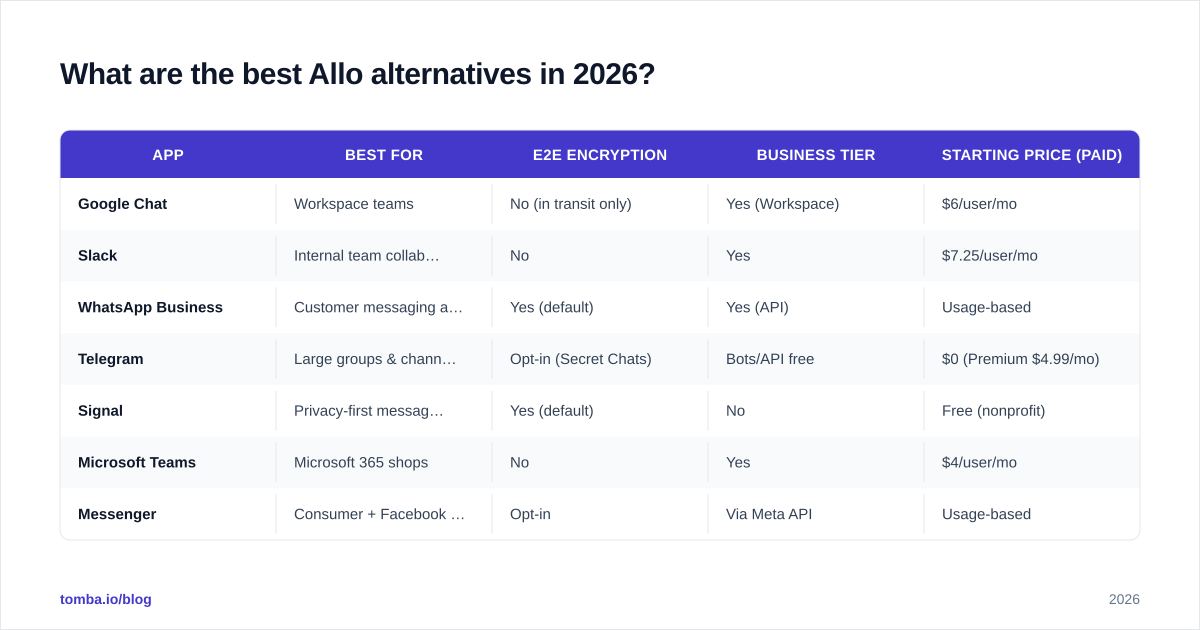
Here's a side-by-side comparison of the nine strongest replacements, grouped by what each does best.
| App | Best for | E2E encryption | Business tier | Starting price (paid) |
|---|---|---|---|---|
| Google Chat | Workspace teams | No (in transit only) | Yes (Workspace) | $6/user/mo |
| Slack | Internal team collaboration | No | Yes | $7.25/user/mo |
| WhatsApp Business | Customer messaging at scale | Yes (default) | Yes (API) | Usage-based |
| Telegram | Large groups & channels | Opt-in (Secret Chats) | Bots/API free | $0 (Premium $4.99/mo) |
| Signal | Privacy-first messaging | Yes (default) | No | Free (nonprofit) |
| Microsoft Teams | Microsoft 365 shops | No | Yes | $4/user/mo |
| Messenger | Consumer + Facebook audiences | Opt-in | Via Meta API | Usage-based |
| Discord | Communities & async voice | No | Nitro/Server | $9.99/mo (Nitro) |
| Google Messages | SMS/RCS default replacement | Yes (RCS 1:1) | No | Free |
A few notes on the standouts:
Google Chat — the official successor for teams#
If you used Allo inside a Google account, Google Chat is the most natural landing spot. It lives in Gmail and Workspace, supports spaces (group channels), threaded conversations, and bots. It inherits Allo's "Google-native" feel without the consumer-app fragility. Free for personal Gmail, paid as part of Google Workspace.
Slack — the team communication standard#
For internal collaboration, Slack is the default. Channels, huddles, a massive app directory, and deep workflow automation make it the backbone of most modern companies. It's not a consumer chat app, but for sales and ops teams it's the place work actually happens. It also connects cleanly to outreach tooling — for example, the Slack integration can push new verified leads straight into a channel.
WhatsApp Business — messaging customers at scale#
When you need to message customers and prospects (not just coworkers), WhatsApp Business wins on reach. With over two billion users, your audience is almost certainly already there. The API supports broadcast templates, automated replies, and CRM integration. Read the official capabilities on the WhatsApp Business site.
Telegram — groups, channels, and bots#
Telegram shines for large communities (groups up to 200,000), public channels, and a powerful free bot API. Encryption is opt-in via Secret Chats rather than default, so it's not the choice for sensitive 1:1 work — but for broadcast and community building it's hard to beat.
Signal — the privacy benchmark#
If security is non-negotiable, Signal is the gold standard. End-to-end encryption is on by default, the protocol is open source, and the nonprofit behind it doesn't monetize your data. The tradeoff is fewer business features. See signal.org for the technical details.
How do messaging apps fit into B2B sales outreach?#
Here's where the "Allo alternative" question quietly becomes a sales question. If you're evaluating messaging tools for outreach — not just chatting with friends — the app is only one layer of the stack.
Modern outbound is multichannel: email, phone, LinkedIn, and increasingly WhatsApp or SMS. The app you send through (WhatsApp Business, a dialer, your email client) is the delivery layer. But none of it works without two things underneath it:
- Accurate contact data — the right email, phone number, or profile for the right person.
- Permission and relevance — messaging the wrong contact, or a stale number, burns your sender reputation and your brand.
That's why teams that switch from Allo-style messaging to real outreach plug a data layer in first. You can find a prospect's professional email with an email finder, pull a mobile number with a phone finder, and round out the record with data enrichment before a single message goes out. Skip that step and your shiny new messaging app is just a faster way to reach the wrong people.

For a deeper look at how messaging fits alongside other channels, the fundamentals of LinkedIn outreach apply directly: lead with relevance, keep it short, and never message someone you can't verify.
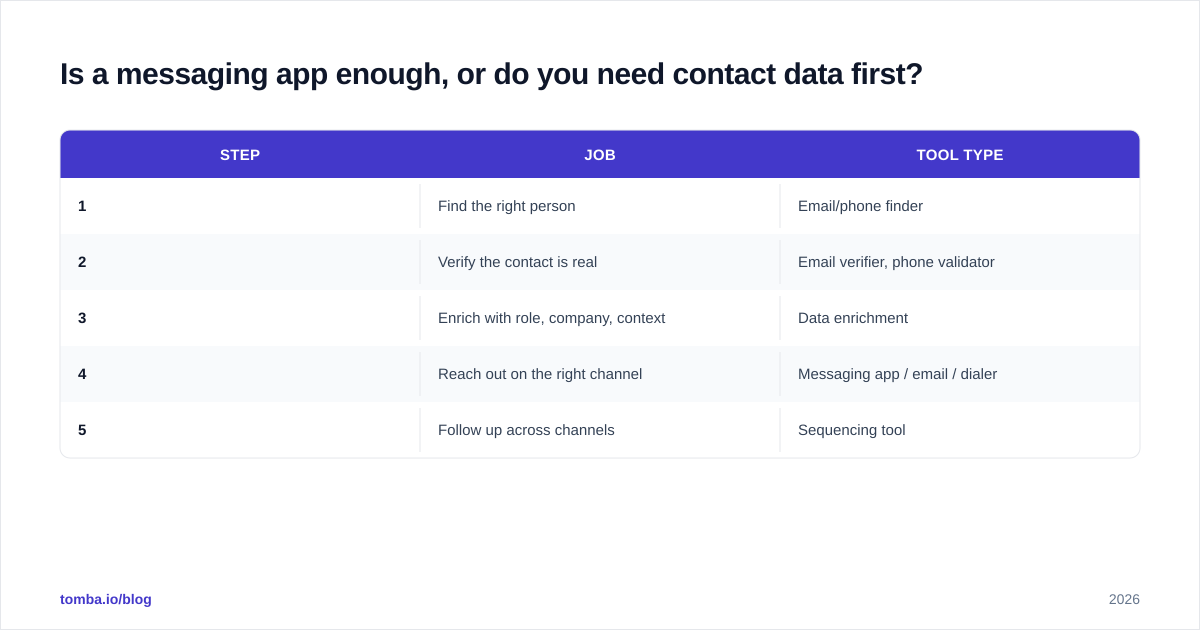
Is a messaging app enough, or do you need contact data first?#
Short answer: a messaging app is never enough on its own for sales.
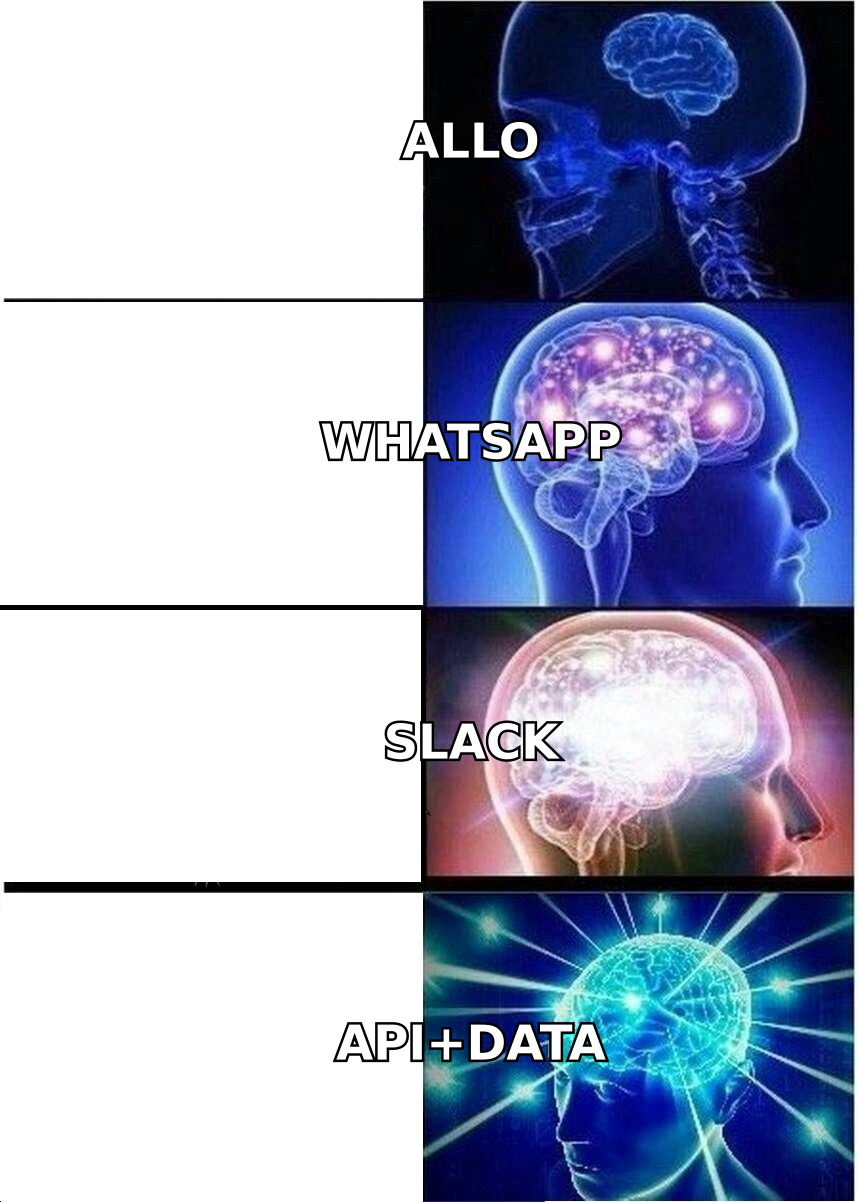
Think of it like a delivery van. WhatsApp, Slack, or Telegram is the van — fast and reliable. But an empty van delivers nothing. The "cargo" is verified contact data: who to reach, on which channel, with what context. Allo's failure was partly a reach problem (nobody was on it). Your outreach has the same risk if your contact list is guesswork.
Here's the order of operations that actually works:
| Step | Job | Tool type |
|---|---|---|
| 1 | Find the right person | Email/phone finder |
| 2 | Verify the contact is real | Email verifier, phone validator |
| 3 | Enrich with role, company, context | Data enrichment |
| 4 | Reach out on the right channel | Messaging app / email / dialer |
| 5 | Follow up across channels | Sequencing tool |
Notice that the messaging app — the thing you came here searching for — is step four, not step one. Get steps one through three wrong and no amount of clever app-switching saves the campaign. If you want to validate numbers before you send, a phone validator and an email verifier keep your lists clean and your deliverability high.
Which Allo alternative should you actually choose?#
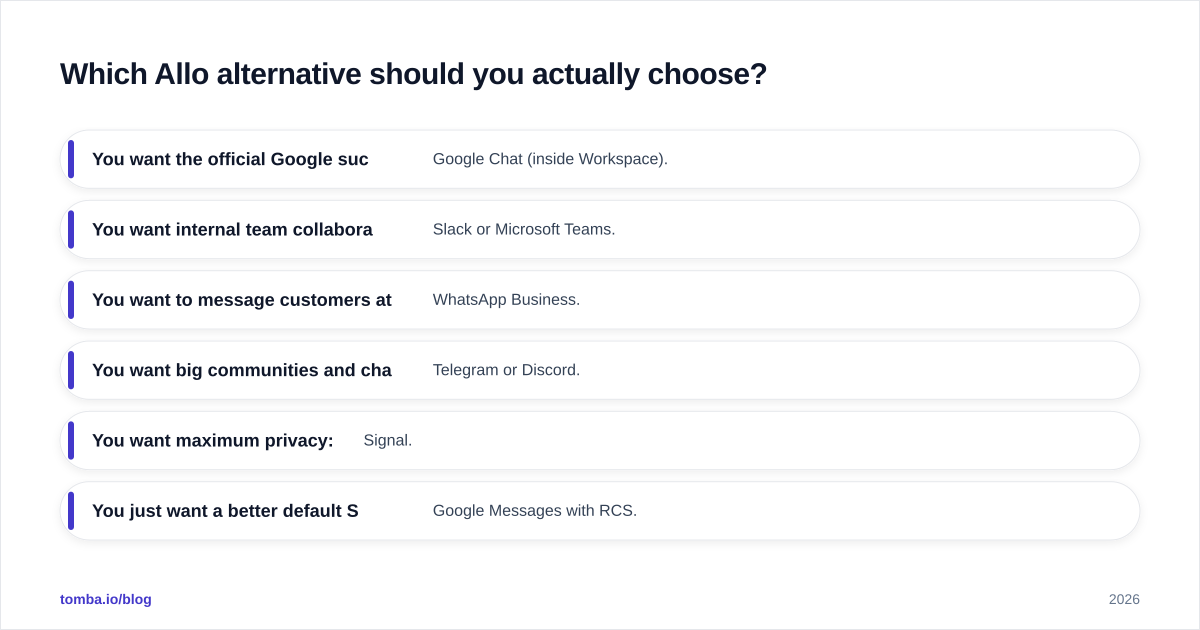
Match the tool to the job:
- You want the official Google successor for a team: Google Chat (inside Workspace).
- You want internal team collaboration: Slack or Microsoft Teams.
- You want to message customers at scale: WhatsApp Business.
- You want big communities and channels: Telegram or Discord.
- You want maximum privacy: Signal.
- You just want a better default SMS app: Google Messages with RCS.
There is no single "best" Allo replacement — there's a best one for your use case. Run each through the six-gate framework above (reach, platforms, security, business features, integrations, cost) and the shortlist narrows fast. For independent user reviews while you decide, G2's messaging category is a solid neutral reference.
Frequently asked questions#
Is Google Allo coming back? No. Google permanently discontinued Allo in March 2019 and folded its best features into Google Messages and Google Chat. There is no revival planned.
What is the closest replacement to Allo? Google Messages (with RCS and Smart Reply) is the closest feature match for individuals, while Google Chat is the closest match for teams that lived inside a Google account.
Which Allo alternative is the most private? Signal, with end-to-end encryption on by default and an open-source protocol. WhatsApp also encrypts by default but is owned by Meta.
Can I use these apps for sales outreach? Yes — WhatsApp Business in particular — but only after you've sourced and verified accurate contact data. The app delivers the message; it doesn't find the right person.
The bottom line#
Allo is gone, and that's fine — the alternatives in 2026 are better than Allo ever was. Pick Google Chat or Slack for teams, WhatsApp Business for customer messaging, Signal for privacy, and Telegram for communities. Score each against reach, platforms, security, business features, integrations, and cost, and you'll land on the right one quickly.
But if you're evaluating these tools for sales or outreach, remember the part the app can't do for you: finding and verifying who to contact. That's the foundation everything else sits on. Start there. Use Tomba's Email Finder to source accurate, verified professional emails by name, company, or domain — then layer your messaging app of choice on top. Free tier gives you 25 searches a month to test it, with paid plans starting at $49/mo on the Starter tier; see full Tomba pricing for details. Get the data right first, and every channel you message on performs better.
// get started
Find, verify and enrich your first contacts today
Start on the free plan with 25 searches a month, then scale when your team is ready.
Free plan · No credit card required · GDPR & CCPA
// about the author