Altss vs Salesbot 2026: Which AI Sales Prospecting Tool Wins?
Altss and Salesbot solve different parts of the prospecting puzzle. Here's an honest, side-by-side breakdown of data, automation, pricing, and which tool fits your sales motion in 2026.
TL;DR
- Altss is a sales-intelligence and lead-data platform: its job is to source, enrich, and surface accurate contact and company data so you know who to reach.
- Salesbot is a sales-automation and AI-outreach layer: its job is to sequence, message, and follow up automatically so you scale how you reach them.
- They are not direct substitutes. The real question is which gap hurts your pipeline more right now: bad data or slow execution.
- Whichever you pick, the bottleneck is almost always data accuracy — automation only multiplies whatever quality you feed it.
- If your contact data is the weak link, pair either tool with a dedicated email finder and email verifier before you scale outreach.
What are Altss and Salesbot?#
Altss and Salesbot get compared constantly, but they sit on opposite ends of the same workflow.
Altss positions itself as an AI-powered sales-intelligence and lead-database platform. The core promise is data: finding decision-makers, enriching company records, and pushing a clean list of prospects into your stack. Think of it as the research department — it answers "who should we talk to, and how do we reach them?"
Salesbot is built around automation. It focuses on turning a list of contacts into sequenced, AI-assisted outreach — chat flows, follow-ups, and reply handling that run without a human babysitting every step. Think of it as the outbound engine room — it answers "how do we contact all these people consistently without burning a rep's day?"
Here's the analogy that keeps people out of trouble: data tools are the kitchen pantry, automation tools are the line cooks. A spotless kitchen full of expired ingredients still ships bad food. The two categories are complementary far more often than they're competitive.
Note: both products iterate quickly. Treat specific tiers and feature claims below as a buyer's framework, and confirm current details on each vendor's site and on review platforms like G2 and Capterra before committing budget.
How do Altss and Salesbot compare head-to-head?#
Because the two tools optimize for different jobs, comparing them feature-for-feature only makes sense across the dimensions a buyer actually weighs.
| Dimension | Altss | Salesbot |
|---|---|---|
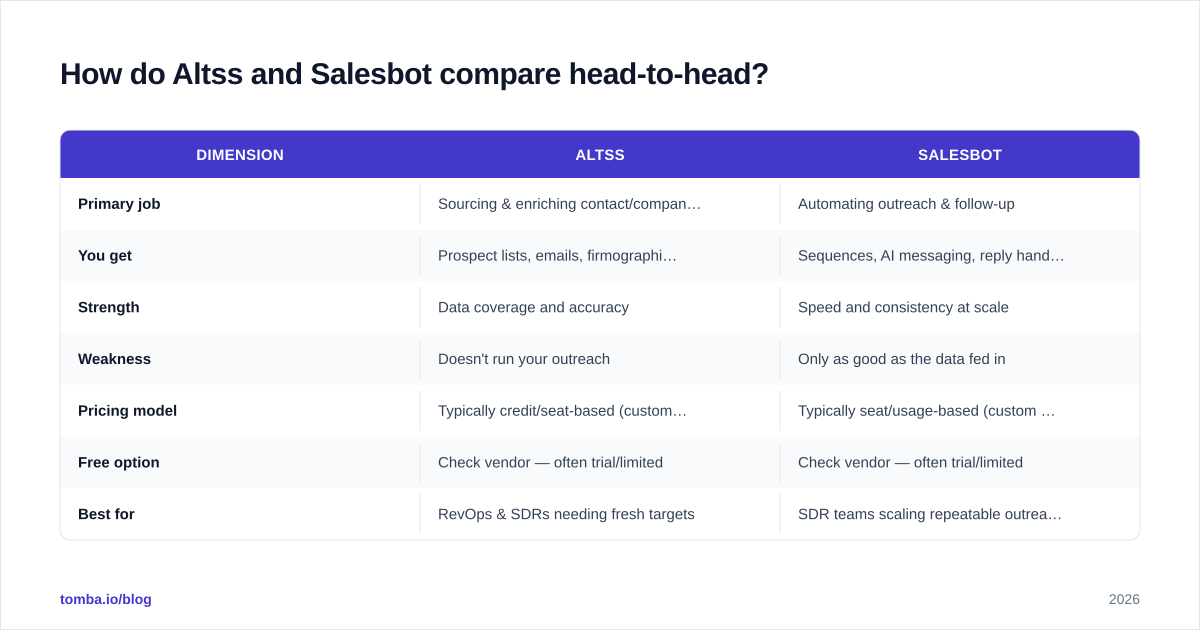
| Primary job | Sourcing & enriching contact/company data | Automating outreach & follow-up |
| You get | Prospect lists, emails, firmographics | Sequences, AI messaging, reply handling |
| Strength | Data coverage and accuracy | Speed and consistency at scale |
| Weakness | Doesn't run your outreach | Only as good as the data fed in |
| Pricing model | Typically credit/seat-based (custom tiers) | Typically seat/usage-based (custom tiers) |
| Free option | Check vendor — often trial/limited | Check vendor — often trial/limited |
| Best for | RevOps & SDRs needing fresh targets | SDR teams scaling repeatable outreach |
The pattern is clear: Altss feeds the funnel, Salesbot works the funnel. If you force a single winner, you usually end up underserving one half of your motion.
Where each tool genuinely wins#
Choose Altss-style data intelligence when your reps waste hours hunting for contacts, your CRM is full of bounced emails, or you're entering new segments where you don't yet know the players. The bottleneck is knowledge, not effort.
Choose Salesbot-style automation when you already have solid lists but execution is inconsistent — follow-ups slip, sequences are manual, and reply volume overwhelms the team. The bottleneck is throughput, not knowledge.
Is Altss better than Salesbot for accuracy?#
Accuracy is the wrong axis to pit them on — but it's the axis that decides whether either tool pays off.
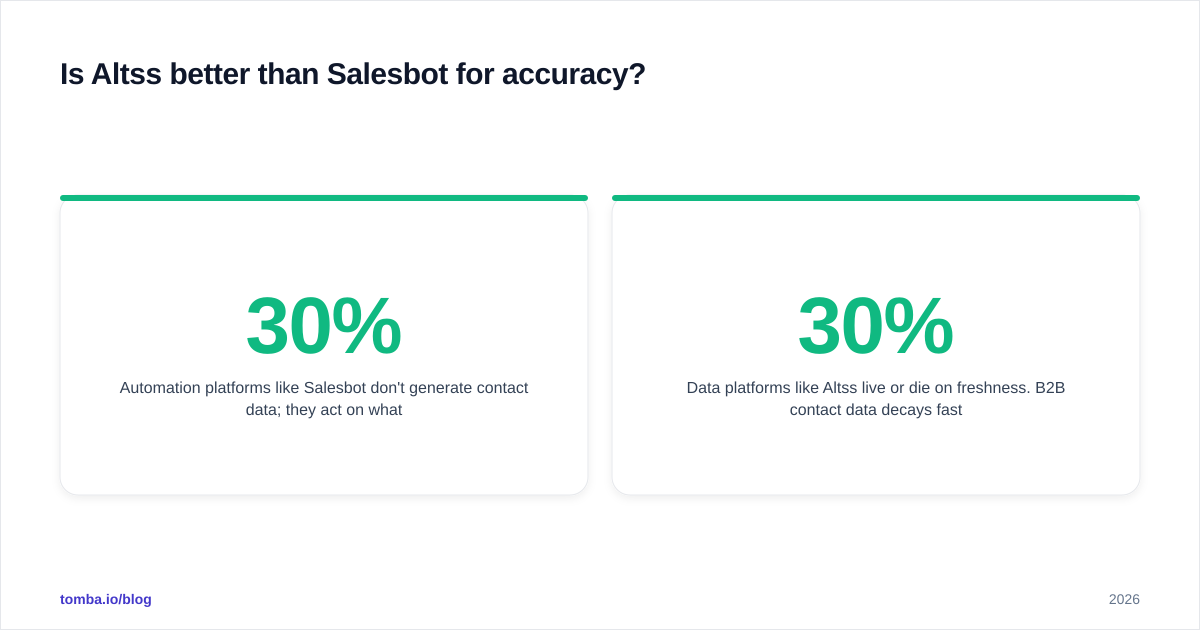
Automation platforms like Salesbot don't generate contact data; they act on whatever list you load. A sequencer firing 2,000 emails at a 30% invalid list doesn't save time — it torches your sender reputation and quietly kills email deliverability for the addresses that were good. The math is brutal: every bounce above ~2–3% drags your whole domain down.
Data platforms like Altss live or die on freshness. B2B contact data decays fast — people change jobs, companies rebrand, domains get retired. Industry estimates routinely put B2B data decay around 22–30% per year. That means even a "great" database needs constant re-verification to stay useful, which is why a standalone email verifier step matters regardless of where the list came from.
So the honest answer: neither tool is "more accurate." The accurate setup is verified data + disciplined automation. Skip the verification layer and the most expensive automation suite on the market still underperforms a spreadsheet.
What does the full prospecting workflow actually look like?#
The teams that win don't pick data or automation — they sequence them. Here's the flow most high-performing outbound motions follow, and where each category plugs in.
- Source — Identify target accounts and decision-makers (Altss-style intelligence, or a focused domain search when you already know the company).
- Find — Pull the actual contact details: work emails, roles, sometimes direct dials.
- Verify — Validate every address before it touches a sequence. This is the step most teams skip and most regret.
- Enrich — Add firmographic and role context so messaging can be relevant, not generic. Quality data enrichment is what turns a name into a reason to reach out.
- Automate — Load the clean, enriched list into a sequencer (Salesbot-style) and let it run.
- Measure — Watch reply and bounce rates, then feed learnings back to step 1.
Notice that automation is step five, not step one. Tools that lead with automation tempt you to start at the engine and ignore the fuel.
How should you choose between Altss and Salesbot?#
Decision-first: pick the tool that fixes your current bottleneck, then add the other half once it's stable. Don't buy both on day one to "be thorough" — you'll underuse one and blame the wrong tool.
Run your situation through these questions:
- Are reps spending more time finding contacts or contacting them? Finding → data tool first. Contacting → automation first.
- What's your current bounce rate? Above 3% means your data layer is broken; no automation will save you. Fix sourcing and verification first.
- How repeatable is your outreach? Highly templated, high-volume motions get the most from automation. Complex, high-ACV deals lean on better data and human touch.
- What's already in your stack? If your CRM and sequencer are solid, you may only need a data/verification layer — not a second automation platform.
A simpler, cheaper path many teams miss#
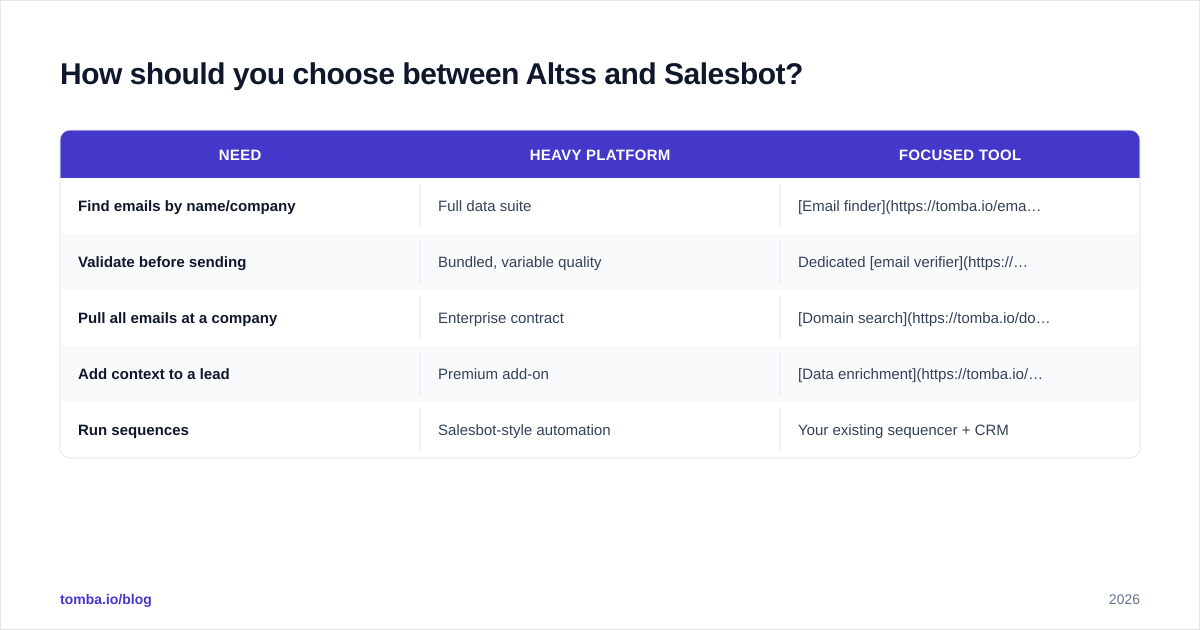
You don't always need a heavyweight platform on either side. If your gap is purely "I can't get accurate emails for the people I already know I want," a focused finder-and-verifier stack often costs a fraction of an all-in-one suite and does that one job better.
| Need | Heavy platform | Focused tool |
|---|---|---|
| Find emails by name/company | Full data suite | Email finder |
| Validate before sending | Bundled, variable quality | Dedicated email verifier |
| Pull all emails at a company | Enterprise contract | Domain search |
| Add context to a lead | Premium add-on | Data enrichment |
| Run sequences | Salesbot-style automation | Your existing sequencer + CRM |
This is the Apollo-style consolidation many teams reach for — and also why so many search for an Apollo alternative once per-seat pricing scales. Bigger isn't automatically better; matched-to-need is.
What about pricing and total cost?#
Both Altss and Salesbot tend toward custom or tiered pricing that scales with seats, credits, or usage — which makes apples-to-apples comparison genuinely hard, and is exactly why you should price against the outcome you need, not the feature list.
A practical way to evaluate total cost:
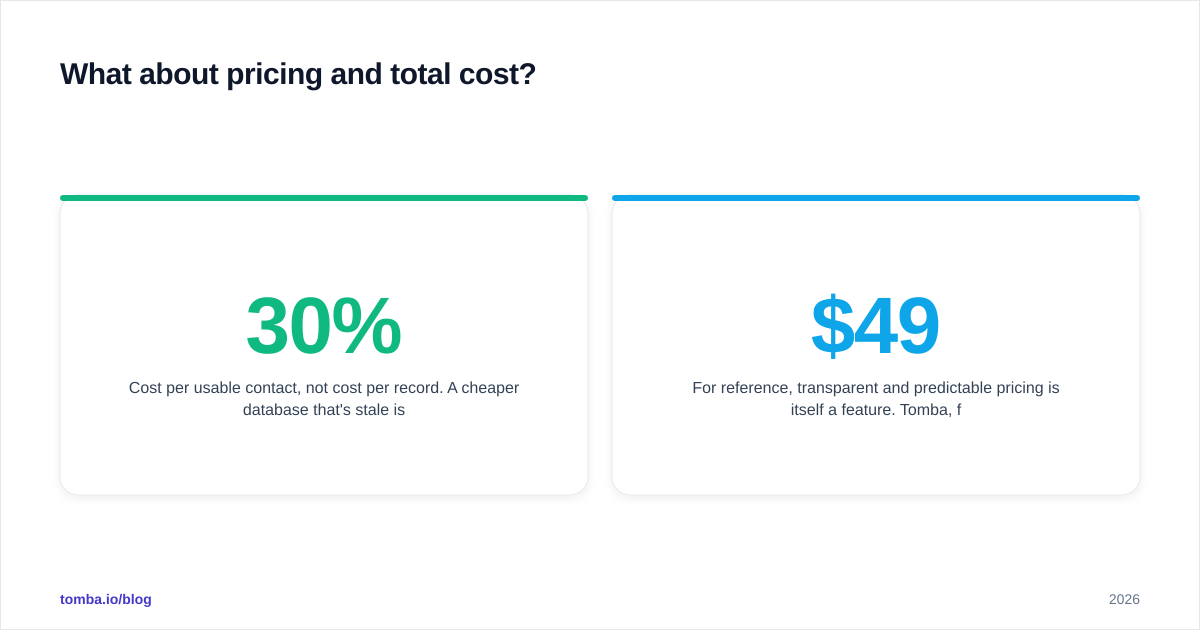
- Cost per usable contact, not cost per record. A cheaper database that's 30% stale is more expensive than it looks once you factor in wasted sends and reputation damage.
- Wasted-send tax. Every invalid email in an automated sequence has a compounding cost: bounces, spam flags, and lost deliverability on good addresses.
- Seat creep. Automation suites often price per seat; data tools often price per credit. Model both against your real team size and volume.
For reference, transparent and predictable pricing is itself a feature. Tomba, for example, publishes flat tiers — a free plan with 25 searches/month, Starter at $49/mo, Growth at $99/mo, and Pro at $249/mo — so you can forecast cost without a sales call. You can see the full Tomba pricing breakdown rather than guessing. When you're comparing any data or automation vendor, push for that same clarity; analyst resources like Gartner can also help benchmark category norms.
Altss vs Salesbot: the verdict#
Neither tool is a winner in isolation — and that's the point. Altss-style intelligence answers who and how to reach them; Salesbot-style automation answers how to do it at scale. Buy the one that fixes today's bottleneck, prove the ROI, then layer the other.
But before you spend on either, audit the layer both depend on: your contact data. Most pipeline problems that get blamed on "the tool" are really data problems wearing a costume — stale lists, unverified emails, and missing context that no automation can compensate for.
That's where a focused, accurate data layer earns its keep. Tomba's Email Finder gives you verified professional emails by name, company, or domain, with a built-in verification step so your lists are clean before they ever hit Altss, Salesbot, or your sequencer of choice. Start free with 25 searches a month, confirm the accuracy against your own targets, and scale only when the data proves itself. Fix the foundation first — the rest of your stack works harder when you do.
Ready to find emails that actually work?
Join 150,000+ professionals who stopped guessing and started sending. Free credits on signup — no credit card required.
Get the Tomba newsletter
Practical outbound tactics and product updates — once every two weeks.
About the author