Ampliz vs Lusha 2026: B2B Contact Data Tools Compared
Ampliz leans APAC and healthcare; Lusha wins on US coverage and browser-first workflows. Here's the honest accuracy, pricing, and use-case breakdown for 2026.
TL;DR
- Lusha is the better default for US-heavy B2B sales teams that live inside LinkedIn and a CRM — fast browser extension, strong North American mobile numbers, generous self-serve plans.
- Ampliz is stronger if you sell into APAC, the Middle East, or healthcare — its SalesBuddy and dedicated healthcare database go deeper where US-centric tools thin out.
- On raw email accuracy, both hover in the 80–90% range depending on region; neither beats a dedicated verification step.
- Pricing favors Lusha for individual reps (real free tier, predictable credit packs); Ampliz pushes you toward custom quotes faster.
- If you mostly need verified work emails by domain or name, a focused email finder often costs less than either platform's full data subscription.
Who are Ampliz and Lusha, in one line each?#
Lusha is a US-first sales intelligence tool built around a browser extension; Ampliz is a B2B data provider with unusual depth in APAC markets and healthcare. Both sell the same core promise — turn a name, company, or LinkedIn profile into a usable email and phone number — but they were built for different buyers.
Lusha grew up as the extension reps pin to their browser to pull a contact while prospecting on LinkedIn. It optimizes for speed and a clean self-serve funnel. Ampliz took a different path: it positions itself as a global data partner with a strong APAC and healthcare focus, where most Western tools have sparse records.
That difference in DNA is the whole story. Pick wrong for your region and the "accuracy" debate becomes irrelevant — you can't verify contacts a tool never had.
Ampliz vs Lusha: the at-a-glance comparison#
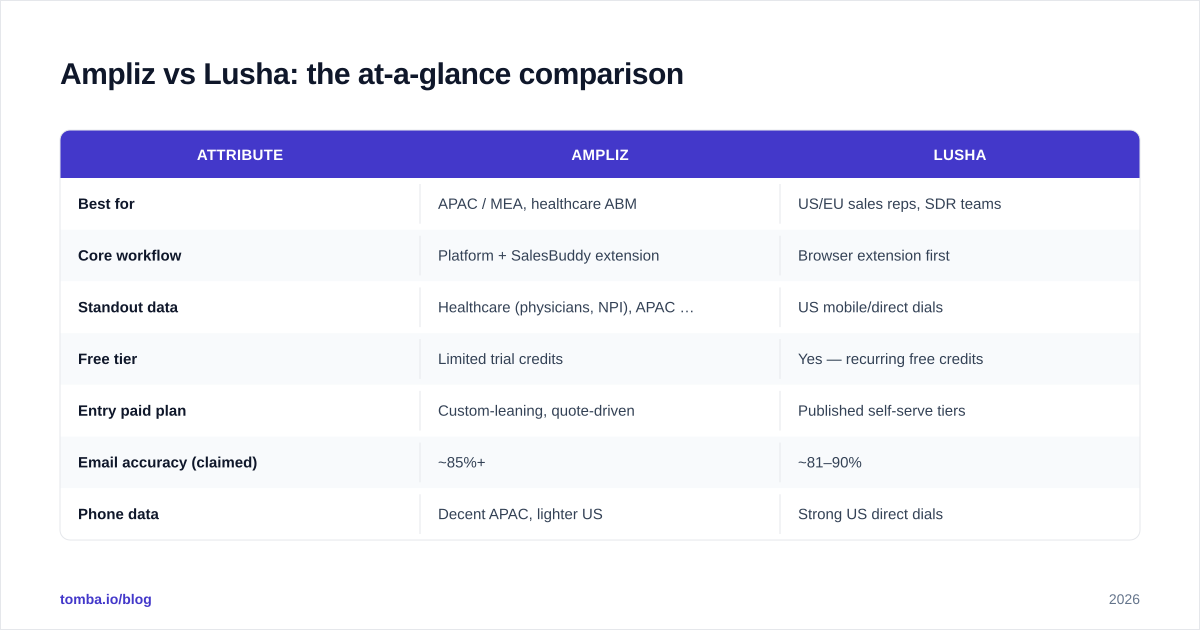
| Attribute | Ampliz | Lusha |
|---|---|---|
| Best for | APAC / MEA, healthcare ABM | US/EU sales reps, SDR teams |
| Core workflow | Platform + SalesBuddy extension | Browser extension first |
| Standout data | Healthcare (physicians, NPI), APAC firmographics | US mobile/direct dials |
| Free tier | Limited trial credits | Yes — recurring free credits |
| Entry paid plan | Custom-leaning, quote-driven | Published self-serve tiers |
| Email accuracy (claimed) | ~85%+ | ~81–90% |
| Phone data | Decent APAC, lighter US | Strong US direct dials |
| CRM integrations | Salesforce, HubSpot, API | Salesforce, HubSpot, Outreach, more |
| Compliance | GDPR-aware | GDPR + CCPA documented |
| Bulk enrichment | Yes (list upload / API) | Yes (Prospecting + API) |
Treat the accuracy numbers as marketing-adjacent, not lab results. Vendor-reported accuracy is measured on their own samples. The only number that matters is the bounce rate on your list, in your region.
Which tool has more accurate data?#
Neither wins outright — accuracy splits by geography. Lusha's records are denser and fresher in the United States and Western Europe. Ampliz pulls ahead in India, Southeast Asia, the Middle East, and inside healthcare verticals where it maintains a specialized database.
Three things actually drive the accuracy you experience:
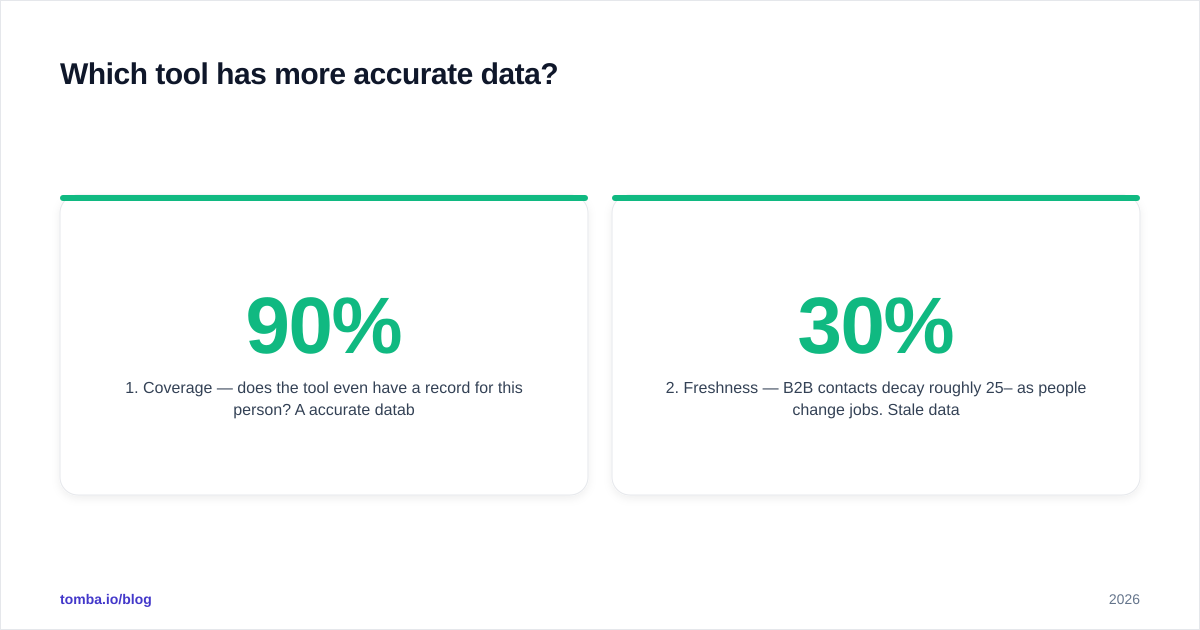
- Coverage — does the tool even have a record for this person? A 90% accurate database is useless if it only covers 40% of your target list.
- Freshness — B2B contacts decay roughly 25–30% per year as people change jobs. Stale data fails silently.
- Verification — was the email SMTP-checked recently, or inferred from a pattern and never confirmed?
Both tools infer some emails from company patterns. That's fine as a starting point, but inferred emails are guesses until verified. This is why teams that care about deliverability run every exported list through an email verifier before loading it into a sequencer — regardless of which provider sourced it.

A note on catch-all domains#
A large share of B2B domains are catch-all — they accept any address, so a normal verifier returns "unknown" instead of valid or invalid. Both Ampliz and Lusha will happily hand you addresses on these domains without flagging them. If a meaningful chunk of your prospects sit behind catch-alls, pair your data tool with a dedicated catch-all verifier so you're not blind-firing into addresses you can't confirm.
How do Ampliz and Lusha price in 2026?#
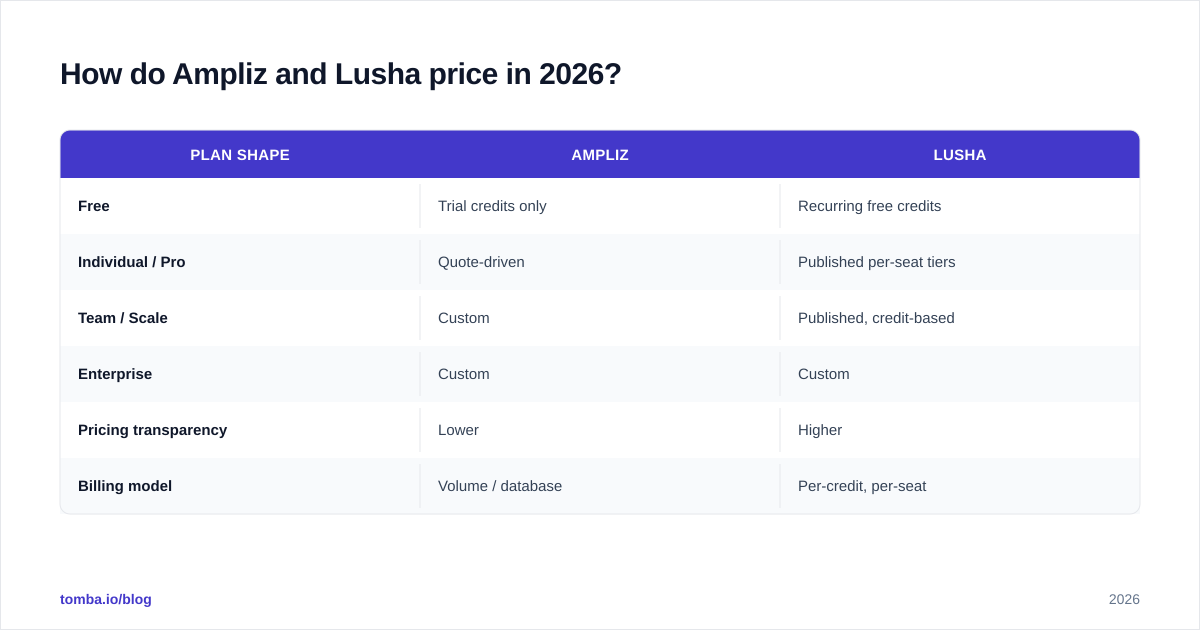
Lusha is cheaper and more transparent for individuals and small teams; Ampliz is quote-driven and aimed at larger data buys. Lusha publishes self-serve tiers with a genuine free plan and credit-based paid plans, which makes it easy for a single rep to start without a sales call. Ampliz leans on custom pricing tied to volume and database access, so you'll usually talk to sales before you see a real number.
| Plan shape | Ampliz | Lusha |
|---|---|---|
| Free | Trial credits only | Recurring free credits |
| Individual / Pro | Quote-driven | Published per-seat tiers |
| Team / Scale | Custom | Published, credit-based |
| Enterprise | Custom | Custom |
| Pricing transparency | Lower | Higher |
| Billing model | Volume / database | Per-credit, per-seat |
For budget-conscious teams, compare both against a focused alternative. If your real need is "verified work emails from domains and names," you don't necessarily need a full sales-intelligence subscription. Tomba's plans run Free (25 searches/mo), Starter $49/mo, Growth $99/mo, and Pro $249/mo — see full Tomba pricing — and you only pay for the finding-and-verification layer rather than a broad data platform.
How does each one fit into your workflow?#
Lusha is extension-led; Ampliz is platform-led. That shapes daily use more than any feature list.
With Lusha, the typical loop is: open a LinkedIn profile, click the extension, reveal the email and phone, push to your CRM. It's built for reps doing live prospecting who want zero context-switching. Lusha integrates tightly with Salesforce, HubSpot, and Outreach, so revealed contacts land where reps already work.
Ampliz's SalesBuddy extension does similar profile-side enrichment, but the platform shines on list building and bulk enrichment — uploading a CSV of companies or contacts and enriching them at scale, especially for ABM motions targeting APAC accounts. If you're building lists rather than working profiles one at a time, that batch capability matters.
If your motion is domain-based — "get me every reachable contact at these 200 companies" — a domain search tool can do that specific job faster and cheaper than a full platform seat, then you enrich only the contacts that pass qualification.
Compliance and data sourcing: what to check before you buy#
Both claim GDPR awareness; verify the specifics against your own legal requirements. Lusha documents GDPR and CCPA compliance and has historically been more public about its data-handling posture. Ampliz operates globally and references GDPR, but if you're buying for a regulated industry or an EU-heavy motion, get the specifics in writing.
Questions to ask either vendor:
- Where does the data originate, and is consent or legitimate interest documented?
- How often is each record re-verified?
- What's the suppression/opt-out process for contacts who request removal?
- Is there a documented bounce or accuracy guarantee, with credits for bad data?
Data provenance isn't paranoia — it's deliverability insurance. Lists built on shaky sourcing tend to carry spam traps and dead addresses that wreck your sender reputation before your offer ever gets read.
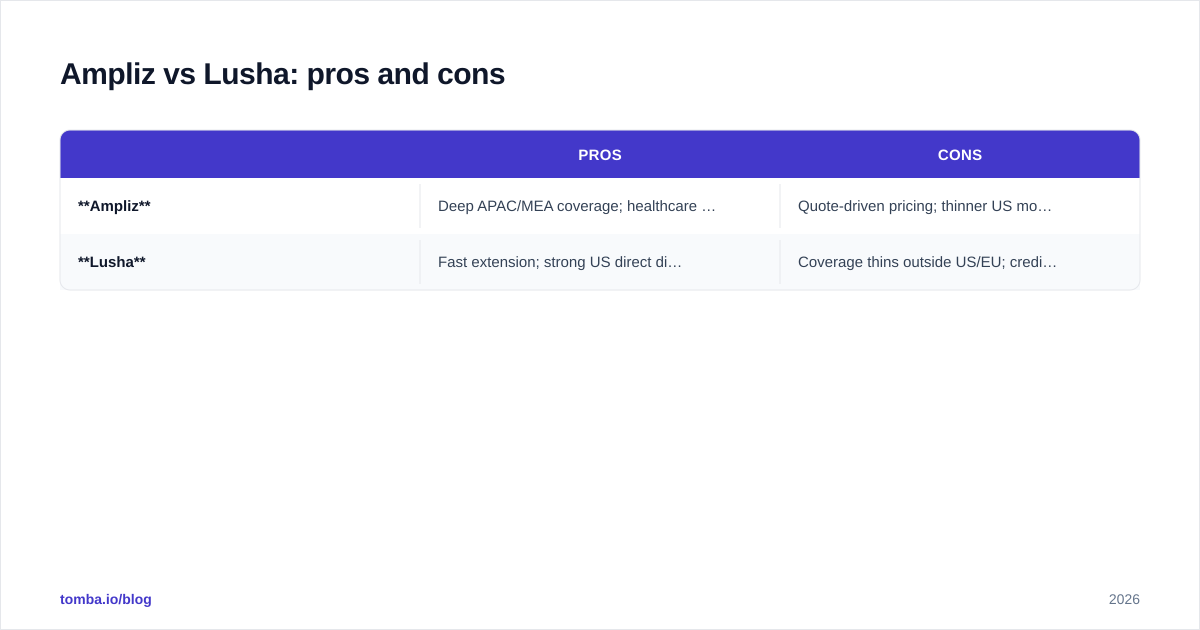
Ampliz vs Lusha: pros and cons#
| Pros | Cons | |
|---|---|---|
| Ampliz | Deep APAC/MEA coverage; healthcare database; strong bulk enrichment | Quote-driven pricing; thinner US mobile data; less self-serve |
| Lusha | Fast extension; strong US direct dials; transparent pricing; real free tier | Coverage thins outside US/EU; credit costs add up at scale |
So which should you choose?#
Choose Lusha if your buyers are in North America or Western Europe, your reps prospect live on LinkedIn, and you want to start without a sales call. The free tier alone makes it worth testing first.
Choose Ampliz if you sell into APAC or the Middle East, target healthcare, or build large enrichment lists where regional depth beats US density.
Choose neither — yet — if your core need is simply verified, deliverable work emails. In that case a dedicated finder-plus-verifier stack is usually cheaper and cleaner. You can also read how each stacks up as a broader category by browsing Apollo alternative and RocketReach alternative breakdowns to see where data platforms overlap.
Whichever platform you land on, run the exported contacts through verification before you send. A 30,000-record list with a 12% bounce rate will tank your domain faster than any tool can rebuild it. For an honest second opinion on accuracy benchmarks, G2's category data is a useful sanity check against vendor claims.
The bottom line#
Ampliz and Lusha aren't really competitors for the same buyer — they're regional specialists wearing similar marketing. Match the tool to where your prospects actually live, then add a verification layer on top of whichever you pick.
If the job is narrower than "buy a sales-intelligence platform" — you just need accurate, verified emails by name or domain without per-seat data fees — start with the Tomba Email Finder. Find professional addresses by domain, name, or company, verify them in the same workflow, and skip the enterprise quote entirely. Spin up the free tier, test it against a Lusha or Ampliz export, and let your own bounce rate decide.
// get started
Find, verify and enrich your first contacts today
Start on the free plan with 25 searches a month, then scale when your team is ready.
Free plan · No credit card required · GDPR & CCPA
// about the author