AOL Deliverability: How to Reach the AOL Inbox in 2026
AOL inboxes still bounce, junk, and silently drop cold email. Here's how AOL filtering actually works in 2026 and the exact authentication, list-hygiene, and reputation moves that land you in the inbox.

AOL is not the relic people think it is. Tens of millions of consumer mailboxes still run on AOL Mail, and in B2B you will hit AOL addresses on personal-domain leads, sole proprietors, and older decision-makers more often than you expect. The catch: AOL now runs on Yahoo's infrastructure, which means AOL deliverability is governed by some of the strictest consumer-mailbox filtering on the planet. Get it wrong and your mail disappears into the spam folder with no bounce and no warning.
TL;DR#
- AOL and Yahoo are the same filtering system. AOL Mail has run on Yahoo's backend since the Verizon/Yahoo consolidation, so AOL deliverability rules are Yahoo's rules.
- Authentication is non-negotiable in 2026. SPF, DKIM, and a published DMARC policy are required for bulk senders. No DMARC record now means inbox placement problems, not just a warning.
- Reputation is per-domain and per-IP. AOL weighs complaint rate heavily. Stay under 0.3% spam complaints or you get throttled.
- List hygiene beats volume. Verifying addresses before send is the single highest-leverage fix for AOL bounces and spam-trap hits.
- Engagement signals decide placement. Opens, replies, and "not spam" clicks pull you toward the inbox; dead lists drag you to junk.
Why is AOL deliverability still a problem in 2026?#
The short answer: AOL inherited Yahoo's aggressive, engagement-based filtering, and most senders still treat it like a forgotten 2010-era provider.
When AOL and Yahoo came under the same corporate roof, their mail systems merged. Today an email to an @aol.com address is filtered by the same engine that handles @yahoo.com, @verizon.net, and a long tail of legacy domains. That engine does not care how good your offer is. It cares about three things: are you who you say you are (authentication), do people want your mail (engagement), and do you respect the rules (complaint and bounce thresholds).
This matters because the February 2024 sender requirements from Google and Yahoo did not relax — they tightened. By 2026, sending bulk mail to AOL without proper email deliverability hygiene is the fastest way to torch a sending domain. The filters are silent: AOL rarely tells you it junked your message. You just watch open rates crater while your "delivered" number looks fine.
How does AOL filtering actually work?#
AOL scores every inbound message across four weighted layers, then decides inbox, junk, or silent drop.
1. Authentication check. AOL verifies SPF alignment, DKIM signature validity, and your DMARC policy. A failed or missing check is an instant trust penalty.
2. Sender reputation. AOL tracks both your IP reputation and your domain reputation over a rolling window. New domains start neutral-to-cold and must earn trust gradually — this is why warmup exists.
3. Recipient engagement. This is the lever most senders ignore. AOL watches whether recipients open, reply, move you to inbox, or hit "report spam." High engagement is the strongest positive signal; a list of dead addresses is a red flag even if every message is clean.
4. Content and complaint signals. Spammy formatting, link-heavy bodies, mismatched display names, and — above all — complaint rate. Cross the complaint threshold and AOL throttles or blocks you.
You can monitor a lot of this directly. AOL exposes postmaster tools and the broader Yahoo sender program publishes its requirements at the Yahoo Sender Hub. If you send any real volume to AOL, enroll and watch your complaint feedback loop (FBL) data.
What are the AOL sender requirements you must meet?#
Meet all five of these before you send a single campaign to AOL addresses.
- SPF record published and aligned. Your envelope-from domain must authorize the sending IPs. Validate it with an SPF checker before you launch.
- DKIM signing enabled. Every message must carry a valid DKIM signature that aligns with your sending domain. Unsigned mail is treated as suspect.
- DMARC policy at
p=noneminimum. A published DMARC record is now mandatory for bulk senders. Move towardp=quarantineonce your reports are clean. - One-click unsubscribe. Bulk senders must support RFC 8058 list-unsubscribe headers. Missing it is a hard deliverability hit at AOL/Yahoo.
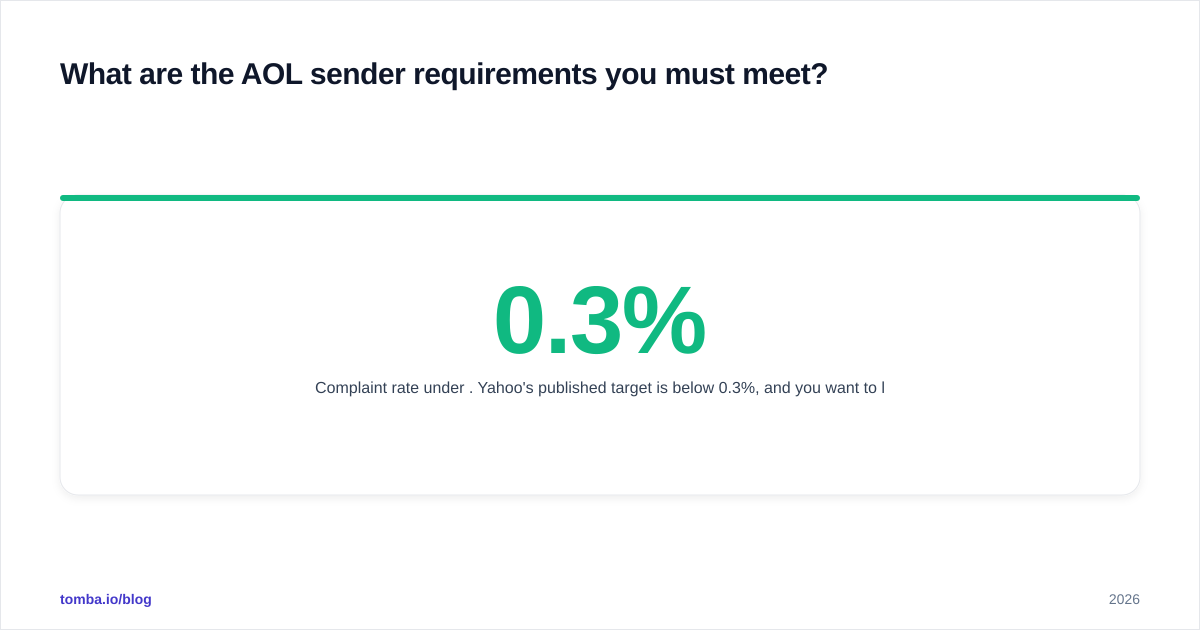
- Complaint rate under 0.3%. Yahoo's published target is below 0.3%, and you want to live well under that — ideally under 0.1%.
If you are unsure where you stand, run your sending domain through a sender reputation check and a blacklist scan before assuming the problem is content.
How does AOL compare to Gmail and Outlook for deliverability?#
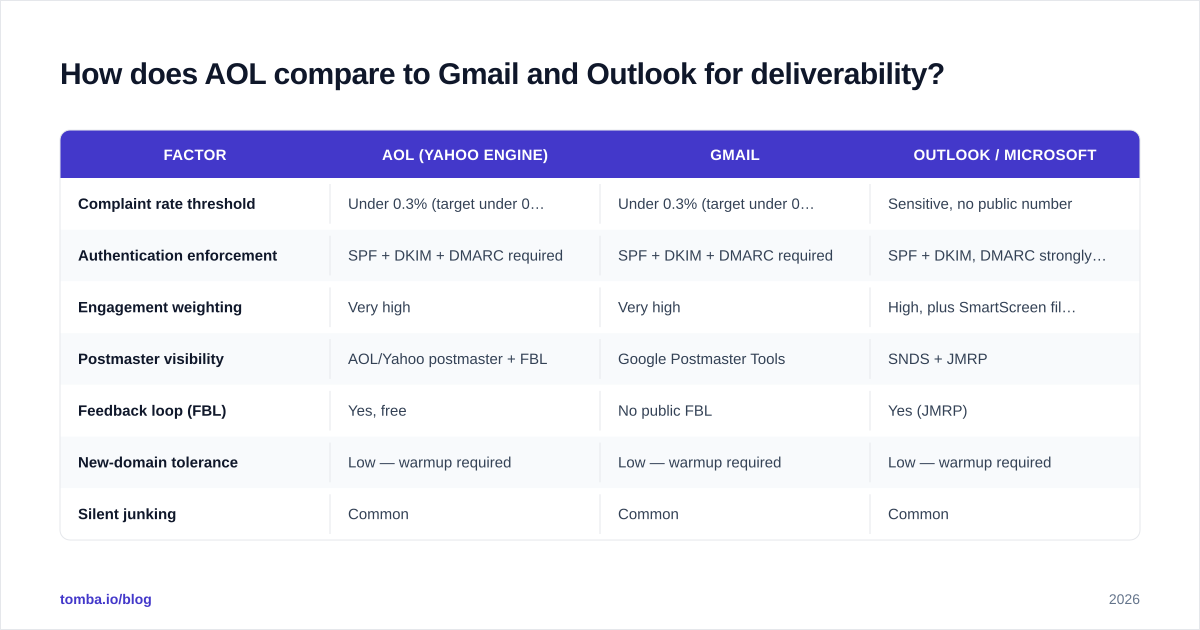
AOL is stricter than Outlook on authentication and far more engagement-driven than people expect — closer to Gmail than to a legacy provider. Here is how the three major consumer filters stack up for cold and bulk senders in 2026.
| Factor | AOL (Yahoo engine) | Gmail | Outlook / Microsoft |
|---|---|---|---|
| Complaint rate threshold | Under 0.3% (target under 0.1%) | Under 0.3% (target under 0.1%) | Sensitive, no public number |
| Authentication enforcement | SPF + DKIM + DMARC required | SPF + DKIM + DMARC required | SPF + DKIM, DMARC strongly advised |
| Engagement weighting | Very high | Very high | High, plus SmartScreen filtering |
| Postmaster visibility | AOL/Yahoo postmaster + FBL | Google Postmaster Tools | SNDS + JMRP |
| Feedback loop (FBL) | Yes, free | No public FBL | Yes (JMRP) |
| New-domain tolerance | Low — warmup required | Low — warmup required | Low — warmup required |
| Silent junking | Common | Common | Common |
The practical takeaway: if your program is tuned for Gmail, you are most of the way to AOL. The biggest AOL-specific win is enrolling in the feedback loop, because AOL will tell you exactly who complained — and Gmail will not.
How do you improve AOL deliverability step by step?#
Work these in order. Each one compounds on the last.
Step 1 — Lock down authentication. Publish SPF, enable DKIM, and add a DMARC record. Confirm alignment, not just presence. A DKIM signature that does not align with your from-domain still fails DMARC.
Step 2 — Clean the list before you send. Dead addresses, typos, and spam traps are the fastest path to AOL throttling. Run every list through an email verifier so you remove invalid, risky, and disposable addresses before they damage your reputation. This single step prevents most of the bounce-driven reputation loss that sinks new senders.
Step 3 — Warm up the sending domain. Start with low daily volume to your most engaged recipients and ramp gradually over two to four weeks. AOL rewards consistent, engaged sending and punishes sudden spikes.
Step 4 — Enroll in the feedback loop. Register your domain and IPs with AOL/Yahoo postmaster tools so you receive complaint reports. Suppress every complainer immediately and permanently.
Step 5 — Monitor and prune by engagement. Segment out recipients who have not opened in 60–90 days. Sending to chronic non-openers is the quiet killer of AOL inbox placement.

What kills AOL deliverability fastest?#
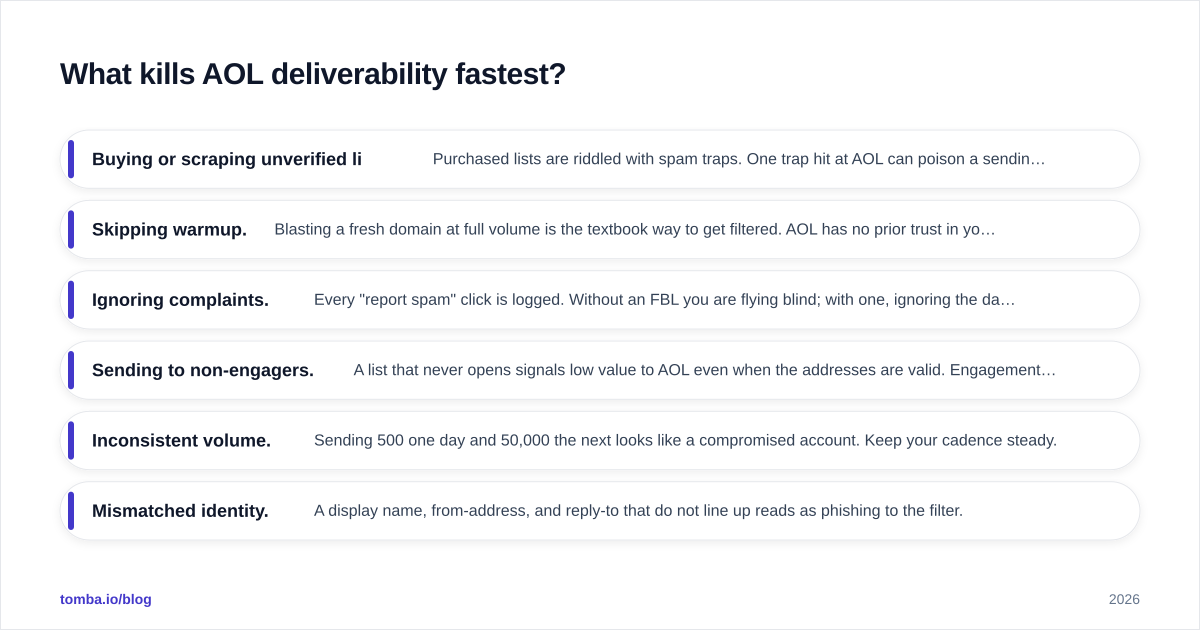
Avoid these and you avoid the majority of AOL deliverability disasters.
- Buying or scraping unverified lists. Purchased lists are riddled with spam traps. One trap hit at AOL can poison a sending domain for weeks. If you build lists, build them from accurate sources and verify before contact.
- Skipping warmup. Blasting a fresh domain at full volume is the textbook way to get filtered. AOL has no prior trust in you; you have to earn it.
- Ignoring complaints. Every "report spam" click is logged. Without an FBL you are flying blind; with one, ignoring the data is worse.
- Sending to non-engagers. A list that never opens signals low value to AOL even when the addresses are valid. Engagement, not size, is the asset.
- Inconsistent volume. Sending 500 one day and 50,000 the next looks like a compromised account. Keep your cadence steady.
- Mismatched identity. A display name, from-address, and reply-to that do not line up reads as phishing to the filter.
The thread connecting all of these is data quality. Most AOL deliverability problems are not content problems — they are list problems. If you start with accurate, verified contact data, the rest of the program has room to work.
How do you find and verify AOL contacts safely?#
Reaching AOL inboxes starts long before you hit send — it starts with collecting addresses that are real and current.
For B2B outreach where your prospect uses a personal or legacy address, pair a reliable email finder with verification so you never add a guessed or stale address to your list. Guessed addresses are exactly the kind of invalid hits that drive up bounce rates and trigger AOL throttling. The workflow that holds up at scale is simple: find the address, verify it is deliverable, suppress anything risky or catch-all, then send.
If you are pulling contacts in volume, run a bulk find-and-verify pass rather than verifying ad hoc. Clean data going in means clean reputation coming out — and at AOL, reputation is the whole game. For deeper context on terminology and sender concepts, the B2B glossary covers the deliverability vocabulary your team should share.
You can also sanity-check authoritative guidance directly: the Yahoo postmaster requirements define the bar every AOL sender must clear, and background on the provider itself lives on AOL's Wikipedia entry if you need to brief a stakeholder on why it still matters.
How long does it take to fix AOL deliverability?#
Expect two to six weeks for a damaged sending domain to recover, assuming you fix the root cause first.
Authentication fixes take effect within a day of DNS propagation. List cleaning is immediate. But reputation recovery is gradual by design — AOL's rolling reputation window means you have to demonstrate good behavior consistently before the filter trusts you again. A brand-new domain typically needs two to four weeks of warmup to reach stable inbox placement. A domain that got burned by complaints or trap hits can take longer, because you are not just building trust, you are overwriting a negative history.
The fastest recoveries share one trait: they fix data quality before touching anything else. Teams that "improve the copy" or "switch IPs" without cleaning the list usually relapse, because the underlying list was the problem all along.
Frequently asked questions#
Is AOL Mail the same as Yahoo Mail for deliverability? Functionally, yes. AOL runs on Yahoo's mail infrastructure, so the filtering logic, complaint thresholds, and sender requirements are effectively shared. Optimizing for one optimizes for the other.
Do I really need DMARC to reach AOL inboxes?
For bulk sending, yes. As of the 2024 requirements that remain in force in 2026, bulk senders must publish a DMARC policy. Start at p=none, monitor reports, then tighten.
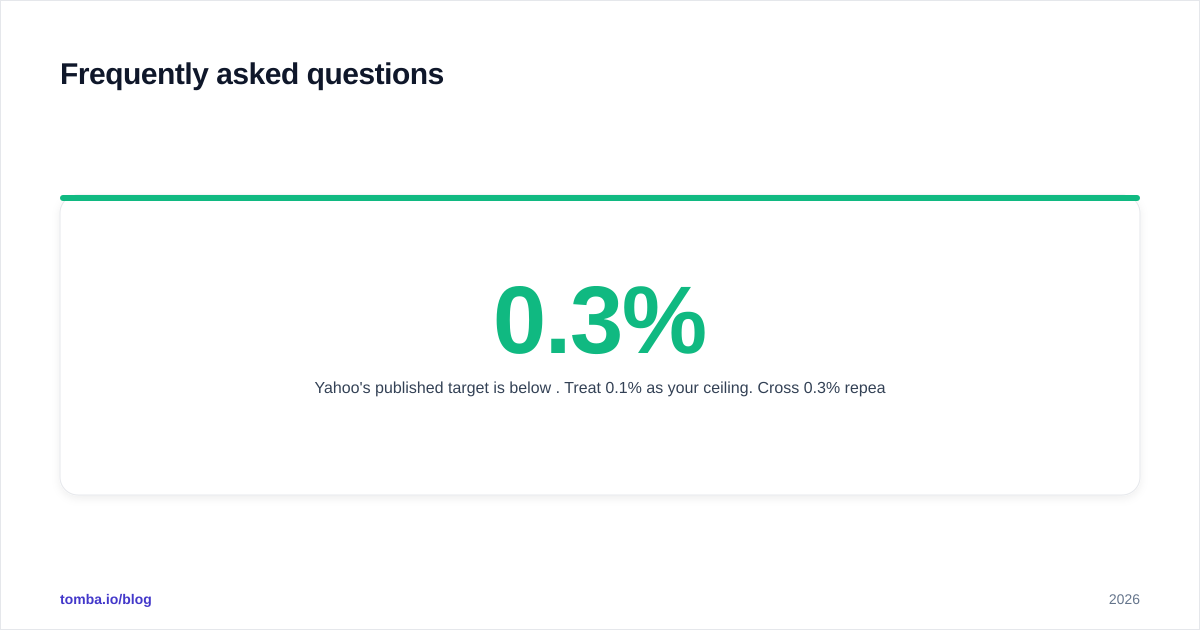
What complaint rate gets you blocked at AOL? Yahoo's published target is below 0.3%. Treat 0.1% as your ceiling. Cross 0.3% repeatedly and you should expect throttling or blocking.
Why do my AOL emails show as delivered but get no opens? Classic silent junking. AOL accepted the message but routed it to the spam folder. That is a reputation or engagement problem, not a content-display problem — check authentication and prune non-engagers.
Start with clean data#
AOL deliverability comes down to one habit: never send to an address you have not verified. Authentication, warmup, and engagement pruning all matter, but they only work on top of a clean list. Use the Tomba Email Finder to source accurate professional and personal-domain addresses, verify them before they ever enter a campaign, and you remove the single biggest cause of AOL bounces and spam-trap hits. Compare plans on the Tomba pricing page — the free tier gives you 25 searches a month to test the workflow before you scale. Clean data in, AOL inbox out.
// get started
Find, verify and enrich your first contacts today
Start on the free plan with 25 searches a month, then scale when your team is ready.
Free plan · No credit card required · GDPR & CCPA
// about the author