Apexverify vs Finalscout: Which Email Tool Wins in 2026?
Apexverify vs Finalscout compared on accuracy, data sources, pricing, and LinkedIn coverage — plus where each one quietly falls short for cold outreach in 2026.
You found two tools with confident landing pages and overlapping promises: Apexverify and Finalscout both say they will get you valid B2B email addresses without bouncing your domain. The problem is that "valid email" means very different things depending on which one you buy. One is built around LinkedIn extraction; the other leans on verification. Picking wrong costs you either bounce-driven deliverability damage or a thin contact list.
This is a direct, no-fluff comparison of Apexverify vs Finalscout — what each actually does, where the data comes from, how pricing really works, and which workflows each one fits. By the end you'll know which to trial first, and where a dedicated finder-plus-verifier stack beats both.
TL;DR — Apexverify vs Finalscout at a glance#
- Finalscout is a LinkedIn-first email finder: it extracts and formats addresses from profiles and Sales Navigator, with an AI writing layer bolted on. Best when LinkedIn is your prospecting surface.
- Apexverify leans on email verification and validation — confirming whether an address is real, deliverable, and safe to send to. Best when you already have a list and need it cleaned.
- Neither tool is a complete prospecting engine on its own; the LinkedIn-finder and the verifier solve opposite halves of the same problem.
- On raw email finder accuracy, multi-source providers that combine discovery, pattern matching, and SMTP verification consistently beat single-source extractors.
- If you want one platform that finds and verifies across domains, LinkedIn, and bulk lists, a dedicated email finder like Tomba covers both jobs at a lower blended cost.
What is Finalscout and who is it for?#
Finalscout is a LinkedIn-centric email finder. You install a Chrome extension, browse LinkedIn or Sales Navigator, and Finalscout pulls the contact's professional email, then lets you draft outreach with an AI assistant. Its headline pitch is high deliverability — it markets a "guaranteed valid email" angle and claims to suppress risky addresses before they reach your sequence.
Where Finalscout shines is profile-driven prospecting. If your motion is "I find people on LinkedIn, then I email them," it collapses two steps into one tab. The AI email writer is a convenience layer, not a core differentiator — most teams already have templates and a sequencer.
The constraints are the ones every LinkedIn extractor shares. Coverage is bounded by what's on the profile and what Finalscout's enrichment can resolve. Personal-only profiles, locked accounts, and people who simply aren't active on LinkedIn fall through. And because the workflow is profile-by-profile, scaling to thousands of contacts means bulk uploads or API work rather than casual browsing. You can read Finalscout's own positioning on finalscout.com.
What is Apexverify and who is it for?#
Apexverify sits on the other side of the pipeline. Its core job is email verification — taking an address you already have and telling you whether it's deliverable, a hard bounce, a role account (info@, sales@), a disposable address, or a catch-all domain that can't be confirmed. Verification is the unglamorous step that protects your sender reputation, and it's the difference between a 1% bounce rate and a 12% one that gets your domain throttled.
Apexverify's audience is anyone holding a list of uncertain quality: scraped contacts, event lists, aged CRM records, or finder output from another tool. Run the list through, drop the undeliverables, and send with confidence.
The limitation is symmetrical to Finalscout's: a verifier doesn't find anything. If you have no addresses, Apexverify has nothing to check. It improves the list you bring; it doesn't build one. That's why most teams that buy a verifier also buy a finder — and why comparing Apexverify vs Finalscout is a little like comparing a water filter to a well. To understand the underlying concept, the broader category of email deliverability explains why verification matters before the first send.
Apexverify vs Finalscout: how do they compare head-to-head?#
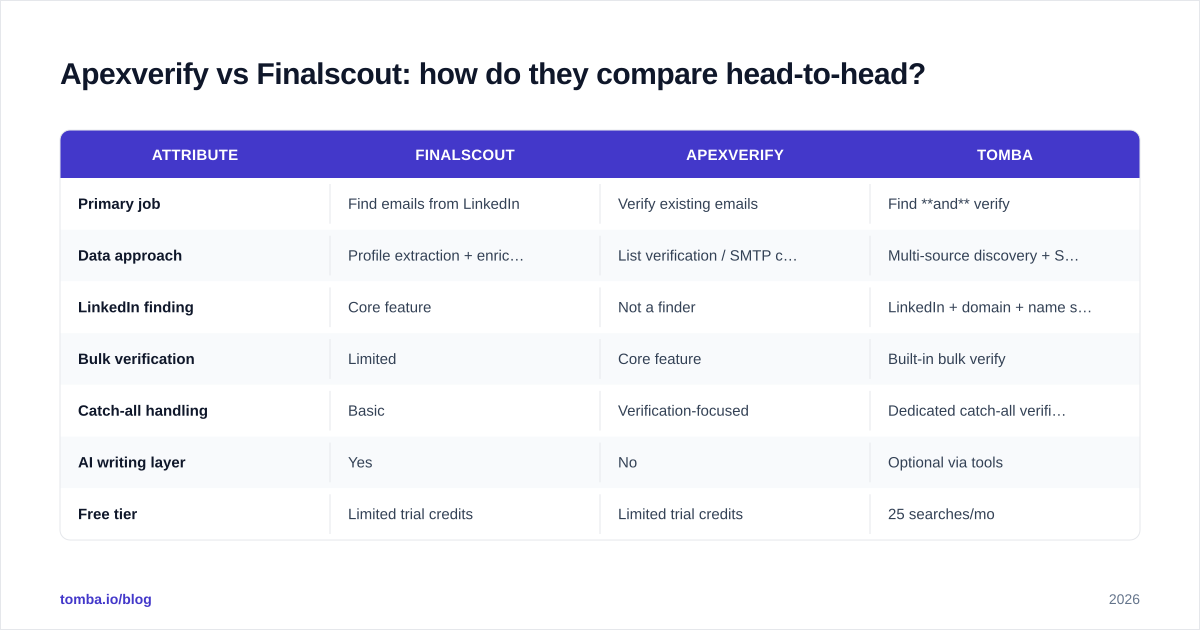
Here's the blunt version side by side. Treat marketed accuracy figures from any vendor as a ceiling, not a guarantee — real-world rates depend on your industry, region, and how fresh the underlying data is.
| Attribute | Finalscout | Apexverify | Tomba |
|---|---|---|---|
| Primary job | Find emails from LinkedIn | Verify existing emails | Find and verify |
| Data approach | Profile extraction + enrichment | List verification / SMTP checks | Multi-source discovery + SMTP verify |
| LinkedIn finding | Core feature | Not a finder | LinkedIn + domain + name search |
| Bulk verification | Limited | Core feature | Built-in bulk verify |
| Catch-all handling | Basic | Verification-focused | Dedicated catch-all verifier |
| AI writing layer | Yes | No | Optional via tools |
| Free tier | Limited trial credits | Limited trial credits | 25 searches/mo |
| Best for | LinkedIn prospectors | List cleaners | Full-stack outreach teams |
The pattern is clear: these tools are complements, not substitutes. Finalscout produces addresses; Apexverify confirms them. Buying both means two subscriptions, two dashboards, and two credit pools to manage — which is exactly the gap a combined platform fills.
Which one is more accurate for cold outreach?#
Accuracy is the whole game, because a bad address does double damage: you waste the send and you ding your sender reputation. So how do Apexverify and Finalscout actually stack up?
Finalscout's accuracy is a discovery problem — can it resolve the right professional email from a profile? Single-source extractors do well on active, complete LinkedIn profiles and degrade sharply outside that surface.
Apexverify's accuracy is a verification problem — can it correctly classify an address as deliverable without false positives on catch-all domains? Verifiers that stop at simple SMTP pings struggle with catch-all and greylisted servers, which is where a catch-all verifier with deeper logic earns its keep.
The takeaway: neither single-purpose tool gives you end-to-end accuracy. You get strong discovery or strong verification, then need the other half elsewhere. Multi-source platforms that run discovery and SMTP verification in one pass tend to post higher usable accuracy — the metric that actually matters once bounces are subtracted.

How do Apexverify and Finalscout price out?#
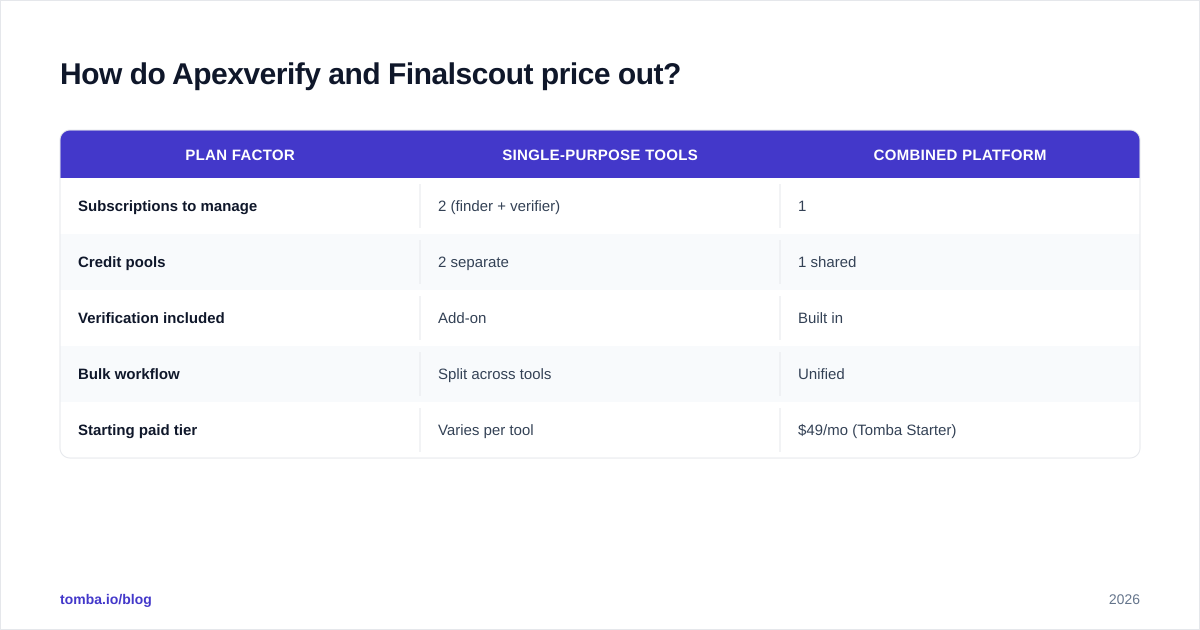
Both tools use credit-style pricing, and both gate their best per-credit rates behind annual commitments — standard for the category. The honest comparison isn't sticker price; it's blended cost per usable contact after you account for the second tool you'll inevitably need.
A rough model: if Finalscout finds 1,000 addresses and 15% are undeliverable, your real list is 850. If you didn't verify, you'll learn that the hard way through bounces. Add Apexverify (or any verifier) to catch them pre-send, and now you're paying two vendors to land 850 clean contacts. That stacked cost is where a single platform with transparent Tomba pricing — Free (25 searches/mo), Starter $49/mo, Growth $99/mo, Pro $249/mo — often comes out ahead, because finding and verifying draw from one pool.
| Plan factor | Single-purpose tools | Combined platform |
|---|---|---|
| Subscriptions to manage | 2 (finder + verifier) | 1 |
| Credit pools | 2 separate | 1 shared |
| Verification included | Add-on | Built in |
| Bulk workflow | Split across tools | Unified |
| Starting paid tier | Varies per tool | $49/mo (Tomba Starter) |
Always check each vendor's live pricing page before committing — credit definitions and overage rules change, and cross-vendor comparisons on G2 and Capterra lag the actual plans.
When should you pick Finalscout over Apexverify (and vice versa)?#
Decision framework, no hedging:
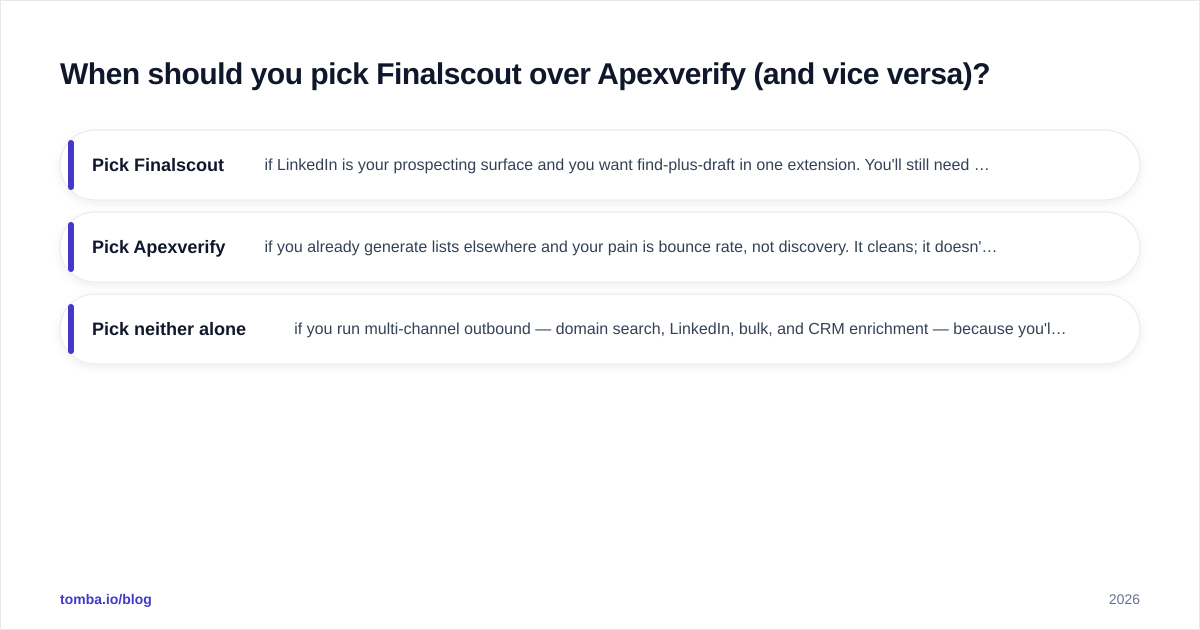
- Pick Finalscout if LinkedIn is your prospecting surface and you want find-plus-draft in one extension. You'll still need verification before you send at volume.
- Pick Apexverify if you already generate lists elsewhere and your pain is bounce rate, not discovery. It cleans; it doesn't build.
- Pick neither alone if you run multi-channel outbound — domain search, LinkedIn, bulk, and CRM enrichment — because you'll bolt on a second tool either way.
If your real need is "find the right person at a company and confirm the email is live," that's a domain search plus an email verifier working together — not a LinkedIn scraper and a standalone checker stitched across two billing portals.
Where does a combined finder-plus-verifier fit?#
The reason Apexverify vs Finalscout is the wrong framing for most teams: you're comparing two halves and pretending it's a whole. The job-to-be-done is a clean, deliverable contact list, and that requires both discovery and verification in the same loop.
A consolidated platform handles the full path: search by domain, name, or LinkedIn URL to find the address; verify it via SMTP and catch-all logic in the same call; push the clean result to your CRM. Tomba runs this end-to-end — its LinkedIn finder covers Finalscout's discovery use case, while built-in verification covers Apexverify's cleaning use case, from one dashboard and one credit pool. For teams scaling past manual lookups, the same engine is available through the Tomba API and bulk tools.

That doesn't make Finalscout or Apexverify bad tools — each is solid at its one job. It means that if your goal is fewer subscriptions, one consistent accuracy standard, and no gaps between "found" and "verified," a combined platform removes the seam that a two-tool stack always leaves.
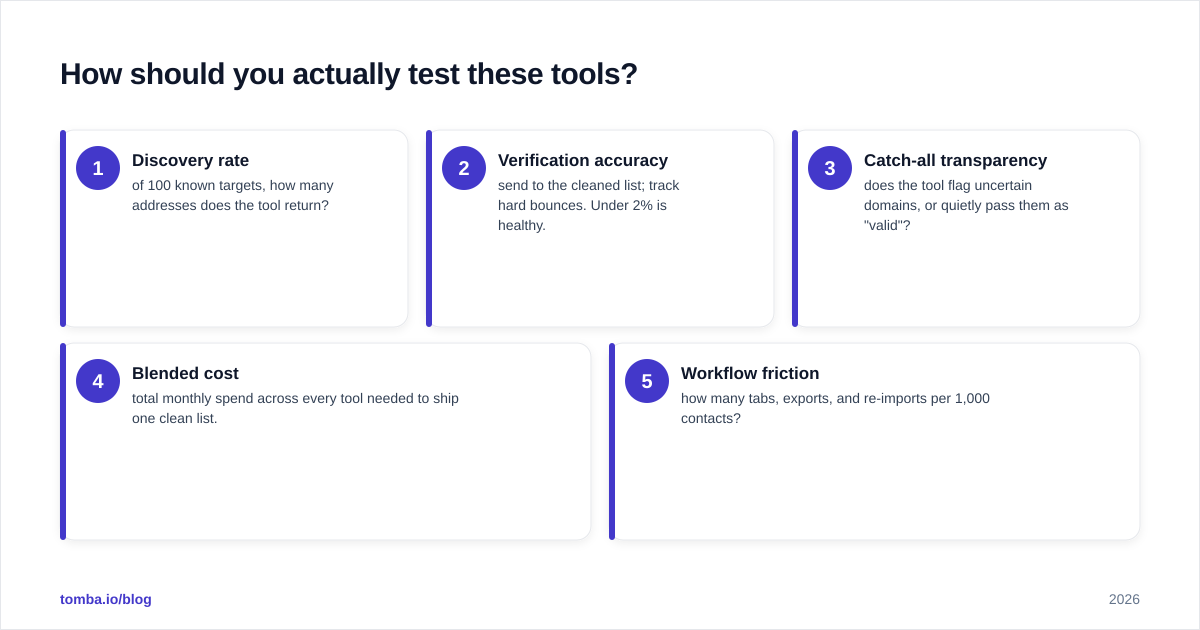
How should you actually test these tools?#
Don't trust any landing page, including this one. Run the same 100-contact sample through each option and measure what matters:
- Discovery rate — of 100 known targets, how many addresses does the tool return?
- Verification accuracy — send to the cleaned list; track hard bounces. Under 2% is healthy.
- Catch-all transparency — does the tool flag uncertain domains, or quietly pass them as "valid"?
- Blended cost — total monthly spend across every tool needed to ship one clean list.
- Workflow friction — how many tabs, exports, and re-imports per 1,000 contacts?
Score Finalscout on 1 and 5, Apexverify on 2 and 3, and a combined platform on all five. The tool that wins your real test — not the demo — is the one to keep.
The bottom line#
Finalscout finds emails from LinkedIn; Apexverify verifies emails you already have. They're complementary halves of one workflow, and most outbound teams end up paying for both. If you'd rather run discovery and verification from a single platform — with a free tier to test it on your own list before spending a dollar — start with the Tomba Email Finder. Find the right contact, confirm it's deliverable, and push it to your CRM in one pass, instead of stitching a scraper to a checker and hoping the seam holds. Grab 25 free searches a month and benchmark it against both tools on the same sample — let the bounce rate decide.
Ready to find emails that actually work?
Join 150,000+ professionals who stopped guessing and started sending. Free credits on signup — no credit card required.
Get the Tomba newsletter
Practical outbound tactics and product updates — once every two weeks.
About the author