Apexverify vs Leadsforge: Which Email Tool Wins in 2026?
Apexverify and Leadsforge both promise clean B2B contact data, but they win on different things. Here's an honest 2026 breakdown of accuracy, pricing, and the cheaper alternative.
Choosing between Apexverify and Leadsforge usually comes down to one question: do you need a tool that proves an email is real, or a tool that hands you a list of leads to email in the first place? Both pitch themselves as the answer to "clean B2B contact data," but they solve different halves of the problem—and the price you pay for guessing wrong shows up in your bounce rate.
This is a neutral 2026 breakdown. No marketing gloss. We'll compare accuracy, pricing, data coverage, and workflow fit, then point out where a third option quietly beats both on cost.
TL;DR#
- Apexverify leans verification-first: its strength is confirming whether an address is deliverable, catching catch-all domains, and reducing bounces before you send.
- Leadsforge leans discovery-first: its strength is surfacing net-new contacts and company lists, with verification bolted on as a secondary step.
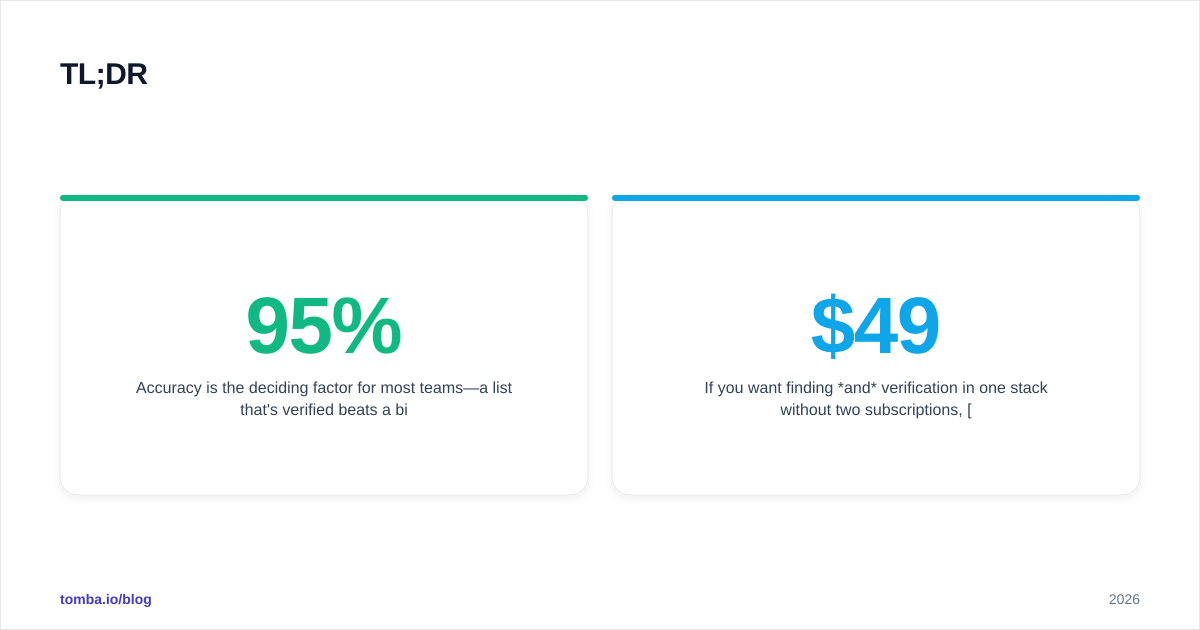
- Accuracy is the deciding factor for most teams—a list that's 95% verified beats a bigger list that's 70% guessed.
- Pricing for both climbs fast once you exceed starter credits; per-credit cost matters more than the headline plan price.
- If you want finding and verification in one stack without two subscriptions, Tomba's email finder covers both from a single workflow starting at $49/mo.
What is Apexverify and what is Leadsforge?#
Think of it like buying produce. Apexverify is the quality inspector at the loading dock—it doesn't grow anything, but it checks every box and rejects the rotten fruit before it reaches your kitchen. Leadsforge is the wholesaler that delivers crates of produce to your door; some of it is fresh, some isn't, and you're expected to sort it yourself.
In plain terms:
- Apexverify is positioned as an email verification platform. You feed it addresses you already have—from a CRM export, a scrape, or a finder tool—and it returns deliverability status, syntax checks, MX record validation, and a verdict on risky or catch-all domains.
- Leadsforge is positioned as a lead-generation and prospecting platform. You search by company, role, or industry, and it returns contact records (names, titles, emails, sometimes phone numbers) for outreach.
The overlap is real but partial. Leadsforge verifies the emails it surfaces; Apexverify can be paired with any source. The mistake teams make is assuming they're interchangeable. They aren't. One is a filter, the other is a faucet.
Is Apexverify more accurate than Leadsforge?#
Accuracy is where this comparison earns its keep, because "accuracy" means two different things depending on the tool.
For Apexverify, accuracy means verification precision: when it says an address is valid, how often is it actually deliverable? Verification-first tools generally score well here because that's their entire job. They run SMTP handshakes, detect disposable domains, and flag catch-alls instead of blindly passing them.
For Leadsforge, accuracy means match precision at discovery: when it gives you "jane@company.com" for Jane the VP of Sales, is that her real working address? Discovery tools historically trade some precision for coverage—they'd rather show you a probable email than nothing at all.

The practical takeaway: a discovery tool's raw output should never go straight into a sequence. Whatever you pull from Leadsforge still benefits from a pass through a dedicated email verifier before you hit send. And the single biggest accuracy killer in B2B data—catch-all domains that accept every address—needs a specialized catch-all verifier that most discovery tools handle poorly.
If you only remember one thing from this section: verification accuracy and discovery accuracy are not the same metric, and a tool that's great at one is rarely great at both. That's the core trade-off the rest of this post unpacks.
How do Apexverify and Leadsforge compare on features?#
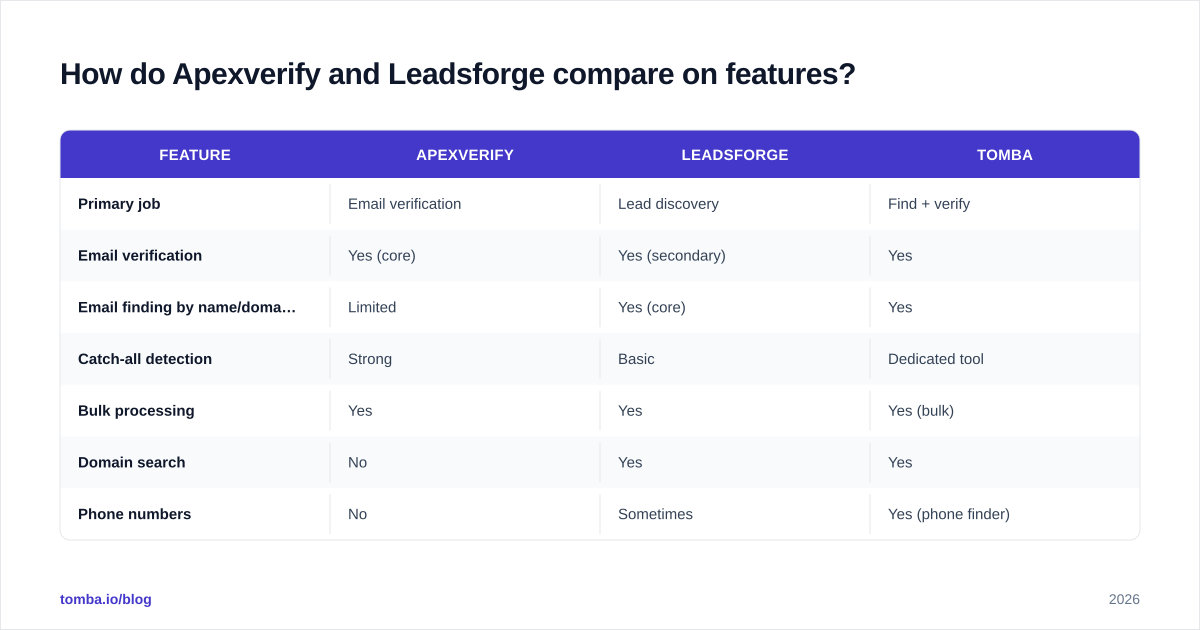
Here's the head-to-head on the attributes that actually change your day-to-day workflow.
| Feature | Apexverify | Leadsforge | Tomba |
|---|---|---|---|
| Primary job | Email verification | Lead discovery | Find + verify |
| Email verification | Yes (core) | Yes (secondary) | Yes |
| Email finding by name/domain | Limited | Yes (core) | Yes |
| Catch-all detection | Strong | Basic | Dedicated tool |
| Bulk processing | Yes | Yes | Yes (bulk) |
| Domain search | No | Yes | Yes |
| Phone numbers | No | Sometimes | Yes (phone finder) |
| API access | Yes | Yes | Yes |
| Free tier | Limited trial | Limited trial | 25 searches/mo |
| Starter price | Mid-tier | Mid-to-high | $49/mo |
A few notes on reading this table honestly:
- Apexverify wins on verification depth. If your only problem is "my list bounces too much," a verification specialist is the right shape of tool.
- Leadsforge wins on net-new discovery. If you have zero leads and need to build a list from scratch by job title and company, a discovery engine is what you want.
- Neither is a complete stack. Most teams running outbound need both finding and verification, which is why they end up paying two vendors—unless they pick a platform that does both.
For the discovery side specifically, the workflow most reps actually use is domain search: give it a company domain, get back the email patterns and named contacts for that organization. It's the fastest path from "I know the company" to "I have the decision-maker's address."
What does Apexverify vs Leadsforge pricing look like in 2026?#
Pricing is the section vendors make deliberately hard to compare, so here's the framework that cuts through it: ignore the plan name and calculate cost per usable contact.
A "usable contact" is one that's both found and verified. A cheap discovery plan that gives you 10,000 unverified records isn't cheaper than a smaller verified list once you subtract the bounces, the damaged sender reputation, and the deals you never started because the email never arrived.

Both Apexverify and Leadsforge follow the standard SaaS curve: a limited free trial, a mid-tier monthly plan that covers a few thousand credits, and enterprise pricing that requires a sales call. The friction points are predictable:
- Credit definitions differ. On a verification tool, one credit usually equals one email checked. On a discovery tool, one credit might equal one revealed contact—and re-revealing the same contact can cost again.
- Overage rates bite. Exceeding your monthly credits often costs 2–3x the in-plan rate.
- Verification may be metered separately from discovery, so the "all-in-one" plan is really two meters.
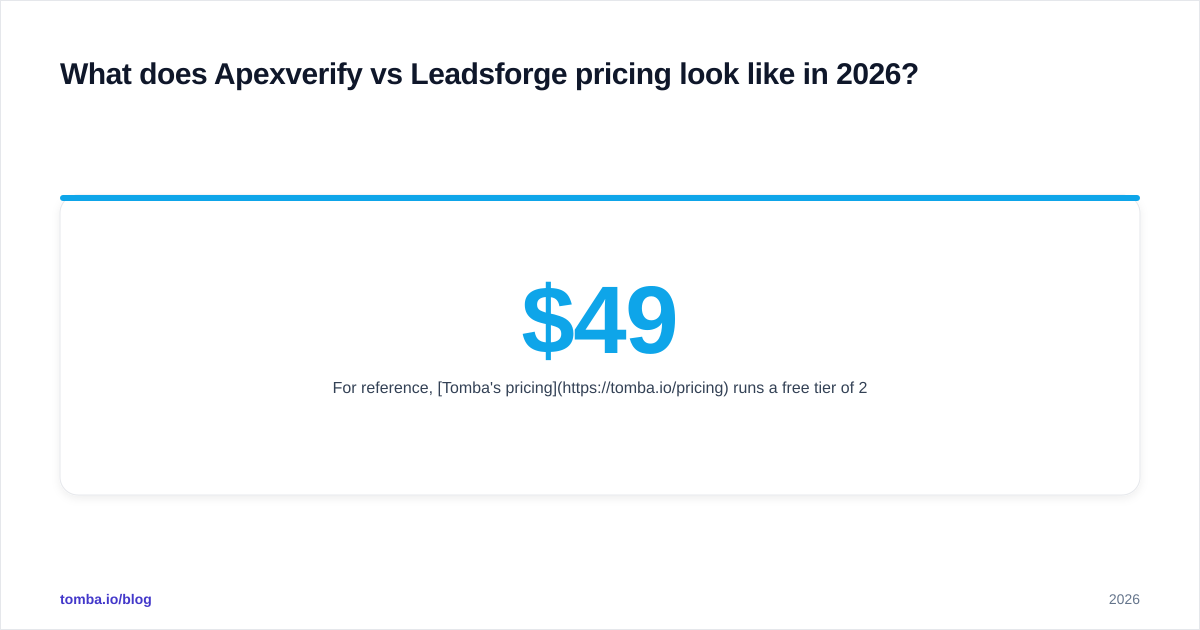
For reference, Tomba's pricing runs a free tier of 25 searches per month, Starter at $49/mo, Growth at $99/mo, and Pro at $249/mo, with finding and verification under the same roof. The point isn't that one number is magic—it's that consolidating both jobs into one subscription removes the "two meters" problem entirely.
Which tool is better for cold outreach deliverability?#
Conclusion first: for protecting deliverability, a verification-first approach wins, and that favors Apexverify's philosophy over Leadsforge's volume-first one.
Here's the mechanism. Mailbox providers like Google and Microsoft track your bounce rate as a sender-reputation signal. According to email deliverability fundamentals, a spike in hard bounces tells the provider you're emailing addresses you shouldn't have, and your inbox placement drops for everyone on your list—not just the bad addresses.
That's why the sequencing matters more than the tool brand:
- Discover contacts (Leadsforge's strength, or any finder).
- Verify every address before import (Apexverify's strength).
- Re-verify older lists every 90 days—B2B data decays roughly 2–3% per month as people change jobs.
If you're running this loop with two separate tools, you're paying twice and stitching exports together by hand. A consolidated bulk email finder that verifies inline lets you run discovery and verification as one job, which is the practical reason teams consolidate.
For a deeper look at how vendors source and validate their records, Tomba publishes its data sources—worth reading before you trust any provider's accuracy claim, because "95% accurate" is meaningless without knowing how it's measured.
When should you choose Apexverify vs Leadsforge?#
Use this as a quick decision guide.
Choose Apexverify if:
- You already have lead lists and your main pain is bounces.
- You import data from multiple sources and need a neutral verifier.
- Catch-all domains are wrecking your sequences.
- You don't need discovery—your SDRs already source contacts elsewhere.
Choose Leadsforge if:
- You're starting from zero and need to build prospect lists by persona.
- Net-new account discovery is your bottleneck, not verification.
- You're comfortable adding a separate verification step downstream.
- Your team values search filters (industry, headcount, tech stack) over verification depth.
Choose a consolidated platform if:
- You need both jobs and don't want two subscriptions or two meters.
- You want an email finder API you can wire into your own app or CRM.
- Predictable per-credit cost matters more than feature maximalism.
Independent reviews on G2 and Capterra are useful sanity checks here—filter by company size similar to yours, because a tool that delights a 500-person org can be overkill for a 5-person sales team.
Frequently asked questions#
Is Apexverify a lead-generation tool? Not primarily. Its core job is verifying whether emails are deliverable. You bring the addresses; it grades them. If you need to find new contacts, you'll want a discovery tool or a combined platform.
Does Leadsforge verify the emails it finds? It includes verification as a secondary feature, but verification specialists generally go deeper—especially on catch-all detection. Running discovered lists through a dedicated verifier before sending is still best practice.
Can I use both together? Yes—use Leadsforge (or any finder) for discovery, then Apexverify for verification. The downside is two subscriptions and a manual handoff between exports. A combined tool removes that friction.
What's the cheapest reliable option? That depends on whether you need finding, verifying, or both. If you need both, a single platform that bundles them—like Tomba starting at $49/mo—usually beats paying two vendors for the two halves separately.
The bottom line#
Apexverify and Leadsforge aren't really competitors so much as two halves of the same workflow: one finds, one verifies. If you only have one of those problems, pick the specialist that matches it. If you have both—which most outbound teams do—paying two vendors to stitch exports together is the expensive way to solve a solved problem.
That's the case for consolidation. Tomba's Email Finder finds professional emails by name, domain, or company and verifies them in the same flow, with a free tier of 25 searches a month to test the accuracy on your own target accounts before you spend a dollar. Run a few of your hardest-to-find prospects through it, check the verification status, and compare the hit rate against whatever you're paying for now. That single test will tell you more than any vendor's accuracy claim—including this article's.
// get started
Find, verify and enrich your first contacts today
Start on the free plan with 25 searches a month, then scale when your team is ready.
Free plan · No credit card required · GDPR & CCPA
// about the author