Attio vs Salesforce 2026: Which CRM Actually Fits Your Team?
Attio is the data-native newcomer; Salesforce is the enterprise default. Here's an honest 2026 breakdown of pricing, setup, automation, and which CRM fits your team.
Choosing a CRM in 2026 usually comes down to a quiet tension: do you want the tool everyone already knows, or the tool that feels like it was built this decade? Attio and Salesforce sit on opposite ends of that line. This guide compares them honestly, so you can pick the one that fits your team instead of the one with the loudest sales rep.
TL;DR#
- Attio is a data-native, flexible CRM built for startups and modern revenue teams that want fast setup, clean records, and a UI that doesn't need a consultant to navigate.
- Salesforce is the enterprise standard: nearly infinite customization, a massive app ecosystem, and the governance large organizations require, at the cost of complexity and price.
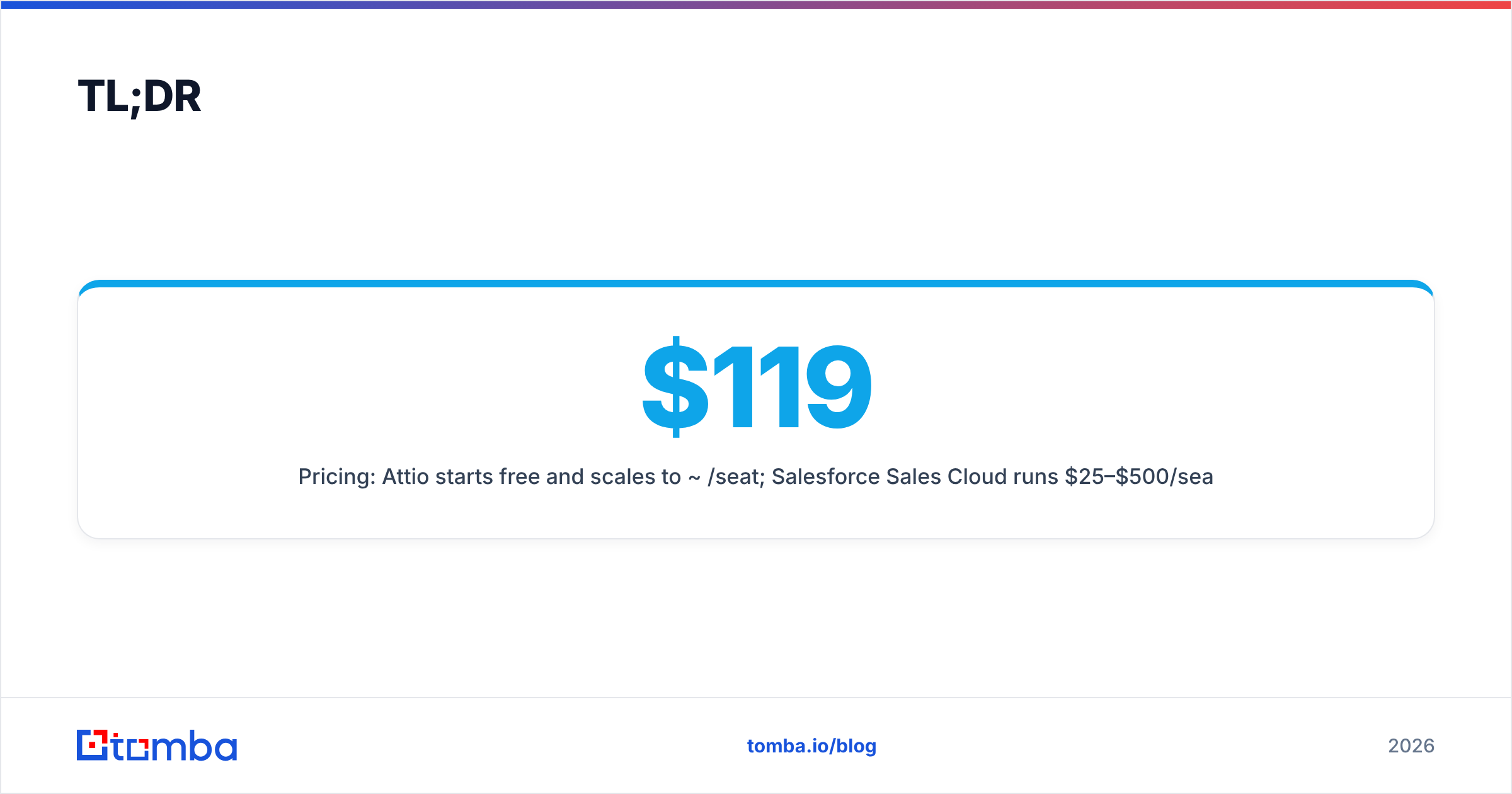
- Pricing: Attio starts free and scales to ~$119/seat; Salesforce Sales Cloud runs $25–$500/seat plus implementation costs that often dwarf the license fee.
- Setup: Attio is live in hours; Salesforce rollouts commonly take weeks to months and frequently need a paid admin or partner.
- Either way, your CRM is only as good as the data inside it — pairing it with accurate contact data matters more than the logo on the login screen.
What is Attio?#
Attio is a CRM that treats your customer data like a flexible database rather than a rigid sales pipeline. Think of it like a spreadsheet that grew up: every record is structured, relational, and editable in real time, but it also runs reports, automations, and email sync like a real CRM. Technically, it's built on a data model where objects (people, companies, deals, anything you define) connect to each other, so you can shape the CRM around your business instead of forcing your business into someone else's template.
It launched to fill a gap that founders kept complaining about — legacy CRMs felt heavy, slow to configure, and overbuilt for a 12-person sales team. Attio's pitch is speed and clarity: import your contacts, and it auto-enriches and de-duplicates records so you start with a usable database, not a blank fortress. You can read more about its positioning on the Attio homepage.
Attio fits best when you're a startup, an agency, or a venture/PE team that values flexibility and a clean interface over deep enterprise governance.
What is Salesforce?#
Salesforce is the company that effectively invented cloud CRM, and in 2026 it's still the default choice for large enterprises. If Attio is a smart spreadsheet, Salesforce is an industrial operating system: you can model almost any business process, but you'll need to build (or buy) the parts. Its Sales Cloud, Service Cloud, Marketing Cloud, and the AppExchange marketplace mean there's a configuration or third-party app for nearly every scenario.
That power is the point and the price. Salesforce shines when you have complex approval workflows, strict compliance requirements, multiple business units, and the budget for administrators or implementation partners. You can explore its product tiers on the Salesforce site. According to peer reviews on G2, buyers consistently praise its depth and ecosystem while flagging complexity and total cost of ownership as the main drawbacks.

How do Attio and Salesforce compare on features and pricing?#
Here's the side-by-side that matters most when you're actually deciding. Prices reflect publicly listed 2026 plans and exclude implementation and add-ons.
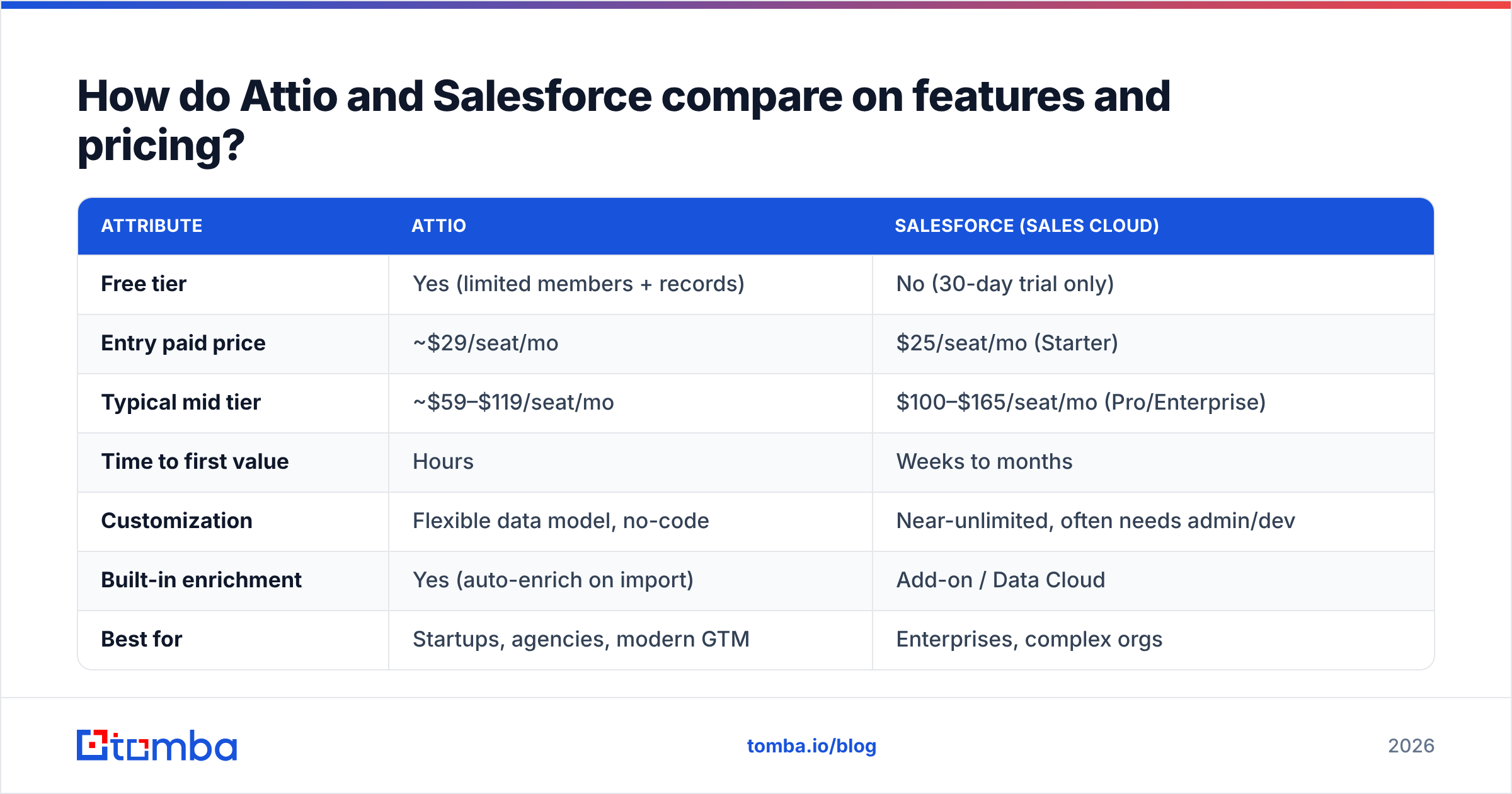
| Attribute | Attio | Salesforce (Sales Cloud) |
|---|---|---|
| Free tier | Yes (limited members + records) | No (30-day trial only) |
| Entry paid price | ~$29/seat/mo | $25/seat/mo (Starter) |
| Typical mid tier | ~$59–$119/seat/mo | $100–$165/seat/mo (Pro/Enterprise) |
| Time to first value | Hours | Weeks to months |
| Customization | Flexible data model, no-code | Near-unlimited, often needs admin/dev |
| Built-in enrichment | Yes (auto-enrich on import) | Add-on / Data Cloud |
| Best for | Startups, agencies, modern GTM | Enterprises, complex orgs |
| Admin overhead | Low | High (often a dedicated role) |
| Ecosystem | Growing | Massive (AppExchange) |
The headline: Salesforce's sticker price can look competitive at the Starter tier, but the real cost includes implementation, admin salaries, and add-ons. Attio's pricing is flatter and more predictable, which is why smaller teams gravitate to it.
Which CRM is easier to set up and use?#
Attio wins on speed; Salesforce wins on ceiling. If you need to be selling next week, the gap is dramatic.
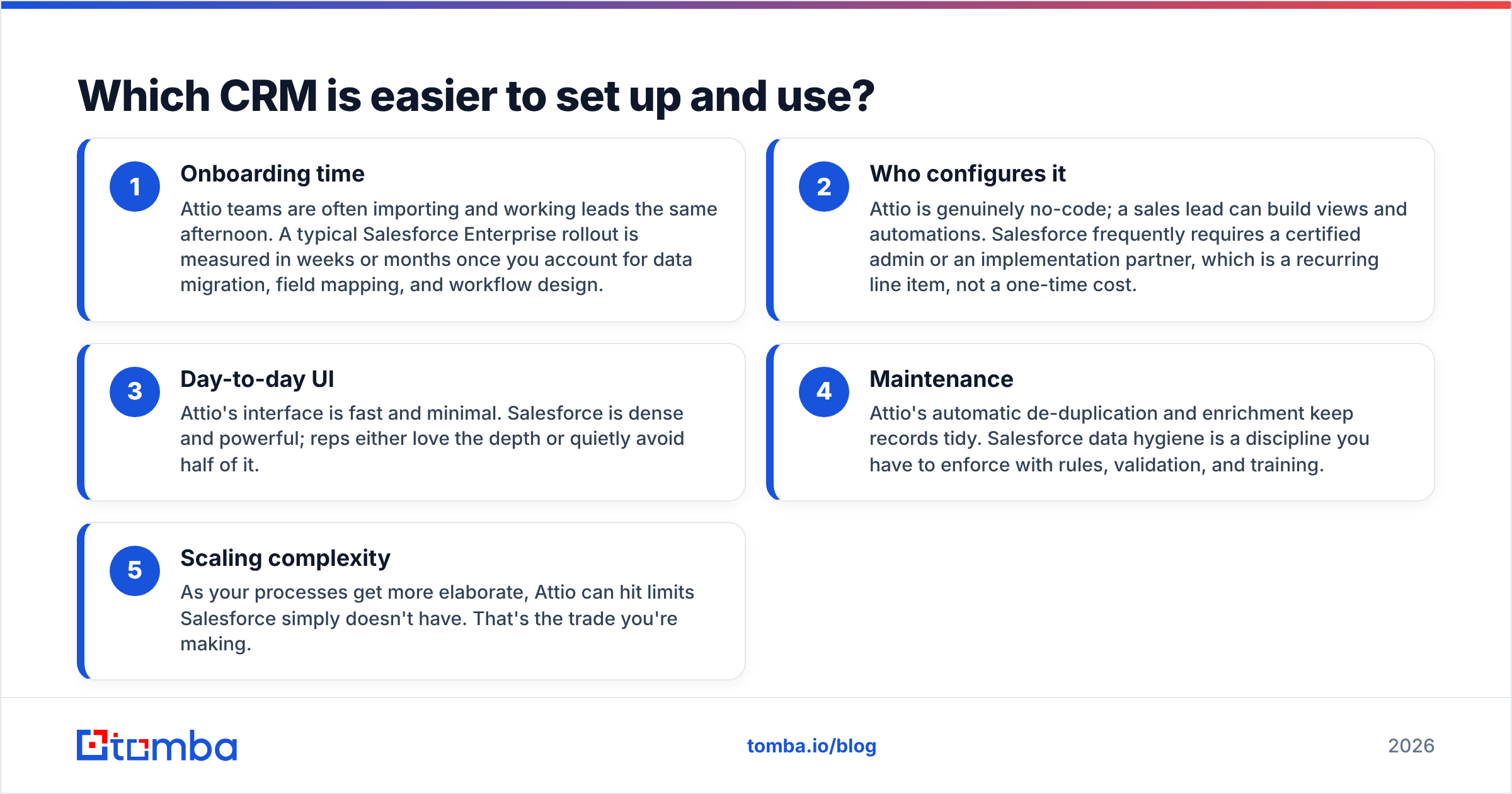
- Onboarding time — Attio teams are often importing and working leads the same afternoon. A typical Salesforce Enterprise rollout is measured in weeks or months once you account for data migration, field mapping, and workflow design.
- Who configures it — Attio is genuinely no-code; a sales lead can build views and automations. Salesforce frequently requires a certified admin or an implementation partner, which is a recurring line item, not a one-time cost.
- Day-to-day UI — Attio's interface is fast and minimal. Salesforce is dense and powerful; reps either love the depth or quietly avoid half of it.
- Maintenance — Attio's automatic de-duplication and enrichment keep records tidy. Salesforce data hygiene is a discipline you have to enforce with rules, validation, and training.
- Scaling complexity — As your processes get more elaborate, Attio can hit limits Salesforce simply doesn't have. That's the trade you're making.
If your processes are simple-to-medium and you value momentum, Attio's curve is friendlier. If your processes are genuinely complex — multi-stage approvals, territory management, regulated industries — Salesforce's overhead buys you capability you'll actually use. (New to the category? The CRM glossary entry covers the fundamentals.)
Is Attio better than Salesforce for startups?#
For most startups under ~50 employees: yes, Attio is usually the better fit. The reasoning is practical, not ideological. Startups change their sales process constantly, can't spare a full-time admin, and need clean data fast. Attio's flexible model bends with you, and its free tier lets you start before you've raised a Series A.
Salesforce becomes the smarter choice at the point where governance, reporting depth, and ecosystem integrations outweigh agility — typically as you cross into mid-market and enterprise, add specialized teams, or face compliance audits. Many companies even start on Attio and graduate to Salesforce later; that's a healthy migration, not a failure.
A useful gut check: if you find yourself wishing your CRM did less and got out of your way, you want Attio. If you find yourself wishing it did more and could model your exact org chart and approval chain, you want Salesforce.
What about integrations and automation?#
Both connect to the rest of your stack, but the philosophies differ.
- Salesforce has the largest integration ecosystem in the category via AppExchange — thousands of pre-built apps and deep native ties to marketing, support, and analytics tooling. If a tool exists in B2B, it probably integrates with Salesforce.
- Attio ships modern, native integrations (email, calendar, Slack, common data providers) and a clean API, with a smaller but rapidly growing marketplace. For most modern stacks, the integrations you need are already there.
For automation, Attio's no-code workflows handle the common cases — assign owners, trigger sequences, update records — without a specialist. Salesforce Flow is far more powerful but also far more involved; complex automations often become admin projects.
Whichever you choose, both CRMs benefit enormously from automatic data enrichment on the inbound side, so reps aren't hand-typing job titles and company details.
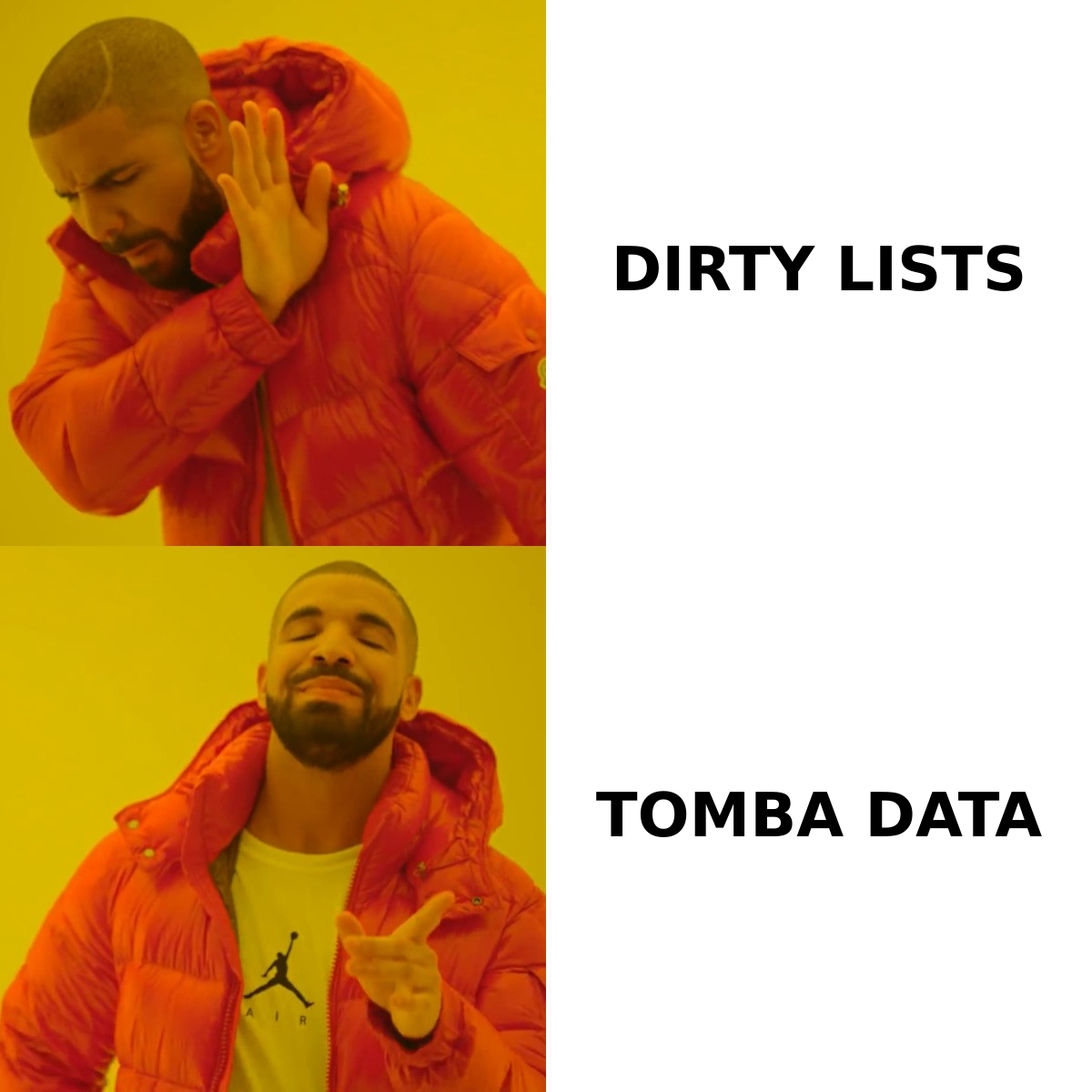
What both tools can't fix: your data quality#
Here's the uncomfortable truth neither vendor leads with: a CRM is a container. It organizes, routes, and reports on data, but it doesn't create accurate data for you. Bounced emails, missing decision-makers, and stale phone numbers will sink your pipeline whether you're paying $29 or $300 a seat.
This is where your acquisition layer matters more than your CRM brand. Before a contact ever reaches Attio or Salesforce, you want it verified and complete. Feeding either CRM a clean, deliverable list does more for win rates than any field configuration. A simple workflow looks like this:
- Source target accounts and roles.
- Find and verify the right contact's email and details.
- Push enriched, deduplicated records into your CRM.
- Let Attio or Salesforce do what it's good at — workflow and reporting.
Tomba slots into step two. You can find email addresses by name, company, or domain, verify them, and then sync the clean records straight into your pipeline. Tomba also offers a native Salesforce integration so enriched contacts land where your reps already work.
Attio vs Salesforce: which should you choose?#
Conclusion first — match the tool to your stage and complexity:
- Choose Attio if: you're a startup, agency, or lean revenue team; you want to be productive this week; you value a flexible data model and predictable pricing; and you don't have (or want) a dedicated CRM admin.
- Choose Salesforce if: you're mid-market or enterprise; you have complex, regulated, or multi-team processes; you need the deepest reporting and the largest integration ecosystem; and you have the budget for implementation and administration.
There's no universally "better" CRM here — there's the one that fits your operating reality in 2026. Attio bets on speed and clarity. Salesforce bets on depth and governance. Both are defensible; the wrong choice is picking the heavyweight when you needed the sprinter, or vice versa.
The piece that makes either CRM work#
Whatever you land on, remember that your CRM is downstream of your data. The fastest way to waste a great CRM is to fill it with unverified contacts that bounce and decay. Start by getting the contacts right.
Use the Tomba Email Finder to find and verify professional email addresses by domain, name, or company — then push clean, enriched records into Attio or Salesforce so your reps spend time selling instead of cleaning lists. Try it free with 25 searches a month, and see the difference accurate data makes before you commit a single dollar of CRM budget.
// get started
Find, verify and enrich your first contacts today
Start on the free plan with 25 searches a month, then scale when your team is ready.
Free plan · No credit card required · GDPR & CCPA
// about the author