How to Automate Target Account Lists in 2026: RevOps Guide
Manual account lists rot the day you build them. Here's how to automate target account lists in 2026 with ICP scoring, enrichment, and CRM sync that stays fresh.
Your target account list is wrong by the time you finish building it. Companies hire, get acquired, change domains, and churn the exact contact you spent an afternoon researching. If your go-to-market motion still runs on a spreadsheet someone updates "when they get a chance," you are paying reps to prospect into noise.
This guide shows you how to automate target account lists end to end in 2026: how to define the rules once, let software score and enrich accounts continuously, and push clean records into your CRM so the list maintains itself.
TL;DR#
- A target account list is a system, not a file. Treat it like a pipeline that refreshes on a schedule, not a one-time export.
- Automation has four stages: define your ICP as rules, source matching accounts, enrich with contacts and signals, then sync and re-score on a cadence.
- Enrichment is where most lists die. Stale emails and missing decision-makers waste 20–40% of outbound effort; an API that re-verifies on a schedule fixes this.
- You do not need a $50k ABM platform to start. A CRM, an enrichment API, and a workflow tool (
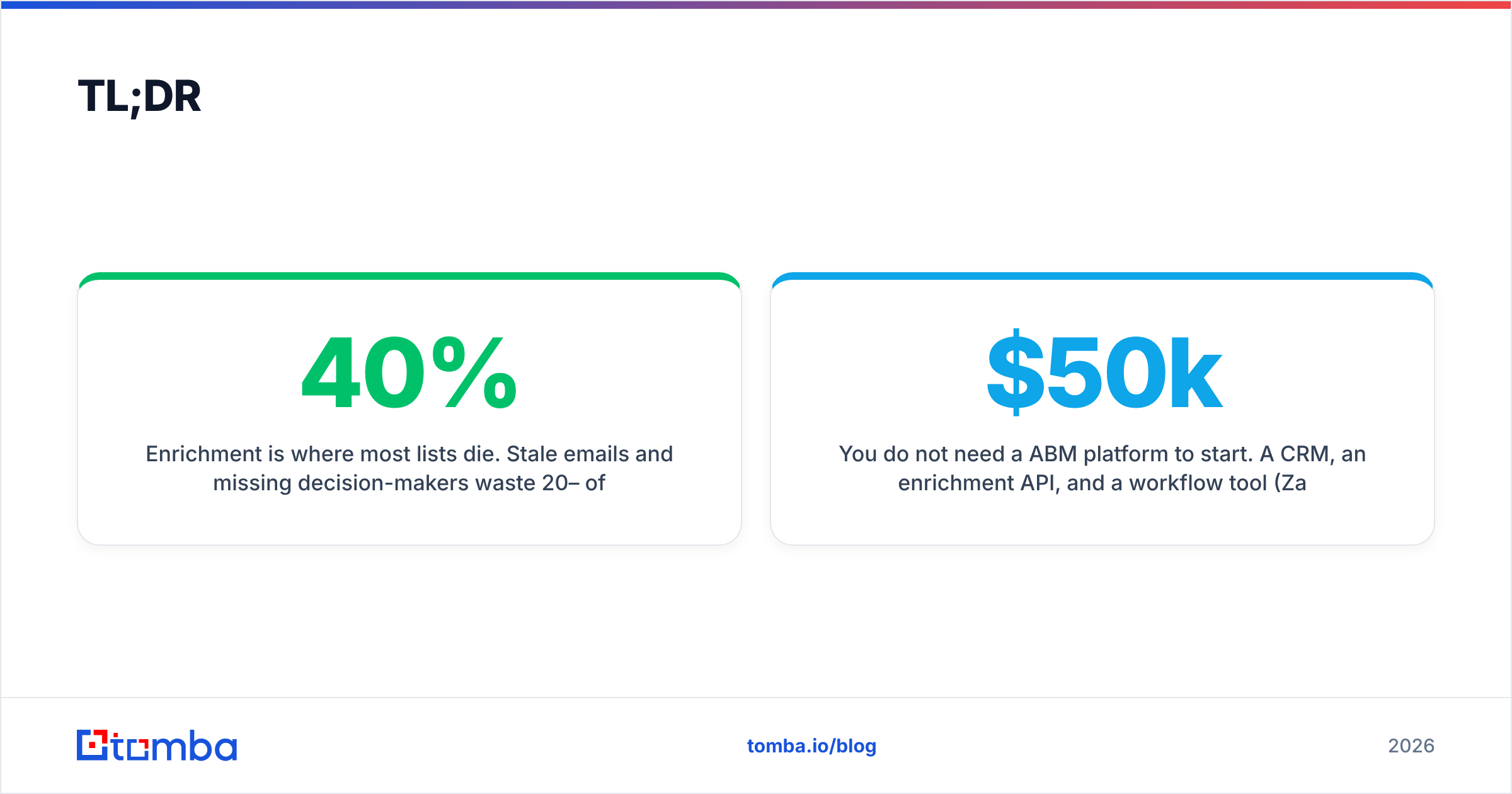
Zapier/Make) cover 90% of mid-market needs.
- Measure list health, not just list size. Track match rate, contact coverage, and bounce rate per refresh cycle.
What is a target account list and why automate it?#
A target account list is the set of companies your team has agreed are worth pursuing — accounts that fit your ideal customer profile (ICP) and show buying potential. In account-based motions, it's the foundation everything else sits on: ads, outbound sequences, SDR territories, and exec relationship plans all key off this list.
The problem is decay. Gartner and most RevOps leaders peg B2B data decay at roughly 30% per year — people change jobs, companies rebrand, domains move. A manually built list is a photograph of a moving target. Automating it turns that photograph into a live video feed.
Automation means you encode the rules of a good account once, then let software apply those rules continuously against fresh data. Instead of "research 50 accounts on Friday," you define "any SaaS company, 50–500 employees, US/UK, using HubSpot, with a VP of Sales" — and the list populates and re-validates itself.
How do you automate a target account list step by step?#
Break the work into four repeatable stages. Each one maps to a tool or workflow you can wire up today.
- Define the ICP as machine-readable rules. Don't write "mid-market tech companies" in a doc. Write filters: industry codes, employee range, geography, tech stack, funding stage, and exclusion rules (existing customers, competitors). These become query parameters.
- Source matching accounts automatically. Pull from a B2B database, website-visitor identification, or intent providers. The output is a raw list of company domains that match your filters.
- Enrich each account with contacts and context. For every domain, you need decision-maker names, verified emails, phone numbers, and firmographic detail. This is where an email and contact API earns its keep.
- Sync, score, and refresh on a cadence. Push enriched records into your CRM, score them against ICP fit and intent, and re-run the whole loop weekly or monthly so the list never goes stale.
The magic isn't any single step — it's connecting them so a new account that matches your ICP appears in a rep's queue, fully enriched, without a human touching a spreadsheet.
What does an automated workflow actually look like?#
Here's a concrete pipeline a two-to-five person RevOps team can stand up in a week:
- Trigger: A scheduled job or a new website visitor identified by website visitor reveal.
- Source: Query a B2B database by firmographic filters to confirm the company matches your ICP.
- Enrich: Hit the email finder API with the company domain plus target job titles to return verified decision-maker emails and metadata.
- Verify: Re-run email verification so you never push a risky address into a sequence.
- Sync: Use a HubSpot integration or Salesforce integration to create or update the account and contact records.
- Score: Apply ICP-fit and intent scoring, route the account to the right SDR territory.
Run that loop on a cron schedule and your list refreshes itself. New matching accounts flow in; dead contacts get flagged and re-enriched; reps wake up to a queue that's accurate.

Manual vs automated target account lists: which wins?#
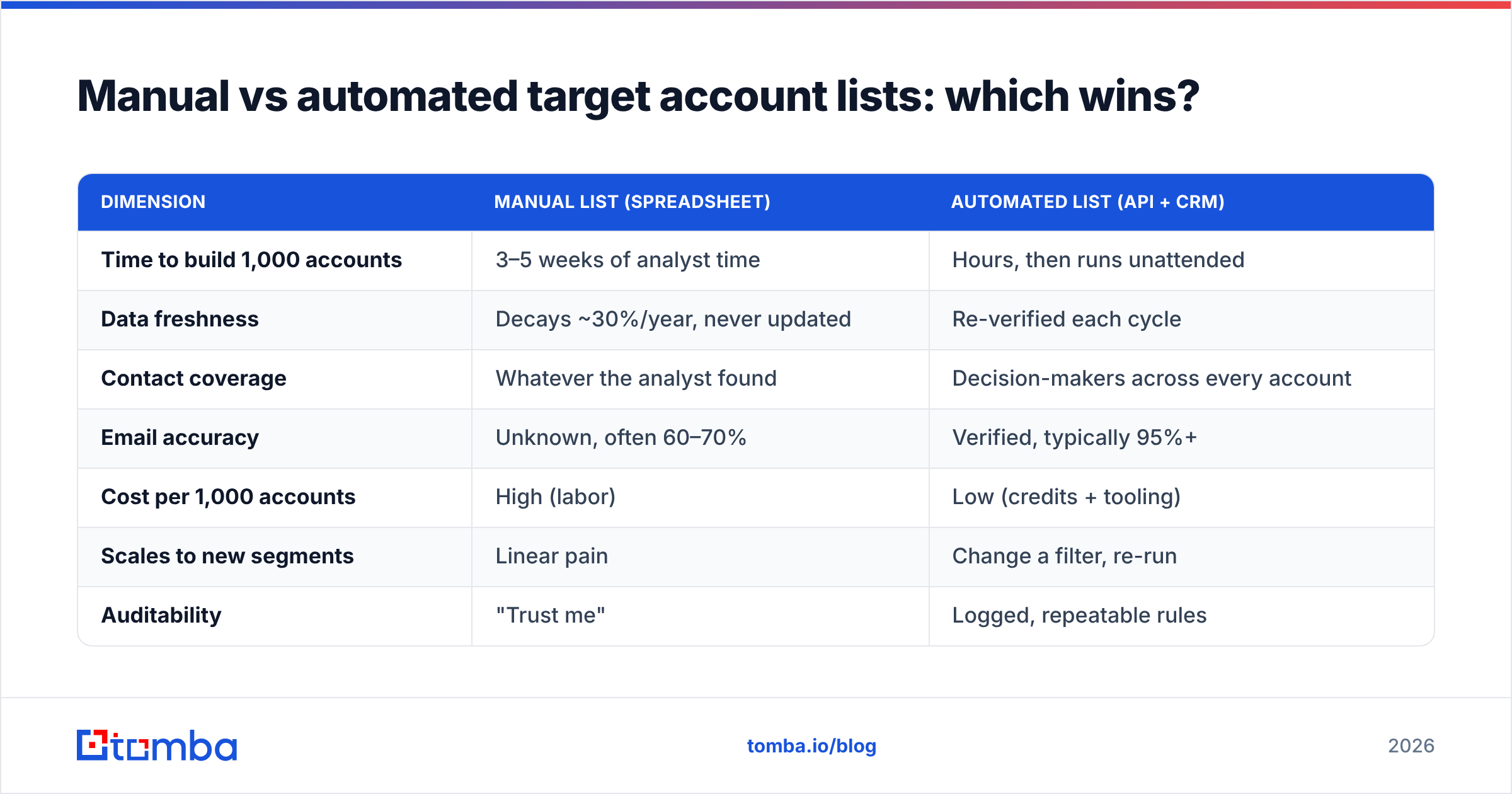
The honest answer: a small, hand-curated strategic list (your top 20 enterprise whales) still benefits from human research. But for the other 80–95% of your TAM, automation wins on every axis that matters.
| Dimension | Manual list (spreadsheet) | Automated list (API + CRM) |
|---|---|---|
| Time to build 1,000 accounts | 3–5 weeks of analyst time | Hours, then runs unattended |
| Data freshness | Decays ~30%/year, never updated | Re-verified each cycle |
| Contact coverage | Whatever the analyst found | Decision-makers across every account |
| Email accuracy | Unknown, often 60–70% | Verified, typically 95%+ |
| Cost per 1,000 accounts | High (labor) | Low (credits + tooling) |
| Scales to new segments | Linear pain | Change a filter, re-run |
| Auditability | "Trust me" | Logged, repeatable rules |
Manual lists feel cheaper because the cost is hidden in headcount. Automation moves that cost into tooling you can measure — and frees your team to actually sell.
Which tools do you need to automate target account lists?#
You can assemble a capable stack from four layers. Many platforms blur the lines, but thinking in layers keeps you from overpaying for an all-in-one suite you won't fully use.
- Account sourcing: A B2B database or intent provider to find companies matching your filters. Compare options on G2 before committing to an annual contract.
- Contact enrichment: An email finder and verifier with an API — this is the layer that turns a company domain into reachable humans. Tools like Tomba expose domain search and bulk lead generation so you can enrich a domain or a whole list at once.
- Orchestration: Zapier, Make, or native CRM workflows to connect the steps without code.
- System of record: Your CRM (HubSpot, Salesforce, Pipedrive) where the enriched, scored list lives and where reps work.
The key buying criterion for the enrichment layer is API quality and re-verification. A one-time enrichment is a snapshot; an API you can call on a schedule is what keeps the list alive.
How do you keep an automated list accurate over time?#
Automation that runs once is just a faster spreadsheet. The difference between a good and a great system is the refresh loop. Build these habits in from day one:
- Set a re-verification cadence. Weekly for high-priority accounts, monthly for the long tail. Each cycle, re-run bulk verify against your contact emails and flag anything that now bounces.
- Catch job changes. When a verified email starts bouncing, that's often a person who left. Trigger a re-search for the replacement in the same role instead of dropping the account.
- Handle catch-all domains. Many enterprise domains accept every address, which fools naive verifiers. Use a dedicated catch-all verifier so you don't treat a catch-all as a confirmed inbox.
- De-duplicate aggressively. Automated sourcing creates dupes. Run a dedup pass on every sync so reps never see the same account twice.
- Log every change. Keep an audit trail of why an account entered or left the list. When leadership asks "why are we targeting these accounts," the rules answer for you.
Good data enrichment isn't a one-time event — it's a maintenance discipline. The teams that win at account-based motions treat their list like a garden, not a statue.
What metrics prove your automation is working?#
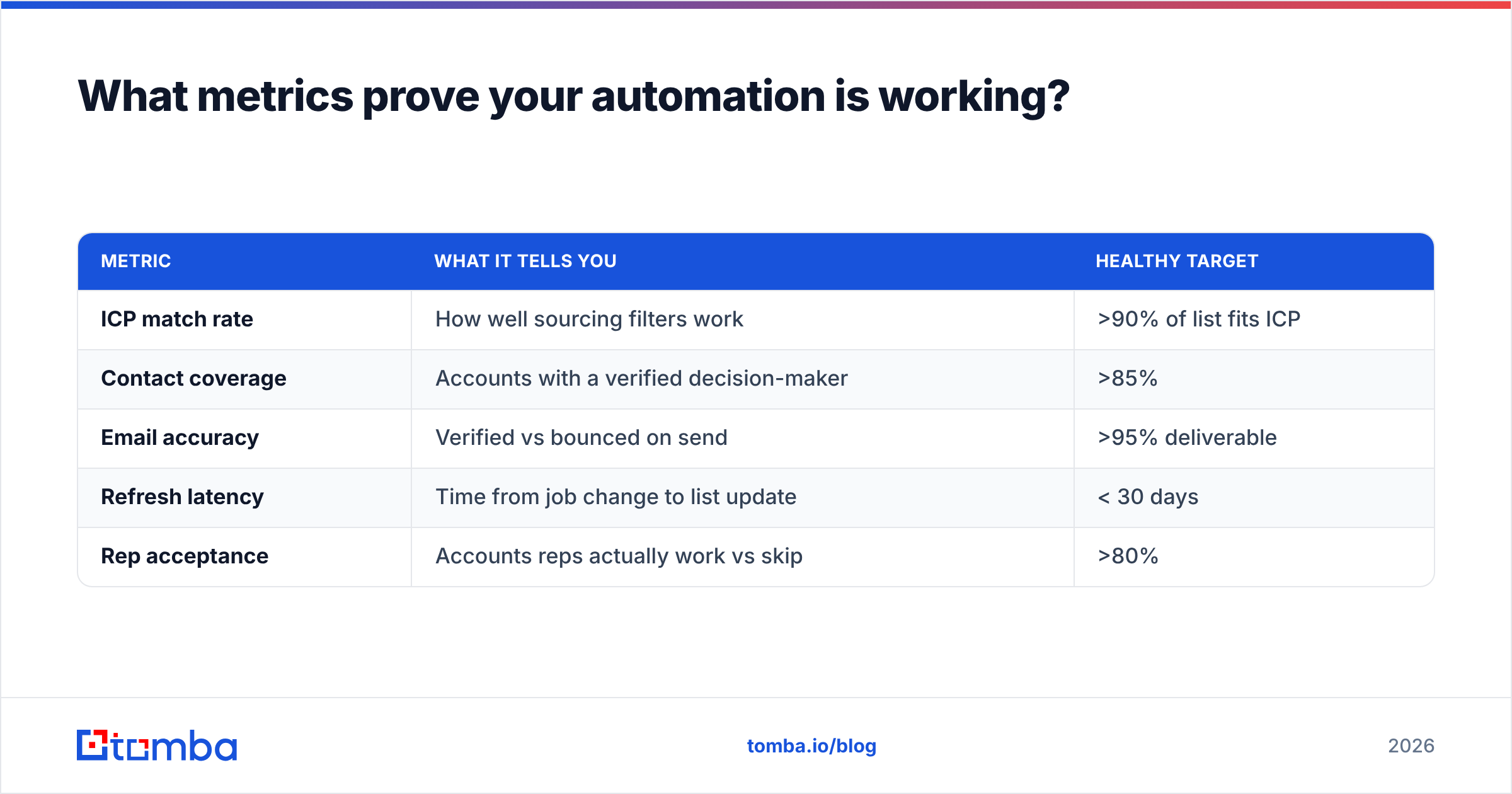
Track list health, not just list size. A 10,000-account list that's 40% stale is worse than a 2,000-account list that's 98% accurate. Report these every cycle:
| Metric | What it tells you | Healthy target |
|---|---|---|
| ICP match rate | How well sourcing filters work | >90% of list fits ICP |
| Contact coverage | Accounts with a verified decision-maker | >85% |
| Email accuracy | Verified vs bounced on send | >95% deliverable |
| Refresh latency | Time from job change to list update | < 30 days |
| Rep acceptance | Accounts reps actually work vs skip | >80% |
If contact coverage is low, your enrichment layer is weak. If email accuracy drops, your verification cadence is too slow. These numbers turn "the list feels off" into a fixable diagnosis.
How much does it cost to automate target account lists?#
Less than you think, and far less than the labor it replaces. The enrichment layer is usually the only meaningful spend for a starting team — sourcing and orchestration often ride on tools you already own.
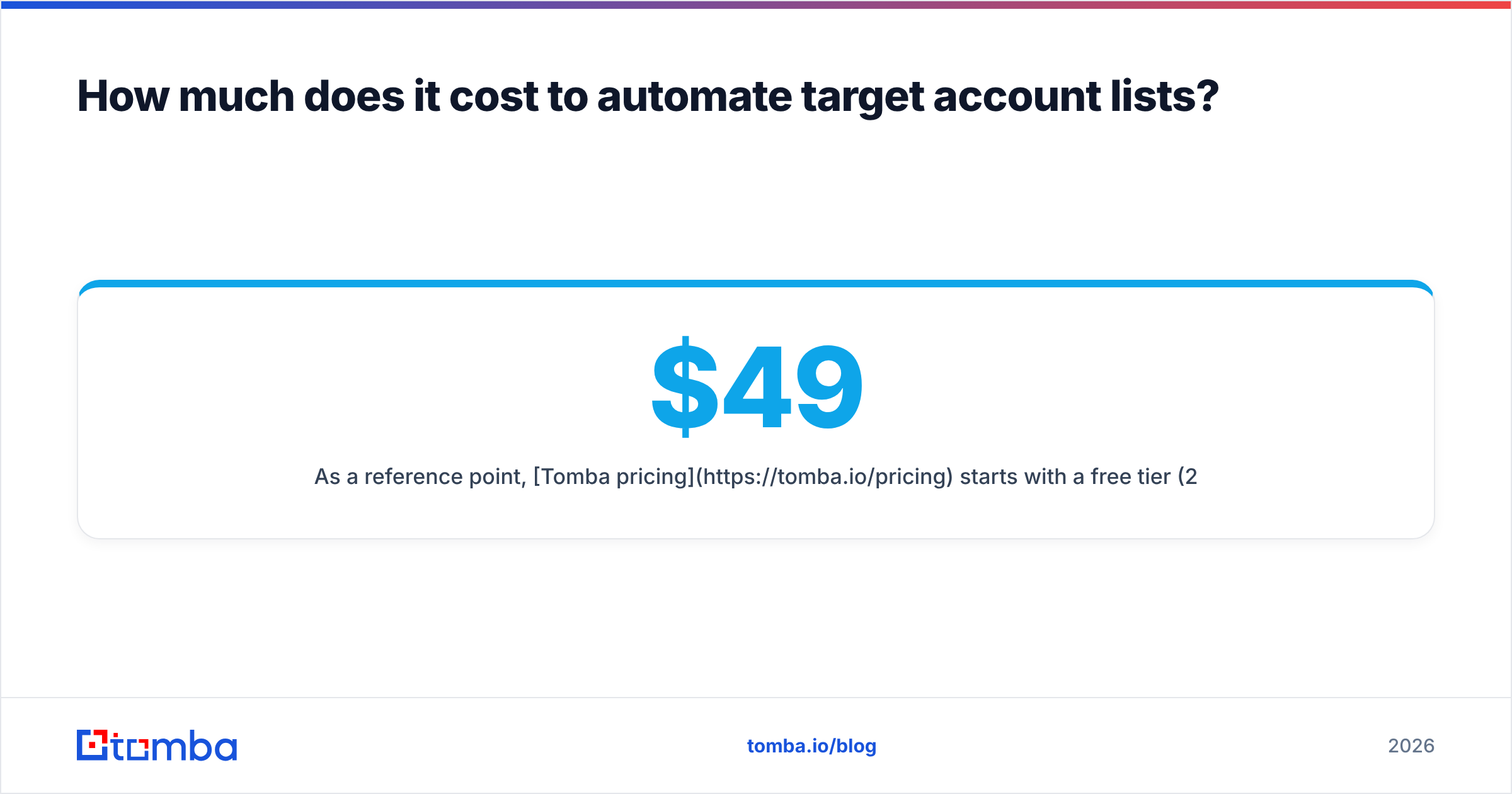
As a reference point, Tomba pricing starts with a free tier (25 searches/month) to prototype the workflow, then Starter at $49/month and Growth at $99/month for teams running real volume, up to Pro at $249/month and custom Enterprise plans. For a mid-market team enriching a few thousand accounts a quarter, the Growth tier plus a CRM you already pay for covers the entire pipeline.
Compare that to one analyst spending two weeks a quarter on manual list-building. The automation pays for itself in the first cycle, and unlike the analyst, it doesn't get bored or make typos at 4 p.m. on a Friday.
When should you NOT fully automate?#
Automation isn't a religion. Keep humans in the loop for:
- Your top strategic accounts. The 20 logos that would transform the business deserve hand-research and a named exec sponsor. Automate the enrichment, not the strategy.
- New or fuzzy ICPs. If you can't yet write your ICP as filters, you're not ready to automate sourcing — you're ready to do discovery. Automate after the pattern is clear.
- Highly regulated outreach. In some regions and industries, compliance review of contacts isn't optional. Automate enrichment; gate the send.
For everything else — the broad mid-market, the long tail, the segments where speed and coverage beat bespoke research — automate without guilt.
Conclusion: build the system once, then let it run#
A target account list should be the most reliable asset in your go-to-market stack, not the most neglected. The shift is mental as much as technical: stop thinking of the list as a deliverable you finish, and start thinking of it as a system you operate. Define the ICP as rules, source and enrich automatically, verify on a cadence, and measure health every cycle.
The enrichment layer is where automated lists live or die — it's the difference between a domain and a reachable decision-maker. Tomba's Email Finder and its API turn any company domain into verified, decision-maker contacts you can sync straight into your CRM, then re-verify on a schedule so the list never goes stale. Start on the free tier, wire up one workflow, and watch your reps stop prospecting into noise. Build the system once — then let it run.
Ready to find emails that actually work?
Join 150,000+ professionals who stopped guessing and started sending. Free credits on signup — no credit card required.
Get the Tomba newsletter
Practical outbound tactics and product updates — once every two weeks.
About the author