Best Autoreach Alternatives in 2026: Top Tools Compared
Autoreach automates cold outreach, but it isn't the only option. Here are the best Autoreach alternatives in 2026, compared on price, data quality, and deliverability.

Autoreach built a name on hands-off cold email automation, but "hands-off" only works when the data feeding it is clean and the sending stays out of spam. If you are shopping for an Autoreach alternative in 2026, you are usually solving one of three problems: bad list quality, weak deliverability controls, or pricing that scales faster than your reply rate.
This guide breaks down the strongest Autoreach alternatives, what each one is actually good at, and how to assemble a stack that lands in the inbox instead of the promotions tab.
TL;DR#
- Autoreach is fine for basic auto-sending, but most teams switch for better data accuracy, deliverability tooling, or transparent pricing.
- Your outreach is only as good as your contact data — a sending tool can't fix a list full of bounces.
- Instantly and Smartlead lead on inbox rotation and warmup; Saleshandy and lemlist lead on sequences plus personalization.
- Pair any sender with a dedicated data layer like Tomba Email Finder so you feed verified addresses into the sequence.
- Best value play: a verified-data tool ($49/mo range) plus a focused sending platform beats one expensive all-in-one suite.
What is Autoreach and why look for an alternative?#
Autoreach is a cold email automation platform built to send sequenced outreach with minimal manual touch. It handles scheduling, follow-ups, and reply detection so reps don't babysit every send. That's genuinely useful when you have a clean list and a tested offer.
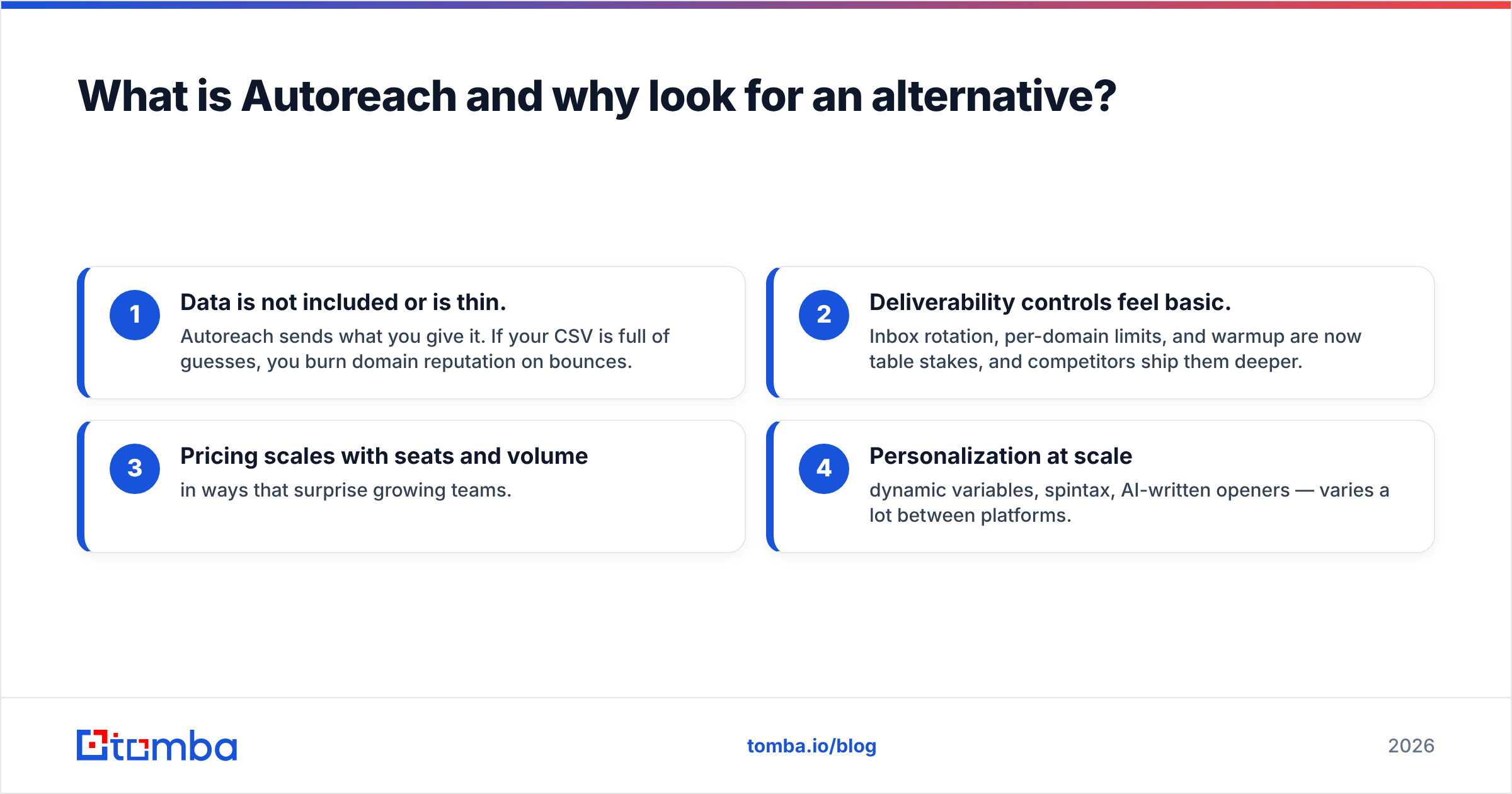
The friction shows up at the edges. Teams leave Autoreach for predictable reasons:
- Data is not included or is thin. Autoreach sends what you give it. If your CSV is full of guesses, you burn domain reputation on bounces.
- Deliverability controls feel basic. Inbox rotation, per-domain limits, and warmup are now table stakes, and competitors ship them deeper.
- Pricing scales with seats and volume in ways that surprise growing teams.
- Personalization at scale — dynamic variables, spintax, AI-written openers — varies a lot between platforms.
None of this makes Autoreach bad. It means the "right" tool depends on which of those four problems is costing you replies.

How should you evaluate an Autoreach alternative?#
Think of a cold email engine like a delivery truck. The truck (your sending platform) matters, but the addresses you load (your data) decide whether anything actually arrives. Evaluate every alternative across both halves.
- Data quality and sourcing — Does it find and verify contacts, or only send? A tool with a real email verifier keeps your bounce rate under the 2–3% threshold mailbox providers punish.
- Deliverability stack — Native warmup, inbox rotation, spintax, and bounce protection.
- Sequencing and personalization — Multi-step branching, conditional logic, AI openers, A/B testing.
- Sending limits and inbox model — Unlimited inboxes vs. per-seat caps changes your cost ceiling.
- Integrations — CRM sync (HubSpot, Salesforce, Pipedrive), Zapier, API access.
- Pricing transparency — Flat tiers vs. credit-plus-seat math.
Use those six as your scorecard. Most buyers over-index on sequence features and under-index on data — which is backwards, because a perfect sequence to a fake inbox still bounces.

Which are the best Autoreach alternatives in 2026?#
Here's the short list, grouped by what each tool does best.
1. Instantly#
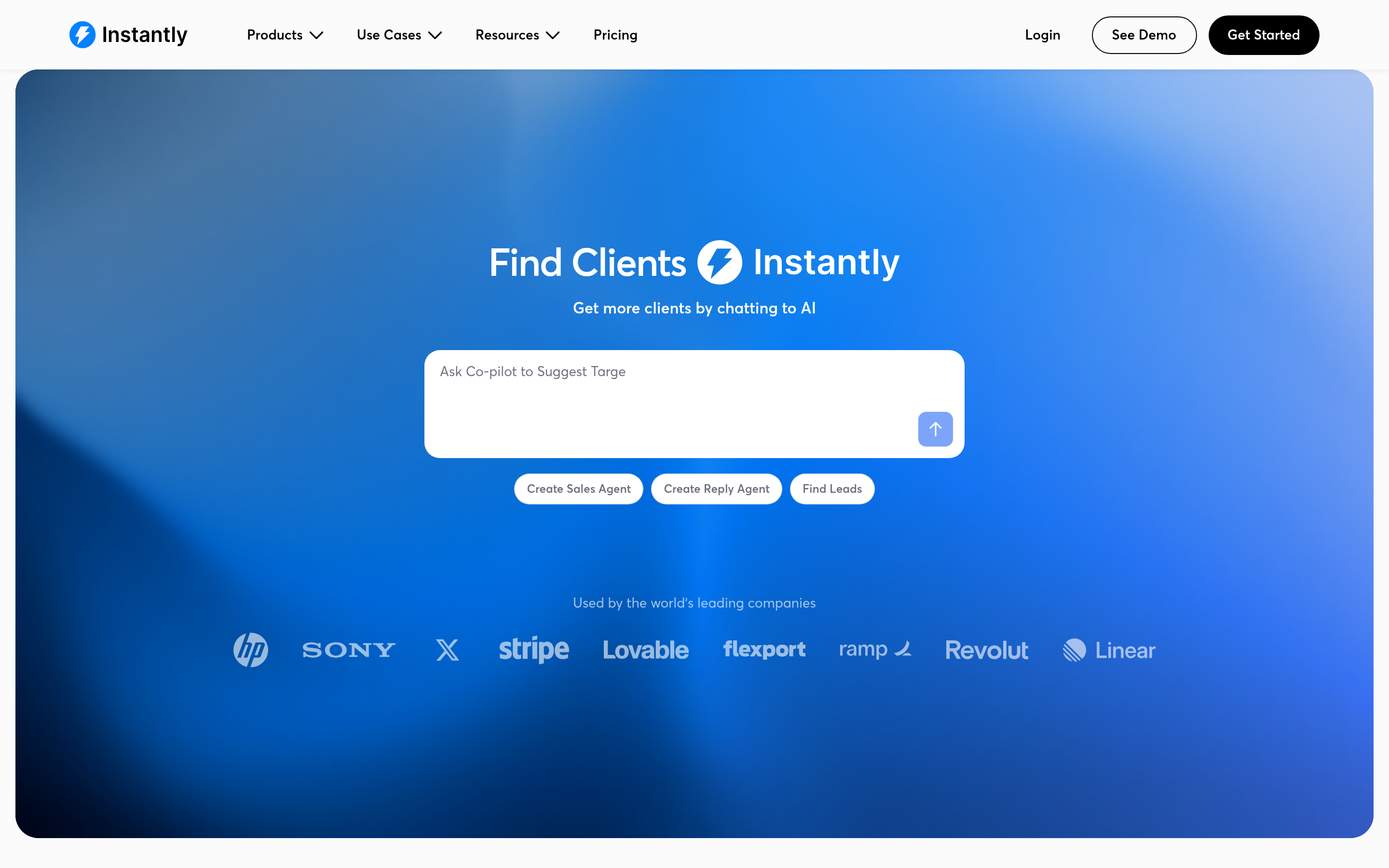
Instantly is the deliverability-first choice. Unlimited email accounts, a large warmup network, and inbox rotation make it a favorite for high-volume agencies. The trade-off is that data enrichment is secondary, so you'll still pair it with a finder. If you're weighing it, see how it stacks up as an Instantly alternative on data depth.
2. Smartlead#
Smartlead competes directly with Instantly on unlimited inboxes and warmup, and adds a flexible API plus a master-inbox view that agencies like for managing many clients. Sequence logic is solid; native contact data is light.
3. Saleshandy#
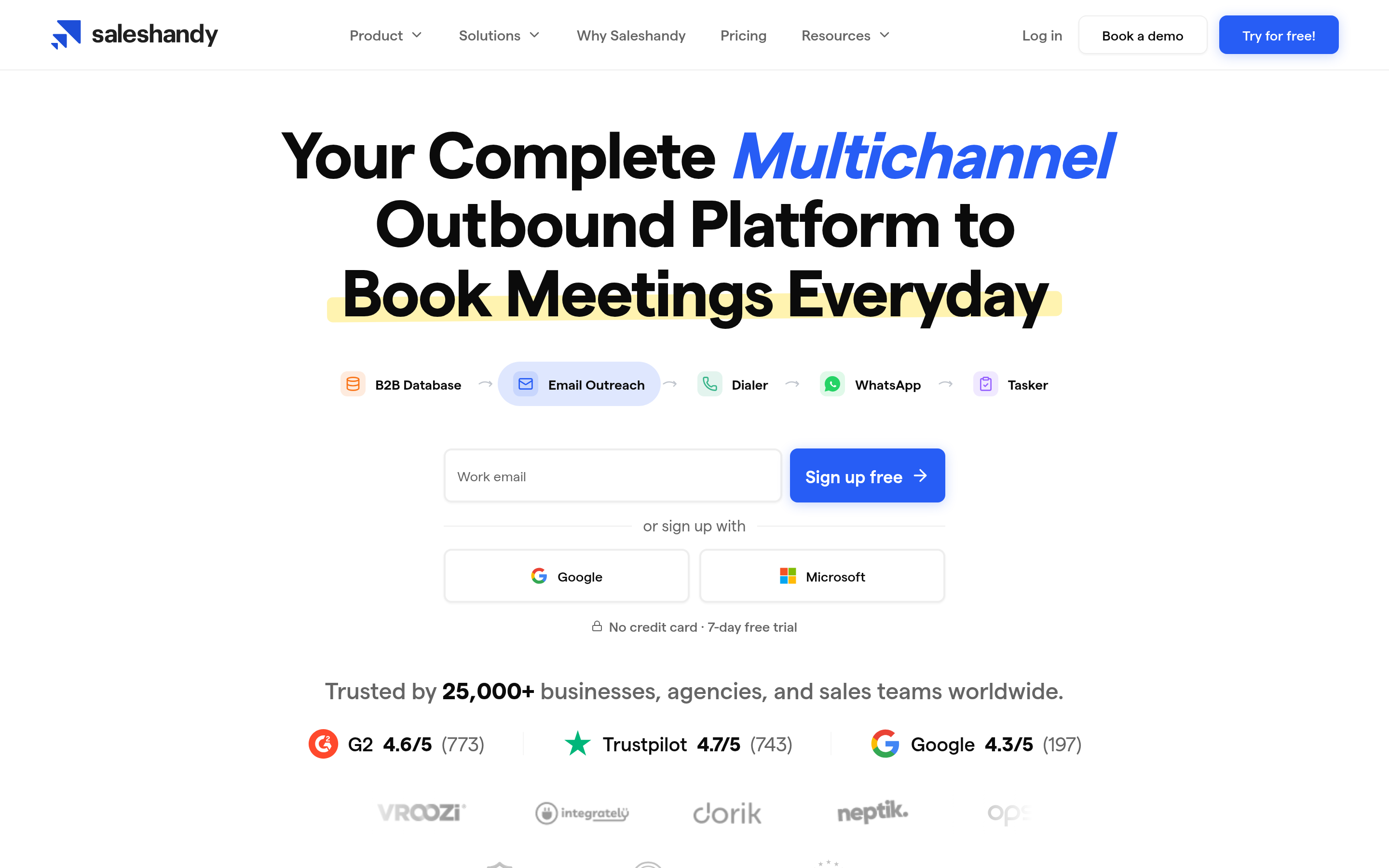
Saleshandy leans into sequences, sender rotation, and a built-in lead database. It's a closer match to Autoreach's "automate the whole flow" pitch, with more transparent tiers. Compare it as a Saleshandy alternative if database size is your deciding factor.
4. lemlist#
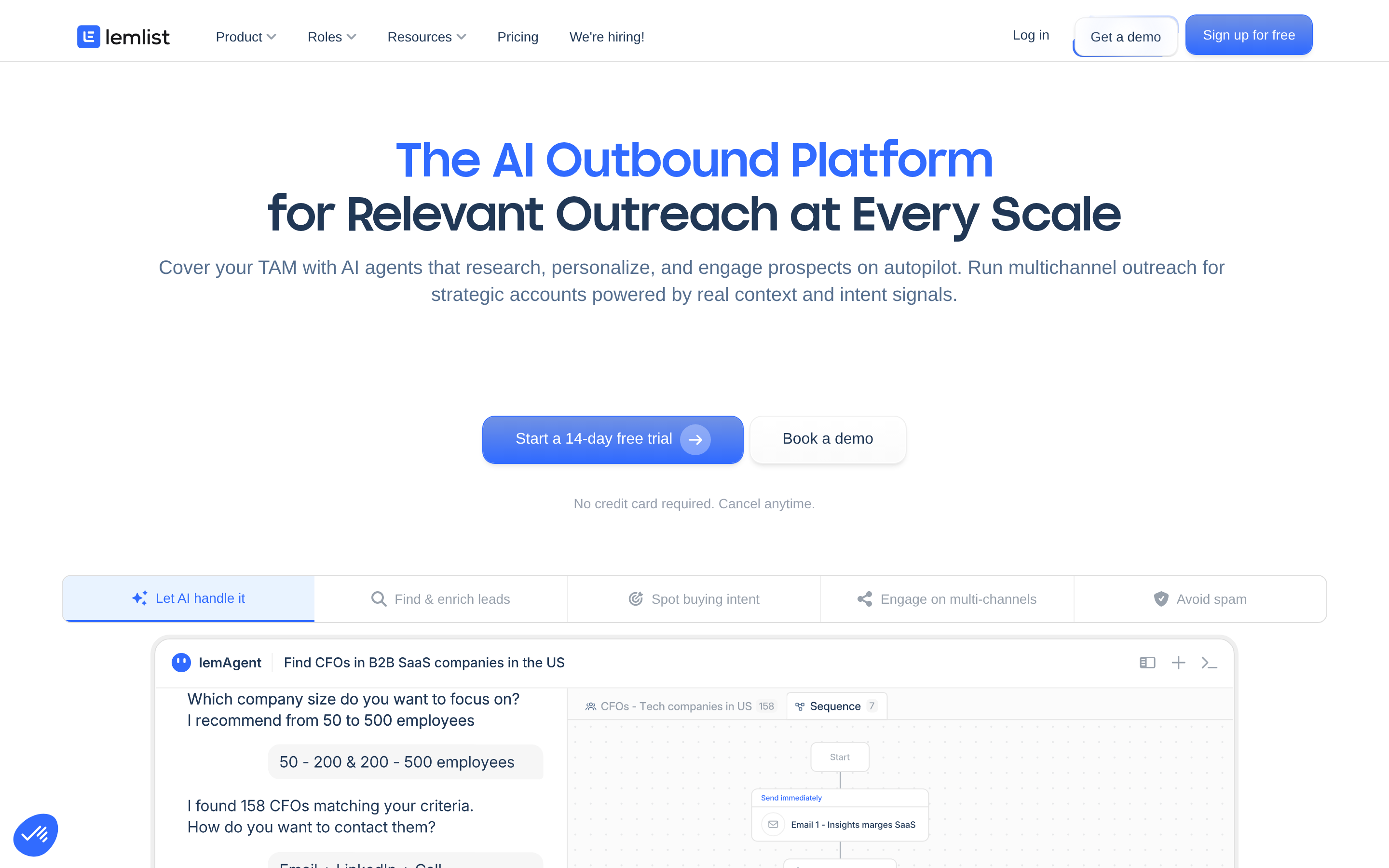
lemlist's edge is personalization — dynamic images, custom landing pages, and multichannel steps (email plus LinkedIn). It's pricier per seat, so it fits teams selling on personalization rather than raw volume.
5. Reply.io#

Reply.io is the multichannel all-rounder: email, calls, LinkedIn, and SMS in one sequence engine, with AI features layered on. Good for blended SDR motions; heavier to configure.
6. Tomba (the data layer)#
Tomba isn't a bulk sender — it's the part that makes every sender above work. Use it to find email addresses by name, company, or domain, verify them, and enrich the record before it ever enters a sequence. Plug clean data into Instantly, Smartlead, or Saleshandy and your bounce rate drops on day one.
How do the top Autoreach alternatives compare?#
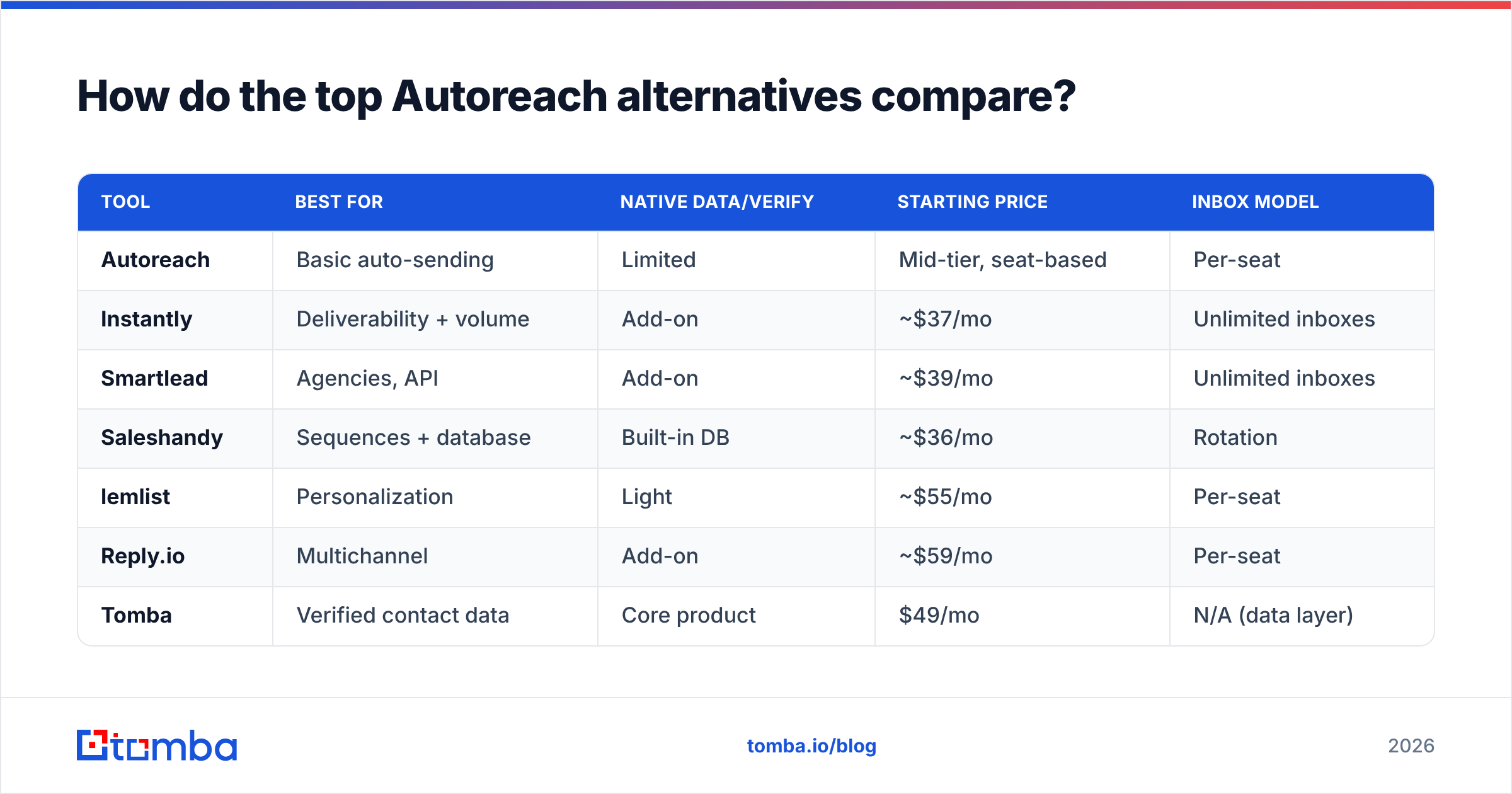
| Tool | Best for | Native data/verify | Starting price | Inbox model |
|---|---|---|---|---|
| Autoreach | Basic auto-sending | Limited | Mid-tier, seat-based | Per-seat |
| Instantly | Deliverability + volume | Add-on | ~$37/mo | Unlimited inboxes |
| Smartlead | Agencies, API | Add-on | ~$39/mo | Unlimited inboxes |
| Saleshandy | Sequences + database | Built-in DB | ~$36/mo | Rotation |
| lemlist | Personalization | Light | ~$55/mo | Per-seat |
| Reply.io | Multichannel | Add-on | ~$59/mo | Per-seat |
| Tomba | Verified contact data | Core product | $49/mo | N/A (data layer) |
Prices move, so confirm current tiers on each vendor's page before you commit. The pattern that matters: the dedicated sending tools start cheap but assume you bring your own verified data, and the all-in-ones charge a premium to bundle a thinner database.
Is a single all-in-one tool better than a stack?#
A focused stack usually wins on both cost and quality. Here's the honest comparison.
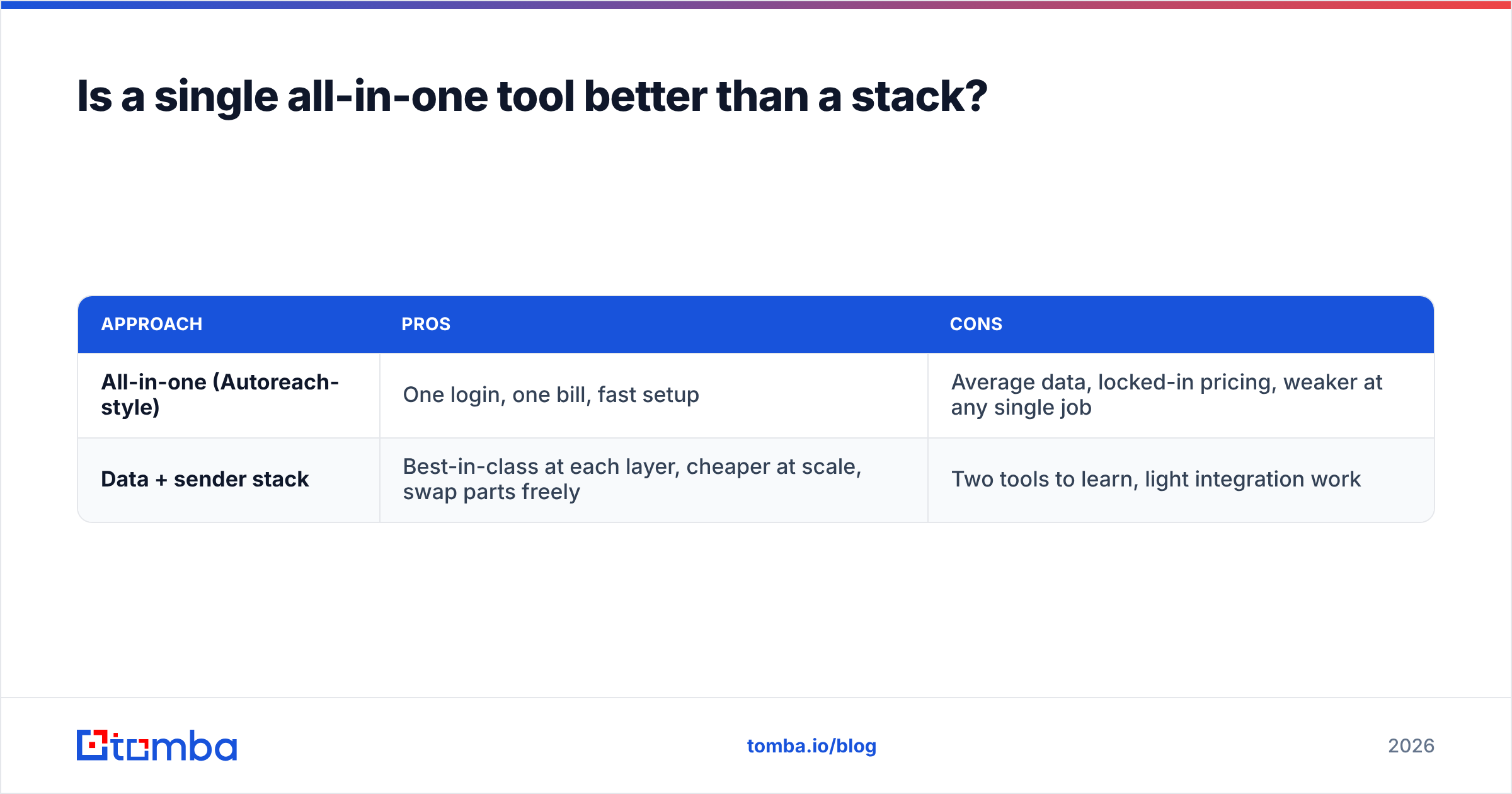
| Approach | Pros | Cons |
|---|---|---|
| All-in-one (Autoreach-style) | One login, one bill, fast setup | Average data, locked-in pricing, weaker at any single job |
| Data + sender stack | Best-in-class at each layer, cheaper at scale, swap parts freely | Two tools to learn, light integration work |
If you send to a few hundred prospects a month and value simplicity, an all-in-one is fine. If you send thousands and reply rate is a KPI, splitting data and delivery pays off fast. You control the bounce rate at the source instead of hoping the bundled database is accurate.

Why does data quality decide your reply rate?#
Because mailbox providers score you on behavior, and bounces are the fastest way to wreck that score. Cold outreach lives and dies on email deliverability, and deliverability collapses the moment your bounce rate climbs.
A practical pre-send checklist:
- Find verified addresses, don't guess formats. Pattern-guessing inflates bounces.
- Verify the whole list before import — catch-alls, role accounts, and dead inboxes.
- Warm up new sending domains for 2–4 weeks before volume sending.
- Keep daily volume per inbox conservative (think dozens, not hundreds) and rotate.
- Personalize the first line so filters and humans both read it as one-to-one.
Steps 1 and 2 are data problems your sending tool can't solve. That's exactly why a finder-plus-verifier layer sits in front of every serious cold email stack. You can pull a whole company's contacts with domain search, then clean the result before a single message goes out.
What does the workflow look like in practice?#
Map it end to end so the tools have clear jobs:
- Source — Build the target account list (your ICP filters, LinkedIn, conference lists).
- Find — Use Tomba to get professional emails by domain or name, in bulk if needed.
- Verify — Run the list through verification; drop risky and invalid addresses.
- Sequence — Load clean contacts into Instantly, Smartlead, Saleshandy, or your sender of choice.
- Personalize — Add dynamic variables and a tested opener; A/B the subject line.
- Send and rotate — Spread volume across warmed inboxes with conservative daily caps.
- Measure — Track replies, not opens (opens are unreliable post-MPP). Refresh the list monthly.
This is the stack that replaces Autoreach for most growing teams: a strong data layer, a deliverability-focused sender, and a tight feedback loop. If you still want one of the sequence platforms, you're now feeding it the cleanest possible input.
What about pricing — where do you actually save?#
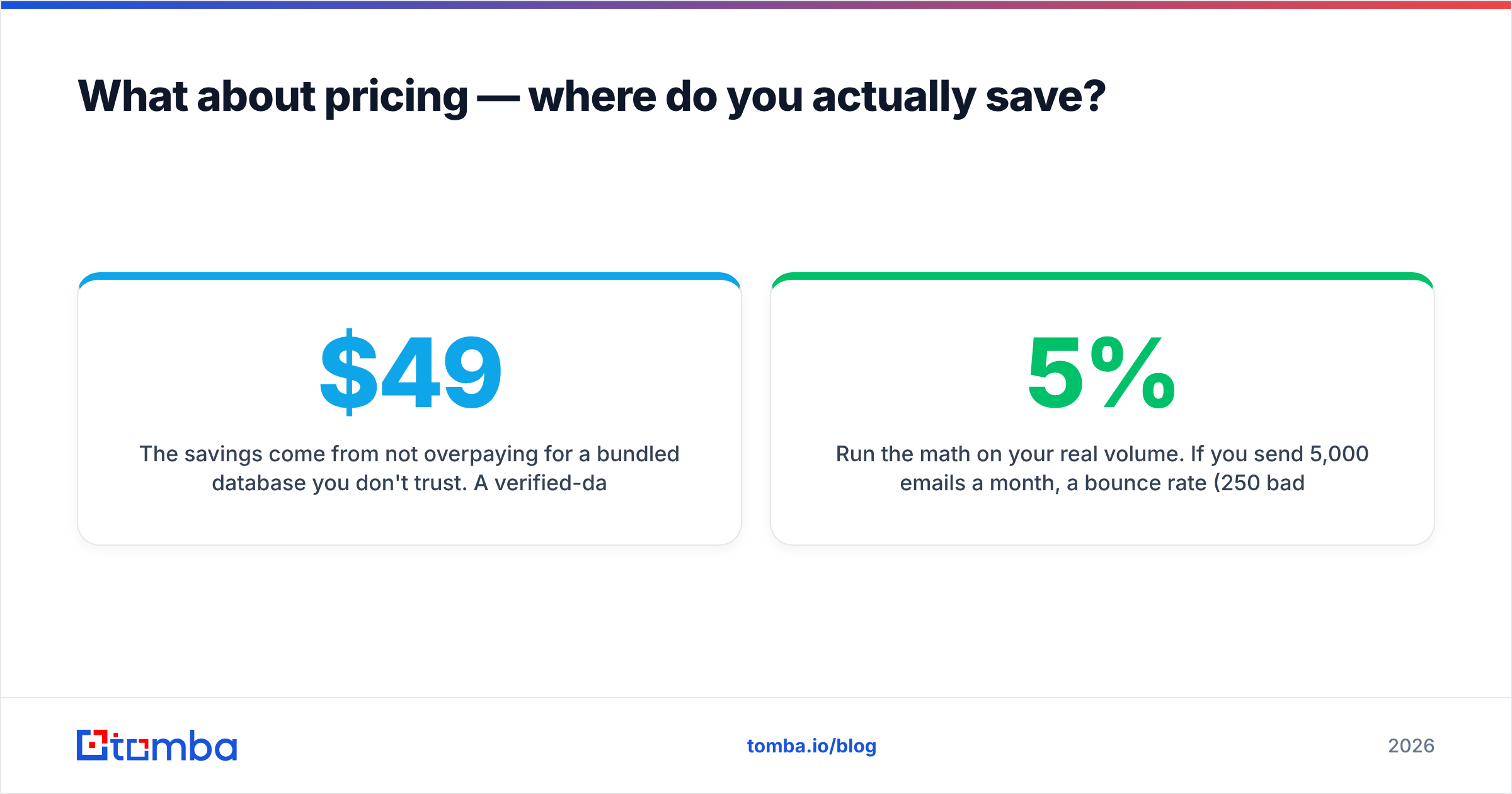
The savings come from not overpaying for a bundled database you don't trust. A verified-data tool in the $49/mo range plus a low-cost sender often costs less than a single mid-tier all-in-one seat — and produces better numbers because the data is genuinely verified. Tomba's own tiers run from a free plan (25 searches) through Starter at $49/mo, Growth at $99/mo, and Pro at $249/mo; full breakdowns are on the Tomba pricing page.
Run the math on your real volume. If you send 5,000 emails a month, a 5% bounce rate (250 bad sends) on a bundled list will cost you more in domain reputation than the price difference between tools. Cleaner data is the cheapest deliverability upgrade you can buy.
For deeper vendor research, cross-check user reviews on G2 and compare sequence features against HubSpot's sales tools if you're already in that ecosystem. And if you want to see Autoreach's own current feature set, start at the official Autoreach site.
Which Autoreach alternative should you pick?#
- You want max deliverability and volume: Instantly or Smartlead, fed by verified data.
- You want sequences plus a built-in database: Saleshandy.
- You sell on personalization and multichannel: lemlist or Reply.io.
- You want to fix the root cause — bad lists: start with the data layer, then choose any sender.
The tool that consistently moves reply rate isn't the flashiest sequencer; it's the one that guarantees every address is real before you hit send.
Get verified data into your outreach today#
Whatever sender you land on, your cold email is only as strong as the list behind it. Start with Tomba Email Finder to find and verify professional emails by name, company, or domain, then pipe that clean data straight into Instantly, Smartlead, Saleshandy, or any Autoreach alternative on this list. Spin up the free plan, run your first 25 searches, and watch your bounce rate — and your replies — move in the right direction. Clean data first, automation second. That's the stack that actually books meetings.
Ready to find emails that actually work?
Join 150,000+ professionals who stopped guessing and started sending. Free credits on signup — no credit card required.
Get the Tomba newsletter
Practical outbound tactics and product updates — once every two weeks.
About the author