What Are B2B APIs? The 2026 Guide to Data & Lead APIs
B2B APIs quietly power your CRM, enrichment, and outreach stack. Here's how they work in 2026, which types matter, and how to pick one that won't break your pipeline.
TL;DR
- A B2B API is a programmatic doorway that lets your software pull business data — emails, firmographics, phone numbers, intent signals — without anyone copy-pasting spreadsheets.
- The main categories you'll actually touch are data/enrichment APIs, email-finder and verification APIs, CRM APIs, and outreach/automation APIs.
- Pricing usually runs on credits or per-call tiers; the cheapest sticker price is rarely the cheapest real cost once you factor accuracy and wasted sends.
- Accuracy, rate limits, documentation quality, and verification are the four things that decide whether an integration ships or stalls.
- For lead data specifically, a focused provider like the Tomba API tends to beat all-in-one suites on cost-per-valid-record.
What is a B2B API?#
A B2B API is a contract between two business systems that lets one ask the other for data and get a structured answer back — instantly, repeatedly, and without a human in the loop.
Think of it like a drive-through window. You pull up, say exactly what you want through the speaker (the request), and a moment later a packaged order comes back through the window (the response). You never walk into the kitchen, you never see how the food is made, and the menu tells you precisely what you can order. An API works the same way: your application sends a request in a defined format, the provider's servers do the work, and you get back clean JSON you can drop straight into your product or CRM.
In B2B specifically, "API" almost always means one of a few jobs: find a contact, verify that contact, enrich a company record, or push a lead into a workflow. The difference between a startup that scales outbound and one that drowns in manual research is often just whether these jobs run through code or through copy-paste.
What are the main types of B2B APIs?#
Most B2B stacks lean on four families of API. They overlap, but each solves a distinct problem.
- Data & enrichment APIs — Take a thin input (a domain, a name, an email) and return a fat record: company size, industry, revenue band, tech stack, social profiles. This is the backbone of data enrichment and lead scoring.
- Email-finder & verification APIs — Find the working email for a person at a company, then confirm it's deliverable before you send. Tomba's email finder and email verifier both expose endpoints for exactly this.
- CRM & system-of-record APIs — Read and write contacts, deals, and notes in HubSpot, Salesforce, Pipedrive, and friends. These are how enriched data actually lands somewhere a rep will see it.
- Outreach & automation APIs — Trigger sequences, sync activity, and orchestrate multi-tool workflows through platforms like
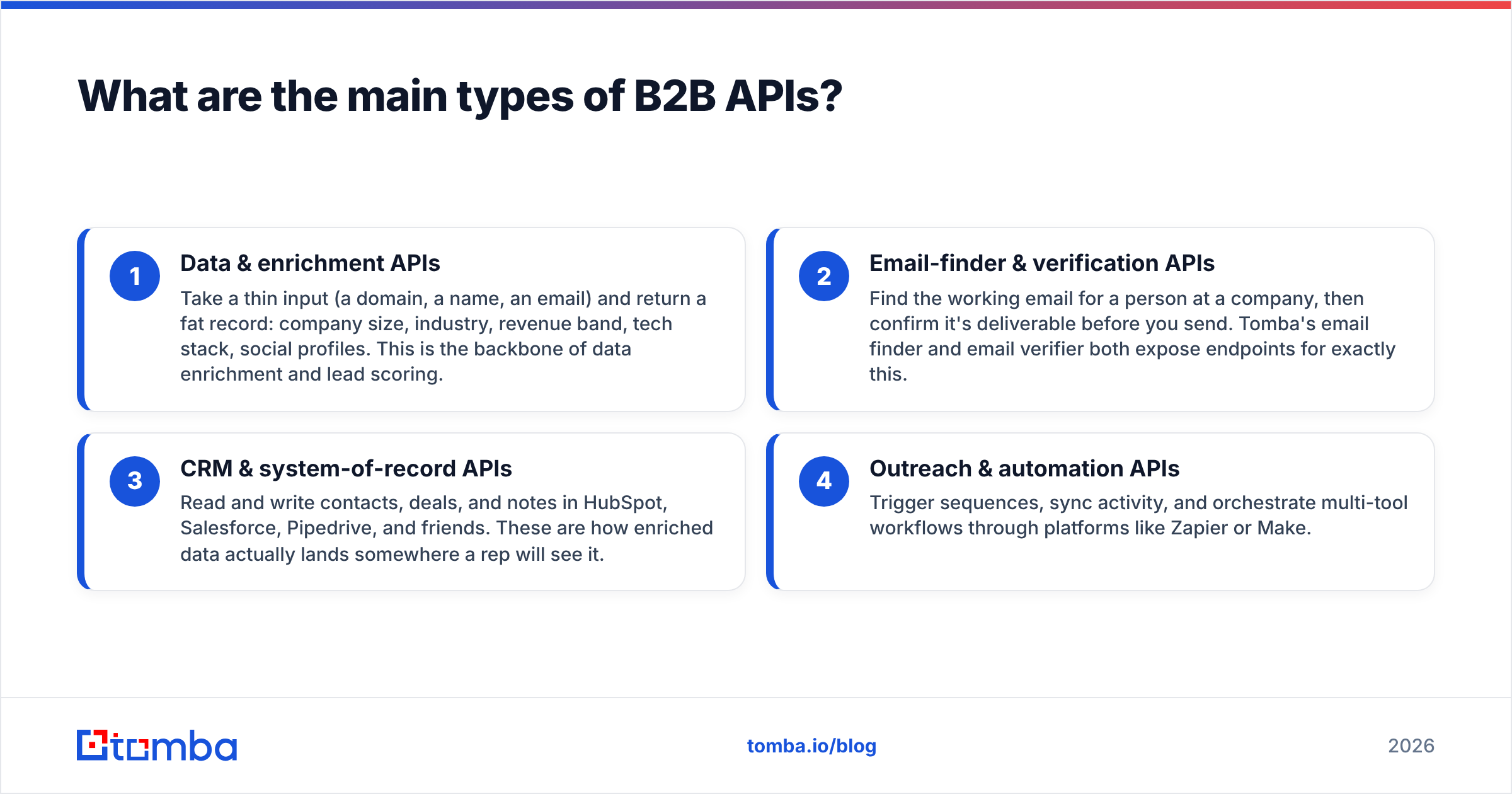
Zapier or Make.
The trap teams fall into is buying one "platform" that claims to do all four, then discovering its data layer is mediocre. In practice, the strongest stacks mix a best-in-class data API with whatever CRM and automation tools the company already runs.
How do B2B data APIs actually work?#
Conclusion first: you authenticate, send a request with parameters, and parse a JSON response — usually in under a second per call.
Here's the typical flow for an email-finder API call:
- Authenticate. You pass an API key (and often a secret) in the request headers. This identifies your account and meters your usage.
- Send parameters. For domain search you'd send something like
domain=stripe.com; for a specific person you'd addfirst_nameandlast_name. - Receive structured data. The API returns JSON with the email, a confidence score, the discovered pattern (e.g.
{first}@{domain}), sources, and verification status. - Handle the response. Your code checks the confidence score, decides whether to keep or discard the record, and writes it to your database or CRM.
The reason verification matters so much is that finding an email and confirming it works are two different operations. A finder might return john@acme.com with 80% confidence; a catch-all verifier tells you whether the domain accepts everything (and therefore whether that 80% is trustworthy). Good APIs expose both so you're not guessing.
If you want to see where the underlying records come from before you trust them, reputable providers publish their data sources openly — that transparency is a fair proxy for accuracy.
How do you choose a B2B API in 2026?#
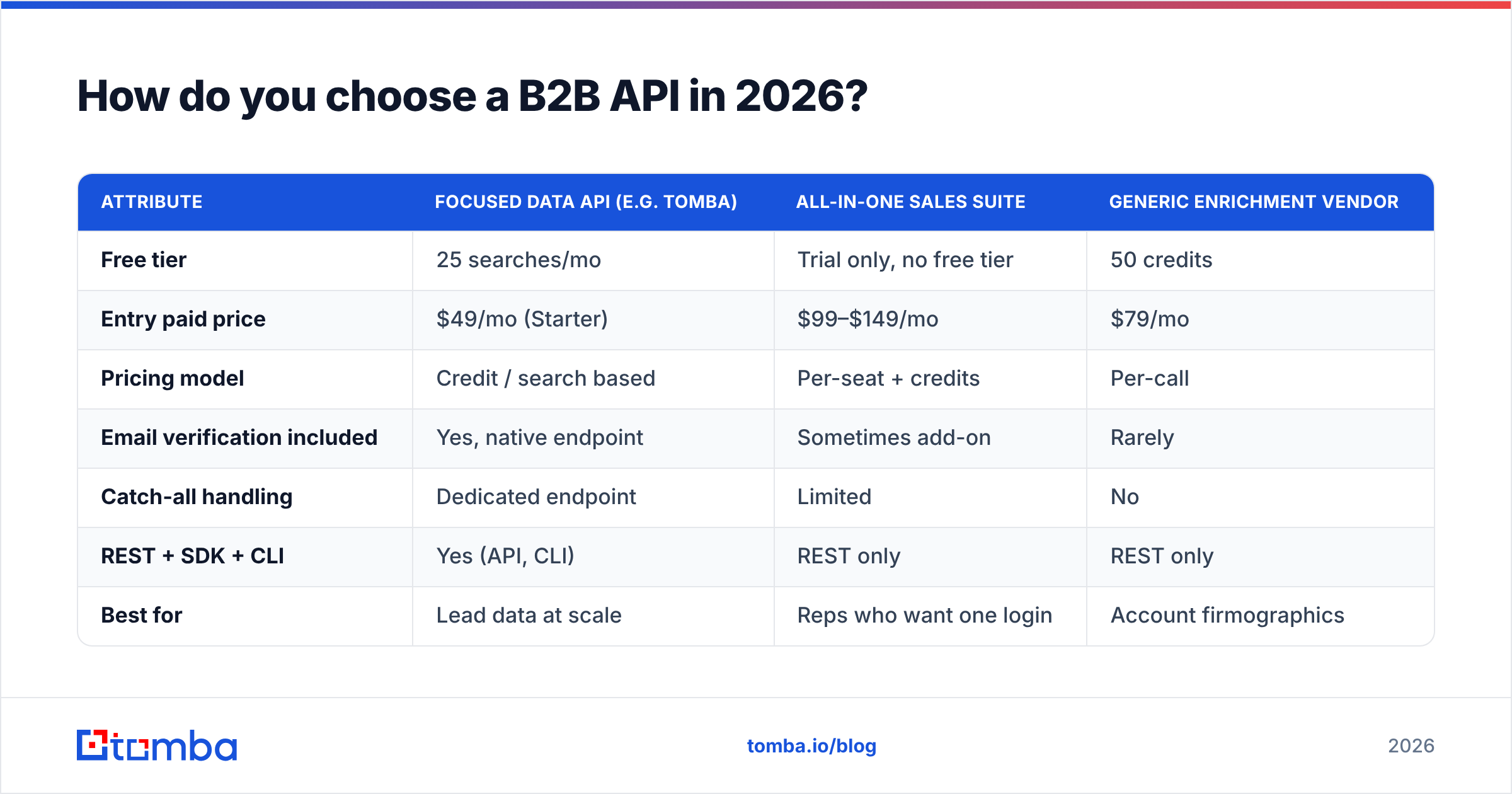
Pick on accuracy and total cost-per-valid-record, not sticker price. The table below shows the attributes that actually separate providers, using common B2B API pricing shapes.
| Attribute | Focused data API (e.g. Tomba) | All-in-one sales suite | Generic enrichment vendor |
|---|---|---|---|
| Free tier | 25 searches/mo | Trial only, no free tier | 50 credits |
| Entry paid price | $49/mo (Starter) | $99–$149/mo | $79/mo |
| Pricing model | Credit / search based | Per-seat + credits | Per-call |
| Email verification included | Yes, native endpoint | Sometimes add-on | Rarely |
| Catch-all handling | Dedicated endpoint | Limited | No |
| REST + SDK + CLI | Yes (API, CLI) | REST only | REST only |
| Best for | Lead data at scale | Reps who want one login | Account firmographics |
A few buying rules that hold up across vendors:
- Test on your own list. Vendor-published accuracy numbers are best-case. Run 200 of your real target accounts through a free tier before committing. Check Tomba's pricing and start on the free 25-search tier for exactly this.
- Read the rate limits. A great API that caps you at 10 requests/second can still throttle a bulk job. Match limits to your batch sizes, or use a bulk endpoint built for volume.
- Demand verification. If a "lead API" can't tell you whether an email is deliverable, you're buying bounce risk, not leads.
- Check the docs. Clear, example-rich documentation is the single best predictor of a fast integration. If the docs are thin, the support will be too.
What does B2B API pricing usually look like?#
Most B2B APIs price on one of three models, and knowing which you're buying prevents nasty invoices.
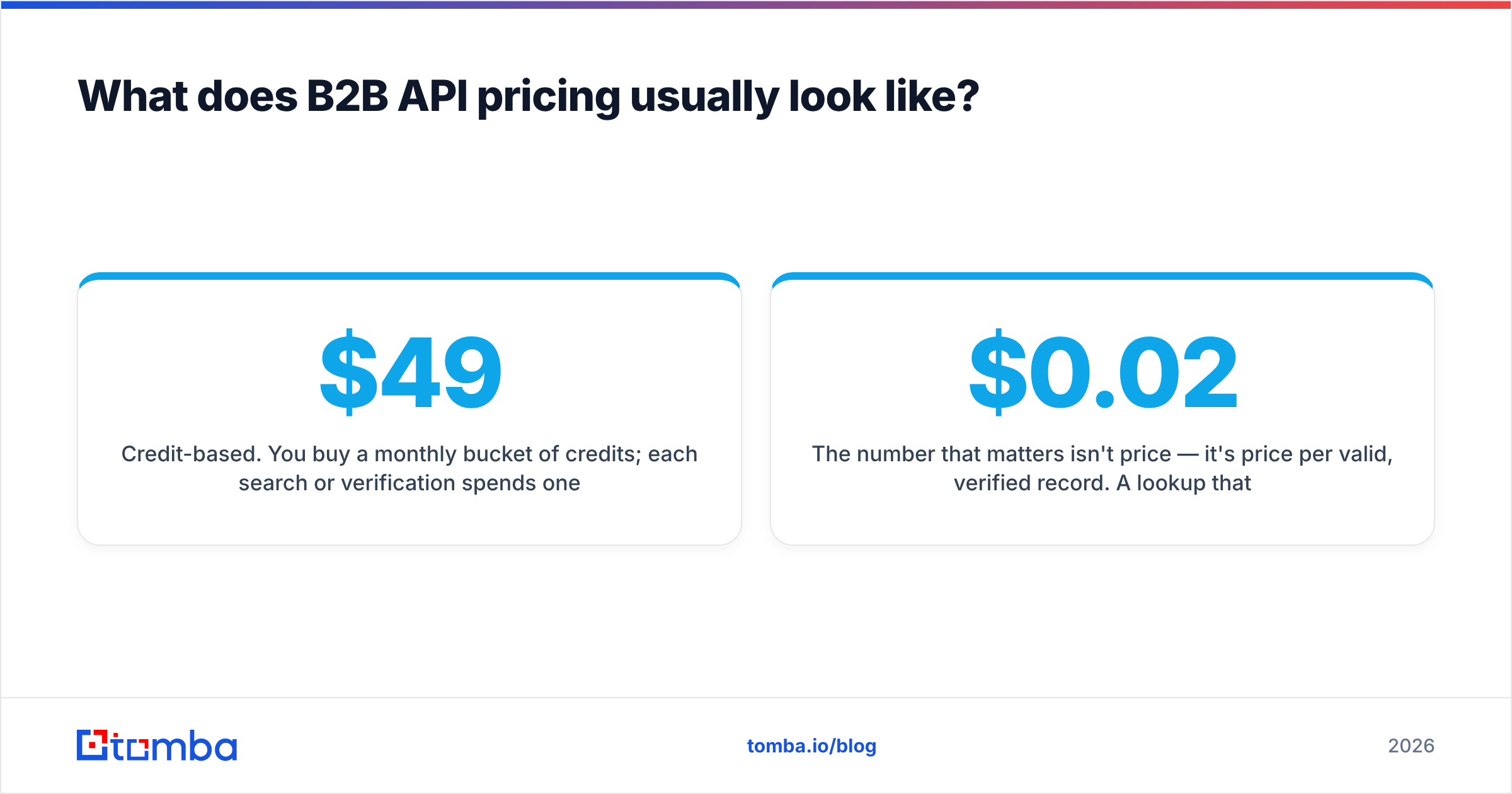
- Credit-based. You buy a monthly bucket of credits; each search or verification spends one or more. This is the most common model for lead-data APIs and the easiest to forecast. Tomba runs this way — Free (25 searches), Starter at $49/mo, Growth at $99/mo, and Pro at $249/mo, with Enterprise custom.
- Per-call. You pay for every request regardless of result. Simple, but you pay for misses too, which punishes you on hard-to-find contacts.
- Per-seat plus usage. Common in all-in-one suites: a base fee per user, then metered data on top. Costs balloon as the team grows.
The number that matters isn't price per credit — it's price per valid, verified record. A $0.02 lookup that's wrong 30% of the time costs more than a $0.04 lookup that's right 95% of the time, once you count the deliverability damage from bouncing on bad addresses. Bounces hurt your sender reputation, and a damaged domain costs far more than any API subscription. For deeper benchmarks on how independent reviewers score these tools, sites like G2 and Capterra aggregate verified user ratings worth scanning before you buy.
How do B2B APIs fit into a real stack?#
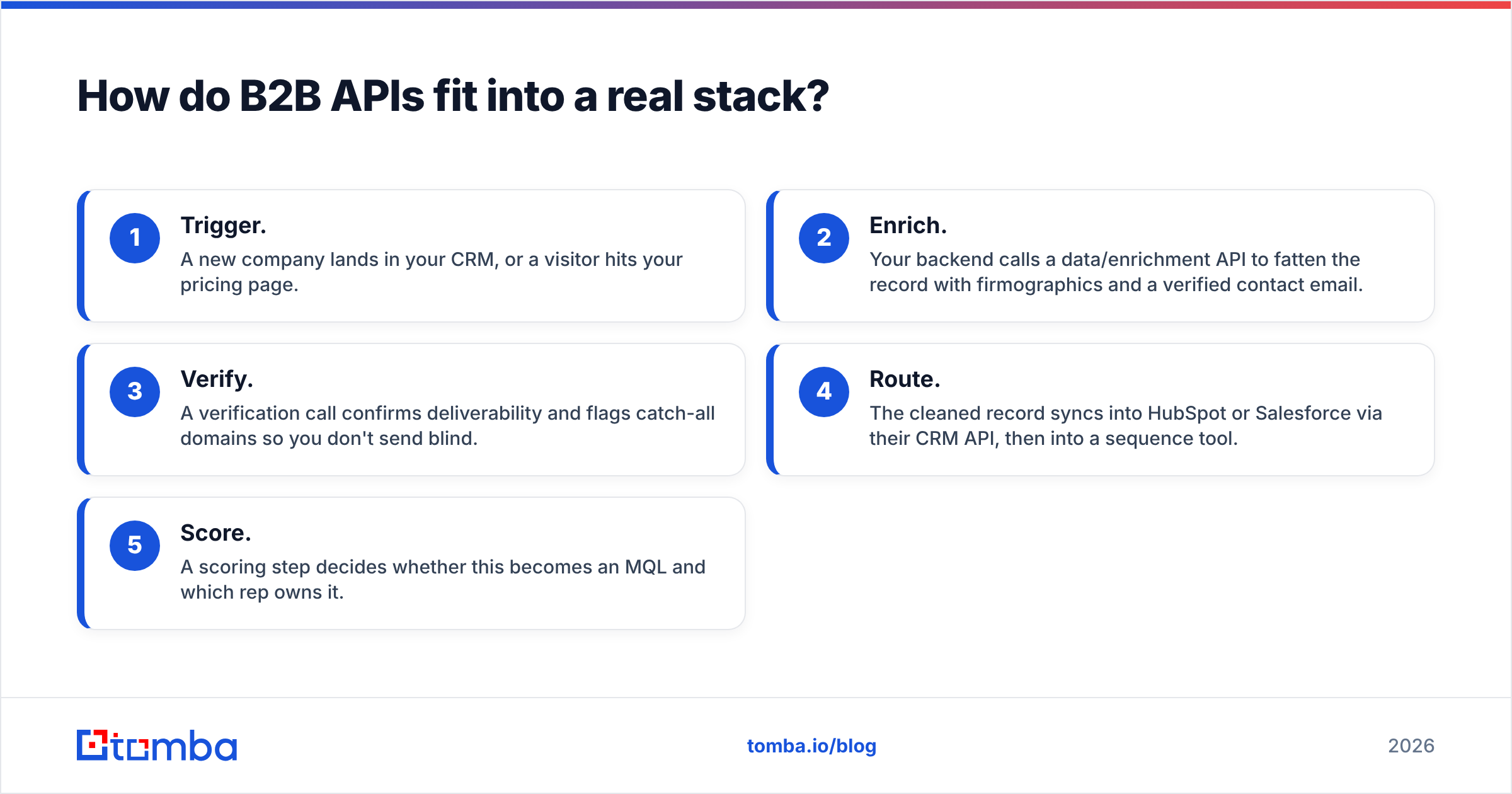
A B2B API is one node in a pipeline, not the whole machine. Here's a concrete, common pattern teams ship in 2026:
- Trigger. A new company lands in your CRM, or a visitor hits your pricing page.
- Enrich. Your backend calls a data/enrichment API to fatten the record with firmographics and a verified contact email.
- Verify. A verification call confirms deliverability and flags catch-all domains so you don't send blind.
- Route. The cleaned record syncs into HubSpot or Salesforce via their CRM API, then into a sequence tool.
- Score. A scoring step decides whether this becomes an MQL and which rep owns it.
Each step is an API call, and the chain only works if the data layer is accurate — garbage in step two pollutes everything downstream. This is why so many teams that started with a single bloated suite end up swapping the data layer for a dedicated provider while keeping their CRM and automation tools. The official docs for the big CRMs — for example HubSpot's API reference — make these swaps straightforward, because everyone speaks REST and JSON.
For non-developers, the same calls are available without code: Tomba ships a Chrome extension, a Google Sheets add-on, and native integrations so ops teams can run enrichment without waiting on engineering.
What are common mistakes when integrating a B2B API?#
The failures are predictable, which means they're avoidable.
- No error handling. APIs time out, rate-limit, and occasionally return nothing. Wrap calls in retry logic with backoff, or a single bad batch night kills your pipeline.
- Trusting confidence scores blindly. A 70% score is a maybe, not a yes. Set a threshold and verify anything below it.
- Ignoring catch-all domains. Roughly a third of corporate domains accept any address. Without catch-all detection you'll log "valid" emails that silently vanish.
- Skipping deduplication. Pulling the same contact through multiple sources burns credits and pollutes your CRM. Dedupe before you write.
- Hardcoding for one vendor. Abstract the provider behind your own interface so swapping data APIs later is a config change, not a rewrite.
Get these five right and a B2B API integration goes from a fragile science experiment to boring infrastructure — which is exactly what you want it to be.
Frequently asked questions#
Is a B2B API the same as a database export? No. An export is a static snapshot that decays the moment you download it. A B2B API returns live data on demand, so the contact you pull today reflects today's reality, not last quarter's.
Do I need a developer to use one? For raw API calls, yes — but most serious providers also offer no-code paths. With Tomba you can run the same lookups through a browser extension, Sheets, or Zapier without writing a line.
How accurate are B2B email APIs? The good ones land in the 90%+ range on findable contacts, but accuracy depends on the company, role seniority, and whether the domain is catch-all. Always verify, and always test on your own list rather than trusting a marketing page.
The bottom line#
B2B APIs are the plumbing of modern revenue teams: invisible when they work, catastrophic when they leak. The winning move in 2026 isn't buying the biggest suite — it's pairing a focused, accurate data API with the CRM and automation tools you already trust.
If your priority is finding and verifying business emails at scale without paying suite prices, start with the Tomba Email Finder and its API. The free tier gives you 25 searches a month to test accuracy on your own accounts, native verification keeps your sender reputation intact, and credit-based pricing means you pay for results, not seats. Run your real target list through it before you commit to anything bigger — the cost-per-valid-record will make the decision for you.
// get started
Find, verify and enrich your first contacts today
Start on the free plan with 25 searches a month, then scale when your team is ready.
Free plan · No credit card required · GDPR & CCPA
// about the author