B2B Buyer Journey Mapping: The Complete 2026 Framework
B2B buyer journey mapping turns guesswork into a repeatable revenue system. Here is the 2026 framework, stage-by-stage, with the data and tools that make it work.
TL;DR
- B2B buyer journey mapping is the practice of documenting every stage a buying committee moves through — from first problem-awareness to renewal — and attaching the content, data, and sales actions each stage needs.
- The modern B2B journey is non-linear: a committee of 6–10 people loops between research, internal debate, and vendor contact. Linear funnels miss this.
- A good map is built on three pillars: stages, personas in the buying group, and the trigger that moves a buyer forward.
- Accurate contact data is the fuel. A perfect map fails if you can't reach the right person at the right account — that's where enrichment and an email finder earn their keep.
- Below: a full stage-by-stage framework, a comparison of mapping approaches, the metrics that matter, and the common mistakes that quietly kill conversion.
What is B2B buyer journey mapping?#
B2B buyer journey mapping is the process of laying out, stage by stage, how an organization moves from "we might have a problem" to "we signed the contract" — and then deciding what your team does at each step to help that decision along.
Think of it like a subway map for a city you don't live in. The buyer is the rider. They don't care about your internal departments (the train operators); they care about getting from where they are to where they want to be with the fewest confusing transfers. Your job is to make every connection obvious. Technically, the map is a documented model that ties buyer stages to triggers, content, owners, and data requirements.
The critical difference from B2C: in B2B you are not mapping one person. According to Gartner research, the typical buying group for a complex B2B solution involves six to ten decision-makers, each armed with their own information and often pulling in different directions. Your map has to account for a committee, not a customer.
Why does the B2B buyer journey look nothing like a funnel?#
Because buyers don't move in a straight line. The clean funnel — awareness, consideration, decision, stacked top to bottom — is a useful teaching tool and a terrible operational model.
Real buying groups do what Gartner calls "looping." A buyer enters consideration, hits an internal objection, jumps back to problem exploration, loops in a new stakeholder from security or finance, and re-opens requirements you thought were closed. Roughly 80% of the buying journey now happens before a prospect ever talks to your sales team, much of it across anonymous web research, peer communities, and review sites like G2.
That has three consequences for your map:
- Stages overlap. A buyer can be in "decision" for the executive sponsor while still in "awareness" for the new CFO who just joined the committee.
- Channels are self-serve first. Your content has to sell when no rep is in the room.
- Timing beats volume. Reaching the right contact at the moment a trigger fires matters more than blasting the whole account.
This is why mapping is a sales process and pipeline discipline, not a marketing nicety. The map is the shared source of truth that keeps marketing, sales, and customer success pointed at the same buyer.
What are the stages of the B2B buyer journey in 2026?#
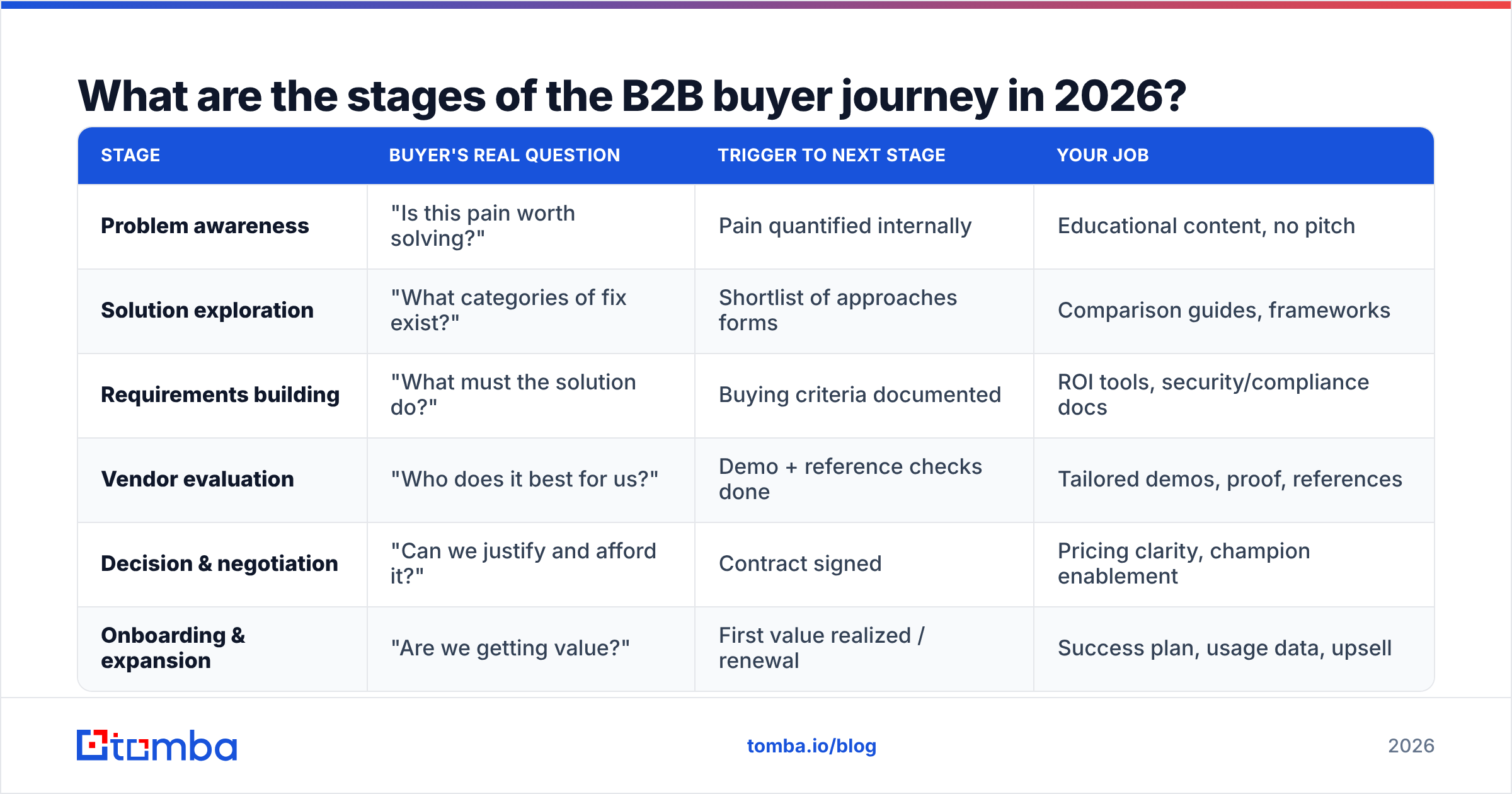
Most durable B2B maps use five to six stages. Here is a practical version with the buyer's actual question, the trigger that ends the stage, and what your team owns.
| Stage | Buyer's real question | Trigger to next stage | Your job |
|---|---|---|---|
| Problem awareness | "Is this pain worth solving?" | Pain quantified internally | Educational content, no pitch |
| Solution exploration | "What categories of fix exist?" | Shortlist of approaches forms | Comparison guides, frameworks |
| Requirements building | "What must the solution do?" | Buying criteria documented | ROI tools, security/compliance docs |
| Vendor evaluation | "Who does it best for us?" | Demo + reference checks done | Tailored demos, proof, references |
| Decision & negotiation | "Can we justify and afford it?" | Contract signed | Pricing clarity, champion enablement |
| Onboarding & expansion | "Are we getting value?" | First value realized / renewal | Success plan, usage data, upsell |
Notice what's missing: no stage says "fill out a form." Stages are defined by the buyer's progress, not your CRM fields. The trigger column is the part most teams skip — and it's the most valuable, because a trigger is observable and therefore automatable.
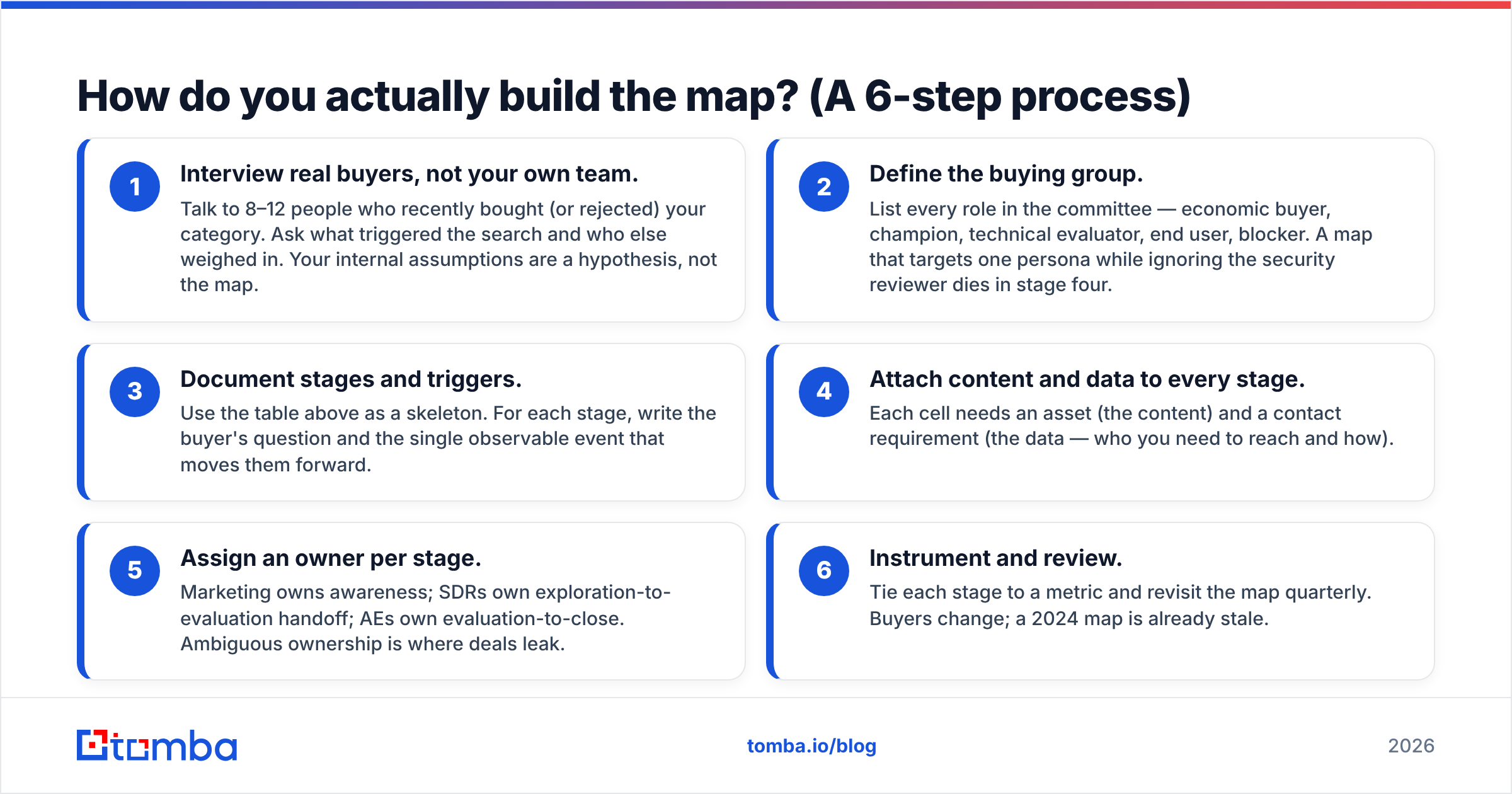
How do you actually build the map? (A 6-step process)#
You build it the way you'd plan a road trip with a group of friends who all want different things: gather everyone's destination, find the route that serves all of them, and mark the rest stops.
- Interview real buyers, not your own team. Talk to 8–12 people who recently bought (or rejected) your category. Ask what triggered the search and who else weighed in. Your internal assumptions are a hypothesis, not the map.
- Define the buying group. List every role in the committee — economic buyer, champion, technical evaluator, end user, blocker. A map that targets one persona while ignoring the security reviewer dies in stage four.
- Document stages and triggers. Use the table above as a skeleton. For each stage, write the buyer's question and the single observable event that moves them forward.
- Attach content and data to every stage. Each cell needs an asset (the content) and a contact requirement (the data — who you need to reach and how).
- Assign an owner per stage. Marketing owns awareness; SDRs own exploration-to-evaluation handoff; AEs own evaluation-to-close. Ambiguous ownership is where deals leak.
- Instrument and review. Tie each stage to a metric and revisit the map quarterly. Buyers change; a 2024 map is already stale.
The data step (4) is where most maps quietly fail. You can know precisely which VP of Engineering at which account just hit a trigger — and still stall because you don't have a verified way to reach them. Pairing the map with reliable data enrichment and a domain search to find the right contacts at target accounts turns the map from a poster into a pipeline engine.
Which mapping approach should you use?#
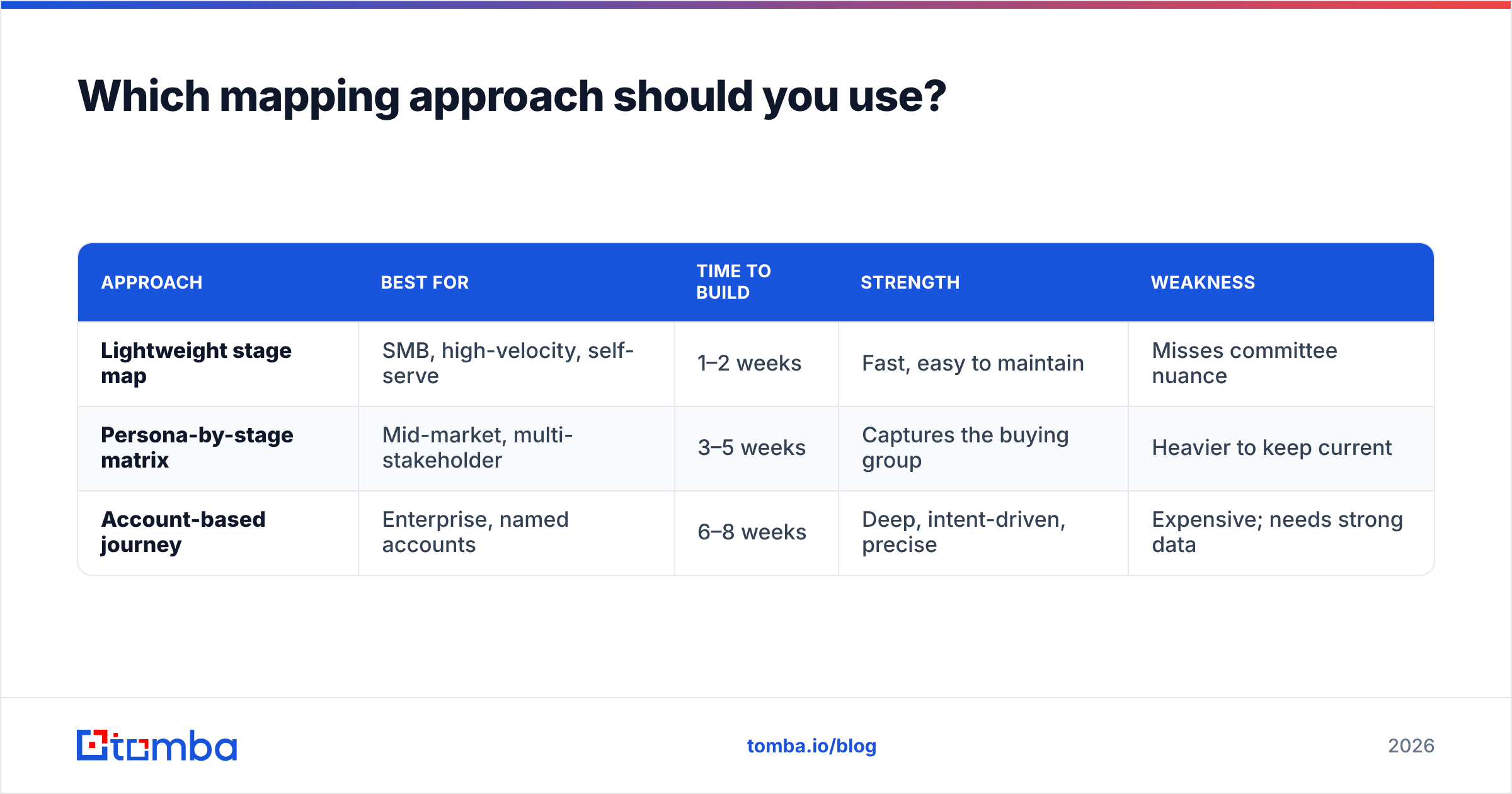
Not every company needs the same level of detail. Here's how three common approaches compare so you can match effort to deal size.
| Approach | Best for | Time to build | Strength | Weakness |
|---|---|---|---|---|
| Lightweight stage map | SMB, high-velocity, self-serve | 1–2 weeks | Fast, easy to maintain | Misses committee nuance |
| Persona-by-stage matrix | Mid-market, multi-stakeholder | 3–5 weeks | Captures the buying group | Heavier to keep current |
| Account-based journey | Enterprise, named accounts | 6–8 weeks | Deep, intent-driven, precise | Expensive; needs strong data |
A useful rule: the more people sign the contract, the more your map needs the persona and account layers. A $5,000 annual deal closed by one ops manager does not need an eight-week account-based build. A $250,000 platform deal with a six-person committee absolutely does.
If you're comparing this to broader frameworks, HubSpot's flywheel model is worth reading as a complement — it reframes post-sale momentum, which your onboarding and expansion stages depend on.
What metrics tell you the map is working?#
A map you don't measure is a decoration. Track these, stage by stage:
- Stage conversion rate — the percentage of buyers who advance from each stage to the next. Your worst-converting stage is your biggest opportunity, not your biggest failure.
- Time-in-stage — how long buyers sit before advancing. A ballooning time-in-stage usually means missing content or a missing stakeholder.
- Trigger-to-touch latency — how fast you act after a trigger fires. This is where data quality shows up: slow or wrong contact data means you reach buyers after a competitor did.
- Win rate by entry stage — deals that enter via "requirements building" often close faster than cold "awareness" leads. Track it and you'll re-allocate spend.
- Committee coverage — how many of the known decision-makers you've actually engaged. Single-threaded deals (one contact) lose far more often than multi-threaded ones.
Committee coverage is the metric that separates mature teams. To raise it, you need contact data for more than your one champion. Building out the full buying group with verified work emails — and validating them with an email verifier before you send — is the difference between multi-threading a deal and praying your single contact doesn't change jobs.
What are the most common buyer journey mapping mistakes?#
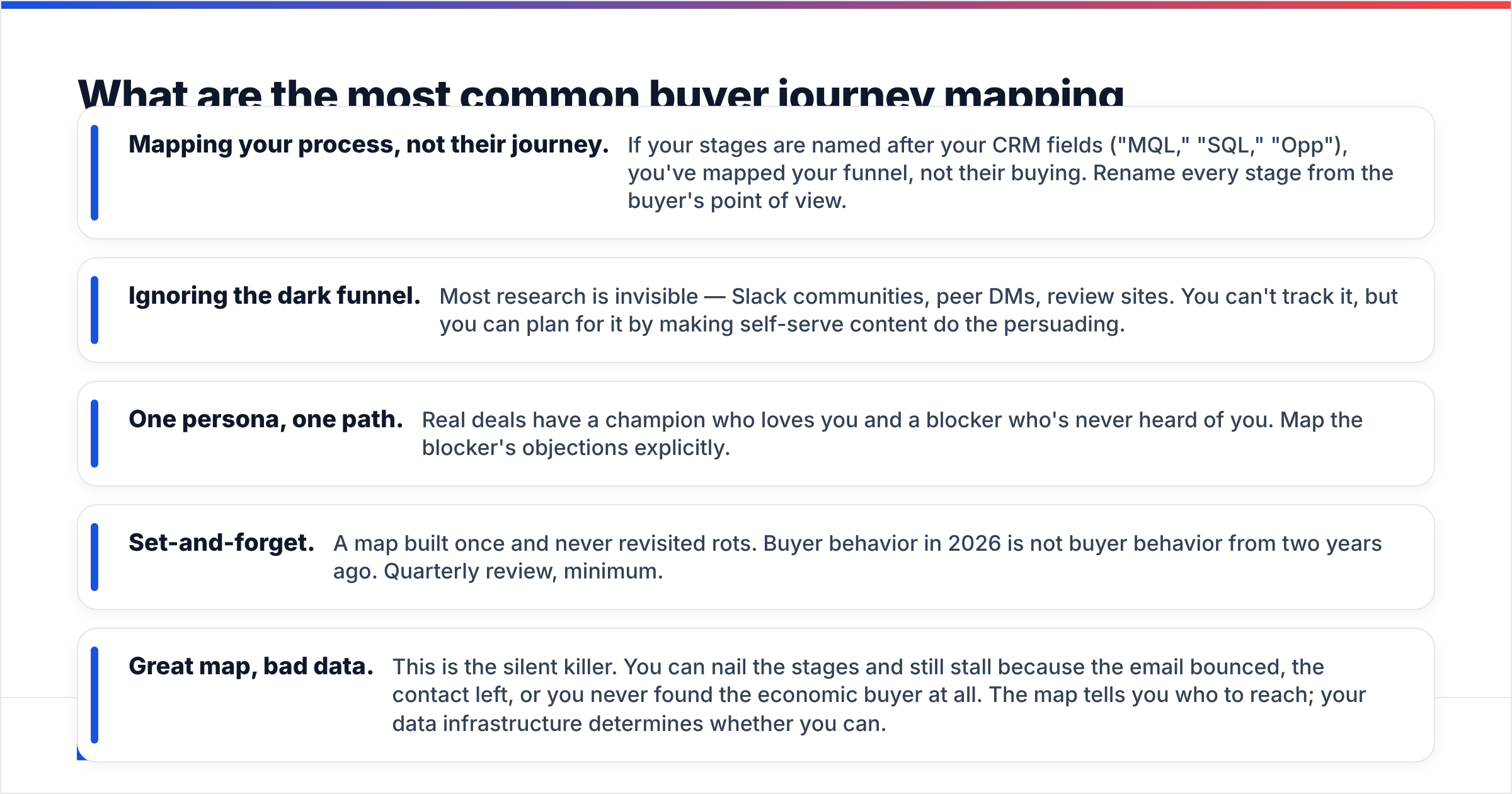
Five mistakes show up again and again:
- Mapping your process, not their journey. If your stages are named after your CRM fields ("MQL," "SQL," "Opp"), you've mapped your funnel, not their buying. Rename every stage from the buyer's point of view.
- Ignoring the dark funnel. Most research is invisible — Slack communities, peer DMs, review sites. You can't track it, but you can plan for it by making self-serve content do the persuading.
- One persona, one path. Real deals have a champion who loves you and a blocker who's never heard of you. Map the blocker's objections explicitly.
- Set-and-forget. A map built once and never revisited rots. Buyer behavior in 2026 is not buyer behavior from two years ago. Quarterly review, minimum.
- Great map, bad data. This is the silent killer. You can nail the stages and still stall because the email bounced, the contact left, or you never found the economic buyer at all. The map tells you who to reach; your data infrastructure determines whether you can.
That last point is worth sitting with. A buyer journey map is a plan for reaching the right people at the right moment. It is only as good as your ability to actually contact those people. This is why high-performing revenue teams treat contact data — finding it, verifying it, enriching it — as core infrastructure, not an afterthought.
How does data accuracy change the entire map?#
It changes everything downstream. Picture the map as a delivery route and your contact data as the addresses. A perfect route to wrong addresses delivers nothing.
When a trigger fires — a target account hires a new VP, visits your pricing page, or downloads a competitor comparison — your map says "engage the economic buyer now." But "now" only works if you can find that buyer's verified email in seconds, confirm it's deliverable, and enrich the record with their role and company context. Slow or inaccurate data adds days of latency, and in a looping buyer journey, days are deals.
This is the practical reason data and journey mapping belong in the same conversation. The stages tell you when and who; the data layer determines whether you can act. Teams that connect the two — a living map plus a fast, accurate way to find and verify contacts — convert measurably better than teams that treat them as separate projects.
Frequently asked questions#
How long does it take to build a B2B buyer journey map? Anywhere from two to eight weeks depending on approach. A lightweight stage map for a high-velocity SMB motion can be drafted in a week; an enterprise account-based journey with full persona matrices takes six to eight.
How often should I update the map? Quarterly at minimum, and immediately after any major shift — a new product, a pricing change, or a clear change in how deals are closing. Buyer behavior moves; a stale map silently misroutes your whole team.
Do small companies need this? Yes, but lighter. Even a five-stage map on a single page beats no map. The discipline of naming stages from the buyer's perspective pays off at any size.
What's the connection between the map and CRM stages? Your CRM stages should mirror the buyer journey, not the reverse. Most teams build the buyer map first, then configure CRM pipeline stages to match it — so reporting reflects reality.
Turn your map into pipeline with the right data#
A buyer journey map points you at exactly who to reach and when. The missing piece is the ability to act on it instantly. With the Tomba Email Finder, you can find verified professional email addresses by name, company, or domain — so the moment a trigger fires, you can reach the right member of the buying committee instead of waiting on stale lists. Pair it with verification and enrichment, and your map stops being a poster on the wall and starts being a pipeline machine. Start on the free tier (25 searches per month) or scale up as your motion grows — see Tomba pricing for the plan that fits your stage.
Ready to find emails that actually work?
Join 150,000+ professionals who stopped guessing and started sending. Free credits on signup — no credit card required.
Get the Tomba newsletter
Practical outbound tactics and product updates — once every two weeks.
About the author