B2B Data Enrichment Services: The 2026 Buyer's Guide
Stale records cost you pipeline every quarter. Here's how B2B data enrichment services work in 2026, what to pay, and how to pick one that actually keeps your CRM clean.
TL;DR
- B2B data enrichment services append missing firmographic, contact, and intent fields to records you already own — turning a bare email or company name into a complete, routable lead.
- The hard part isn't getting data once; it's keeping it fresh. B2B contact data decays roughly 22–30% per year as people change jobs.
- Pricing ranges from usage-based API credits (best for engineering-led teams) to per-seat platform fees (best for sales orgs). Expect $49–$249/mo for SMB tiers, custom for enterprise.
- Accuracy, coverage depth, and how the vendor handles catch-all domains matter more than headline record counts.
- Tomba covers the enrichment layer most teams actually need — email, phone, and firmographic append via API or bulk — without an enterprise seat minimum.
What are B2B data enrichment services?#
A B2B data enrichment service is a closet organizer for your CRM. You hand it a messy pile — a name here, a domain there, a half-finished record — and it hands back a labeled, complete contact you can actually act on. Technically, enrichment takes a sparse record (often just an email or a company name) and appends verified fields: job title, seniority, company size, industry, revenue, technologies used, direct phone, and social profiles.
You use enrichment in three common moments:
- Inbound form fill — a prospect submits an email; you append company size and title to route and score them instantly.
- Outbound list building — you have a target account list and need contacts plus verified emails before a campaign.
- CRM hygiene — you re-run existing records on a schedule to catch job changes, fix bounced emails, and fill gaps.
The output only matters if it's accurate. A wrong title sends your lead to the wrong rep; a stale email tanks your email deliverability and burns your sending domain. That's why the verification layer — checking each email is live before it lands in your CRM — is as important as the append itself.
Why does B2B data decay so fast?#
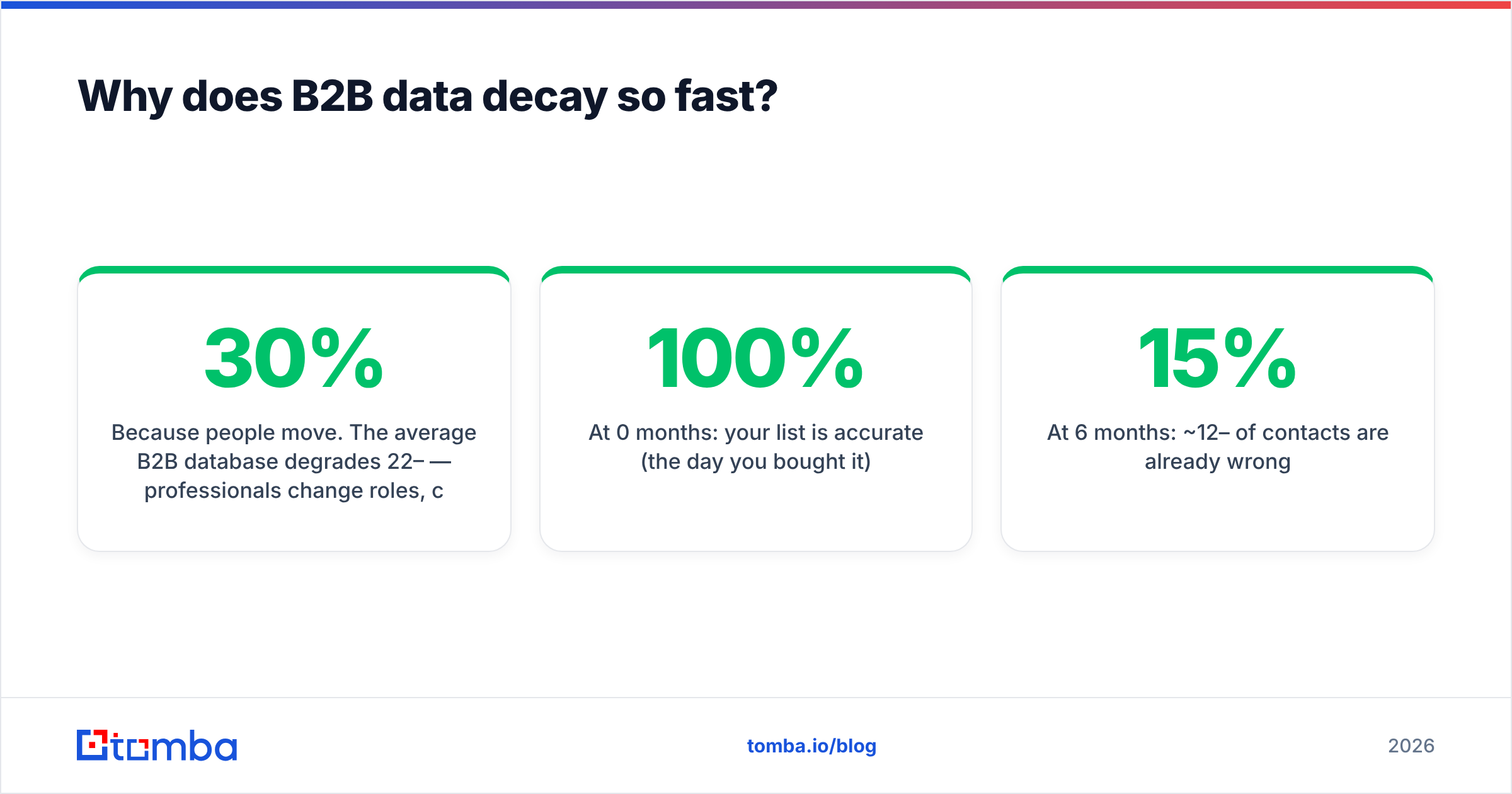
Because people move. The average B2B database degrades 22–30% per year — professionals change roles, companies rebrand, get acquired, or fold, and direct dials get reassigned. Gartner has long estimated that poor data quality costs organizations millions annually in wasted effort and missed revenue (Gartner on data quality).
Put that decay on a timeline and the case for ongoing enrichment is obvious:
- At 0 months: your list is 100% accurate (the day you bought it).
- At 6 months: ~12–15% of contacts are already wrong.
- At 12 months: a quarter of your database misroutes, bounces, or dead-ends.
- At 24 months: nearly half is unusable without re-verification.
This is the difference between a one-time data purchase and a service. A static CSV is a photograph; enrichment is a live feed. The teams that win treat enrichment as a recurring process wired into their CRM, not a quarterly cleanup project.
What fields can you actually enrich?#
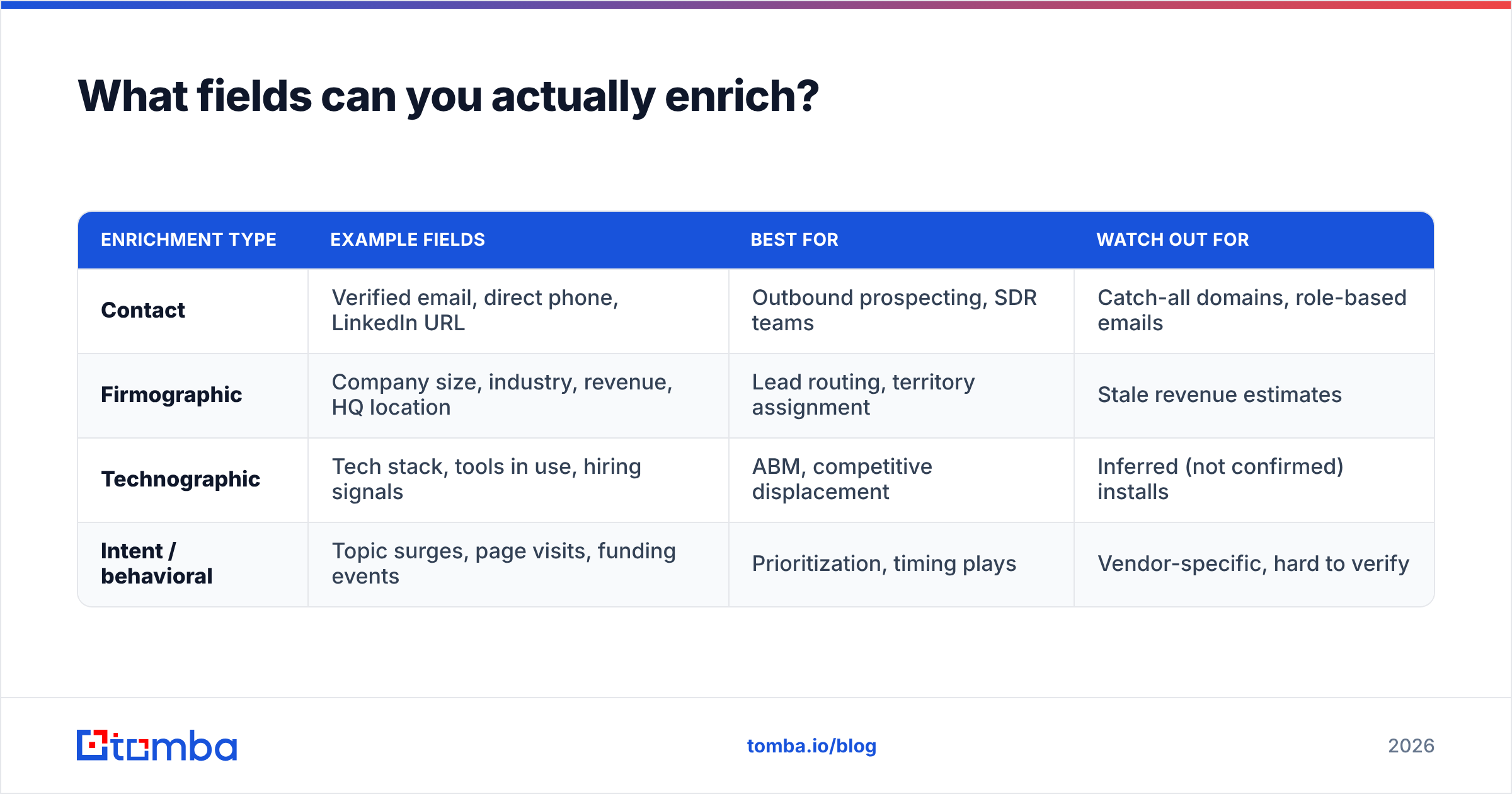
Most enrichment falls into four buckets. The deeper a vendor goes in each, the more you'll pay — and not every team needs all four.
| Enrichment type | Example fields | Best for | Watch out for |
|---|---|---|---|
| Contact | Verified email, direct phone, LinkedIn URL | Outbound prospecting, SDR teams | Catch-all domains, role-based emails |
| Firmographic | Company size, industry, revenue, HQ location | Lead routing, territory assignment | Stale revenue estimates |
| Technographic | Tech stack, tools in use, hiring signals | ABM, competitive displacement | Inferred (not confirmed) installs |
| Intent / behavioral | Topic surges, page visits, funding events | Prioritization, timing plays | Vendor-specific, hard to verify |
A practical rule: nail contact and firmographic data first, because those drive routing and reach. Technographic and intent are powerful but only after the fundamentals are clean. Enriching a bad email with great intent data still gets you a bounce.
If your immediate gap is reaching people — verified emails and direct dials — a focused data enrichment layer plus an email verifier does more for pipeline than a sprawling intent platform you'll barely use.
How are B2B data enrichment services priced in 2026?#
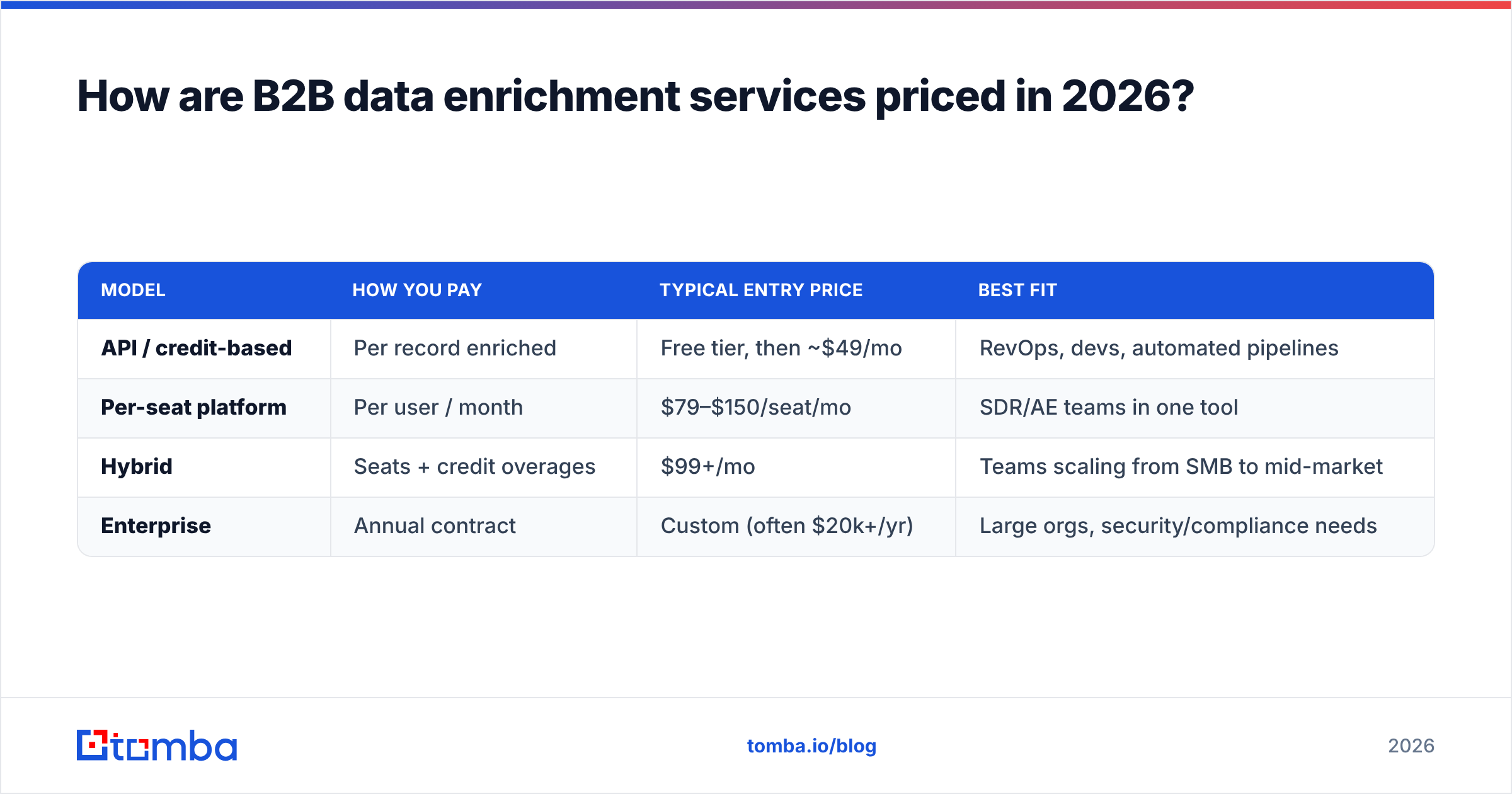
Pricing splits into two camps, and choosing the wrong one is the most common budget mistake. Usage-based (credits/API calls) suits engineering-led and high-variance workflows; per-seat platform pricing suits steady sales teams that live inside a single UI.
| Model | How you pay | Typical entry price | Best fit |
|---|---|---|---|
| API / credit-based | Per record enriched | Free tier, then ~$49/mo | RevOps, devs, automated pipelines |
| Per-seat platform | Per user / month | $79–$150/seat/mo | SDR/AE teams in one tool |
| Hybrid | Seats + credit overages | $99+/mo | Teams scaling from SMB to mid-market |
| Enterprise | Annual contract | Custom (often $20k+/yr) | Large orgs, security/compliance needs |
For context, Tomba pricing runs a Free tier (25 searches/mo), Starter at $49/mo, Growth at $99/mo, and Pro at $249/mo, with credit-based enrichment available through the Tomba API. That structure lets a two-person team start free and a RevOps function automate enrichment at volume without buying seats it won't use.
The number to scrutinize isn't the monthly fee — it's cost per usable record. A vendor charging less per credit but returning 60% accuracy is more expensive than one charging more at 95%, because you pay (in credits and in bounces) for every wrong record too.
How do you evaluate enrichment accuracy?#
Conclusion first: test on your own data before you sign anything. Vendor-published accuracy stats are measured on the vendor's favorite sample. Run a blind test with 200–500 of your real target accounts and measure four things:
- Match rate — of the records you submitted, how many came back enriched at all? Low match rate means coverage gaps for your segment.
- Field accuracy — spot-check titles and company sizes against LinkedIn. A high match rate with wrong fields is worse than no match.
- Email validity — run returned emails through verification. Watch how the vendor labels catch-all domains specifically.
- Freshness — sample contacts who recently changed jobs. Did the service catch the move?
Catch-all domains deserve special attention because they're where most services quietly fail. A catch-all server accepts mail to any address, so a naive verifier marks every address "valid." A catch-all verifier applies deeper signals to separate real mailboxes from accept-all noise — the difference between a delivered campaign and a silent bounce.
API-first vs. UI-first: which enrichment approach fits you?#
Match the tool to who's pressing the button. If a developer or RevOps engineer owns enrichment, API-first wins. If SDRs and AEs do it manually inside a workflow, UI-first wins. Many teams need both.
| Capability | API-first service | UI / platform service |
|---|---|---|
| Best operator | Developer, RevOps | SDR, AE, marketer |
| Automation | Native, real-time | Limited to native flows |
| Bulk enrichment | Batch endpoints | CSV upload |
| CRM sync | Build your own / via |
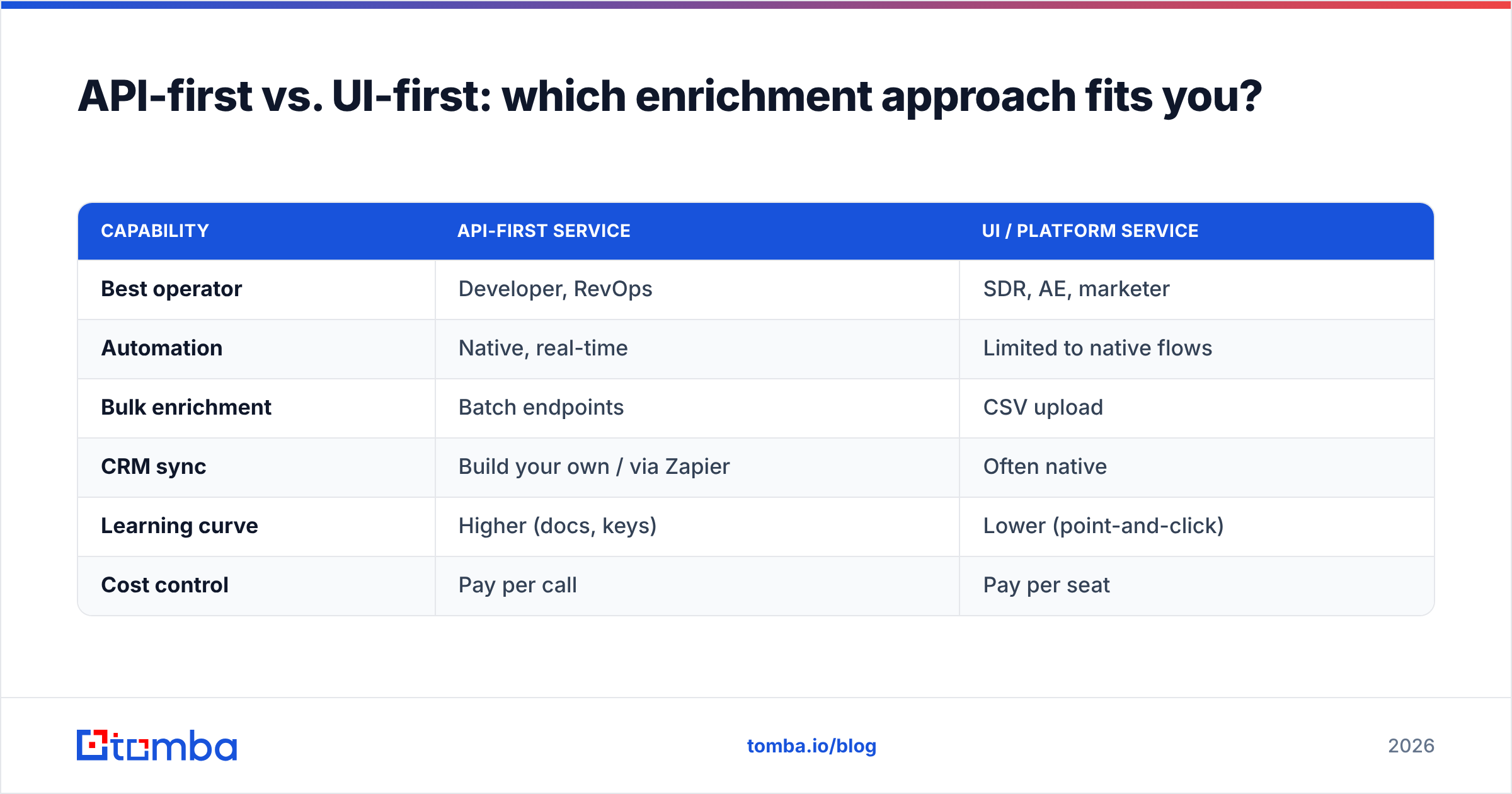
Zapier | Often native | | Learning curve | Higher (docs, keys) | Lower (point-and-click) | | Cost control | Pay per call | Pay per seat |
The pragmatic answer for 2026 is hybrid. Use a bulk email finder and CSV workflow for one-off list builds, then wire the same vendor's API into your inbound form and CRM for continuous, real-time enrichment. One data source, two delivery modes, no reconciliation headaches between vendors.
If you live in spreadsheets, a Google Sheets add-on or a HubSpot integration gets enrichment running without engineering — then you graduate to the API once volume justifies it.
How do you wire enrichment into your CRM without making a mess?#
Treat enrichment like plumbing: install it once at the inlets and outlets, then leave it alone. Three integration points cover most teams.
- At capture (inbound): trigger enrichment the moment a form is submitted, so leads land in your CRM already scored and routed. This is where enrichment most directly lifts your response rate — reps reach complete records faster.
- At creation (outbound): enrich net-new accounts and contacts as you add them to sequences, with verification gating which addresses are allowed to send.
- On a schedule (hygiene): re-run existing records monthly or quarterly to catch decay before it bounces. This is the step most teams skip and most regret.
A few guardrails keep the data clean. Always verify before write — never let an unverified email overwrite a known-good one. Deduplicate on a stable key (company domain plus normalized name) so enrichment doesn't spawn duplicate records. And log overwrites so you can roll back when a vendor returns a worse value than what you had. Connecting through Zapier or Pipedrive lets you enforce these rules without custom code.
What should you look for in a vendor checklist?#
Use this as your shortlist filter. A service that misses two or more of these will create more work than it saves:
- Verification built in — enrichment and validation from one source, not bolted on after.
- Catch-all handling — explicit labeling, not blanket "valid."
- Transparent data sourcing — you should be able to see where the data comes from and how it's refreshed.
- Compliance posture — GDPR/CCPA handling and a clear opt-out process. Cross-check vendor claims on G2 reviews, not just their marketing.
- Fair pricing model — usage-based options so you don't pay for idle seats, and a free tier to test before committing.
- Coverage for your segment — strong global coverage means little if it's thin in your industry or region. Test it.
How does Tomba fit into an enrichment stack?#
Tomba covers the layer most B2B teams actually act on: turning a name, domain, or partial record into a verified, reachable contact. The email finder resolves addresses from name and company; the domain search pulls every public contact at a target account; the phone finder appends direct dials; and enrichment plus verification run in the same workflow so what lands in your CRM is already validated.
For engineering-led teams, all of it is available via API, CLI, and bulk endpoints — credit-based, no per-seat minimum. For sales teams, the Chrome extension and native integrations put the same data inside the tools you already use. You start free with 25 searches, prove accuracy on your own list, and scale on usage rather than buying seats you won't fill.
Ready to stop losing pipeline to stale records? Try the Tomba Email Finder free — run your real target accounts through it, verify the results, and see your match and accuracy rates on your own data before you commit a dollar. Clean, reachable contacts are the foundation every other GTM motion is built on; start there.
// get started
Find, verify and enrich your first contacts today
Start on the free plan with 25 searches a month, then scale when your team is ready.
Free plan · No credit card required · GDPR & CCPA
// about the author